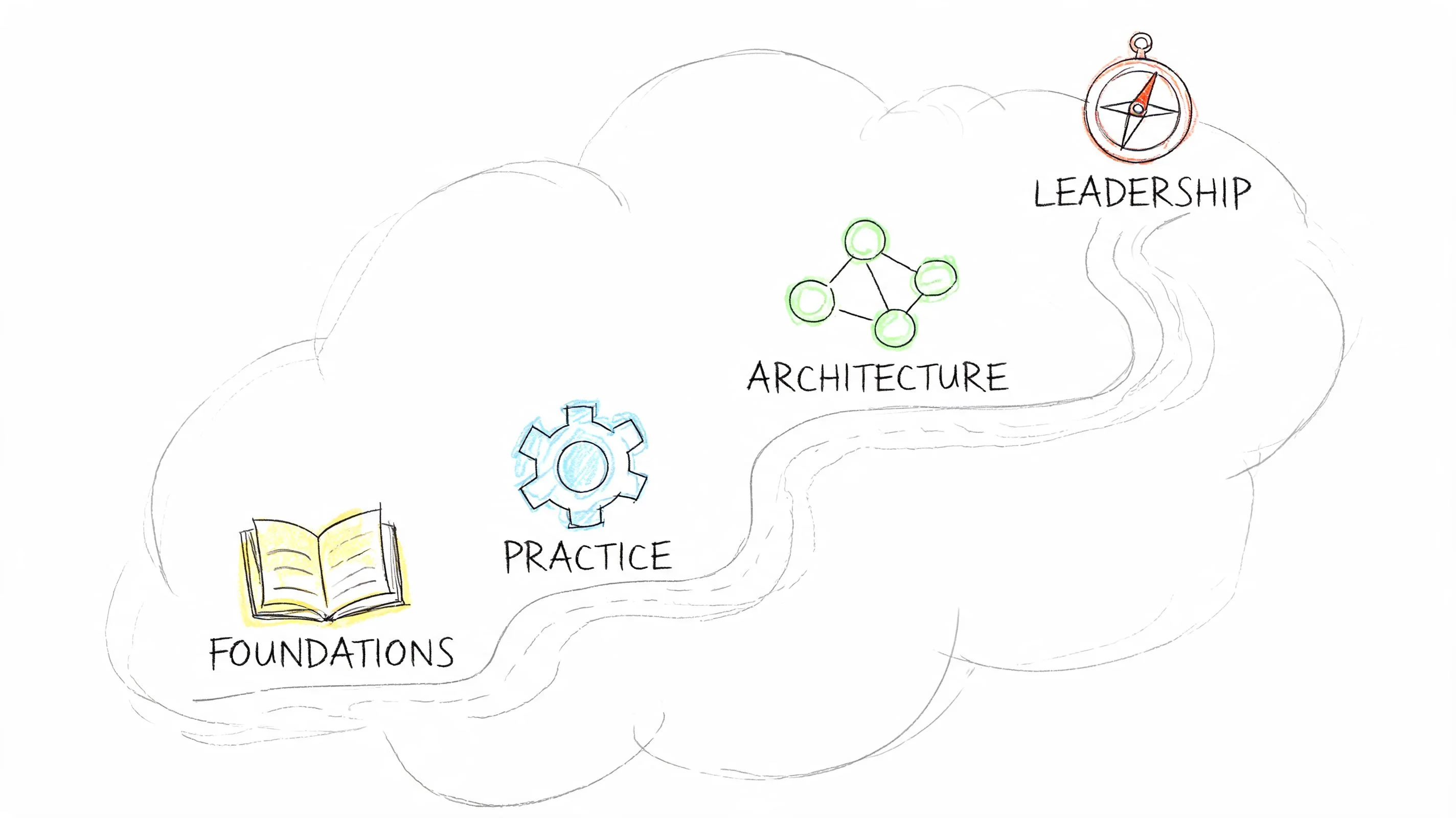
Cloud Computing Career Path: Your 2026 Roadmap
Cloud Computing Career Path: Your 2026 Roadmap
Over 90% of enterprises globally now use cloud services, and the U.S. Bureau of Labor Statistics projects 22% growth in cloud-related jobs by 2030 (Skillspeed Technologies). This reality reshapes how you should approach a cloud computing career.
Cloud isn't a niche area for a small group of specialists anymore. It's now central to how modern businesses operate. Retailers run customer applications on it. Banks build controls around it. Software teams deploy through it. Security teams defend it. Finance teams work to control its costs.
If you’re aiming to enter this field, the difficult part isn't whether cloud skills are valuable. It's deciding what to learn first, how to study, and how to convert that knowledge into a tangible job. This is where many individuals get stuck. They collect notes, might pass a certification, then realize they still can't articulate what they'd do on day one in a cloud role.
A clear roadmap helps here. You need role clarity, a defined skill sequence, portfolio evidence, and readiness for interviews. When these elements come together, the path becomes much more manageable.
The Cloud Career Landscape in 2026
Cloud infrastructure became standard so gradually that many people underestimated the scale of this shift. Teams no longer question if they should use cloud services. Instead, they focus on which platform, which architecture, which security controls, and which cost model best fit a specific workload.
That's why the cloud computing career path remains strong. The work directly supports business operations. When a company launches a new customer platform, modernizes internal systems, creates data pipelines, or adds AI capabilities, cloud skills typically underpin the entire effort.

The big three and what they really mean
When people say “learn cloud,” they usually refer to one or more of these major providers:
- AWS offers broad service coverage, deep infrastructure capabilities, and a vast hiring market.
- Microsoft Azure serves organizations closely tied to Microsoft identity, productivity tools, and enterprise software.
- Google Cloud attracts teams focused on specific engineering, data, or platform use cases.
These aren't simply websites with virtual servers. Each is a complete operating environment. You'll work with compute, storage, identity, networking, logging, security, automation, and billing. This complexity is why cloud roles diverge into engineering, architecture, DevOps, security, operations, and consulting.
A junior professional often gets confused here, assuming they must understand every service. You don’t. Start by grasping the common patterns. A virtual network on one platform might have different names than on another, but the core concepts are similar. Isolation, routing, access control, resilience, and automation are fundamental in any cloud environment.
Practical rule: Learn one platform deeply enough to build and troubleshoot. Understand the concepts broadly enough to recognize them anywhere.
Why employers keep hiring
Demand isn't driven by hype. It's driven by ongoing maintenance and constant change. Once a company adopts cloud, someone needs to provision resources, secure identities, monitor systems, automate deployments, control spending, and design future architecture.
This business reality creates durable work. It also opens up adjacent roles for people who aren't pure infrastructure specialists. A developer can shift towards cloud-native application delivery. A systems administrator can transition into platform operations. A project manager can support migrations and governance if they learn the language of cloud delivery.
Cost is another significant reason cloud skills matter. Technical decisions have financial consequences, and employers value professionals who understand both. For a practical example of this aspect of the job, it helps to understand AWS Savings Plan types, as cost planning becomes part of architecture conversations earlier than many beginners expect.
What actually makes this path attractive
The appeal of a cloud computing career isn't just about salary. It's the blend of mobility, relevance, and progression. You can start in support or administration, move into engineering, and later choose between architecture, automation, or security.
You also don’t need to arrive as an expert. Most skilled cloud professionals build capabilities layer by layer. They learn basic networking, then IAM, then scripting, then Infrastructure as Code, then system design. This sequence is more important than trying to appear advanced too early.
Your Cloud Career Roadmap: A Staged Approach
The simplest way to understand a cloud computing career path is to view it as a mountain climb. Not because it’s glamorous, but because each camp prepares you for the next. Skipping a level often leads to difficulties later when troubleshooting becomes complex.
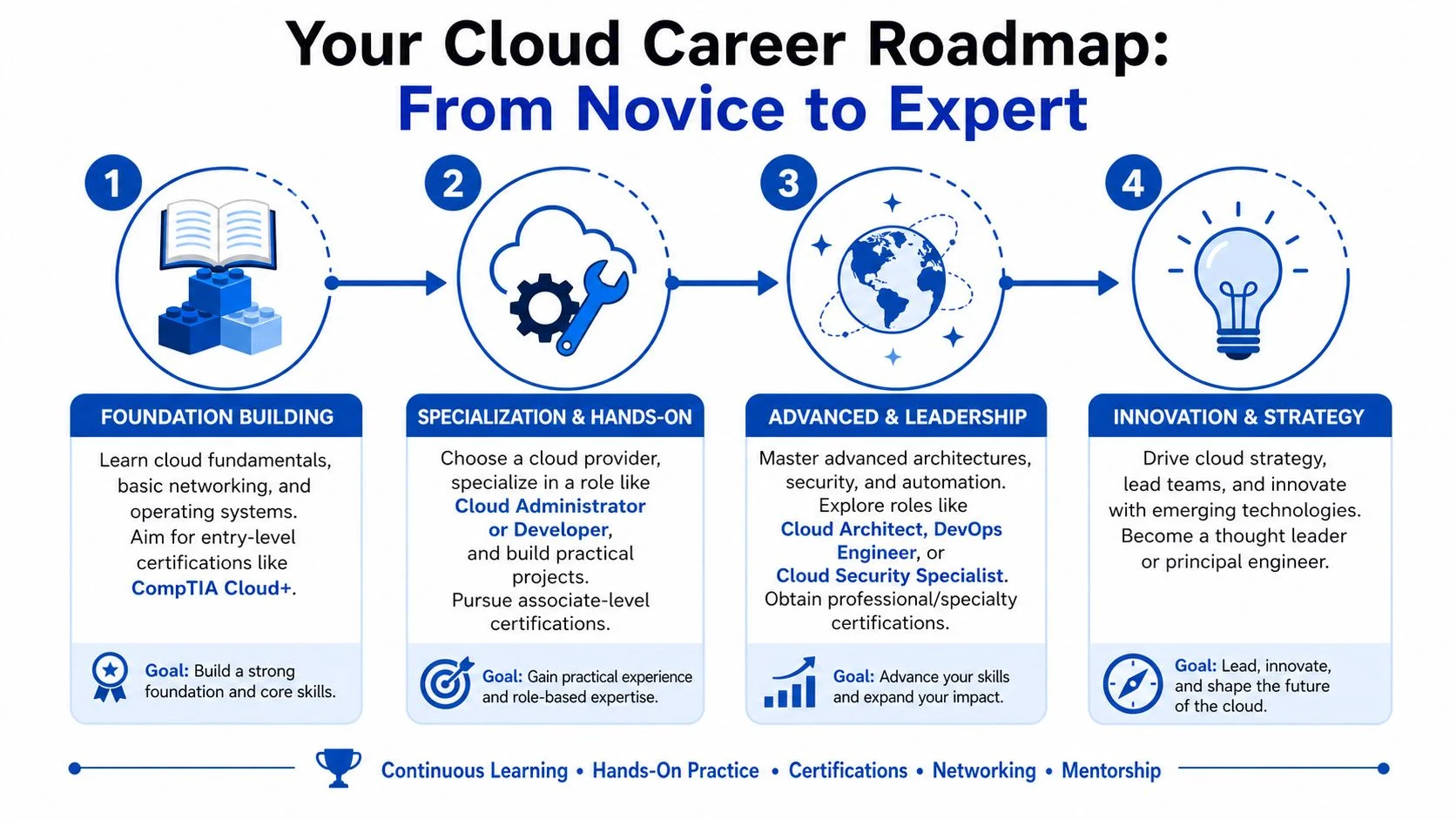
Stage one: Foundation building
At the outset, your goal is to become operationally effective. This means understanding what the main cloud services do and how systems connect.
Entry-level associates typically start between $85,000 and $100,000, mid-level DevOps Engineers earn $125,000 to $145,000, and Cloud Architects reach $130,000 to $200,000 (Digital Cloud Training). These numbers are important, but the core message is what drives them. Each salary increase reflects higher trust, broader scope, and stronger decision-making.
Common early roles include junior cloud engineer, cloud support associate, and cloud operations analyst. In these positions, you’ll often:
- Provision resources: Launch compute, storage, and networking components in a controlled way.
- Monitor systems: Check logs, alerts, dashboards, and simple health signals.
- Handle tickets: Investigate access issues, failed deployments, or performance complaints.
- Document repeatable work: Write short runbooks so the next person can solve the same issue faster.
Beginners often focus too much on flashy services. Instead, start with the essential fundamentals:
- Linux and operating system basics You need to understand files, processes, services, permissions, and logs.
- Networking Subnets, routing, load balancing, and security boundaries are constant topics.
- Identity and access management If you don’t understand who can do what, you can’t safely operate cloud systems.
- One scripting language Python, Bash, or PowerShell can all work. The goal is automation, not loyalty to a specific language.
If you can explain how a request reaches an application, how access is granted, and how you’d find the logs when it fails, you’re building real entry-level cloud judgment.
Stage two: Specialization and hands-on work
At this stage, many professionals gain a stronger sense of employability. You're no longer just following lab steps. You're choosing tools, explaining tradeoffs, and automating repetitive tasks.
Typical roles here include cloud engineer, cloud administrator, junior DevOps engineer, and cloud developer. Your daily work moves beyond clicking in a console to focusing on consistency. You define environments, standardize deployments, and make systems simpler to manage.
This stage usually involves these skill shifts:
- From manual to repeatable You stop setting up environments by hand every time.
- From platform familiarity to service selection You learn why a team chose one storage option, one compute model, or one deployment pattern over another.
- From support mindset to ownership mindset You don’t just fix incidents. You eliminate the conditions that cause them.
A practical study pattern helps here. Pick one provider. Build a small application or infrastructure stack. Break it. Fix it. Document it. Repeat. If you want a structured learning companion, this guide offers useful certification advice for cloud careers that connects study choices with actual role progression.
What employers expect at this stage
By the middle of the climb, employers expect proof that you can work with modern delivery practices.
A solid mid-level profile often includes:
| Capability | What it looks like in practice |
|---|---|
| Infrastructure as Code | Defining networks, compute, and scaling rules in Terraform or CloudFormation |
| Version control | Using Git to track infrastructure and deployment changes |
| CI/CD awareness | Understanding how code moves from commit to deployment |
| Containers | Working knowledge of Docker and basic Kubernetes concepts |
| Observability | Reading logs, metrics, and alerts to troubleshoot systems |
You don’t need elite skill in every area. You do need enough competence to work safely without constant intervention.
Stage three: Advanced and leadership work
Senior cloud roles are less about individual commands and more about design quality. You're responsible for systems that must scale, recover, remain secure, and align with business constraints.
This is where titles like Cloud Architect, Cloud Security Engineer, and senior DevOps engineer appear. The senior professional doesn’t just know more tools. They make better choices under specific constraints.
A senior practitioner typically handles work such as:
- Architecture decisions: Choosing patterns for resilience, segmentation, deployment, and recovery.
- Security alignment: Integrating IAM, encryption, and compliance requirements into the design early.
- Cost judgment: Balancing reliability and performance against budget constraints.
- Team leadership: Reviewing designs, mentoring engineers, and explaining tradeoffs to non-technical stakeholders.
Cloud architects are often idealized. In reality, effective architects spend significant time clarifying requirements, reducing ambiguity, and preventing expensive mistakes. They draw diagrams, yes. They also ask challenging questions about dependencies, identity boundaries, backup assumptions, and operational ownership.
A good architect doesn’t chase complexity. They reduce it where possible and justify it when necessary.
Stage four: Innovation and strategy
At the summit, cloud becomes integral to business direction. You might still be hands-on, but your value comes from shaping standards, defining platform direction, developing migration strategies, or establishing cross-team operating models.
These roles vary by company. One organization might call it principal engineer. Another may use platform architect, enterprise architect, or head of cloud engineering. The title matters less than the responsibility. You guide patterns that many teams will follow.
At this level, your technical depth still matters. However, three other abilities become crucial for your impact:
- Communication across diverse audiences
- Long-range technical planning
- Sound judgment in uncertain situations
That's the full climb: foundation, specialization, advanced design, then strategy. Professionals don’t move through it in a straight line; they often zigzag. A support engineer might become a security specialist. A developer could transition into architecture. A project manager might enter through cloud consulting. The path is flexible, but the staged logic still holds true.
Essential Certifications and Your Exam Timeline
Certifications are helpful, but only if you view them as proof of capability development. They aren't magic tickets. A certification helps hiring teams trust your baseline knowledge. It doesn't replace hands-on practice, and it won't answer interview questions for you.
The smart way to approach certifications is to match each one to a stage of your development. Foundational certifications help you learn the terminology. Associate-level certifications help you organize practical implementation knowledge. Professional or expert-level certifications guide you towards architecture, operations, or strategy.
How to choose the first certification
Many beginners ask whether they should start with vendor-neutral certifications or jump straight into AWS or Azure. The answer depends on your background.
If your foundation is weak, start broad. Learn cloud concepts, networking basics, identity, and core service models. If you already work with IT systems, going directly into a provider-specific path can make sense because it gets you into practical tooling sooner.
The bigger decision today is whether you’ll stay single-platform for too long. With 62% of enterprises adopting multi-cloud strategies, professionals with multiple certifications or hybrid skills often see an 18% salary premium, while single-cloud specialists may face a 22% higher risk during market shifts (Coursera). This doesn’t mean you should study everything at once. It means your long-term plan should include breadth after you build depth.
Cloud Certification Starter Path
| Stage | Recommended Certification | Focus Area | Target Timeline |
|---|---|---|---|
| Foundation | CompTIA Cloud+ or cloud fundamentals track | Core concepts, service models, basic operations | Early stage, after core IT basics |
| Platform entry | AWS Certified Solutions Architect or Azure Administrator path | Hands-on provider knowledge, identity, networking, compute, storage | After foundation is stable |
| Role alignment | Azure Solutions Architect Expert, AWS architect or DevOps path | Design, automation, operational maturity | After real projects and stronger troubleshooting ability |
| Multi-cloud expansion | A second major provider certification | Portability of concepts, hybrid judgment, resilience in the job market | After first provider confidence is established |
For learners who want one place to compare options across AWS, Azure, CompTIA, and related paths, structured IT certification courses can help you map the exam to the role rather than chasing whichever certification seems popular.
A timeline that connects study to hiring
An effective certification timeline must include time for labs, note review, and small portfolio projects. If you only consume video lessons, you’ll feel prepared right up until your first technical interview.
Months one to three
Use this period to establish your base knowledge.
Focus on:
- Cloud basics: IaaS, PaaS, SaaS, regions, availability concepts.
- Networking basics: Subnets, routing, public vs. private access.
- Identity basics: Users, roles, permissions, least privilege.
- Compute and storage basics: Virtual machines, object storage, managed databases.
- Study habits: Spaced review, flashcards, short recap notes after each topic.
A common mistake here is rushing to practice tests. Avoid doing that too early. First, learn to explain the concepts in plain language.
Months four to seven
Choose one cloud provider and get hands-on. This is the phase where concepts become practical.
Your weekly routine should include:
- Building small labs in your chosen platform.
- Creating simple diagrams for what you built.
- Reviewing mistakes from failed deployments.
- Practicing a little scripting and CLI usage.
- Studying for an associate-level certification.
By the end of this phase, you should be able to explain a basic architecture and justify why you selected each service.
Months eight and beyond
At this stage, your timeline becomes less generic and more dependent on your target role.
- If you want DevOps work, focus more on CI/CD, Terraform, containers, and operational troubleshooting.
- If you want architecture, dedicate more time to design tradeoffs, reliability, security, and service selection.
- If you want security, concentrate on IAM, encryption, governance, and secure deployment patterns.
Treat each certification as a checkpoint. If you can’t build or explain the topic after you study it, you’re memorizing, not learning.
What not to do
A few patterns consistently slow people down:
- Collecting certifications without corresponding projects.
- Switching providers too early.
- Ignoring networking because it feels dry.
- Studying only with passive content.
- Taking advanced exams before mastering associate-level work.
The strongest candidates often appear less dramatic on paper than you might expect. They follow a sensible sequence, engage in consistent hands-on practice, and repeat concepts enough to retain what they learn.
Building a Portfolio That Gets You Hired
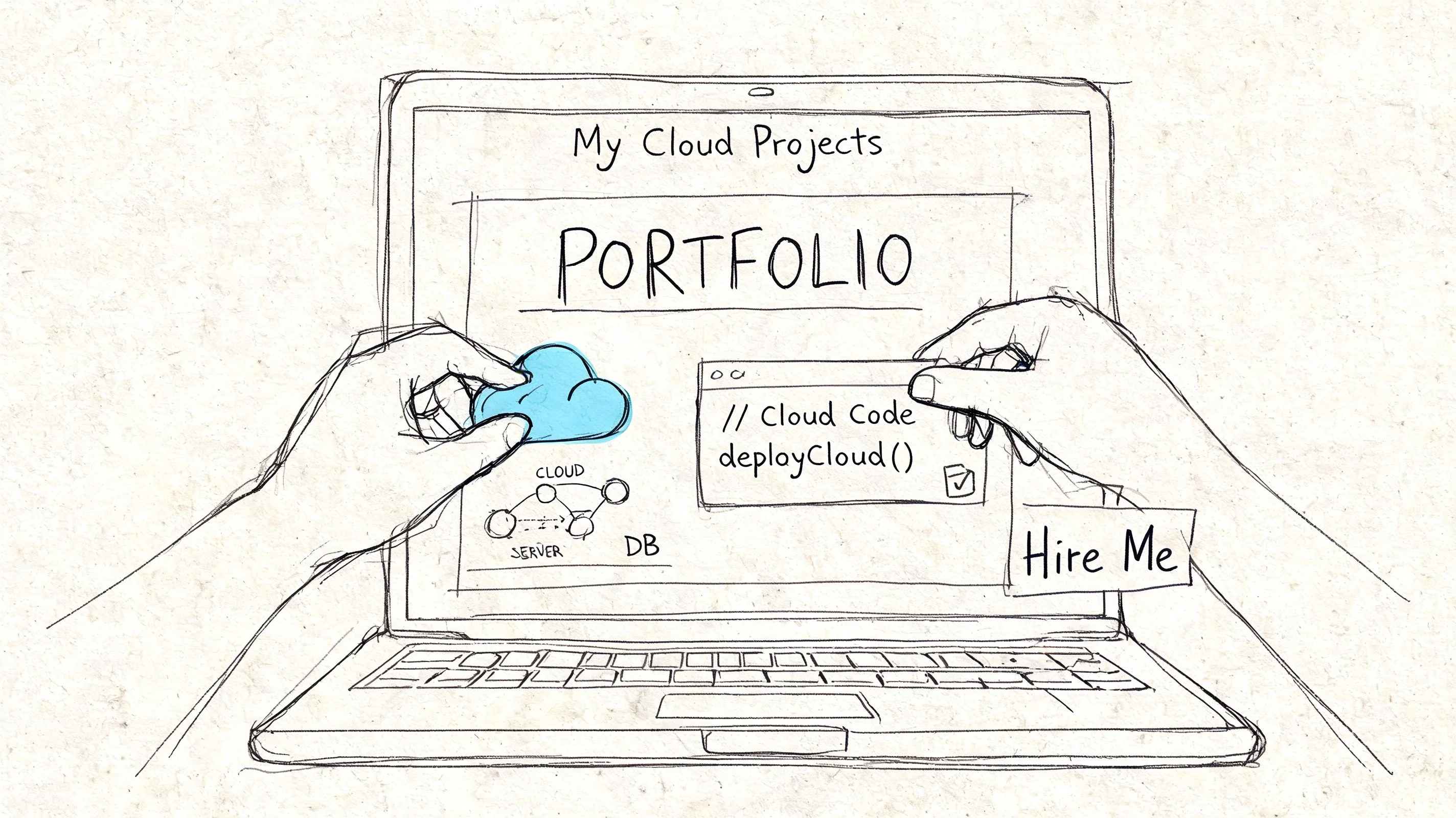
A certification confirms you studied. A portfolio demonstrates how you think when something needs to function.
This distinction matters because hiring managers don’t recruit people to admire badges. They hire individuals to build, fix, automate, and explain. A strong cloud portfolio provides them with evidence before the interview even begins.
What a useful portfolio actually includes
Your portfolio doesn’t need ten projects. It needs a few projects with a clear purpose.
Effective cloud portfolio work usually includes:
- A problem statement: What were you trying to build or improve?
- An architecture view: A simple diagram is often sufficient.
- Infrastructure details: Which services did you use, and why?
- Operational thinking: Logging, security, or scaling considerations.
- Documentation: A README that another engineer can follow.
- Reflection: What broke, what you changed, and what you’d improve next.
The reflection piece is where many candidates truly distinguish themselves. Real cloud work involves mistakes. If you can clearly describe one and explain the fix, you sound more credible, not less.
One project that carries a lot of weight
If I were mentoring a junior professional aiming for a strong first cloud role, I’d strongly recommend one particular project: Infrastructure as Code.
Mastering IaC with tools like Terraform is crucial because it can reduce human deployment errors by up to 80%. A portfolio project that automates a VPC, subnets, and an auto-scaling group on AWS or Azure signals mid-level capability to employers (Dion Training).
That might sound more complex than it is. You can build this in stages.
A practical project flow
- Start with the network Create a virtual network or VPC with public and private subnets.
- Add compute Deploy an application tier or even a simple test service.
- Add scaling logic Show that the system can expand without manual rebuilds.
- Store the code in Git Employers want to see your changes, not just screenshots.
- Write the README like a teammate will use it Include what the project does, how to deploy it, and what assumptions it makes.
Here’s a helpful walkthrough to complement that kind of build:
Three portfolio ideas for different role targets
You don’t need the exact same portfolio as everyone else. Align it with your target role.
| Role target | Good project direction | What it proves |
|---|---|---|
| Cloud engineer | Terraform-based infrastructure deployment | Repeatability, networking, resource management |
| DevOps engineer | CI/CD pipeline deploying a sample app | Automation, release flow, operational thinking |
| Cloud security | Secure-by-default environment with IAM controls and logging | Security awareness, policy thinking, visibility |
Your portfolio should answer one question quickly: If we hired you, what cloud problems could you already help us solve?
How to present it on your resume
Don’t hide your projects under a generic “personal work” line. Use business-focused language.
Instead of:
- built AWS lab with Terraform
Write:
- Automated cloud infrastructure deployment using Terraform, including network segmentation, subnets, and scalable compute resources.
- Documented architecture decisions, deployment steps, and operational considerations in GitHub.
- Used version-controlled Infrastructure as Code to replace manual environment setup.
That wording makes your work sound like work. Because it is.
Nailing the Interview and Landing Your Cloud Role
Getting hired is its own distinct skill. I’ve seen candidates with solid technical fundamentals miss opportunities because they answered like quiz machines. I’ve also seen less experienced candidates succeed because they explained their decisions clearly and demonstrated a strong ability to learn quickly.
Interviewers usually aren’t testing whether you know every menu option in AWS or Azure. They're assessing whether you can think through a cloud problem without getting lost.

What your resume needs to do
A cloud resume should make your practical experience clear in seconds.
Prioritize these sections near the top:
- Certifications
- Cloud projects
- Tools and platforms
- Relevant professional experience
- Business-facing accomplishments
For career changers, that last point is more important than many realize. For the 42% of career changers who struggle with the transition, the key is using transferable skills, such as stakeholder alignment and budget management, which employers value even though many technical guides barely discuss them (Tutorials Dojo).
If you’ve worked in project management, operations, compliance, support, or business analysis, don’t hide it. Reframe it.
- A project manager can discuss stakeholder coordination during cloud migration work.
- An operations lead can discuss incident ownership and process improvement.
- A compliance analyst can discuss risk controls, documentation discipline, and audit readiness.
How to answer technical questions well
Many cloud interviews include intentionally broad questions.
Examples:
- How would you design a reliable web application in the cloud?
- What would you check if an application became unreachable?
- How would you secure access to a cloud environment?
- Why would you use Infrastructure as Code?
A weak answer jumps directly to product names. A strong answer begins with principles, then narrows into implementation.
Use this sequence:
- Clarify the goal Ask what matters most: availability, speed, cost, or security.
- State the design approach Explain the pattern before naming specific services.
- Choose services deliberately Name the tools only after your reasoning is clear.
- Mention tradeoffs Every cloud decision involves some.
Here’s a short example.
For a reliable public application, I’d separate network layers, keep application components distributed across failure boundaries, add load balancing, centralize logging, and automate deployment so recovery is repeatable. Then I’d choose the exact services based on the platform and the team’s operating model.
That answer sounds like an engineer, not a test-prep app.
Behavioral interviews matter more than many candidates expect
Cloud teams work across development, security, operations, finance, and management. If you can’t communicate effectively under pressure, you’ll struggle even with strong technical skills.
Use the STAR pattern for your stories, but keep it natural:
- Situation
- Task
- Action
- Result
Choose stories about conflict, troubleshooting, ownership, and decision-making. If you don’t have direct cloud stories yet, use relevant examples from IT, support, project work, or operations.
To rehearse your delivery, it can help to use tools to prepare for job interviews that let you practice concise answers and refine your phrasing before a real panel conversation.
What interviewers remember
They usually remember three things:
- Whether you could explain clearly.
- Whether you demonstrated practical judgment.
- Whether you sounded safe to trust with production systems.
That last point is crucial. Safe candidates admit assumptions, mention validation steps, and avoid bluffing through knowledge gaps. If you don’t know something, state what you’d check and how you’d minimize risk.
Accelerate Your Journey with Smart Study Strategies
A cloud computing career path becomes simpler when you stop treating learning, certification, projects, and interviews as separate activities. They should reinforce each other.
Study a topic, build something small with it, write down what confused you, review it later, then explain it out loud. That loop converts information into practical skill. It’s also why many people who study for hours still feel uncertain in interviews—they consume more than they retrieve.
A better approach uses spaced repetition, short active recall sessions, and adaptive review. These methods are particularly well-suited for cloud study because cloud knowledge is layered. If you neglect networking, IAM becomes harder. If IAM is shaky, architecture decisions become unclear. If architecture is unclear, interviews become challenging.
That’s why structured cloud training resources can help when they support review, not just content consumption. The goal isn’t to rush through material. It’s to retain enough of it that you can apply it under pressure.
Keep the path simple. Build fundamentals. Choose a platform. Earn certifications in a sensible order. Create proof through projects. Practice explaining your work. Repeat the cycle as your scope grows.
If you want a practical way to turn study time into certification progress and job-ready understanding, MindMesh Academy offers structured exam preparation across cloud, AWS & Azure, and adjacent IT paths, with tools built around retention and concept mastery rather than passive reading alone.

Written by
Alvin Varughese
Founder, MindMesh Academy
Alvin Varughese is the founder of MindMesh Academy and an enterprise architecture leader. An electrical engineer by training, he moved from factory automation in South Africa to cloud architecture at GE Appliances and Humana (Fortune 50), and holds 20 professional certifications including AWS Solutions Architect Professional, Azure DevOps Engineer Expert, and Microsoft Agentic AI Business Solutions Architect. He built MindMesh Academy after interviewing too many highly certified candidates who couldn't answer basic questions: the goal is prep that makes you better at the job, not just able to pass the exam.