How to Learn Cloud Computing A Practical Roadmap
How to Learn Cloud Computing: A Practical Roadmap for IT Professionals
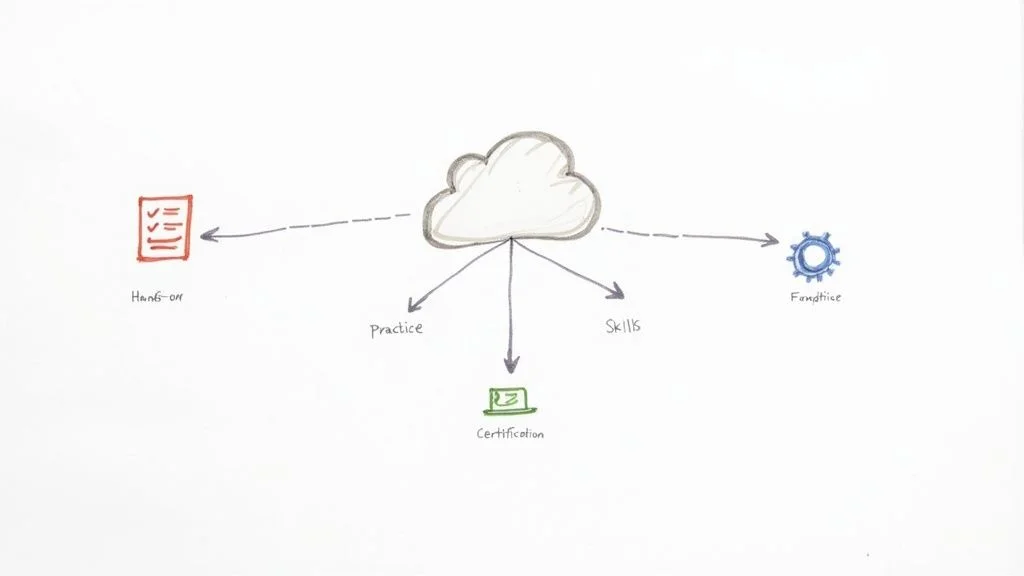
Entering the cloud computing field is often difficult, but the process follows a clear path. At MindMesh Academy, we address the specific hurdles IT professionals encounter when moving into this space. Growth in this sector depends on three distinct phases. First, you must establish a strong base in core IT principles. Next, you need to gain hands-on experience with a major cloud platform. Finally, you should validate your skills through recognized industry certifications. By following this specific roadmap, you can turn a broad field into a series of achievable milestones. This method simplifies technical learning and prepares you for a long-term career without the stress of following an unguided curriculum.
Your Essential Launchpad for Learning Cloud Computing

Where should you actually begin when entering the field of cloud technology? It is quite common to feel overwhelmed by the sheer volume of technical terms and the constant release of new services. This guide serves as a practical resource to help you find your footing and establish a clear direction. Our objective is to move past the initial confusion and help you build a sense of confidence through a structured learning process.
The demand for people who understand cloud systems is not just increasing; it is currently seeing a significant spike. Research indicates the global market for cloud computing will likely hit $912.77 billion by 2025 (verify current market projections on industry analyst sites). This represents a growth rate of more than 21% annually. Because 85% of companies have moved toward a cloud-first approach, the market needs more professionals who can handle these environments. This clear shift in how businesses operate is why earning certifications from providers like AWS, Azure, and GCP has become so useful for anyone looking to advance their career.
Below is an overview of the strategy we will use to help you take advantage of these industry trends.
The 3-Phase Cloud Learning Roadmap for IT Professionals
This table outlines the essential stages for any IT professional serious about mastering cloud computing. It guides you from grasping fundamental concepts to validating your expertise for the competitive job market.
| Phase | Focus Area | Key Outcome |
|---|---|---|
| Foundation First | Core IT concepts (networking, operating systems, virtualization, security principles) | A solid understanding of the "why" and "how" behind cloud technology, crucial for passing foundational exams. |
| Hands-On Practice | Working directly with a major cloud platform (AWS, Azure, or GCP) | Practical, real-world skills in deploying, managing, and troubleshooting cloud services, preparing you for associate-level certifications. |
| Skill Validation | Earning industry-recognized certifications (e.g., AWS Certified Cloud Practitioner, Azure Administrator Associate) | A verifiable credential that concretely proves your competence and specialization to potential employers. |
Each stage in this process is designed to build on the previous one. By the end, you will have a set of skills that are grounded in both theory and actual practice. This specific structure is one of the most reliable ways to start an IT career with a focus on high-demand technology.
First, Master the Cloud Service Models: IaaS, PaaS, and SaaS
To understand the cloud, you must first understand three specific service models: Infrastructure as a Service (IaaS), Platform as a Service (PaaS), and Software as a Service (SaaS). Learning the differences between these three is a requirement for anyone entering this field. These concepts appear frequently in entry-level exams such as the AWS Certified Cloud Practitioner (CLF-C02) and Microsoft Azure Fundamentals (AZ-900).
The pizza analogy is a useful way to distinguish these models:
- IaaS (Infrastructure as a Service): This model is similar to buying the raw ingredients for a pizza, such as the dough, sauce, cheese, and toppings. You have complete control over how the pizza is made, but you are also responsible for the oven, the kitchen, and the cleanup. In a technical sense, you are renting the basic components like virtual machines (such as AWS EC2 or Azure VMs), storage (such as AWS S3 or Azure Blob Storage), and networking. You have to manage the operating systems, the security patches, and the software you install.
- PaaS (Platform as a Service): This is comparable to a take-and-bake pizza where the shop provides the prepared crust and sauce. You only need to add your specific toppings and put it in the oven. For developers, this model provides a specific environment where they can build and run applications without worrying about the underlying hardware or operating systems. Common examples include AWS Elastic Beanstalk or Azure App Service.
- SaaS (Software as a Service): This is like having a hot pizza delivered directly to your door. You do not have to worry about the kitchen, the ingredients, or the cooking process. You simply pay for and consume the final product. These are ready-to-use applications that are fully managed by a vendor. Well-known examples include Gmail, Salesforce, and Microsoft 365.
The primary advantage of these cloud models is that they allow businesses to stop worrying about the physical hardware and maintenance of servers. Instead of managing a data center, teams can focus on writing code, creating new features, and providing better service to their users. You will need to understand this value proposition clearly to succeed in any certification exam.
Reflection Prompt: How might choosing an IaaS, PaaS, or SaaS model impact the operational responsibilities of an IT team, and what are the cost implications for each? Think about a common business application like an email service. Which model best describes it, and why?
Picking Your Cloud Playground: AWS, Azure, or GCP?
The current market for cloud services is dominated by three main providers: Amazon Web Services (AWS), Microsoft Azure, and Google Cloud Platform (GCP). Each of these platforms offers a similar set of tools, including virtual servers, databases, and storage options, but they each have a different focus.
AWS currently has the largest share of the market and is very popular with startups and companies that were built entirely in the cloud. Microsoft Azure is a common choice for large corporations because it integrates so well with existing Microsoft software and Windows-based environments. Google Cloud Platform is often preferred by organizations that focus heavily on data analytics, machine learning, and using Kubernetes for container management.
Which platform should you pick first? Your choice should depend on your specific career goals or the industry you want to work in. If you are aiming for a role in a large enterprise, Azure might be the best starting point. If you want to work for a tech startup, AWS is a great choice.
The good news is that the core principles of cloud architecture are very similar across all three providers. If you learn how to set up a secure network and manage storage on AWS, you will find it much easier to learn the same tasks on Azure or GCP. The most effective strategy is to choose one and stay with it until you understand the basics. To help speed up this process, you can explore relevant online courses that provide a more organized way to learn while you work on your own lab projects. The most important thing you can do right now is pick one and start learning the fundamental concepts.
To build a truly strong foundation, you should also look at broader IT certifications. For instance, the CompTIA A+ (220-1201/220-1202) provides an excellent overview of hardware and help desk support. Following that, the CompTIA Network+ (N10-009) is a great way to understand how computers communicate, which is a vital skill for anyone working with cloud networking. Once you have those basics down, you will find that specific cloud exams like the AWS Certified Cloud Practitioner or the AWS Certified Security - Specialty (SCS-C03) become much more manageable.
Success in the cloud requires a balance of theoretical knowledge and hands-on experience. As you move through your training, try to build small projects, such as hosting a static website or setting up a virtual private cloud. These practical tasks will help reinforce what you read in study guides and prepare you for the actual work you will do in a professional role. Focusing on these core skills now will help you build a stable career in a field that is only going to grow more important over the next decade.
Building Your Foundational Tech Skills for the Cloud
Before you can architect and manage complex cloud environments, you must master the basics. Jumping straight into a sophisticated platform like AWS or Azure without understanding the underlying fundamentals is a recipe for frustration. It limits your comprehension. This path is similar to trying to become a certified project manager (PMP) without first grasping core principles like scope, schedule, and cost. If the base is missing, the structure will eventually fail.
To understand the cloud, you need a solid grasp of the traditional IT technologies it uses. The cloud is essentially a massive collection of someone else's computers, networks, and storage. You access these resources securely over the internet. You are still dealing with servers and switches; you just don't have to rack and stack the physical hardware yourself.
Get Comfortable with the Command Line and Linux
Become proficient with the command line, particularly Linux. The vast majority of virtual machines and containers running on cloud platforms use a Linux distribution. You do not need to be a seasoned Linux kernel developer to succeed. However, you absolutely need to know your way around basic commands to be effective in a professional environment.
Being able to navigate the file system, manage user permissions, install software packages with tools like apt-get or yum, and monitor active processes from a terminal is a massive advantage. This is the skill that allows you to SSH into an EC2 instance or an Azure VM. Once connected, you can diagnose performance issues, review system logs, or configure applications. These are routine tasks in any hands-on cloud role. A practical grasp of Linux commands is essential for roles like a Cloud Administrator or DevOps Engineer. Efficiency in the terminal often determines how quickly you can resolve a production outage.
Understand How Networks Talk to Each Other
Networking can feel complex at first, but it is grounded in fundamental principles that have remained stable for decades. In the cloud, you are not physically plugging in ethernet cables. Instead, you are designing and configuring virtual networks. You will work with AWS VPCs or Azure VNets, subnets, routing tables, and firewalls like security groups or network security groups. These virtual components adhere to the same rules as physical hardware. Getting this right is critical for both connectivity and security. It is also a heavily tested area in certifications like AWS Solutions Architect – Associate.
Focus on these areas to build your networking skills:
- IP Addressing & Subnetting: Learn how devices get unique addresses and how larger networks are divided into smaller subnets. These subnets make environments more manageable and secure. This knowledge is fundamental for designing secure cloud architectures that prevent unauthorized traffic between different tiers of an application.
- DNS (Domain Name System): This is the internet's phonebook. DNS translates human-readable domain names like
www.mindmeshacademy.cominto machine-readable IP addresses. Understanding DNS resolution and record types is vital for deploying web applications and ensuring they are accessible to users worldwide. - Firewalls & Security Groups: These act as digital bouncers for your resources. Grasp the basics of controlling inbound and outbound network traffic to and from your virtual servers and databases. This is your first and most important line of defense against unauthorized access. Cloud certifications place a heavy emphasis on how to secure resources using these mechanisms.
As you can see from the visual below, everything from applications to storage is delivered over a network. This drives home why knowing networking fundamentals is crucial. You must connect all these services together securely and efficiently within a cloud environment to ensure high availability.
Visualizing the interconnectedness of cloud resources within a virtual network, highlighting the importance of IP addressing, DNS, and security groups.
Reflection Prompt: How do cloud-native networking constructs like AWS Security Groups or Azure Network Security Groups differ from traditional on-premise firewalls, and what advantages do they offer in a dynamic cloud environment?
Learn to Automate with Basic Scripting (Python is Key!)
You do not need to become a full-fledged software developer. However, picking up basic scripting skills will feel like gaining a superpower. In a cloud environment, automation is everything. A simple script can save you from hours of repetitive clicking in a web console. Automation makes your work more efficient and significantly reduces the risk of human error during deployment.
The goal is not to write the next groundbreaking application. It is about making your life as a cloud professional easier and more productive. A ten-line Python script that automatically provisions a new virtual server, cleans out old log files, or checks the status of services can be more valuable than a perfectly engineered but unused program.
Python is a great place to start. Its clean syntax and extensive libraries make it versatile for administrators. It has excellent official SDK (Software Development Kit) support for interacting with all major cloud providers. This includes boto3 for AWS, the Azure SDK for Python, and the Google Cloud Client Library. Imagine writing a small script that identifies and shuts down any idle virtual servers left running overnight. This could save your company thousands of dollars in cloud costs.
To give your scripting efforts more context and understand the principles you will be automating, check out our guide on what is cloud computing. This foundational knowledge will make your scripting efforts more targeted and effective as you move into more advanced automation.
Choosing Your Platform and Getting Hands-On Experience
Theory is a necessary starting point, but the kind of learning that stays with you and leads to a job happens when you build something yourself. This is the stage where abstract concepts become practical skills. Your first major decision is choosing which cloud platform will serve as your primary environment for these experiments.
The industry is led by three major providers: Amazon Web Services (AWS), Microsoft Azure, and Google Cloud Platform (GCP). While their service catalogs offer many of the same tools, each has a specific focus and set of advantages. Picking a platform that aligns with your professional goals will make your study time more productive.
Selecting Your Starting Cloud Provider for Certification Success
You do not need to spend weeks agonizing over this choice. The underlying concepts you learn on one platform—like how to manage virtual networks or secure data—are transferable to others. However, picking a provider that matches the jobs in your area or your specific interests can provide a helpful head start.
Think about the type of company where you want to work:
- Amazon Web Services (AWS): This provider holds the largest share of the market and is used by almost every type of business. It is a common choice for startups and tech companies that want to build applications directly in the cloud rather than migrating old systems. AWS offers a massive collection of services and detailed documentation. Because so many people use it, you can find a huge community of users to help when you get stuck. It is a safe choice if you want to earn the AWS Certified Solutions Architect – Associate.
- Microsoft Azure: If you want to work for a large, established corporation, Azure is often the better path. Many big businesses already use Microsoft products like Windows Server or Office 365. Azure is designed to work with these existing tools, making it easier for companies to use a hybrid approach where they keep some data on their own servers and move the rest to the cloud. The Microsoft Certified Azure Administrator Associate (AZ-104) is a standard certification for this path.
- Google Cloud Platform (GCP): Google focuses heavily on data processing, machine learning, and using Kubernetes to manage applications. If you are interested in data science or high-end software development, GCP is a strong option. It is known for having a developer-friendly interface and highly efficient tools for analyzing large amounts of information. The Google Cloud Associate Cloud Engineer certification is the typical starting point here.
To see how the two largest providers compare side-by-side, our Azure vs. AWS services comparison article explains their differences. Reviewing those details can help you decide which environment feels like the right fit for your career.
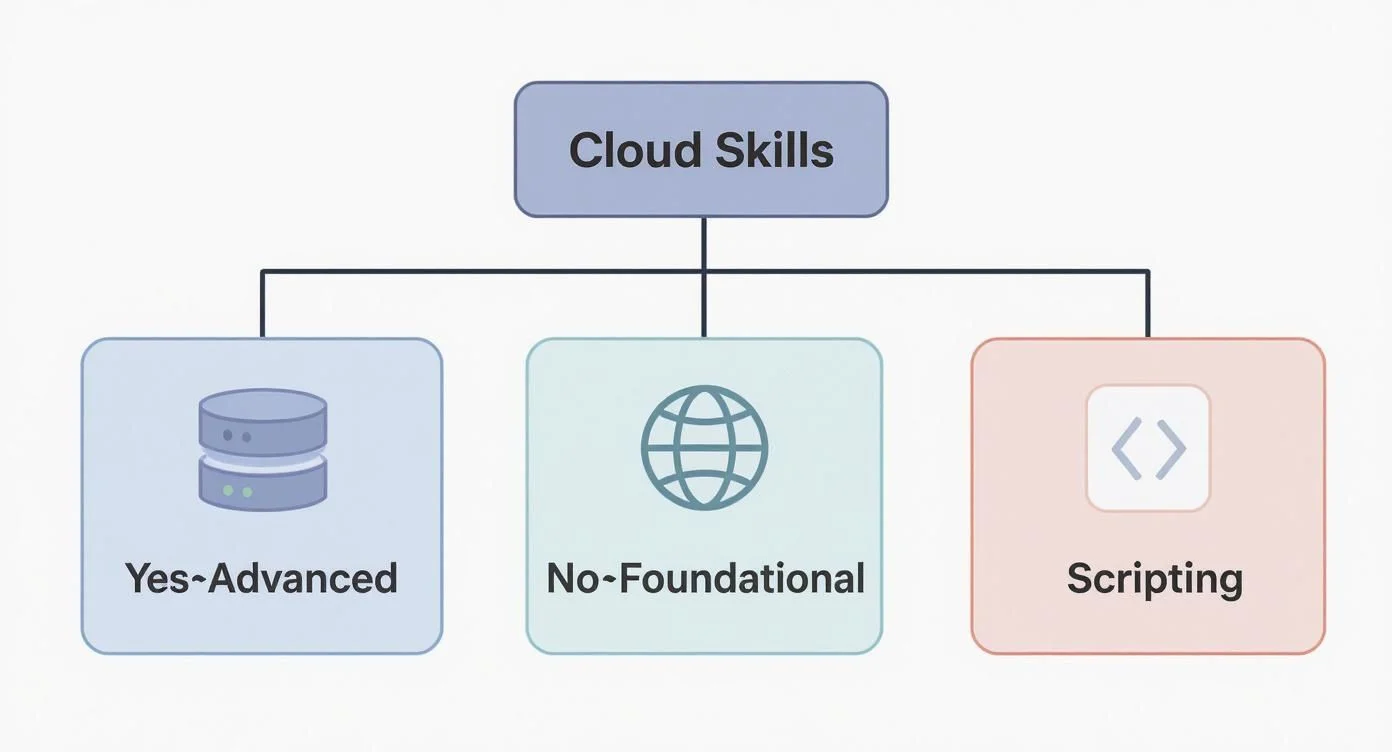 This infographic highlights that a robust understanding of operating systems, networking, and scripting forms the bedrock for building anything meaningful in the cloud, regardless of the chosen provider.
If you are still deciding, use the table below to see how these providers compare across key categories.
Comparing AWS vs Azure vs Google Cloud for Beginners
| Feature | Amazon Web Services (AWS) | Microsoft Azure | Google Cloud Platform (GCP) |
|---|---|---|---|
| Market Share | The global leader with the most extensive list of available services and regions. | A strong second place with a massive presence in the corporate world and hybrid setups. | A growing third-place provider that excels in specific niches like artificial intelligence. |
| Common Use Cases | Hosting websites, mobile applications, big data storage, and serverless computing. | Corporate applications, managing user identities, and connecting local data centers to the cloud. | Advanced data analysis, training machine learning models, and containerized software. |
| Learning Curve | The sheer number of services can be confusing at first, but the documentation is very thorough. | Users who are already comfortable with Windows and Microsoft tools often find this the easiest to learn. | Generally considered easy for developers to use; it has a very clean interface and strong support for open-source tools. |
There is no objectively "right" choice. Pick the one that interests you most, get an account, and start working. You can always learn a second platform later.
Setting Up Your Free Tier Account: Your Sandbox for Success
All three major providers offer a free tier. This is a vital resource because it allows you to practice without spending money. You usually get a set of popular services for free for the first 12 months, or a certain amount of credit to use within a specific timeframe. Having access to these tools is essential for certification prep because exam questions often ask about the specific steps required to configure a service.
Pro Tip for Certification Candidates: After you create your account, you must set up billing alerts immediately. This is a critical step. These alerts send you an email if your usage starts to cost money or if you go over the free limits. Learning to monitor costs is not just a way to save money—it is also a key part of the exam syllabus for almost every cloud certification.
Using the free tier allows you to experiment without fear. You can build a server, mess up the configuration, delete it, and try again. This process of failing and fixing is how you move from memorizing definitions to actually understanding how the technology functions.
Your First Hands-On Cloud Projects: Practical Skills for Certifications
Once your account is ready, you need to start building. Start with small projects that focus on one or two services. This helps you stay focused and gives you a sense of progress as you check off requirements that appear on certification exams.
Focus on these three projects to build a solid foundation:
- Deploy a Static Website: This should be your first project. Use an object storage service like Amazon S3 or Azure Blob Storage to host a basic website consisting of an HTML file. You will learn how to create a storage bucket, upload files, and manage permissions to make the site public. You will also see how the cloud handles web addresses. These are core topics in every entry-level cloud exam.
- Launch Your First Virtual Machine (IaaS in Action): This project introduces you to Infrastructure as a Service. You will create a virtual server, such as an AWS EC2 instance or an Azure Virtual Machine. During the setup, you must choose an operating system and an instance size. You will also need to configure a virtual firewall—often called a security group—to allow traffic to reach the server. Once it is running, you can connect to it via a terminal and install a web server like Nginx to show a "Hello World" message.
- Build a Simple Web App on a PaaS (Platform Power): After working with virtual servers, try a Platform as a Service (PaaS) tool like AWS Elastic Beanstalk or Google App Engine. In this project, you upload your code—perhaps a simple Python or Node.js script—and the cloud provider handles the rest. It automatically sets up the servers, the network, and the scaling. This helps you understand why businesses use PaaS to save time and reduce the work for their IT teams.
These projects are more than just practice. They represent the actual work done by cloud professionals. Companies use cloud storage for their public assets, virtual machines for their heavy-duty applications, and PaaS for fast development. Mastering these three areas will give you the practical knowledge you need to pass your exams and perform well in a technical interview. When you can explain how you secured an S3 bucket or how you connected to a Linux VM, you demonstrate that you have moved beyond theory and are ready for professional work.
Navigating Cloud Certifications That Matter
Certifications function as a standard validation of technical expertise within the industry. They offer a reliable way to demonstrate that you have gained the cloud skills organizations need. When you hold a certification, you show that you can communicate using technical language consistent with modern provider standards. For IT professionals, these credentials often serve as a necessary requirement for entering the field or moving into mid-level positions.
A certification is a guide rather than a final goal. It provides a structured plan for your professional development. The curriculum for these exams is created by the cloud providers themselves. This ensures that your learning covers the most significant and frequent tasks found in professional environments. By following these paths, you obtain a credential that improves your visibility in a crowded job market and verifies your knowledge to potential employers.
Your First Step: Foundational Certifications
Each major provider maintains an entry-level certification. These exams are designed for anyone starting in the cloud, including those in technical, sales, or financial positions. These certifications do not examine deep configuration details. Instead, they confirm that you understand core principles, the business advantages of cloud adoption, primary service categories, and the physical infrastructure that supports the platform. Most professionals complete these before attempting associate-level exams.
The following certifications represent the primary starting points for the three major providers:
- AWS Certified Cloud Practitioner (CLF-C02): This exam is a common starting point for beginners. It explains the value of AWS, its global infrastructure, and basic architectural principles like the AWS Well-Architected Framework. You will learn about security, compliance, and the primary functions of services such as EC2 for compute, S3 for storage, and VPC for networking. This is a solid choice for managers or technical staff who need a high-level view of AWS operations.
- Microsoft Certified Azure Fundamentals (AZ-900): This certification confirms your knowledge of cloud concepts within the Microsoft environment. It covers Azure services including compute, networking, and databases. You will also learn about Azure management tools and the security protocols used to protect data in the cloud. This exam is particularly useful if your current or future employer relies on Microsoft software and services.
- Google Cloud Digital Leader: This exam focuses on how Google Cloud helps businesses solve problems. Rather than focusing solely on service names, it highlights how to use cloud technology for application development and data analysis. It is an appropriate option for project managers, business leaders, and technical professionals who want to understand Google's specific approach to data and innovation.
The cloud market is expanding, which has led to a significant gap in available skills. Employers use certifications to find people who can demonstrate their knowledge immediately. AWS noted that active certifications reached over 1.5 million in 2025—which was a 30% jump over the previous year (verify current statistics on vendor reports). Microsoft Azure also passed the 1 million certification mark. These figures show that companies are looking for verified evidence of skill when hiring new talent.
A frequent error is to collect many certifications without practicing the skills they represent. You should view the exam as a way to confirm your practical experience, not as a replacement for it. During a technical interview, the difference between someone who memorized facts and someone who has actually built systems will be obvious. Practical understanding is always more valuable than a digital badge alone.
Strategizing Your Certification Path: Beyond the Basics
After you pass a foundational exam, you should begin to specialize. Your next steps should depend on the specific role you want to fill. For most people, this involves moving to an associate-level certification. These exams require more technical knowledge and usually involve solving scenarios that simulate actual work environments. You will need to spend time working within the cloud console to prepare for these.
The table below shows common certification paths for different career tracks:
| Role | AWS Certification Path | Azure Certification Path | GCP Certification Path |
|---|---|---|---|
| Cloud Administrator/Engineer | AWS Certified SysOps Administrator - Associate (SOA-C02) | Microsoft Certified Azure Administrator Associate (AZ-104) | Google Cloud Associate Cloud Engineer |
| Cloud Developer | AWS Certified Developer - Associate (DVA-C02) | Microsoft Certified Azure Developer Associate (AZ-204) | Google Cloud Professional Cloud Developer |
| Cloud Solutions Architect | AWS Certified Solutions Architect - Associate (SAA-C03) | Microsoft Certified Azure Solutions Architect Expert (AZ-305) (Requires AZ-104) | Google Cloud Professional Cloud Architect |
If you want to design cloud systems that are secure and cost-effective, the AWS Certified Solutions Architect - Associate is a highly regarded choice. It proves you can design resilient infrastructure on the AWS platform. This specific certification is often requested for architectural and engineering roles across many different industries.
My Essential Tips for Effective Certification Exam Preparation
Passing a cloud exam requires more than just reading manuals or watching presentations. These tests are built to evaluate how you apply your knowledge to resolve technical issues. You must create a study plan that includes several different learning methods.
- Download the Official Exam Guide: This document is your primary syllabus. It lists every domain and topic that will appear on the test. You should use this guide to track your progress and identify which areas require more of your attention.
- Invest in High-Quality Study Materials: You should use the official documentation alongside video courses or detailed study guides. Good instructors can often explain difficult topics in a way that is easier to understand than technical manuals alone.
- Prioritize Hands-On Practice: This step is the most vital part of your preparation. When you learn about a new service, you should go to your cloud account and use it. If you read about Virtual Private Clouds (VPCs), you should build one yourself. Create subnets and configure security groups to see how the traffic flows. This direct experience helps you remember the concepts during the exam.
- Master Practice Exams: Use practice tests from reputable sources to get used to the exam format. These tests help you understand how questions are phrased and how to manage your time. They also help you find specific topics where your knowledge is weak, so you can study those areas again before the actual test date.
- Review Core Services and Best Practices: Exams focus heavily on the most used services like EC2, S3, Azure VMs, and Lambda. You must also understand the "Well-Architected Framework" principles. These include security, reliability, and cost optimization. It is not enough to know what a service is; you must know which service is the best choice for a specific business scenario.
Using this multi-layered method will help you pass your exams with confidence. More importantly, it ensures you retain the technical knowledge you need to perform well in a professional cloud environment throughout your career. By combining official guides with active practice, you build a foundation of knowledge that extends far beyond the testing center. This approach turns a simple certification into a set of functional skills that you can use to solve real-world technical problems immediately.
Moving into Advanced Cloud Concepts and Specializations
 Envisioning advanced cloud architectures on a futuristic transparent screen, symbolizing innovation and complex system design.
Once you have built a solid foundation and perhaps even passed your first certification, the real work begins. The cloud is a massive, constantly evolving field. True expertise comes from specializing in the high-demand areas that power modern businesses. This is where you transition from using the cloud to actively building, optimizing, and innovating within it. You move beyond basic storage and compute to solve complex problems for global organizations.
Moving beyond core services means examining the technologies that define how companies develop, deploy, and secure their applications at scale. These advanced concepts lead to the most interesting career paths. They often command higher salaries and lead to professional or specialty certifications. Examples include the AWS DevOps Engineer – Professional, Azure Security Engineer – Associate, and the GCP Professional Data Engineer.
Getting into the DevOps Mindset with Containers and Orchestration
DevOps is a cultural philosophy rather than a collection of tools. It breaks down the traditional silos between software development and IT operations teams. The primary objective is to shorten development cycles and enhance deployment frequency. It ensures that high-quality software is released faster and more reliably through automation. If you want a career as a Cloud Engineer, Site Reliability Engineer (SRE), or Solutions Architect, you must understand the DevOps approach.
You will encounter two primary tools in this space: Docker and Kubernetes. These technologies are central to advanced cloud certifications and modern architectural standards.
- Docker (Containerization): This technology allows you to package an application with every dependency it needs to run. This includes the source code, runtime, system tools, and libraries. The resulting isolated bundle is a container. It acts as a self-sufficient, lightweight alternative to a virtual machine. Because the container includes the environment, the application runs exactly the same way regardless of where it is deployed. This eliminates the "it works on my machine" problem when moving code from a local laptop to a production server.
- Kubernetes (Container Orchestration): Managing a few containers is simple, but large companies often run thousands of them. You need a system to automate their deployment, scaling, and operational health. Kubernetes is the open-source platform designed for this task. It functions as the command center for your entire fleet of containerized applications. It handles self-healing by restarting containers that fail and manages load balancing to ensure high availability. Most teams use managed Kubernetes services like Amazon Elastic Kubernetes Service (EKS), Azure Kubernetes Service (AKS), or Google Kubernetes Engine (GKE) to reduce the burden of managing the underlying infrastructure.
Gaining hands-on experience with Docker and Kubernetes is a major step forward. A practical way to start is by containerizing a simple web application. Once that works, learn to deploy it on a managed Kubernetes service. You should focus on how to scale the application up and down based on simulated traffic.
Automating Everything with Infrastructure as Code (IaC)
Infrastructure as Code (IaC) allows you to define your entire cloud setup using text files. This includes your servers, databases, virtual networks, and security rules. Instead of manually clicking through a web console to provision resources, you write declarative code that describes your desired state. An automation engine then makes the cloud environment match that description.
This approach offers several advantages for engineering teams:
- Consistency: Every environment you create from the same code will be identical.
- Repeatability: You can tear down and rebuild an entire environment in minutes.
- Version Control: You can store your infrastructure files in a Git repository. This lets you track changes over time and roll back to previous versions if something breaks.
- Eliminating Configuration Drift: IaC tools detect when someone has made manual changes to a server and can automatically revert those changes to match the authorized code.
Terraform (www.terraform.io) is currently the industry standard tool for IaC. It is platform-agnostic, meaning you can use the same workflow to manage resources on AWS, Azure, and GCP. While providers offer their own tools—like AWS CloudFormation or Azure Resource Manager (ARM) templates—Terraform is highly valued by employers because of its versatility across different clouds.
Learning IaC is a major skill upgrade. It changes your role from a cloud user to a cloud architect. You gain the ability to build complex, reliable, and scalable systems with speed and precision. It is a fundamental skill for any DevOps role and is a major component of professional-level certification exams.
Finding Your Niche: High-Growth Cloud Specializations
As you progress, picking a specific niche can accelerate your career growth. Two of the most in-demand areas are serverless computing and cloud security. Both have dedicated advanced certification paths that demonstrate deep technical expertise.
Serverless Computing This model allows you to run code without provisioning or managing servers. You upload your application code as a function, and the cloud provider handles the execution. Services like AWS Lambda, Azure Functions, and Google Cloud Functions scale automatically in response to incoming requests.
The benefits are significant for modern development. You only pay for the exact compute time your code executes, measured down to the millisecond. If your code isn't running, you pay nothing. This eliminates the cost of idle servers. It is an efficient way to build event-driven applications, such as a system that automatically resizes an image the moment a user uploads it to a storage bucket.
Cloud Security As businesses move sensitive data to the cloud, the demand for security experts has increased. This specialization focuses on protecting applications and infrastructure from cyber threats. For those on this path, understanding cloud computing security concepts is essential. You must design environments that are resilient against attacks while remaining compliant with regulations.
Cloud security requires a deep understanding of several domains:
- Identity and Access Management (IAM): Managing who can access specific resources and what actions they can perform.
- Network Security: Using virtual private clouds (VPCs), firewalls, and security groups to isolate data.
- Encryption: Protecting data while it sits on a disk and while it travels across the network.
- Compliance: Ensuring the architecture meets legal standards like GDPR or HIPAA.
Certifications like the AWS Certified Security – Specialty (SCS-C03) or the Azure Security Engineer Associate (AZ-500) are highly respected by recruiters and hiring managers.
How to Keep Up in a Field That Never Sleeps
The cloud changes every day. New services launch and existing features are updated constantly. Staying current is a requirement for long-term success in this field. You must build habits that help you track these changes without becoming overwhelmed.
Here are practical strategies to remain at the forefront of the industry:
- Follow Official Provider Blogs: Bookmark the official tech blogs for AWS, Azure, and GCP. These sites are where product teams announce major new features and architectural best practices first.
- Join Online Communities: Participate in platforms like Reddit (specifically r/aws, r/azure, and r/devops) or LinkedIn groups. These forums are excellent for seeing how other engineers solve real-world problems. You can learn which tools are gaining popularity and which ones are being phased out.
- Attend Virtual Events: Cloud providers host free virtual summits and webinars throughout the year. These sessions allow you to hear directly from the engineers who build the services. They often include live demonstrations of new capabilities.
- Continuous Hands-On Experimentation: Theory only goes so far. Use your free tier account to experiment with new services as they are released. Build a small project using a new database or security feature to see how it works in practice.
- Pursue Advanced Certifications: Preparing for a professional or specialty certification provides a structured path to master complex topics. It forces you to learn parts of the platform you might not use in your daily job.
Specializing in these advanced areas and committing to ongoing education ensures your skills remain sharp. By focusing on containers, automation, and security, you position yourself for high-level roles in the cloud industry for years to come.
Common Questions About Learning Cloud Computing
As you start working toward a career in cloud computing, you will likely encounter many questions. This field is broad, and finding the right entry point can feel difficult because of the sheer number of services and tools available. We can address the most frequent concerns technical professionals raise when they begin this process.
You are not alone in asking these questions. Many people have moved into these roles successfully, and their experiences offer a clear path for others. Answering these questions early helps you establish realistic goals, manage your daily schedule, and direct your effort toward the skills that matter most in the job market.
How Long Does It Take to Learn Cloud Computing and Get Certified?
The time required to become proficient depends on your current technical background and the amount of time you dedicate to study each week. There is no single timeline that fits every person, but we can look at typical paths based on prior experience.
- For IT professionals with a solid background: If you currently work as a systems administrator, network engineer, or software developer, you already have skills that apply directly to the cloud. You understand networking protocols, operating systems, and basic security. For someone in this position, preparing for and passing a foundational exam like the AWS Certified Cloud Practitioner (CLF-C02) or Microsoft Azure Fundamentals (AZ-900) usually takes 2 to 3 months. This assumes a commitment of 10-15 hours per week (verify current exam requirements on the vendor site).
- For achieving associate-level certifications and job-readiness: There is a significant difference between passing a multiple-choice foundational test and being ready for a role as a Cloud Administrator or Junior Solutions Architect. To reach a job-ready level, you must spend time building, troubleshooting, and deploying resources in a live environment. This practical phase often takes 6 to 12 months of focused study and hands-on laboratory work. Moving further into professional-level certifications typically requires 12-24 months of active work experience alongside advanced study.
The most effective approach to learning is consistency. Spending one hour in a hands-on lab every day produces better results than studying for eight hours once a week. Regular, short sessions improve your ability to remember complex configurations and help you understand how different cloud services interact.
Do I Really Need Coding Skills for a Cloud Career?
You do not need to be an expert software developer to start a career in cloud computing. Many roles in infrastructure management and operations focus more on configuration than on writing application code. However, basic scripting skills provide a significant advantage and allow you to pursue more advanced technical positions. While you might find an entry-level role without coding knowledge, learning a language like Python is one of the most effective ways to progress in this field.
Scripting is vital in modern cloud environments for several reasons:
- Automation is essential: Cloud platforms operate at a scale that makes manual configuration impossible. You will need to automate tasks like deploying groups of virtual servers, managing hundreds of user accounts, or scheduling data backups. This automation is a primary responsibility for Cloud Administrators, DevOps Engineers, and Site Reliability Engineers (SREs).
- Infrastructure as Code (IaC): Engineers manage modern environments using tools such as Terraform or AWS CloudFormation. These tools use text files to define your entire hardware and software setup. While this is not traditional software development, it requires you to understand logical structures and specific syntax to ensure your infrastructure deploys correctly every time.
- Serverless Computing: Services like AWS Lambda or Azure Functions run code in response to specific events without requiring you to manage servers. To use these services, you must be able to write the code that performs the task, usually in Python, Node.js, or C#.
- Cloud Provider SDKs: Major providers offer Software Development Kits (SDKs) that let you manage resources through code. For example, Python users use the
boto3library to interact with AWS. This allows you to create scripts that can modify your environment based on real-time data.
While extensive programming knowledge is not a requirement on your first day, basic scripting expands what you can do. It prepares you for complex tasks that lead to higher-paying positions in the future.
Which Cloud Platform Is Best for a Beginner to Start With?
For most people entering the field, starting with AWS is the most practical choice. It maintains the largest share of the market, which means it has the most extensive collection of learning materials and the largest community of users. If you encounter a technical problem, you will likely find a solution quickly on a technical forum or in a blog post. This large support network is very helpful when you are learning new concepts.
The other major platforms are also strong choices depending on your specific goals:
- Microsoft Azure: This is an excellent option if you want to work for large corporations that already use Microsoft software. Companies that rely on Windows Server, Active Directory, or .NET development often prefer Azure because it integrates with their existing tools.
- Google Cloud Platform (GCP): GCP is a leader in specific fields like big data analysis, machine learning, and container management through Kubernetes. If you are interested in data science or modern application development, GCP might be the best starting point for you.
The core concepts of cloud computing are very similar across all these providers. Once you understand how virtual machines, networking, storage, and security work on one platform, you can transfer those skills to another. The names of the services will change, but the underlying logic remains the same. The best strategy is to choose one platform that fits your current interests and begin building projects. Avoiding "analysis paralysis" is important; the most significant learning happens once you start working in a live console.
Ready to turn your cloud knowledge into a certified, job-ready skill? MindMesh Academy provides expert-curated study guides, detailed practice exams, and proven learning techniques to help IT professionals like you pass exams for AWS, Azure, and more. Stop just studying and start mastering the concepts that power modern cloud environments. Explore our resources and accelerate your cloud career today at AWS Solutions Architect Associate Practice Exams.
Ready to Get Certified?
Prepare for your exams using expert study guides, practice exams, and spaced repetition flashcards at MindMesh Academy:

Written by
Alvin Varughese
Founder, MindMesh Academy
Alvin Varughese is the founder of MindMesh Academy and holds 20 professional certifications including Microsoft Agentic AI Business Solutions Architect, AWS Solutions Architect Professional, and Azure DevOps Engineer Expert. He's held senior engineering and architecture roles at Humana (Fortune 50) and GE Appliances. He built MindMesh Academy to share the study methods and first-principles approach that helped him pass each exam.