
Cloud Computing Certification Training: Your 2026 Guide
Cloud Computing Certification Training: Your 2026 Guide
You’re probably in one of three places right now.
You work in IT and keep seeing cloud roles on job boards, but the certification map looks like alphabet soup. Or you’re trying to switch careers and every path seems to ask for experience you don’t yet have. Or your company is moving more work into AWS, Azure, or Google Cloud, and you don’t want to be the person who nods in meetings while discreetly Googling every acronym later.
That confusion is normal. Cloud computing certification training feels noisy because people often present it as a race to collect badges. It’s better to treat it like trade school for a modern infrastructure career. The goal isn’t to pass one exam and forget it. The goal is to build skills you can use under pressure when a deployment fails, a policy blocks access, or a cost spike needs an explanation before the next standup.
Why Cloud Computing Certification Training Matters in 2026
Cloud isn’t a side topic anymore. It’s where infrastructure, application delivery, security controls, and more of the modern IT stack now live. That’s why cloud computing certification training has moved from “nice to have” to “career-shaping.”
The opportunity is large and getting larger. The global cloud computing market is projected to surpass $1.02 trillion by 2028, with annual growth exceeding 15%, according to this market projection on cloud training demand. When that much spending flows into a technology area, employers need people who can design, deploy, secure, and troubleshoot those systems.
That doesn’t mean every certification is worth your time. It means employers need a signal that you understand real cloud concepts, not just buzzwords. A good certification path gives them that signal and gives you a structured way to learn the fundamentals in the right order.
If you’re still deciding whether cloud is the right lane, it helps to compare it with other options in High Paying IT Certifications. Cloud stands out because it touches so many roles at once: systems, networking, security, development, architecture, and operations.
Cloud certifications matter because they sit at the intersection of two things employers care about: validated knowledge and practical platform familiarity.
That’s the primary reason to take this seriously in 2026. Not hype. Not trend chasing. Demand for people who can do useful work in cloud environments keeps growing, and a thoughtful certification strategy gives you a clean entry point into that demand.
Decoding the Major Cloud Certification Paths
Most learners get stuck because they compare individual exams before they understand the overall map. Start with the big picture first.
Think of cloud certifications like academic levels. Foundational certs are your intro classes. Associate certs are where you start doing the work. Professional certs expect deeper judgment and more complex design choices. Specialty certs are closer to advanced electives in security, networking, machine learning, or data.
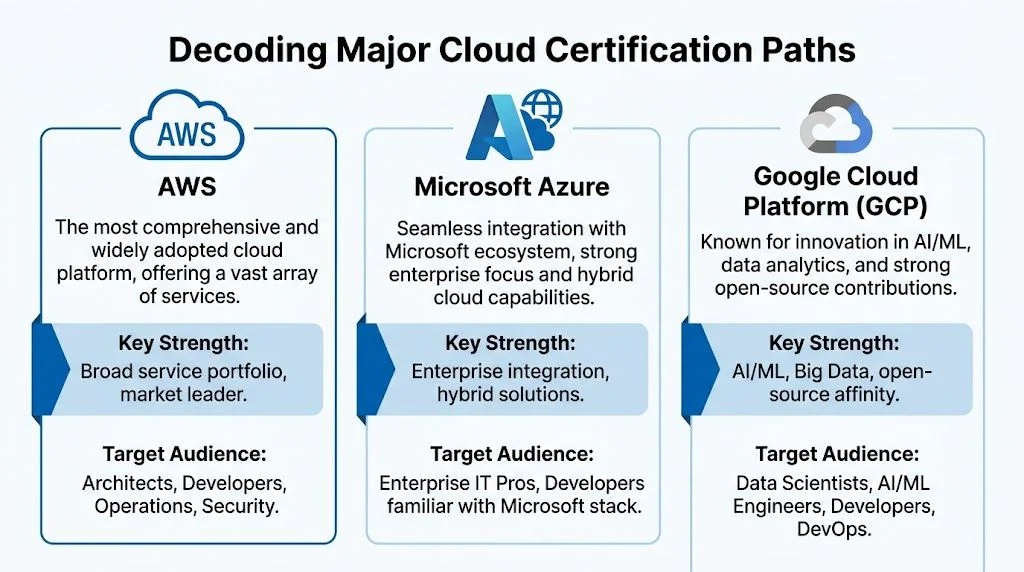
The three major platforms
AWS is often the first platform people consider because its certification catalog is broad and its services show up in many hiring pipelines. If you want paths for architecture, operations, development, and security, AWS gives you a lot of room to grow.
Microsoft Azure makes immediate sense for learners who already work in Windows-heavy environments, Microsoft 365 shops, enterprise IT teams, or hybrid infrastructure. Azure often feels familiar to admins who’ve spent time in Microsoft tooling.
Google Cloud Platform is a strong fit for learners interested in data, analytics, platform engineering, DevOps, and AI-related workflows. Its certification paths can be attractive if you want a cloud path that overlaps heavily with modern data and developer workflows.
How the levels usually work
Here’s the pattern most learners will see across providers:
- Foundational level helps you learn core cloud concepts, pricing basics, shared responsibility, and the language of the platform.
- Associate level expects hands-on competence. You should be able to configure services, make sensible design choices, and troubleshoot common issues.
- Professional level moves from “can use services” to “can design systems under constraints.”
- Specialty level narrows your focus into areas like security, networking, or advanced platform domains.
A common mistake is skipping straight to a harder exam because it sounds more impressive. That usually backfires. If you can’t explain IAM, networking basics, storage choices, and monitoring in plain language, the advanced material won’t stick.
Major Cloud Certification Tracks at a Glance
| Certification Level | AWS (Amazon Web Services) | Microsoft Azure | Google Cloud Platform (GCP) |
|---|---|---|---|
| Foundational | Cloud Practitioner type entry path | Azure Fundamentals type entry path | Foundational entry path |
| Associate | Solutions Architect, Developer, SysOps style roles | Administrator, Developer style roles | Associate Cloud Engineer style path |
| Professional | Advanced architect and DevOps style roles | Expert architect style path | Professional architect and engineering style paths |
| Specialty | Security, networking, data, and other focused areas | Security and other role-focused advanced paths | Data, AI, security, and related specialized paths |
What each path is really training you to do
A cloud architect path teaches tradeoffs. You learn why one storage option fits archival data while another supports low-latency workloads. You learn how networking, identity, resilience, and cost decisions connect.
A developer path teaches platform-native application work. You spend more time on APIs, deployment services, event-driven design, and application observability.
An operations or administrator path teaches day-two work. Provisioning, monitoring, access control, backups, policy enforcement, incident handling, and governance show up more often.
A security path teaches you to think like the person who asks, “What could go wrong here?” That includes access boundaries, logging, encryption, compliance controls, and service misconfiguration risks.
Practical rule: Choose the certification family that matches the work you want to be trusted with, not the exam title that sounds the most senior.
Vendor-specific vs vendor-neutral
Not every cloud path belongs to a single cloud provider. Certifications such as CompTIA Cloud+ can help if you want a broader view of cloud architecture and operations without tying your early learning to one vendor.
That kind of training often emphasizes concepts that transfer well across platforms. Public versus private cloud, hybrid patterns, virtualization, containers, orchestration, migrations, and troubleshooting principles all matter even if you later specialize in AWS or Azure. Vendor-neutral training is often useful for people in mixed environments, support roles, or teams that haven’t standardized on one platform.
Vendor-specific certifications, by contrast, give you deeper platform literacy. You learn service names, console workflows, and provider-specific design patterns. If your target jobs clearly ask for AWS, Azure, or GCP, that specificity matters.
The smartest learners don’t treat this as a religious debate. They sequence it. Broad concepts first if needed. Platform depth when career direction becomes clearer.
How to Choose the Right Cloud Certification for Your Career
Choosing the right cert isn’t about copying what everyone else is doing. It’s about matching your current skills to the kind of work you want next.
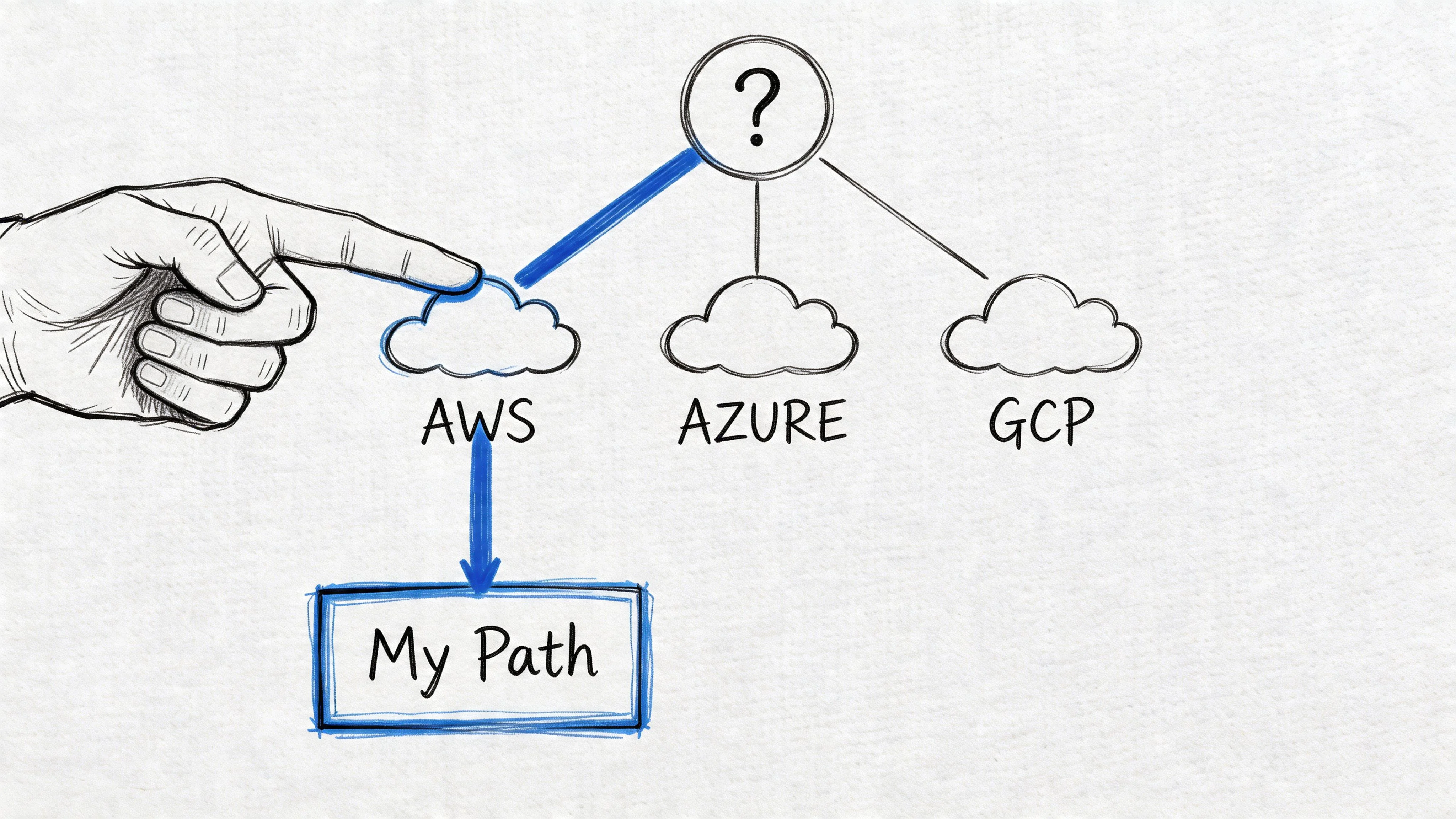
Start with your current background
If you’re brand new to IT, begin with a foundational cert. It gives you the vocabulary and service map you’ll need before you touch harder material.
If you already work in system administration, networking, support, or security, you may be ready for an associate-level path. You already understand permissions, operating systems, connectivity, and troubleshooting. You’re not starting from zero. You’re translating existing skills into cloud language.
If you’re a developer, don’t assume you should automatically take a developer certification first. Some developers benefit more from an architecture-focused start because it teaches how cloud services fit together. Writing code is only one part of building cloud systems.
Match the cert to the role, not the brand
Ask yourself which description feels closest to the work you want.
- You want to design systems. Start with an architecture-oriented path.
- You want to build and deploy applications. Lean toward developer or DevOps tracks.
- You want to manage environments. Administrator and operations paths fit better.
- You care most about policy, risk, and access control. Security tracks will feel more natural.
This sounds obvious, but many learners pick AWS because it’s popular, then realize they enjoy Azure administration because their day job lives inside Microsoft tools. Popularity doesn’t compensate for poor fit.
Check your environment and your market
If your employer already uses Azure, an Azure cert has immediate workplace value. If local job posts lean heavily toward AWS, that matters too. If you’re aiming for a startup, GCP or AWS might appear more often depending on the region and company type.
There’s also an organizational angle. Training doesn’t just help the learner. It helps teams keep people. As noted earlier, employer-funded AWS training has been associated with stronger satisfaction and retention outcomes. That’s one reason many employers are more open to supporting structured upskilling once you present a sensible plan.
For a practical overview of the first steps, this guide on how to learn cloud computing is useful if you’re still sorting out fundamentals before committing to a certification track.
Use this decision filter
A simple filter works better than overthinking:
- What do I already know well?
Networking, scripting, Windows administration, Linux, support, coding, security, or none of the above. - What kind of tickets or projects do I want in a year?
Access issues, deployments, architecture diagrams, governance, data pipelines, or app modernization. - Which cloud platform is closest to my real work?
Current employer stack often beats theoretical preference. - Do I need breadth first or depth first?
If you still confuse regions, IAM, VPCs, and storage classes, choose breadth. If those basics are already familiar, choose depth.
Pick the certification that helps you become useful sooner in your target role. That’s usually the right one.
When vendor-neutral makes more sense
There are cases where a vendor-neutral certification is the cleaner first move.
- Mixed-cloud workplace means you need concepts that travel.
- Early-career uncertainty means you need a broad map before specializing.
- Infrastructure-heavy background often pairs well with platform-agnostic cloud concepts first.
If you already know your target role and platform, go vendor-specific. If you need clarity first, vendor-neutral study can keep you from locking into a path too early.
The best choice is usually less glamorous than people expect. It’s the certification that fits your actual starting point, your target job, and the platform you can practice on consistently.
Finding the Best Cloud Training Format for You
A strong certification choice can still go nowhere if the training format doesn’t match how you learn. Learners often don’t fail because cloud is impossible. They fail because they choose a learning setup that clashes with their schedule, attention span, or support needs.
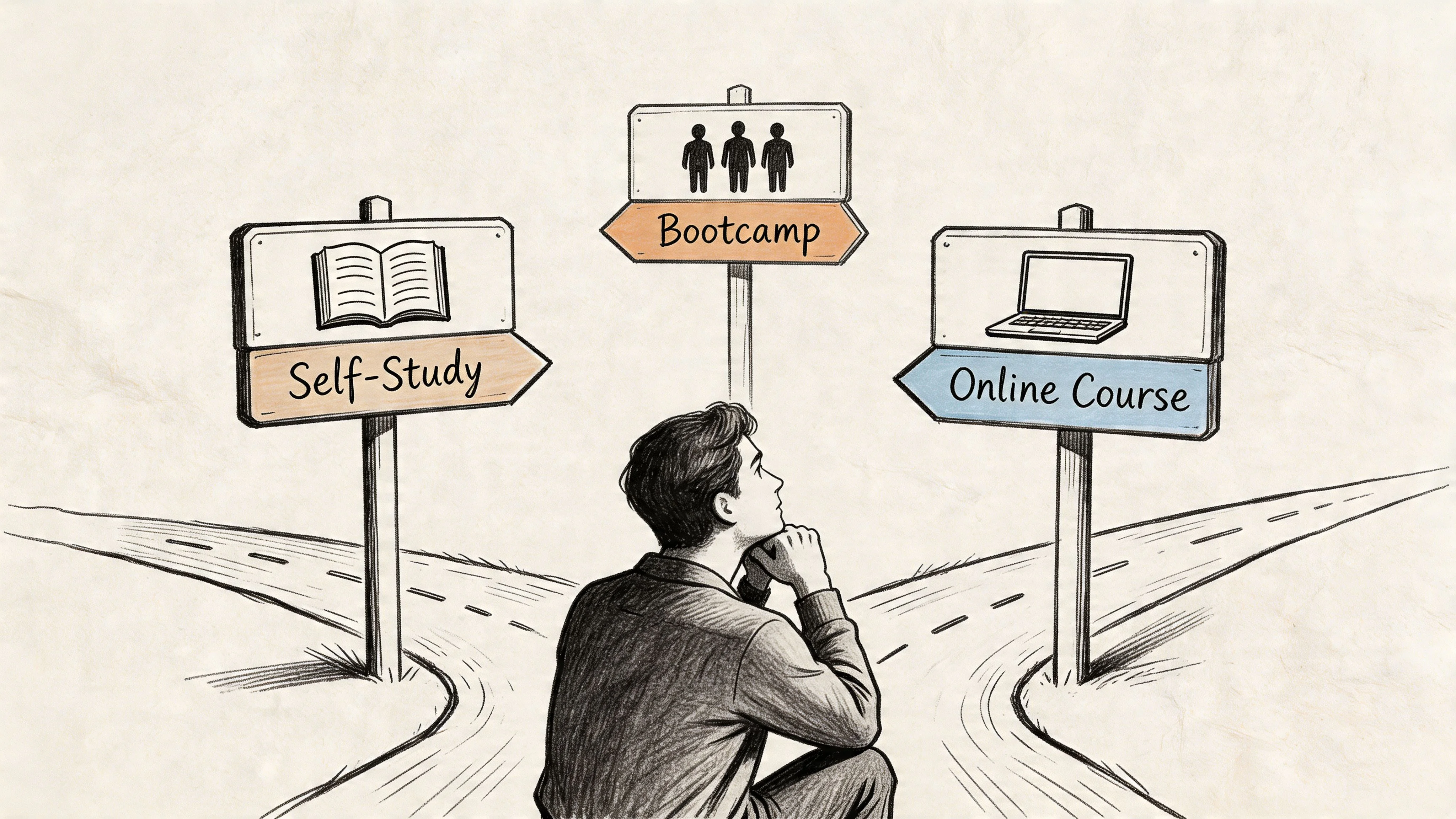
The Solo Explorer
This learner likes control. They collect docs, tutorials, videos, flashcards, and lab ideas, then build a personal roadmap.
Self-study can work well if you’re disciplined and already know how to troubleshoot confusion without losing momentum. It’s flexible, affordable, and good for people who hate fixed schedules. The tradeoff is that it’s easy to drift into passive consumption. Watching ten hours of videos can feel productive while leaving you unable to configure a real service from memory.
Self-study works best when you build structure around it:
- Set weekly outputs instead of study hours. Finish an IAM lab, deploy a small app, review one domain.
- Keep one primary resource so you don’t keep switching voices and coverage.
- Use documentation actively by building while you read, not after.
The Guided Apprentice
This learner does better with sequence, checkpoints, and feedback. A structured online platform can be a strong middle ground between solo study and a live classroom.
You still get flexibility, but someone else has organized the path. That matters more than many people realize. Good cloud computing certification training should tell you what to study first, what to practice second, and how to identify weak spots before exam day.
One option in this category is Mindmesh Academy, which provides certification prep materials across AWS and Azure, including practice questions, flashcards, adaptive study paths, and progress tracking. For learners who like self-paced study but still want structure, that kind of format can reduce the usual “what should I do next?” problem.
The Bootcamp Sprinter
This learner wants urgency, deadlines, and external accountability. Bootcamps and instructor-led programs can help if you’ve been procrastinating for months and need a forced sprint.
They’re useful when you need momentum or when your employer is sponsoring a focused upskilling effort. But bootcamps can create false confidence if you treat attendance as mastery. Cloud skills need repetition. No short intensive course can replace hands-on practice and review over time.
A bootcamp is often best as a launchpad, not a substitute for sustained study.
Free versus paid training
Budget matters, especially for students and career changers. Free training can be a legitimate starting point, not just a teaser. Some no-cost programs create real access for learners who might otherwise be locked out.
There’s at least one encouraging signal here. Free AWS Educate users gained 2x faster job placement, according to the NPower cloud program overview. That doesn’t mean free is always better than paid. It means free resources can create real momentum when they’re well designed and tied to practical outcomes.
A simple way to compare options:
| Format | Best for | Main risk | Best use case |
|---|---|---|---|
| Self-study | Independent learners | Inconsistent structure | Learners with discipline and prior IT exposure |
| Structured online program | Most working adults | Resource hopping if overloaded | Learners who want sequence and flexibility |
| Instructor-led course | People who learn by asking questions | Limited retention if no follow-up practice | Teams or learners who need live guidance |
| Bootcamp | Urgent career transition or employer-funded push | Mistaking speed for mastery | Short-term acceleration plus later practice |
Don’t choose the format that sounds intense. Choose the one you’ll actually complete.
A practical way to decide
If you’ve started courses before and never finished, you probably need more structure. If live sessions drain you and you learn well by building things alone, self-paced is often better. If you’re balancing a full-time job and family, the ideal format is usually the one with the fewest scheduling points of failure.
The smartest path is rarely the fastest. It’s the one that keeps you studying long enough to turn cloud concepts into habits.
Your Actionable Cloud Certification Study Plan
Many individuals study cloud the wrong way. They read too much, lab too little, and save practice questions for the very end. A better plan treats certification prep like a small engineering project with phases, milestones, and feedback loops.

Phase one builds your foundation
Start by learning the core mental models of cloud.
You need to understand identity and access, networking basics, compute choices, storage types, logging, pricing logic, and shared responsibility. Don’t try to memorize every service on day one. Learn the categories first. If you know what problem a service category solves, service names become easier to remember.
For vendor-neutral learners, cloud architecture is one of the most important areas. In CompTIA Cloud+ training, cloud architecture makes up 23% of the exam, and that focus reflects how central it is to choosing public, private, hybrid, and multi-cloud approaches in real environments, according to CompTIA’s Cloud+ certification page.
A good first-phase routine looks like this:
- Map the domain by listing the major topics from the exam blueprint.
- Create small flashcards for concepts, not giant copied notes.
- Explain services out loud as if you’re teaching a junior teammate.
- Do tiny labs early so concepts attach to actions.
If you can’t explain what a VPC, IAM role, object storage bucket, or load balancer does in plain language, keep working the basics.
Phase two goes deep with labs
At this point, cloud knowledge starts becoming useful.
You should spend time in the console or CLI building small things on purpose. Create users and roles. Launch compute resources. Configure storage. Review logs. Break a permission and fix it. Read the resulting errors carefully. That’s where understanding hardens.
In Cloud+ training, troubleshooting has explicit weight too. CompTIA also highlights cause-effect troubleshooting as 12% of the exam, which tells you something important: cloud training isn’t only about deployment. It’s about diagnosis.
Hands-on work should follow a pattern:
- Build a simple setup such as a virtual network, compute instance, and storage resource.
- Add one layer of policy or security like restricted access or tagging rules.
- Observe the outcome in logs, metrics, or policy results.
- Intentionally misconfigure something and then fix it.
If you want to sharpen how you study, not just what you study, these active learning strategies are worth borrowing. Cloud learners do better when they retrieve information, explain concepts, and solve problems actively instead of rereading notes.
Here’s a useful demo to pair with your lab work after you’ve got some basics in place:
Phase three prepares you for the exam without losing the skill
This phase starts earlier than commonly perceived. Don’t wait until the final week to test yourself.
Use active recall throughout your prep. Close the notes and answer from memory. Draw the architecture. List the IAM options. Predict the cheapest storage choice for a scenario. That’s how you expose gaps.
Use spaced repetition for sticky material such as security controls, service limits, architecture patterns, and terminology. Review right before forgetting, not only when you feel motivated. This is especially helpful for learners juggling full-time work because it makes short review sessions useful.
Your final review should include:
- Timed practice sets so the exam format doesn’t surprise you
- Error logging where you write why you missed each question
- Pattern review to spot repeated weak areas such as networking or permissions
- Scenario practice because cloud exams often test judgment, not recall alone
A realistic weekly rhythm
You don’t need a heroic schedule. You need a repeatable one.
A simple weekly rhythm might include concept study on a few weekdays, a focused lab block on one evening, and a review session on the weekend. Foundational certifications are often approachable within a structured multi-month study period, and associate-level paths usually need deeper hands-on time. The exact pace depends on your background, but consistency beats intensity.
What to track as you go
Don’t track only hours. Track capability.
Use a notebook, spreadsheet, or study dashboard and answer these questions every week:
- What can I explain clearly now that I couldn’t explain last week?
- What can I build without looking up every step?
- Which exam domains still feel fuzzy?
- What kinds of questions do I keep missing?
Study until you can make choices, not just recognize terms. Exams reward recognition. Jobs reward judgment.
That’s the difference between cramming for a score and building a cloud career that lasts.
Understanding the Cost and ROI of Cloud Certification
Learners often ask the wrong cost question. They ask, “What’s the exam fee?” The better question is, “What’s the full investment, and what am I likely to get back?”
Your total cost usually includes the exam itself, study materials, practice exams, lab time, and the opportunity cost of your time. Some paths add retake risk if you sit too early. Others add platform costs if you do a lot of hands-on practice in paid environments.
If you’re researching a specific AWS path, this breakdown of AWS certification exam cost is a useful place to start because it helps separate the visible fee from the surrounding prep expenses.
The return side is where cloud certifications become compelling. According to this overview of cloud certification salary outcomes, certified professionals earn 25% to 30% higher salaries on average, with annual pay often ranging from $120,000 to $150,000.
ROI snapshot: Cloud certifications can translate into a meaningful salary premium, but the strongest return comes when certification is paired with hands-on skill and role alignment.
That last part matters. A certification by itself doesn’t print money. It helps most when it matches the role you’re pursuing and when you can back it up with practical competence. An AWS architecture cert helps more if you’re targeting architecture or platform roles than if you want to stay in a purely non-technical function.
There are also returns that don’t show up as a line item right away.
- Career mobility improves because more roles become realistic targets.
- Professional confidence grows when cloud conversations stop sounding foreign.
- Internal opportunity increases because managers can point to a validated skill path.
- Interview quality improves because you can explain decisions with more structure.
A business-minded way to view cloud computing certification training is this: the upfront cost is finite and visible, while the upside can keep paying out across multiple job cycles if you build real skill behind the credential.
Your Next Steps Toward Cloud Mastery
A cloud certification is a beginning, not a finish line.
The practical path is straightforward. Pick a platform or a vendor-neutral starting point that fits your background. Choose a training format you’ll sustain. Build a study routine around labs, active recall, and review. Then sit the exam when your knowledge feels usable, not just familiar.
That last word matters because the cloud job market keeps shifting. The strongest signal from recent changes is that cloud no longer stands alone. As of 2026, an estimated 65% of cloud job postings in major markets require adjacent AI skills, and traditional cloud certifications alone face a projected 25% obsolescence risk by 2027 without complementary AI knowledge, according to AWS Cloud Institute’s training outlook.
That doesn’t make cloud certifications less valuable. It makes them more strategic. You want a base layer in cloud architecture, operations, or security that you can later combine with AI, data, automation, or platform engineering. The people who stay employable longest usually build in layers.
If part of your motivation is career flexibility, it also helps to see how cloud roles show up outside your local market. This guide on finding high-paying cloud engineer jobs remote gives you a practical look at the kinds of remote opportunities cloud skills can support.
Keep your next step small and concrete. Choose the exam. Block study time for the week. Set up your first lab. Write down the role you want your certification to secure.
That’s how cloud mastery usually starts. Not with perfect certainty. With a clear first move.
If you want a structured way to prepare, Mindmesh Academy offers certification study resources across cloud paths like AWS and Azure, including practice questions, flashcards, adaptive learning, and progress tracking designed to help you build understanding as you prepare.

Written by
Alvin Varughese
Founder, MindMesh Academy
Alvin Varughese is the founder of MindMesh Academy and an enterprise architecture leader. An electrical engineer by training, he moved from factory automation in South Africa to cloud architecture at GE Appliances and Humana (Fortune 50), and holds 20 professional certifications including AWS Solutions Architect Professional, Azure DevOps Engineer Expert, and Microsoft Agentic AI Business Solutions Architect. He built MindMesh Academy after interviewing too many highly certified candidates who couldn't answer basic questions: the goal is prep that makes you better at the job, not just able to pass the exam.