CompTIA A+ Core 1 Practice Test for Printer Troubleshooting
CompTIA A+ Core 1 Practice Test for Printer Troubleshooting
This CompTIA A+ Core 1 practice test helps you identify printer faults based on evidence, rather than just recognizing component names. These 12 questions cover laser print defects, inkjet maintenance, paper handling, network connections, and safe troubleshooting. Answer each question before checking the explanations.
Give yourself about 15 minutes for this exercise. For each answer, write down the symptom supporting your choice and explain why the closest alternative doesn't fit. This extra step helps you distinguish a correct diagnosis from a lucky guess. If you're unsure of an answer, mark it and move on, don't search while working through the questions.
This is a printer-focused drill, not a complete exam or a collection of actual CompTIA questions. Always check your exam version against CompTIA's official exam objectives. For broader coverage, use MindMesh Academy's A+ study guide organized by exam domain alongside this targeted practice.
CompTIA A+ Core 1 Practice Test: 12 Printer Troubleshooting Questions
Choose the best answer based on the specific evidence in each scenario.
Questions 1-4: Laser Printers, Paper Feeding, and Scanning
1. Toner rubs off the page. A laser printer produces correctly positioned text, but the toner smears when you rub the printed sheet. The printer uses supported plain paper. Which component is most likely at fault?
- A. Pickup roller
- B. Fuser assembly
- C. Network adapter
- D. Separation pad
2. Output becomes progressively lighter. A monochrome laser printer produces increasingly faint pages and displays a low-toner warning. Paper feeds normally, and the toner doesn't rub off. What's the first thing you should check?
- A. Duplex assembly
- B. USB connector
- C. ADF scanning glass
- D. Toner cartridge
3. Multiple sheets feed together. A printer repeatedly pulls two or three sheets from its tray. The paper is dry, supported, and loaded correctly. The tray's separation pad appears worn. Which component should you address first?
- A. Separation pad
- B. Fuser assembly
- C. Imaging drum
- D. Printhead
4. Copies have a dark vertical line. A multifunction printer adds a dark line to every copy made through its automatic document feeder. Copies made on the flatbed and pages printed from a computer are clean. What should you inspect first?
- A. Toner cartridge
- B. Network print port
- C. Narrow ADF scanning glass
- D. Paper pickup roller
Questions 5-8: Inkjet, Impact, Thermal, and Network Printers
This part of the CompTIA A+ Core 1 practice test focuses on choosing the right maintenance and connection fixes, avoiding unnecessary hardware replacement.
5. One ink color has gaps. An inkjet printer's nozzle-check pattern has missing segments in one color. The cartridges contain ink and are installed correctly. What's the best next step?
- A. Replace the paper tray
- B. Run the manufacturer's printhead-cleaning procedure
- C. Replace a fuser assembly
- D. Change the printer's IP address
6. Multipart forms print faintly. An impact printer produces faint characters despite a correctly adjusted printhead gap. Inspection shows that its ribbon is worn and dried out. What should you replace?
- A. Toner cartridge
- B. Thermal paper roll
- C. Ribbon
- D. Separation pad
7. Receipts are blank after a paper change. A direct thermal printer still feeds and cuts correctly. The replacement roll is ordinary bond paper, not thermal stock. What's the best fix?
- A. Install compatible direct thermal paper
- B. Add a thermal-transfer ribbon
- C. Replace a laser imaging drum
- D. Increase the computer's display resolution
8. A network printer's address changed. A printer's configuration page shows a new DHCP-assigned IP address. The workstation's print port still points to its old address. What's the first thing you should do?
- A. Replace the toner cartridge
- B. Reset every network switch
- C. Replace the printer's network adapter
- D. Update the print port to the verified current address
Questions 9-12: Drivers, Jam Safety, and Repeating Defects
For these CompTIA A+ Core 1 practice test questions, focus on distinguishing between an immediate repair and the checks needed to prevent recurrence.
9. Only computer-generated output is garbled. A printer's internal test page is normal. One workstation produces unreadable characters, and its installed driver is for a different printer model. What's the best next step?
- A. Replace the imaging drum
- B. Clean the ADF scanning glass
- C. Install a supported driver for the correct model
- D. Replace the separation pad
10. Paper is trapped near a hot fuser. You suspect a paper fragment is lodged near the fuser after a jam. Before touching that area, what should you do?
- A. Follow the manufacturer's shutdown procedure and allow the fuser to cool
- B. Pull the paper forcefully while the printer runs
- C. Scrape the fuser with a metal screwdriver
- D. Disable the printer's temperature protection
11. Labels jam during duplex printing. The printer's documentation prohibits automatic duplexing for the loaded label stock. Single-sided printing with that stock works. What's the best correction?
- A. Increase fuser temperature manually
- B. Replace the network cable
- C. Repeatedly retry the same duplex job
- D. Use a supported media and printing-mode combination
12. Marks repeat at regular intervals. A laser printer leaves repeated marks down each page. Its service documentation identifies the measured spacing as matching the imaging drum's circumference. Which component should you inspect first?
- A. Ethernet adapter
- B. Imaging drum
- C. Paper tray guide
- D. USB connector
Printer Practice Test Answer Key and Explanations
Use this CompTIA A+ Core 1 practice test answer key to check your selections. Even if you got a question right, review the reasoning.
| Question | Answer | Main skill tested |
|---|---|---|
| 1 | B | Recognizing a fusing problem |
| 2 | D | Checking toner supply |
| 3 | A | Diagnosing multiple-sheet feeding |
| 4 | C | Isolating an ADF scanning defect |
| 5 | B | Responding to an inkjet nozzle-check failure |
| 6 | C | Maintaining an impact printer |
| 7 | A | Selecting direct thermal media |
| 8 | D | Correcting a network print-port mismatch |
| 9 | C | Identifying a driver mismatch |
| 10 | A | Working safely near a fuser |
| 11 | D | Matching media to duplex capabilities |
| 12 | B | Using repeating-defect measurements |
Answers 1-4: Match the Symptom to the Fault
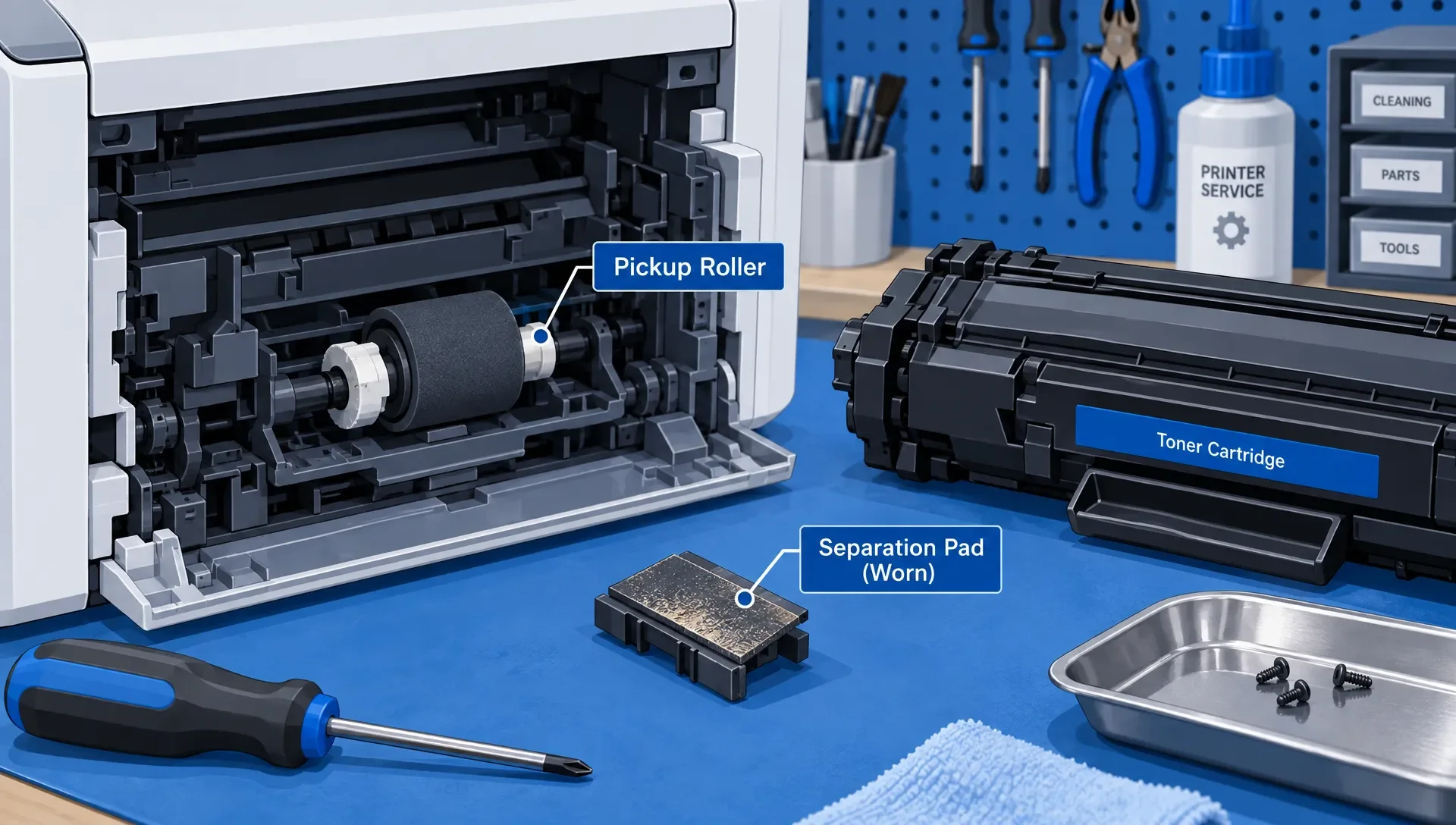
1. B, fuser assembly. A laser printer's fuser uses heat and pressure to bond toner to the page. If toner rubs off on supported paper, it points to a fusing problem, not a feeding fault. In a real repair scenario, always confirm media settings and follow the manufacturer's diagnostic procedure before replacing the fuser assembly.
2. D, toner cartridge. Fading output combined with a low-toner warning means the toner supply is your first check. While a working paper path doesn't rule out every print-engine issue, there's no reason to start with the duplexer or connection. Use the printer's approved cartridge-checking or replacement procedure, then verify print quality.
3. A, separation pad. The separation pad prevents multiple sheets from feeding at once. Multiple-sheet feeding, correct loading, and visible pad wear all support this diagnosis. A pickup roller draws paper into the mechanism, so a failure to pick up a sheet would suggest a different starting point.
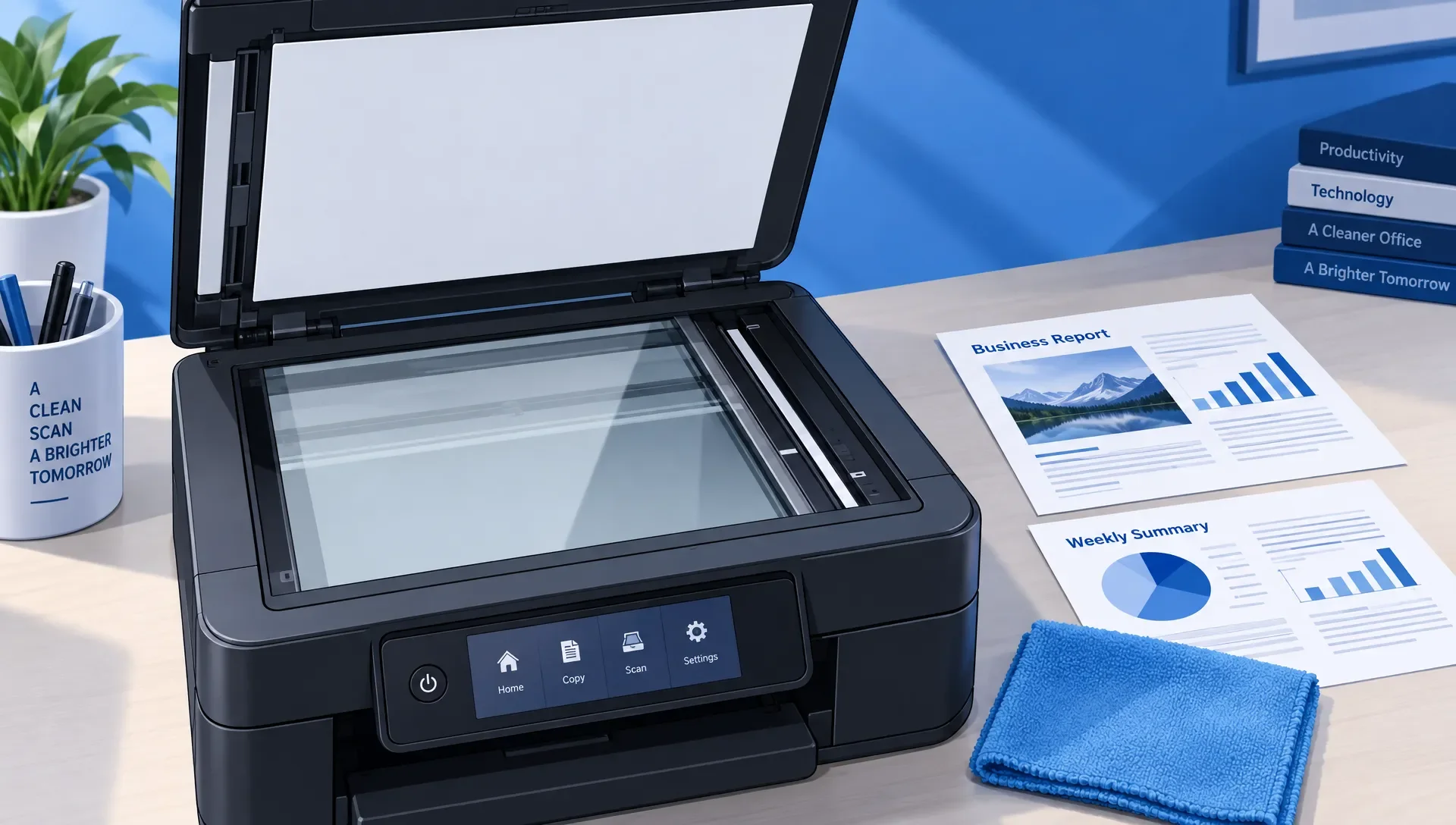
4. C, narrow ADF scanning glass. A fixed contaminant on the narrow scanning strip can create a line as the document moves past it. Since flatbed copies and computer-generated output are clean, this isolates the problem to the ADF scanning path. Clean the appropriate glass with manufacturer-approved materials, then repeat the copy test.
Answers 5-8: Match the Fix to the Printer Technology
This CompTIA A+ Core 1 practice test includes several printer technologies. A maintenance step that works for one might be completely irrelevant to another, so knowing the differences is key.
5. B, run printhead cleaning. Missing segments in a nozzle-check pattern point to a nozzle or ink-delivery issue. If ink is available and cartridges are seated correctly, the printer's built-in cleaning procedure is a reasonable next step. Recheck the pattern afterward. Avoid running unlimited cleaning cycles, as they consume ink; follow the manufacturer's escalation guidance instead.
6. C, ribbon. An impact printer transfers ink from its ribbon when the printhead strikes it against the paper. The scenario confirms a correct head gap and a visibly worn ribbon, making ribbon replacement the supported choice. Verify the result on the intended multipart form, not just a single sheet.
7. A, compatible direct thermal paper. Direct thermal printing requires heat-sensitive media. Ordinary bond paper won't produce an image when heated by the printhead. Thermal-transfer printing is different because it uses a ribbon. When replacing stock in a direct thermal printer, check both media compatibility and the roll's orientation.
8. D, update the print port. The configured destination no longer matches the printer's address. Verify the current address and its reachability, then correct the port. To reduce recurrence, arrange stable addressing through a DHCP reservation or an approved static configuration, consistent with local policy. Don't choose an arbitrary static address that could conflict with another device.
Answers 9-12: Verify Compatibility, Follow Safe Procedures
These CompTIA A+ Core 1 practice test answers depend on driver compatibility, documented limits, and evidence that narrows the faulty component.
9. C, install the correct driver. A normal internal test page indicates the printer itself can generate readable output. The wrong-model driver is the strongest clue for garbled computer-generated output. Install a supported driver, confirm the destination printer, and test again before considering a print-engine replacement.
10. A, follow shutdown and cooling instructions. A fuser can remain hot even after printing stops. Always follow the device's documented jam-clearing and shutdown procedures before reaching near it. Don't defeat safety protections or use sharp tools on delicate surfaces. A safe exam answer reflects safe action in a workshop.
11. D, use a supported combination. The documented restriction explains the duplex failure. Changing the printing mode or selecting approved duplex media addresses the root cause. Repeating the same unsupported job won't help. Media type, thickness, and supported paper paths all matter, so don't assume that stock suitable for simplex printing is automatically suitable for duplexing.
12. B, imaging drum. Repeated marks can come from several rotating components. In this case, the service documentation links the measured interval to the imaging drum, providing component-specific evidence. Don't assume every repeating defect means a bad drum. Inspect or replace components according to the device's maintenance procedure and confirm the result with another print.
Printer Troubleshooting PBQ-Style Matching Drill
Add this short matching exercise to your CompTIA A+ Core 1 practice test review. This text-based drill focuses on troubleshooting decisions, not a reproduction of CompTIA's exam interface.
Assign each ticket one action. Use each action once:
A: Correct the workstation's printer-port address. B: Inspect and clean the ADF scanning strip. C: Check the fusing process using the manufacturer's procedure. D: Run the inkjet nozzle-check and cleaning workflow.
| Ticket | Evidence |
|---|---|
| 1 | Laser toner wipes off supported plain paper |
| 2 | Only ADF-generated copies show a vertical line |
| 3 | The workstation targets an old address shown to be incorrect by the printer's configuration page |
| 4 | An inkjet produces missing color segments despite adequate ink |
Correct mapping: 1-C, 2-B, 3-A, and 4-D.
Now explain what each action rules out. For example, comparing ADF and flatbed copies separates a scanning-path defect from a print-engine defect. Comparing the configured port with the printer's actual address checks the destination before you spend time on hardware repairs.
For every ticket, choose a verification step as well. Print another page, repeat the affected copy workflow, or rerun the nozzle check. A repair isn't confirmed just because a setting changed or a component was replaced.
How to Review Missed Printer Questions
Treat a missed CompTIA A+ Core 1 practice test question as a prompt to pinpoint and address gaps in your knowledge. If you confused the fuser with the drum, review what each component does. If you chose hardware replacement for an address mismatch, practice separating connection faults from print-quality faults.
Write a short explanation using three parts: the decisive symptom, the relevant component or setting, and the verification step. Then change one detail in the scenario. For instance, if both flatbed and ADF copies have the line, the original scanning-strip diagnosis no longer has the same support.
MindMesh Academy's guide on A+ practice questions that reveal real weaknesses can help you apply this review method to other exam topics.
Your result here measures a narrow topic, not your overall readiness for the exam. Review MindMesh Academy's guidance on what A+ practice test scores mean before treating a strong printer score as proof you're ready for the full exam. Always retest with fresh scenarios instead of memorizing these answer letters.
Frequently Asked Questions
Are printer troubleshooting questions part of A+ Core 1? Yes, printer hardware, maintenance, and troubleshooting are key parts of Core 1 preparation. Always use the official objectives for your scheduled exam version to confirm the required scope, rather than relying on older question banks.
Is this CompTIA A+ Core 1 practice test enough to assess exam readiness? No, this practice test checks only printer troubleshooting. You'll need to practice across all other Core 1 objectives and question formats. Remember, a correct answer backed by clear reasoning is more valuable than just recognizing a question you've seen before.
How can I tell a printer hardware problem from a driver problem? If the printer supports it, start by printing an internal test or configuration page. If internal output is normal, but a specific workstation experiences failures, direct your checks toward that workstation's driver, settings, or connection. This narrows the investigation, but doesn't prove every hardware component is healthy.
Does a vertical line always mean the imaging drum is damaged? No. A line limited to ADF scans or copies can come from contamination on the scanning strip. Compare computer-generated output, flatbed copies, and ADF copies before assigning the fault to the print engine.
Should I memorize exact repeating-defect distances? Learn why repeated spacing points to a rotating component, but refer to model-specific service documentation for exact measurements. Different printers use different component dimensions, so a distance associated with one model isn't a universal rule.
Continue Your CompTIA A+ Core 1 Preparation
Once you can explain these printer diagnoses without looking at the answers, you're ready to expand your practice beyond printers. MindMesh Academy offers a full Core 1 practice exam to help you test your understanding across all exam topics.
Our platform helps IT professionals like you build confidence for certification exams. We provide objective-based study guides, realistic practice questions with detailed explanations, and spaced-repetition flashcards to reinforce key concepts. You can also use topic progress and readiness tracking to guide your next study steps.
Ready to put your knowledge to the test? Start building your CompTIA A+ Core 1 foundation with MindMesh Academy's practice exam today.

Written by
Alvin Varughese
Founder, MindMesh Academy
Alvin Varughese is the founder of MindMesh Academy and an enterprise architecture leader. An electrical engineer by training, he moved from factory automation in South Africa to cloud architecture at GE Appliances and Humana (Fortune 50), and holds 20 professional certifications including AWS Solutions Architect Professional, Azure DevOps Engineer Expert, and Microsoft Agentic AI Business Solutions Architect. He built MindMesh Academy after interviewing too many highly certified candidates who couldn't answer basic questions: the goal is prep that makes you better at the job, not just able to pass the exam.