12 Best Study Schedule Templates for Exam Success in 2026
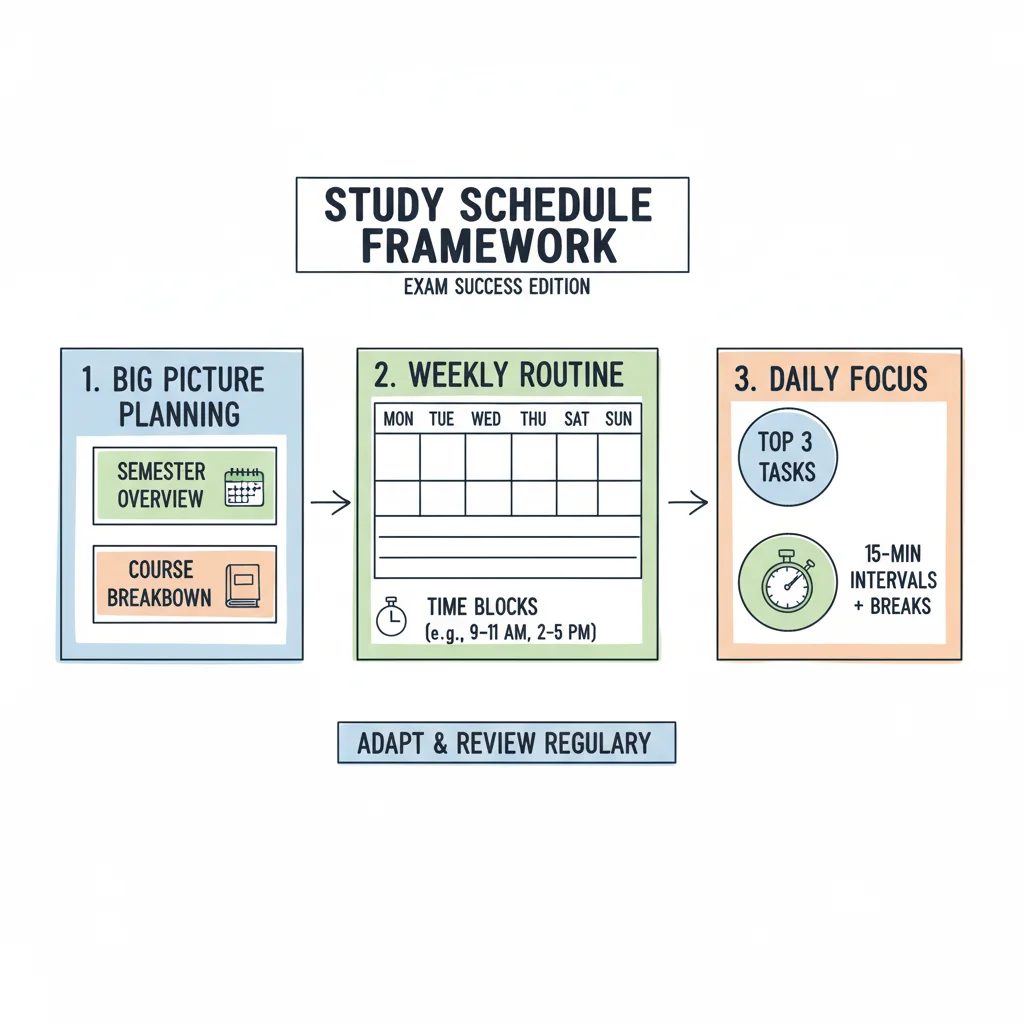
Preparing for a major IT certification exam is a significant project. Success requires more than understanding technical concepts; it depends on how you manage your time. IT professionals balancing work with high-stakes goals—like the AWS Solutions Architect (SAA-C03), PMP, CompTIA Security+ (SY0-701), or ITIL 4 Foundation—require a structured plan. Using study schedule templates transforms disorganized effort into a targeted and efficient path toward passing with confidence. These templates provide the necessary organization to ensure all exam topics are covered within a set timeframe.
Without a clear roadmap, you risk falling into the trap of aimless cramming, skipping exam domains, and wasting hours. Experts at MindMesh Academy selected these 12 versatile templates from leading platforms for their effectiveness in technical exam preparation. We chose these tools to support the specific workflows required for professional certifications, focusing on practical usability over theoretical planning.
Our team reviewed numerous options to find resources that assist with complex study requirements. For every template, we explain its core features, provide practical examples, and show how to use techniques like spaced repetition. You can select a framework that fits your timeline, study methods, and software tools to ensure you arrive at the testing center prepared. To start building these habits, reviewing the features of an academic day planner can provide a helpful starting point.
Visual planners often prefer the clarity of Trello boards, while those who prioritize data might choose the detailed tracking features in Smartsheet or ClickUp. This guide identifies the strategic framework you need to maintain focus and prepare for the current exam. Every minute spent planning saves hours of unproductive study later. We focus on tools that help you organize specific exam objectives rather than general academic tasks.
1. MindMesh Academy
MindMesh Academy replaces static study schedules with an evidence-based learning system. It builds a personalized path for IT certification candidates. This platform supports high-stakes exams such as AWS Certified Solutions Architect, Azure Administrator, CompTIA Security+, and PMP. Professionals often find that a basic calendar is not enough to manage complex technical topics. They need a tool that adjusts as they improve. This system tracks your progress through various domains and confirms when you have reached the level required for the actual test.
 Caption: A screenshot illustrating MindMesh Academy's integrated study dashboard, showing personalized progress, recommended topics, and linked resources for IT certification preparation.
The platform relies on a structured approach that integrates several tools. It combines exam-aligned study guides, practice quizzes, and digital flashcards in a single dashboard. Your schedule is a living document that reacts to your specific quiz scores. The system uses spaced repetition to move complex technical facts into long-term memory. Adaptive quizzes identify weak points and force you to practice those areas more often until you show improvement. This data-driven method makes it an efficient option among study schedule templates, ensuring every hour you spend results in measurable progress and better retention.
Use Cases & Implementation
- Best For: IT professionals and those changing careers who want a single system for over 30 certification paths. This covers major vendors like AWS, Azure, CompTIA, Cisco, PMI (PMP), and ServiceNow. It is built for people who want to avoid switching between multiple books and apps.
- Quick Setup: Start with the free tier to see sample guides and practice questions. Your initial performance sets a baseline. The platform then generates a personalized plan when you enroll fully, which removes the need to guess what to study next. This allows you to start learning on day one.
- Workflow Integration: Use the mastery-tracking dashboard to watch your progress against official exam objectives. After every study session, a weakness analysis report shows which topics need more work. The system then adds targeted review sessions to your schedule automatically to fill those gaps.
Key Details
| Feature | Description |
|---|---|
| Learning Method | Integrates spaced repetition and adaptive practice into the schedule to help with long-term memory and preparation. |
| Content Coverage | Provides concise, exam-aligned guides, quizzes, and flashcards for 30+ IT certifications including AWS, Azure, CompTIA, Cisco, PMP, and ServiceNow. |
| Unique Advantage | Tools for tracking mastery and analyzing weaknesses tell you exactly when you can pass the exam. This data helps you avoid paying for expensive retakes. |
| Pricing & Access | A free starter tier includes sample content. Full access to the question bank and the personalized learning path requires paid enrollment. |
| Limitations | Public pricing is not visible until after sign-up. The platform focuses on learning concepts and providing practice questions but does not include hands-on labs. |
Website: MindMesh Academy
Reflection Prompt: Consider the vastness of IT certification domains. How much time do you currently spend trying to figure out "what to study next" versus actually studying? Could an adaptive system like MindMesh Academy significantly reduce that planning overhead?
2. Canva
IT professionals who prefer a visual approach to planning should look at Canva. The site offers an extensive gallery of editable timetable and class schedule templates. It simplifies design by removing the technical hurdles found in complex spreadsheets. You can build a personalized, attractive study schedule using basic drag-and-drop tools. This makes it a great choice for mapping out a weekly overview or a high-level roadmap for your certification preparation.
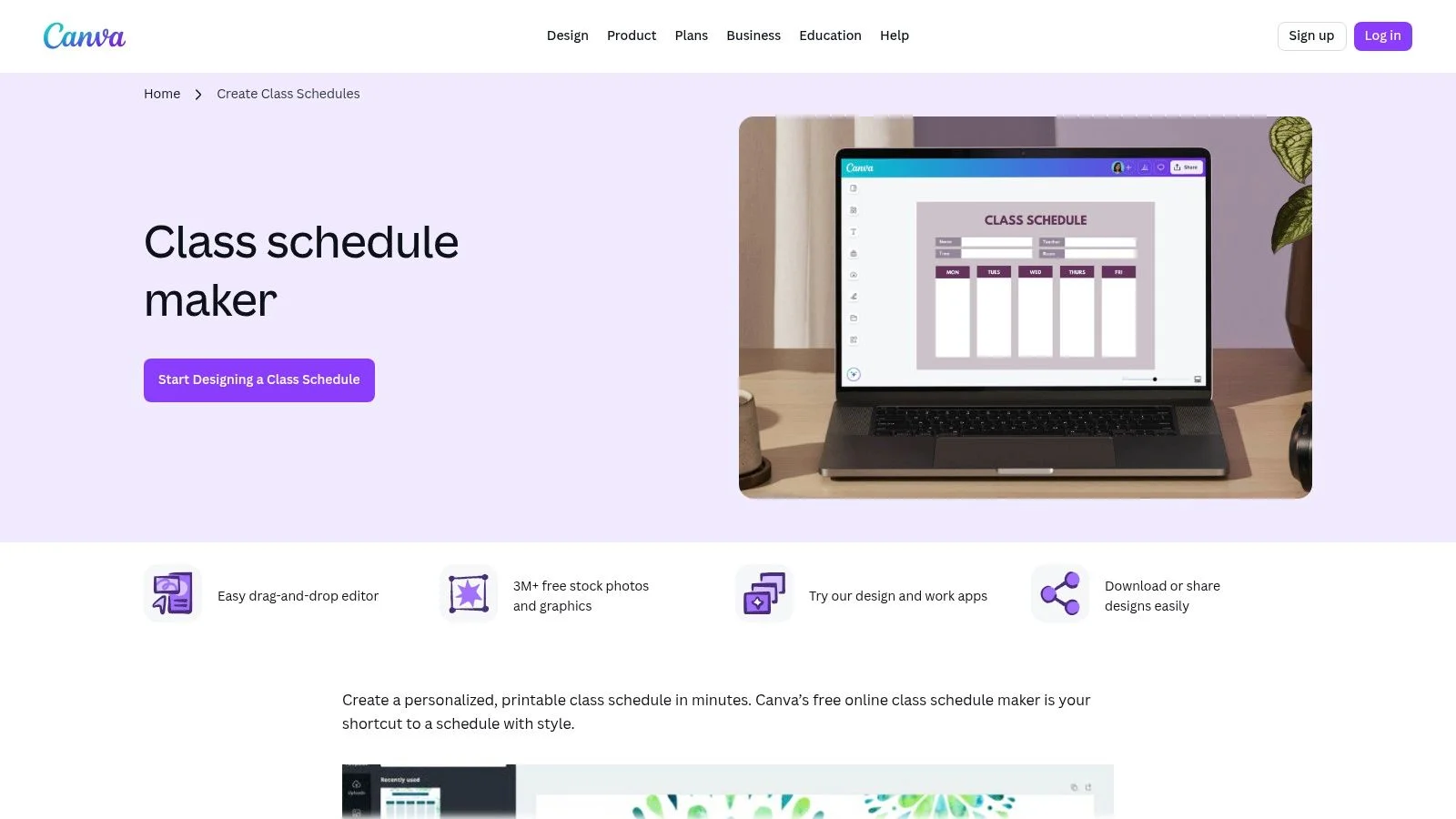 Caption: A screenshot of Canva's user-friendly interface showcasing various colorful and visually appealing class schedule templates, easily adaptable for focused IT certification study.
The platform is easy to use and functions well on both web and mobile devices. Changes save to the cloud automatically. You can color-code specific certification domains—for instance, use blue for AWS compute services and green for networking. You might also add icons for different study activities like practice exams, video lectures, or lab exercises. Once finished, you can export your schedule as a high-resolution PDF or image file. This is helpful if you want a physical printout at your desk or a digital version for your desktop background to stay motivated.
Key Considerations
- Primary Use Case: Best for creating static, visually organized weekly or monthly plans that you can print or save. It works well for high-level visualization of your path to certification, such as laying out PMP knowledge areas over a month.
- Integration: Canva does not offer direct links to dynamic task managers. You will need to manually transfer your scheduled blocks into a tool like MindMesh Academy. This allows you to pair Canva's visual style with the adaptive management and spaced repetition reminders found in other apps.
- Cost: The free version is quite capable and provides thousands of templates and design elements. While some premium assets require a Canva Pro subscription, you can produce effective study schedule templates without spending money.
- Limitations: Canva is a design tool, not a project management system. It does not provide automated reminders, progress tracking, or dynamic task management. To help structure your study sessions, examine the best study methods for exams to use alongside your visual schedule.
Website: Canva Class Schedule Maker
Reflection Prompt: How does visualizing your study plan help you stay motivated? Would color-coding different AWS or Azure services, or PMP process groups, on a high-level schedule improve your comprehension and recall?
3. Microsoft Create / Microsoft 365 templates
For IT professionals who use Word and Excel every day, the Microsoft Create template gallery provides a practical and familiar starting point. This collection offers various planner and schedule templates that users can adapt for certification preparation. This method works well for those who prefer the reliable offline functionality, standard formatting, and accessibility of desktop applications they already own.
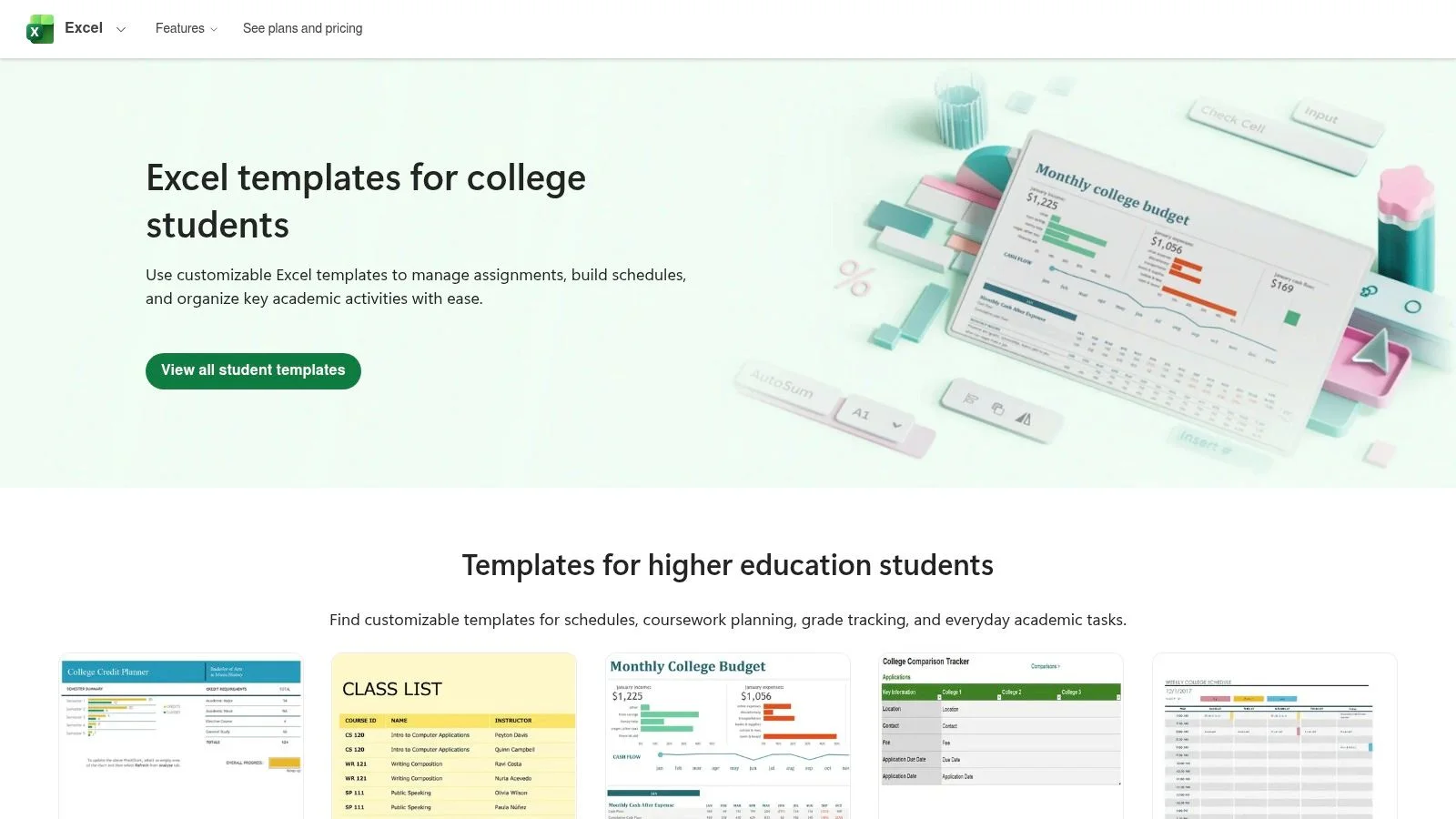 Caption: A screenshot demonstrating the clean, functional design of Microsoft Create's templates, ideal for IT professionals who prefer planning within the familiar Word or Excel environments for their certification studies.
The main advantage is the immediate familiarity of the interface. You can download an Excel weekly schedule template, set up specific study blocks for an Azure certification, and then copy the tab for each week of your prep. These files are easy to print for a physical copy or save to OneDrive for access on different devices. While these templates lack the visual flair of design-heavy platforms, the structured grid of Excel is well-suited for exact, hour-by-hour planning. This makes it a dependable choice for technical study. Using Excel allows you to use formulas to calculate total study hours per week or color-code different subjects like networking, security, and cloud architecture to ensure you cover every exam objective.
Key Considerations
- Primary Use Case: These templates are best for building detailed, functional weekly or semester-long schedules in Word or Excel. They offer strong offline access and printing options. Use them to create precise time-blocks for exams like CompTIA Network+ N10-009 or ITIL 4. This approach favors students who want a high degree of control over their document layout without learning complex new software interfaces.
- Integration: These files are static. To add interactive features, you must manually move your study sessions from the spreadsheet into a tool like MindMesh Academy. Doing this allows you to attach specific study resources, set digital reminders, and monitor your actual daily progress against your plan. This hybrid method combines the simplicity of a spreadsheet with the power of a dedicated tracker.
- Cost: You can find many useful templates for free on the Microsoft Create site. However, to get the best experience with cloud syncing and full editing features across mobile and desktop devices, you usually need an active Microsoft 365 subscription.
- Limitations: These templates do not include built-in alerts, automation, or dynamic tracking. They function like digital versions of paper planners, which means you have to update them by hand. They do not offer the interactive data or feedback found in specialized project management software. These study schedule templates focus on the planning stage rather than execution and do not provide automated feedback.
Website: Microsoft Create College Tools
Reflection Prompt: Since you likely use Microsoft Office applications daily, consider how much faster you could build a schedule in Excel versus learning a brand-new software. What specific level of detail do you require for your technical study blocks to stay on track?
4. Vertex42
IT professionals who prioritize function and the familiar structure of spreadsheets will find Vertex42 useful. It offers practical, polished templates specifically for Excel and Google Sheets. These planners use clean, utilitarian grids that help users map out exam study blocks with precision. The logical layout helps organize daily sessions for cloud certifications, networking exams, or other technical credentials.
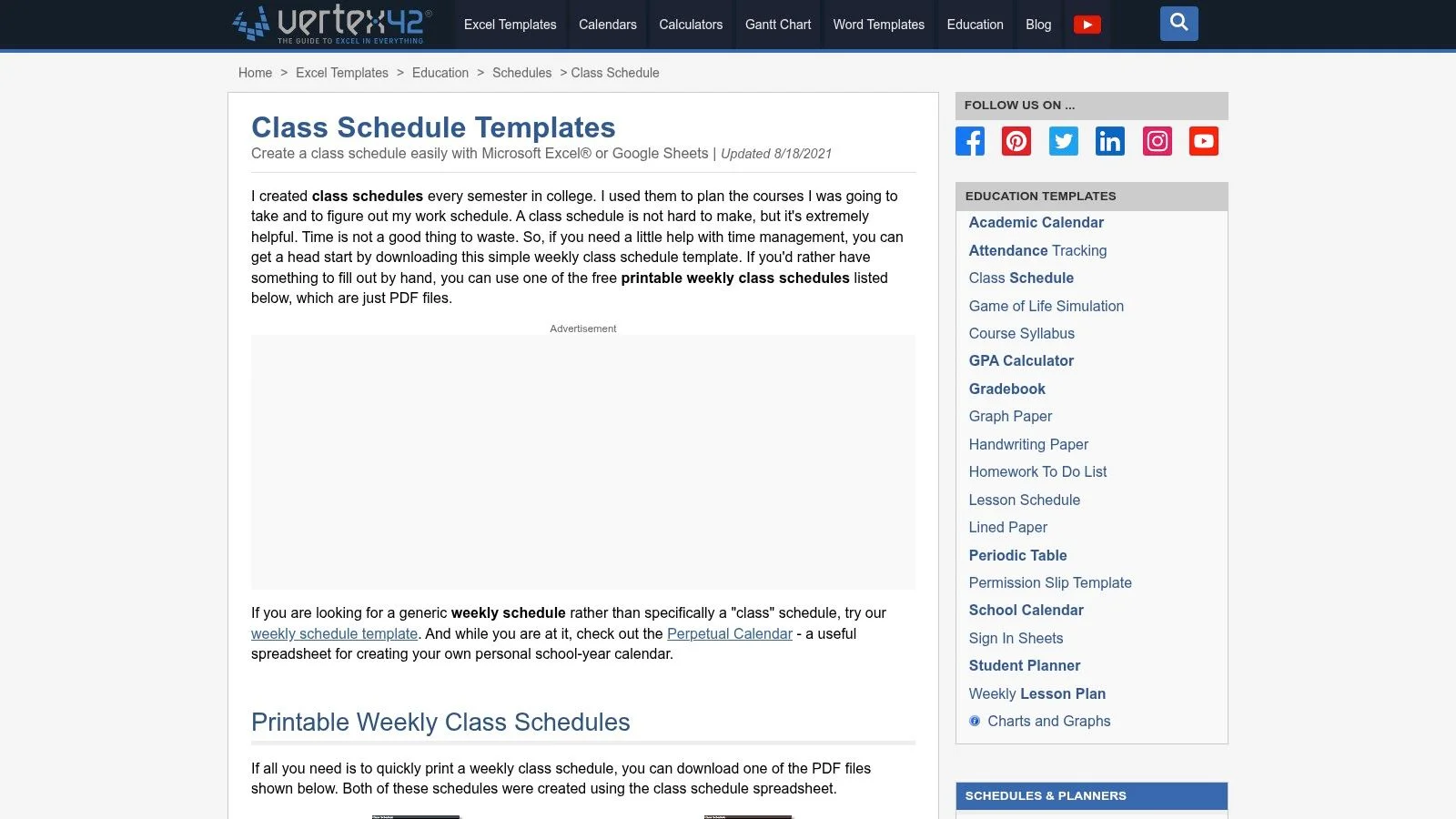 Caption: A grid-based Vertex42 class schedule template shown in Excel. This layout provides a foundation for IT professionals to plan weekly certification study sessions using precise time blocking.
Vertex42 creates print-friendly layouts with 15- or 30-minute increments. These small time slots work well for blocking out specific tasks like lab exercises, practice tests, or reading technical documentation. The designers update each template file regularly and include detailed usage notes. These notes explain how to get the most out of the file for your study planning. This straightforward approach works for anyone who wants a digital planner that remains clear when printed for offline use.
Key Considerations
- Primary Use Case: Best for creating detailed, print-friendly weekly study schedules in Excel or Google Sheets. It supports granular planning for specific technical modules. For example, you can use these grids to break down various services within an AWS certification path.
- Integration: This is a spreadsheet-based tool, so it does not connect directly to calendar apps or learning platforms. However, its structured grid format makes it easy to manually copy your plan into a task management system like MindMesh Academy. Doing so allows you to add reminders and track your actual progress against specific exam objectives.
- Cost: These templates are free for personal use. You can download the Excel files or copy the templates into Google Sheets without registration or fees. This makes it an accessible option for students on a budget.
- Limitations: This is a manual-entry solution. These templates do not include automatic reminders or real-time progress tracking. They also lack the visual design features of more modern platforms. The tool focuses on structure and printability, making it a static planning resource. These study schedule templates offer a traditional foundation, but they are not interactive systems.
Website: Vertex42 Class Schedule Template
Reflection Prompt: How much does precision matter in your study plan? Would a 15-minute time block for reviewing network protocols or a PMP formula improve your focus more than a broad hourly block?
5. Smartsheet
Smartsheet serves IT professionals who value the data-driven structure of a spreadsheet but want to skip the setup phase. The site offers a collection of free, downloadable templates designed for academic and professional planning. These resources fill the gap between a standard blank sheet and a complex project management suite by offering pre-formatted files for Google Sheets and Excel. If you are preparing for a certification that requires tracking granular technical topics—such as Kubernetes architecture for the CKA or specific Azure policy definitions—these grids provide the necessary organization. The focus remains on a functional, no-frills system for organizing study sessions during your preparation.
 Caption: A practical view of Smartsheet's free daily schedule templates. These tools provide IT professionals a structured, grid-based method to organize certification study time using familiar spreadsheet formats.
The templates offer practical features like 15-minute interval grids and cells you can merge to block out longer sessions. This flexibility is vital for deep work or timed practice exams that require several hours of concentration. Since these are standard files, you can download them for offline use in Excel or Google Sheets. This accessibility allows you to create everything from a broad, multi-month plan to a strict, week-by-week schedule for final reviews. Smartsheet prioritizes utility and adaptability over visual design.
Key Considerations
- Primary Use Case: These templates work best for building detailed, grid-based weekly or daily schedules within a spreadsheet environment. They help break down large IT certification blueprints into manageable blocks of time that fit your specific availability and technical goals.
- Integration: These files are static. To make your plan more interactive, you can manually transfer your tasks into MindMesh Academy. This combines the structured grid of a spreadsheet with the dynamic task management, progress tracking, and intelligent reminders found in MindMesh.
- Cost: The downloadable templates are free. Smartsheet offers a paid subscription for its advanced platform features, such as automation and dashboards, but you do not need a paid account to use these basic templates.
- Limitations: The designs are strictly utilitarian and lack the interactive elements of modern apps. These templates do not include built-in reminders or automatic progress tracking. To improve your results, read about how to retain information when studying and apply those methods to your planned blocks.
Website: Smartsheet Free Daily Schedule Templates
Reflection Prompt: If you are studying for a certification with a broad curriculum like AWS Solutions Architect or PMP, how would mapping out specific knowledge areas in 15-minute increments change your sense of progress?
6. Notion (Study Scheduler template)
Notion transforms study planning from a simple document into a database. Templates like the "Study Scheduler" act as a central hub for certification prep. They connect courses, individual tasks, and detailed notes in a single workspace. This structure works well for IT professionals who want to see the connections between different study materials. It helps you track progress when managing complex exam blueprints like those for Kubernetes certifications or high-level cybersecurity paths. Instead of jumping between apps, you keep everything in one place.
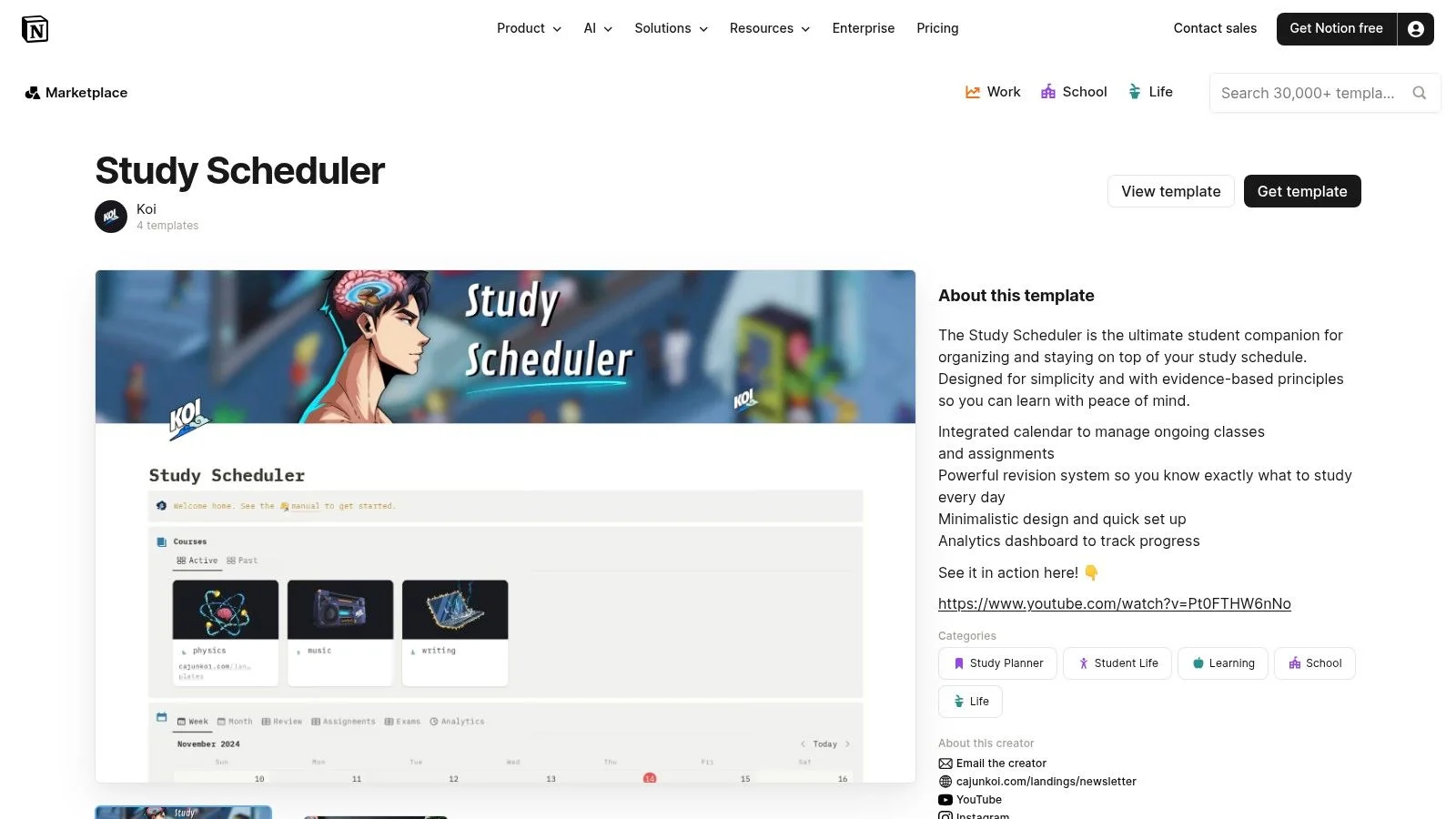 Caption: A clean and organized view of the Notion Study Scheduler template, illustrating its capabilities to centralize courses, tasks, and weekly schedules for IT certification planning.
The real utility of Notion comes from its database features. You can build custom views of your study schedule and sort them by subject, date, or exam domain. For example, you can group tasks under AWS Security or AWS Compute. You can also link each study session to specific notes, checklists, and technical whitepapers. This eliminates the time spent searching for information before you can actually start studying. This centralized approach makes it easier to use spaced repetition. You can filter for topics that you marked as difficult or those you haven't reviewed in a specific number of days.
Key Considerations
- Primary Use Case: This is the best choice for building an integrated system where your schedule connects to your notes and task tracking. It serves as a personal knowledge base for exams like the Google Cloud Professional Architect or advanced Cisco certifications.
- Integration: Notion does not include native calendar alarms or push notifications for tasks. You can use tools like Zapier to create automated reminders. Some students prefer to plan their knowledge organization in Notion while managing daily study sessions in MindMesh Academy. Moving tasks between the two lets you combine an intensive knowledge base with active task management features.
- Cost: The template itself may be free or have a one-time cost if purchased from a creator. The Notion personal plan is free to use. Your primary investment is the time you spend setting up the database to fit your specific study habits.
- Limitations: The high level of customization can feel overwhelming to new users. It requires an initial learning period to set up the views correctly. Success with this tool depends on using time management strategies for students to consistently update your progress.
Website: Notion Study Scheduler Template
Reflection Prompt: Imagine having all your study notes, official documentation links, and practice test results directly linked to your schedule. How much more efficient would your review sessions be for a complex exam like a multi-cloud certification?
7. Trello (Study / Interview Study Tracker templates)
IT professionals who view projects through process and workflow often find Trello a natural fit. It uses a Kanban-style approach to organize your study plan. Although it is not a traditional calendar app, the template gallery includes an 'Interview Study Tracker' that you can adapt for exam preparation. Trello helps you visualize your study pipeline. You can move specific topics or exam domains from a "To-Do" list into "In Progress" and finally "Done." This visual movement is useful for tracking progress on individual subjects or batches of practice questions.
 Caption: A Trello board visually adapted for IT certification study, featuring Kanban lists to track progress on different topics and an integrated Calendar Power-Up for scheduling key study milestones.
The platform is flexible. By enabling the Calendar Power-Up, you can assign due dates to individual cards. These cards represent your study topics or modules, such as an AWS Lambda review or a PMP Risk Management session. Once dated, you can view them on a weekly or monthly schedule. The interface allows you to drag and drop cards to reschedule sessions instantly. Trello’s automation tool, Butler, can even create recurring cards for spaced repetition cycles. This creates a functional middle ground between a static planner and a full project management application. It is well-suited for the iterative nature of certification study.
Key Considerations
- Primary Use Case: Trello is best for task-based study management. You can visually track the status of individual topics, chapters, or practice test sets through a clear workflow. It is effective for managing agile-style study sprints for an Agile or DevOps certification.
- Integration: Trello connects easily with other tools. You can sync the board calendar with your primary Google or Outlook Calendar. For more specific task management, you can create a Trello card from a MindMesh Academy task. This links your daily study blocks to your main schedule.
- Cost: The free plan provides plenty of features. It includes unlimited cards, up to 10 boards, and one Power-Up per board for the calendar view. More advanced features and more complex automations require a paid subscription (verify current pricing on the vendor site).
- Limitations: While the Calendar Power-Up is helpful, Trello is not a dedicated calendar. It may feel less intuitive for precise time-blocking than a specialized calendar application. To get the most out of it, you must spend time on the initial setup of lists and labels.
Website: Trello Interview Study Tracker Template
Reflection Prompt: If you're studying for a certification with many distinct modules, like CompTIA A+ (220-1201/220-1202) or ITIL, how would moving a 'Cloud Concepts' card from 'To Do' to 'Done' on a Trello board impact your sense of accomplishment and motivation?
8. Asana (Study Schedule template)
IT professionals starting long-term, complex certification prep often find that Asana offers a project management structure that works well for exam preparation. The 'Study Schedule' template handles multi-month timelines using milestones and task dependencies. You can centralize study sessions, practice exams, and review dates here. It moves beyond a basic weekly grid to provide a holistic planning system. This approach helps with certifications like the PMP, where tracking how tasks relate to each other is a core requirement.
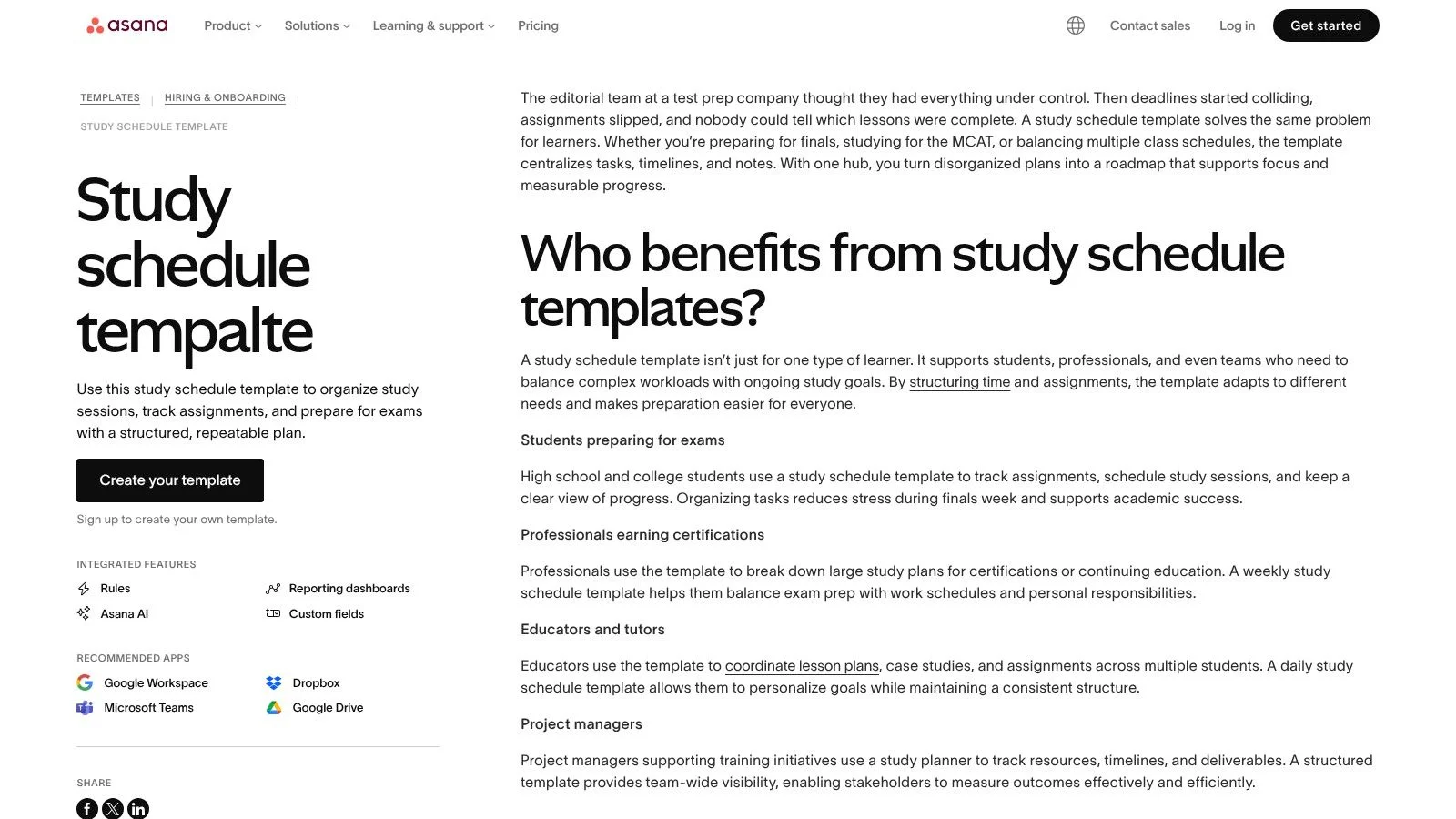 Caption: A visual representation of Asana's Study Schedule template, highlighting its detailed project management capabilities for structuring multi-month IT certification preparation with timelines and task dependencies.
The platform offers several views, including Timeline, Calendar, and Dashboard. These help you visualize the order of study topics. For example, you must grasp networking basics before moving to advanced security concepts for a CCNA or Security+ exam. Users can create recurring tasks for daily reviews and set reminders so no topic is forgotten. Its connection with tools like Google Calendar and Dropbox keeps your study materials and professional commitments in one central location.
Key Considerations
- Primary Use Case: This tool is best for detailed plans lasting several months that involve milestones and specific dependencies. It works well for large-scale certifications like the CISSP, PMP, or professional cloud architect exams that involve distinct learning phases.
- Integration: Asana connects effectively with the Google Workspace environment. You can schedule tasks in Asana that sync with your Google Calendar, which helps keep your study plan and personal schedule aligned.
- Cost: The free version includes the core features needed for individual study planning. Advanced options like the Timeline view and custom fields are behind a paywall, but they are not strictly necessary to build effective study schedule templates.
- Limitations: The high number of features can feel like too much for someone who only needs a basic weekly plan. Because the software started as a professional project management tool, it has a steeper learning curve than a simple spreadsheet or a paper planner.
Website: Asana Study Schedule Template
Reflection Prompt: For certifications with prerequisite knowledge (e.g., mastering routing before moving into VPNs for a Cisco exam), how helpful would a tool that visualizes these dependencies be in preventing you from moving too fast?
9. ClickUp (Class Schedule & Time Study template)
IT professionals who need more than a basic calendar often prefer managing certification prep as a formal project. ClickUp's "Class Schedule & Time Study" template fits this need perfectly. It transforms your certification preparation into a structured workflow. You can organize blocks of study time, monitor progress with custom fields, and switch between List, Calendar, or Timeline views depending on your requirements. This setup helps break down complex exam domains into specific tasks and deliverables. It ensures you address every objective on the syllabus.
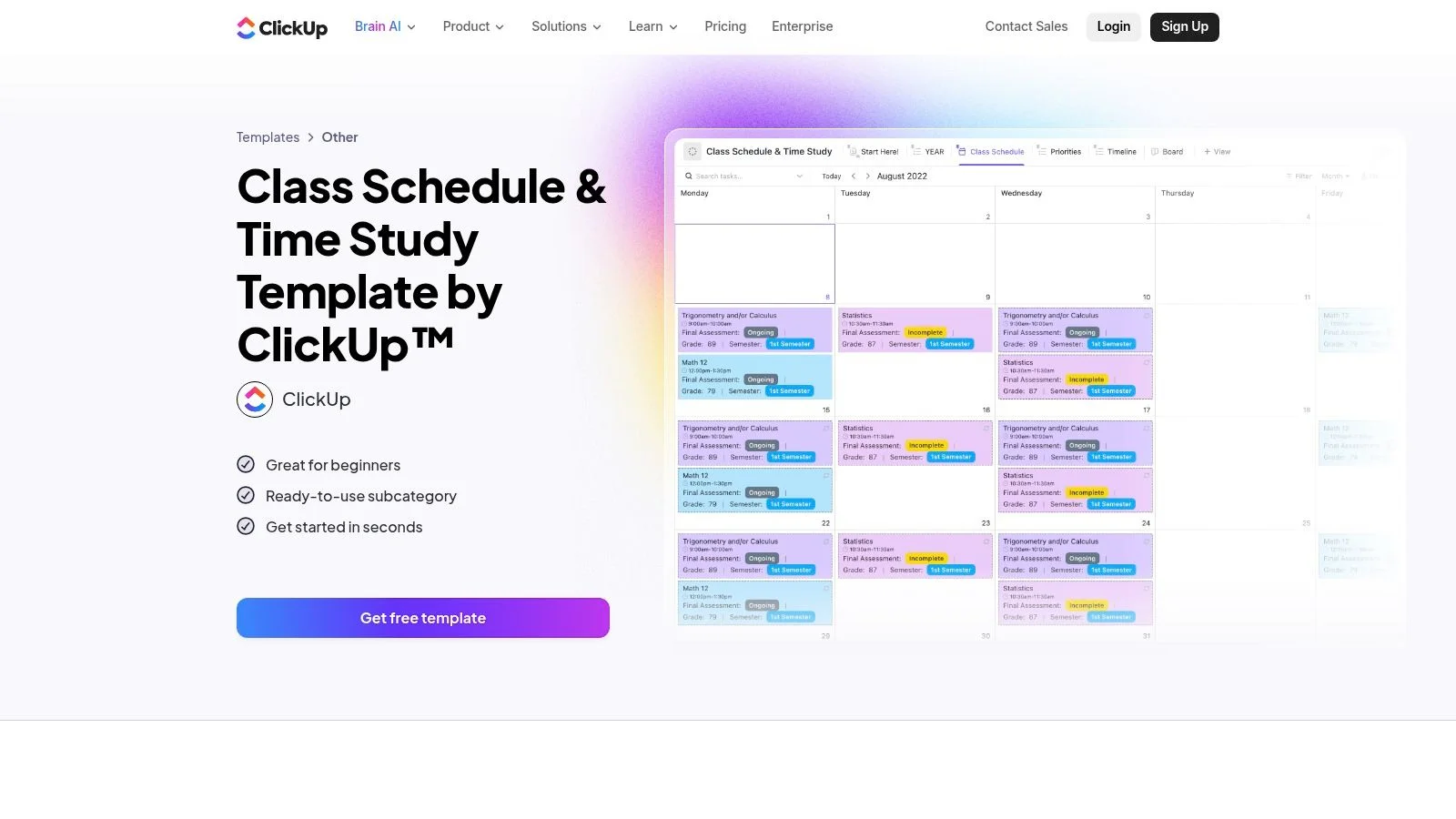 Caption: A detailed view of ClickUp's Class Schedule & Time Study template, showing its project management features for organizing and tracking IT certification tasks across different views.
The template offers high flexibility for those who want to see exactly where their time goes. Built-in time tracking allows you to monitor how many minutes or hours you spend on specific topics, such as comparing time spent on "AWS VPC Configuration" against "EC2 Troubleshooting." You can set task dependencies so you cover foundational knowledge before moving to advanced labs. Establishing clear goals helps track progress toward the final certification date. This makes it a top choice among study schedule templates for long-term preparation. It is built for candidates who want to track, complete, and master every exam objective.
Key Considerations
- Primary Use Case: Best for long-term study plans where tracking progress against specific exam objectives is vital. It works well for multi-domain certifications like the CISSP. You can use it to manage extensive task lists and specific time allocations for each chapter.
- Integration: ClickUp connects with many calendar apps and has an extensive API. You can map high-level tasks, such as "Complete AWS Security Domain," to MindMesh Academy. This allows you to use ClickUp for project oversight while using MindMesh for daily execution and spaced repetition.
- Cost: The free plan is quite generous and works for most individual learners. Paid plans add features like custom reporting, workload management, and advanced automations. These are useful if you are working with a collaborative study group.
- Limitations: The variety of features and customization depth can feel heavy for new users. The learning curve is steeper than with simpler tools. It might be more than you need if your goal is just a basic weekly schedule without tracking details.
Website: ClickUp Class Schedule and Time Study Template
Reflection Prompt: How would knowing precisely how much time you've spent on each Azure service or PMP process group influence your study strategy? Could this data-driven approach pinpoint areas where you're over-investing or under-investing time?
10. Coda (Student Planner templates)
Coda turns the standard document into an interactive planning tool. The "Simple Student Planner" template combines notes, tasks, and schedules within one workspace. This setup helps IT learners who want to store their certification blueprint and technical notes alongside their study plan in one cohesive place, removing the need to switch between different applications. The platform uses database-like tables that you can filter, sort, and customize to create specific views of your study commitments. These tables allow you to track your progress through various domains or modules with precision, making it easier to stay organized when you have multiple labs or chapters to complete.
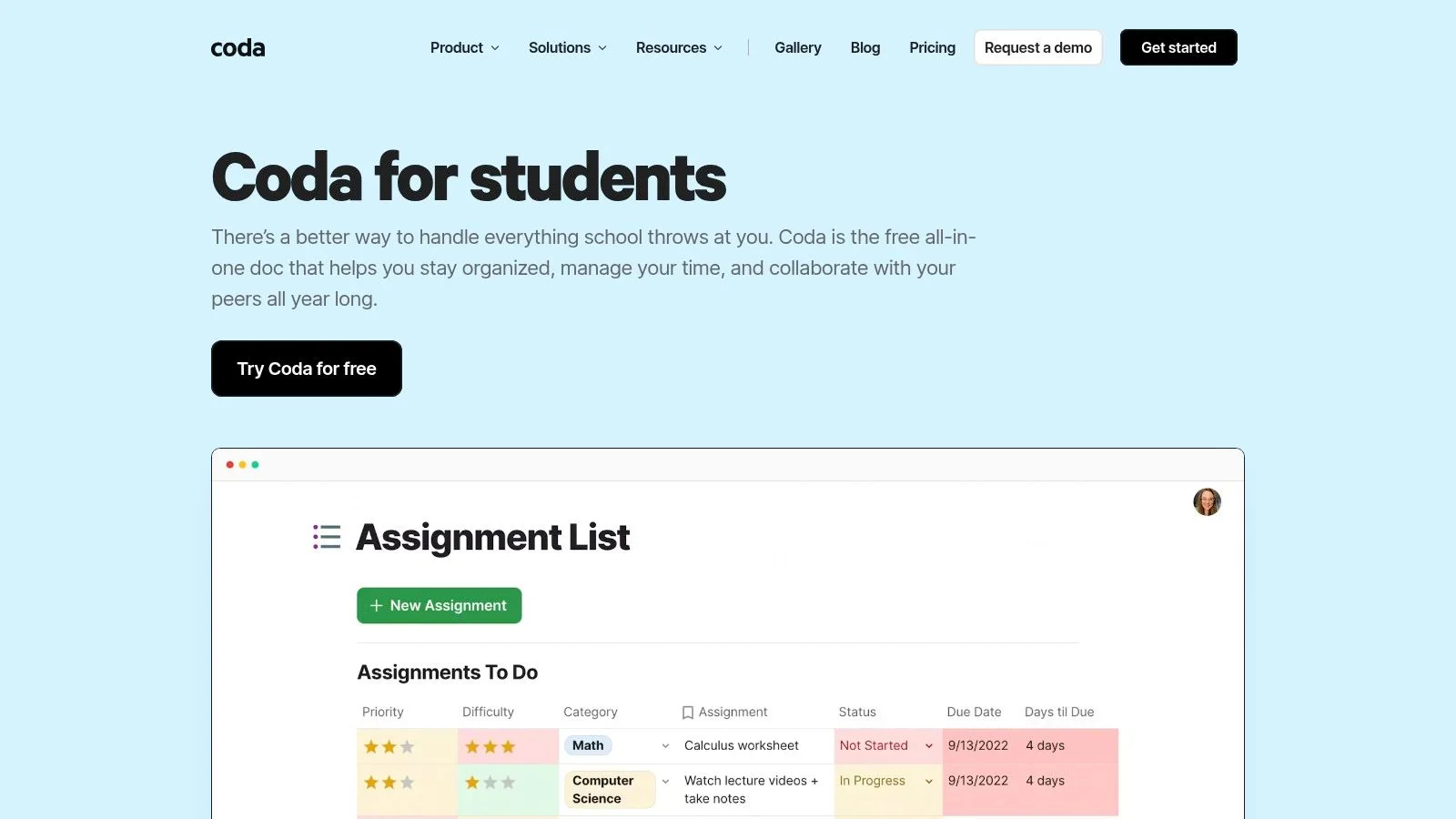 Caption: A screenshot of a Coda document displaying a student planner, illustrating its ability to integrate assignments, a weekly schedule, and detailed notes for IT study management.
Coda documents respond more like software than static spreadsheets. You can build views to show only this week’s tasks or filter by a specific topic, such as AWS Lambda or PMP Stakeholder Management. The "Packs" feature connects the document to external tools like Google Calendar and Gmail. You can sync your planned study blocks and receive email reminders without leaving your central document. This creates a centralized command center for your certification preparation. If you prefer seeing your data in a calendar view or a Kanban board, Coda allows you to switch between these formats with a few clicks. It provides a level of flexibility that standard PDF templates cannot match.
Key Considerations
- Primary Use Case: Best for building an integrated document that merges study notes, task lists, and schedules. It works well for IT professionals who need to keep related information—like ITIL service lifecycles or CompTIA security concepts—together in one place.
- Integration: Coda "Packs" connect the workspace to other software, such as Google Calendar, to sync study schedules. You can pull your planned study blocks from Coda into your main calendar to see your study time alongside personal and work obligations.
- Cost: The free plan provides plenty of features for individual users. Coda also offers student programs that provide Pro features at no cost, which makes it an affordable option for those pursuing multiple certifications on a budget.
- Limitations: This flexibility requires time to set up. You might need to customize templates to fit your specific routine or exam requirements. Coda's library of pre-made study schedule templates is smaller than Notion's, so expect to spend more time on initial configuration.
Website: Coda for Students
Reflection Prompt: If you find yourself switching between notes, calendars, and task managers, consider how a single workspace could improve your focus for your next AWS or Azure certification.
11. monday.com (Student Organizer / Class Schedule templates)
IT professionals who treat certification prep like a project will find monday.com a productive environment. The platform provides "Student Organizer" and "Class Schedule" templates that adapt into a study schedule tracking more than just basic time slots. It manages specific study tasks, organizes resources, and tracks progress across different knowledge domains using boards and columns. This approach works well for multi-phase certifications like the PMP or cloud associate tracks where tracking multiple stages of learning is necessary. You can visualize your workload through several views, such as timelines or kanban boards, which helps keep long-term goals visible.
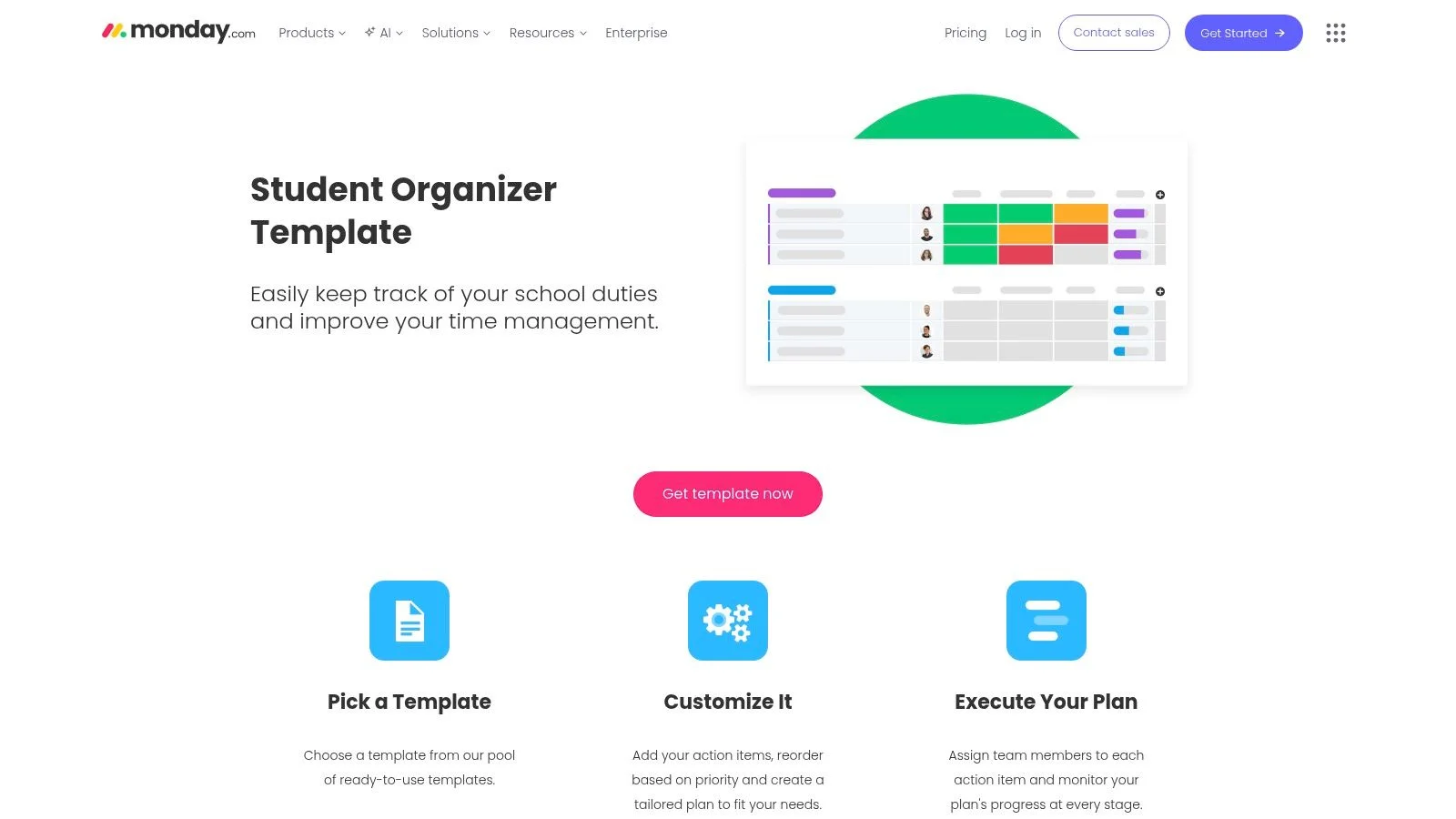 Caption: A clear view of a monday.com board configured as a student organizer, demonstrating its project management interface with columns for topics, status, and deadlines, highly adaptable for managing IT certification studies.
The platform functions as a central hub for all your study materials. You can create boards for specific exam topics like "AWS Compute," "Azure Identity," or "PMP Quality Management." You can then add columns for priority levels, current status, and target completion dates. Dashboards provide a high-level view of your total workload. By connecting with Google Drive or Dropbox, you can link directly to your study notes, whitepapers, and practice lab resources. This setup provides a single source of truth for group study or detailed individual preparation, ensuring every resource is one click away.
Key Considerations
- Primary Use Case: Best for interactive, project-based plans where you track tasks and visualize progress over several months. It helps study groups working on the same certification stay aligned by sharing boards, assigning specific responsibilities, and commenting on tasks for clarity.
- Integration: Monday.com connects with many external tools. You can plan sessions on visual boards and then sync them with your main calendar to block out study time. Linking files directly to tasks turns the board into a file repository, removing the need to search through different folders.
- Cost: The free plan supports up to 2 users (verify user limits and pricing on the vendor site), which usually works for individual students. Advanced features and automations require paid tiers, though educational plans are available for eligible students.
- Limitations: The platform might feel like overkill if you only need a basic, printable schedule. Most automation and reporting tools are restricted to paid plans, meaning the free version requires more manual input to keep the board updated.
Website: monday.com Student Organizer Template
Reflection Prompt: If you're preparing for a certification like the PMP that requires managing many knowledge areas and process groups, how would monday.com's visual boards help you break down the complexity and track each component effectively?
12. Template.net (Study Schedule templates)
For IT professionals who need a functional grid without learning a new application, Template.net provides a library of study schedule templates for software like Excel, Google Sheets, and Microsoft Word. This site works well for finding a printable daily, weekly, or monthly study planner you can fill out and use offline. Its strength lies in providing a fast solution for getting a structured timetable into your hands immediately. You do not need to set up accounts for new project management software; you just pick a layout and start typing your goals.
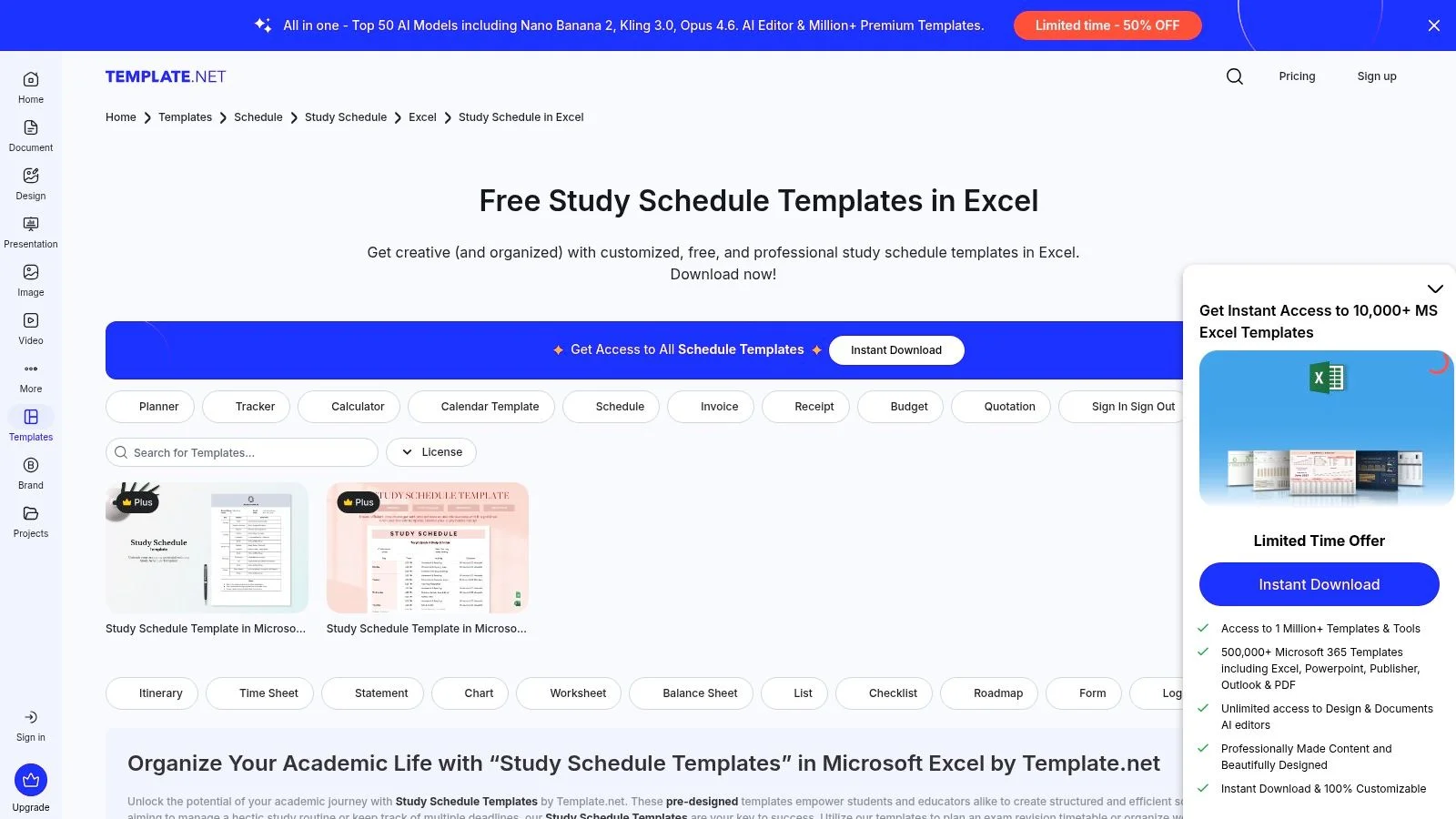 Caption: A gallery view from Template.net showcasing various study schedule templates available for quick download in popular formats, offering IT professionals a straightforward option for print-ready planning.
The platform provides many layouts, ranging from hourly breakdowns to weekly plans that include dedicated sections for study goals and notes. You can download a file, customize the subjects and time blocks in a program you already know—like entering your AWS Certified Security - Specialty (SCS-C03) topics into an Excel sheet—and print it for a physical copy. This workflow suits users who prefer a tangible schedule on their desk or find digital tools distracting during study sessions. Using a physical sheet helps some people stay on task without the temptation of switching browser tabs or checking notifications on a phone.
Key Considerations
- Primary Use Case: Best for downloading and printing static study plans. It works if you prefer managing your schedule in office software like Excel or Word, or need a quick plan for a specific CompTIA A+ (220-1201/220-1202) or ITIL module.
- Integration: These are static documents, so there is no direct integration with dynamic tools. You can use the printed schedule as a visual guide and manually create tasks in a tool like MindMesh Academy to handle reminders and progress tracking.
- Cost: The site uses a freemium model. Many templates are free, but some specialized designs require a subscription. (Verify current pricing on the vendor site).
- Limitations: The templates are not automated and lack features like smart notifications, adaptive recommendations, or real-time progress tracking. Quality varies between templates, and customization is typically limited to what the host software, such as Word or Excel, allows.
Website: Template.net Study Schedules
Reflection Prompt: Do digital tools distract you during study? Would a printed, hand-filled schedule on your desk help you focus on technical topics without interruptions?
Study Schedule Templates — 12-Tool Comparison
| Product | Core features | User experience / Quality | Value / Unique selling point | Price / Access |
|---|---|---|---|---|
| MindMesh Academy | Exam-aligned guides, interactive quizzes, flashcards, spaced repetition, and adaptive practice. | Personalized dashboard; mastery tracking; uses evidence-based learning methods for progress. | Focuses on long-term retention and practical readiness for 30+ IT certifications. | Free starter; paid enrollment for full access (pricing not public; verify current pricing on vendor site). |
| Canva | Drag‑and‑drop schedule templates, color-coding, and multiple file export options. | Fast, visual, web and mobile friendly interface for quick edits. | Creates attractive study timetables quickly without requiring advanced spreadsheet skills. | Free; some premium assets require Canva Pro (verify current pricing on the vendor site). |
| Microsoft Create / 365 | Word and Excel weekly and semester templates; print-ready layout options. | Familiar Office interface; supports high-quality offline printing for physical binders. | Easy to repurpose within the existing Microsoft software suite and productivity tools. | Free templates; best features require a Microsoft 365 subscription (verify current pricing on vendor site). |
| Vertex42 | Excel and Google Sheets grids with 15 or 30 minute blocks; PDF versions. | Utilitarian and functional print-first layouts for manual scheduling. | Clean, printable spreadsheet planners for those who prefer detailed time blocking. | Mostly free downloads for private or educational use (verify current pricing on the vendor site). |
| Smartsheet | Student, weekly, and daily templates available in Sheets, Excel, or PDF formats. | Functional design with a variety of school-specific and academic formats. | Wide selection of layouts for semester-long planning and final exam preparation. | Templates are free; Smartsheet platform features require paid plans (verify current pricing on the vendor site). |
| Notion (Study Scheduler) | Database-driven schedules, custom views, and deep integration with study notes. | Highly adjustable interface; provides a centralized workspace for all materials. | Flexible review workflows that support spaced repetition strategies and active recall. | Free personal tier; some templates paid; alarms require external integrations (verify current pricing on vendor site). |
| Trello (Study Tracker) | Kanban boards, Calendar Power‑Up, and basic task automations. | Intuitive visual workflow; effective for group study projects and collaboration. | Best for task-based study and managing multiple iterative review cycles. | Free tier; certain Power‑Ups and automation require paid plans (verify current pricing on the vendor site). |
| Asana (Study Schedule) | Timeline, calendar, custom sections, and recurring task assignments. | Strong reminder systems and milestone tracking features for long-term goals. | Well-suited for multi-month certification plans with complex task dependencies. | Free basic tier; advanced timelines and reports on paid tiers (verify current pricing on the vendor site). |
| ClickUp (Class Schedule) | List, Calendar, and Timeline views; time tracking; goal-setting tools. | Expansive free tier; flexible views to match individual user study preferences. | Granular task and time tracking for specific certification exam objectives. | Generous free tier; advanced features require paid plans (verify current pricing on the vendor site). |
| Coda (Student Planner) | Live docs with interactive tables, filters, and Calendar/Gmail sync Packs. | Combines study notes and a planner into one unified document. | Integrated calendar and email synchronization with flexible table structures. | Free to start; student or Pro plans for extra features (verify current pricing on the vendor site). |
| monday.com (Student Organizer) | Boards, dashboards, priority columns, and status tracking integrations. | Visual boards, mobile apps, and features ready for student collaboration. | Great for group study and tracking resources across a full semester. | Free student plan; automation and reporting on paid tiers (verify current pricing on the vendor site). |
| Template.net | Various Excel, Word, and Google Sheets study schedule layouts. | Quick to download and print for immediate manual entry. | Fast access to varied static planners without a complex digital setup. | Mix of free and paid templates available (verify current pricing on the vendor site). |
From Template to Triumph: Making Your Study Schedule Work for You
We’ve reviewed a wide array of study schedule templates, ranging from the integrated, adaptive learning dashboards found at MindMesh Academy to the visual flexibility of Canva and the project management powerhouses like Asana and ClickUp. The core takeaway for any IT professional pursuing certification is clear: the most effective study plan is a dynamic, living system you carefully build and adapt rather than a rigid document you download. A blank template is a starting point. Its true value emerges when you customize it to your personal learning style and the specific demands of your certification exam. This applies whether you are preparing for AWS, PMP, ITIL, or Azure. The structure must account for the often-unpredictable rhythm of your professional life.
What began as a simple search for a planner evolves into an exercise in self-awareness. You must decide if you thrive on granular task management and dependency tracking in a tool like ClickUp, or if you prefer the freeform, interconnected knowledge base offered by Notion or Coda. Your choice of template platform is a significant commitment to a specific way of organizing information and tracking your progress. This decision dictates how you interact with technical material every day until you sit for the exam.
Key Takeaways for Certification Success
Moving from a basic template to a functional, exam-ready study system requires strategic implementation. It is about understanding what makes a study plan effective for a working professional. Success depends on how you use the tool, not just the tool itself. Remember these critical points as you start your preparation:
- Adaptation is Everything: The sample filled-in schedules you see online are guides. They are not immutable laws. Your first task is to modify the structure. Adjust time blocks to fit your work schedule and re-label categories to match specific exam domains. For example, an AWS candidate should separate hours for EC2, S3, and VPC rather than using a generic "Study" label. Ruthlessly delete sections that do not serve your specific certification preparation needs. If a template includes a "Reading List" but you only use video courses and labs, remove it to reduce mental clutter.
- The Tool Serves the Method: Never allow the features of a software application to dictate your fundamental study habits. First, decide on your core learning methodology. You might use the Feynman Technique to explain concepts simply or rely on spaced repetition and active recall to memorize port numbers and protocols. Once you have a method, select and configure the template that supports it. A tool is only useful if it reinforces your ability to retain information.
- Consistency Over Intensity: A perfectly designed, intricate study schedule is useless if you cannot follow it. For IT professionals, it is better to build a "good enough" plan that you can follow for three months than to craft a "perfect" one that you abandon after a week. Burnout is a real risk when balancing a full-time job with technical training. Start with realistic, achievable goals. Build momentum slowly. A consistent hour every morning is more effective than an occasional ten-hour marathon on a Saturday.
Choosing Your Perfect Starting Point for Certification Prep
Selecting the right tool can feel overwhelming because there are so many options. We can simplify the decision-making process for your certification path by looking at five categories. Your ideal platform likely falls into one of these groups depending on your primary need:
- For Integrated Learning & Adaptive Content: If you want a template that comes pre-packaged with learning paths and a dashboard built for tech certifications, MindMesh Academy is the most direct solution. It removes the initial setup friction by providing structured content alongside the schedule. This allows you to focus on the material immediately instead of spending days building a database.
- For Visual Planning & Creative Layouts: Visual learners benefit from color-coding and custom graphics. If you need to see your entire study structure at a glance to feel organized, begin with Canva. Alternatively, use the Kanban boards in Trello to move topics from "To Do" to "Done." These tools provide design freedom that standard spreadsheets lack.
- For Powerful Task & Project Management: Certification study often involves many moving parts and complex dependencies. You might need to finish a networking module before starting a security module. Powerful project management tools like Asana, ClickUp, and monday.com are best for this. They allow you to break down large goals into small, trackable steps with specific deadlines and reminders.
- For Building a Personal Knowledge Base & "Second Brain": You may want your study schedule to live inside a larger system of notes, wikis, and databases. In this case, Notion or Coda are the best choices. These platforms allow you to link your study calendar directly to your technical notes. When you click on a calendar entry for "Database Migration," it can open your specific notes on that topic.
- For Simple, No-Fuss Spreadsheets & Printability: Sometimes a classic, functional grid is all you need. If you want to avoid the learning curve of a new platform, use the templates from Vertex42 and Microsoft Create. These offer a reliable foundation that is easy to print and keep on your desk. They work well for those who prefer a tactile experience or a simple digital spreadsheet.
The best study schedule templates are those that get out of your way. They should enable you to focus on learning the material and mastering the practical skills needed to pass your exam. The path from a blank template to certification success is personal for every IT professional. Use these resources as your map, but remember that you are the one driving the process. Choose your vehicle, chart your course, and commit to the work. Your future self will appreciate the structure you build today.
Ready to bypass the setup complexities and accelerate your studying immediately? MindMesh Academy provides expertly designed study plans and integrated learning dashboards built specifically for top tech certifications. Explore our guided learning paths and get on the fast track to exam success at MindMesh Academy.
Ready to Get Certified?
Use our professional study guides, practice exams, and spaced repetition flashcards at MindMesh Academy to prepare for your current exams:

Written by
Alvin Varughese
Founder, MindMesh Academy
Alvin Varughese is the founder of MindMesh Academy and holds 20 professional certifications including Microsoft Agentic AI Business Solutions Architect, AWS Solutions Architect Professional, and Azure DevOps Engineer Expert. He's held senior engineering and architecture roles at Humana (Fortune 50) and GE Appliances. He built MindMesh Academy to share the study methods and first-principles approach that helped him pass each exam.