
How to Retain Information When Studying
Mastering Information Retention for IT Certifications
If you really want to keep the huge volume of data required for IT certifications like AWS, Azure, PMP, or ITIL, you must change your study habits. Passive reading rarely works. Instead, you should adopt active learning methods. This process forces your brain to recall facts and concepts from scratch rather than just looking at a page. Use self-quizzing and spaced repetition to signal to your mind that this specific knowledge matters. These methods help transfer information into your long-term memory, ensuring you are ready for exam day and your future career. While many students try to cram, it only provides a false sense of security. Lasting retention requires regular, strategic effort. By prioritizing active retrieval over simple review, you can pass with confidence and apply your skills in real environments.
Understanding Why Technical Information Slips Away
Does it feel like technical documentation or architectural concepts enter your brain only to vanish shortly after? This is a common challenge for IT professionals. You might spend hours dissecting a cloud migration strategy or a complex networking diagram, only to find the specific details have evaporated by the next morning. This isn't a personal failing. It is just how human memory functions when faced with high-volume, abstract data.
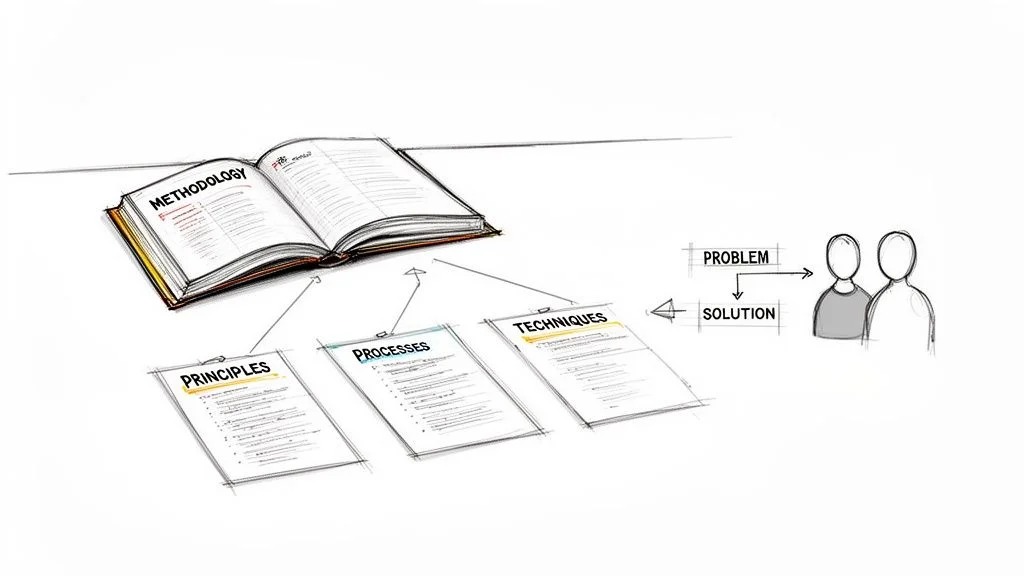
The human brain operates as an efficiency engine. It constantly prunes data that it deems unimportant to save space and energy. This process is predictable and is known as the "forgetting curve." This pattern of memory decay impacts everyone, especially when you are tackling dense technical subjects that require a high cognitive load.
The Forgetting Curve: A Reality for IT Pros
This concept comes from the work of psychologist Hermann Ebbinghaus, who measured how rapidly memory fades. His research revealed that without any review or reinforcement, a person can forget approximately 50% of newly learned information within just one hour. Within a 24-hour period, that figure typically climbs to roughly 70%.
This explains why all-night cram sessions before a CompTIA Security+ or an AWS Solutions Architect exam often feel like a waste of time the next day. By the time you sit for the test, your brain has already discarded the majority of what you tried to absorb.
This phenomenon happens because new memories are initially fragile. To make them stick, they must undergo memory consolidation. This is the process where the brain transfers information from its temporary short-term holding area to durable long-term storage. Cramming disrupts this by overwhelming your internal processing, which prevents the brain from properly encoding the data. To help manage this initial intake, you can explore effective strategies for improving working memory.
Shifting Your Study Mindset for Certification Success
Once you grasp the scientific basis of forgetting, it alters your approach to certification preparation. Your focus shifts. You are no longer asking "How do I finish this chapter?" Instead, you ask a strategic question: "How do I convince my brain that this specific AWS service, PMP process, or ITIL principle is critical and worth permanent storage?"
Every effective study technique for IT certifications is built to send that exact signal to your long-term memory.
The brain prioritizes information that it has to actively work to retrieve. Passive activities, such as re-reading technical notes or highlighting large sections of a study guide, provide weak signals. Active recall, however, forces you to consciously pull information from your memory. This sends a clear, strong message to your brain: "Keep this information, because it is vital."
Embracing this shift is the first step toward studying smarter for your next certification. Instead of fighting your biological tendencies, you can collaborate with them. View forgetting not as an enemy, but as a built-in filter. Your primary task is to ensure that the concepts for your certification exam pass through that filter.
This effort requires focus, which is why it is important to improve concentration when studying. The evidence-based strategies we will explore next are the tools you need to achieve that goal.
Stop Highlighting, Start Recalling: The Power of Active Recall
If your study plan for a technical certification consists of reading notes or dragging a highlighter across a textbook, you are making a mistake. This approach feels productive, but it does very little for your long-term memory. Passive reading leads to a dangerous illusion of competence. Your brain recognizes the words on the page and confuses that familiarity with actual knowledge. You might feel prepared while looking at the material, but you will fail to recall that information when you face a scenario-based question on an exam.
On the day you sit for the Azure Administrator AZ-104 or the CompTIA Network+ N10-009, your ability to actively retrieve information is all that matters. You cannot rely on recognition when a question asks you to troubleshoot a failing VNet peering or identify why a specific routing protocol is not converging.
This is where active recall changes your results. It is a direct practice where you force your brain to pull information from memory. Instead of looking at the answer, you make your brain work to find it. Each time you successfully retrieve a fact, you strengthen the neural pathways for that information. This makes the data more accessible the next time you need it. Think of it as high-intensity training for your memory. The mental strain you feel during retrieval is exactly what creates a solid foundation of knowledge.
Transform Your Notes into a Self-Quizzing Machine
To make this work, you must change how you look at your study materials. Your certification notes should not be a script that you read. They should be a tool that tests you. Static notes are passive; self-quizzing notes are active. If you want to retain the complex configurations required for modern IT roles, you need to build testing into the note-taking process itself.
Here are several strategies you can use to turn your study time into retrieval practice:
- Question Everything: As you finish a section on AWS S3 Storage Classes or PMP Project Integration Management, turn your notes into questions. Instead of writing "The OSI model has seven layers," write the question: "What are the seven layers of the OSI model in order?" Then, list the layers on the back or in a hidden toggle. Ask yourself what the primary function of the Data Link layer is compared to the Transport layer. If you cannot answer immediately, you know where your understanding is weak.
- Cover and Recite: This is a simple but effective way to test your memory. Cover a section of your notes with a sheet of paper. Try to explain a core concept, such as how CIDR notation works or the differences between IaaS, PaaS, and SaaS, out loud. Do not just think the answer; speak it. Verbalizing your thoughts forces you to organize them. Once you finish your explanation, slide the paper down to check your accuracy. If you missed a step in the process, cover it and try again.
- The One-Sentence Challenge: When you finish a major topic like the Azure Virtual WAN or the ITIL Service Value System, try to summarize it in exactly one sentence. To do this, you must identify the core purpose of the technology and strip away the noise. If you cannot summarize a complex topic in one clear sentence, you likely do not understand it well enough yet. This exercise forces your brain to categorize information by its priority.
These methods work best when your initial notes are clear and well-organized. If you need a better system for capturing information, see our guide on effective note-taking methods for tech certifications.
Achieve True Understanding with the Feynman Technique
Many students can recite a definition but fail to understand how a technology works in a live environment. You might know that an "API Gateway" manages requests, but do you know why a developer would use one instead of a direct connection? This surface-level learning is common in technical fields where terminology is dense. To build a deeper understanding, use the Feynman Technique.
This method is named after Richard Feynman, a physicist who believed that if you cannot explain a concept simply, you do not understand it. The process reveals the difference between knowing the name of something and knowing the thing itself.
Follow these steps to master complex IT topics:
- Select a Challenging Concept. Choose a topic that confuses you, such as the shared responsibility model in AWS or how Event-Driven Architecture functions with message queues.
- Explain it to a Novice. Imagine you are teaching this topic to someone with no technical background, like a 12-year-old. Write your explanation down. Use plain English and avoid all jargon. If you must use a term like "latency" or "encryption," you have to explain what those mean using common analogies.
- Identify Your Knowledge Gaps. While writing your explanation, you will hit a wall. You might find you cannot explain how a public key differs from a private key without using the word "asymmetric." These moments of hesitation are your knowledge gaps. They show you exactly where your understanding is incomplete.
- Revisit and Refine. Go back to your study guide or documentation. Focus only on the parts where you struggled. Once you have a better grasp, return to your simple explanation and fix it. Continue this cycle until your explanation is clear and logical.
An example of this involves database normalization. A student might memorize the definitions for 1NF, 2NF, and 3NF to pass a quiz. However, when asked to apply those rules to a messy spreadsheet, they struggle. The Feynman Technique forces that student to explain why we remove duplicate data and how primary keys create relationships. That shift from memorizing definitions to understanding logic is what helps you pass the exam and perform better on the job.
Map Your Knowledge from a Blank Page
IT certifications often test how different systems interact. Flashcards help you remember individual facts, but they do not show you the big picture. To see how concepts connect, use blank-page mind mapping.
Start with a blank sheet of paper or a digital canvas. In the center, write a broad topic, such as "Cloud Security" or "DevOps Toolchain." Without looking at your notes, begin drawing branches. If the topic is Cloud Security, you might draw branches for Identity and Access Management (IAM), Data Encryption, and Network Security Groups. Under IAM, you might list Multi-Factor Authentication (MFA) and the Principle of Least Privilege.
The goal is to rebuild your entire mental model of the subject from scratch. You are not just listing facts; you are mapping the relationships between them. For example, you might draw a line connecting "VPC Peering" to "Latency" to show how network design impacts performance.
Once you can no longer remember any more details, open your textbook or notes. Compare your map to the official material. The areas you missed are your blind spots. This exercise is difficult because it requires total recall, but it is one of the most effective ways to ensure your knowledge is structured and ready for the exam. By identifying what you forgot before the test, you can fix those errors while there is still time to study.
Use Spaced Repetition to Conquer the Forgetting Curve
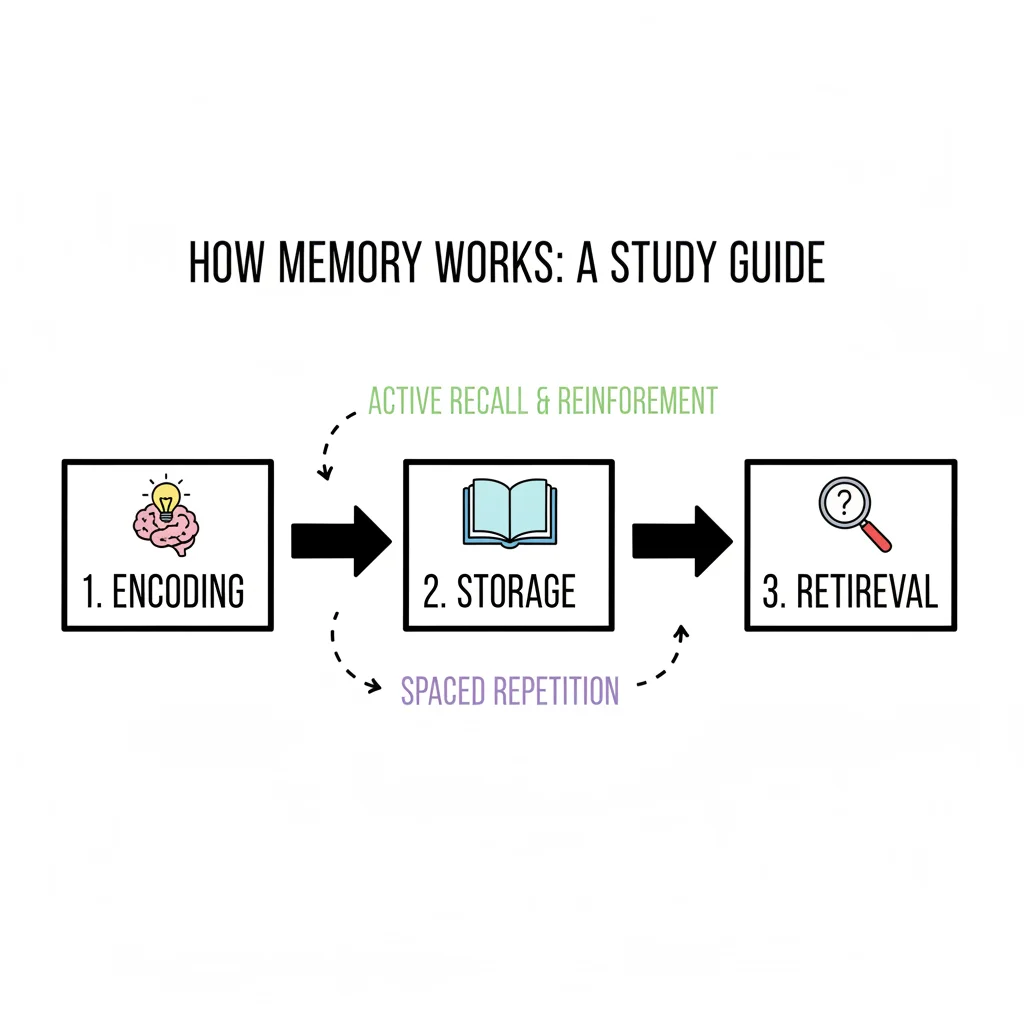
If active recall defines what you do to solidify memories, then spaced repetition dictates when you do it. Think of it as a strategic counter-attack against the forgetting curve. This curve represents the natural tendency for new information to fade from your mind over time. Spaced repetition is the secret to keeping a large amount of technical knowledge fresh and accessible. You need this information to be available when you sit for a certification exam or face a difficult problem at work.
The concept is simple. You revisit information at longer and longer intervals. The goal is to catch the information right as you are about to forget it. When your brain works hard to retrieve a fading memory, it sends a signal that the data is important. This effort tells your brain to prioritize that information for long-term storage.
This approach is more than just a study trick. It is a researched psychological principle. Studies consistently show that spacing out your learning can boost long-term retention by 20% to 50% compared to cramming. Cramming might help you pass a quiz tomorrow, but it rarely helps you remember the material six months later.
The infographic below shows how learning techniques have changed. It highlights the shift from passive habits like re-reading toward the active strategies required for certification success.
You can see the progression from highlighting text to more difficult methods like self-quizzing. Highlighting is easy but inefficient. Self-quizzing combined with a disciplined spaced repetition schedule is much more effective for professional development.
Designing Your Spaced Repetition Review Schedule
How do you use this for IT certification studies? You have two main options. You can use a manual system or use technology to handle the scheduling for you. A manual approach works well and only requires a calendar, a spreadsheet, or physical flashcards.
If you are learning a new technical concept, such as a specific AWS service or an Azure CLI command, a manual review schedule might look like this:
- Review 1: Conduct this review about 24 hours after you first learn the material. This stops the initial rapid drop in memory.
- Review 2: Revisit the topic 3 days after the first review. This strengthens the memory trace as it begins to fade again.
- Review 3: Check your knowledge one week (7 days) after the second review. By this point, the information is moving into long-term storage.
- Review 4: Review the material two weeks (14 days) after the third review. This confirms you can recall the data after a significant gap.
- Review 5: Perform a final check one month (30 days) after the fourth review. If you remember it now, you likely have it stored for the long term.
This framework is often called the Leitner system when you use physical flashcards. It forces you to revisit topics with increasing gaps between each session. If you want to see how these mechanics work in more detail, you can master spaced repetition for studying with our guide.
Use Digital Spaced Repetition Tools for Efficiency
Manual systems are great, but IT professionals often have too much to track. When you need to remember hundreds of concepts, such as network port numbers, cloud resource limits, or command-line parameters, managing the schedule yourself becomes difficult. This is why digital tools like Anki or Quizlet are so helpful.
These applications use algorithms to create a personalized review schedule for you. They track how well you know every single card in your deck. Here is how they usually work:
- Content Creation: You start by making digital flashcards for key terms, CLI commands, or complex architecture concepts. You should focus on specific acronyms and service names that appear on your exam.
- Active Recall: The app shows you a card. You try to remember the answer without looking at any hints or notes. This mental strain is what builds the memory.
- Self-Assessment: After you see the answer, you tell the app how hard it was. Most apps use options like "Again," "Hard," "Good," or "Easy."
- Algorithmic Scheduling: The app uses your rating to decide when to show you the card again. The software handles all the math and scheduling.
If you struggle with a concept, the app might show it to you again in 10 minutes. If you knew the answer immediately, the system might not show it to you for several weeks. This adaptive approach ensures you spend your study time on the things you haven't mastered yet. It prevents you from wasting hours reviewing material you already know perfectly.
The automation in these tools changes how people prepare for certifications. It removes the need to plan your study calendar every day. You can focus entirely on learning and recalling the material rather than organizing your notes.
The following table compares a fixed manual schedule with the logic used by an automated tool. It shows how technology can make your learning intervals more efficient over several months.
Spaced Repetition Schedule Examples for IT Study
This table shows the difference between a set manual schedule and the dynamic logic of an automated tool.
| Review Session | Manual Schedule Example (Fixed) | Automated App Logic (e.g., Anki) - Adaptive |
|---|---|---|
| Review #1 | Review after 1 day | Review after 1 day (if marked "Good") |
| Review #2 | Review after 3 days | Review after 3-4 days (if marked "Good") |
| Review #3 | Review after 7 days | Review after 8-10 days (if marked "Good") |
| Review #4 | Review after 14 days | Review after 20-25 days (if marked "Good") |
| Review #5 | Review after 30 days | Review after 1.5 - 2 months (if marked "Easy") |
The automated app creates much larger gaps over time if you show that you know the material well. This makes a long-term study plan for a large certification like the CompTIA Network+ N10-009 or the AWS Certified Cloud Practitioner CLF-C02 much more manageable.
Whether you use physical index cards or a digital application, the core principle is the same. By spacing out your reviews, you work with how your brain actually learns. You build knowledge that lasts instead of information that disappears right after the exam. This method creates a strong foundation for your technical career. When a system goes down and you need to remember a command, you will have it ready because you trained your brain to keep it.
Create Mental Hooks with Mnemonic Devices
Let's be candid: some information is naturally difficult to commit to memory. You might struggle with intricate network diagrams, long strings of command-line interface (CLI) commands, or those stubborn, abstract, ordered lists—like the OSI model layers or PMP process groups—that simply resist standard study habits. When you encounter such a wall, brute-force repetition is rarely the answer. Rote memorization often leads to burnout and quickly fades once the exam is over. You need a cognitive tool that functions as a mental shortcut.
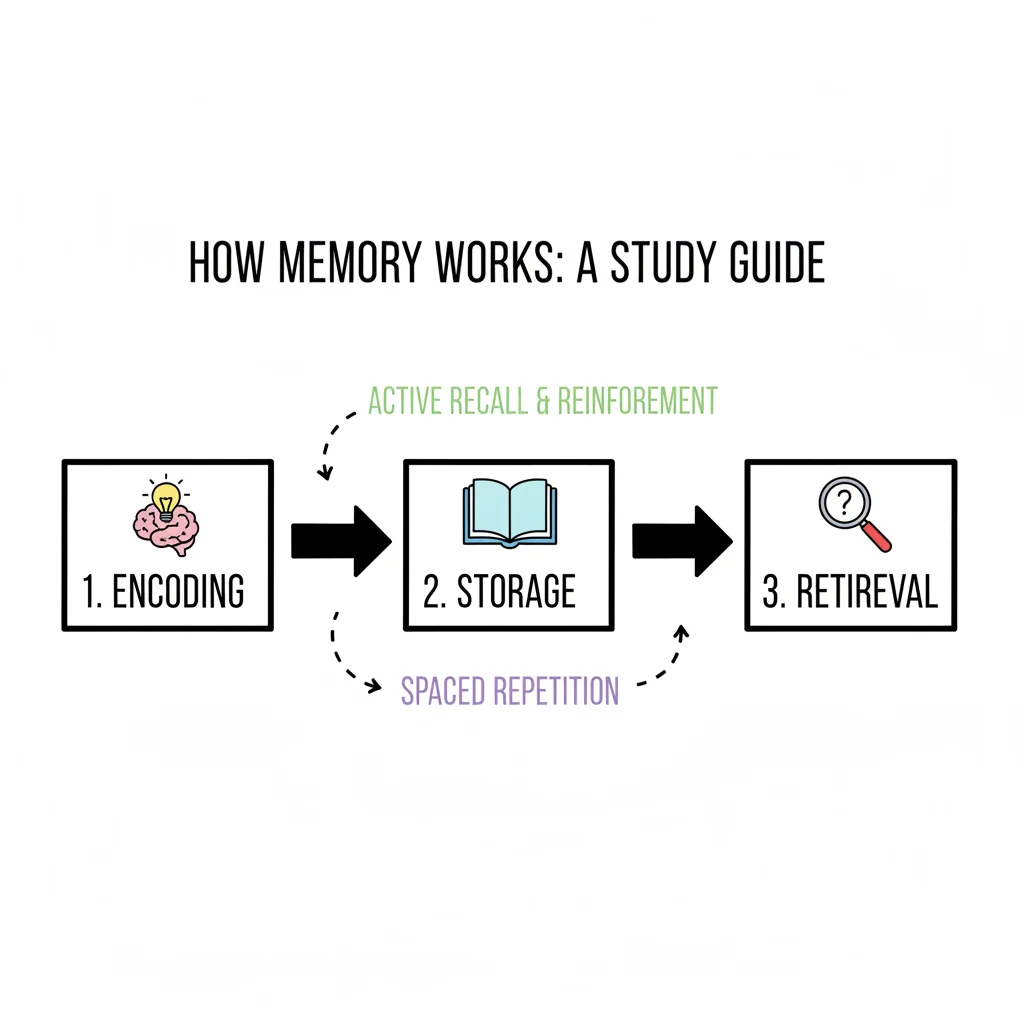
This is precisely where mnemonic devices become useful. These memory aids turn dry, forgettable data into something creative, personal, or even ridiculous. Mnemonics work by connecting new, unknown facts to information your brain already understands. This connection makes the new material easier to store and pull back when you are under the pressure of a timed test. Instead of forcing a raw fact into your mind, you give it a recognizable shape that your brain can easily categorize and retrieve.
Use Acronyms and Acrostics for Rapid Recall
Acronyms and acrostics are popular for a reason. They are easy to build and work well for remembering ordered steps or groups of facts. You have likely used them throughout your education and career without consciously thinking about the mechanic behind them.
- An acronym forms a new, often pronounceable word using the first letter of each item in a list. This allows the brain to treat several different pieces of information as one single, easy-to-remember unit.
- An acrostic constructs a memorable phrase or short sentence where the first letter of every word matches the items you need to recall.
Consider the classic example of the seven layers of the OSI model in networking: Application, Presentation, Session, Transport, Network, Data Link, and Physical. Recalling this list in order can be a major hurdle during a certification exam. However, many students use the acrostic phrase: "All People Seem To Need Data Processing." The quirky nature of that sentence makes the sequence stick. Your brain remembers the "story" of the sentence, which then acts as a key to pull the technical terms from your memory.
When you study for an IT certification, try to create your own versions. For a Project Management Professional (PMP) exam, you must know the five process groups: Initiating, Planning, Executing, Monitoring & Controlling, and Closing. These could humorously become: "I Prefer Eating Marvelous Cake." The more visual, personal, or strange you make your mnemonics, the more effectively they will stay in your mind. Do not worry about making them sound professional; the goal is recall, not elegance.
Construct a Memory Palace for Complex Processes
To memorize longer or more detailed sequences of information, you can use the Method of Loci. Most people recognize this as a "memory palace." This technique is thousands of years old and involves mentally placing the facts or steps you need to learn inside a physical space you know well, such as your home or your office.
The real power of this technique lies in its ability to tap into your brain's natural spatial memory. Human beings are evolved to remember places, routes, and physical environments with high accuracy. By consciously attaching abstract technical data—such as troubleshooting steps, security policy configurations, or deployment workflows—to these stable mental landmarks, you provide your brain with a familiar, navigable map to follow for retrieval.
Let's look at a specific example. Imagine you need to memorize a multi-step troubleshooting workflow for a network outage for a CCNA exam. Instead of staring at a linear list on a page, you can mentally "place" each step in a different room of your house.
- The Front Door: Your first step is "Check physical connections." You might imagine yourself walking through your front door and immediately tripping over a massive, tangled mess of bright blue Ethernet cables and unplugged power cords. The physical sensation of the trip makes the step unforgettable.
- The Living Room: Next is "Verify IP configuration." Picture your laptop sitting on the coffee table. The screen is flashing a giant, bright red IP address that is clearly incorrect, perhaps with a loud alarm sound playing in your mind.
- The Kitchen: The third step, "Ping the local gateway," happens at the kitchen sink. Visualize small data packets splashing out of the faucet like water droplets, trying to bounce off the drain to reach a target on the wall.
When you need to recall this process during your exam, you simply take a mental walk through your house. The unusual and vivid imagery associated with each room causes every step to pop into your mind in the correct sequence. While it might sound eccentric at first, this technique is a major advantage for securing complex technical processes that are otherwise hard to retain. You are turning abstract instructions into a physical walkthrough, and that makes all the difference for long-term recall.
Mix It Up to Make It Stick: The Power of Interleaving
Standard advice for studying usually suggests a blocked approach. This means dedicating entire sessions to mastering one specific topic before moving on to anything else. For example, you might spend all of Monday on virtual networking concepts, Tuesday entirely on identity and access management (IAM), and Wednesday exclusively on object storage. This method, known as blocking, feels incredibly organized and productive. You feel like you are making rapid progress because you are staying within one lane. However, this is one of the least effective strategies for building knowledge that lasts, especially given the technical depth required for most IT certifications.
There is a much better method called interleaving.
Interleaving involves mixing different but related topics within a single study session. Instead of focusing on one concept for several hours, you rotate between various subjects. This approach often feels messy and even a bit confusing when you start. Research shows that students who use interleaving often feel less confident in their immediate grasp of the material compared to those who use blocking. But when it comes time to take the test, the interleaved group almost always performs better than the blocked-study group.
The struggle you feel during this process is the reason it works. By forcing your brain to switch contexts frequently, you prevent it from going on autopilot. Your mind has to work to find and apply the correct concept or troubleshooting step for each new problem, rather than repeating the same action you have been practicing for the last hour.
Why This "Chaos" Builds Rock-Solid Knowledge
Think about the mental work involved here. When you study in rigid blocks, you always know what kind of problem is coming next. If you are working through a chapter that covers nothing but subnetting, you know every practice question will require a subnetting calculation. Your brain does not have to work hard to figure out which tool to pull from its mental toolbox; it just keeps using the one it already has.
Interleaving breaks this pattern and forces you to actually learn the material.
When you mix subnetting problems with questions about BGP routing configurations, firewall Access Control Lists (ACLs), and cloud load balancer settings, you force your brain to do more work. For every problem, it has to complete a two-step process:
- Problem Identification: You must first ask, "What kind of technical scenario is this?"
- Strategy Selection: Then you must decide, "Which specific formula or configuration step do I need to solve this exact problem?"
This two-step process is the exact skill you need during a certification exam and in real-world IT work. A certification exam, such as the AWS Certified Solutions Architect or the Azure DevOps Engineer Expert, will not give you ten identical subnetting questions in a row. Exams provide a random mix of topics. You need the mental speed to identify and solve different problems as they appear. Interleaving prepares you for that reality by building stronger connections between concepts.
This mental shifting also helps you understand the differences and connections between subjects. You start to see how networking affects security and how storage performance impacts application deployment. This creates a more flexible and resilient understanding of the technology.
A Practical Game Plan for Interleaving Your IT Studies
Starting an interleaved schedule is simple, but it requires you to fight the urge to "finish" one topic before moving to the next. You will instead work on several topics at the same time.
If you are preparing for a cloud certification like the Azure AZ-104 or the AWS SAA-C03, your schedule might look like this:
-
The Old Way (Blocked Practice):
- Monday: You spend the whole study session on virtual networking (VPCs, VNets, subnets, and routing).
- Tuesday: You focus only on identity and access management (IAM roles, policies, and groups).
- Wednesday: You do an intensive review of object storage solutions (S3, Blob Storage, and lifecycle policies).
-
The Smart Way (Interleaved Practice):
- Monday: Solve 5 practice problems on virtual networking, then move to 5 problems on IAM, and finish with 5 problems on object storage.
- Tuesday: Spend 10 minutes reviewing all three of those topics, then work through 20 mixed problems that also include a new topic, like serverless functions.
- Wednesday: Repeat this mixed process. Focus on scenarios that require you to use networking, IAM, and storage at the same time to solve a single architecture problem.
This method is harder. Your brain cannot get comfortable in a repetitive groove. However, this "desirable difficulty" is exactly why the information sticks. It forces your brain to work harder to retrieve information, which creates stronger memories. It trains you to find the right information when you need it, rather than just when it was the last thing you read. By simulating the random nature of an actual certification exam, you are giving yourself the best possible preparation for the test day.
Common Questions About Improving Memory Retention for IT Professionals
Understanding the theory behind effective study techniques is only the first step. Putting these methods into practice can be difficult, especially when you are preparing for high-stakes technical certifications. It is one thing to read about active recall or spaced repetition in a blog post. It is another thing entirely to smoothly fit these habits into a busy schedule while studying for a difficult PMP, ITIL, or specialized cloud security exam.
Most people struggle to change their routine when they are already under pressure. The transition from passive reading to active learning requires a mental shift that can feel uncomfortable at first. Let’s address some of the most frequent questions and hurdles that IT professionals face. By clarifying these points, you can refine your study plan and ensure you are actually storing information rather than just looking at it.
How Do I Know If I Am Using Active Recall Correctly?
The most reliable sign that active recall is working is that the process feels difficult. It should require significant mental effort. If your study session feels easy or relaxing, you are likely not challenging your brain enough to create lasting memories. You know active recall is working when you feel a slight strain as you try to pull a specific fact or configuration step out of your mind.
The goal is to move from recognition to recall. Recognition happens when you look at a diagram of an AWS Virtual Private Cloud (VPC) and think, "I remember seeing this before." Recall happens when you take a blank sheet of paper and draw that VPC architecture yourself. You should be able to place the public and private subnets, the internet gateway, and the route tables in the right locations without checking your notes. If you can explain how traffic flows from the public internet to a backend database instance while naming every component involved, you have moved beyond simple recognition.
A highly effective way to check your progress is the Feynman Technique. Try to explain a concept like container orchestration or the difference between Infrastructure as a Service (IaaS) and Platform as a Service (PaaS) to someone who does not work in technology. If you find yourself using jargon to hide the fact that you cannot explain a concept simply, you have found a gap in your understanding. Those gaps are the exact spots where you need to focus your next active recall session.
A common mistake in active recall is stopping the process too early. Do not just tell yourself, "I know this," and move to the next topic. You must force yourself to say the answer out loud or write it down. The physical act of producing the information from your own memory is what strengthens the neural pathways and makes the information stick.
How Much Time Should I Leave Between Spaced Repetition Sessions?
There is no single "perfect" number for the time between study sessions. The ideal gap depends on how well you understood the material the first time and how much time you have before your exam. Memory decay is a personal process, but we generally forget things at a predictable rate unless we review them.
As a general guideline for a new technical concept, such as a specific security protocol or a networking standard, you can follow this schedule:
- Review the material after one day.
- Review it again three days later.
- Perform a third review seven days after that.
- Conduct a final check roughly two weeks later.
The objective of spaced repetition is to review the information just as it is starting to slip away. This is known as "desirable difficulty." If you review too soon, the information is too fresh and your brain does not have to work hard to find it. If you wait too long, you will have forgotten it entirely and will have to relearn it from scratch.
- If a review feels effortless: You have likely mastered that concept. You can push the next review date much further out, perhaps by a month or more.
- If a review is a major struggle: This means you have not yet built a strong memory of the topic. You should shorten the time between your next reviews until the information becomes easier to retrieve.
Using a dedicated app like Anki is highly successful for IT certification prep. These tools use algorithms to handle the scheduling for you. They automatically adjust the timing for every flashcard based on how difficult you said it was to remember. This removes the guesswork and makes your study time much more efficient.
Can I Combine These Techniques?
You should combine these methods whenever possible. They are not meant to be used separately. When you use them together, they create a stronger learning system that covers your blind spots. Using multiple techniques ensures that your knowledge is deep and that you can apply it in different situations.
Here is an example of how an IT professional might use an integrated approach while preparing for a networking certification:
- Create Flashcards (Active Recall): While reading about network ports, you create cards for SSH, HTTP, and HTTPS. Instead of just writing the numbers, you write a question on one side and the port number and its function on the other.
- Use a Spaced Repetition System: You put those cards into Anki. The app tells you exactly which ports you need to review each morning so you don't waste time on the ones you already know.
- Apply Mnemonics: If you keep forgetting that SSH uses Port 22, you might imagine two identical keys shaped like the number 2 sitting side-by-side. This mental image acts as a hook to help you find the number when your brain feels blank.
- Practice with Interleaving: Instead of spending three hours only on port numbers, you mix your study. You spend thirty minutes on ports, then thirty minutes on a hands-on lab to configure a router, and then thirty minutes on subnetting math. This constant switching forces your brain to stay alert and prevents you from going on autopilot.
This mixed approach builds a set of skills that is much more stable than what you would get from a single method. If you want to see more ways to layer these habits, you can look into other proven strategies to improve memory retention that work well for technical subjects.
What Is the Biggest Mistake People Make in IT Certification Prep?
The most frequent mistake in IT study is relying on passive review. This is the trap of thinking that because you recognize a term, you actually understand how to use it. Many people spend their study time re-reading chapters, highlighting sentences in a textbook, or watching video lectures at double speed without stopping.
These activities feel productive because they take time and effort, but they are often a waste of energy. They create an "illusion of competence." You feel like you are learning because the information is right in front of you and it looks familiar. However, when you sit down for the actual exam and the screen is blank, you realize you cannot reproduce that information on your own. Reading is not the same as learning.
To avoid this, you must stay in an active study mode. Every time you finish a video or a chapter, stop and ask yourself a question. Can you explain the CAP Theorem without looking at the book? Can you describe the difference between a container and a virtual machine to a coworker? If you cannot do it without help, you haven't learned it yet.
Shifting from being a passive observer to an active participant is the most important change you can make. It is the difference between someone who just collects certifications and someone who truly understands the technology. This shift will speed up your learning and help you grow much faster in your career.
Are you tired of forgetting what you study? MindMesh Academy offers study materials designed by experts that use proven methods like Spaced Repetition. We help you move past simple memorization so you can truly understand and keep the information you need. Pass your next certification with confidence and improve your career by visiting us at https://mindmeshacademy.com.
Ready to Get Certified?
Prepare using study guides, practice exams, and spaced repetition flashcards built specifically for long-term retention at MindMesh Academy:

Written by
Alvin Varughese
Founder, MindMesh Academy
Alvin Varughese is the founder of MindMesh Academy and holds 20 professional certifications including Microsoft Agentic AI Business Solutions Architect, AWS Solutions Architect Professional, and Azure DevOps Engineer Expert. He's held senior engineering and architecture roles at Humana (Fortune 50) and GE Appliances. He built MindMesh Academy to share the study methods and first-principles approach that helped him pass each exam.