
Top 11 Essential Java Interview Questions and Answers
Mastering Java: 11 Essential Interview Questions and Answers Certification Success
Preparing for a Java technical interview can feel like a deep dive into an intricate ecosystem, spanning foundational principles to advanced concurrency patterns. For IT professionals aiming to secure a new role or validate their expertise through certifications (like Oracle Certified Professional, AWS Certified Developer, or Azure Developer Associate), surface-level knowledge simply won't suffice. You need to demonstrate a profound, practical grasp of Java's architecture, mechanics, and design philosophies. Success isn't just about knowing the correct answers; it's about articulating them with precision, confidence, and a clear understanding of their real-world implications, showcasing your problem-solving prowess.
This comprehensive guide presents the most critical Java interview question answers, meticulously crafted to sharpen your skills and prepare you for rigorous technical discussions. We move beyond mere definitions, delving into the "why" and "how" behind each concept. Every question includes detailed explanations, practical code scenarios, and expert tips to help you structure your responses effectively and truly impress your interviewers.
Whether you're a recent computer science graduate, an experienced developer targeting a senior architect role, or a career switcher embracing the tech landscape, this resource is designed to empower you. Mastering these topics will not only aid in passing your interviews but also solidify your foundation as a highly competent Java developer. We'll explore core distinctions like JDK vs. JRE, object-oriented principles, efficient String handling, robust exception management, and advanced subjects such as multithreading. This collection of Java interview question answers serves as your definitive roadmap to demonstrating true proficiency and confidently stepping into your next career opportunity. Let's begin our exploration.
1. Difference Between JDK, JRE, and JVM
This question is a cornerstone in Java interviews, fundamentally testing your understanding of the Java platform's architectural layers. A clear, concise answer immediately signals that you grasp how Java achieves its celebrated "write once, run anywhere" capability. These three components form the bedrock of the Java ecosystem, each playing a distinct yet interconnected role.
At the lowest conceptual layer is the JVM (Java Virtual Machine). This is an abstract machine, a specification that provides a runtime environment to execute Java bytecode. It's the engine that translates compiled Java code into machine-specific instructions.
The JRE (Java Runtime Environment) is a physical implementation of the JVM. It's a superset that includes the JVM, along with the core class libraries and supporting files necessary to run Java applications. If you only need to execute a compiled Java program, the JRE is all you need.
Finally, the JDK (Java Development Kit) is the most comprehensive package. It contains everything found in the JRE, plus a suite of development tools. Key among these are the Java compiler (javac), which translates your source code (.java files) into bytecode (.class files), and the debugger (jdb). As a developer, the JDK is your primary toolkit.
Practical Scenarios and Certification Relevance
- Development Environment: As a Java developer, whether working on a local workstation or a cloud-based development environment, you must have the JDK installed. This allows you to write, compile, and debug your Java applications.
- Production Deployment (Cloud/Containers): For deploying a compiled Java application to a production server or a containerized environment (e.g., Docker, Kubernetes on AWS EC2, Azure Kubernetes Service), you typically only need the JRE. Using a JRE-only Docker image significantly minimizes the container's size and reduces its attack surface, a critical best practice for secure and efficient cloud deployments. This concept is often evaluated in cloud developer certifications.
- Reflection Point: Consider a scenario where you're building a microservice. Why would packaging your service with just the JRE, instead of the full JDK, be advantageous for deployment efficiency and security?
Expert Tips for Your Interview
When answering, go beyond simple definitions. Explain the hierarchical relationship and the distinct purposes: JDK for development, JRE for runtime, and JVM as the bytecode execution core.
Key Insight: Structure your answer as a clear hierarchy: "The JDK includes the JRE, which in turn includes the JVM. You need the JDK to create and compile applications, but end-users or production servers only require the JRE to run them efficiently."
- Verification: Demonstrate your practical knowledge by mentioning command-line tools.
java -versionverifies the installed JRE/JVM version, whilejavac -versionconfirms the JDK compiler is present and correctly configured in your system's PATH. These foundational concepts are crucial, and mastering effective study techniques can help you retain this foundational Java knowledge.
2. Explain the Concept of Object-Oriented Programming (OOP)
This is unequivocally one of the most fundamental Java interview question answers you must master, as it probes your understanding of the core paradigm underpinning the entire language. Object-Oriented Programming (OOP) is a software development model that structures design around data, or "objects," rather than purely around functions and logic. A strong answer demonstrates you grasp how Java leverages OOP to organize code in a modular, reusable, scalable, and maintainable fashion.
Java implements OOP through four core principles, widely known as its pillars:
- Encapsulation: This principle bundles data (attributes) and the methods that operate on that data into a single unit or class. It hides the internal state of an object from the outside, exposing only what is necessary through well-defined interfaces. Think of it like a black box: you know what it does, but not how it does it internally.
- Inheritance: This mechanism allows a new class (subclass or child) to acquire properties (fields) and behaviors (methods) from an existing class (superclass or parent). It promotes code reuse and establishes an "is-a" relationship (e.g., a
Caris aVehicle). - Polymorphism: Meaning "many forms," polymorphism enables objects to take on various forms. In Java, this is primarily achieved through method overriding (runtime polymorphism) and method overloading (compile-time polymorphism). It allows a single interface to represent different underlying forms, making code more flexible and extensible.
- Abstraction: This principle focuses on showing only essential features of an object while hiding complex implementation details. It simplifies system design by managing complexity. Abstract classes and interfaces are Java's primary tools for achieving abstraction.
Practical Scenarios and Certification Relevance
- Banking System Design: Consider a
BankAccountbase class. It can define common attributes likeaccountNumberand methods likedeposit()andwithdraw().SavingsAccountandCheckingAccountclasses can then inherit fromBankAccount, reusing common code while adding their specific features (e.g., interest rates for savings accounts). This models a clear inheritance hierarchy, a common topic in system design questions for certifications like PMP (project design) or enterprise architect roles. - E-commerce Payment Processing: A
PaymentProcessorinterface can define aprocessPayment()method. This method can then be implemented differently byCreditCardProcessor,PayPalProcessor, andCryptoProcessorclasses. When a customer pays, the system simply callspaymentProcessor.processPayment(), and the correct implementation is invoked based on the specific object type (polymorphism). - Reflection Point: Imagine you are designing a logging utility for a large application. How would encapsulation help manage the internal details of how logs are written (e.g., to a file, database, or cloud service) while providing a simple interface to developers?
Expert Tips for Your Interview
Avoid simply listing the four pillars. Explain how they interoperate to build robust, scalable applications. Emphasize that OOP helps model real-world entities, making code more intuitive, understandable, and easier to maintain.
Key Insight: Frame your answer around problem-solving and architectural benefits: "OOP isn't just a set of rules; it's a methodology for managing complexity and fostering collaboration. By using concepts like Encapsulation and Abstraction, we create self-contained, predictable components that are easier to build, test, and maintain, crucial for large-scale enterprise solutions often deployed on platforms like AWS or Azure."
- Go Deeper (for advanced roles): Mention related concepts like SOLID principles (Single Responsibility, Open/Closed, Liskov Substitution, Interface Segregation, Dependency Inversion) as best practices for robust OOP design. To further deepen your understanding of robust OOP design, consider exploring the Liskov Substitution Principle, a key element for building reliable and maintainable software. For those new to these ideas, a structured approach is essential to master the basics of programming.
3. What is the Difference Between String, StringBuilder, and StringBuffer?
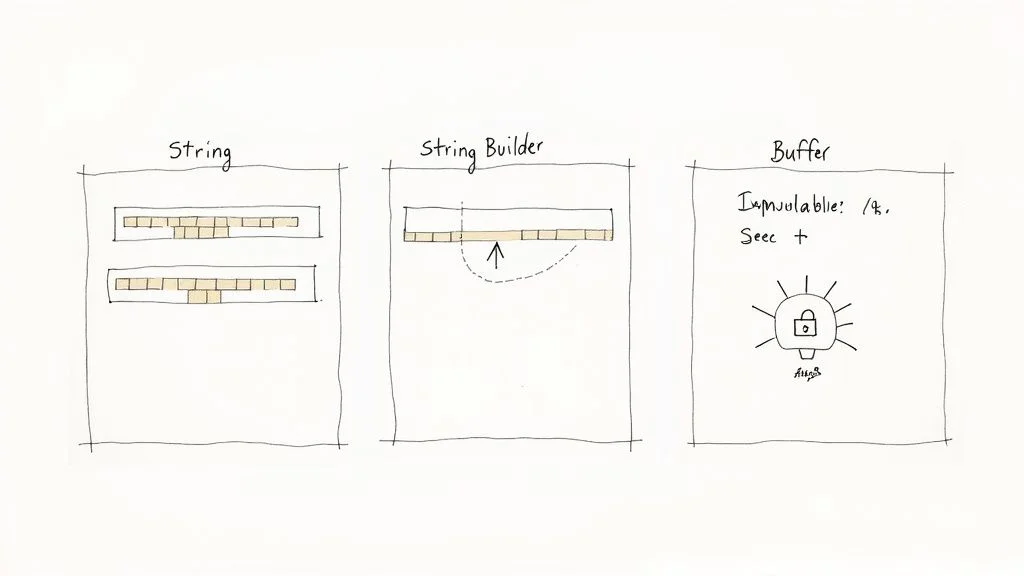
This question is a cornerstone of Java interviews, critically probing your understanding of memory management, performance optimization, and concurrency. A strong answer showcases your ability to select the appropriate tool for various string manipulation tasks, a decision crucial for writing efficient and thread-safe code. The fundamental distinction among these three lies in their mutability and thread safety characteristics.
- String:
Stringobjects are immutable. Once aStringobject is created, its value cannot be altered. Any operation that appears to modify aString(like concatenation) actually results in the creation of a newStringobject in the String Pool or heap, leaving the originalStringunchanged. This immutability provides security and allowsStringobjects to be safely shared across threads without external synchronization. However, repeated modifications can be inefficient due to the overhead of creating many new objects, leading to increased garbage collection activity. - StringBuilder:
StringBuilderobjects are mutable. Their values can be changed in place without creating new objects. This makesStringBuilderhighly efficient for performing numerous string manipulation operations (e.g., appending, inserting, deleting) within a single-threaded environment. It does not provide any synchronization guarantees, which leads to superior performance compared toStringBufferin scenarios where thread safety is not a concern. - StringBuffer:
StringBufferobjects are also mutable, similar toStringBuilder. However, the key difference is that allStringBuffermethods are synchronized. This makesStringBufferthread-safe, meaning it can be safely used by multiple threads concurrently without risking data corruption. Due to the overhead of synchronization,StringBuffergenerally performs slower thanStringBuilder. In modern Java, other concurrency mechanisms often makeStringBufferless commonly used.
Practical Scenarios and Performance Considerations
- String: Ideal for constant values that are not expected to change, such as configuration parameters, database connection URLs, static text prompts, or when you need string immutability for security (e.g., cryptographic hashes). Its immutability guarantees the value remains constant across different parts of an application.
- StringBuilder: The default and preferred choice for string manipulation in a single-threaded context. Use it for building complex strings, such as dynamically constructing an SQL query, generating HTML content within a method, or formatting log messages. Its performance benefits are significant for operations involving many append or insert actions.
- StringBuffer: Reserved exclusively for multi-threaded environments where a mutable string must be safely shared and modified by multiple concurrent threads. For example, if you have a shared buffer being appended to by several worker threads. However, developers often explore alternative concurrent data structures (
AtomicReference<String>,ConcurrentHashMapfor fragments) or more granular locking mechanisms for higher performance in these scenarios. - Reflection Point: You're developing a utility that processes large text files, frequently appending data to build a summary report. Which string class would you choose and why, considering both performance and potential future multi-threading needs?
Expert Tips for Your Interview
When discussing these classes, emphasize the critical performance implications. Highlight that using the + operator for string concatenation within a loop is a classic anti-pattern because it repeatedly creates numerous intermediate String objects, leading to severe performance degradation and increased garbage collection overhead.
Key Insight: Structure your answer by focusing on the trade-offs: "Choose
Stringfor immutability, security, and when the value is constant. PreferStringBuilderfor high-performance, single-threaded string construction. UseStringBufferonly when thread-safe mutability is a strict requirement, acknowledging its performance overhead."
- Performance Comparison: Always mention that
StringBuilderis faster thanStringBufferdue to the absence of synchronization overhead. This demonstrates a practical understanding of runtime performance, a key consideration for optimizing applications, especially in performance-critical cloud environments (AWS Lambda, Azure Functions). - Modern Usage: Note that
StringBufferis less common in modern Java. For concurrent scenarios, developers often prefer localizedStringBuilderinstances within threads or leverage more advanced concurrency utilities fromjava.util.concurrent, making this one of the key Java interview question answers to know for efficient and scalable code.
4. Explain Exception Handling: Checked vs Unchecked Exceptions
This question probes your understanding of Java’s robust error-handling mechanisms and your ability to write resilient, fault-tolerant code. Interviewers want to see that you can distinguish between different exception types and know how to handle them appropriately, which is fundamental to building reliable and maintainable applications, especially in enterprise or cloud settings.
The core distinction between checked and unchecked exceptions lies in how the Java compiler enforces their handling:
- Checked Exceptions: These are exceptions that a method must either handle using a
try-catchblock or declare in itsthrowsclause in the method signature. They represent predictable, recoverable conditions that a well-written application should anticipate and manage gracefully. The compiler forces you to address these possibilities at compile-time, ensuring robustness.CheckedExceptions typically extendjava.lang.Exceptionbut notjava.lang.RuntimeException. Examples includeIOException(file not found, network issues) andSQLException(database errors). - Unchecked Exceptions (Runtime Exceptions): These exceptions do not require explicit handling (i.e., the compiler doesn't force you to catch or declare them). They typically signify programming errors or defects that should be fixed in the code, rather than conditions the application is expected to recover from at runtime.
UncheckedExceptions extendjava.lang.RuntimeException. Examples includeNullPointerException(accessing a null object),ArrayIndexOutOfBoundsException(invalid array index), andIllegalArgumentException(invalid method argument).
Practical Scenarios and Architectural Impact
- Checked Exception (Resource Management): When reading from a file (
FileReader), you are forced to handle the potentialIOException. The compiler ensures you address the possibility that the file might not exist or be inaccessible. Without atry-catchor athrowsdeclaration, a line likenew FileReader("nonexistent.txt");will not compile. This design pattern ensures that resource-intensive operations are always handled with a recovery plan. - Unchecked Exception (Debugging Focus): Calling a method on a
nullreference (e.g.,myObject.someMethod(), wheremyObjectisnull) will throw aNullPointerException. This is an unchecked exception because it indicates a bug in the code that needs to be fixed during development or testing, not a predictable external condition to be handled at runtime. Forcing atry-catchfor everyNullPointerExceptionwould lead to unmanageable, unreadable code. - Reflection Point: You're developing an API endpoint that interacts with an external service. If that service is unavailable, would you design your code to throw a checked or unchecked exception, and why? How would this impact the API consumer?
Expert Tips for Your Interview
Go beyond mere definitions by discussing the design implications. Explain that checked exceptions are part of a method's contract, informing the caller about potential, recoverable failures they must be prepared to handle.
Key Insight: Frame your answer around API design and application robustness: "Checked exceptions are for predictable, recoverable errors that the client code should be explicitly prepared to handle, making the API more robust. Unchecked exceptions are for unexpected, unrecoverable programming errors that indicate a bug needs to be fixed, promoting cleaner code by not cluttering method signatures with avoidable error handling."
- Best Practices for Resilience (relevant for ITIL, cloud ops):
- Specificity: Always catch specific exception types rather than the generic
Exceptionclass. This prevents accidentally catching unintendedRuntimeExceptions and allows for more precise error handling. try-with-resources: Mention usingtry-with-resourcesfor automatic resource management (e.g., file streams, database connections). This prevents resource leaks and simplifies code by ensuring resources are closed, even if exceptions occur.- No "Catch and Swallow": Never silence exceptions with an empty
catchblock. At a minimum, exceptions should be logged (e.g., using SLF4J, Log4j, or directly to cloud logging services like AWS CloudWatch or Azure Monitor) to aid in debugging and monitoring application health, a critical practice in IT operations and incident management.
5. What is the Difference Between == and .equals() Method?
This question is a fundamental test of your understanding of how Java handles object comparison versus primitive type comparison. A precise answer demonstrates you grasp the critical distinction between reference equality and value equality, which is essential for writing bug-free code, especially when dealing with objects like Strings, wrapper classes, or custom data structures.
==Operator (Reference Equality / Primitive Value Equality):- When used with primitive data types (e.g.,
int,char,boolean,double), the==operator compares their actual values. If the values are identical, it returnstrue. - When used with objects, the
==operator performs a reference comparison. It checks if two object references point to the exact same memory location (i.e., they are the same object instance). It does not compare the content or state of the objects. .equals()Method (Value Equality):- The
.equals()method is defined in theObjectclass (the root of all Java classes) and is intended for value comparison. Its purpose is to determine if two objects are logically equivalent based on their content, not their memory location. - By default, the
Objectclass's implementation of.equals()behaves exactly like==(i.e., it checks for reference equality). - However, many classes in the Java API, such as
String,Integer,Date,ArrayList, and other wrapper/collection classes, override the.equals()method to provide a meaningful content-based comparison. For custom classes you define (e.g.,Employee,Product), you must also override.equals()(andhashCode()) if you want to compare their instances based on their attributes rather than their memory addresses.
Practical Scenarios and Certification Impact
- String Comparison (Common Pitfall): When comparing
Stringobjects for their content, always use.equals(). Using==can lead to unpredictable and incorrect results due to string interning and howStringliterals are managed. For example:
String s1 = new String("test");
String s2 = new String("test");
String s3 = "test"; // String literal, often interned
String s4 = "test"; // String literal, refers to the same interned object

System.out.println(s1 == s2); // false (different objects in memory)
System.out.println(s1.equals(s2)); // true (same content)
System.out.println(s3 == s4); // true (same interned object)
System.out.println(s1 == s3); // false (different objects)
System.out.println(s1.equals(s3)); // true (same content)
- Custom Objects (Crucial for Collections): For your own classes (e.g.,
Employeewithid,name,department), you must override both.equals()andhashCode()to define what makes two instances logically equivalent. For instance, twoEmployeeobjects might be considered equal if they have the same employee ID, regardless of other attributes. This is vital for correctly using your objects inSets or as keys inMaps. - Primitive Types: For primitive types like
int,char,boolean,double, the==operator is always the correct and most efficient choice, as it directly compares their values. - Reflection Point: You're developing a system to manage user profiles. If two
Userobjects have the sameuserId, should they be considered equal? How would you implement this using==and.equals()?
Expert Tips for Your Interview
When asked this question, start by clearly defining the role of each. Explain that == checks for memory location (reference equality) for objects, while .equals() is designed for checking content (value equality) and is often overridden for that purpose.
Key Insight: Structure your answer by contrasting their primary use cases: "Use
==for comparing primitive types and for verifying if two object references point to the exact same instance in memory. For all object content comparisons, especially withStrings, wrapper classes, and custom objects, you should always use the.equals()method after it has been properly overridden."
- The
hashCode()Contract (Advanced Follow-up): Mention the critical contract between.equals()andhashCode(). This is a common follow-up question that demonstrates a deeper understanding, crucial for working with Java Collections Framework. The contract states:
- If two objects are equal according to the
equals(Object)method, then calling thehashCode()method on each of the two objects must produce the same integer result. - If two objects are unequal according to the
equals(Object)method, it is not required that calling thehashCode()method on each of the two objects must produce distinct integer results. However, different hash codes for unequal objects can improve the performance of hash tables.
- Null Checks (Practicality): A crucial practical tip is to always check for
nullbefore calling.equals()on a potentially null object to avoid aNullPointerException. For example, prefer"expectedValue".equals(myVariable)overmyVariable.equals("expectedValue"), especially whenmyVariablemight benull.
6. Explain Inheritance, Method Overriding, and Method Overloading
This question is a cornerstone of Object-Oriented Programming (OOP) interviews and deeply probes your understanding of polymorphism, a key principle that empowers Java to create flexible and reusable code. A strong answer clearly distinguishes these related yet distinct concepts, demonstrating your ability to design hierarchical and adaptable class structures. These three mechanisms are fundamental to OOP and are frequently tested in certifications.
- Inheritance: Inheritance is a mechanism where a new class (the subclass or child class) acquires the properties (fields) and behaviors (methods) of an existing class (the superclass or parent class). It establishes an "is-a" relationship (e.g., a
Dogis anAnimal). The primary purpose of inheritance is to promote code reuse and establish a logical hierarchy among classes. In Java, a class uses theextendskeyword to inherit from another class, and a class can only inherit from a single direct superclass (single inheritance). - Method Overriding (Runtime Polymorphism): Method overriding occurs when a subclass provides a specific implementation for a method that is already defined in its superclass. The method signature (name, return type, and parameter list) in the subclass must be identical to the one in the superclass. When an overridden method is called, the JVM determines which version of the method (superclass or subclass) to execute based on the actual type of the object at runtime. This is known as runtime polymorphism.
- Method Overloading (Compile-time Polymorphism): Method overloading allows a class to have multiple methods with the same name but different parameter lists (signatures). The return type and access modifier can be different, but the parameter list (number of parameters, type of parameters, or order of parameters) must vary. The compiler determines which overloaded method to invoke at compile-time based on the arguments provided in the method call. This is known as compile-time polymorphism.
Practical Scenarios and Design Implications
- Inheritance Example (Animal Kingdom): You might have a base
Animalclass with common properties likenameand a methodmakeSound(). ADogclass and aCatclass can bothextendAnimal, inheriting thenameproperty. - Method Overriding Example (Specialized Sounds): The
Dogclass would then override themakeSound()method to print "Woof," while aCatclass would override it to print "Meow." If you have aList<Animal>containingDogandCatobjects, and you iterate through it callinganimal.makeSound(), the correct specific sound ("Woof" or "Meow") will be printed at runtime. - Method Overloading Example (Flexible Calculations): A
Calculatorclass could have multipleadd()methods: one that takes two integers (add(int a, int b)), another that takes three integers (add(int a, int b, int c)), and yet another that takes two doubles (add(double a, double b)). The compiler chooses the appropriateadd()method based on the types and number of arguments you pass. - Reflection Point: You're developing a
Shapehierarchy. You have a baseShapeclass with adraw()method. How would you use inheritance and method overriding to allow specific shapes (e.g.,Circle,Rectangle) to draw themselves uniquely?
Expert Tips for Your Interview
When answering, clearly define each term before explaining how they relate to achieve polymorphism. Emphasize the "is-a" relationship for inheritance and the crucial difference between compile-time (overloading) and runtime (overriding) polymorphism.
Key Insight: Structure your answer by comparison and purpose: "Inheritance establishes a parent-child relationship for code reuse and hierarchy. Method Overriding provides a specialized implementation of an inherited method, enabling runtime polymorphism. Method Overloading offers different ways to invoke a method with the same name, providing compile-time flexibility within a class's API."
- Best Practices and
@OverrideAnnotation (Professionalism): Mention the@Overrideannotation. While not strictly mandatory for overriding, it is a best practice. It informs the compiler that the annotated method is intended to override a method in a superclass. If the method signature doesn't match a superclass method, the compiler will flag an error, preventing subtle bugs and improving code readability and maintainability. For overloading, advise keeping the number of variants reasonable to maintain code clarity and avoid "parameteritis."
7. What is the Purpose of the 'this' and 'super' Keywords?
This is a fundamental object-oriented programming question that tests your grasp of instance context and inheritance. A strong answer shows you understand how objects reference themselves and their parent classes, which is crucial for building clean, maintainable, and hierarchical code. These keywords are not interchangeable; each serves a distinct and vital purpose in class design and object initialization.
thisKeyword (Self-Reference):- The
thiskeyword is a reference to the current object instance within a non-static context (e.g., inside an instance method or constructor). - Its primary uses are:
- Disambiguation: To distinguish between instance variables and local variables or method parameters when they share the same name (e.g.,
this.name = name;). - Constructor Chaining: To invoke another constructor within the same class (e.g.,
this(parameter1, parameter2);). This is useful for reusing common initialization logic across multiple constructors. - Passing the Current Object: To pass the current object instance as an argument to another method.
superKeyword (Parent-Reference):- The
superkeyword is used to access members (fields, methods, and constructors) of the immediate parent class (superclass). - Its primary uses are:
- Invoking Superclass Constructor: To explicitly call a constructor of the parent class from a subclass constructor (e.g.,
super(parameter1);). This must be the first statement in the subclass constructor. - Accessing Overridden Methods: To invoke an overridden method from the parent class when the subclass has provided its own implementation (e.g.,
super.displayInfo();). This is useful if the subclass's logic needs to extend or enhance the parent's logic. - Accessing Hidden Fields: To access a field from the parent class that has been "hidden" (not truly overridden, but re-declared) in the subclass.
Practical Scenarios and Code Clarity
thisfor Variable Disambiguation:
public class Employee {
private String name;
public Employee(String name) {
this.name = name; // 'this.name' refers to the instance variable, 'name' refers to the parameter
}
public void setName(String name) {
this.name = name;
}
}
thisfor Constructor Chaining:
public class User {
private String username;
private String email;

public User() {
this("guest", "guest@example.com"); // Calls the parameterized constructor
}

public User(String username, String email) {
this.username = username;
this.email = email;
}
}
superfor Overridden Method Invocation:
class Vehicle {
public void start() {
System.out.println("Vehicle started.");
}
}

class Car extends Vehicle {
@Override
public void start() {
super.start(); // Invokes the start() method of the Vehicle class
System.out.println("Car engine ignited."); // Adds specific Car startup logic
}
}
- Reflection Point: You have a
Personclass and aStudentclass that extendsPerson. Both classes have a constructor that takes anameandage. How would you usesuperin theStudentconstructor to correctly initialize thenameandagefields inherited fromPerson?
Expert Tips for Your Interview
Clearly separate the functions of this and super. Explain that this refers to the current object instance, while super refers to its immediate parent. Emphasize that these keywords are essential tools for managing scope, constructors, and inheritance relationships in Java.
Key Insight: Structure your answer by context and scope: "Within an object's own context, you use
thisto refer to itself or chain its own constructors. When you need to reach outside the object to specifically invoke or access members of its immediate parent class in an inheritance hierarchy, you usesuper."
super()vs.this()(Critical Detail): Mention that if used,super()orthis()must be the very first statement in a constructor. You cannot use both in the same constructor because both demand to be the first line. This rule is a key detail that demonstrates a deeper understanding of Java's object initialization process and is often tested in certification exams.
8. Explain the Concept of Interfaces and Abstract Classes
This is a fundamental object-oriented programming question that evaluates your grasp of abstraction, inheritance, and polymorphism in Java. Distinguishing clearly between these two concepts shows you understand how to design flexible, scalable, and maintainable class hierarchies—a critical skill for any Java developer, especially in architecting enterprise solutions or cloud-native applications.
At their core, both interfaces and abstract classes provide mechanisms to achieve abstraction in Java, but they do so with different capabilities and design intentions.
- Abstract Class:
- An abstract class is a class that cannot be instantiated directly. It's meant to be subclassed.
- It can have both abstract methods (methods without an implementation, declared with the
abstractkeyword) and concrete methods (methods with an implementation). - It can have instance variables (fields), constructors, and static methods.
- A class can
extendonly one abstract class (single inheritance). - Best used when there is a strong "is-a" relationship and you want to share common code (implementation) and state among closely related classes, while also enforcing that certain behaviors (abstract methods) must be implemented by subclasses.
- Interface:
- An interface is a blueprint of a class. It defines a contract of behavior that implementing classes must adhere to.
- Traditionally (before Java 8), interfaces could only contain abstract methods and public static final fields (constants).
- Since Java 8, interfaces can also include default methods (methods with an implementation that implementing classes can optionally override), static methods, and private methods (since Java 9).
- An interface cannot have instance variables (non-static fields) or constructors.
- A class can
implementmultiple interfaces (multiple inheritance of type). - Best used when you want to define a "can-do" capability or a contract that various, potentially unrelated, classes can fulfill. It promotes loose coupling.
Practical Scenarios and Architectural Choices
- Abstract Class Example (Vehicle Hierarchy): Consider an
AbstractVehicleclass. It might have concrete methods likestartEngine()(common to all vehicles) and instance variables likespeed. It would have an abstract methodrefuel(), forcing all concrete subclasses (e.g.,Car,Motorcycle) to provide their specific refueling mechanism. This models a clear "is-a" hierarchy and shares common logic. - Interface Example (Payment Processing): An
IPaymentProcessorinterface could define methods likeprocessPayment(double amount)andrefundPayment(String transactionId). ACreditCardProcessorclass, aPayPalProcessorclass, and aCryptoProcessorclass, regardless of their own class hierarchies, can allimplementIPaymentProcessor, guaranteeing they fulfill the payment processing contract. This design promotes flexibility and allows for easy swapping of payment methods without altering the core application logic. This pattern is common in enterprise systems, often integrated with various payment gateways. - Reflection Point: You're building a system for a smart home. You need to control various devices (lights, thermostats, locks). How would you use an interface to ensure all devices can be turned on and off, regardless of their underlying manufacturer or specific implementation? How might an abstract class fit in if you had different types of light bulbs (e.g.,
AbstractDimmerLight)?
Expert Tips for Your Interview
When answering, highlight the design trade-offs and the scenarios where each is most appropriate. An abstract class is ideal for a group of closely related classes that share common code and state, while an interface is perfect for defining a contract that various, otherwise unrelated, classes can implement.
Key Insight: Mention the evolution in Java 8 and beyond. "Since Java 8, interfaces gained
defaultandstaticmethods, which allows for adding new functionality to existing interfaces without breaking implementing classes. This capability slightly blurs the lines with abstract classes but fundamentally reinforces interfaces as mechanisms for defining behavior and contracts, while abstract classes remain strong for sharing state and common implementations among closely-related classes."
- Use Cases (Key Distinction):
- Abstract Class: Use when you need to share code among several closely related classes, want to provide a common base implementation, and control the implementation of certain methods.
- Interface: Use when you want to define a contract of behavior (a "can-do" capability) that can be adopted by various, potentially unrelated, classes, promoting loose coupling and allowing for multiple type inheritance. Mastering this distinction is crucial for many Java interview question answers focused on system design and architectural patterns.
9. What are Collections in Java? Explain List, Set, and Map
This is one of the most fundamental Java interview question answers you must know. It assesses your understanding of core data structures and your ability to choose the right tool for a specific data management problem. A strong answer demonstrates you grasp how to manage groups of objects efficiently, which is critical for almost any non-trivial application.
The Java Collections Framework (JCF) is a unified architecture designed for representing and manipulating collections of objects. It provides interfaces and classes that enable developers to store, retrieve, and process data efficiently. At its heart are three primary interfaces:
- List:
- An ordered collection (also known as a sequence) that maintains the insertion order of elements.
- Allows duplicate elements.
- Provides positional access to elements via an integer index (like an array).
- Common implementations:
ArrayList(resizable array, fast random access),LinkedList(doubly linked list, fast insertions/deletions in the middle). - Set:
- An unordered collection that does not allow duplicate elements. It models the mathematical set abstraction.
- Ensures that each element is unique.
- Common implementations:
HashSet(uses a hash table for very fast lookups and insertions),LinkedHashSet(maintains insertion order while ensuring uniqueness),TreeSet(stores elements in a sorted order using a tree structure). - Map:
- An object that maps keys to values.
- Cannot contain duplicate keys; each key can map to at most one value.
- Often used for fast data retrieval based on a unique identifier.
- Common implementations:
HashMap(uses a hash table for very fast key-based lookups, unordered),LinkedHashMap(maintains insertion order of key-value pairs),TreeMap(stores key-value pairs in a sorted order based on keys using a tree structure).
Practical Scenarios and Performance Trade-offs
- Ordered Items with Duplicates (List): Use an
ArrayList(aListimplementation) when you need to maintain the exact insertion order of elements and require fast, index-based access. Examples include managing a playlist of songs, storing a sequence of user actions, or maintaining a list of customer orders. - Unique Elements (Set): Use a
HashSet(aSetimplementation) when you need to store unique items and check for their existence quickly, without concern for order. Examples include tracking unique user IDs that have logged in, storing keywords for a search index, or validating distinct items in a batch process. - Key-Value Pairs (Map): Use a
HashMap(aMapimplementation) for fast lookups based on a unique key. Examples include storing user profile data using their email address as the key, mapping error codes to descriptive messages, or caching configuration settings. - Reflection Point: You need to store a list of product categories for an e-commerce site. Some products might belong to multiple categories, and you need to ensure categories are unique. How would you combine a
Listand aSetto achieve this efficiently?
Expert Tips for Your Interview
When answering, don't just define the interfaces. Discuss the trade-offs between their common implementations (ArrayList vs. LinkedList, HashSet vs. TreeSet, HashMap vs. TreeMap). Mentioning performance characteristics (time complexity) for common operations like add, get, and remove will greatly impress the interviewer.
Key Insight: Emphasize the "contract" of each interface and the performance implications of their implementations. Start your answer by stating, "The Collections Framework provides powerful interfaces that define contracts for various data structures.
Listguarantees order and allows duplicates,Setguarantees uniqueness, andMapguarantees efficient key-based access to values, each with optimized implementations for different performance needs."
- Performance Deep Dive (for advanced roles):
ArrayList,HashSet, andHashMapgenerally offer O(1) (constant-time) average-case performance for their primary operations (add,get,remove,contains). This makes them the default choice when order or sorting is not strictly required.LinkedListhas O(n) (linear-time) access time for elements by index but O(1) for insertions/deletions at its ends. Insertions/deletions in the middle areO(n).- Sorted collections like
TreeSetandTreeMapoffer O(log n) (logarithmic-time) performance for most operations due to their underlying balanced binary search tree structures. They are preferred when elements need to be stored and retrieved in a sorted order. - Understanding these complexities demonstrates a deeper, practical understanding essential for writing efficient and scalable code, especially in environments where resource utilization is monitored (e.g., cloud platforms).
10. Explain Multithreading in Java and Thread Synchronization
This is a critical topic in almost any Java interview, especially for roles involving high-performance systems, backend development, or cloud-native applications. It assesses your ability to design robust, high-performance applications that effectively leverage system resources. Multithreading allows a program to execute multiple parts of its code concurrently, significantly improving CPU utilization and application responsiveness. The core challenge, however, is managing shared resources to prevent data corruption and ensure predictable behavior, which is where thread synchronization becomes essential.
- Multithreading: In Java, multithreading is the process of executing multiple threads simultaneously within a single process. Each thread represents an independent path of execution. While threads within the same process share common resources like memory (heap space) and open files, each thread also has its own program counter, stack, and local variables. The primary goal is to improve performance by allowing tasks to run in parallel (on multi-core processors) or concurrently (by rapidly switching between tasks on a single core).
- Thread Synchronization: This is the mechanism that ensures only one thread can access a shared resource or critical section of code at a time. Without synchronization, concurrent access to shared mutable data can lead to serious issues like race conditions (where the outcome depends on the unpredictable timing of threads), data inconsistency, and deadlocks. Java provides several ways to achieve synchronization:
synchronizedkeyword: Can be applied to methods or blocks of code. It uses intrinsic locks (monitors). Only one thread can acquire the lock for a given object at a time.java.util.concurrent.locks.Lockinterface (e.g.,ReentrantLock): Provides more flexible and granular control over locking than thesynchronizedkeyword, including features like try-locking, timed locking, and fair locking.java.util.concurrentpackage: Offers higher-level concurrency utilities likeExecutorService(for managing thread pools),Semaphore(for controlling access to a pool of resources),CountDownLatch,CyclicBarrier,BlockingQueue, and various concurrent collections (ConcurrentHashMap,CopyOnWriteArrayList), which are often preferred for their safety and ease of use.
Practical Scenarios and Cloud/Certification Relevance
- Banking Application (Data Integrity): To prevent a race condition where two simultaneous withdrawal requests might corrupt an account balance, the
withdraw()method must besynchronized. This ensures that one transaction completes its entire execution on the shared account object before another begins, maintaining data integrity. This is a classic example of critical sections in software engineering, relevant to secure coding and system reliability (ITIL). - Web Server (Responsiveness & Scalability): A modern web server uses a thread pool (typically managed by an
ExecutorService) to handle thousands of concurrent client requests. Each incoming HTTP request is assigned to an available thread from the pool. This allows the server to remain responsive and scalable under heavy load, rather than processing requests sequentially. Understanding thread pools is crucial for designing scalable microservices in AWS Lambda or Azure Functions. - Producer-Consumer Problem (Coordination): A classic concurrency problem where one or more producer threads generate data and add it to a shared buffer (e.g., a
BlockingQueue), while one or more consumer threads remove and process that data. This scenario requires careful coordination (e.g., usingwait()andnotify()or theBlockingQueue's built-in synchronization) to avoid consuming from an empty queue or producing to a full one. This pattern is fundamental in message queueing systems often found in cloud architectures (e.g., AWS SQS, Azure Service Bus). - Reflection Point: You're developing a data processing application where multiple tasks need to write logs to a shared file. How would you ensure that log entries from different threads don't get corrupted or interleaved incorrectly?
Expert Tips for Your Interview
When discussing multithreading, move beyond basic definitions. Focus on the trade-offs, potential pitfalls, and best practices for modern concurrent programming. Highlight the move towards higher-level abstractions.
Key Insight: "While the
synchronizedkeyword provides fundamental locking, modern Java development heavily favors higher-level concurrency utilities from thejava.util.concurrentpackage, likeExecutorServicefor managing thread pools and concurrent collections (ConcurrentHashMap). These APIs are generally less error-prone, offer better performance, and simplify complex concurrency patterns compared to manualsynchronizedblock management."
- Minimize Scope: Emphasize the importance of keeping
synchronizedblocks or critical sections as small as possible. This reduces lock contention, allowing more threads to execute concurrently and improving overall application throughput and responsiveness. - Prefer High-Level APIs: Strongly advocate for using
ExecutorServiceinstead of manually creating and managingThreadobjects. This approach is safer, more efficient, provides better control over thread lifecycle, and is more scalable for handling large numbers of tasks. - Avoid Deadlocks (Common Follow-up): Explain that deadlocks occur when two or more threads are blocked indefinitely, waiting for each other to release a resource. Common strategies to prevent deadlocks include:
- Consistent Lock Ordering: Always acquire locks in a predetermined, consistent order.
- Timeouts: Use timed
tryLock()(fromReentrantLock) to prevent indefinite waiting. - Avoid Nested Locks: Minimize situations where one lock is acquired inside another.
- Understanding these patterns is key to developing advanced problem-solving skills required for complex systems.
11. What is the difference between final, finally, and finalize?
This is a classic Java interview question designed to test your attention to detail and ability to differentiate between similarly named constructs that serve entirely different purposes. Your ability to clearly distinguish between final, finally, and finalize demonstrates a solid grasp of Java's core language features, including immutability, exception handling, and memory management. Despite their lexical similarity, they are unrelated in function.
final(Keyword - Modifier for Restriction):finalis a keyword used as a non-access modifier to restrict classes, methods, and variables.finalvariable: Once initialized, its value cannot be changed. For reference variables, it means the reference itself cannot be changed to point to another object, though the object's internal state (if mutable) can still be modified. Often used for constants (e.g.,final int MAX_ATTEMPTS = 3;).finalmethod: Cannot be overridden by subclasses. Used to prevent unwanted modification of behavior in a hierarchy.finalclass: Cannot be subclassed (inherited from). Used to create immutable classes (likeString) or to prevent further extension.finally(Block - Exception Handling Guarantee):finallyis a block associated withtry-catchstatements in exception handling.- The code within the
finallyblock is always executed, regardless of whether an exception is thrown in thetryblock or caught in acatchblock. - Its primary purpose is to ensure that critical cleanup code (e.g., closing file streams, database connections, network sockets) is performed, thereby preventing resource leaks.
finalize()(Method - Garbage Collection Callback):finalize()is a protected method inherited from theObjectclass.- The Java Garbage Collector (GC) calls the
finalize()method on an object just before destroying it, giving the object a last chance to perform cleanup operations on unmanaged resources (e.g., native resources, file handles opened via JNI). - Crucially, the execution of
finalize()is not guaranteed and is highly unpredictable. The GC might not run, or it might run much later, makingfinalize()unreliable for critical cleanup. - It has been officially deprecated since Java 9 and removed in Java 18, with alternatives like
Cleanerbeing preferred.

Practical Scenarios and Modern Usage
finalExample (Constants & Immutability):
public class Configuration {
public static final String DATABASE_URL = "jdbc:mysql://localhost/mydb"; // final variable (constant)
private final String api_key; // final instance variable, initialized in constructor

public Configuration(String apiKey) {
this.api_key = apiKey;
}

public final void processRequest() { // final method
// ... logic ...
}
}
// public final class ImmutableClass { ... } // final class
finallyExample (Resource Cleanup - Essential for ITIL/Ops):
try (Scanner scanner = new Scanner(new File("input.txt"))) { // try-with-resources handles closing
while (scanner.hasNextLine()) {
System.out.println(scanner.nextLine());
}
} catch (FileNotFoundException e) {
System.err.println("File not found: " + e.getMessage());
}
// Prior to try-with-resources, a finally block would be essential:
// FileInputStream fis = null;
// try { fis = new FileInputStream("file.txt"); ... }
// finally { if (fis != null) fis.close(); } // Ensures resource is closed
finalize()Example (Historical/Legacy, Discouraged): This method is rarely used in modern Java development due to its unpredictability and performance overhead. For managing unmanaged resources, thetry-with-resourcesstatement (for auto-closeable resources) or thejava.lang.ref.CleanerAPI (for more complex native resource management) are the preferred, reliable alternatives.- Reflection Point: You open a network connection in a
tryblock. An exception occurs during data transmission. How would you ensure the network connection is reliably closed, regardless of whether the transmission succeeds or fails?
Expert Tips for Your Interview
Clearly define each term separately before comparing them. Emphasize that their only commonality is the "final" root in their name and that their purposes are entirely different. Crucially, mention that finalize() has been deprecated since Java 9 (and removed in Java 18) to show your knowledge is current.
Key Insight: Structure your answer by category, which is exactly what interviewers want to hear: "
finalis a keyword used as a modifier to enforce immutability or prevent extension/overriding for classes, methods, and variables.finallyis a code block used in exception handling to ensure crucial cleanup operations are always executed.finalize()is a deprecated method related to unreliable garbage collection callbacks for resource cleanup."
- Modern Alternatives to
finalize(): Reiterate the importance oftry-with-resourcesfor most resource management. For more complex scenarios involving native resources, recommend theCleanerAPI (introduced in Java 9), which provides a more robust and predictable mechanism for resource deallocation thanfinalize(). This demonstrates up-to-date knowledge and best practices.
11-Point Comparison: Java Interview Q&A
| Topic | Core Function | Typical Usage | Key Advantages | When to Choose | Certification/Real-World Relevance |
|---|---|---|---|---|---|
| JDK, JRE, JVM | Platform components for development and execution | JDK: Compiler, debugger for devs; JRE: Runtime environment for users/servers; JVM: Bytecode execution engine | Portability ("write once, run anywhere"); modularity; smaller deployment footprint (JRE) | JDK for development, JRE for production deployment, JVM for bytecode interpretation | Foundational for Java development environments, cloud deployments (Docker, AWS, Azure). |
| Object-Oriented Programming (OOP) | Software design paradigm structuring code around objects | Encapsulation, Inheritance, Polymorphism, Abstraction | Modular, reusable, maintainable, extensible code; models real-world entities | Designing complex, large-scale, or long-lived systems with clear domain models | Crucial for system design interviews, architect roles, PMP/ITIL principles, enterprise application development. |
| String, StringBuilder, StringBuffer | String manipulation with varying mutability and thread safety | String: Immutable, constants; StringBuilder: Mutable, single-threaded; StringBuffer: Mutable, thread-safe (legacy) | Immutable safety vs. high-performance mutation vs. thread-safe mutation | String for fixed values, StringBuilder for high-volume single-threaded concatenation, StringBuffer rarely (prefer concurrent utilities) | Performance optimization, memory management, thread safety in concurrent applications. |
| Exception Handling: Checked vs. Unchecked | Mechanisms for handling runtime errors and predictable conditions | Checked: Compiler-enforced for recoverable errors (e.g., IOException); Unchecked: For programming errors (e.g., NullPointerException) | Robust error management; clear API contracts; distinction between recoverable failures and bugs | Checked for anticipated external failures, Unchecked for internal programming defects | Building resilient applications, API design, debugging, incident management (ITIL). |
| == vs. .equals() | Object comparison for reference vs. value equality | ==: Primitive value comparison, object reference comparison; .equals(): Object content/value comparison (often overridden) | Precise identity checks vs. meaningful value equality | == for primitives and same-instance checks; .equals() for object content comparison (Strings, custom classes) | Preventing subtle bugs, correct usage of Java Collections, understanding object identity. |
| Inheritance, Method Overriding, Overloading | OOP principles for code reuse, specialization, and flexibility | Inheritance: Parent-child relationship (extends); Overriding: Subclass specific implementation; Overloading: Multiple methods with same name, different params | Code reuse, runtime polymorphism, API flexibility, improved ergonomics | Inheritance for "is-a" relationships, Overriding for specialized behavior, Overloading for convenient API variants | Core OOP design, architectural patterns, creating flexible and extensible class hierarchies. |
| 'this' and 'super' Keywords | Object self-reference and parent-class reference | this: Disambiguate fields, constructor chaining; super: Call parent constructor, invoke overridden methods | Clear instance/parent references; reduced code duplication via constructor chaining | this for current object context; super to interact with immediate parent class | Managing scope, object initialization, maintaining inheritance contracts. |
| Interfaces and Abstract Classes | Abstraction mechanisms for defining contracts and sharing code | Interface: Pure contract (implements); Abstract Class: Partial implementation, shared state (extends) | Loose coupling, multiple type inheritance (interfaces), controlled code reuse (abstract classes) | Interface for "can-do" capabilities, Abstract Class for strong "is-a" relationships and shared implementation | System design, architectural patterns, defining APIs, fostering modularity and extensibility. |
| Collections: List, Set, Map | Framework for storing and manipulating groups of objects | List: Ordered, duplicates; Set: Unordered, unique; Map: Key-value pairs, unique keys | Optimized, well-tested data structures; predictable performance characteristics (O(1), O(log n)) | List for ordered sequences, Set for unique elements, Map for key-based lookups | Efficient data management, algorithm design, solving common programming problems, database interaction. |
| Multithreading & Thread Synchronization | Concurrent execution and managing shared resources safely | Multithreading: Parallel task execution; Synchronization: synchronized, Lock, java.util.concurrent APIs | Improved parallelism, responsiveness, and resource utilization (when correct) | When parallel execution is needed and shared mutable data requires controlled access | Designing high-performance, scalable systems (cloud, microservices), preventing race conditions and deadlocks. |
final, finally, finalize | Modifiers, exception block, and GC callback (deprecated) | final: Immutable variables, non-overridable methods, non-extendable classes; finally: Guaranteed execution block; finalize: Unreliable GC cleanup (deprecated) | Enforcing immutability/restrictions; guaranteed resource cleanup; (legacy cleanup for finalize) | final for design constraints; finally for resource management; avoid finalize | Language fundamentals, resource management, understanding Java's memory model. |
Your Next Step to Interview Success with MindMesh Academy
Navigating the landscape of a technical interview requires more than just memorizing Java interview question answers. It demands a genuine, deeply-rooted understanding of the language's core mechanics and how they translate into robust, real-world applications. We've journeyed through a comprehensive collection of vital Java concepts, from the foundational differences between the JDK, JRE, and JVM to the intricate dance of multithreading and synchronization. Each question represents a critical building block of the Java ecosystem, often appearing in certification exams and advanced technical discussions.
The ultimate goal isn't just to recite definitions of OOP principles like inheritance and polymorphism, but to articulate why they matter and how they contribute to building scalable, maintainable, and secure software. An interviewer is assessing your ability to think like an experienced developer, not just a student. They want to see that you understand the practical trade-offs between using a StringBuilder versus a StringBuffer or the strategic architectural implications of choosing an abstract class over an interface in a distributed system (e.g., deployed on AWS or Azure).
From Theory to Tangible Skill: MindMesh Academy's Approach
The most effective way to solidify this knowledge is to move beyond theoretical review and into active, hands-on practice. The gap between knowing what a HashMap is and knowing when to use it over a TreeMap in a real-world, performance-critical application is closed only by tangible experience. This is where your preparation truly transforms.
Here are concrete, actionable steps to elevate your preparation and turn this knowledge into interview-winning confidence:
- Implement, Don't Just Recite: Take each concept we've discussed and build a small, focused project around it. Create a simple program that clearly demonstrates method overloading versus overriding. Write a multithreaded application that requires synchronization to prevent race conditions. This active implementation will anchor the concepts in your mind far more effectively than passive reading.
- Articulate Your Understanding: Practice explaining these topics out loud, either to a peer, a mentor, or even just to yourself. Can you clearly explain the difference between checked and unchecked exceptions without stumbling, and provide compelling examples? The ability to communicate complex technical ideas with clarity and confidence is a highly valued skill that interviewers specifically look for in roles from entry-level to senior architect.
- Dive into Practical Application & Testing: Acing the conceptual questions is half the battle. The other half is demonstrating that you can write clean, effective, and testable code. To truly prepare for your next Java role and related certifications, delving into practical skills like unit testing with frameworks such as JUnit and Mockito is highly recommended. Understanding how to validate your code's functionality, prevent regressions, and ensure quality is a non-negotiable skill for modern developers. For an excellent resource on this topic, consider this practical guide to unit testing in Java, which provides actionable insights.
Key Takeaway: An interview is a performance, and the best performances come from relentless, smart practice. Don't just prepare to answer questions; prepare to demonstrate your expertise and problem-solving mindset.
Ultimately, the confidence you project in an interview is a direct result of the effort you invest beforehand. By actively engaging with these Java interview question answers, you are not just preparing for a test. You are honing your craft as a Java developer, building a solid foundation of knowledge that will serve you throughout your career. Walk into that room ready to showcase not just what you know, but how you think, adapt, and build.
Ready to transform your interview preparation from a stressful cram session into a confident, long-term learning journey? MindMesh Academy uses evidence-based techniques like Spaced Repetition and active recall to help you master complex Java concepts and retain them for when it matters most – in your next interview, on the job, or during a certification exam. Stop memorizing and start truly understanding with our specialized learning paths.
Ready to Get Certified?
Prepare with expert-curated study guides, practice exams, and spaced repetition flashcards at MindMesh Academy:

Written by
Alvin Varughese
Founder, MindMesh Academy
Alvin Varughese is the founder of MindMesh Academy and holds 20 professional certifications including Microsoft Agentic AI Business Solutions Architect, AWS Solutions Architect Professional, and Azure DevOps Engineer Expert. He's held senior engineering and architecture roles at Humana (Fortune 50) and GE Appliances. He built MindMesh Academy to share the study methods and first-principles approach that helped him pass each exam.