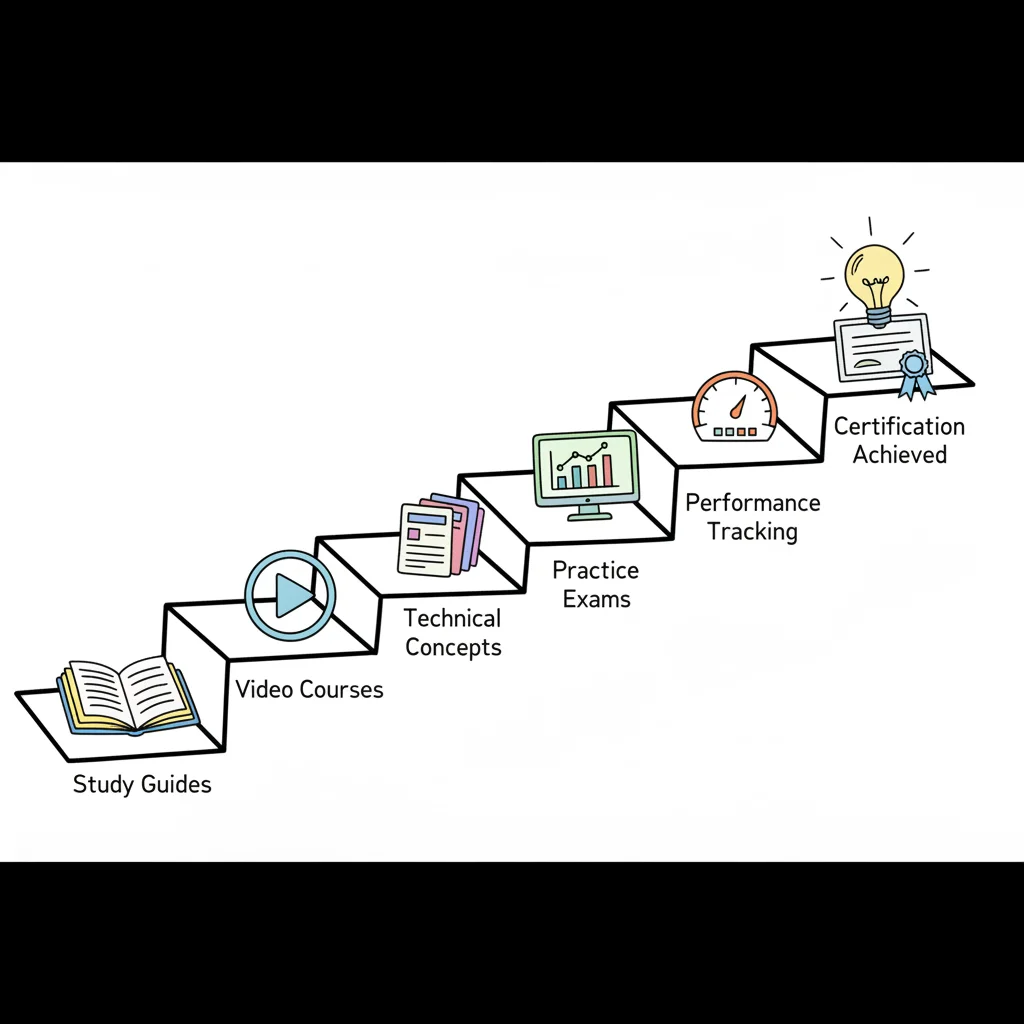
Master Your Exam: IT Certification Study Guides
Master Your Exam: IT Certification Study Guides
You've picked a certification. Maybe it's CompTIA A+, AWS, Azure, ITIL, PMP, or ServiceNow. Then you search for IT certification study guides and get hit with everything at once: official docs, thick books, video courses, practice exams, flashcards, labs, Reddit threads. You're trying to make progress, but instead, you're comparing dozens of tabs.
That feeling is normal. Most learners don’t stall because they aren’t capable. They stall because they don’t have a system.
The hard part isn’t finding information. The hard part is choosing the right information in the right order, then studying it in a way your brain can retain. That matters because passing an exam is only part of the job. Many study resources still leave a gap between exam preparation and career planning, offering little transparency around role outcomes, hiring differences, or how to connect certification effort to the next step in your career, as noted in this A+ study guide discussion (for exam series 220-1201 / 220-1202).
A better approach treats certification preparation like a build project. You need a blueprint, the right tools, and a routine that helps you keep moving when motivation dips. If you’re still figuring out where certification fits into your bigger move into tech, this beginner's IT career roadmap is a useful companion.
Your Starting Point in the Certification Maze
Candidates usually start in one of three places.
You might be a working IT professional trying to formalize what you already know. You might be a student who wants structure. Or you might be changing careers and need a credential that gives your learning a visible milestone.
The problem is the certification market doesn’t present itself clearly. Search results make every resource look important. Vendors promote official materials. Instructors promote courses. Book publishers promote all-in-one guides. Forums promote whatever helped one person last month.
Why Learners Get Stuck Early
Confusion usually comes from one bad assumption: people think there must be one perfect guide that does everything.
There usually isn’t.
A certification plan works better when you stop asking, “Which single resource should I buy?” and start asking, “Which combination of resources will help me understand, practice, and remember this material?”
You’re not trying to collect content. You’re trying to build competence in a way that maps to the exam and to the job behind it.
That shift changes everything. Instead of bouncing between random resources, you start assigning each one a role. One guide explains the blueprint. Another gives hands-on repetitions. Another tests recall under pressure.
What Good Preparation Actually Looks Like
Strong preparation has four parts:
- A clear target: Know the exact exam and current objectives.
- A resource stack: Use different tools for different learning jobs.
- A study method: Review in a way that improves memory instead of creating false confidence.
- A career lens: Keep asking how the certification supports the role you want next.
That last point matters more than many people realize. Plenty of study content helps you pass. Far less helps you connect the certification to your next support role, cloud admin role, project role, or service management role. That’s why a strategic plan beats a pile of bookmarks every time.
Decoding The Universe of Study Guide Types
A good certification setup looks a lot like a technician’s toolkit. You wouldn’t troubleshoot a laptop with only a screwdriver. In the same way, you shouldn’t prepare for an exam with only one kind of study material.
Each resource type does a different job. When learners understand that, they stop overvaluing one format and start building a balanced system.
The Main Resource Categories
Here’s a practical comparison you can use when choosing materials.
| Resource Type | Primary Use Case | Best For... | Potential Drawback |
|---|---|---|---|
| Official exam objectives | Defining exactly what can be tested | Building your study checklist | Too brief to teach the material by themselves |
| Official study guides | Learning content in exam-aligned language | Staying close to vendor intent | Can feel dry or dense |
| Comprehensive textbooks | Deep understanding and broad explanations | Learners who want detail and examples | Easy to overread without practicing |
| Video courses | Fast conceptual understanding | Visual learners and topic introductions | Can create passive learning if you only watch |
| Hands-on labs | Applying skills in realistic tasks | Practical learners and troubleshooting practice | Can become disconnected if not tied to objectives |
| Practice exam engines | Checking readiness and weak areas | Final review and active recall | Poor-quality questions can mislead you |
| Flashcards | Memory reinforcement | Terms, commands, concepts, and differences | Weak if used without understanding |
Official Objectives Are Your Map
The vendor’s exam objectives tell you what counts. They don’t teach everything, but they stop you from drifting into low-value topics.
For many certifications, learners skip this step and regret it later. They spend hours on content that sounds relevant but doesn’t line up well with the test. Official objectives give you a boundary. If a guide covers a topic outside that boundary, you can treat it as optional rather than urgent.
Textbooks Explain the Why
A good textbook is useful when you need a slow, complete explanation, as many learners build real understanding this way, especially when a concept feels abstract in official documentation.
Books also help when topics connect across chapters. A broad certification like A+, Security+, or CISSP often tests relationships, not isolated facts. A book can help you see those relationships better than scattered videos can.
Still, books can fool you. Reading feels productive, but recognition isn’t the same as recall. If you only read, you’ll likely feel more prepared than you are.
Video Courses Speed Up Orientation
Videos are often the fastest way to get unstuck. A good instructor can make a messy topic feel organized in minutes.
They’re especially useful early. If cloud architecture, IT operations, networking, or service management terms feel unfamiliar, a video course can create a mental framework before you dive into detailed reading.
But there’s a catch. Watching isn’t practicing. If you finish a video and never pause to answer questions, summarize ideas, or do hands-on work, your confidence may rise faster than your competence.
Labs Turn Theory into Muscle Memory
Labs matter because many IT exams test applied thinking, not just definitions. If you’re learning A+, Network+, Security+, Azure, AWS, or ServiceNow, you need moments where you do the thing.
Hands-on learners often struggle here because the market gives them pieces without guidance. One source may offer labs, another may offer reading, but very few tell you how to balance the two. That’s one of the biggest gaps in current certification preparation.
A lab doesn’t replace theory. It gives theory friction, and friction helps memory stick.
Practice Exams Reveal Weak Spots
Practice questions do two jobs. They show what you know, and they expose what you only thought you knew.
That’s why they belong throughout your study cycle, not just at the end. Early on, they diagnose. Later, they simulate exam pressure and pacing.
Be selective, though. Poor practice questions can teach the wrong patterns. Look for resources that explain why an answer is right and why the others are wrong.
Flashcards Keep the Floor from Dropping Out
Flashcards aren’t glamorous, but they’re powerful for maintaining what you’ve already learned. They work best for terms, ports, acronyms, troubleshooting steps, process distinctions, and feature comparisons.
Use them to preserve hard-won knowledge while you keep learning new topics. Otherwise, your study plan turns into a leaky bucket.
How to Choose The Right Guides for Your Certification
You can waste a month with good resources that are wrong for your exam.
That happens all the time. A learner buys a popular book, subscribes to a video course, opens a question bank, and still feels scattered because none of those tools are tied together by the exam objectives or a clear study method. Choosing guides works better when you treat each resource like a part in a machine. One part teaches the concepts. Another checks recall. Another gives you practice under pressure. Mindmesh Academy can serve as the central system that keeps those parts organized around your weak spots, review schedule, and exam date.
Start with the Vendor Blueprint
Begin with the official exam objectives from the vendor. They are your map.
If a guide does not line up with that map, it may still teach useful job skills, but it can pull time away from what you will be tested on. Print the objectives, paste them into a spreadsheet, or turn them into a checklist in your notes app. Then score every resource against that list.
Look for direct coverage, current terminology, and examples that match the exam version you are taking. If a guide is outdated, drifts into side topics, or explains ideas in a way that never returns to the objective, set it aside.
Use a Four-Part Filter
I use four tests when helping someone choose between study guides.
-
Alignment
Does the guide map clearly to the current exam objectives? If yes, it can earn a place in your core stack. If no, use it only as a supplement.
-
Recency
Is the material built for the exam version on your schedule? This matters a lot for cloud, security, and vendor certifications that change often.
-
Teaching quality
Does the resource explain ideas in a way you can apply? A detailed guide is only useful if you can turn the explanation into correct answers, troubleshooting steps, or design choices.
-
Practice value
Does the resource make you do something with the material? Good guides include checks for recall, scenario questions, labs, or review prompts that fit science-backed study techniques, not just passive reading.
Build a Layered Stack, Not a Pile
A strong study setup usually has four roles.
- Primary guide: your main source for structured coverage of the exam objectives
- Secondary explainer: a second voice for topics that do not click the first time
- Practice layer: question banks, labs, or simulations that test application
- Review layer: flashcards, condensed notes, or spaced reviews that keep older material from fading
No single guide excels in every area. A book may explain subnetting clearly but give weak practice questions. A video course may help you grasp IAM policies but move too quickly through edge cases. A question bank may reveal gaps without teaching the concept underneath them.
Your goal is not to collect more material. Your goal is to assign each resource a job.
Match the Stack to the Exam
Different certifications reward different study mixes.
- CompTIA A+ usually needs broad coverage and frequent review because the exam jumps across hardware, operating systems, networking, security, and troubleshooting.
- AWS or Azure often needs a mix of concept study and hands-on console work because many questions test service selection, architecture tradeoffs, and operational judgment.
- PMP or ITIL usually rewards precise process knowledge, vocabulary control, and repeated scenario practice more than lab time.
- ServiceNow often benefits from guided platform practice paired with exam-style review so you can connect platform actions to official terminology.
One more point trips people up. If your guide matches the content but not the way you learn, progress slows. Some learners need diagrams first, then text. Others need short explanations, then practice questions. Choose resources that fit both the exam and your learning pattern, then use understanding spaced repetition to decide how often each topic should return to your schedule.
The right guides do not just fill a shelf. They help you turn exam objectives into a repeatable system you can trust on test day.
The Science of Studying Smarter Not Harder
The challenge isn’t a content problem. It’s a retention problem.
Many read a chapter, watch a course, and think, “That makes sense.” Then a week later they can’t explain it without prompts. That isn’t laziness. It’s how memory works when study stays passive.
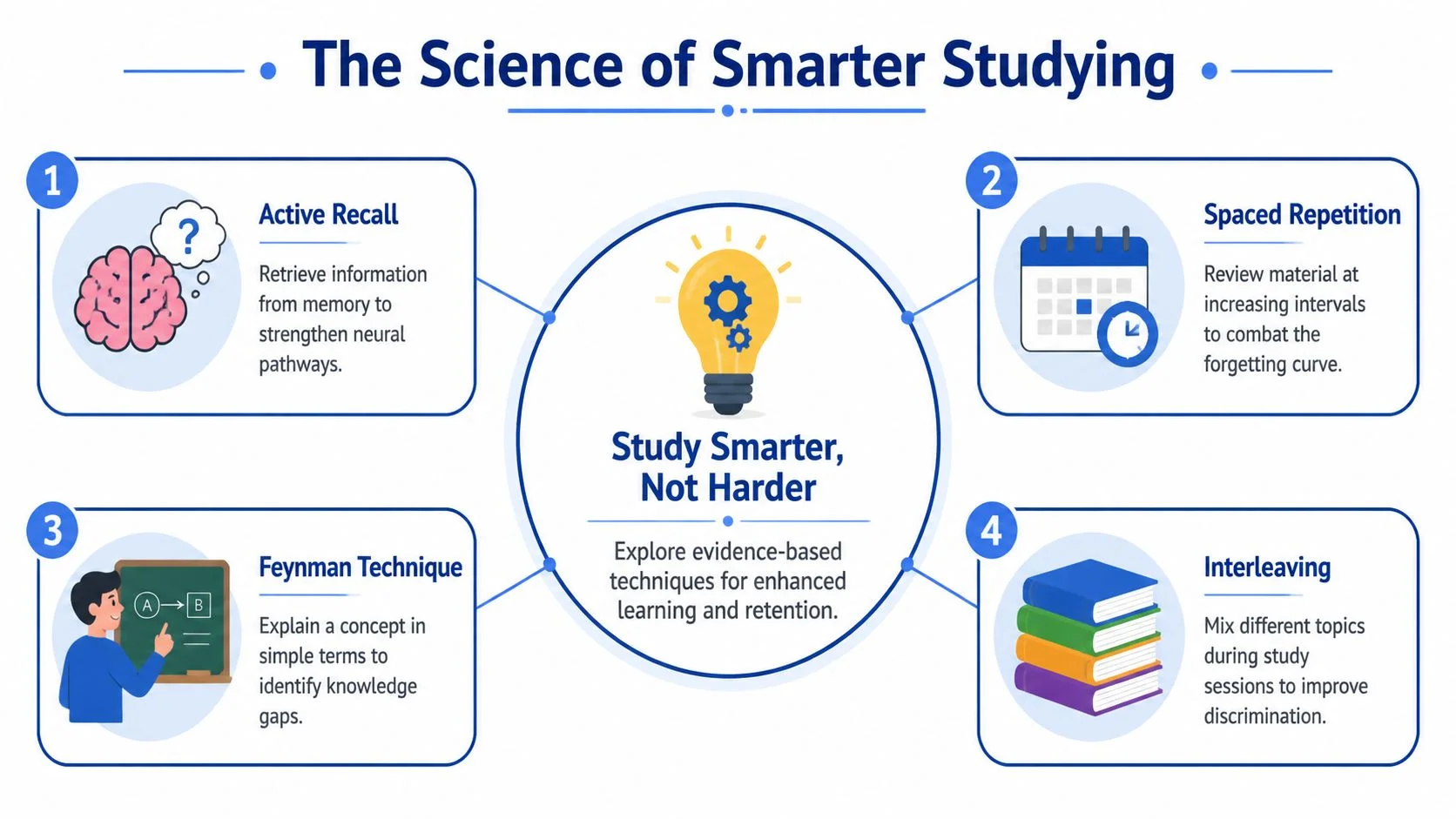
Active Recall Beats Rereading
Active recall means pulling information out of memory without looking at the answer first. It feels harder because it is harder, and that difficulty helps learning.
If you finish a chapter on operating systems, don’t reread the summary right away. Close the book and ask yourself:
- What are the key differences between system tools?
- What problem would make me choose one troubleshooting path over another?
- Which terms can I define without looking?
That effort strengthens retrieval. Rereading mostly strengthens familiarity.
If your study session never asks your brain to produce an answer, it’s probably too passive.
Spaced Repetition Prevents the Cram-and-Forget Cycle
Spaced repetition means reviewing material at increasing intervals instead of cramming it all at once. It's like revisiting a path before it disappears under weeds.
Acronyms, commands, protocol differences, process steps, and security principles all benefit from this. If you want a simple explanation of why this works, even outside the certification world, Mandarin Mosaic has a clear piece on understanding spaced repetition.
A practical version looks like this:
- Day 1: Learn a topic and make a few review prompts.
- Day 2: Recall it from memory.
- A few days later: Review only what felt shaky.
- The next week: Test yourself again in mixed order.
That pattern is much more reliable than “I’ll review everything the night before.”
The Feynman Technique Exposes Fake Understanding
A lot of learners mistake recognition for mastery. The Feynman technique fixes that.
After studying a topic, explain it in plain language as if you were teaching a new coworker. No jargon. No copying definitions. Just a simple explanation.
If you can’t explain DHCP, subnetting, incident response, cloud shared responsibility, or service lifecycle concepts in plain English, you probably need another pass.
Interleaving Improves Discrimination
Interleaving means mixing related topics instead of studying one block until your brain goes numb. For example, instead of spending a whole evening only on networking terms, mix troubleshooting, hardware, and operating system review.
That matters because exams rarely present topics in neat chapter order. They force you to recognize what kind of problem you’re looking at first. Interleaving trains that recognition.
Personalization Matters More Than People Admit
Study advice often says everyone learns differently, then stops there. It rarely helps you decide how much reading, how much lab work, and how much visual explanation you need. That gap is especially noticeable for hands-on learners, as discussed in this piece on CompTIA A+ study options and learning styles.
If you learn best by doing, your plan shouldn’t be built around endless reading. If you need conceptual framing first, jumping straight into labs may frustrate you. The fix isn’t to label yourself with one style forever. It’s to notice which resource helps you learn which topic best.
For a practical framework you can use right away, these science-backed study techniques give you a good starting point.
Building Your Personalized Certification Study Plan
A good study plan works like a flight plan. It does not remove turbulence, but it gives you a route, checkpoints, and a way to correct course before you drift too far off target. That matters in certification preparation because the challenge is rarely finding materials. It is turning videos, books, labs, flashcards, and practice questions into a routine you can keep.
The goal is not to copy someone else’s schedule. The goal is to build a system that fits your exam, your background, and the hours you can protect each week.
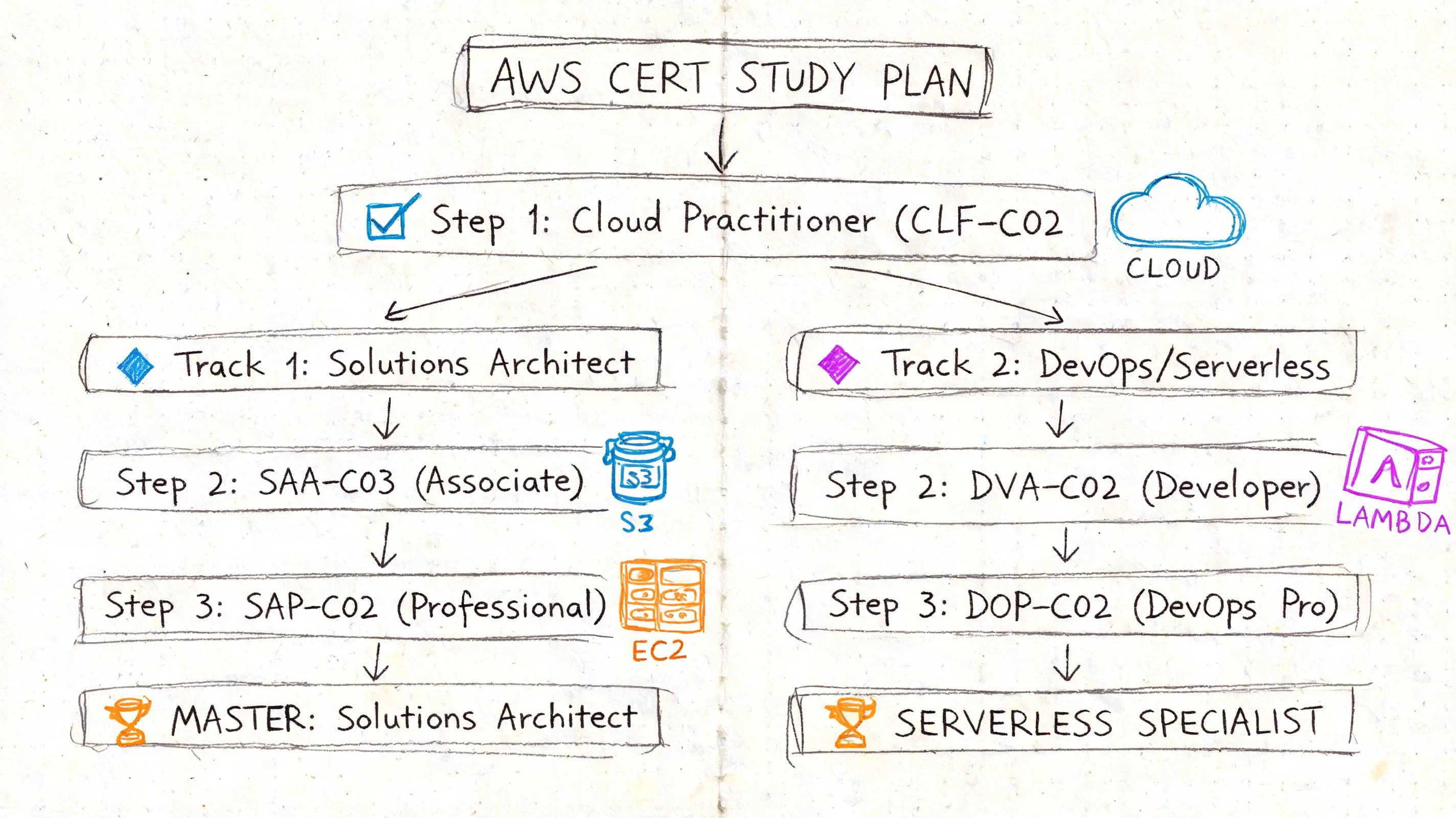
AWS Certified Solutions Architect
Start with a structured video course or study guide that explains the core services in sequence. AWS often feels abstract at first, so a guided walkthrough helps you build a mental map of compute, storage, networking, identity, and architecture tradeoffs before you face scenario questions.
Then shift into official documentation and small hands-on tasks. Keep the exam objectives nearby while you read service summaries. Build tiny labs with a clear purpose, such as launching a workload, setting permissions, or tracing how traffic flows between components. Those small repetitions turn cloudy concepts into usable judgment.
A weekly rhythm can look like this:
- Early week: Learn one architecture topic and summarize it in your own words.
- Midweek: Create flashcards for service use cases, limits, and common traps.
- Weekend: Answer scenario questions and explain why one design choice fits better than another.
Microsoft Azure Administrator
Azure preparation usually improves when guided learning and portal practice happen side by side. Read or watch enough to understand the service, then log in and use it while the idea is still fresh.
Focus on management tasks, identity, monitoring, and resource organization. After each study block, write a short admin note in plain language. What problem does this service solve? When would you use it? What would you configure first? That habit turns passive exposure into operational memory.
If your study feels scattered, use a planning worksheet to map topics, labs, and review blocks. This template can help you master your IT certification exams.
CompTIA A+
CompTIA A+ rewards broad coverage and steady review, so your plan should separate learning from checking retention. One useful reference point is a CompTIA A+ cheat sheet, which notes the exam structure, domain weightings, passing scores, and the level of preparation many candidates need. Use those details as guardrails, not as a promise that one fixed number of study hours will work for everyone.
For A+, divide your plan by exam objective and by skill type. Core 1 (220-1201) tends to pull you toward hardware, networking, and troubleshooting. Core 2 (220-1202) usually asks for stronger command of operating systems, security, software troubleshooting, and procedures. That split helps because reading, memorization, and hands-on practice do not help every topic equally.
A practical A+ plan might look like this:
- Core 1 block: Study hardware, networking, and troubleshooting with diagrams, parts identification, and scenario questions.
- Core 2 block: Focus on operating systems, security, software troubleshooting, and procedures through active recall and workflow-based questions.
- Weekly routine: Read one domain section, review with flashcards, then answer mixed practice questions so you learn to identify the problem type before choosing the answer.
If you have access to old hardware or virtual machines, use them. Even simple setup and troubleshooting repetitions give the theory somewhere to stick.
A visual walkthrough can also help if you’re mapping your certification direction before committing time:
PMP and ITIL
These certifications punish fuzzy understanding. You need precise definitions, but you also need to see how the parts connect inside a process or framework.
For PMP, use a structured guide as your main reference and pair it with situational questions from the start. Memorizing terms without context leaves you exposed on exam day, because many questions ask what a project manager should do next, not what a term means in isolation.
For ITIL, build a concept map of key practices and relationships. Then test yourself by explaining each one clearly without looking at the page. If you cannot explain how two ideas connect, you have found the next item for review.
ServiceNow Certified System Administrator
ServiceNow study works best when platform exploration follows closely behind reading. Learn what a module does, then go find it and use it.
Keep a notebook of platform behaviors. Write down what the feature is for, where it appears, what kind of admin task it supports, and what mistake a beginner is likely to make with it. That gives you memory hooks stronger than plain rereading.
A personalized plan should answer three questions every week. What will I study next? What will I review today? How will I check whether I remember it?
Supercharge Your Plan with Mindmesh Academy Tools
A lot of learners build decent plans on paper and then lose momentum in execution. The usual problem isn’t effort. It’s friction.
You have notes in one app, flashcards in another, labs in a browser tab, and practice questions somewhere in your email history. The system becomes harder to maintain than the studying itself.
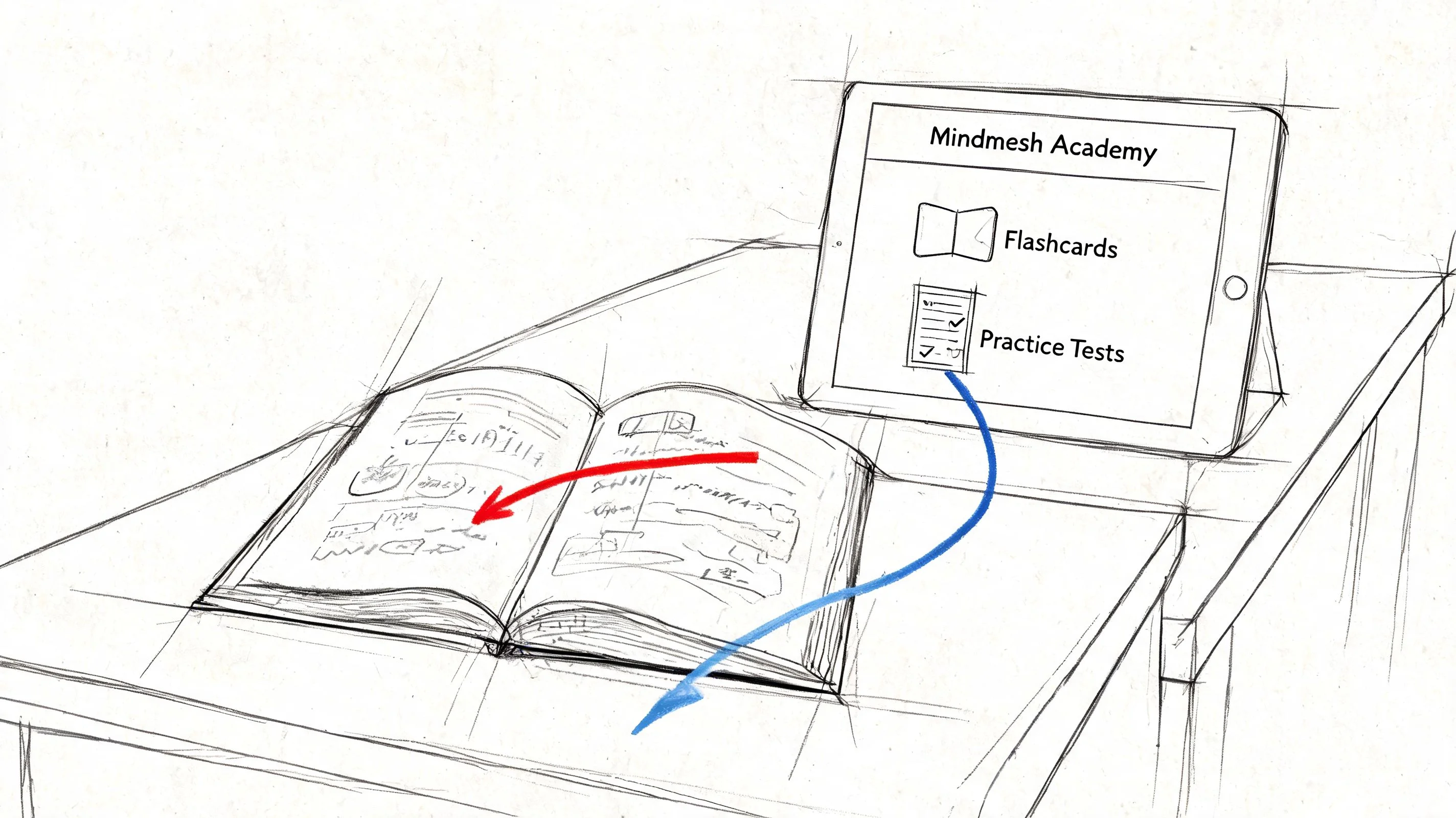
What an Integrated Learning System Changes
When your dashboard, review schedule, and weak-topic tracking live together, you spend less time organizing and more time learning. That’s the true value of an integrated platform.
A system like Mindmesh Academy can act as the central nervous system for your certification preparation by combining exam-focused study materials, progress tracking, adaptive learning paths, and spaced review into one workflow. Instead of manually guessing what to review next, you can use one place to see where you’re slipping and where you’re improving.
Where This Helps Most
Integrated tools are especially useful in three moments.
First, when you’re starting and don’t know how to sequence your materials. A guided path reduces the “what now?” feeling that causes procrastination.
Second, after your first round of practice questions. This is the point where most learners discover that their weakest topics aren’t the ones they expected. Adaptive review helps you redirect your time.
Third, during the long middle stretch. That’s when motivation drops and consistency matters most. Seeing visible progress can keep the plan concrete.
Practical Uses for a Platform-Centered Workflow
A platform earns its place when it helps you do the hard parts better:
- Progress tracking: You can spot whether you’re neglecting entire domains or just a few weak concepts.
- Adaptive study paths: You can spend more time where your practice results show real gaps.
- Built-in flashcard review: You can keep spaced repetition running without manually scheduling every deck.
- Resource consolidation: You can reduce tab chaos and stay focused on the current objective.
Most learners don’t need more content; they need better orchestration.
The strongest study plan is the one you can sustain for weeks without rebuilding it every few days.
Your Path to Certification Success
Certification success rarely comes from one brilliant weekend or one magical guide. It comes from a system you trust.
You need the right mix of materials. You need study methods that force recall instead of passive recognition. You need a plan that fits your exam and your current stage. And you need a way to keep that plan organized when real life gets busy.
That’s how overwhelmed learners become steady learners. They stop hunting for perfect resources and start building repeatable routines.
The career side matters too. A certification can help you move toward support, admin, cloud, service management, or project roles, but it works best when you connect your study effort to actual job paths. If you’re exploring remote support roles as part of that move, this guide to IT helpdesk remote jobs from YayRemote is a practical next read.
Keep your goal simple. Learn what the exam tests. Practice like the exam will ask you to think. Build a review rhythm that helps knowledge stick. Then use a system that makes consistency easier, not harder.
Frequently Asked Questions About IT Study Guides
Should I use free or paid study guides?
Use the guide that matches your exam objectives clearly and helps you act on the material. Free resources can be enough for some learners, especially when they’re disciplined and good at organizing scattered content. Paid resources often save time by packaging explanations, questions, and review tools together.
The better question is whether the resource reduces confusion. If it does, it has value.
How many study resources should I use?
Use as few as possible, but enough to cover different jobs. Individuals often find success with one main guide, one secondary explainer, one question source, and one review tool.
If you keep adding resources because you feel anxious, your plan is getting heavier, not better.
How do I know a guide is outdated?
Check the exact exam code and version. Then compare the guide’s contents against the current vendor objectives. If the topic names, domain structure, or exam version don’t line up cleanly, be careful.
Outdated materials aren’t always useless, but they shouldn’t drive your schedule.
Are official guides always better than third-party ones?
Official guides are usually strongest when you need alignment with the exam blueprint and wording. Third-party guides often help more with plain-language explanation, practical examples, and alternate teaching styles.
The best results often come from pairing them instead of choosing one camp.
What if I’m a hands-on learner?
Then don’t force yourself into a reading-only plan. Build labs into your weekly routine. After reading a concept, do something with it. Configure a setting, troubleshoot a scenario, walk through a workflow, or test a process in a safe environment.
Hands-on learners often understand faster when theory and action stay close together.
Do study guides matter more for advanced certifications?
In many cases, yes. Broad and demanding certifications punish fragmented preparation. For a credential like CISSP, candidates using officially aligned study guides and practice questions show 25-40% better retention than those using fragmented study methods, according to this review of top IT certification exam guides.
That doesn’t mean advanced exams are only about reading. It means the structure of your preparation matters even more.
How do I know if I’m ready for the real exam?
You’re closer when you can do three things consistently:
- Recall key concepts without prompts
- Explain why an answer is right, not just recognize it
- Work through mixed practice questions without falling apart when topics switch
If you still depend on familiarity, keep studying. If you can retrieve, explain, and apply, you’re getting there.
Mindmesh Academy gives you a practical way to turn all of this into action. If you want one place to organize study guides, track progress, review with spaced repetition, and build a structured certification plan, explore our available certificaions.

Written by
Alvin Varughese
Founder, MindMesh Academy
Alvin Varughese is the founder of MindMesh Academy and an enterprise architecture leader. An electrical engineer by training, he moved from factory automation in South Africa to cloud architecture at GE Appliances and Humana (Fortune 50), and holds 20 professional certifications including AWS Solutions Architect Professional, Azure DevOps Engineer Expert, and Microsoft Agentic AI Business Solutions Architect. He built MindMesh Academy after interviewing too many highly certified candidates who couldn't answer basic questions: the goal is prep that makes you better at the job, not just able to pass the exam.