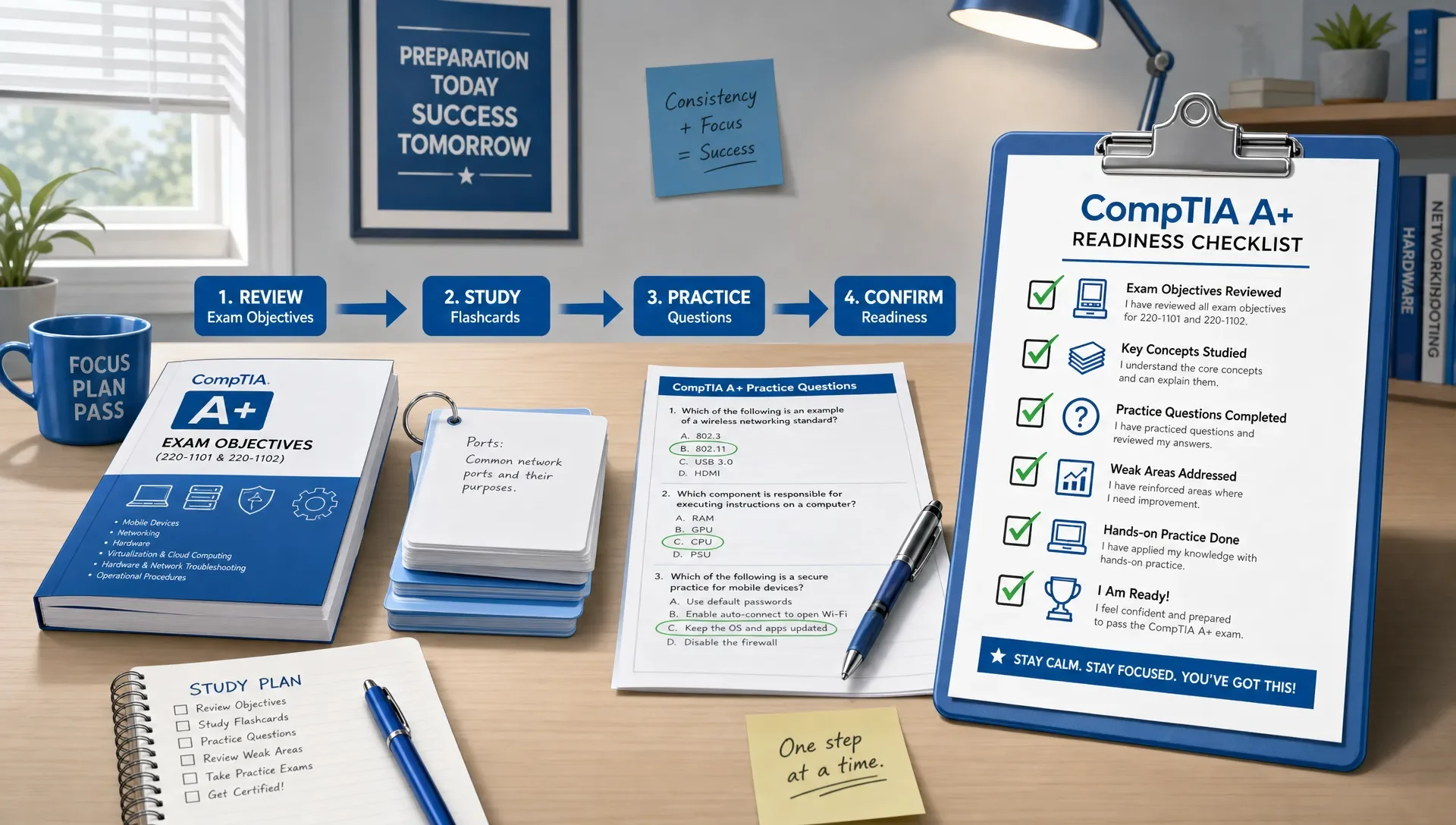
How to Use a Study Guide CompTIA A+ Candidates Need
How to Use a Study Guide CompTIA A+ Candidates Need
A CompTIA A+ study guide should do more than just list topics. It needs to guide your daily study, help you practice, plan your reviews, and ultimately tell you when you're ready for Core 1 and Core 2.
Think of your study guide as a working checklist. For each objective, you should be able to explain the concept, recognize it in a support scenario, answer practice questions, and troubleshoot it under time pressure. If your guide doesn't move you through these four steps, you might be reading too much and practicing too little.
Start With the Official CompTIA A+ Exam Objectives
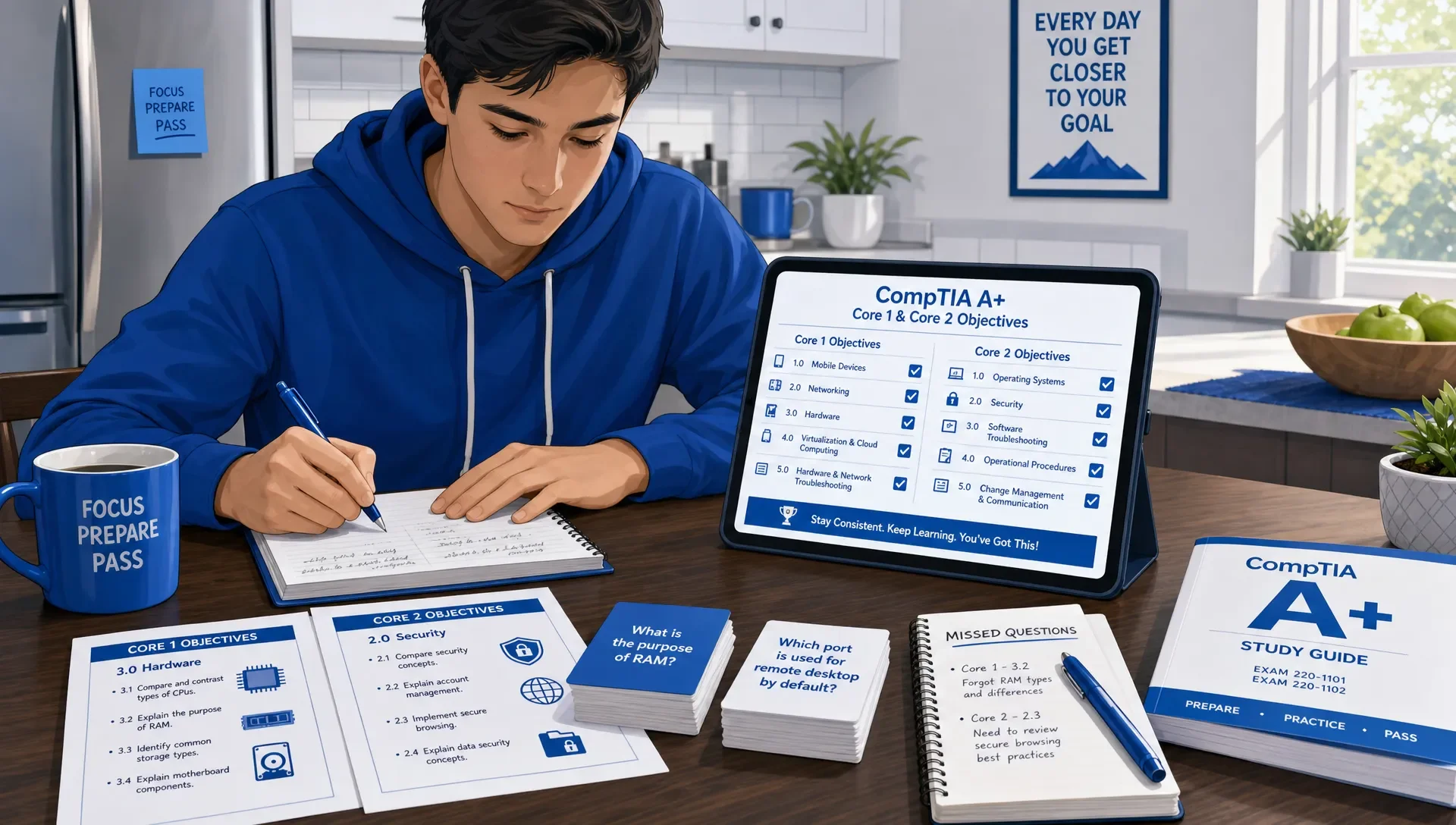
Before you open any study chapter, download the current objectives from the official CompTIA A+ certification page. Remember, A+ uses two separate exams: Core 1 and Core 2. Your study guide should reflect this, keeping the topics distinct rather than jumbled.
Treat the official objectives as your source of truth. A study guide explains, organizes, and reinforces these objectives, but the objectives themselves define the exam's scope. This is crucial because A+ covers a broad range of entry-level support tasks: devices, networking, hardware, operating systems, security, troubleshooting, and operational procedures.
Here's a practical setup: keep your study guide open on one side and the official objectives on the other. As you read about storage types, wireless standards, malware removal, account permissions, or troubleshooting methods, connect that material directly to its specific objective. If a paragraph doesn't map to an objective, don't give it equal study time.
For a topic-by-topic breakdown, you can compare your plan against this CompTIA A+ guide organized by exam domain, then use your main study guide to go deeper where your scores are weakest.
Turn the Study Guide Into a Weekly Study Plan
Many candidates stumble because they read their study guide cover-to-cover without a schedule. While this feels productive, it doesn't build consistent recall. Your weekly plan needs to cycle through new learning, review, practice questions, and correcting mistakes.
A strong weekly plan doesn't have to be complex. If you study five days a week, dedicate three days to new objectives, one day to mixed review, and one day to practice questions and error analysis. For only three days, extend each session and follow the same pattern: learn, retrieve, apply, review.
| Study guide activity | What you do | What proves you're ready to move on |
|---|---|---|
| Read the objective section | Learn the terms, process, and use cases | You can explain it without looking |
| Make short recall prompts | Turn headings into questions | You can answer from memory the next day |
| Practice related questions | Test the objective in context | You understand why each wrong option is wrong |
| Review weak areas | Re-read only the parts you missed | Your second attempt improves for the right reason |
| Mix old and new topics | Combine multiple domains in one session | You can switch contexts without guessing |
If you need help deciding how long each phase should take, pair your guide with a realistic CompTIA A+ exam study timeline for first-time takers. The timeline gives you structure, while the study guide gives you the daily content.
Use the Study Guide Differently for Core 1 and Core 2
Core 1 and Core 2 demand distinct study approaches. Core 1 often focuses more on hardware and infrastructure. Core 2 leans more into operating systems, security, and operational procedures. Both exams test your troubleshooting judgment, but your practice methods should adapt accordingly.
| Exam area | How to use your study guide | Practice focus |
|---|---|---|
| Core 1 devices and hardware | Label parts, compare specs, identify compatibility issues | Scenario questions about symptoms, parts, and fixes |
| Core 1 networking | Connect protocols, ports, devices, and connection types | Troubleshooting connectivity and choosing tools |
| Core 1 cloud and virtualization | Understand use cases and limitations | Matching business needs to technical choices |
| Core 2 operating systems | Practice paths, tools, commands, and settings | Choosing the right interface or command for a task |
| Core 2 security | Connect threats, controls, and user behavior | Safe remediation and least-privilege decisions |
| Core 2 operational procedures | Learn process order and documentation expectations | Questions about professionalism, safety, and change control |
For Core 1, avoid simply memorizing component names. Instead, consider: What happens if this component fails? What symptom would a user describe? What's your first diagnostic step? For Core 2, move beyond memorizing menu paths or definitions. Focus on: What's the safest action when a user encounters malware, a login issue, a failed update, or a permissions problem?
Study Each Objective With a Four-Pass Method
Your study guide is most effective when you revisit each objective multiple times, giving each pass a different purpose. Simply re-reading a page three times isn't the same as learning the material in three distinct ways.
The four-pass method gives every topic a purpose.
| Pass | Goal | Example for CompTIA A+ |
|---|---|---|
| Pass 1: Understand | Get the basic meaning | Know what DHCP does and why devices need it |
| Pass 2: Connect | Link it to related topics | Connect DHCP to IP addressing, DNS, routers, and APIPA |
| Pass 3: Retrieve | Recall without looking | Explain what you'd check when a PC has a 169.254.x.x address |
| Pass 4: Apply | Solve a scenario | Pick the most likely cause from a troubleshooting question |
This method aligns with decades of learning research: retrieval practice significantly improves long-term retention compared to repeated reading. A classic experiment by Roediger and Karpicke showed that testing improved long-term retention more than just studying repeatedly. The key takeaway is straightforward: frequently close your guide and challenge yourself to recall information.
The Institute of Education Sciences suggests spacing study sessions over time rather than cramming them into one block. Their practice guide on organizing instruction and study to improve learning advocates for spaced, repeated exposure. For A+ preparation, this means you shouldn't study networking once and then ignore it for weeks. Instead, integrate it into short, mixed review sessions.
Move From Reading to Practice Questions Earlier Than Feels Comfortable
Many A+ candidates delay starting practice questions, often telling themselves they'll begin once they've finished the study guide. The issue is that practice questions highlight what you've misunderstood, not just what you've forgotten. Delaying them means delaying crucial feedback.
A better approach is to start objective-level practice after one focused pass through a topic. You don't need perfection. In fact, early mistakes are valuable if you review them properly.
For example, after studying wireless standards, answer a small set of questions on wireless use cases, security types, frequency bands, interference, and troubleshooting. After studying Windows tools, answer questions that force you to choose between Device Manager, Task Manager, Event Viewer, Disk Management, services, and command-line utilities.
When you're ready for broader timed practice, use a dedicated CompTIA A+ Core 1 practice exam for hardware, networking, mobile, cloud, and troubleshooting review. For operating systems, security, software troubleshooting, and procedures, switch to CompTIA A+ Core 2 practice exams so your practice matches the exam you're preparing to take.
Review Wrong Answers Like a Technician, Not a Test Taker
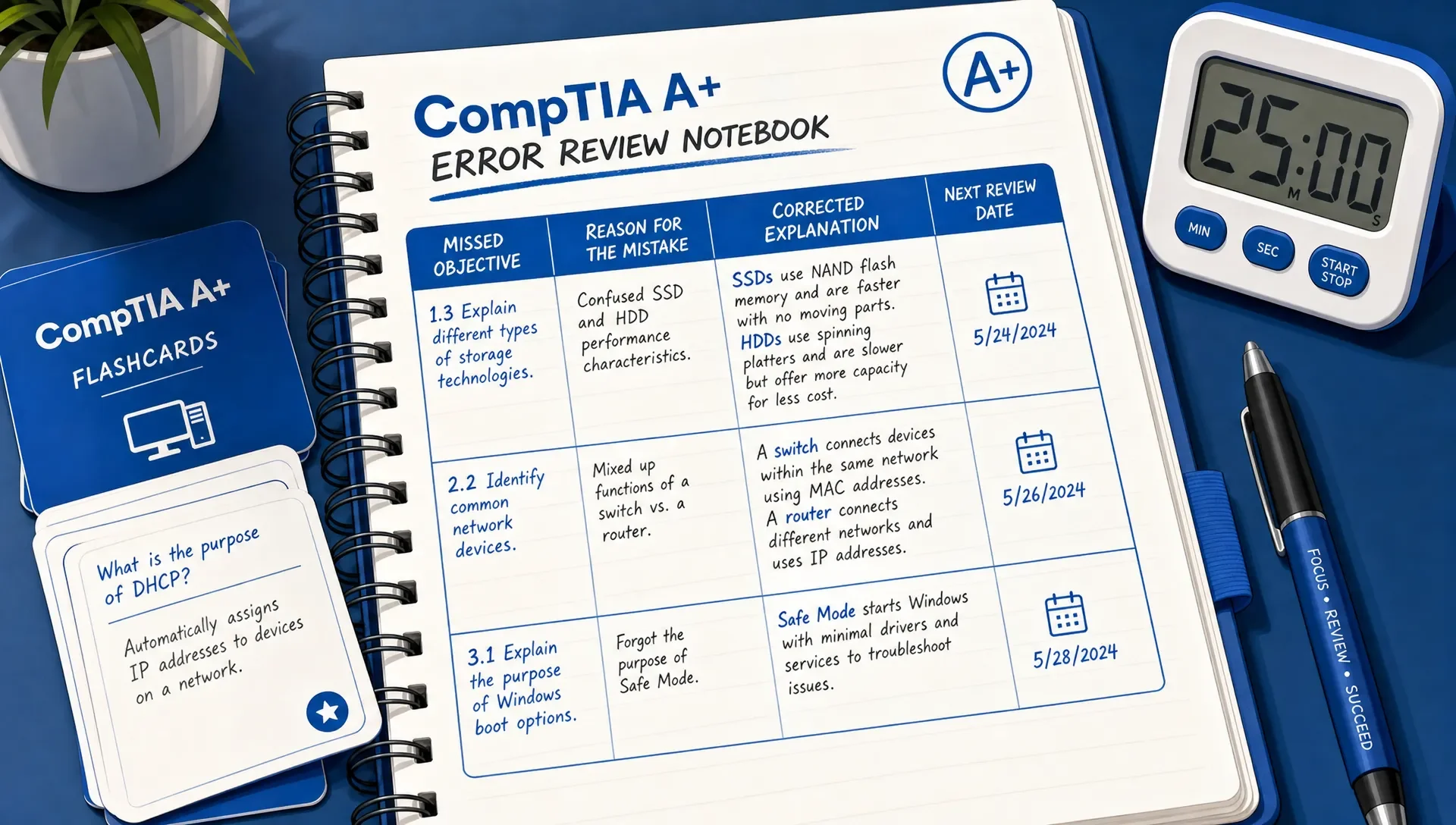
A wrong answer isn't just a score penalty; it's diagnostic information. The most effective review involves identifying why you chose incorrectly, then linking that mistake back to the specific study guide section that would have helped.
Avoid vague notes like "missed networking question." Instead, record the actual reason: "confused DNS with DHCP," "forgot APIPA range," "didn't recognize bad gateway symptom," or "skipped the word intermittent." These specific notes become your most valuable study material, pinpointing your real knowledge gaps.
| Wrong-answer pattern | What it usually means | How to fix it with your guide |
|---|---|---|
| You knew the term but missed the scenario | Your definition is too shallow | Add a use case and a symptom example |
| You narrowed it to two choices and guessed | You don't know the difference between similar tools | Build a comparison table from the guide |
| You missed a question you had studied | Your recall is weak | Turn that section into flashcards and retest tomorrow |
| You misunderstood the wording | You rushed the prompt | Highlight user symptom, constraint, and requested action |
| You picked a risky action first | Your troubleshooting order is off | Re-study safe, least-impact remediation steps |
This is often where candidates see the quickest improvement. A single missed question doesn't require rereading an entire chapter. Instead, find the specific missing link: a concept, a comparison, a process order, a command, a symptom, or a safety rule.
Use Flashcards for Recall, Not Full Explanations
Flashcards excel for testing ports, acronyms, command functions, connector types, malware indicators, troubleshooting steps, and security principles. They're not suited for learning an entire topic from scratch. Use your study guide for initial understanding, then use flashcards to maintain quick recall for scenario questions.
Keep flashcards concise. Each card should test one specific item. Instead of a single large card asking to explain all wireless standards, create separate prompts for frequency, speed comparisons, use cases, and troubleshooting clues. Shorter cards are simpler to review, easier to grade accurately, and more effective for spaced repetition.
MindMesh Academy supports this kind of workflow with flashcards using spaced repetition, practice questions with explanations, adaptive weakness-based practice, and progress tracking by topic. That matters because A+ preparation is not only about finishing content. It's about knowing which objectives are still unstable and bringing them back before the exam.
Practice Performance-Based Thinking While You Read
A+ exams include more than just definition questions, so your study guide sessions should involve active, hands-on thinking. Even without a lab, you can transform passive reading into task-based practice.
When a guide explains a tool, ask what task it performs. When it explains a setting, ask what problem it solves. When it explains a security control, ask what risk it reduces. When it explains troubleshooting, ask what you would check first, what evidence would confirm the issue, and what action could make the situation worse.
This is especially important for objectives involving network configuration, storage, operating system tools, malware response, permissions, and ticket handling. If your notes only contain definitions, you'll struggle when the exam asks you to choose the best next step.
A powerful performance-based study habit is to rephrase section headings as tasks. For instance, turn "wireless encryption types" into "choose the safest wireless configuration." Change "Windows utilities" into "select the correct tool for the symptom." Rewrite "malware removal" as "put the remediation steps in order."
Know When Your Study Guide Has Done Its Job
Finishing a study guide isn't the same as being exam-ready. You're truly prepared when your performance is consistent across all domains, you can explain your missed answers, and you can tackle mixed practice questions without needing hints from the chapter you just reviewed.
Use this readiness checklist before you schedule either exam:
- You can map every weak topic back to an official objective.
- Your practice results are consistent, not just high after re-reading.
- You can explain why the correct answer is best and why the distractors are wrong.
- Your flashcard misses are decreasing through spaced review.
- You can answer mixed-topic questions without knowing the chapter context.
- You have practiced both standard questions and performance-based question formats.
If a particular domain consistently lowers your score, don't reread the entire book. Instead, run a targeted loop: re-read the relevant guide section, create three to five recall prompts, answer focused questions, review your mistakes, and retest after a day or two. This focused loop is quicker and more effective than a broad re-read.
Frequently Asked Questions
How should I use a CompTIA A+ study guide if I'm a beginner? As a beginner, begin with the official objectives. Study one small objective group at a time. Read for understanding, then close your guide, explain the topic from memory, and answer a few related questions before advancing.
Should I study Core 1 and Core 2 together or separately? Most candidates find it more effective to prepare for one exam at a time. While you can preview both, focused study prevents confusion between hardware, networking, operating system, and security details before you've built a solid foundation.
How many times should I read a study guide before taking the exam? Don't gauge readiness by how many times you've read the guide. One careful pass, combined with repeated retrieval practice, practice questions, flashcards, and mistake review, is typically more beneficial than simply re-reading sections repeatedly.
When should I start taking CompTIA A+ practice exams? Start with small practice sets early, after completing each objective group. Reserve full-length or broader timed practice for later, once you've covered enough material for the scores to be truly indicative of your readiness.
What should I write down when I miss a practice question? Note the objective, your reason for missing it, the correct explanation, and your next steps. Be specific; for example, "confused DNS and DHCP" or "chose the risky fix before the safe check."
Can a study guide alone prepare me for performance-based questions? A study guide can prepare you for performance-based questions if you use it actively. Transform topics into tasks, practice troubleshooting sequences, compare tools, and work with performance-based question formats to avoid relying solely on definitions.
Build a CompTIA A+ Study Workflow That Shows Your Gaps
The right study guide provides comprehensive coverage. The right workflow builds readiness. For CompTIA A+, you need both: objective-based study, active recall, realistic practice, spaced review, and a clear understanding of your remaining weak areas.
MindMesh Academy supports your CompTIA A+ preparation with study guides, practice questions with detailed explanations, and flashcards using spaced repetition. These tools give you an adaptive, connected workflow to track your mastery. If you're ready to put your study guide strategy into action, test your readiness with our CompTIA A+ Core 1 practice exam and identify exactly where to focus next.

Written by
Alvin Varughese
Founder, MindMesh Academy
Alvin Varughese is the founder of MindMesh Academy and an enterprise architecture leader. An electrical engineer by training, he moved from factory automation in South Africa to cloud architecture at GE Appliances and Humana (Fortune 50), and holds 20 professional certifications including AWS Solutions Architect Professional, Azure DevOps Engineer Expert, and Microsoft Agentic AI Business Solutions Architect. He built MindMesh Academy after interviewing too many highly certified candidates who couldn't answer basic questions: the goal is prep that makes you better at the job, not just able to pass the exam.