Google Cloud Certifications: Your Path to Cloud Skills and Careers
Google Cloud Certifications: Your Path to Cloud Skills and Careers
Enterprise operations rely heavily on data and cloud infrastructure, making Google Cloud certification a vital professional credential. This certification validates your practical ability to design, build, and manage sophisticated solutions on a leading platform. It signals to employers that you possess technical proficiency beyond academic knowledge. For those aiming to excel in cloud computing, mastering Google Cloud Platform (GCP) skills is a strategic career move. Earning these credentials proves you can handle real-world challenges effectively. Acquiring such certifications helps you stay competitive as organizations continue to move more workloads to the cloud.
Why Google Cloud Certifications Pack Such a Punch
There is a significant difference between reading about a technical concept and proving you can execute it. Anyone can study the mechanics of flight, but only a licensed pilot is authorized to command a commercial aircraft. A Google Cloud certification acts as that professional license. It confirms you can manage high-stakes cloud infrastructure in the real world. This credential opens doors to specific roles in data engineering, cloud architecture, and security—positions that require verified technical expertise.
This validation matters now more than ever. Companies across the globe use Google Cloud for various operations, from massive data analytics projects and machine learning models to enterprise application hosting. Because of this, the demand for IT professionals with proven GCP skills continues to rise. A certification provides the evidence employers need to trust your technical abilities.
The Real-World Impact on Your Career and Wallet
Data shows that certification directly affects your career growth and your earnings. On average, IT professionals with a relevant certification earn roughly $8,500 more per year compared to those without one (verify current salary trends on industry sites). This trend stays consistent across other major providers like AWS or professional benchmarks like the PMP.
Specialized roles often command a higher premium. For instance, the Professional Cloud Security Engineer certification correlates with an average annual salary of approximately $201,687 in North America (verify current pricing and salary data on the vendor site). Companies place a high value on protecting their cloud environments from threats. Beyond the immediate paycheck, certified professionals are seen as strategic assets. They help businesses optimize costs, improve data security, and build resilient systems that can withstand high traffic and prevent downtime. If you want to see how Google’s platform stacks up against its competitors, you can read our comparison of Azure vs GCP vs AWS.
Charting Your Course to the Top
Google's certification program uses a structured, logical format. The company has developed role-based tracks that guide you from basic concepts to expert proficiency. These learning paths are available on the official Google Cloud certification page.
Caption: Google Cloud certifications provide a roadmap for professional growth and clarify your career path.
This structure makes it easy to match your training with your specific goals. You might want to become a cloud architect, a data engineer, or a security specialist. Each level builds on the last, ensuring you develop a strong, practical skill set. You will gain the ability to solve difficult technical problems and manage enterprise workloads effectively. This guide helps you choose the right path for your needs as you move toward higher levels of technical expertise.
Reflect and Connect: Look at your current role and where you want to be in the next few years. Which Google Cloud path matches those goals? Keep that target in mind as you review the different certification levels.
A Guide to the Google Cloud Certification Levels
Before starting a new career path, a clear map helps. The Google Cloud certification structure acts as a professional guide, providing markers that lead from a general understanding of cloud principles to specialized technical knowledge. Google organizes these credentials into three specific tiers. These tiers reflect the typical ways an IT career grows.
This three-tier system meets IT staff at their current level. IT leaders might want to understand the strategic side of cloud technology. Meanwhile, senior engineers might focus on building systems that handle high traffic and remain online. This structure provides a starting point for every role. By following this pattern, you ensure that your technical growth happens on a steady base. You learn the basics first and then move into more difficult topics.
To provide a quick overview, here’s how the different levels are structured:
Google Cloud Certification Levels at a Glance
| Certification Level | Target Audience | Recommended Experience | Core Focus |
|---|---|---|---|
| Foundational | Non-technical roles, business leaders, newcomers to cloud | 0-6 months (conceptual) | Understanding the "what" and "why" of cloud; business value and core concepts |
| Associate | Cloud practitioners, sysadmins, junior developers | 6+ months hands-on | Core implementation skills; deploying, monitoring, and maintaining solutions |
| Professional | Senior engineers, architects, specialized technical roles | 3+ years industry, 1+ year on GCP | Advanced design, implementation, and management in a specific domain |
Let's look at what each of these levels means for your professional growth.
The Foundational Level: Your Entry Point to the Cloud
The Foundational level is the starting point for those new to the platform. Google created this tier for people who do not work in hands-on technical roles every day. These individuals still need to understand cloud computing and how it creates business value. This group includes project managers, sales teams, and legal staff. It also includes recruiters and executives who talk to technical teams.
This level does not require you to write code or set up complex network firewall rules. Instead, it focuses on the logic behind the cloud. You learn why a company would choose a cloud service and what that choice means for the company's budget and agility. You gain the vocabulary needed to speak about cloud strategy without getting lost in technical details.
A Foundational certificate proves you can explain the business reasons for using Google Cloud. You will understand the main services even if you do not know how to install them. The Cloud Digital Leader exam is the only one at this level. It shows you understand digital transformation and the way data changes how companies work. It also proves you know how Google Cloud products help a business innovate. Many people use this to build a conceptual frame before they try a technical path.
Certification Scenario: An IT project manager needs to watch over a team moving an application to GCP. They will not be the one moving the files or setting up the virtual machines. However, they need to know what a compute instance is. They need to understand storage buckets and serverless functions to talk about costs and delivery speed. They must talk to both the technical team and the stakeholders paying for the project. The Cloud Digital Leader exam gives them the language to do that effectively.
The Associate Level: Where You Prove Your Hands-On Skills
Once you move past the basics, you reach the Associate level. This is where you show you can actually use the tools. This level is for IT workers with some practical experience. They are the ones who deploy apps, watch how they run, and fix them when they break. This tier acts as the testing ground for people who work in the cloud every day.
Earning an Associate certificate tells a manager that you can get the job done. You have the skills to handle daily tasks in a cloud environment.
- Who it's for: These are junior cloud engineers or systems administrators. They should have at least six months of hands-on experience. This experience can be on any cloud platform, but they must be ready to use those skills specifically on Google Cloud. This is also a good path for IT support workers moving into cloud roles.
- What it covers: The exam looks at how you set up a cloud solution. It checks if you can keep an application running and if you know how to find errors in the infrastructure.
The Associate Cloud Engineer (ACE) is the central certification at this level. When you earn this, you prove you can use the Google Cloud console and the command-line interface (CLI). These tools allow you to manage infrastructure and enterprise solutions. For many, the ACE is the first big technical goal. It is similar to the AWS Certified Cloud Practitioner or the Microsoft Azure Administrator Associate. It marks the moment you become a capable cloud practitioner.
The Professional Level: Showcasing True Expertise
The Professional level sits at the top of the Google Cloud system. These certificates prove you have advanced skills and deep specialization. These are for people who have been in the IT industry for several years. Google suggests you have at least one year of deep work with Google Cloud before trying these. At this stage, your knowledge moves from basic use to expert design.
A Professional certificate shows you can plan a cloud setup from the start. You can design it, build it, and keep it secure. There are 11 Google Cloud certifications in total. Most of them are in this Professional tier. These exams require you to think like an architect or a senior lead.
The Professional Cloud Architect exam is a common choice. It costs $200 (verify current pricing on the vendor site). To pass, you should have three years of general industry experience. This effort pays off, as data shows the certification helps careers. About 80% of people who get these certificates say it helped their career move forward. You can find more details on pages like the Coursera resource page.
These professional exams focus on specific job roles:
- Cloud Architect: For creating cloud systems that are scalable. You make sure the system can grow as more people use it. You also make sure it stays online if a part of it fails.
- Data Engineer: For building systems that process data. You manage how information flows from one place to another so the business can use it for reports.
- Cloud Security Engineer: For making sure the cloud environment is safe. These engineers protect data and make sure only the right people can access specific files.
- Cloud Network Engineer: For designing how different parts of the cloud talk to each other and to the internet.
- Machine Learning Engineer: For people building AI models. You take a model and deploy it so it can make predictions for the company.
Getting one of these shows you are a lead expert. You can take a complex project from a simple idea to a finished system. Professionals at this level must demonstrate they can handle the most difficult challenges in the cloud. This includes knowing which database to choose for high-speed transactions or how to encrypt data while keeping the system fast. By reaching this tier, you prove that you can lead technical teams and design the future of a company's digital presence.
Examining Key Google Cloud Certifications
After looking at the general certification tiers, we can now look at specific credentials. Choosing the right exam is similar to selecting the best tool for a technical task. You must understand the specific focus of each credential and how it supports your career goals. This section analyzes five of the most popular certifications to help you decide where to focus your effort.
We will break down each certification by its content, intended audience, and exam requirements. This structure provides a clear view of what Google expects from candidates at different levels of the platform. By understanding these details, you can choose a path that fits your current experience while preparing you for more advanced roles.
The following infographic shows how the levels progress from basic knowledge to professional mastery within the Google Cloud platform.
Caption: The Google Cloud Certification levels are a progressive roadmap, guiding IT professionals through foundational, associate, and professional expertise.
Cloud Digital Leader
The Cloud Digital Leader certification is the starting point for those new to cloud technology or working in business-facing roles. It focuses on high-level concepts rather than specific technical implementation or command-line configurations. This credential proves you understand how cloud services function and how they solve common organizational problems.
This certification provides the core terminology needed to discuss cloud strategy. It prepares you to join meetings about digital transformation and explain how Google Cloud services might help a company innovate. You will learn about the shared responsibility model, which defines the security obligations of both the provider and the customer.
- Who it's for: This exam is designed for project managers, sales teams, business analysts, and marketing specialists. It is also suitable for any non-technical professional who coordinates with IT departments on cloud-based projects.
- Skills validated: Candidates must show they understand fundamental cloud concepts like scalability, high availability, and disaster recovery. The exam covers the business value of various services and how to identify different use cases for data move projects or application modernization.
- Exam Details:
- Cost: $99 USD (verify current pricing on the vendor site)
- Duration: 90 minutes
- Format: Multiple-choice and multiple-select questions.
- Validity: 3 years
Passing this exam proves you can talk about cloud solutions with clarity. It makes you a better collaborator on technical projects because you understand the underlying financial and operational benefits of the platform.
Associate Cloud Engineer
The Associate Cloud Engineer (ACE) is a popular choice because it focuses on the practical tasks required to keep a cloud environment running. While the Digital Leader exam asks "why" a company uses the cloud, the ACE exam asks "how" to perform specific administrative duties. It confirms your ability to use the Google Cloud console, the gcloud command-line tool, and various client libraries to manage resources.
This certification is a significant step for anyone moving into a technical cloud role. It serves as a foundation for a career in cloud engineering by verifying that you can handle the daily tasks of cloud administration. You will need to know how to set up projects, manage billing, and ensure that different services can communicate with each other securely.
- Who it's for: This is intended for junior cloud engineers, system administrators, and developers. Google recommends having at least six months of hands-on experience with the platform. It is also an excellent entry point for professionals with experience in other cloud environments who want to move into Google Cloud.
- Skills validated: The exam tests your ability to set up projects and accounts, manage compute resources like Virtual Machines and Kubernetes clusters, and configure storage options such as Cloud SQL or Bigtable. You must also demonstrate proficiency in managing identity and access to ensure only authorized users can touch specific data.
- Exam Details:
- Cost: $125 USD (verify current pricing on the vendor site)
- Duration: 120 minutes
- Format: Multiple-choice questions.
- Validity: 2 years
Earning the ACE certification tells employers that you are ready to manage a live cloud environment. It shows you have the technical skills to deploy applications and monitor their performance effectively from the start.
Professional Cloud Architect
The Professional Cloud Architect certification is a high-level credential for those who design and plan cloud solutions. This exam does not focus on individual button clicks. Instead, it tests your ability to build systems that are secure, resilient, and cost-effective. Architects must balance technical requirements with business constraints, ensuring that a design meets the company's long-term needs.
A Professional Cloud Architect acts as a primary designer for complex technical projects. They create the plans that ensure a system can handle a sudden increase in users without crashing or becoming too expensive. This role requires a broad understanding of how different services—like networking, storage, and computing—interact within a large-scale environment.
- Who it's for: This exam is for experienced solutions architects and senior system designers. Google recommends at least three years of industry experience, with at least one year spent managing solutions specifically on the Google Cloud platform.
- Skills validated: You must be able to design architectures that meet specific business requirements. This includes planning for security, compliance, and reliability. The exam uses case studies that require you to analyze a fictional company's needs and propose a migration or optimization strategy that fits their budget and goals.
- Exam Details:
- Cost: $200 USD (verify current pricing on the vendor site)
- Duration: 120 minutes
- Format: Case study-based and multiple-choice questions.
- Validity: 2 years
This is a respected credential that often leads to leadership roles. It proves you can oversee a cloud strategy and guide an organization through the technical difficulties of modernizing their infrastructure.
Professional Data Engineer
The Professional Data Engineer certification is designed for specialists who build systems to collect, store, and analyze information. In a world where data informs every major business decision, this role is vital. Data engineers create the pipelines that move raw information into databases and transform it into a format that analysts and machine learning models can use.
This certification confirms your ability to build data processing systems that are reliable and secure. It covers how to handle both streaming data that arrives in real-time and batch data that is processed in large chunks. You will also need to understand how to deploy machine learning models so they can provide predictions within a production environment.
- Who it's for: This is for data engineers and data scientists who have a strong background in data processing and pipelines. You should be familiar with tools like BigQuery for data warehousing and Dataflow for processing information as it moves through the system.
- Skills validated: The exam tests your ability to design and build data processing systems. This includes selecting the right storage for a specific task and ensuring that data is high quality and secure. You must also show you can operationalize machine learning models using tools like Vertex AI.
- Exam Details:
- Cost: $200 USD (verify current pricing on the vendor site)
- Duration: 120 minutes
- Format: Multiple-choice and multiple-select questions.
- Validity: 2 years
As companies rely more on artificial intelligence and big data, the demand for certified data engineers continues to grow. This credential positions you as a specialist capable of managing the life cycle of data in a modern cloud environment.
Professional Cloud Security Engineer
Security is a primary concern for every company operating in the cloud, making the Professional Cloud Security Engineer a critical certification. This exam validates your ability to design and manage a secure infrastructure. You must show that you understand how to protect data, manage user identities, and respond to threats in a cloud-native way.
A certified security engineer manages the defenses for an organization's entire cloud platform. You are responsible for configuring Identity and Access Management (IAM) to follow the principle of least privilege. You also set up security policies, conduct audits, and use tools like the Security Command Center to monitor for suspicious activity or misconfigurations.
- Who it's for: This is for security professionals and cloud engineers who focus on protecting data and infrastructure. It is ideal for those who manage network security, compliance, and threat detection within a Google Cloud environment.
- Skills validated: You must demonstrate that you can configure access control and manage user identities. The exam covers network security, including how to set up firewalls and private connections. You also need to know how to use encryption to protect data while it is stored and while it is moving across the network.
- Exam Details:
- Cost: $200 USD (verify current pricing on the vendor site)
- Duration: 120 minutes
- Format: Multiple-choice and multiple-select questions.
- Validity: 2 years
Earning this certification shows you have a deep understanding of security best practices. It makes you a valuable expert in a field where companies must strictly follow regulations like GDPR or HIPAA to protect sensitive user information.
Building Your Strategic Study Plan For Success
Choosing the right certification is a strong start, but the plan you build to reach it determines whether you finish. Watching video lectures or skimming through documentation is rarely enough to prepare for these technical exams. You need a structured approach that builds practical skills and a clear understanding of cloud architecture. This guide explains how to create a study plan that turns your certification goal into a series of achievable steps.
Compare this process to training for a marathon. You would not try to run 26.2 miles on your first day. Instead, you would follow a schedule that builds your endurance and improves your technique over time. Technical training works the same way. Your plan needs a realistic timeline, high-quality study materials, and a focus on hands-on practice. Without these elements, it is easy to become overwhelmed by the amount of information you need to learn.
Reflection Prompt: What kind of learner are you? Do you retain information better from videos, textbooks, or technical labs? Consider how much time you can spend each week without burning out. Answering these questions helps you build a plan that works for your specific schedule and learning style.
Setting a Realistic Timeline
Start by assessing your current skills. Are you new to cloud computing, or do you have years of IT experience? Be honest about how many hours you can give—five, ten, or fifteen per week. This timeline must work within your job and family life. If you overpromise on your availability, you will likely fall behind and lose motivation.
Many people fail by trying to cram all the material into two weeks. This leads to fatigue and poor memory. It is more effective to spread your study over several weeks or months. This gives technical concepts time to sink in. You will start to see how different services connect in real situations rather than just memorizing names. For instance, preparing for a professional certification like the PMP or an AWS Specialty exam often takes several months of dedicated study.
For the Associate Cloud Engineer exam, a 12-week timeline is a solid target for most learners. This structure balances theory with the practice required for the test. It breaks the exam guide into weekly goals that are easier to track and complete.
Sample 12-Week Study Timeline for Associate Cloud Engineer
| Week | Focus Area | Learning Module | Hands-On Labs (via Google Cloud Skills Boost) |
|---|---|---|---|
| 1-2 | GCP Foundations | GCP Core Infrastructure, IAM Fundamentals, Billing Management | Set up a free tier account, create and manage projects, assign basic IAM roles, explore billing reports. |
| 3-4 | Virtual Networking | Virtual Private Cloud (VPC), Subnets, Firewall Rules, Cloud DNS, Cloud VPN | Create a custom VPC network, configure firewall rules for ingress/egress, set up a basic Cloud VPN tunnel. |
| 5-6 | Compute Services | Compute Engine (VM instances), Google Kubernetes Engine (GKE), App Engine | Launch and manage VM instances, create a GKE cluster and deploy a simple containerized application, explore App Engine deployments. |
| 7-8 | Storage & Databases | Cloud Storage (buckets), Cloud SQL, Cloud Spanner, Firestore, Bigtable | Create storage buckets and manage objects, provision and configure a Cloud SQL instance, upload and query data, understand NoSQL options. |
| 9-10 | Operations & Monitoring | Cloud Monitoring, Cloud Logging, IAM (Advanced Policies), Cloud Deployment Manager | Set up custom alerts and dashboards, review application and system logs, configure custom IAM roles and service accounts, automate resource deployment. |
| 11 | Review & Practice | Consolidate weak areas, detailed review of complex topics | Re-do challenging labs, attempt to build a small end-to-end project using multiple services, review official documentation. |
| 12 | Final Preparation | Full-length practice exams, quick review of key concepts | Take multiple timed practice tests, thoroughly review all answers (right and wrong), focus on understanding explanations. |
This paced approach builds a strong foundation and prevents you from feeling overwhelmed. It ensures you are not just memorizing facts. Instead, you are learning how the various parts of Google Cloud work together to solve business problems.
Blending Theory With Hands-On Practice
Reading about Google Cloud services gives you the theory, but using them builds the actual skill. Technical competence comes from working in the console, using the command-line interface, and deploying resources. Your study plan should prioritize this practical work from the start. If you only focus on theory, you might understand how a service works but struggle when asked to configure it in a real scenario.
The most important part of your preparation is hands-on lab work. Technical knowledge is necessary, but the ability to apply that knowledge to solve problems—often under pressure—is what these exams test.
Google Cloud Skills Boost provides labs in a live environment. This allows you to experiment without needing a credit card or worrying about extra costs on your personal account. Aim to finish several labs every week that match the topics you are studying. This active learning improves your problem-solving skills much more than watching videos alone. When you build a VPC or deploy a Kubernetes cluster yourself, the steps become much clearer. You learn where the settings are and what happens when a configuration is incorrect.
Adopting Smart Learning Techniques
To make the most of your time, work efficiently. Use spaced repetition. This involves reviewing information at increasing intervals to help it stay in your long-term memory. Use flashcard apps for terms and service definitions. If you learn about Cloud Spanner today, review it in two days, then again in a week. This method fights the "forgetting curve" where people naturally lose information if it is not used or reviewed.
Use adaptive practice. Do not keep reading chapters you already know well. Use practice exams to find your weak spots. If you consistently score high on storage but low on networking, spend your study time on networking. This is a very efficient way to fix holes in your knowledge. Many students waste time reviewing familiar topics because it feels comfortable. Real progress happens when you confront the topics you find difficult. For more advice on building these skills, see our guide on how to learn cloud computing, which offers thorough advice for students at all levels.
Let the exam format guide your intensity. The Cloud Digital Leader exam costs $99 (verify current pricing on the vendor site) for a 90-minute test on basic concepts. It is intended for people in non-technical roles or those new to the cloud. The Professional Cloud Architect exam costs $200 (verify current pricing on the vendor site) and expects three years of industry experience. This test uses complex scenarios that require a deep understanding of how systems work together. Knowing these facts helps you adjust your study to match what the exam requires. A more difficult exam needs more hours of practice and a closer look at the official documentation. By following this structured plan, you move closer to earning your certification and advancing your career.
So, You're Certified. Now What? Putting Your Credential to Work

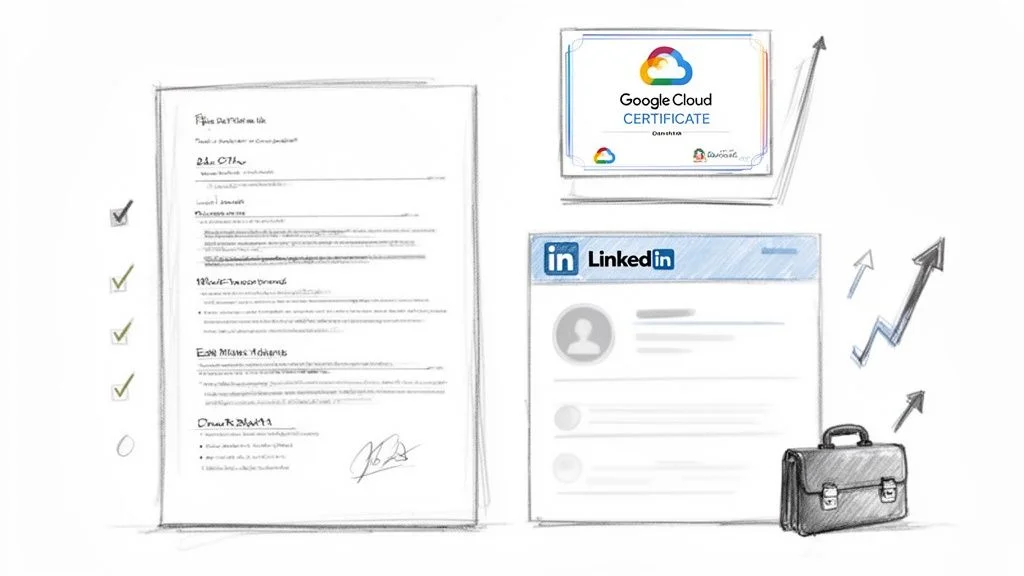
Caption: Earning a Google Cloud certification is a major professional step. It is a concrete asset you can use for career growth and finding new employment opportunities.
Passing a Google Cloud certification exam is a great result, but treat this as the start of your professional growth, not the finish line. Your new Google Cloud certification is a specific tool for accessing career opportunities. Like any tool, it provides value only when you actively use it to open doors. Your first task after passing is making your new credential visible to the people who hire cloud professionals.
Do not be modest about your success. This evidence of your technical skills needs to be obvious to recruiters and hiring managers. If they cannot see your credentials immediately, you are missing out on potential roles. Professional visibility is what turns a digital badge into a job offer. Use your momentum to update your professional identity while your new knowledge is still fresh.
Get Your Certification Noticed
Your online professional brand is the primary place to show what you have learned. Think of your certification as a signal for anyone searching for qualified cloud experts. Start by updating your LinkedIn profile. Use the "Licenses & Certifications" section to add your new credential. This step is mandatory because recruiters often filter candidates by these specific certifications when searching for new hires.
Use the official title, such as "Google Certified - Professional Cloud Architect." Make sure to link your entry to the official Google credential verification system. This adds a layer of trust for employers by proving the credential is valid. You should also share a post about your achievement. Mention specific topics you mastered during your study, such as VPC networking, identity management, or cost optimization. This helps the platform algorithm surface your profile to the right people.
Next, you must update your resume. Create a specific "Certifications" section near the top of the page. Include the date you earned the badge. This tells employers your knowledge is current and that you are keeping up with technology. A certification from two years ago is good, but one from the last few months shows you are active in the field. Be sure to list the technical skills you used to earn the cert, such as Terraform or Google Kubernetes Engine, in your "Technical Skills" section as well.
Your certification is more than a simple line item on a resume; it's a powerful conversation starter and a testament to your expertise. It signals to employers that you possess a validated skill set and a proactive commitment to professional development, helping you stand out from other candidates before an interview begins.
Updating your profiles ensures you get invited to interviews. Once you are in the room, the focus shifts to how you communicate your value.
From Certification to Job Offer
Entering an interview and saying, "I'm certified," is rarely enough to secure an offer. You have to show the hiring manager how your skills solve their specific business problems. Connect the dots for them. Instead of saying "I am an Associate Cloud Engineer," try a statement with more impact.
You might say: "My Associate Cloud Engineer certification helped me gain practical experience deploying applications on Google Kubernetes Engine. In my last role, I used that knowledge to build a better CI/CD pipeline, which led to a 30% reduction in our deployment times." The difference in that approach is clear. You are not just listing a title; you are showing a result.
Here is how to describe your skills for specific roles:
- Professional Cloud Architect: Talk about designing resilient, efficient cloud systems. Provide examples of how you architect solutions for global scalability or disaster recovery. Explain how you balance performance with cost to keep cloud bills low. This demonstrates you understand the business side of technology alongside the technical requirements.
- Professional Data Engineer: Discuss your work building data pipelines and data warehouses. Explain how your skills lead to better decision-making or faster business insights. Mention specific tools like BigQuery or Dataflow. Show how you handle large datasets while maintaining data quality and security.
- Professional Cloud Security Engineer: Focus on how you protect data and infrastructure. Describe how you set IAM policies or build threat detection systems to keep the cloud environment safe. Explain your approach to compliance and how you prevent unauthorized access to sensitive company data.
When you directly link your credential to specific business results and problem-solving capabilities, you become a solution to their problems. This approach is why certified professionals consistently appear on lists like the top 10 high-paying IT certifications for 2025.
Mapping Your Certification to Your Next Career Move
A Google Cloud certification opens up specific career paths. If you have the Professional Cloud Architect badge, you can apply for senior roles like Cloud Solutions Architect, Enterprise Cloud Strategist, or Cloud Consultant. In these roles, you design cloud environments from the ground up, making high-level decisions that affect the entire company's infrastructure and long-term technical health.
The Professional Data Engineer certification leads to jobs like Data Architect, Machine Learning Engineer, or Big Data Specialist. These positions are central to how modern companies use their data to gain an edge over competitors. These roles are currently some of the best-paid and most sought-after jobs in the tech industry.
Because cloud skills are in demand across many sectors, many people also look for flexible work. You can find many remote cloud job opportunities that match your new skills. Earning that credential was your ticket into this field. Now you need to find the right seat, present your value effectively, and start building.
Answering Your Top Questions About Google Cloud Certifications
As you organize your plan for Google Cloud certification, several practical questions likely come to mind. You need to know how long a credential stays active and which exam serves as the best starting point for your current skill level. Addressing these details before you begin helps you focus on your study plan with clear expectations.
Here are the answers to the most common questions asked by those entering the cloud field.
How Long Are Google Cloud Certifications Valid?
Understanding the expiration dates for your credentials is vital for your long-term career planning. Google Cloud sets different validity periods based on the level of the certification.
Most Professional and Associate level certifications are valid for two years. This two-year window reflects the speed at which cloud technology changes. Google releases hundreds of updates to its platform every year, including new security protocols and storage options. By requiring recertification every two years, Google ensures that anyone holding the credential is current with the latest tools and best practices.
The foundational Cloud Digital Leader certification is valid for three years. This exam covers high-level business concepts and the general value of cloud services. Because these core business principles do not change as frequently as specific software features or command-line syntax, Google allows this certification to stay active for an additional year.
To maintain your status, you must pass the current version of the exam before your existing certificate expires. Google usually allows you to take the recertification exam starting 60 days before the expiration date. You should view this as a way to prove you have kept up with new services like BigQuery Omni or the latest AI integrations.
Reflection Prompt: Since most technical certifications expire after 24 months, how will you manage your study time? Will you focus on renewing your current Associate badge, or will you use that time to prepare for a Professional-level exam?
Which GCP Certification Is Best For Beginners?
The best exam for you depends on your work history and your professional goals. Google provides two distinct entry points for those who are new to their platform.
If you work in a role that does not require heavy technical configuration—such as sales, marketing, or project management—the Cloud Digital Leader is the right choice. This exam tests your ability to explain how cloud services help a company save money or innovate. You will learn about the differences between Infrastructure as a Service (IaaS) and Platform as a Service (PaaS). You will not need to write code or configure firewalls for this test. It focuses on the business logic behind cloud migration.
If you have a background in IT support, networking, or software development, you should start with the Associate Cloud Engineer (ACE). This certification is more technical and focuses on daily operations. You will be tested on your ability to deploy applications, monitor their health, and manage access through Identity and Access Management (IAM). The ACE exam acts as a base for more advanced roles. If you eventually want to become a Cloud Architect or a Security Engineer, passing the ACE exam first will give you the technical grounding you need to succeed.
Are Google Cloud Certifications As Valuable As AWS Or Azure?
Google Cloud certifications carry significant weight in the current job market. While providers like AWS and Microsoft Azure currently have more users, Google Cloud is a major provider with a high growth rate. Many companies specifically choose Google for its strengths in data analytics and artificial intelligence. If you want to work with tools like BigQuery or Vertex AI, a Google certification is a distinct advantage.
Google also created Kubernetes, which is now the industry standard for managing applications in containers. Because Google Cloud provides the native environment for these tools, being a Google-certified professional makes you a specialist in the modern way of building and scaling software.
Many large organizations now use more than one cloud provider to avoid being locked into a single vendor. This is known as a multi-cloud strategy. In these environments, having a Google Cloud certification makes you a versatile team member who can help a company bridge the gap between different systems. Employers look for people who can work across these platforms, and a GCP credential proves you have that flexibility. Ultimately, these certifications show that you are proficient on a platform that drives much of the innovation in data science and containerization.
What Is The Best Way To Prepare For The Exam?
Passing a Google Cloud exam requires a mix of theoretical study and practical work. You cannot pass by just watching videos; you must use the platform yourself to understand how the services interact.
Here is a four-step plan to prepare effectively:
- Start with the Official Exam Guide: This is the most important document you will read. Every certification has a guide on the Google Cloud website that lists every topic covered on the test. If a service is not mentioned in the guide, it will not be on the exam. Use this as a checklist to track your progress and ensure you do not miss any technical requirements.
- Follow a Structured Learning Path: Use a program from a provider like MindMesh Academy to build your knowledge in a logical order. Learning this way helps you understand how different parts of the cloud work together. For example, you need to understand Virtual Private Clouds before you can learn how to secure a database. A structured path prevents you from developing gaps in your foundational knowledge.
- Get Your Hands Dirty, Repeatedly: You must get hands-on experience using the Google Cloud Console and the
gcloudcommand-line tools. Use the free tier of Google Cloud to practice common tasks. Create a virtual machine in Compute Engine, build a storage bucket, and try to set up a load balancer. The exam will ask questions about specific steps in the console, so you need to build the memory of where settings are located and how commands function. - Use Practice Exams Strategically: Taking a timed practice exam helps you get used to the wording of the questions. Google’s questions are often based on specific scenarios where you must pick the best solution for a customer's problem. Practice tests help you learn how to choose the most efficient or cost-effective answer when more than one choice seems correct. When you finish a test, review the explanations for both right and wrong answers to understand Google’s recommended best practices.
Following this plan ensures you have the skills to solve real-world problems. The goal of the certification is not just to earn a digital badge, but to prove you can do the work required in a modern IT environment.
Ready to turn your goals into results? MindMesh Academy offers the tools and courses you need to pass your Google Cloud certification exam with confidence. Our methods are based on how people actually learn and retain technical information. Start your journey today and take the next step in your professional development.

Written by
Alvin Varughese
Founder, MindMesh Academy
Alvin Varughese is the founder of MindMesh Academy and an enterprise architecture leader. An electrical engineer by training, he moved from factory automation in South Africa to cloud architecture at GE Appliances and Humana (Fortune 50), and holds 20 professional certifications including AWS Solutions Architect Professional, Azure DevOps Engineer Expert, and Microsoft Agentic AI Business Solutions Architect. He built MindMesh Academy after interviewing too many highly certified candidates who couldn't answer basic questions: the goal is prep that makes you better at the job, not just able to pass the exam.