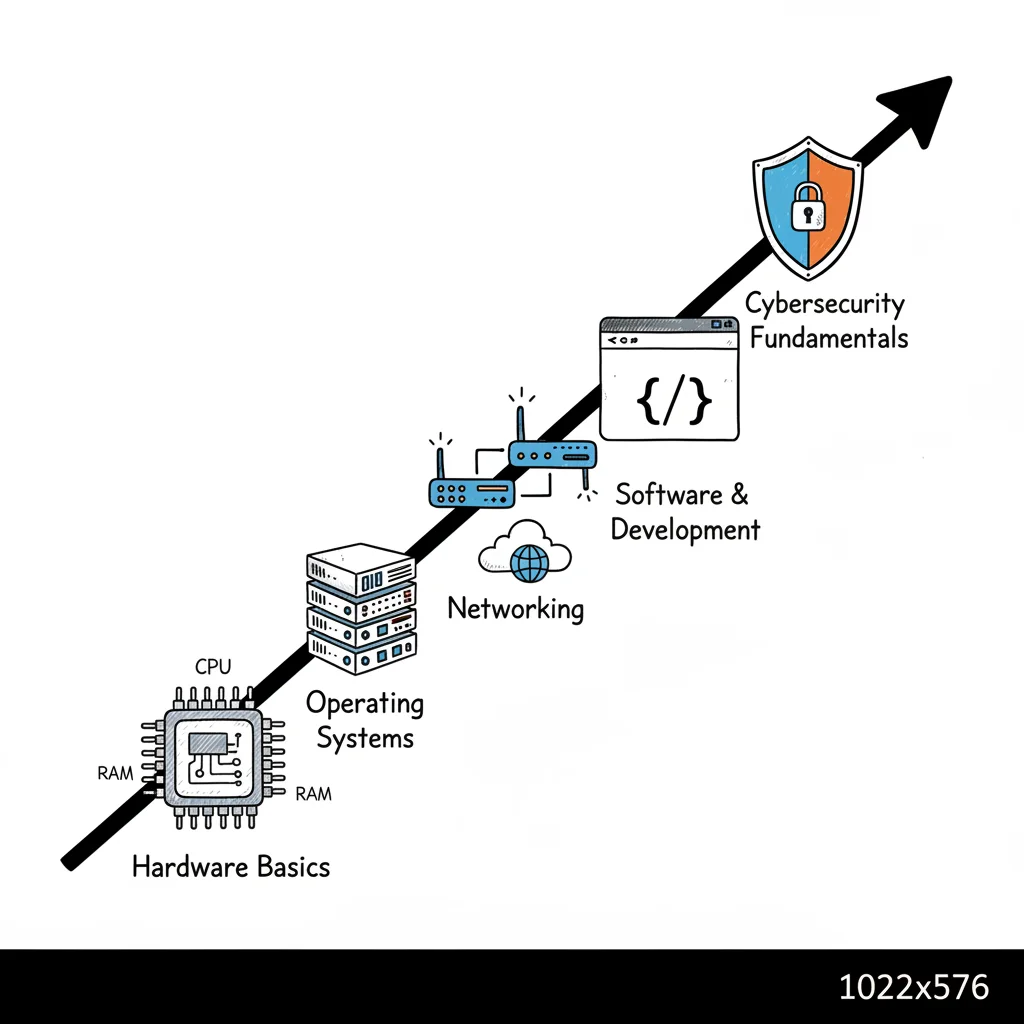
CompTIA IT Fundamentals Course Guide 2026
CompTIA IT Fundamentals Course Guide 2026
Imagine a friend suggests an IT career. You browse job boards and immediately feel overwhelmed by terms like operating systems, databases, networking, permissions, malware, scripting, and troubleshooting. It often feels like everyone else received a secret handbook you missed.
This confusion is common for newcomers.
Most beginners struggle not because technology is impossible to learn, but because they try to master advanced topics without a mental map. You might hear terms like RAM, cloud, firewall, and Linux without seeing how they fit together in real-world scenarios. Nobody takes the time to explain these connections.
A CompTIA IT Fundamentals course solves this by providing a structured starting point. Instead of forcing immediate specialization, it builds a solid base. You learn essential vocabulary, study core systems, and develop practical habits that make technology clearer.
This training serves students exploring various career paths, professionals changing fields, or those in non-technical roles who must communicate with internal IT teams. Building this knowledge ensures you can handle technical conversations with confidence and understand the basic components of modern computing.
Your First Step into the World of Information Technology
Many newcomers approach information technology with a mix of curiosity and hesitation. They might be excellent at solving problems, organizing complex tasks, or helping others, yet they often believe tech is reserved for people who have been building computers since childhood or writing code for fun. This assumption acts as a major barrier for many capable people.
Why beginners feel stuck
Most people do not need more motivation; they need a logical starting point. Beginners typically ask practical questions like:
- What should I prioritize learning first in IT?
- Is programming a prerequisite for studying core IT concepts?
- What is the actual difference between hardware, software, networking, and security?
- Which certification helps me test my interest in this field before I commit to a career change?
These are sensible questions. A CompTIA IT Fundamentals course works well because it does not force you into a narrow specialty immediately. Instead, it offers broad exposure to the primary pillars of the field. This allows you to see how each part functions and where your natural interests lie. For a wider view of how this credential fits into the industry, the MindMesh Academy certifications page provides a useful orientation point.
What this course changes for a beginner
Visualize information technology as a busy city.
- Hardware represents the physical infrastructure—the roads, buildings, and power lines.
- Software includes the activities and services taking place inside those buildings.
- Networking is the system of streets and bridges connecting everything.
- Security involves the locks, cameras, and laws that keep the city safe.
- Databases act as the records office, filing systems, and archives.
- Troubleshooting is what happens when traffic stops, a door jams, or the lights go out.
Without a map, every technical term sounds like noise. With it, the field becomes organized and manageable.
Tip: Your first goal is not expertise. It is orientation. You need a mental map of how these systems interact.
The ITF+ course is a guided ramp into the industry. You learn how computers work, how users interact with systems, how devices talk to each other, and how professionals fix things when they break. For many, real confidence comes from clarity rather than instant mastery. This course provides the framework you need to decide if an IT career is the right path for you.
Understanding the CompTIA IT Fundamentals Course
When you begin studying information technology, you are immediately confronted with technical jargon. A single page of a textbook might discuss operating systems, databases, IP addresses, and malware simultaneously. Without a technical background, this experience often feels like entering a workshop where every tool is labeled but its purpose remains a mystery. The CompTIA IT Fundamentals course addresses this by providing a conceptual framework of the industry before you are asked to perform advanced tasks or build complex systems.
This course targets people who have no prior professional experience in technology. Its main objective is to provide a solid grasp of the basic concepts used in every branch of IT. You will study hardware, software, security, and basic troubleshooting techniques. Rather than focusing on one specific job role, the curriculum builds a working vocabulary. It helps you form a mental model of how different technological components connect to form a functional system.
 Figure 1: Visualizing the foundational connection between learning and the CompTIA ITF+ certification.
What the course is really for
The ITF+ certification functions as a broad trial run for a career in technology. It allows beginners to test their interest and aptitude before they commit several months to more difficult or specialized certifications.
By working through this material, you can find answers to several practical questions about your future career:
- Do you actually enjoy understanding how technology works?
- Can you grasp core IT concepts without extensive prior technical experience?
- Which specific topics within IT spark enough interest for you to pursue them further?
This exploratory aspect is highly practical. It provides a structure for the subject matter that makes later education more logical and less frustrating. Once you recognize the purpose of an operating system, the necessity of networking, and the basics of security, you can organize new information into categories. This is more effective than trying to memorize a list of facts without context.
The course is vendor-neutral, meaning the information you learn applies to almost any technical environment. You are learning the principles that govern how systems work, whether you are in a school, a corporate headquarters, or a home office. This broad knowledge helps if you eventually choose to pursue certifications from specific providers like AWS or Microsoft. While an AWS Cloud Practitioner or Azure Fundamentals exam covers proprietary tools, the underlying networking and security principles remain the same as those taught in the ITF+ curriculum.
How CompTIA has updated this beginner pathway
CompTIA regularly updates its entry-level programs to keep pace with industry changes. For example, the CompTIA IT Fundamentals Pro exam was released on July 14, 2020 (confirm current dates on the vendor site). This version includes a competency assessment that features up to 20 performance-based questions (verify current exam details on the vendor site). These questions require you to complete up to 45 specific tasks within a simulated environment. Test-takers have 120 minutes to finish the exam (verify current time limits on the vendor site). Scoring is based on a scale ranging from 200 to 2000, and you must achieve a score of at least 1450 to pass (verify current passing scores on the vendor site).
Detailed information regarding these requirements is available on the official CompTIA IT Fundamentals Pro page. According to current announcements, the ITF+ Pro course is scheduled to retire on July 31, 2026 (verify retirement dates on the vendor site). At that point, the program will transition to a new framework known as Tech+.
For a new student, these shifts in the curriculum are important. They show that foundational knowledge is not a static list of definitions. CompTIA treats these basics as the necessary base layer for all professional IT skills. This structure ensures that students are not just memorizing old data but are learning concepts that remain relevant to modern hardware and software.
To see how these concepts appear in a testing environment, you can review our CompTIA Fundamentals practice exam guide. This resource provides a look at the phrasing and logic used in the questions, helping you understand the level of detail required for the exam.
Where it fits in the certification ladder
The path through CompTIA certifications typically follows a standard progression:
| Stage | Focus |
|---|---|
| Foundational | Learn the language and logic of IT |
| Support-focused | Learn to troubleshoot and support systems |
| Specialized | Move deeper into networking, security, cloud, or other tracks |
The CompTIA ITF+ certification is the first step on this ladder. In this stage, your main goals are orientation and learning to recognize patterns in how technology functions.
This starting point is often more important than beginners realize. Many students struggle when they jump directly into advanced certifications like Security+ or Network+. The difficulty arises because they are trying to learn two things at once: the complex new topic and the basic technical vocabulary required to understand the lesson. Completing the ITF+ curriculum removes this barrier. You will already know how the major components of a computer work together and how to use a basic, systematic approach to solving problems.
At MindMesh Academy, we suggest that students treat this material as a guide rather than a list of definitions. Spaced repetition is a helpful technique for reviewing terms like packet switching or relational database over several weeks. We also recommend practicing by explaining these ideas in simple language to someone else. For example, try explaining how an application differs from an operating system or why using the same password for every account is a major security risk. This practice helps the information stick in your long-term memory and builds the communication skills you will need in a professional setting. Being able to explain technology clearly is a valuable asset in any IT role. The ITF+ course provides the clarity and confidence needed to keep moving forward in your training.
Who Is the ITF+ Certification Designed For?
Certification paths are not one-size-fits-all. The ITF+ certification provides a specific advantage for people who need a structured, low-risk entry into the technical world. This certification functions as a gateway. It allows a person to see the different parts of the technology field before they commit to a narrow specialty.
Students exploring a future in tech
High school and college students often feel pressure to pick a career path early. This course serves as a practical preview for those considering a technology career. You do not need to choose a lifelong specialty immediately. Instead, the material helps you decide if you enjoy tasks like managing systems, fixing hardware, or learning security basics. Making an informed choice now saves time and money on future education.
The curriculum addresses fundamental questions that students often overlook when they first start using computers:
- What are the primary functions of specific internal computer parts?
- How do applications differ fundamentally from the underlying operating systems?
- What is the specific thought process a support technician uses to solve a common user error?
Career changers who want a real first move
People moving from other industries often feel pressured to find the perfect technical role right away. This pressure causes many to skip the basics, leading to confusion later. A CompTIA IT Fundamentals course is a more effective first step. It helps you build technical vocabulary and gain confidence before you move toward more difficult certifications like CompTIA A+ or various entry-level cloud credentials.
This approach is helpful if your previous jobs focused on customer service, documentation, or solving problems under pressure. These are important soft skills in the IT world. This course provides the technical framework to support those existing strengths. You can test your interest in the field without the high cost of advanced training programs.
Key takeaway: If you want to enter the technology sector but do not want to pretend you already know the field, this certification offers an honest and manageable path to follow.
Non-technical professionals who work around technology
You do not need a full-time IT career to get value from this course. People in marketing, sales, or administration work with software and security policies every day. While they do not need to manage servers, they do need technical literacy to be effective.
A marketing manager who understands user permissions and data systems will make better software decisions. An operations lead who knows how devices function can better protect company assets. This knowledge allows these professionals to speak the same language as the IT department. This is like how a project manager learns the technical basics of a project without performing the work themselves.
People returning after a long break
Technology changes fast. Someone who used computers ten years ago might find current terms confusing. For these learners, the ITF+ certification acts as a reset. It does not assume you already know how modern cloud systems work. It builds a foundation from the ground up by explaining how modern networks and hardware operate.
If you are returning to the workforce, the benefit is more than just learning new facts. It is about regaining the momentum needed to work in a field that changes every day. You can prove to yourself and to employers that your technical knowledge is current and that you are ready to handle modern technology.
Deconstructing the ITF+ Syllabus and Exam Domains
A syllabus often looks like a collection of unrelated terms and acronyms. Instead of viewing the ITF+ syllabus as a dry list of requirements, see it as a map. Every domain describes a specific part of how modern technology operates. When combined, these domains explain how hardware, software, data, and security protocols work together to create a functional system.
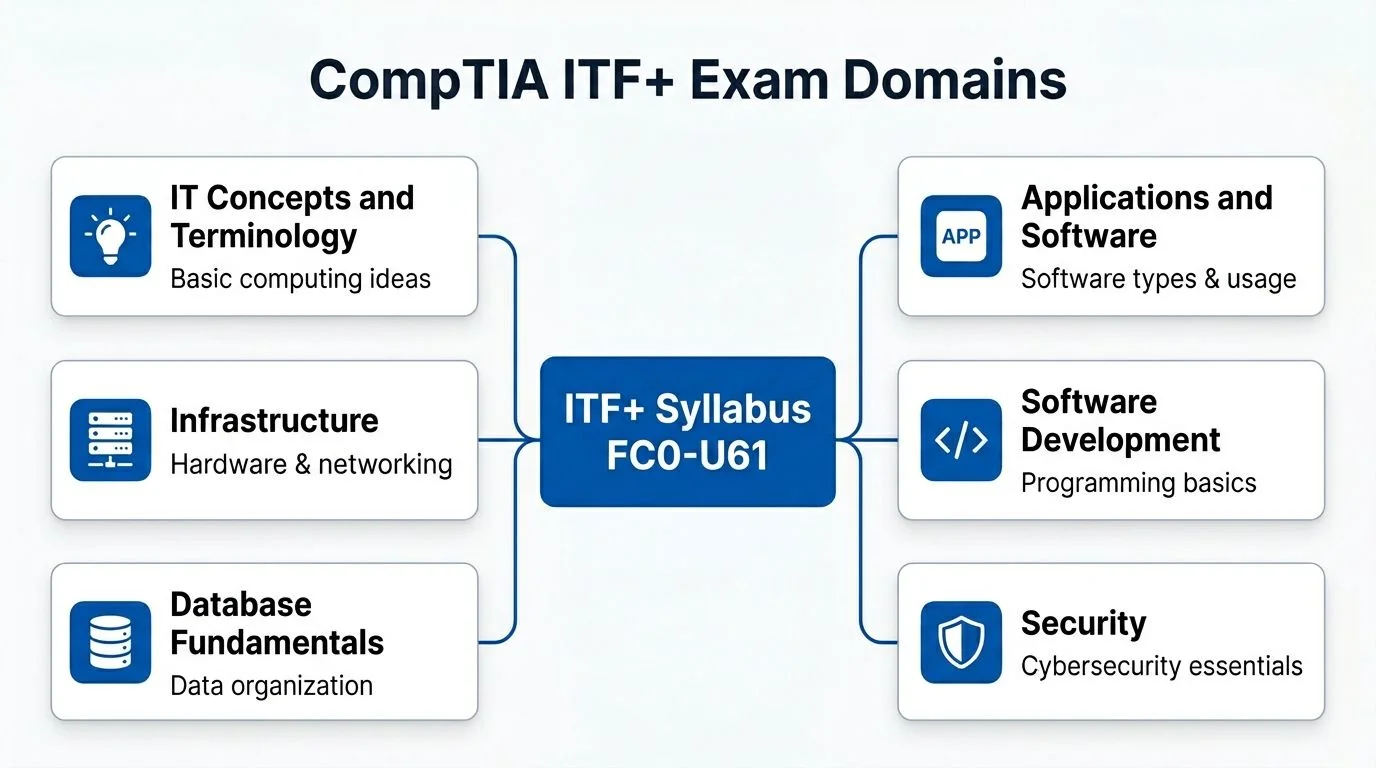 Figure 2: The interconnected domains of the CompTIA ITF+ certification, forming a broad foundation.
The domain weights at a glance
The ITF+ exam partitions its questions across several key areas. To pass with confidence, you must understand the weight each category carries. According to current exam guidelines, the course covers these core domains:
| Exam Domain | Percentage of Exam |
|---|---|
| IT concepts and terminology | 17% |
| Infrastructure | 22% |
| Applications and software | 12% |
| Software development | 12% |
| Database fundamentals | 11% |
Security is not a small footnote; it accounts for 20-22% of the total exam score. This weighting emphasizes that security must be part of every technical decision, rather than an afterthought.
Use these percentages to plan your study schedule. Spend more time on infrastructure and security, as these carry the most weight. However, do not treat these topics as if they exist in a vacuum. To remember the material more effectively, look for the links between domains. For example, if a computer feels slow, the problem might involve hardware limitations like low RAM, an operating system that needs updates, a software application consuming too many resources, or a security scan running in the background.
IT concepts and terminology
This domain introduces the basic language of the technology world. You will learn to define what data is and how computers process it. The syllabus covers fundamental computational methods, how systems receive input, and how they provide output to the user. Understanding these terms is the first step toward discussing IT issues professionally in a business environment.
While these concepts seem basic, they provide the framework for every other lesson in the course. If you do not understand the difference between a bit and a byte, or how a computer uses logic to make decisions, more advanced topics will be difficult to follow. Learning this terminology is like learning the basic verbs and nouns of a new language.
A kitchen analogy helps clarify this domain. Knowing the difference between "boiling" and "braising" is necessary to follow a recipe. In the same way, knowing IT terminology allows you to follow technical instructions and troubleshoot problems without getting lost in the jargon.
Infrastructure
The infrastructure domain covers the physical parts of a computer and the connections between them. You will study internal hardware components and how they interact to run a system. This includes the central processing unit (CPU), various types of memory, and long-term storage solutions.
If a machine struggles to run multiple programs at once, the infrastructure domain helps you understand why. You might need more RAM, or perhaps the CPU is overheating. This knowledge also applies to cloud computing. Services like AWS EC2 or Azure Virtual Machines rely on virtual versions of these same components. Understanding the physical hardware makes it easier to understand how virtual hardware functions in a data center.
Four main components define this domain:
- CPU: The primary processor that carries out instructions and handles calculations for every program on the computer.
- RAM (Random Access Memory): The short-term memory that stores data for programs currently in use. This data disappears when the power is turned off.
- Storage (Hard Drives/SSDs): The long-term memory that holds your files, photos, and the operating system even when the machine is shut down.
- Network connection: The hardware and protocols, such as Wi-Fi or Ethernet, that allow the computer to talk to other devices and the internet.
Students often confuse RAM with storage because both use gigabytes as a unit of measurement. Think of storage as a massive filing cabinet where everything is kept for years. Think of RAM as the surface of your desk. You can only work on the files that are currently on your desk. If your desk is too small, you cannot work on many things at once, regardless of how big your filing cabinet is.
Applications and software
This domain focuses on the software layers that users interact with every day. You will learn about operating systems like Windows, macOS, and Linux. The course explains how these systems manage files and how different types of software—like web browsers, office applications, and security tools—serve specific needs.
An operating system acts like a building manager. It manages the building's resources, such as electricity and water, and ensures that the tenants in different apartments do not interfere with each other. In a computer, the OS ensures that one application does not crash the entire system or steal memory from another program.
As you study this domain, your daily computer use will become more technical. You will move beyond just clicking icons. You will understand how to manage file permissions, how to install software correctly, and what to do when a program stops responding. You begin to see the logic behind the interface.
Software development
You do not need to be a programmer to understand this domain. The syllabus introduces the logic that allows software to function. You will learn how developers structure instructions and why computers require absolute precision to execute a task.
This knowledge is helpful for almost any IT role. Even if you are a system administrator, you might use PowerShell scripts to automate a task. If you work with cloud platforms like AWS, you might see Python code used to manage servers. Understanding basic programming logic helps you communicate with developers and troubleshoot errors in the software you manage.
For most beginners, this domain removes the mystery from coding. Instead of seeing code as a complex secret language, you will see it as a series of logical steps, much like a very detailed set of assembly instructions for furniture.
Database fundamentals
Databases are more structured and powerful than standard spreadsheets. This domain explains how businesses store, sort, and search through massive amounts of information. Databases are the foundation for customer management systems, inventory tracking, and financial records.
Any job involving data analysis or cloud architecture requires a basic understanding of how data is stored. For instance, when using AWS RDS or Azure Cosmos DB, you are working with database technology. You need to know how these systems keep data organized so that it can be retrieved instantly when a user makes a request.
When studying this domain, focus on three goals:
- Identify the different types of data a business might store.
- Understand how to organize that data into tables to make it easy to search.
- Learn how an application sends a request to a database to change or view information.
Security
Security is not just a single topic; it is a way of thinking that applies to every part of IT. CompTIA places a heavy emphasis on this domain because one security mistake can ruin an entire business. You will learn about protecting user accounts, securing wireless networks, and identifying common threats like phishing.
As you study, ask yourself how each technical topic relates to safety. When you learn about storage, ask how you would back up that data to prevent loss. When you learn about networks, ask how you would stop an unauthorized person from joining that network. Understanding the Confidentiality, Integrity, and Availability (CIA) triad will help you see why certain security rules exist.
This practical approach prepares you for real-world entry-level jobs. Help desk technicians spend a lot of time resetting passwords and dealing with suspicious emails. The knowledge you gain here serves as a bridge to more advanced certifications like CompTIA Security+ or specialized cloud security roles.
Reflection Prompt: Choose one hardware device, like a webcam or a printer. What is one security risk associated with that device, and how would you describe that risk to someone who does not work in IT?
Study this syllabus in stages. Learn the individual parts first, then look for examples where they overlap. For example, think about how a web browser (Application) uses the network card (Infrastructure) to send a password (Security) to a server to check a user's account in a list (Database). MindMesh Academy uses techniques like active recall to help you connect these dots. The goal is to understand how these pieces fit together to solve real problems.
Your Four-Week ITF+ Study Roadmap and Sample Lesson
A clear study plan works better for a beginner than an overstrained schedule. The goal is to build a steady routine that keeps the material fresh through repetition. You want to avoid a situation where you learn a concept on Monday but forget it by Friday. By following a structured timeline, you can distribute the workload and give your brain time to process technical details.
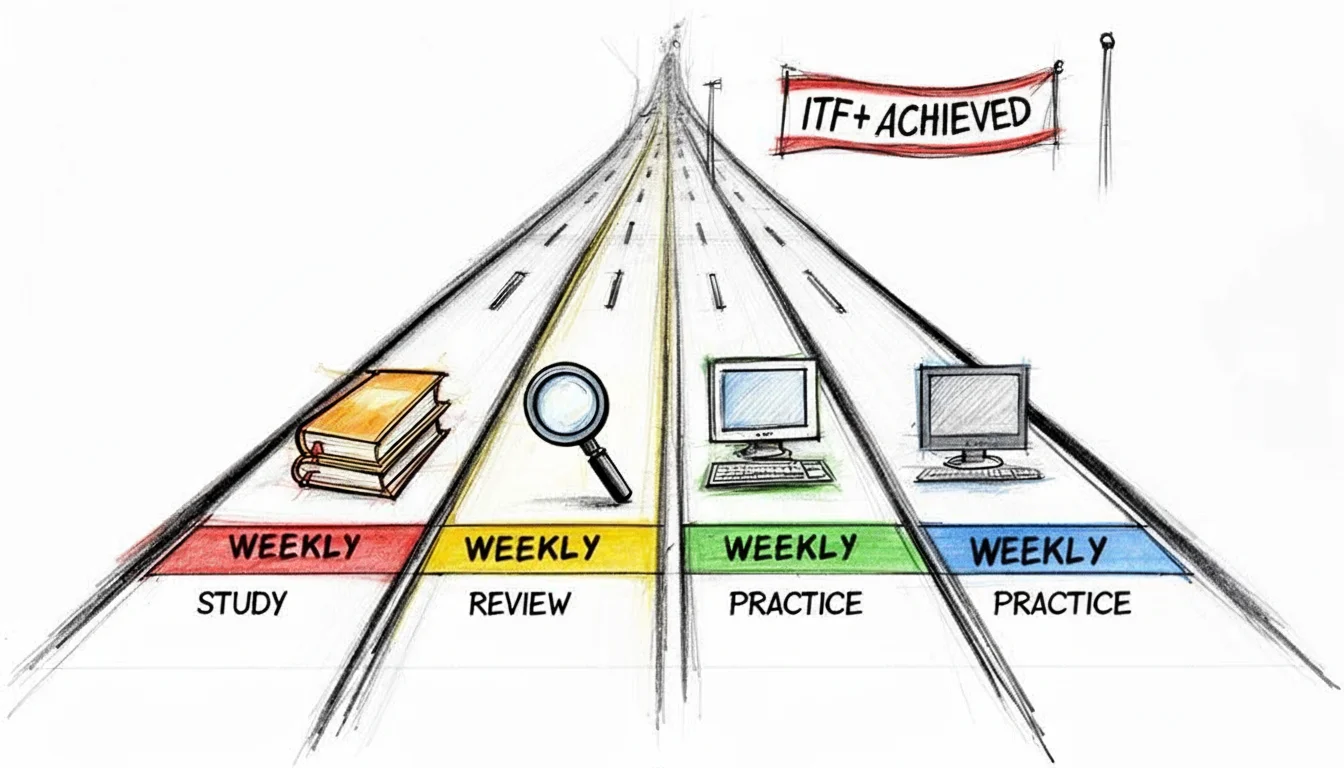 Figure 3: A structured four-week study roadmap for mastering the CompTIA ITF+ certification.
A simple four-week plan
| Week | Focus |
|---|---|
| Week 1 | IT concepts, terminology, and infrastructure basics |
| Week 2 | Applications, software, and operating system basics |
| Week 3 | Software development concepts, databases, and security |
| Week 4 | Comprehensive review, mixed practice, and troubleshooting drills |
This schedule follows a logical progression. You start with the basic language of IT, which is the foundation for everything else. Once you understand the terminology, you move on to how software operates. The third week covers more abstract logic and data management. Finally, the fourth week focuses on applying everything you have learned through active recall and troubleshooting practice.
How to use each week well
Avoid the urge to finish a topic in a single long sitting. Instead, use a cycle of learning that emphasizes active engagement with the material:
- Learn the core idea: Engage with the topic through a lesson, guided reading, or an instructional video.
- Rewrite it in your own words: Summarize what you just learned. If you cannot explain it simply, you do not understand it yet.
- Illustrate with an everyday example: Relate the concept to a tangible scenario from daily life to make it stick.
- Quiz yourself later: Test your memory without looking at your notes, ideally after a break of a few hours.
- Review weak spots: Spend extra time on challenging areas before you move on to new material.
For example, if you study RAM and storage on Monday, explain the differences out loud on Tuesday. Then, answer a few practice questions about memory on Wednesday. This short, iterative cycle is more effective than one long, passive cram session at the end of the week.
A sample mini-lesson on troubleshooting
The CompTIA IT Fundamentals course teaches the 8-step troubleshooting methodology, which is a systematic way to resolve technical issues. Using a method ensures you approach a problem logically rather than guessing.
Let's apply this to a common scenario: a user has a printer that will not work.
Without a structure, a beginner might feel overwhelmed and start changing random settings. A professional approach transforms the situation into a guided investigation.
The printer example
- Identify the problem: Start by gathering information from the user. Ask what they were doing when the failure occurred. Look for error codes, blinking lights, or on-screen messages that indicate a specific fault.
- Establish a theory of probable cause: List the most likely reasons for the failure. Is the printer unplugged? Is it out of paper? Is the printer driver corrupted? Always start with the simplest possibilities first.
- Test the theory: Check the power cord and the paper tray. If those are fine, try printing a test page from the printer console. If your first theory is wrong, move to the next most likely cause on your list.
- Establish a plan of action: Once you find the cause, decide how to fix it safely. If there is a paper jam, your plan is to open the machine and clear the path. If the driver is wrong, you will need to download the correct software.
- Implement the solution: Follow through with your plan to fix the problem. If you are clearing a jam, be careful not to damage the internal rollers. If you are updating software, follow the installation prompts carefully.
- Verify full system functionality: Confirm the printer works by printing a document from the user's computer. Ensure the user is satisfied and that your fix did not cause a new problem elsewhere in the system.
- Document findings and actions: Record the problem and how you fixed it in a logbook or digital ticket. This helps you or other technicians if the same issue happens again in the future.
Adopting this methodical mindset is a vital step in your training. You shift from guessing to systematic investigation. This is a fundamental trait of any IT professional, whether they are fixing a local printer or investigating a failing AWS Lambda function.
Tip: When a device fails, do not ask, "What should I click?" Instead, ask, "What are the symptoms? What might have changed recently? What is the most probable cause, and how can I test it?"
Thinking like an IT professional means following a process every time a technical problem arises.
What to do when you fall behind
Missing a study session is not a sign of failure. Most learners will miss a day or two during a month-long plan because of work or family commitments.
If you find yourself falling behind:
- Cut the scope, not the habit: Instead of trying to cover five topics in one night, focus on just one. Maintaining the habit of daily study is more important than covering everything poorly.
- Review before adding new material: Do not try to learn new concepts if you are still confused about the previous ones. Layering new information on a weak foundation leads to frustration.
- Use mixed recall: Periodically quiz yourself on questions from earlier weeks to keep the entire knowledge base active in your mind. This prevents you from forgetting the basics while learning advanced topics.
- Maintain a mistake list: Keep a record of terms or concepts that always trip you up. Review this list specifically during your study sessions until those concepts become second nature.
A four-week roadmap is not about speed. It is about maintaining a steady pace until the material becomes familiar and you feel ready to take the exam. If you need an extra week to feel comfortable with the objectives, take it. The goal is to pass with confidence.
Mastering ITF+ with MindMesh Academy's Learning Tools
Preparing for the IT Fundamentals (ITF+) exam is similar to learning the controls of a car before your first solo drive. Reading the owner's manual provides necessary context, but the real test is whether you can identify a signal and respond correctly without hesitation.
The ITF+ exam requires this level of familiarity. You need more than a passing acquaintance with technical terms. Success requires sharp recall under the pressure of a timer, clear pattern recognition, and enough exposure to common technical scenarios that each question feels manageable. If a question about internal components surprises you, you likely need more practice. This focus on practical application ensures that your study sessions prepare you for workplace challenges while also readying you for the test.
Two examples of the kind of thinking you need
Look at these two examples to see how you should approach technical questions on the exam:
Question 1 A workstation slows down significantly when a user opens ten browser tabs and a high-resolution video editing suite at the same time. Which internal hardware component is most directly responsible for providing the short-term working space needed for these active applications?
If you have a firm handle on the IT infrastructure domain, you will select RAM without second-guessing yourself.
Question 2 An office worker receives an email that looks like an official company alert. The message asks them to click a link and verify their network credentials on an external website. Which broad topic area does this incident most directly relate to?
With basic security awareness, you should identify this as phishing immediately.
These questions are basic by design. They show that ITF+ isn't about rote memorization of a dictionary. It tests your ability to link a real-world situation to a technical concept. This mirrors actual entry-level IT work, where problems do not arrive with labels attached. This emphasis on practical connection is also why a quality course prepares you for what comes after the exam, rather than focusing solely on the test itself.
 Figure 4: A MindMesh Academy dashboard illustrating progress tracking for the ITF+ certification.
How spaced repetition helps
Many students default to rereading their notes over and over. This is often an ineffective study habit for beginners. Passive reading feels productive because the information starts to look familiar, but familiarity is not the same as mastery.
Spaced repetition uses a more disciplined rhythm. You review a concept, put it away, and then test yourself on it just as the details begin to fade. The mental effort required to pull the answer from your memory strengthens that neural connection. It is a more active process than scanning a page with a highlighter.
For the ITF+ syllabus, this method is particularly effective for mastering topics such as:
- Hardware terminology and functions
- Categorization of software types
- Essential security vocabulary and concepts
- Fundamental database concepts (e.g., tables, fields)
- The steps within troubleshooting methodologies
If you study with MindMesh Academy, this approach is a central feature. Our platform uses evidence-based review principles rather than long, inefficient reading sessions. You will spend more time actively retrieving ideas from memory. This mimics the mental work you must do during the actual exam, making the test center environment feel less stressful.
Why adaptive study paths matter
Every learner starts their IT education with a different set of strengths. You might already know how to swap a hard drive but find the logic of relational databases completely foreign. Or perhaps you understand cloud software but struggle with the specific vocabulary used in security protocols.
A rigid, one-size-fits-all study plan fails to account for these individual differences. An adaptive study path, however, changes based on your performance. This personalized approach makes managing a broad certification much more efficient. Instead of allocating equal time to every topic every day, adaptive tools increase practice in areas where your recall is shaky. They also reduce unnecessary repetition in areas where your understanding is already strong.
Tracking progress without guessing
Confidence grows faster when you have objective data to track your improvement. You shouldn't have to guess if you are ready to sit for the exam.
A progress dashboard transforms vague feelings of readiness into clear signals. You can quickly identify which domains are strong, such as infrastructure or security, and which types of questions consistently cause errors. This is more practical than simply saying, "I studied for two hours today."
This data supports a study loop that helps beginners succeed: learn the concept, practice active recall, review weak areas, and then repeat the process. To move on to more advanced roles after ITF+, you can see how this foundation works in our CompTIA A+ Core 1 study guide. The A+ exam requires the same disciplined approach to learning, just with more technical depth.
Key takeaway: The most effective study tools help you master the right material at the right time and clearly highlight where you need to improve before test day.
Structured learning tools provide a clear advantage for the ITF+ exam. They help you bridge the gap between reading a concept and being able to explain, recognize, and apply it with confidence.
Beyond the Exam: Career Paths and Your Next Steps
This section is often overlooked. Most guides explain the syllabus then tell you to start studying. A pragmatic learner wants to see the results. What happens after the exam? What career benefits does this certification offer? The honest answer is practical: ITF+ builds a clearer understanding of the industry and helps you enter support-oriented roles. However, it is rarely a final career destination. Use it as a springboard.
What roles connect most naturally to this foundation
This certification aligns with entry-level IT support environments. Common examples include roles such as help desk technician, technical support specialist, or service desk analyst. These positions require the same skills you practice in ITF+: identifying technical symptoms, understanding hardware and software basics, following standard processes, and assisting users with problems.
The job market signal for ITF+ alone is not always distinct. Research indicates a data gap regarding job roles explicitly requiring only ITF+ certification. For career changers, this clarity is vital. Instructors often view ITF+ as a primer before you pursue CompTIA A+ (220-1201 and 220-1202), which is more frequently a hard requirement for entry-level support positions.
Why that honesty helps you plan better
This perspective should not discourage you. Instead, use it to sharpen your career plan. If you are entirely new to technology, ITF+ helps you:
- Confirm interest: Determine your genuine interest in IT before you invest a lot of money or time in advanced material.
- Build vocabulary: Develop a technical vocabulary that makes studying for A+, Network+, or specialized cloud certifications easier.
- Practice troubleshooting: Work through troubleshooting methodologies in a structured environment.
- Understand roles: Get a sense of how real-world IT support work feels before you commit to a long-term path.
If you want stronger job-market alignment, plan to pursue the CompTIA A+ certification rather than stopping at ITF+. Our CompTIA A+ Core 1 study guide shows the material learners usually pursue after mastering the fundamentals.
A realistic next-step sequence
A clear progression often follows this structure:
| Stage | Practical Purpose |
|---|---|
| ITF+ | Learn the field, build foundational confidence |
| A+ | Prepare for direct entry-level support roles |
| Network+ or Security+ | Specialize toward networking or cybersecurity interests |
If you are still deciding if an IT career fits your goals, the first step with ITF+ is valuable. It provides the information you need to make decisions with clarity and less stress. This informed confidence is exactly what most beginners need to start.
Frequently Asked Questions about the CompTIA ITF+ Course
Is the CompTIA ITF+ certification still worth it in 2026?
The certification remains useful for those wanting a clear, organized introduction to technology. It serves as a tool for building confidence. Many people find the technical requirements of professional exams intimidating, so starting here provides a manageable entry point. If your goal is to find a help desk job immediately, view this as a helpful step. It prepares you for the more rigorous requirements of the A+ exam.
What is the difference between ITF+ and A+?
The primary difference lies in depth and practical application. ITF+ covers a wide range of topics, including basic software development and database use, to give you a broad overview. CompTIA A+ is more specialized. It focuses on the specific tasks performed by support technicians, such as hardware repair, networking, and security. The A+ requires passing two separate exams: Core 1 (220-1201) and Core 2 (220-1202).
Do I need prior experience before taking the course?
You do not need a background in computers or math. This course starts with the most basic elements. It explains how systems function from the ground up, making it accessible to career changers. This beginner-friendly design is why many people choose it as their first step into the tech field.
Is the exam heavily technical?
The exam is not overly technical compared to professional certifications. It focuses on literacy rather than deep implementation. You need to know what a router does, but you won’t be asked to configure settings via a command-line interface. The questions check for understanding of terminology and the ability to distinguish between types of software and hardware.
Can I get an IT job with only the ITF+ certification?
Finding a dedicated technical support job with only this credential is difficult. Most hiring managers look for the CompTIA A+ as the baseline requirement for entry-level work. This certification helps you decide if you want to pursue a career in technology before you commit to more expensive training.
What should I study first?
Focus on hardware first. Learn to identify internal components like RAM and CPUs. Once you understand the physical machine, move to software functions. Understanding how hardware and software interact allows you to grasp troubleshooting logic. This sequence builds a framework that makes complex networking and security topics easier to manage.
If you want a clear path to your next technical credential, MindMesh Academy provides preparation resources. These tools focus on mastering core concepts through course offerings for the CompTIA Exams, amongst others, and using active recall to ensure you are well-prepared for exam day.

Written by
Alvin Varughese
Founder, MindMesh Academy
Alvin Varughese is the founder of MindMesh Academy and an enterprise architecture leader. An electrical engineer by training, he moved from factory automation in South Africa to cloud architecture at GE Appliances and Humana (Fortune 50), and holds 20 professional certifications including AWS Solutions Architect Professional, Azure DevOps Engineer Expert, and Microsoft Agentic AI Business Solutions Architect. He built MindMesh Academy after interviewing too many highly certified candidates who couldn't answer basic questions: the goal is prep that makes you better at the job, not just able to pass the exam.