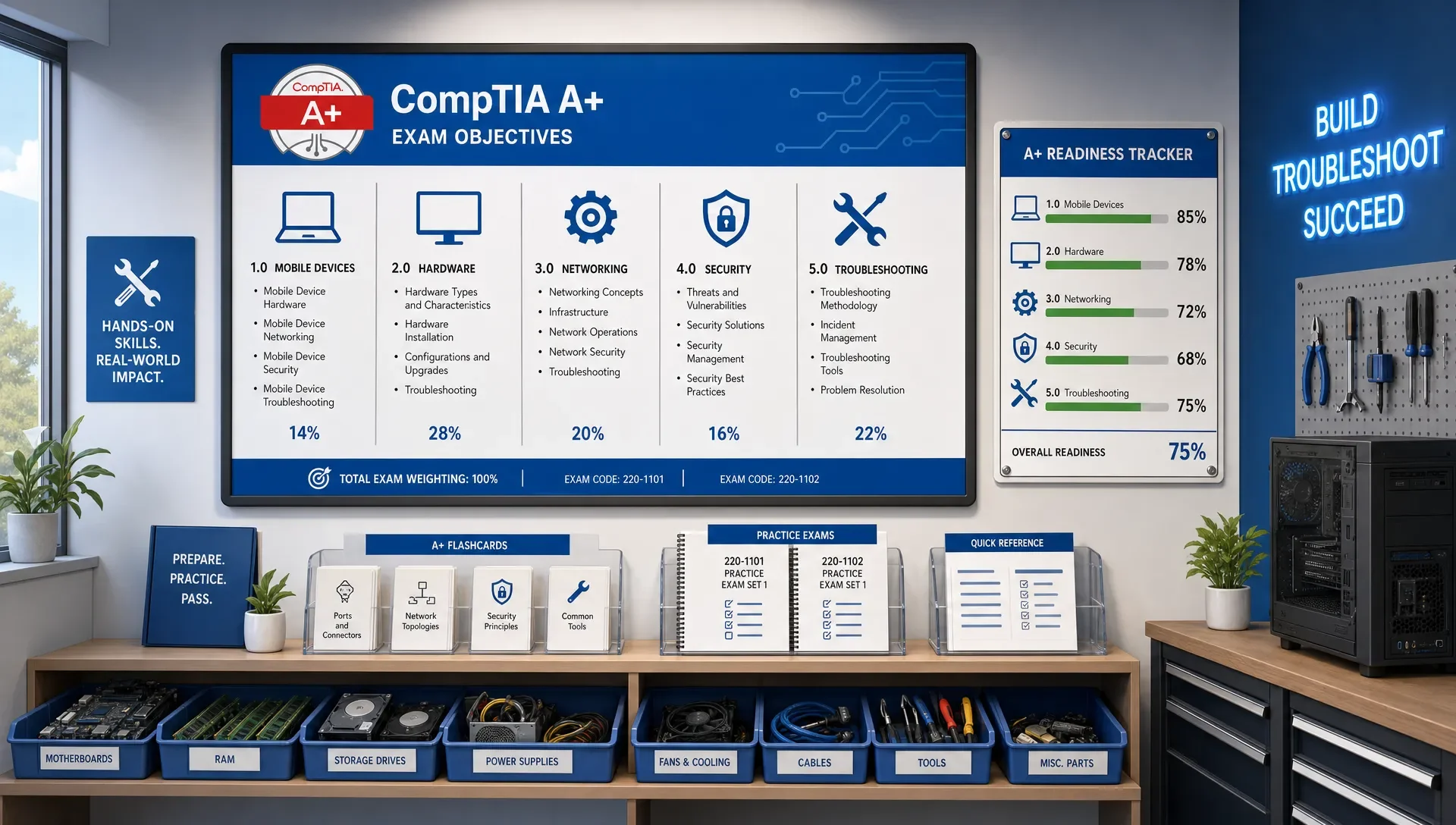
CompTIA A+ Exam Objectives You Need to Master
CompTIA A+ Exam Objectives You Need to Master
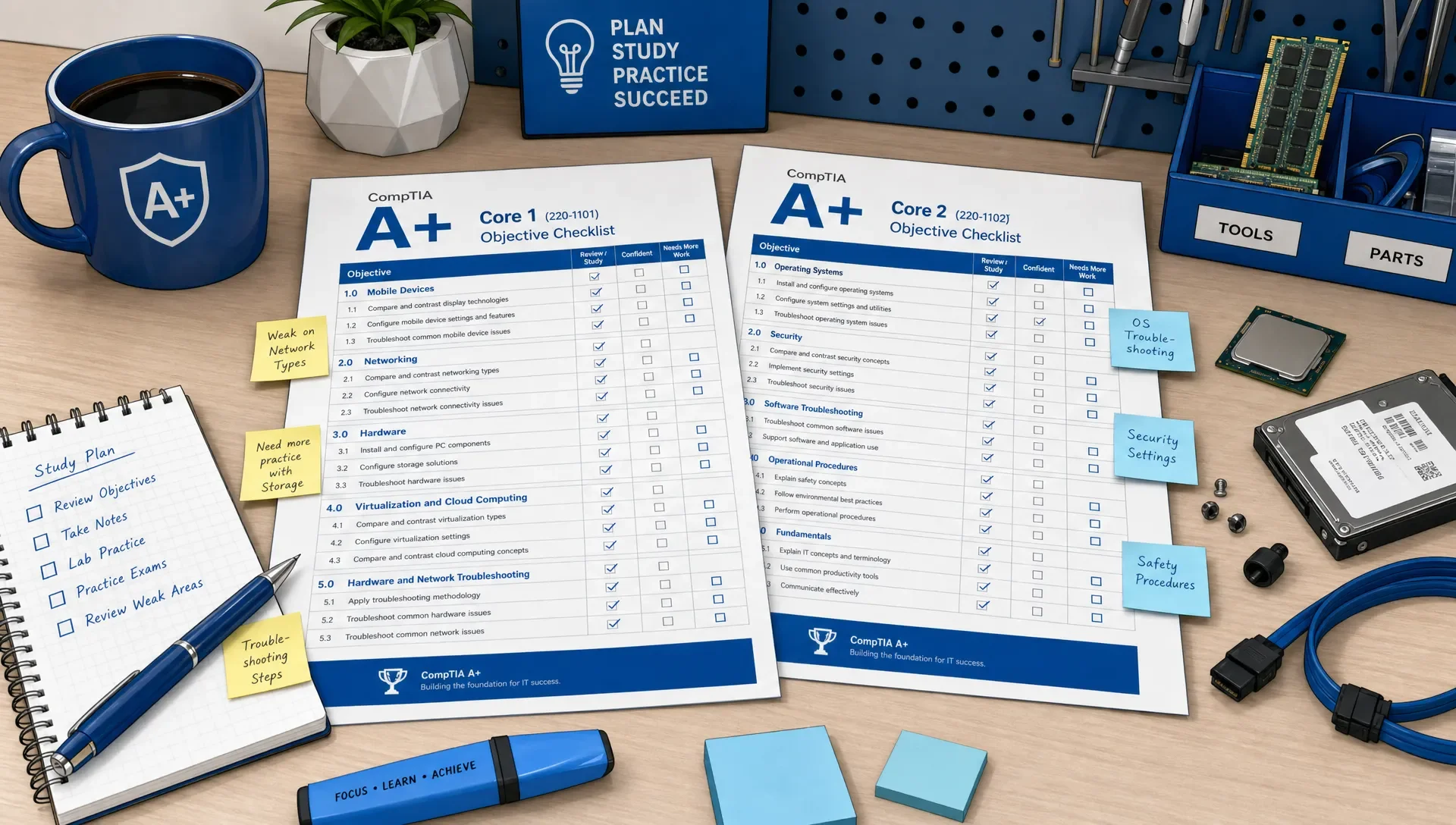
Preparing for CompTIA A+? Don't start with a random stack of notes. Start with the official exam objectives. Before your next study session, download the current objectives. Split them into Core 1 and Core 2. Then, mark each bullet green, yellow, or red, based on whether you can explain it and apply it in a support scenario.
The CompTIA A+ certification exam objectives aren't just a vocabulary list. When an objective asks you to troubleshoot, it demands judgment: read the symptom, identify the likely cause, choose a safe next step, and verify the fix. This guide breaks down the objective areas you'll need to master and shows you how to build a practical study plan from them.
How to Use the Official CompTIA A+ Exam Objectives
CompTIA updates its exams periodically. Always check the current exam codes, domains, and format on CompTIA's official A+ certification page before you build your study plan. The structure matters: you earn the A+ certification by passing two separate exams, usually called Core 1 and Core 2.
Core 1 focuses on the physical and connected aspects of IT support: mobile devices, networking, hardware, virtualization, cloud concepts, and troubleshooting. Core 2 shifts to operating systems, security, software troubleshooting, and professional support procedures.
| Exam | Objective areas to master | What mastery looks like |
|---|---|---|
| Core 1 | Mobile devices, networking, hardware, virtualization and cloud, hardware and network troubleshooting | You can identify components, configure basic connectivity, choose compatible hardware, and diagnose common device or network failures. |
| Core 2 | Operating systems, security, software troubleshooting and operational procedures | You can support users safely, manage OS tools, apply security controls, troubleshoot software symptoms, and follow proper support processes. |
Using an objective-based study plan helps in three key ways. First, it prevents you from over-studying topics you already know well. Second, it highlights weak areas you might otherwise avoid, like printers, command-line tools, or operational procedures. Third, it directly connects your practice questions to the exact skills CompTIA will test.
If you prefer a more structured path through these objectives, a CompTIA A+ study guide organized for certification prep can help. It integrates topics with explanations, flashcards, and progress tracking, saving you from juggling multiple sets of notes.
Core 1 Objectives to Master for Hardware, Networking, and Troubleshooting
Core 1 often surprises candidates. Many recognize hardware terms, but they struggle when questions present symptoms instead of just asking for definitions. For Core 1, you don't just need to identify components; you need to understand what each does, when it fails, how it connects, and what to check first.
| Core 1 objective area | Don't stop at | Prove mastery by being able to |
|---|---|---|
| Mobile devices | Laptop part names and mobile connection types | Identify replaceable laptop components, choose the right wireless method, and support basic tablet or phone connectivity. |
| Networking | Port numbers and acronyms | Explain what common services do, apply IP addressing basics, choose network tools, and troubleshoot small office connectivity. |
| Hardware | CPU, RAM, storage, and motherboard definitions | Match parts for compatibility, recognize failure symptoms, select storage or memory upgrades, and support printers. |
| Virtualization and cloud computing | Basic cloud service labels | Explain local virtualization requirements, client-side virtualization settings, and common cloud use cases. |
| Hardware and network troubleshooting | Memorized troubleshooting steps | Move from symptom to likely cause, choose the next diagnostic action, and verify the result without creating more risk. |
Networking deserves specific attention. A+ doesn't expect deep network engineering, but it does require genuine help desk fluency. You should understand the differences between DHCP and DNS, why an APIPA address might appear, when to suspect a faulty cable, and how common ports support everyday services. While memorizing a port table is helpful, it's not enough if you can't use those ports in a scenario.
Hardware troubleshooting also becomes simpler when you study by symptoms. A failing power supply, a loose RAM module, an overheating CPU, a full storage device, or a damaged printer roller can each lead to distinct support paths. Practice by asking yourself: what changed? What does the user see? What can I test quickly? And what would be unsafe to do next?
Core 2 Objectives to Master for Operating Systems, Security, and Support Process
Core 2 might feel more familiar if you've used Windows or helped friends with basic computer issues. But that familiarity can be dangerous. The exam doesn't just ask if you've seen a setting before. It asks whether you can choose the right tool, apply a secure configuration, respond to malware, and follow a support process that protects both the user and the organization.
| Core 2 objective area | High-value skills | Common weak spot |
|---|---|---|
| Operating systems | Installation, upgrades, command-line tools, administrative tools, file systems, and basic OS support | Mixing up tools that sound similar, such as system utilities, control panels, and command-line commands. |
| Security | Malware response, permissions, authentication, physical security, wireless security, and mobile device protection | Memorizing security terms without knowing which control fits the scenario. |
| Software troubleshooting | Boot issues, performance problems, application errors, mobile sync issues, and OS symptoms | Jumping straight to reinstalling instead of isolating the cause. |
| Operational procedures | Safety, documentation, change management, privacy, professionalism, and communication | Treating the domain as common sense and skipping it until the final week. |
Operational procedures aren't filler. A support technician who fixes a technical issue but mishandles private data, skips documentation, or ignores safety can still make the wrong exam choice. Study this domain with realistic workplace judgment: get authorization, document changes, protect data, communicate clearly, and follow escalation paths.
Security also demands more than just acronym review. You should know what to do when a user reports suspicious pop-ups, why least privilege matters, how multi-factor authentication changes account risk, and when physical security controls are important. A+ security questions often reward the safest practical action, not the most dramatic technical fix.
How to Prioritize the Objectives When Study Time Is Limited
Not every objective bullet demands the same study time. Use the verbs in the objectives themselves to decide how much effort each topic needs. If an objective says identify, you need accurate recall. If it says configure, install, compare, or troubleshoot, you need applied practice.
| Priority | Objective wording to watch for | How to study it |
|---|---|---|
| Highest | Troubleshoot or given a scenario | Practice symptom-based questions, explain the likely cause, and choose the safest next step. |
| High | Install, configure, or implement | Learn the sequence of steps, required settings, and common mistakes. |
| Medium | Compare and contrast | Build decision tables that show when one option fits better than another. |
| Medium | Explain or summarize | Write short explanations in your own words and connect terms to examples. |
| Lower | Identify | Use flashcards and quick recall drills; move on once accuracy is stable. |
This approach stops you from spending days memorizing terms you already know while neglecting critical troubleshooting skills. It also helps you make better use of practice exams. If you miss a troubleshooting question, the solution isn't just rereading the definition; you need more scenario practice in that specific objective area.
A practical rule is to study from problem to concept, not just from concept to problem. For example, instead of reading about printers in isolation, work through common symptoms: faded print, streaks, paper jams, ghosting, no connectivity, or jobs stuck in the queue. Then, connect each symptom to its components, settings, and safe actions.
How Practice Questions Should Map to Each Objective
Practice questions should reveal which objectives you can actually apply under exam conditions. A simple score is too blunt. You need to know if missed questions stem from networking concepts, command-line tools, printer troubleshooting, security decisions, or operational procedures.
A CompTIA A+ practice exam that maps to objective coverage is most useful when you review every missed question by objective, not just by looking up the correct answer. After each session, note the topic, why your answer was tempting, why the correct answer is superior, and what you'll drill next.
| Practice format | Best objective match | What to review after answering |
|---|---|---|
| Scenario-based multiple choice | Troubleshooting, security, OS support, and operational procedures | The symptom, the safest next step, and why the other answers are weaker. |
| Performance-based style questions | Configuration, matching, ordering steps, and applied troubleshooting | The workflow, dependencies, and whether you understood the task or just guessed. |
| Quick recall questions | Ports, command-line tools, hardware parts, and OS utilities | Whether you know the term fast enough to use it in a larger scenario. |
| Mixed timed sets | Final readiness across Core 1 or Core 2 | Domain patterns, pacing, careless errors, and repeated weak objectives. |
If your review process stops at "correct" or "incorrect," you're missing out on significant learning. The smarter move is to use practice questions as diagnostics. MindMesh Academy offers a deeper breakdown of how A+ practice questions can reveal real weaknesses, especially when two topics seem similar but require different support decisions.
Common CompTIA A+ Objective Gaps That Hurt Exam Readiness
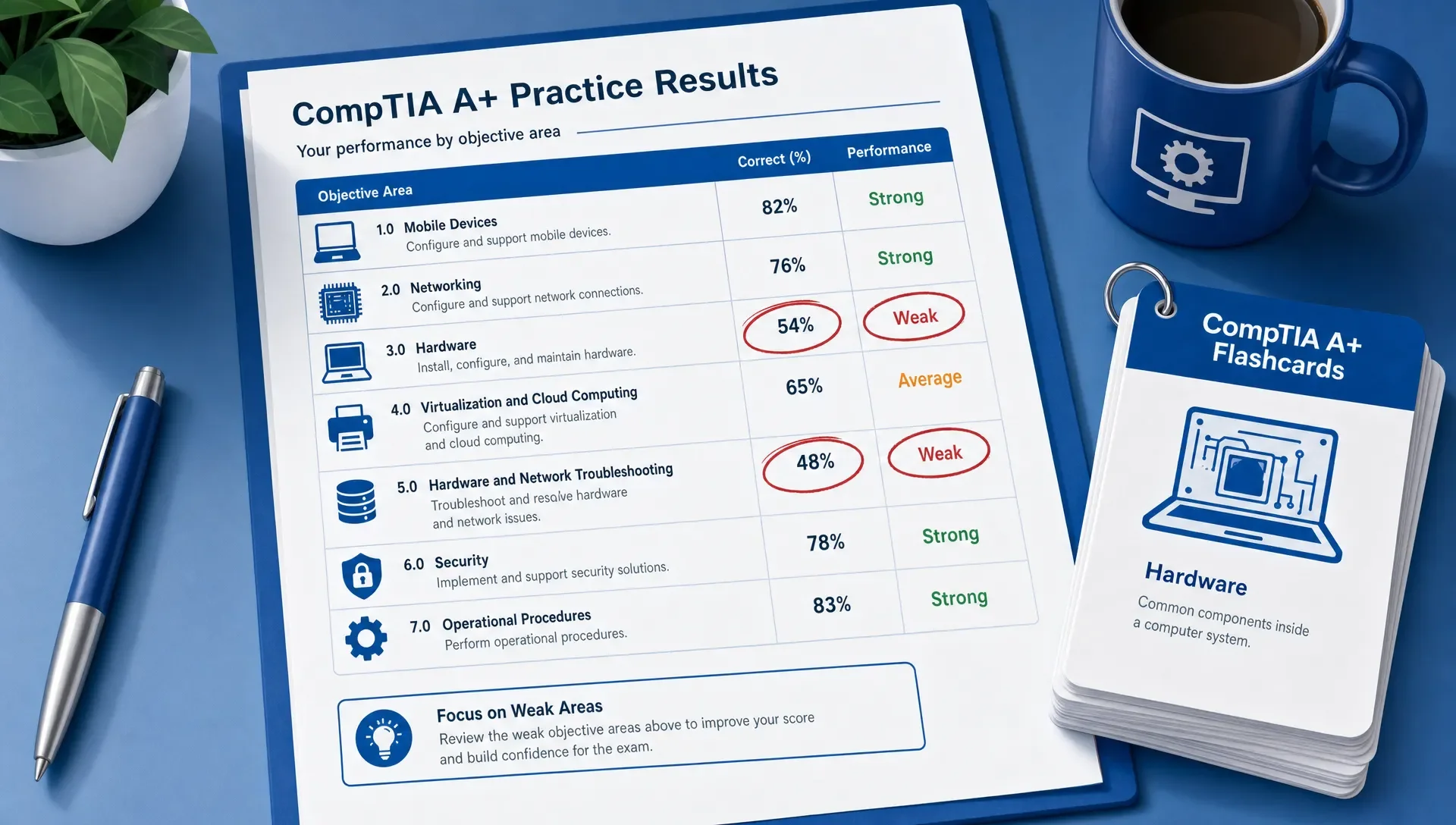
Most A+ candidates don't fail because they know nothing. They usually fail because their knowledge is uneven. For example, they might feel confident in PC hardware but struggle with operational procedures, or know Windows tools but freeze when a networking scenario asks what to check first.
| Objective gap | Why it causes trouble | How to fix it |
|---|---|---|
| Ports without service context | You can recognize numbers but can't apply them in a scenario. | Pair each common port with its service, use case, and failure symptom. |
| Network tools without diagnosis | You know tool names but not when to use them. | Practice choosing tools based on symptoms, such as no connectivity, name resolution failure, or packet loss. |
| Printer troubleshooting confusion | Printer symptoms can sound similar under pressure. | Group symptoms by subsystem: paper path, imaging, toner or ink, connectivity, and queue management. |
| OS utilities mixed together | Many tools seem to overlap. | Create a short table for each tool, listing its purpose, when to open it, and what it cannot do. |
| Security controls memorized in isolation | You know acronyms but miss the safest action. | Study controls by risk: unauthorized access, malware, social engineering, lost devices, and insecure wireless. |
| Operational procedures skipped | The answers feel subjective if you haven't studied the domain. | Practice support-process questions, focusing on safety, privacy, escalation, and documentation. |
When you find one of these gaps, don't restart your entire study plan. Instead, tag the objective, review the concept, answer a small set of targeted questions, then return to mixed practice. This cycle is far more efficient than rereading an entire chapter every time you miss a question.
How to Know You've Mastered the CompTIA A+ Objectives
Readiness isn't about achieving one good practice score. It's about consistently demonstrating you can handle the objectives across different question styles. You should be able to explain why the correct answer works and why the wrong answers don't. If you only recognize questions you've seen before, you're not truly prepared yet.
Use these readiness signals before scheduling either exam:
- You have no "red" objectives left on your official objective list.
- You can explain missed questions without looking at the explanation first.
- Your weak areas are specific (e.g., mobile security settings or printer imaging issues), not broad (e.g., all networking).
- Your timed practice results are stable, and your errors come from fixable gaps rather than guesswork.
- You can answer mixed Core 1 or Core 2 questions without needing the topic label first.
Interpreting practice scores correctly is crucial, because a high score on a narrow quiz can hide major gaps. If you're using full-length practice tests, compare your domain performance over several attempts. MindMesh Academy's guide to A+ practice test scores and what they mean can help you determine if your results show genuine readiness or just short-term recall.
A Weekly Workflow for Mastering the A+ Objectives
A strong weekly routine should combine learning, recall, scenario practice, and review. Don't wait until you've finished all content before attempting practice questions. Early practice reveals weak objectives while you still have plenty of time to address them.
| Study block | What to do | Output |
|---|---|---|
| Objective sweep | Pick one Core 1 or Core 2 domain and mark each bullet green, yellow, or red. | A short list of targets for the week. |
| Focused learning | Study one yellow or red objective using notes, examples, and explanations. | A plain-English summary you could teach to someone else. |
| Flashcard review | Drill definitions, ports, commands, tools, and decision points. | Faster recall for details that support scenarios. |
| Scenario practice | Answer questions mapped to the same objective area. | A mistake log with cause and next action. |
| Mixed review | Take a timed set across several domains. | Evidence that you can switch topics like you will on exam day. |
Keep your workflow connected. If a practice question exposes a weak command-line tool, turn it into a flashcard and add the related objective back to your next focused learning block. If a flashcard consistently trips you up, apply that concept in a scenario so it becomes usable knowledge rather than isolated recall.
Frequently Asked Questions
Where can I find the official CompTIA A+ exam objectives? You can find the current objectives on CompTIA's official A+ certification page. Always use the version tied to the specific exam you plan to take, as objectives can change when CompTIA updates an exam series.
Do I need to memorize every CompTIA A+ objective? You need to understand every objective well enough to answer scenario questions. However, not every bullet requires the same kind of study. Troubleshooting, configuration, and security objectives demand applied practice, while many "identify"-style objectives can be handled with focused recall.
Should I study Core 1 or Core 2 first? Many candidates start with Core 1 because its focus on hardware, networking, and troubleshooting provides a useful foundation. If you already work in desktop support, you might prefer to start with the exam that covers your weaker areas. The best choice is the one you can study consistently.
How do performance-based questions relate to the objectives? Performance-based questions test whether you can apply objectives through tasks like configuring settings, matching items, ordering steps, or troubleshooting a scenario. If an objective uses action words such as configure, install, or troubleshoot, practice it with more than just flashcards.
How long should I spend on each A+ objective domain? Allocate your study time based on your weaknesses and the task difficulty, not just the domain size. A familiar objective might only need a quick review, while a troubleshooting objective you consistently miss could require several cycles of study, practice, and review.
Are the CompTIA A+ certification exam objectives enough by themselves? The objectives tell you what can be tested, but they don't teach the material. Use them as your checklist, then pair them with study guides, explanations, flashcards, hands-on practice, and objective-mapped questions.
Build Your CompTIA A+ Objective Plan With MindMesh Academy
If your A+ preparation feels scattered, turn the objectives into a connected workflow. MindMesh Academy helps you solidify your understanding with practice questions that map directly to exam objectives, detailed explanations for every answer, and progress tracking to highlight your weakest areas.
Start with the official objectives, honestly mark your weak areas, and use each study session to close one measurable gap. That's how you move from simply recognizing A+ terms to making the confident support decisions the exam measures. Put your objective-driven study to the test with our CompTIA A+ practice exam.

Written by
Alvin Varughese
Founder, MindMesh Academy
Alvin Varughese is the founder of MindMesh Academy and an enterprise architecture leader. An electrical engineer by training, he moved from factory automation in South Africa to cloud architecture at GE Appliances and Humana (Fortune 50), and holds 20 professional certifications including AWS Solutions Architect Professional, Azure DevOps Engineer Expert, and Microsoft Agentic AI Business Solutions Architect. He built MindMesh Academy after interviewing too many highly certified candidates who couldn't answer basic questions: the goal is prep that makes you better at the job, not just able to pass the exam.