
The 12 Best Employee Training Software Platforms
For IT professionals and the organizations that employ them, the strategic selection of employee training software is paramount. In an era defined by rapid technological shifts, evolving cloud platforms (like AWS and Azure), and a constant demand for up-to-date certifications (such as PMP, ITIL, or CompTIA), effective learning isn't just beneficial—it's essential for career advancement and maintaining a competitive edge. This guide is crafted specifically for IT leaders and learners navigating a vast market, aiming to distill the options down to the best employee training software that truly delivers measurable impact and career-transforming knowledge.
Our analysis delves into leading solutions, scrutinizing their applicability for IT environments—from deploying critical security compliance training (e.g., NIST, ISO 27001) to cultivating advanced technical proficiencies needed for complex cloud architectures or project management methodologies. We've considered practical implementation nuances, scalability for growing IT teams, and their effectiveness in fostering a culture of continuous learning. A fundamental component of modern IT professional development is often found in Mastering Enterprise Learning Management Systems, which centralize and streamline all training initiatives, ensuring accountability and progress tracking.
This comprehensive review offers a transparent evaluation of each platform, highlighting their specific advantages and potential limitations from an IT professional's perspective. Our goal is to empower you to quickly identify tools that can genuinely accelerate skill acquisition, drive certification success, and ultimately build a more capable, engaged, and future-proof IT workforce.
1. MindMesh Academy
MindMesh Academy distinguishes itself as an unparalleled platform specifically engineered for IT professionals aiming for certification mastery and practical skill application. Unlike conventional training solutions, it integrates a sophisticated, science-backed learning methodology focused on deep knowledge retention and tangible success in high-stakes certification exams. This makes it an ideal choice for organizations committed to ensuring their IT talent not only secures essential certifications (like AWS Certified Solutions Architect, PMP, or CompTIA Security+) but can also confidently translate that expertise into real-world projects and problem-solving.
At its core, the platform leverages its innovative 'Mastery Path'—a data-driven learning system that dynamically adapts to each individual's progress. This path integrates adaptive learning algorithms, scientifically proven spaced-repetition flashcards, and meticulously crafted, exam-aligned practice tests. This methodology sets it apart as a leading employee training software for precision skill development. For instance, if an IT professional is preparing for an Azure Administrator certification, the platform will automatically pinpoint areas where their knowledge of Azure AD, virtual networking, or storage solutions is weaker, then customizes content and practice to solidify those specific gaps. This ensures a personalized roadmap, moving beyond generic content to truly targeted mastery.
Why It's Our Top Pick for IT Professionals
MindMesh Academy secures its top recommendation for its unwavering commitment to measurable, career-advancing outcomes for IT professionals. It’s purpose-built to efficiently bridge knowledge gaps, representing a strategic investment for IT organizations where certifications across cloud platforms (e.g., AWS, Azure), project management (PMP), security (CompTIA Security+), or ITSM (ITIL) are indispensable for project success, regulatory compliance, and employee career progression.
- Best For: IT departments and professionals focused on achieving critical industry certifications (e.g., AWS, Azure, GCP, CompTIA, PMP, ITIL, Cisco) while ensuring practical, job-ready knowledge. Excellent for accelerating new IT hires and upskilling experienced professionals in specific domains.
- Key Standout Feature: The integration of an adaptive learning engine with spaced repetition for "Mastery Path" personalization. This isn't just about memorization for an exam; it's about embedding a durable, practical understanding of complex IT concepts. For example, understanding subnetting for a Network+ exam or IAM roles for AWS. The robust analytics dashboard also provides IT managers with clear insights into team readiness and specific skill gaps.
- Implementation Tip: Leverage MindMesh Academy's analytics to pinpoint organizational-wide skill deficiencies. This data can guide the development of complementary internal workshops (e.g., a hands-on lab day for AWS VPCs if many struggle with networking concepts) or inform future talent development strategies.
- Reflection Prompt: Consider your team's most pressing certification needs or skill gaps. How could a personalized, adaptive learning approach accelerate their journey to proficiency in areas like cloud security or DevOps?
Website: Explore IT Certification Practice Exams
2. Docebo
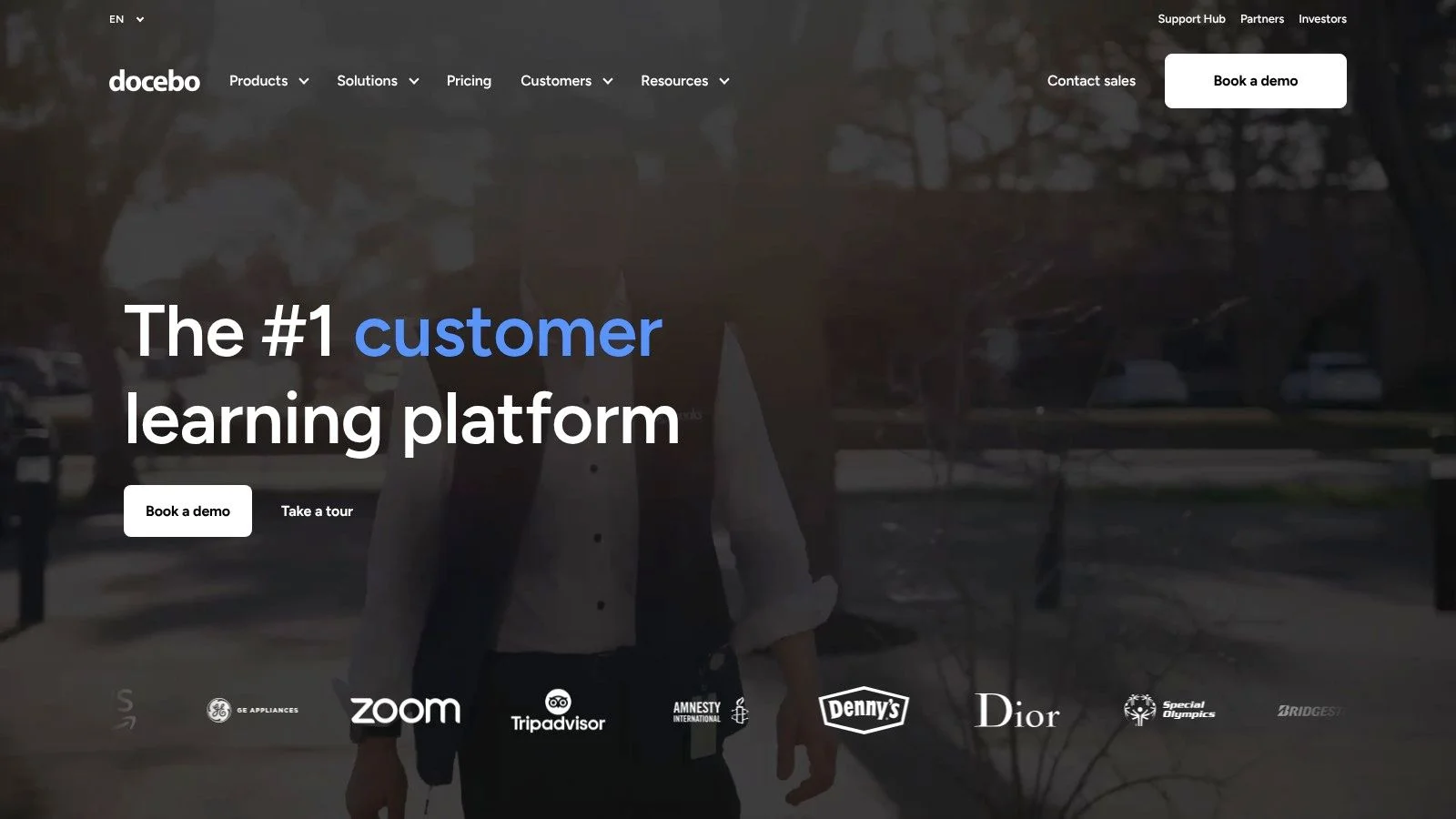
Docebo presents itself as an AI-powered enterprise learning platform, making it a compelling candidate for the best employee training software, particularly for sprawling, global IT organizations. Its primary advantage is the intelligent application of AI to automate crucial tasks: from smart content tagging and curating personalized learning paths based on identified skill deficiencies, to proactively recommending relevant training modules. This advanced approach transforms passive course consumption into active capability development, crucial for rapidly evolving IT roles.
This platform shines in complex IT training environments. It adeptly manages multi-audience 'extended enterprise' models, enabling IT vendors or service providers, for instance, to deliver uniform product training to internal staff, customers, and channel partners from a single, branded portal. For IT organizations operating under strict regulatory frameworks (e.g., HIPAA for healthcare IT, CMMC for defense contractors), its FedRAMP Moderate option offers a highly secure, compliant learning environment. Docebo’s extensive automation and integration capabilities are invaluable for IT L&D teams, offloading administrative burdens and allowing them to concentrate on strategic workforce development.
Key Details & Considerations
- Best For: Mid-market to large IT enterprises requiring a highly scalable, AI-driven platform for diverse audiences (internal IT teams, customers, partners) and complex skills development programs.
- Pricing: Custom quote required. Licensing is typically based on active users, which can scale with your IT team's growth.
- Pros: Advanced AI and automation for personalized learning, robust global scalability with extensive multilingual support, ideal for managing extended enterprise training (e.g., partner enablement for SaaS companies).
- Cons: Pricing is not publicly transparent, requiring direct engagement. The evolving AI credit model might lead to unpredictable variable costs, a factor for IT budget planning.
- Key Takeaway: Docebo's AI capabilities can be a game-changer for IT teams needing dynamic, personalized skill development at scale, especially valuable for complex certification pathways or product training.
For a deeper dive into its features, explore this learning management systems comparison.
3. Cornerstone LMS
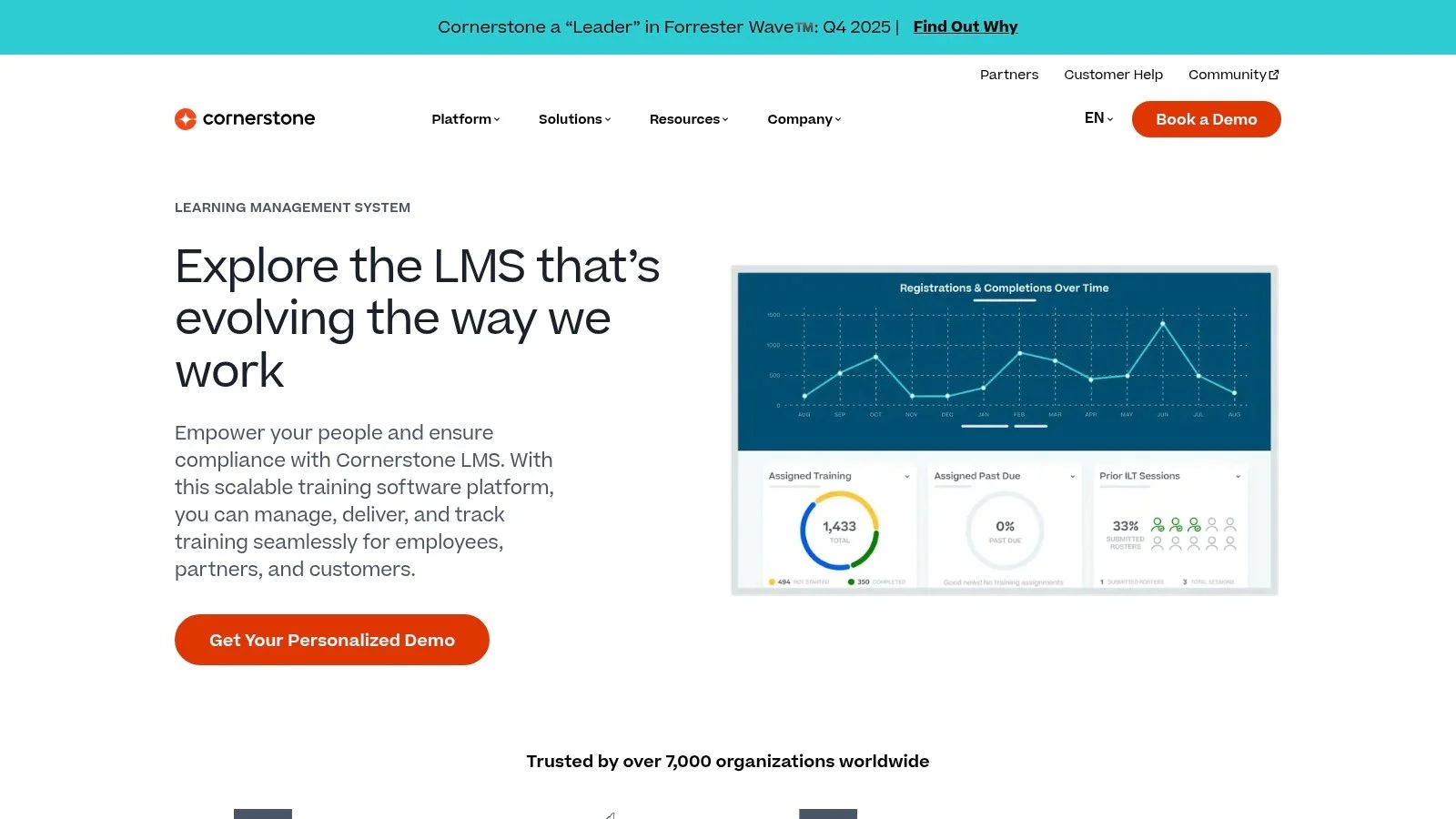
Cornerstone LMS is a time-tested, enterprise-grade learning suite meticulously crafted for complex, global training operations within large IT ecosystems. It excels in orchestrating vast learning programs, particularly those concentrating on compliance, sophisticated IT skill development, and strategic career mobility paths for technical roles. The platform offers a unified system to seamlessly create, assign, and track training across the entire IT organization, positioning it as a reliable choice for the best employee training software in highly regulated industries.
The system’s strength lies in its profound depth and configurability. IT organizations can construct personalized learning pathways directly tied to specific job roles (e.g., Cloud Architect, Cybersecurity Analyst, DevOps Engineer) and long-term career aspirations. Its robust compliance automation simplifies audit readiness for frameworks like GDPR, HIPAA, or SOC 2, ensuring IT teams meet critical regulatory requirements. Advanced reporting and analytics empower IT leaders with granular insights into training effectiveness and critical skill gaps, driving informed talent strategies. Broad enterprise integrations and dedicated mobile applications ensure that learning is accessible within the daily workflow of a diverse, distributed IT workforce.
Key Details & Considerations
- Best For: Large, global IT enterprises that demand a comprehensive and highly configurable platform for managing compliance, complex IT skills, and extensive learning programs at scale.
- Pricing: Custom quote required. The sales-led process is designed to configure a solution specific to enterprise IT needs.
- Pros: Exceptional depth for complex and global IT programs, robust analytics and compliance tooling vital for regulated IT environments, and an established ecosystem with strong industry recognition.
- Cons: No transparent list pricing is available online, requiring direct consultation. Enterprise-grade implementation can be a lengthy and involved process, often requiring dedicated IT and L&D resources.
- Reflection Prompt: How does your organization currently manage skill gaps for critical IT roles, and could a unified system like Cornerstone streamline this process, especially for compliance-driven training?
Discover more about their learning management solutions at the official Cornerstone website.
4. SAP Litmos
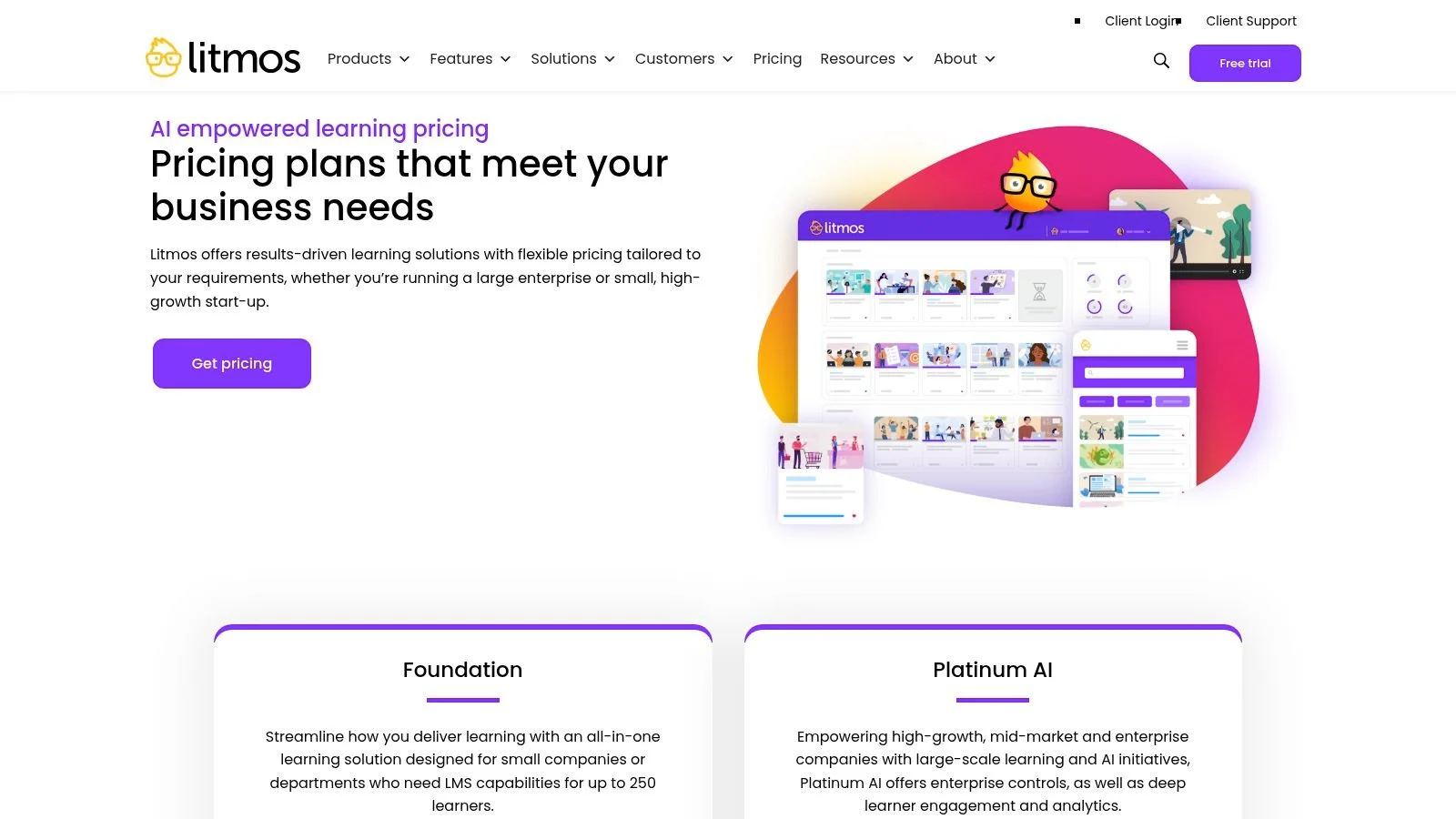
SAP Litmos delivers a robust, cloud-based Learning Management System (LMS) that skillfully balances comprehensive features with user-friendly deployment, making it a highly versatile choice for the best employee training software in IT. It appeals to a broad spectrum, from burgeoning IT startups to sprawling enterprises, by offering essential tools such as Instructor-Led Training (ILT)/Virtual Instructor-Led Training (vILT) management, meticulously structured learning paths, and engaging gamification features. A key differentiator is its optional, pre-built content libraries and regional compliance catalogs, which enable IT organizations to rapidly deploy high-quality training—for instance, on PCI DSS compliance for payment systems or general data security awareness—without having to develop all materials from scratch.
This synergy of a powerful LMS and curated content makes Litmos particularly effective for IT companies needing to scale their training programs efficiently. It supports both synchronous (live virtual workshops for coding, system administration) and asynchronous (self-paced modules on cloud fundamentals) learning, complemented by strong integration capabilities through APIs and connectors. While it proficiently addresses core IT training needs, organizations seeking advanced, AI-driven personalization might find some features are add-ons or less prominent compared to platforms built with an AI-first philosophy. Litmos is an ideal solution for IT teams prioritizing rapid implementation and access to a vast, ready-made course selection.
Key Details & Considerations
- Best For: Small to mid-sized businesses (SMBs) and enterprises that need a scalable LMS with the option to purchase extensive, pre-packaged IT training and compliance content for rapid deployment.
- Pricing: Custom quote required. Pricing is determined through a sales-led process based on user count and chosen add-ons (e.g., specific compliance packs relevant to IT).
- Pros: Broad feature set suitable for a wide range of company sizes, clear add-on content bundles (e.g., Go1, regional IT compliance packs), and strong mobile access for on-the-go learning.
- Cons: Pricing is not publicly transparent. The cost can increase significantly with advanced features and premium content library add-ons, which IT budget holders should factor in.
- Key Takeaway: For IT teams needing to quickly roll out compliance training or foundational tech skills, Litmos's pre-packaged content libraries offer a significant head start.
- Reflection Prompt: Could readily available content libraries on topics like cybersecurity best practices or new framework compliance accelerate your IT team's adoption of new mandates?
To learn more about their pricing model, visit the official Litmos pricing page.
5. TalentLMS
TalentLMS stands out as one of the most accessible cloud-based learning management systems, positioning it as a top choice for small to medium-sized IT businesses and departments seeking a straightforward, rapid-deployment solution. Its key differentiators are simplicity and transparency, offering an incredibly fast setup process that enables IT teams to launch training programs—perhaps for new employee onboarding, internal tool tutorials, or foundational coding principles—in hours rather than weeks. The platform boasts a clean, user-friendly interface that requires minimal technical expertise, a significant advantage for IT organizations without a dedicated L&D specialist.
Despite its approachability, TalentLMS is surprisingly robust for its price point. It offers strong support for industry standards crucial in IT, such as SCORM and xAPI, facilitating the integration of custom-developed technical content. It also includes built-in gamification to boost engagement (e.g., badges for completing security modules), and a growing suite of AI tools for efficient content creation and translation. TalentLMS’s combination of ease of use, transparent pricing (including a free tier), and a solid feature set makes it a practical and scalable piece of employee training software for growing IT companies that need a dependable tool without the enterprise-level complexity or cost.
Key Details & Considerations
- Best For: Small to mid-sized IT businesses and teams needing a user-friendly, affordable LMS for rapid deployment of general IT training, onboarding, or specific technical skill development.
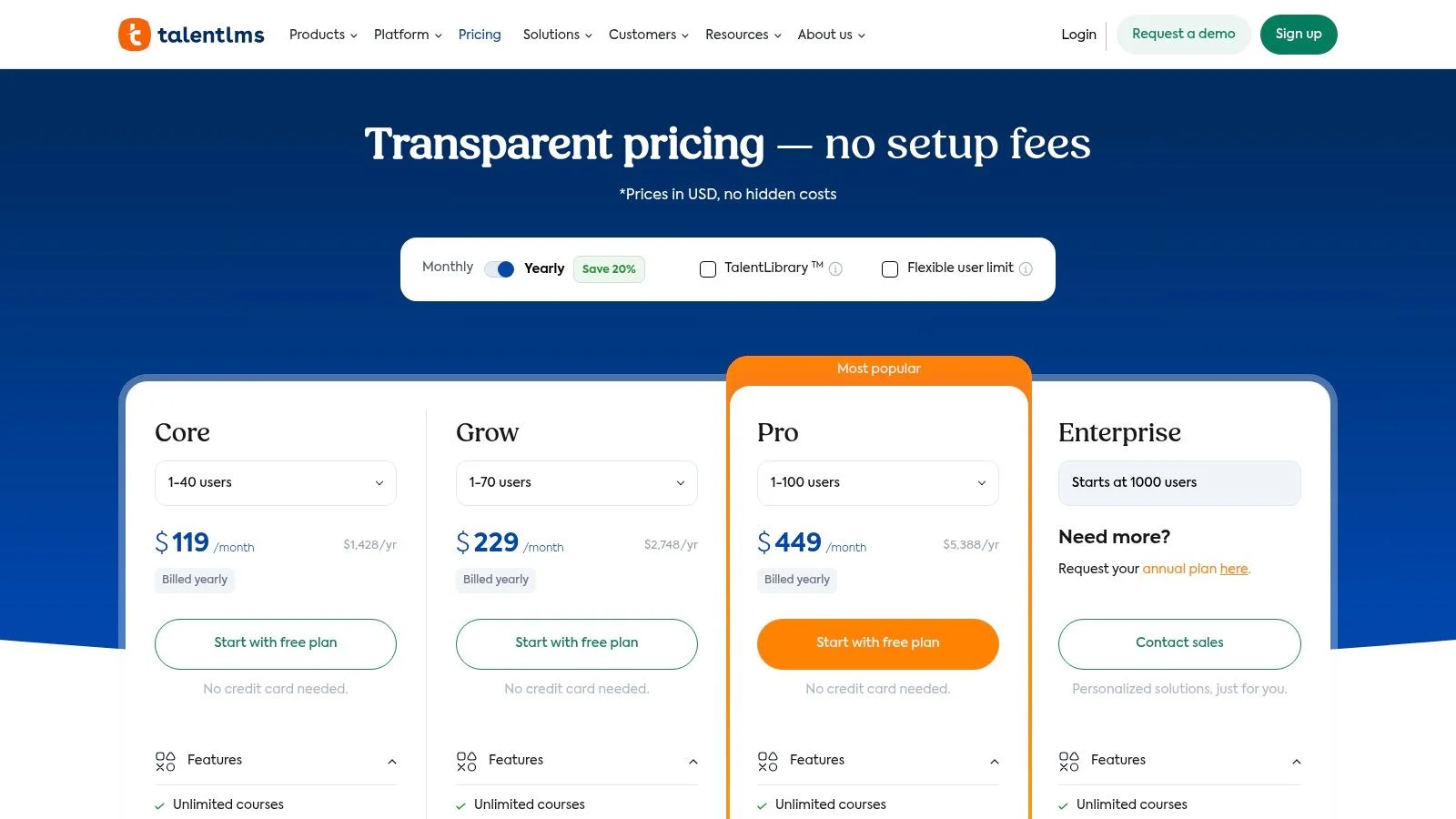
- Pricing: Offers a free plan for up to 5 users. Paid plans start at $69/month (billed annually) for up to 40 active users, offering clear scalability.
- Pros: Transparent, published pricing with a free plan, incredibly quick to set up and launch (ideal for agile IT environments), and offers flexible active-user add-ons for higher-tier plans.
- Cons: SSO (Single Sign-On) and advanced customizations, often desired by IT departments, are locked behind higher-priced tiers. Some newer AI features are being moved to more expensive plans.
- Key Takeaway: For lean IT teams, TalentLMS offers exceptional value and speed, allowing quick setup for critical onboarding or tool-specific training without a steep learning curve.
- Reflection Prompt: If you're a smaller IT team or a startup, how crucial is a rapid deployment and intuitive interface for your training initiatives, especially when resources are limited?
To see the full pricing breakdown and feature set, visit the official TalentLMS pricing page.
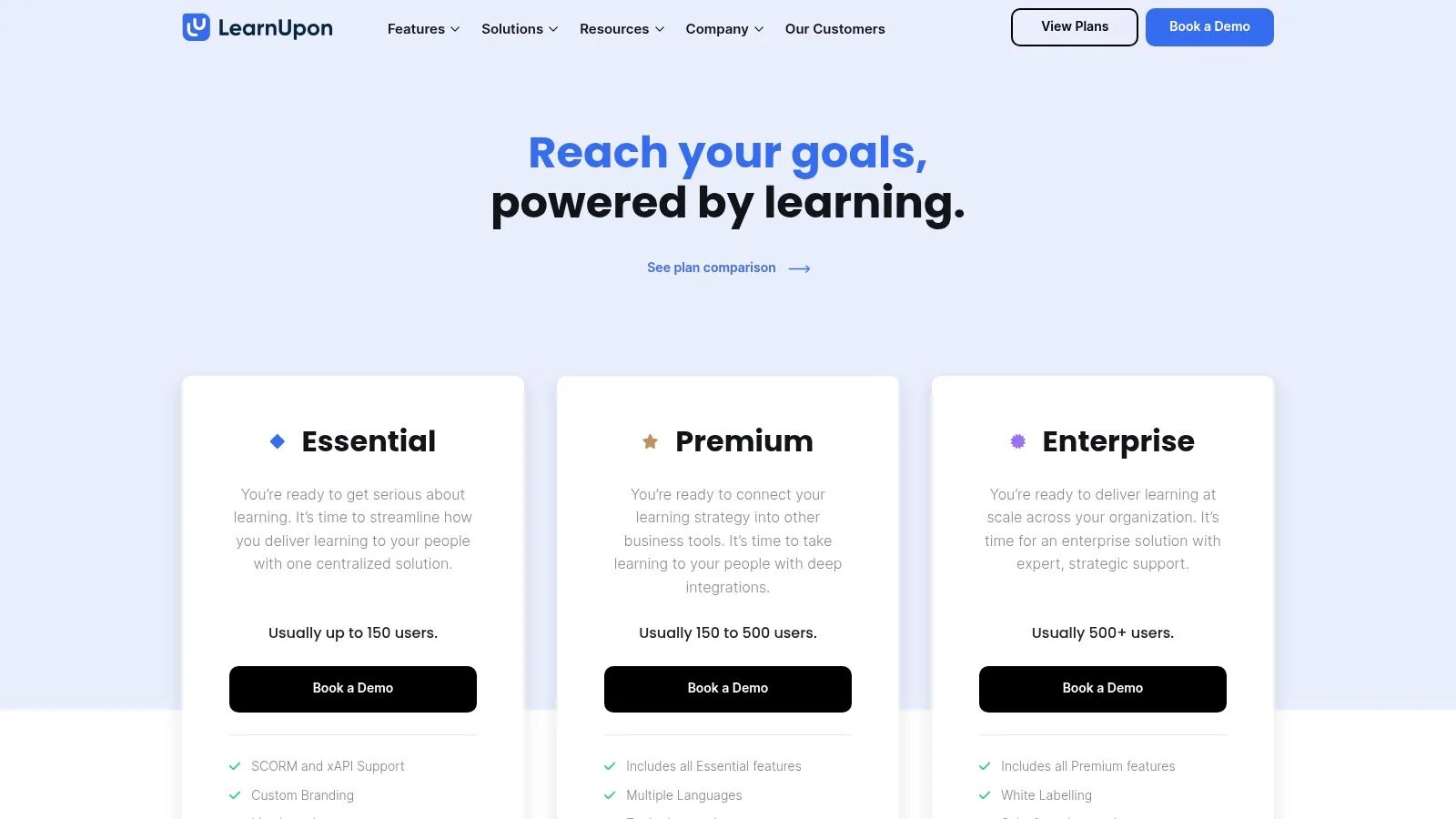
6. LearnUpon
LearnUpon excels as a unified learning management system that emphasizes ease of use and rapid implementation, making it an excellent choice for IT businesses looking to quickly launch and scale their training programs. Its platform is meticulously engineered for efficiency, from its modern, intuitive user interface to its AI-assisted course creation tool, Courseau, which helps IT L&D teams build engaging content faster—whether it's for a new software rollout or a technical skill refresh. This strong focus on user experience and quick time-to-value sets it apart from more complex, cumbersome systems.
The platform is adeptly designed to manage multiple audiences seamlessly, supporting employee, partner, and customer training from a single, centralized hub. This "extended enterprise" capability is particularly valuable for IT consulting firms training clients on new systems, software vendors onboarding users, or MSPs educating their technicians and customers on service offerings. This is further complemented by robust features like SCORM/xAPI compliance for custom technical content, live learning session management (for virtual labs or expert Q&As), and extensive integrations via Zapier and a two-way API. LearnUpon’s strong emphasis on customer success, with dedicated onboarding and 24/7 support, ensures IT organizations feel fully supported from day one, solidifying its position as a top-tier employee training software solution.
Key Details & Considerations
- Best For: Growing IT businesses and mid-market companies needing a user-friendly, scalable LMS for both internal IT employee development and external 'extended enterprise' training scenarios (e.g., partners, customers).
- Pricing: Custom quote required. Tiered plans are available based on active user counts and the required feature sets, which can be tailored for IT-specific needs.
- Pros: Strong customer success and onboarding model, modern UI with quick time-to-value, and robust support for extended enterprise scenarios (critical for IT service providers).
- Cons: No public dollar pricing; a demo or custom quote is required. Some advanced AI and integration features, which might be valuable for complex IT tech stacks, may reside on higher tiers.
- Key Takeaway: LearnUpon provides a powerful, yet user-friendly, platform for IT organizations to streamline internal and external training, making it ideal for those with diverse training audiences.
- Reflection Prompt: For IT organizations with external stakeholders (clients, partners, vendors), how could a unified platform simplify content delivery and tracking, ensuring everyone is up-to-date on your technology?
You can explore its plans and book a demo on the LearnUpon pricing page.
7. 360Learning
360Learning champions a collaborative learning approach, making it a distinctive choice for employee training software, especially within dynamic IT environments. Its platform is meticulously designed to empower in-house Subject Matter Experts (SMEs)—such as a senior DevOps engineer, a cybersecurity architect, or a cloud specialist—to rapidly create, deploy, and refine courses. This decentralized model democratizes content creation, shifting away from a traditional top-down L&D structure and fostering a vibrant culture of peer-driven knowledge sharing and continuous improvement, which is invaluable in fast-evolving tech fields.
The platform’s core strength lies in its profound emphasis on social learning and real-time feedback. Integrated tools like discussion forums, reactions, and upvoting mechanisms actively encourage engagement and help identify the most relevant and impactful content for IT teams. For organizations looking to quickly capture and scale internal IT expertise, whether it's best practices for a new CI/CD pipeline or troubleshooting complex network issues, 360Learning provides an agile and interactive environment. Its AI-powered features further assist IT SMEs in course creation, making the process even more efficient and less burdensome.
Key Details & Considerations
- Best For: IT teams and companies aiming to cultivate a collaborative learning culture where internal technical experts drive content creation and knowledge sharing.
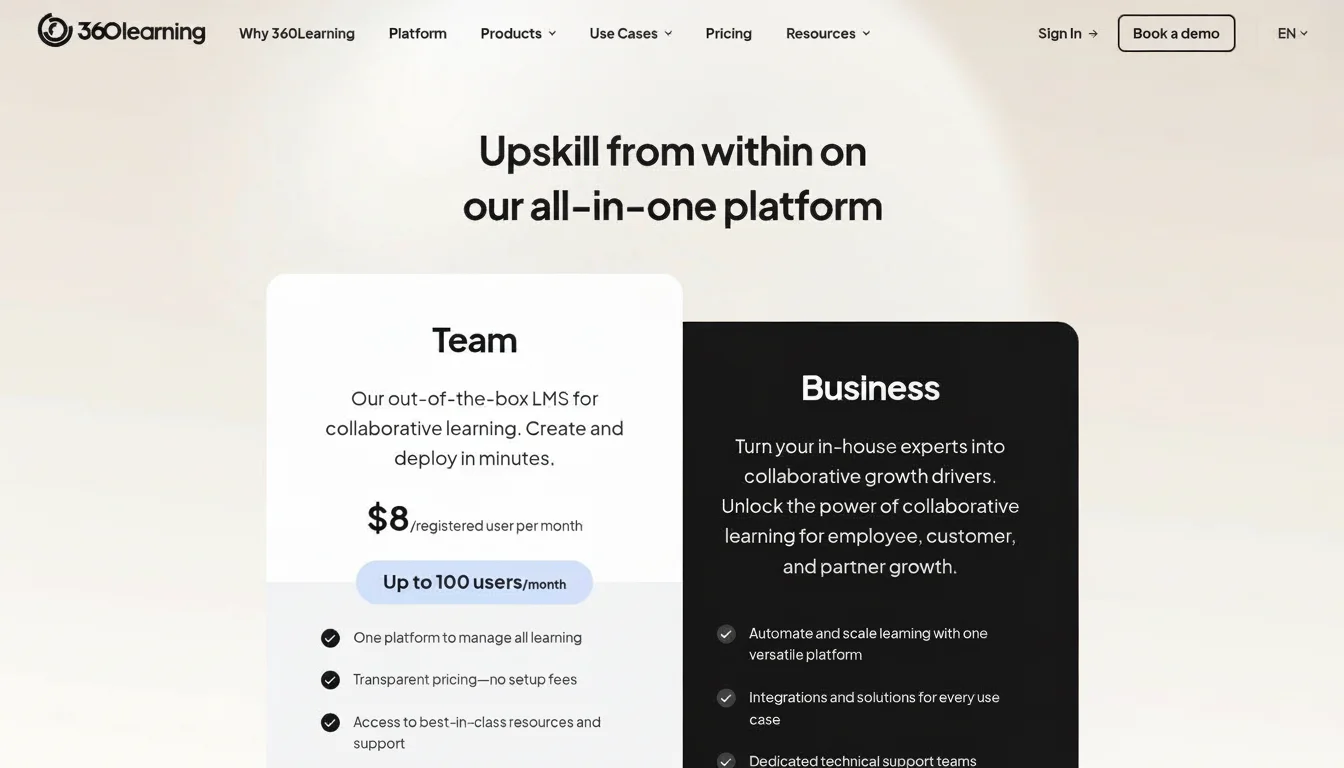
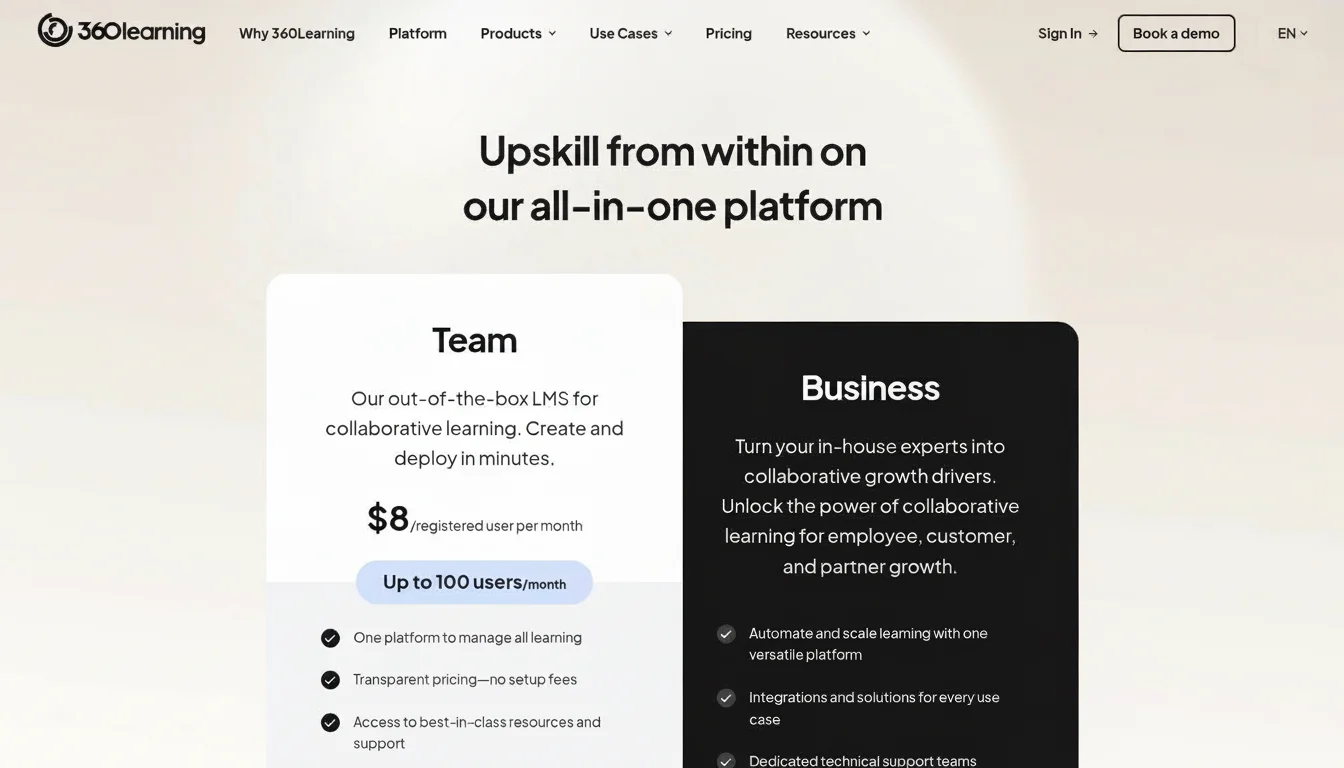
- Pricing: A self-serve Team plan is available for up to 100 users, starting at $8 per user/month. Business and Enterprise plans, suitable for larger IT departments, require a custom quote.
- Pros: Strong focus on collaborative and social learning, empowers IT SMEs to quickly create and share critical technical content, and excellent user engagement features for dynamic feedback loops.
- Cons: The Team plan is limited to 100 users. Advanced integrations and features, often crucial for enterprise IT, are reserved for higher-tier plans.
- Key Takeaway: 360Learning is perfect for IT teams that want to leverage their internal talent to build highly relevant, up-to-date training content rapidly.
- Reflection Prompt: How effectively is your organization capturing and sharing specialized IT knowledge from internal experts (e.g., senior developers, cloud architects)? Could a collaborative platform unlock this hidden potential?
Find more details about their plans and features at 360learning.com.
8. Absorb LMS
Absorb LMS establishes itself as a highly configurable enterprise learning platform, specifically engineered for IT organizations that need to train a diverse audience comprising employees, customers, and partners. Its key differentiator is the seamless fusion of a modern, intuitive user interface with extensive customization and branding capabilities. This makes it an ideal choice for IT businesses looking to deliver a cohesive, on-brand training experience across both internal technical staff and external user groups learning about their products or services.
The platform is particularly robust in its support for extended enterprise models, featuring built-in eCommerce and monetization tools for selling specialized IT courses or certifications. With a suite of pre-built connectors (e.g., for CRM, HRIS), a powerful API, and optional AI tools for content curation, Absorb LMS offers the flexibility necessary to integrate into complex IT tech stacks. The company is also renowned for its hands-on onboarding process and 24/7 global support, ensuring a smoother implementation for IT L&D teams managing large-scale deployments, making it a powerful piece of employee training software.
Key Details & Considerations
- Best For: Mid-sized to large IT organizations needing a single, highly brandable platform for internal IT employee development and external partner or customer training, especially for product companies or MSPs.
- Pricing: Custom quote required. Pricing is typically based on a combination of active users and feature sets, tailored to the scale of your IT training needs.
- Pros: Flexible deployment for mixed audiences, excellent hands-on onboarding and 24/7 global support for large IT operations, and strong eCommerce and monetization features for selling tech courses.
- Cons: Pricing is not publicly transparent, requiring direct engagement. The platform's extensive enterprise features might be overly complex and resource-intensive for very small IT teams with straightforward training needs.
- Key Takeaway: For IT companies needing to offer a branded, robust training experience to both internal teams and external stakeholders (e.g., software users, channel partners), Absorb LMS provides powerful tools.
- Reflection Prompt: How important is consistent branding and customization when delivering complex technical training to both internal development teams and external customers using your software?
Learn more about their enterprise solutions and request a quote on the Absorb LMS pricing page.
9. Udemy Business
Udemy Business operates as a curated content subscription service, providing organizations with a vast and continuously updated library of professional and technical courses. Rather than serving as a traditional LMS for creating proprietary content, it functions as a high-quality, on-demand learning resource. This makes it one of the best employee training software options for IT companies prioritizing rapid skill development in fast-moving fields like cloud computing, cybersecurity, data science, and programming without the overhead of internal course creation.
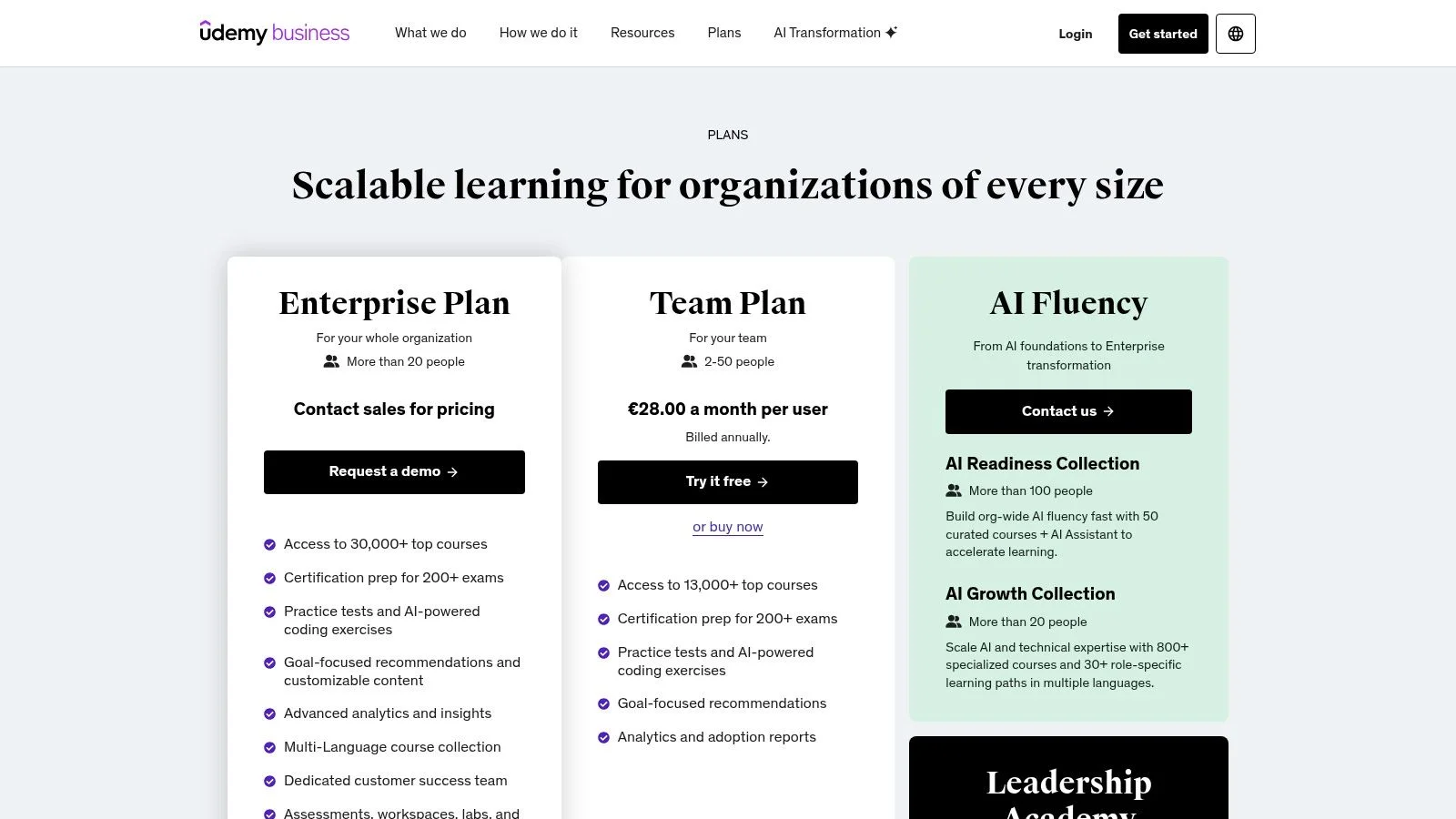
The platform excels at providing both broad and deep learning opportunities specifically relevant to IT. Its catalog includes over 13,000 courses on the self-serve Team plan and expands to over 30,000 on the Enterprise tier, featuring certification prep for over 200 exams, including popular ones like AWS, Azure, CompTIA, and PMP. While it offers analytics and user management, its primary strength is its extensive, current content library. For this reason, many IT organizations pair Udemy Business with a dedicated LMS to handle more complex assignments, compliance tracking, and personalized learning path administration that might require custom content or labs.
Key Details & Considerations
- Best For: Small to mid-sized IT teams needing a self-serve, content-rich platform for upskilling, and large enterprises seeking a supplemental, constantly updated technical training library.
- Pricing: Team Plan has posted per-user pricing, billed annually. Enterprise requires a custom quote for access to the full catalog, advanced features, and custom IT content integration.
- Pros: Very broad and frequently updated course catalog with strong coverage of current IT trends and certifications, transparent pricing for the Team plan, and a strong focus on technical and professional skills.
- Cons: Not a full-featured LMS for custom content creation and complex administration, often requiring integration with another system for comprehensive IT training management. Analytics on the base Team plan are limited.
- Key Takeaway: For IT teams needing immediate access to a wide array of up-to-date technical content and certification prep, Udemy Business is a highly valuable, low-overhead solution.
- Reflection Prompt: Given the rapid pace of technological change in IT, how vital is on-demand access to a constantly updated library of technical courses for your team's continuous skill development?
Explore how it stacks up against other online learning platforms for business.
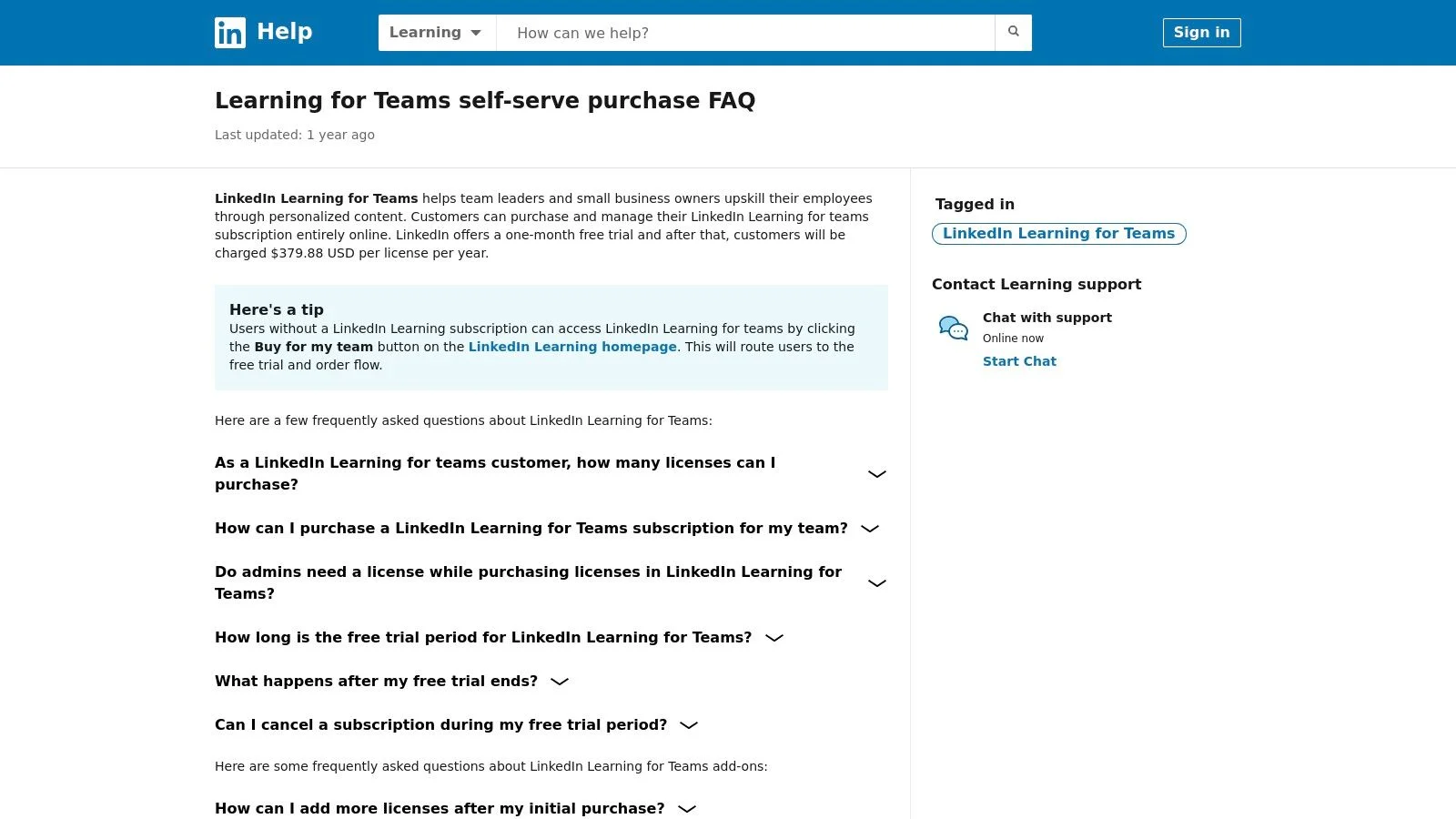
10. LinkedIn Learning for Teams
LinkedIn Learning for Teams offers a straightforward solution for IT organizations looking to leverage a massive, high-quality content library without the complexity of a full-scale Learning Management System (LMS). It excels as a content-first platform, providing immediate access to thousands of expert-led courses on business, creative, and crucially, technology skills. Its seamless integration with the wider LinkedIn ecosystem allows IT employees to connect their learning directly to their professional profiles and align with career goals in fields like project management, cloud engineering, or data analytics.
This platform is particularly effective for small to mid-sized IT teams that need an off-the-shelf solution for upskilling in a variety of domains, from mastering specific software tools to developing leadership skills for IT managers. The "Team" plan allows for self-service purchase and provides basic administrative tools for assigning courses and tracking progress. For larger IT organizations, the enterprise version integrates with existing LMSs, allowing them to embed LinkedIn's premium content into their established training infrastructure for comprehensive skill development. It’s one of the best employee training software options for companies prioritizing content variety and professional development for their technical staff.
Key Details & Considerations
- Best For: Small IT teams needing a self-serve content subscription for general upskilling, and larger enterprises wanting to supplement their existing LMS with a premium technical course library.
- Pricing: A self-serve "Team" plan is available for 2-20 licenses. Enterprise deployments for larger IT teams require a custom quote from sales.
- Pros: Easy to purchase for small teams in the US, excellent library covering management, productivity, and a wide range of software and technical skills.
- Cons: The Team plan is capped at 20 seats, limiting scalability for larger IT departments. It functions primarily as a content subscription, not a comprehensive LMS for custom course creation or advanced tracking.
- Key Takeaway: LinkedIn Learning offers a readily available library for broad IT skill development and soft skills for technical leaders, directly connecting learning to career profiles.
- Reflection Prompt: How do your IT professionals currently track and showcase their skill development to align with career growth opportunities on platforms like LinkedIn?
Learn more about their corporate offerings on the LinkedIn Learning for Business page.
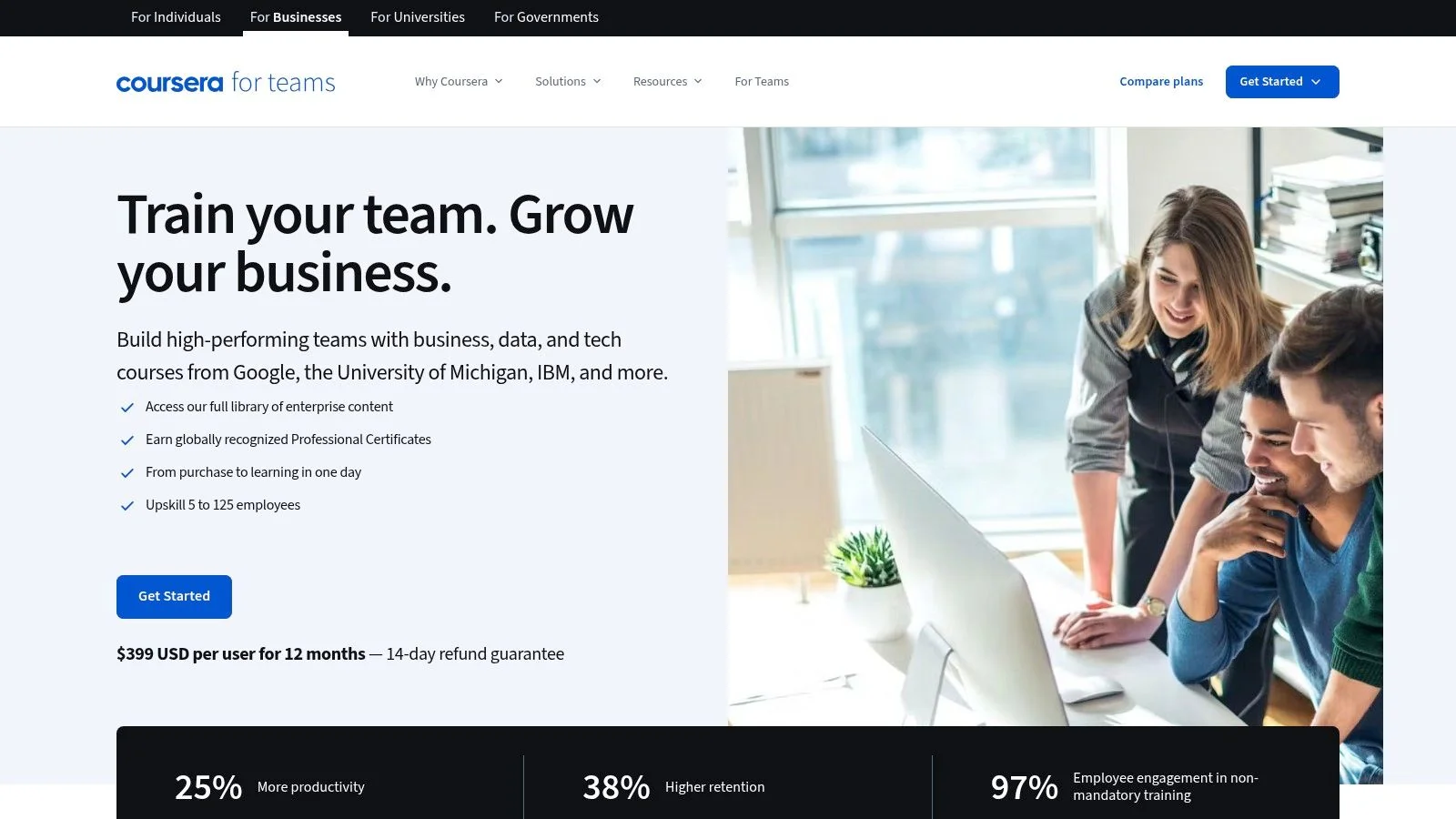
11. Coursera for Teams
Coursera for Teams effectively bridges the gap between academic rigor and corporate training by offering a curated content subscription from top universities and leading industry experts. It excels at providing high-quality, credentialed learning paths that extend far beyond typical compliance training. This makes it one of the best employee training software choices for IT organizations focused on deep-skilling, advanced upskilling, and providing employees with highly recognized Professional Certificates from tech giants like Google, IBM, and Meta, directly applicable to roles such as Data Scientist, Cloud Engineer, or Cybersecurity Analyst.
The platform functions more as a powerful content library—ideal for specialized IT disciplines—that can be integrated with an existing LMS rather than a traditional, standalone LMS. For small to mid-size IT teams, the per-seat subscription provides immediate access to over 10,600 courses, including specializations and guided projects relevant to cutting-edge technologies. Larger IT organizations can opt for the Enterprise plan, which unlocks custom authoring capabilities, advanced skill-tracking dashboards, and crucial integrations like SSO and APIs, essential for enterprise IT environments. This dual approach allows IT companies of various sizes to leverage world-class educational content for targeted workforce development in highly technical domains.
Key Details & Considerations
- Best For: IT organizations of all sizes wanting to provide employees with access to high-quality university and industry-recognized credentials for deep-skilling in specialized technical areas.
- Pricing: Team plans are priced per user, per year (e.g., $399/user/year in the US). Enterprise plans for 125+ users require a custom quote, tailored to complex IT needs.
- Pros: Unparalleled access to university and industry-backed content for critical IT roles, clear refund and nonprofit discount policies, and excellent for building verifiable, in-demand technical skills.
- Cons: It's primarily a content subscription, not a full-featured LMS, so it may need to be paired with another system for comprehensive IT training management. Pricing can vary by region.
- Key Takeaway: Coursera for Teams is ideal for IT organizations that prioritize highly credible, academic-grade training leading to industry-recognized professional certificates in specialized tech fields.
- Reflection Prompt: For critical, in-demand IT roles, how valuable would university-grade training and industry-recognized professional certificates (like Google's IT Support Professional Certificate) be for your team's skill validation and career progression?
Discover how Coursera for Teams can enhance your training programs at the official Coursera for Business website.
12. G2 (Employee Training Management category)
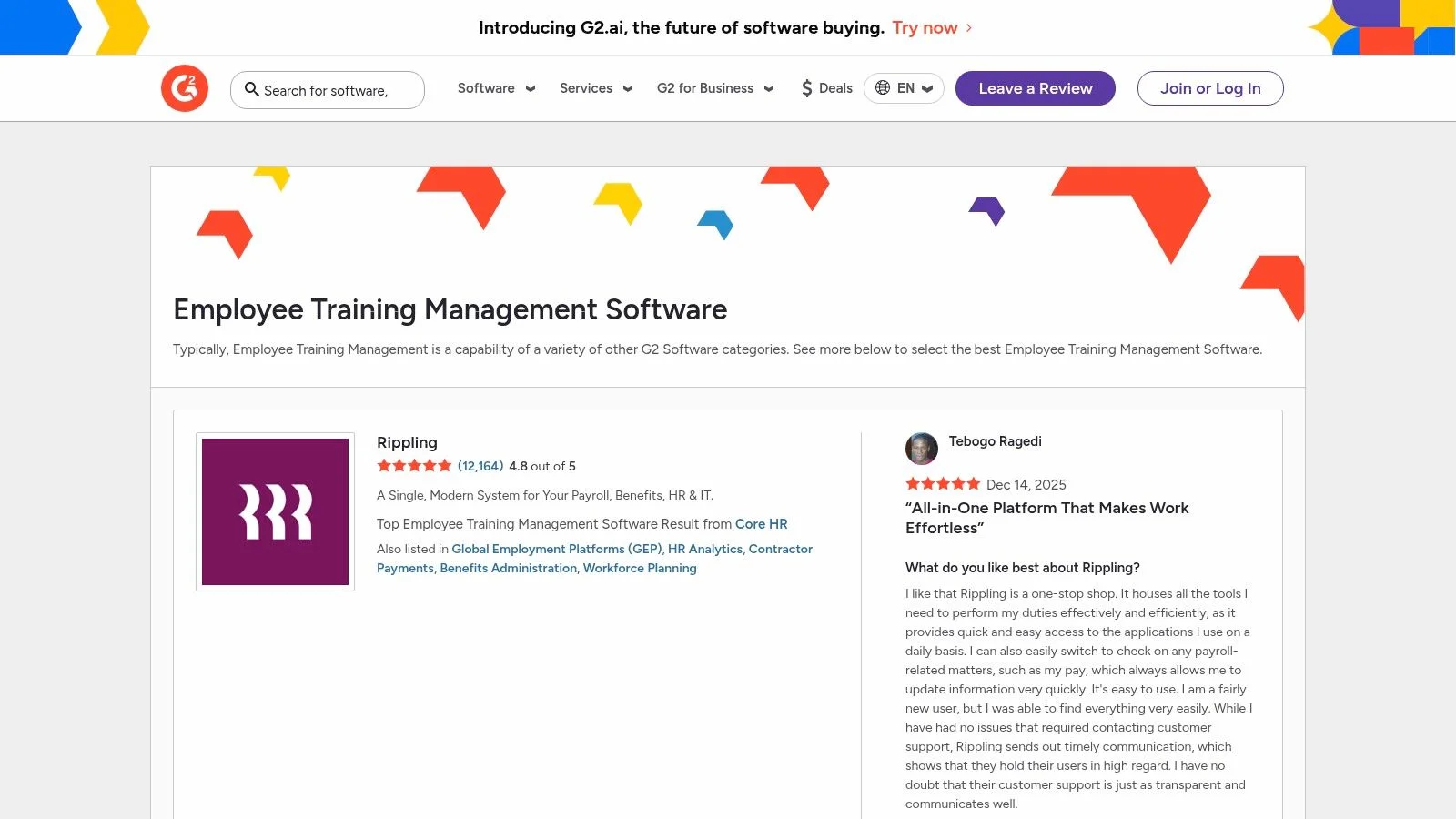
G2 serves as a pivotal marketplace and peer-review hub, making it an invaluable starting point for any IT professional or L&D specialist researching the best employee training software. Instead of being a single platform, it aggregates real user reviews, ratings, and detailed comparisons across hundreds of tools. This allows you to meticulously filter solutions by criteria highly relevant to IT—such as company size, specific features (e.g., integrations with specific development tools, robust security features for LMS, support for technical content types like code blocks), and user satisfaction, providing an unbiased lay of the land.
The platform excels at providing at-a-glance insights through its Grid reports, which plot vendors based on market presence and user satisfaction. IT managers can swiftly create shortlists, conduct head-to-head comparisons of platforms supporting, for example, SCORM for custom dev content or xAPI for granular tracking, and link directly to vendor sites for demos or trials. This streamlines the initial discovery phase, helping you quickly identify top contenders based on the collective experience of thousands of verified users, saving significant research time often spent sifting through marketing materials.

Key Details & Considerations
- Best For: IT L&D and HR teams in the discovery and validation phase of their software selection process, particularly when seeking tools with specific technical capabilities or integrations.
- Pricing: Free to browse and compare. Pricing for individual software must be verified on vendor websites, as G2 primarily provides comparative data.
- Pros: Access to a vast database of verified user reviews, powerful filtering and comparison tools tailored to specific feature needs, and direct links to vendor demos for efficient evaluation.
- Cons: Sponsored placements can subtly influence search result visibility, so critical evaluation is still required. Pricing information may not always be current, so always verify directly with the vendor.
- Key Takeaway: G2 is an essential first stop for objective, peer-driven insights when selecting training software, helping IT teams make informed decisions based on real-world experiences.
- Reflection Prompt: Before making a significant software investment, what criteria do you typically prioritize when seeking peer reviews or comparisons for IT tools (e.g., integration capabilities, security, support for specific tech stacks)?
For tips on implementing your chosen software, review these employee training best practices.
Top 12 Employee Training Software Comparison
| Product | Core features | Target audience | Unique selling points / Value | Pricing / Purchase model |
|---|---|---|---|---|
| MindMesh Academy (Recommended) | Exam-aligned practice tests, spaced-repetition flashcards, adaptive Mastery Path, analytics dashboard | IT professionals, career changers, novices to experienced pros | Science-backed memory-first approach for IT certifications, mastery-focused (not cram), targeted weakness remediation | Not public — sign up or contact for plans |
| Docebo | Skills personalization, content automation, extended-enterprise, FedRAMP option | Large & mid-market enterprises | AI-first, scalable platform with strong admin automation & white‑labeling | Custom quote (sales-led) |
| Cornerstone LMS | Personalized learning paths, advanced reporting, compliance automation, mobile apps | Large/global enterprises with complex programs | Deep compliance & analytics tooling, established ecosystem | Sales-led demo & quote |
| SAP Litmos | SCORM/xAPI, ILT/vILT, learning paths, optional content/ compliance packs | SMBs to enterprises needing packaged content | Clear add-ons/content libraries and regional compliance packs | Sales-led / quote |
| TalentLMS | SCORM / Tin Can / cmi5, unlimited courses, gamification, integrations | Small-to-medium teams, quick launches | Transparent published pricing, free tier, fast time-to-value | Published self-serve pricing (free tier available) |
| LearnUpon | SCORM/xAPI, live learning, eCommerce, AI-assisted course creation, SSO | SMBs & enterprises seeking fast setup and support | Strong customer success/onboarding, quick time-to-value | Sales-led / quote |
| 360Learning | Creator tools, social learning, peer feedback, AI assistance | Teams focused on SME-driven content and collaboration | SME-first course creation, strong engagement mechanics | Team (self-serve) for small groups; Enterprise via quote |
| Absorb LMS | Branding, robust reporting, APIs, eCommerce & monetization | Enterprises needing external training and monetization | Flexible deployment, hands-on onboarding, course selling | Sales-led / personalized quote |
| Udemy Business | Large curated catalog, certification prep, labs/workspaces, analytics | Teams wanting broad, up-to-date course library | Very large course catalog, posted Team pricing for self-serve | Team: posted price (self-serve); Enterprise: quote |
| LinkedIn Learning for Teams | Seat-based library, learning paths, admin dashboards, LMS integrations | Small teams (2–20) and enterprises (via sales) | Easy self-serve purchase for small teams, strong professional-skills coverage | Seat-based Team pricing (self-serve); Enterprise: quote |
| Coursera for Teams | University & industry courses, Professional Certificates, AI Coach, skill dashboards | Small-to-midsize teams; Enterprise for 125+ users | Access to university credentials and industry certificates | Per-seat annual pricing; regional checkout / Enterprise quotes |
| G2 (Employee Training category) | User reviews, category filters, shortlists, head-to-head comparisons | Buyers researching employee training software | Peer reviews and fast vendor discovery with comparison tools | Free marketplace / leads to vendor pricing pages |
From Platform to Progress: Making Your Training Software Stick in IT
Navigating the expansive landscape of employee training software can initially feel overwhelming, especially for IT leaders and professionals. However, as we've explored, the "best" solution is ultimately the one that aligns most precisely with your organization's unique technological needs and strategic objectives. We've journeyed through comprehensive Learning Management Systems like Docebo and Cornerstone, which excel at managing complex compliance mandates and structured learning paths crucial for large IT enterprises. We also examined more accessible, user-friendly platforms like TalentLMS and LearnUpon, perfect for smaller to mid-sized IT teams looking for a quick and effective launch of technical training initiatives.
For IT organizations prioritizing skill-specific development and certification success, content libraries such as Udemy Business and LinkedIn Learning offer vast, on-demand resources covering the latest technologies. Meanwhile, collaborative learning platforms like 360Learning foster a dynamic culture of peer-to-peer knowledge sharing, invaluable for capturing internal IT expertise. Each tool presents a distinct philosophy on how to achieve the same ultimate goal: a more skilled, engaged, and productive IT workforce, ready to tackle future challenges and innovation.
How to Choose the Right Training Platform for Your IT Team
Your final decision shouldn't be based on feature lists alone. Instead, use this three-step framework to guide your selection process, with an IT-centric lens:
- Define Your Primary Goal for IT Training: Are you aiming for a high AWS certification pass rate, ensuring CISO-level security compliance (e.g., for ISO 27001), accelerating onboarding for new cloud engineers, or developing a new team of AI/ML specialists? A platform like SAP Litmos is built for rigorous compliance tracking, whereas a tool focused on IT certification like MindMesh Academy is designed for deep, specialized knowledge acquisition and practical application.
- Assess Your Resources and Technical Capacity: Consider your IT budget, the size and technical expertise of your L&D team, and the availability of IT support for integrations. Some platforms require significant administrative effort or IT involvement for setup and maintenance, while others are designed for "set it and forget it" simplicity. Be honest about your capacity to manage the software effectively post-launch, including API integrations with HRIS or other IT systems.
- Prioritize the Learner Experience (LX) for IT Professionals: A clunky, unintuitive interface is the fastest way to derail adoption among busy IT professionals. Look for software with a clean user interface, robust mobile accessibility (for learning on the go), and features that encourage engagement, like gamification for technical challenges or integrated hands-on lab environments. The goal is to make learning a seamless and enjoyable part of your employees' technical workflow.
Beyond Software: Implementing for Lasting Impact in IT
Remember, purchasing the best employee training software is only the first step. The true return on investment comes from thoughtful implementation and sustained effort. Gaining executive buy-in, especially from IT leadership, is crucial; when a CIO or CTO champions the platform, IT employees are far more likely to engage.
Integrate the software into your existing IT workflows, such as during onboarding for new IT hires, linking to performance reviews for career development plans, or embedding it within project management tools for just-in-time learning. Most importantly, establish a feedback loop. Regularly survey IT professionals to understand what content is most relevant, what technical skills are missing, and what tools they need to succeed in their roles. Recognizing and celebrating their certification achievements is also key to building momentum and a culture of continuous learning. To maximize the impact of your employee training, you'll want to ensure participants receive well-designed credentials. You can explore some of the top training certificate templates to formally acknowledge their hard work and new skills.
Ultimately, your chosen platform is a vehicle, not the destination. The destination is a thriving IT learning culture that fuels both individual career growth and organizational success, ensuring your technical teams remain at the forefront of innovation. By carefully selecting a tool that fits your specific IT needs and committing to its strategic implementation, you can transform your training initiatives from a simple requirement into a powerful competitive advantage.
Ready to bridge the IT skills gap in your organization with targeted, certification-focused training? MindMesh Academy offers specialized learning paths designed by industry experts to get your team certified and job-ready. Explore how our hands-on labs and expert instruction can elevate your tech talent at MindMesh Academy.

Written by
Alvin Varughese
Founder, MindMesh Academy
Alvin Varughese is the founder of MindMesh Academy and an enterprise architecture leader. An electrical engineer by training, he moved from factory automation in South Africa to cloud architecture at GE Appliances and Humana (Fortune 50), and holds 20 professional certifications including AWS Solutions Architect Professional, Azure DevOps Engineer Expert, and Microsoft Agentic AI Business Solutions Architect. He built MindMesh Academy after interviewing too many highly certified candidates who couldn't answer basic questions: the goal is prep that makes you better at the job, not just able to pass the exam.