AWS Certification Paths Explained for Busy IT Learners
AWS Certification Paths Explained for Busy IT Learners
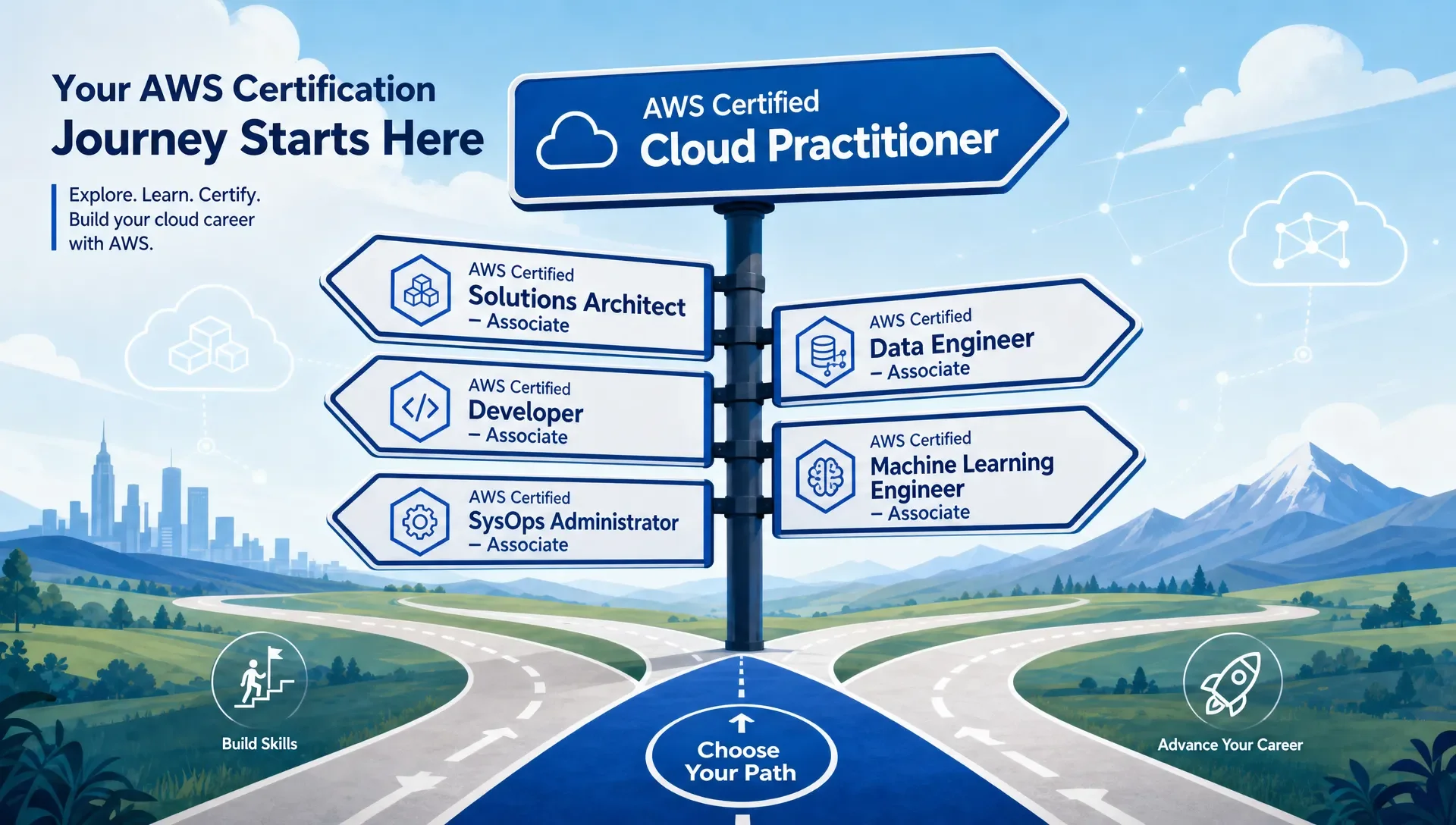
If you're fitting AWS certification into a full-time IT schedule, don't start by collecting every badge. Instead, pick a path that matches the work you do now or the job you want next. For most busy IT learners, this means choosing:
- AWS Certified Cloud Practitioner if you need foundational knowledge.
- Solutions Architect - Associate if you work with infrastructure.
- Developer - Associate if you build applications.
- SysOps Administrator - Associate if you operate workloads.
- A data, AI, security, or networking path if your current role points that way.
Use this guide as a decision tool. We’ll help you choose the right AWS certification level, decide whether to start with a foundational exam or skip straight to associate, and explain why studying by exam domains is better than trying to memorize the entire AWS service catalog.
Choose the AWS Certification Path that Matches Your Work
AWS certifications are most useful when they reinforce a real job direction. A support technician aiming for cloud operations needs a different path than a backend developer or a security analyst. The best first question isn't "Which AWS certification is easiest?" It's "Which one makes my next 6 to 12 months of learning more coherent?"
| Your Current Situation | Practical First Target | Why It Fits | Likely Next Step |
|---|---|---|---|
| New to cloud, help desk, sales engineering, IT support, or student | AWS Certified Cloud Practitioner | Builds shared vocabulary across cloud concepts, pricing, security basics, and AWS core services. | Solutions Architect - Associate, AI Practitioner, or a role-based associate exam. |
| Systems administrator, infrastructure engineer, or junior cloud engineer | Solutions Architect - Associate or SysOps Administrator - Associate | Connects networking, compute, storage, monitoring, identity, and operations. | SysOps, Security, Advanced Networking, or a professional-level exam. |
| Software developer, DevOps junior, or platform engineer | Developer - Associate | Focuses more on building, deploying, securing, and troubleshooting applications on AWS. | DevOps Engineer - Professional or Solutions Architect - Associate. |
| Security analyst or IAM-focused administrator | Cloud Practitioner if new to AWS, then Solutions Architect - Associate or Security - Specialty | You need architecture context before deep security design feels practical. | Security - Specialty. |
| Data engineer, analytics engineer, or ML-focused learner | Data Engineer - Associate, Machine Learning Engineer - Associate, or AI Practitioner (depending on background) | Keeps study aligned with pipelines, data stores, models, and responsible AI concepts. | Architecture, security, or specialty-level study as needed. |
If you're still deciding on your first exam, the AWS Certified Cloud Practitioner study guide can help you organize the basics by exam objective instead of jumping randomly between AWS services.
Understand AWS Certification Levels Before Picking an Exam
AWS groups certifications by level and specialization. The official AWS Certification page is the best place to confirm the current catalog before you register, since exam names and versions can change.
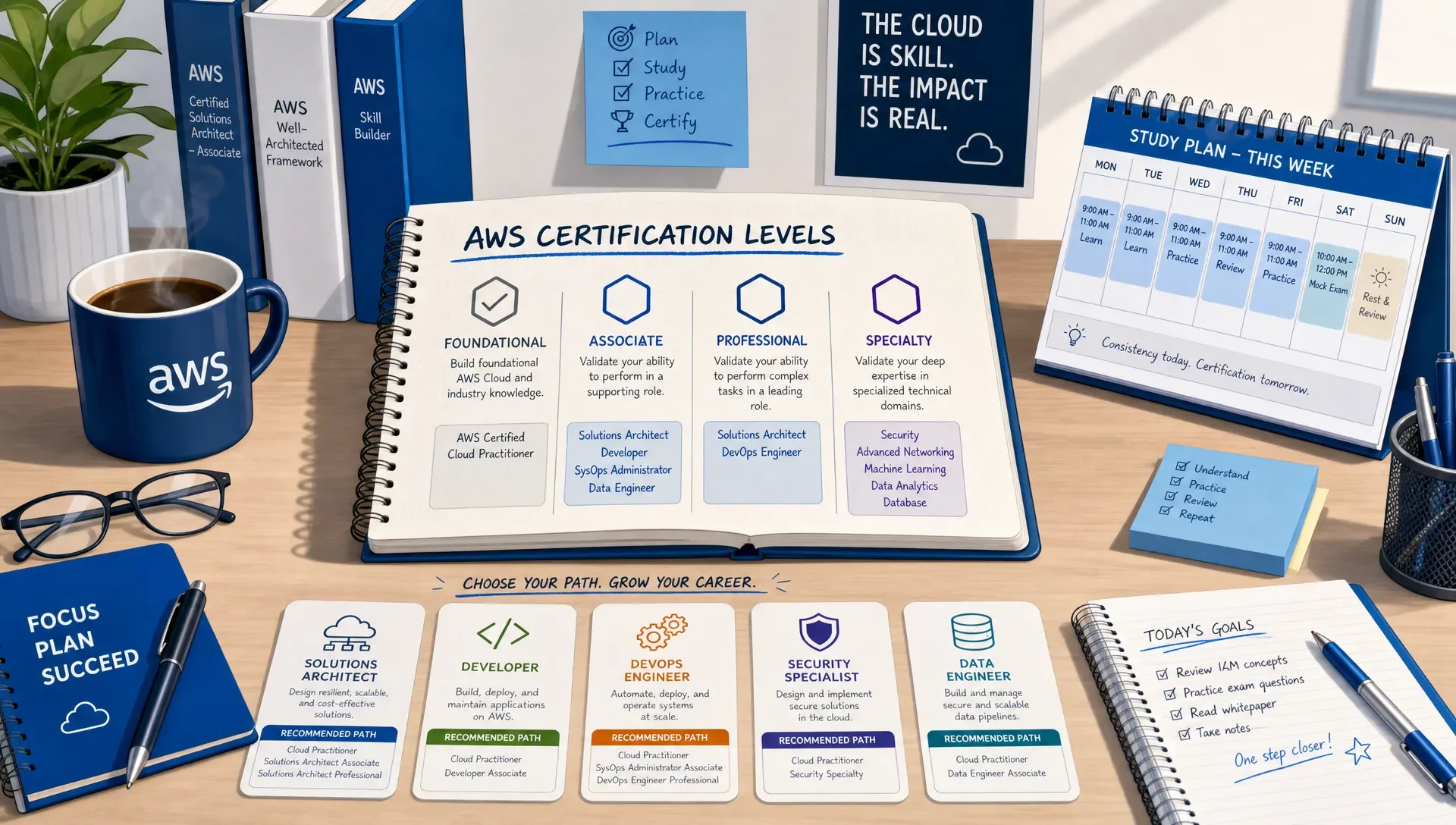
For planning, think of the levels this way:
| AWS Certification Level | What It Usually Tests | Best for Busy Learners Who... | Busy Learner Rule |
|---|---|---|---|
| Foundational | Cloud concepts, AWS basics, security responsibilities, billing, support, and broad service awareness. | Need a structured entry point or work around cloud teams but don't build daily. | Start here if AWS vocabulary still feels unfamiliar. |
| Associate | Role-based implementation and troubleshooting across common AWS scenarios. | Already understand general IT concepts and want a job-relevant cloud credential. | This is the main level for technical career moves. |
| Professional | Complex design, migration, automation, governance, and tradeoff decisions. | Have real AWS project experience and need senior-level validation. | Don't rush it right after an associate exam unless your job gives you daily practice. |
| Specialty | Deep focus areas such as security or advanced networking. | Already work in a specialty domain and need AWS-specific depth. | Choose this when the specialty maps to your current responsibilities. |
The biggest mistake busy learners make is choosing a certification because it sounds impressive. A professional or specialty exam can be valuable, but only if you already have enough context to make the scenarios meaningful. Otherwise, you burn time learning fragments you can't connect to real architecture or operations.
Should Busy Learners Start with AWS Cloud Practitioner?
AWS Certified Cloud Practitioner is worth it if you're new to cloud, changing careers, supporting cloud customers, managing cloud-adjacent projects, or trying to build confidence before a technical associate exam. It gives you a clear map of the AWS platform and helps you understand terms that appear everywhere later: regions, availability zones, shared responsibility, IAM, pricing models, managed services, and basic architecture patterns.
You can probably skip Cloud Practitioner if you already deploy, monitor, or troubleshoot workloads in AWS and you understand basic cloud economics and identity concepts. In that case, your time may be better spent on Solutions Architect - Associate, Developer - Associate, or SysOps Administrator - Associate.
A simple test: read a sample list of Cloud Practitioner exam objectives. If half the terms feel new, take it seriously. If nearly everything feels familiar, use a short review and move on. After you've studied the objectives, an AWS Certified Cloud Practitioner practice exam can show whether your knowledge is exam-ready or just familiar.
Associate AWS Certifications Are the Main Decision Point
For many IT learners, the associate level is where AWS certification becomes career-relevant. These exams ask you to apply services in practical scenarios, not just identify acronyms. You need to understand why one service fits a requirement better than another, how security changes the design, and what tradeoffs matter for cost, resilience, performance, and operations.
| Associate Path | Pick It If Your Work Is Closest to... | What to Expect in Your Study Plan |
|---|---|---|
| Solutions Architect - Associate | Infrastructure, architecture, cloud engineering, consulting, technical support, pre-sales engineering. | Heavy focus on designing secure, resilient, cost-aware systems across compute, storage, networking, databases, and identity. |
| Developer - Associate | Backend development, serverless apps, CI/CD, APIs, application troubleshooting. | More emphasis on building and deploying applications, using AWS developer services, and debugging cloud-native workloads. |
| SysOps Administrator - Associate | Operations, monitoring, incident response, patching, backups, automation. | Stronger focus on running AWS environments, monitoring health, managing resources, and operational troubleshooting. |
| Data Engineer - Associate | Data pipelines, analytics platforms, ETL, governance, data stores. | Study centers on moving, transforming, securing, and managing data workloads on AWS. |
| Machine Learning Engineer - Associate | ML workflows, model deployment, AI engineering, data science operations. | Best when you already have basic ML or data experience and want AWS-specific implementation skill. |
Solutions Architect - Associate is often the safest general technical path because architecture knowledge helps almost every AWS role. But safe doesn't always mean best. If you write application code every week, Developer - Associate may convert study time into work value faster. If you monitor systems, handle incidents, or manage infrastructure, SysOps may feel more practical.
Professional and Specialty AWS Certifications Should Follow Real Experience
Professional-level AWS certifications are not just longer versions of associate exams. They expect you to evaluate complex requirements, balance competing constraints, and understand what happens when organizations scale. You may need to reason through migrations, multi-account governance, hybrid connectivity, automation, security boundaries, and operational resilience.
Specialty certifications go deep in a narrower area. Security and advanced networking are common examples where prior domain experience matters a lot. If you don't already work with IAM, encryption, logging, network segmentation, DNS, routing, or connectivity design, specialty study can become slow because every question teaches two things at once: AWS and the specialty itself.
A practical rule for busy learners: move to professional or specialty only when your associate-level practice feels less like memorization and more like decision-making. If you're still guessing based on service names, stay at associate level longer and build more hands-on context.
How Many Study Hours Do Busy IT Learners Need Per Week?
There isn't one correct number of study hours because your starting point matters. A network engineer, a developer, and a help desk technician bring different strengths. Still, busy learners need a planning model, or the exam keeps getting pushed back.
Use the table below as a realistic scheduling framework, not a guarantee:
| Weekly Study Time | Foundational Exam Planning Window | Associate Exam Planning Window | Best Study Style |
|---|---|---|---|
| 2-3 hours per week | 8-12 weeks | 14-18 weeks | Short daily recall sessions plus one weekly review block. |
| 4-6 hours per week | 5-8 weeks | 9-12 weeks | Two focused study sessions, flashcards, and weekly practice questions. |
| 7-10 hours per week | 3-5 weeks | 6-9 weeks | Structured domain study, hands-on reinforcement, and timed practice sets. |
The key is consistency. Short, repeated sessions usually beat long cramming blocks for people with jobs and family obligations. Learning science guidance from the Institute of Education Sciences supports practices such as spacing study over time and using retrieval practice rather than passive rereading, as described in its practice guide on organizing instruction and study.
For AWS prep, that means you shouldn't spend all your time watching or reading. You need to answer questions, explain why wrong answers are wrong, revisit weak topics, and test your recall after a delay. MindMesh Academy's workflow is built around structured study guides, practice questions with explanations, flashcards with spaced repetition, adaptive weakness-based practice, and readiness tracking so you can see where your study time is actually going.
Study AWS Exam Domains Before Memorizing Service Names
AWS has a large service catalog, and trying to learn it alphabetically is a waste of time. Certification exams are organized around domains and task statements. Those domains tell you what AWS expects you to do with the services, such as design secure access, choose resilient storage, monitor workloads, automate deployment, or optimize cost.
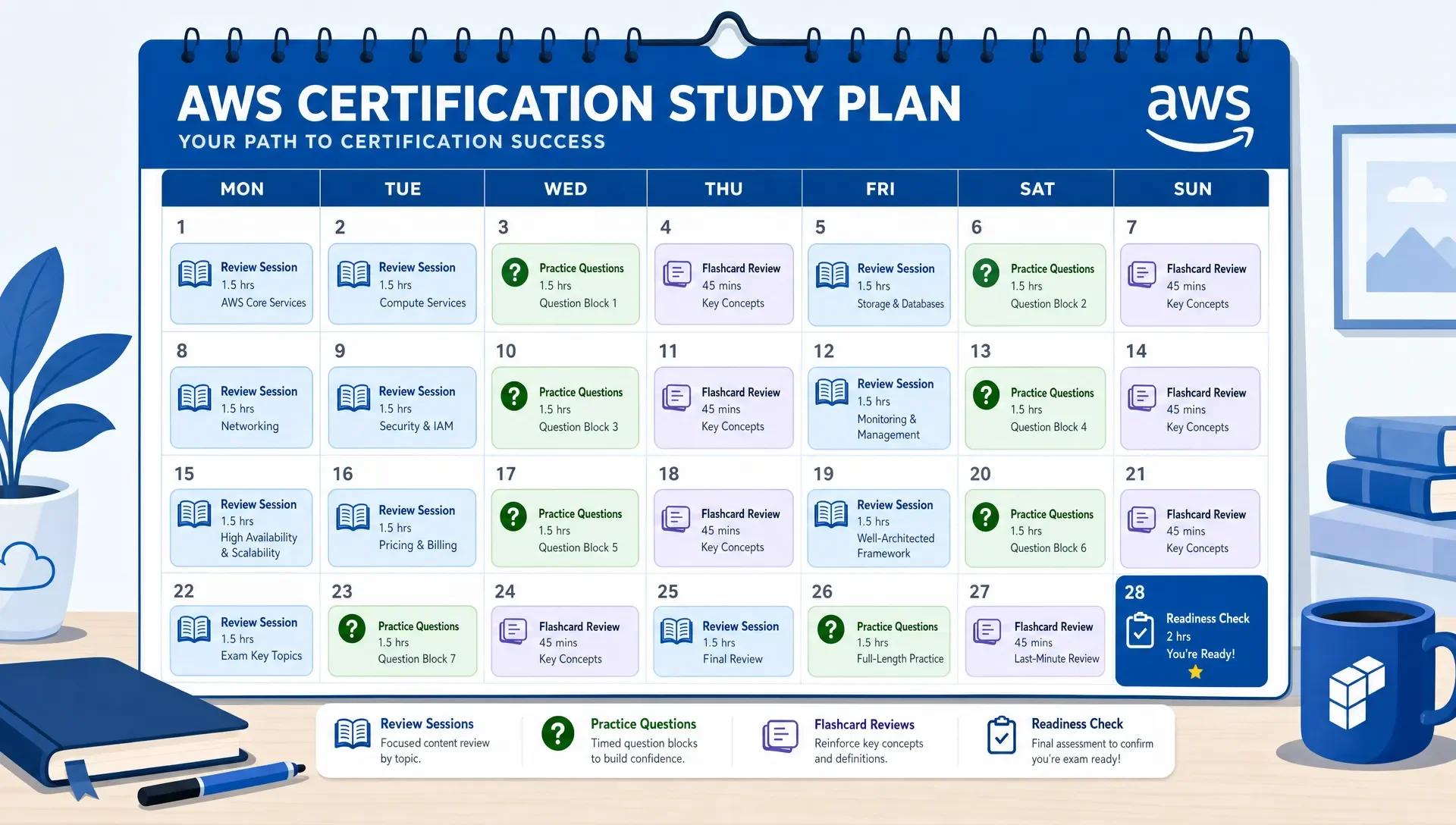
Start each study week with one domain. Read the objective, learn the required concepts, answer practice questions, then review explanations until you can state the decision rule in plain English. For example, don't just memorize storage service names. Learn when durability, latency, access pattern, cost, compliance, or lifecycle management changes the answer.
If you want a deeper breakdown of how domains shape AWS exams, use this guide to AWS certification exam domains you need to master. If you want a broader study process, this article on how to prepare for AWS certification pairs well with the path decisions in this guide.
A Simple AWS Certification Path Map for Common IT Learners
Once you understand levels and roles, build a sequence. A sequence keeps you from changing targets every time you see a new certification announcement.
| Learner Profile | Suggested Path | Why This Sequence Works |
|---|---|---|
| New IT learner moving into cloud | Cloud Practitioner, then Solutions Architect - Associate. | Builds vocabulary first, then moves into practical architecture decisions. |
| Help desk or support technician | Cloud Practitioner, then SysOps Administrator - Associate or Solutions Architect - Associate. | Connects customer issues, access, monitoring, networking, and support scenarios. |
| Systems administrator | Solutions Architect - Associate, then SysOps Administrator - Associate, then Security or DevOps. | Turns existing infrastructure knowledge into cloud design and operations skill. |
| Developer | Developer - Associate, then Solutions Architect - Associate, then DevOps Engineer - Professional. | Starts with application work, then adds architecture and automation depth. |
| Security analyst | Cloud Practitioner or Solutions Architect - Associate, then Security - Specialty. | Gives AWS architecture context before deep security scenarios. |
| Data-focused learner | Data Engineer - Associate, then Solutions Architect - Associate or security-focused study. | Builds data workload skill and then adds architecture and governance context. |
You don't have to collect every associate credential. Two well-chosen certifications usually beat four scattered ones. The goal is to create a path that supports your job tasks, your next role, and your confidence under exam conditions.
How to Know You're Ready to Schedule the AWS Exam
Don't schedule based only on how many videos you've watched or chapters you've finished. Schedule when your performance shows that you can apply concepts under pressure.
Good readiness signs include stable practice scores across multiple sessions, clear improvement in weak domains, the ability to explain wrong answers without checking notes, and enough timing control to finish without rushing. Weak readiness signs include memorizing question wording, scoring high only on recently studied topics, or consistently missing questions that combine several services.
Before you book the exam, compare your prep against these AWS exam readiness signs you shouldn't ignore. The goal isn't perfection. It's predictable performance across the exam objectives.
Frequently Asked Questions
Which AWS certification should I take first? If you're new to cloud, start with AWS Certified Cloud Practitioner. If you already work in IT and understand cloud basics, start with an associate exam that matches your role, such as Solutions Architect, Developer, SysOps Administrator, Data Engineer, or Machine Learning Engineer.
Is AWS Solutions Architect - Associate the best certification for most IT learners? It's often the best general technical AWS certification because it covers architecture, security, storage, networking, compute, resilience, and cost tradeoffs. However, it isn't always the best first choice. Developers may benefit more from Developer - Associate, while operations-focused learners may prefer SysOps Administrator - Associate.
Can I skip AWS Cloud Practitioner? Yes, if you already understand AWS fundamentals, shared responsibility, IAM basics, core services, pricing concepts, and basic cloud architecture. If those areas feel unclear, Cloud Practitioner can save time by giving you a structured foundation.
How long does it take to prepare for an AWS certification while working full time? For a busy learner, a foundational exam often fits into a few weeks to a few months, while an associate exam usually needs a longer plan. Your timeline depends on weekly study time, prior cloud experience, and how consistently you practice exam-style questions.
Should I take multiple AWS certifications back to back? Only if the exams support the same role path. Cloud Practitioner followed by Solutions Architect - Associate can make sense. Developer - Associate followed by DevOps Engineer - Professional can make sense later. Randomly stacking credentials usually creates more review work without a clear career payoff.
Do AWS certifications replace hands-on experience? No. Certifications help structure and validate your knowledge, but hands-on practice makes the scenarios easier to understand. Even small labs, work projects, or guided exercises can make your practice question review much more effective.
Turn Your AWS Path Into a Weekly Plan
The right AWS certification path should make your study simpler, not busier. Pick the exam that matches your role, study the domains in order, use practice questions to expose weak areas, and review with spaced repetition until your performance is steady.
MindMesh Academy can help you make that plan a reality. We offer expert-reviewed practice questions, detailed explanations, and readiness tracking to pinpoint your weak areas for any AWS certification path. Start building your foundation and test your knowledge with our AWS Solutions Architect - Associate practice exam.
For the current list in one place, see our AWS certification hub — every exam by tier, with question counts, time limits and the study guide and practice exam for each.

Written by
Alvin Varughese
Founder, MindMesh Academy
Alvin Varughese is the founder of MindMesh Academy and an enterprise architecture leader. An electrical engineer by training, he moved from factory automation in South Africa to cloud architecture at GE Appliances and Humana (Fortune 50), and holds 20 professional certifications including AWS Solutions Architect Professional, Azure DevOps Engineer Expert, and Microsoft Agentic AI Business Solutions Architect. He built MindMesh Academy after interviewing too many highly certified candidates who couldn't answer basic questions: the goal is prep that makes you better at the job, not just able to pass the exam.