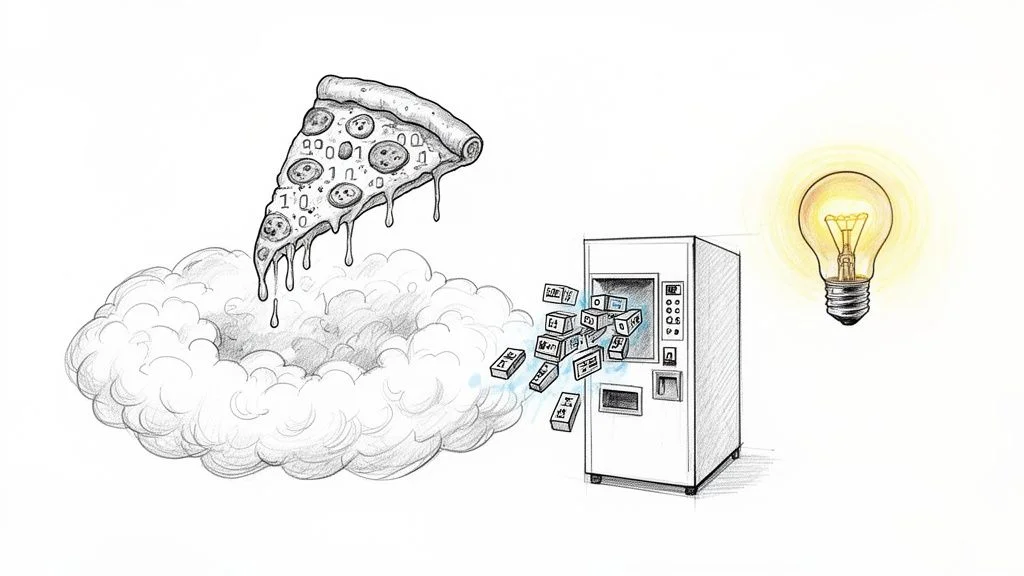
What Is Serverless Computing? A Practical Explainer
What Is Serverless Computing? A Practical Explainer for IT Professionals
The term "serverless" is slightly misleading. While your application logic executes without you needing to manually configure or supervise hardware, physical machines still exist in a data center somewhere. In reality, the infrastructure is more active than ever. Powerful cloud environments, managed by providers like AWS, Azure, and Google Cloud, handle the heavy lifting behind the scenes. The primary difference for IT professionals is that the provider abstracts the underlying machines from your daily workflow. You focus on the code while the provider manages the iron.
Consider the business of running a restaurant as a comparison. In a traditional IT model, you act as a restaurateur who leases a building. You must install a full kitchen with ovens, industrial refrigeration, and prep stations. You hire staff to maintain the equipment and you manage everything from gas lines to health inspections. This is similar to managing your own local servers or virtual private servers. You are responsible for the infrastructure before you ever cook a single meal or serve a customer.
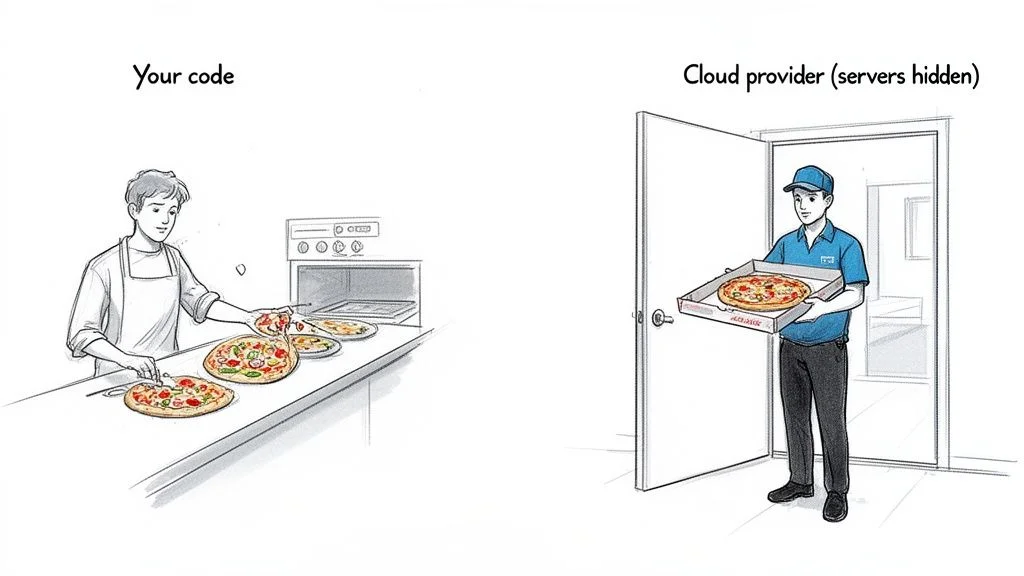
In the serverless model, you provide the "menu"—which is your application code—and a cloud provider like Amazon Web Services (AWS), Microsoft Azure, or Google Cloud handles the entire kitchen. They manage the hardware, scaling, security patching, and hardware maintenance. This allows your team to spend their time creating features rather than maintaining the environment where those features live. You do not pay for idle kitchen space or utility bills when the restaurant is closed. You only pay for the ingredients used and the time spent cooking the specific dishes ordered by your customers.
This approach changes the core of software development. Instead of teams spending time on server provisioning and capacity planning, they can direct their energy into what creates actual business value. They can develop features that customers need and deliver them to production much faster than in a server-based environment.
The Shift in Responsibility: Why It Matters for Certifications
Serverless computing is built on the concept of infrastructure abstraction. Your application is not a single, massive program that stays active on a server 24 hours a day. Instead, it is broken down into small, independent functions that run only when required. Understanding this change is necessary for anyone pursuing cloud certifications like AWS Certified Cloud Practitioner, Azure Fundamentals, or Google Cloud Digital Leader. These exams evaluate your knowledge of modern architecture design and the division of responsibility between the customer and the provider.
These functions work through triggers called events. An event can be almost anything that happens within your digital environment. A user might make an API call from their mobile phone. A file might be uploaded to a storage bucket. A row in a database might change, or a message might appear in a queue. You can even set a basic timer to trigger a function at a specific time. When the trigger occurs, the cloud provider identifies the need for resources. It allocates the memory and CPU power required, runs your code, and then immediately releases those resources.
A major advantage here is the pay-per-use model. You are only charged for the exact amount of time your code is running, which is often measured in milliseconds. If your function runs for 200 milliseconds, you pay only for that duration. This level of cost efficiency is a frequent topic in cloud optimization and management exam objectives.
The central idea of serverless is that you provide the application code and the cloud provider manages the rest. This event-driven, pay-per-use approach removes the need to manage persistent servers. It allows developers to focus exclusively on logic and feature development. This represents a fundamental shift towards greater operational efficiency and agility, which is frequently discussed in DevOps and ITIL frameworks.
This model is growing quickly across the industry. The serverless computing market had a valuation of USD 24.51 billion in 2024 and is projected to reach USD 52.13 billion by 2030. These figures, which are explored in this thorough serverless computing industry analysis, show why serverless skills are becoming more important for IT professionals who want to grow their careers.
Serverless Vs Traditional Servers At A Glance
Comparing serverless to traditional server management clarifies the differences in operational work. The table below shows how responsibilities are divided in both models, highlighting the significant operational shift that serverless introduces.
| Aspect | Traditional Server Management | Serverless Computing |
|---|---|---|
| Server Provisioning | Manual setup or complex scripting | Fully automated by the cloud provider |
| Scaling | Manual configuration or intricate auto-scaling rules | Automatic and immediate scaling based on real-time demand |
| Cost Model | Billed for allocated resources (even when idle) | Pay-per-use (billed only for execution time) |
| Maintenance | Operating system patching, security updates, capacity planning | All underlying infrastructure maintenance handled by the provider |
| Developer Focus | Managing servers & writing application code | Exclusive focus on writing application code |
The differences are clear. The serverless approach is built to remove nearly all operational overhead. This allows your team to innovate faster and work more efficiently. This focus on operational excellence and cost control is a key part of most professional cloud certifications and modern IT strategies.
Exploring FaaS and BaaS: The Core Components of Serverless
Serverless computing functions by removing the burden of server management from the developer. This is achieved through two specific models that form the foundation of almost every serverless architecture: Function as a Service (FaaS) and Backend as a Service (BaaS). For anyone studying for cloud certifications, recognizing how these roles differ and how they work together is a requirement.
View these as two separate but helpful toolsets. FaaS is the place where your custom logic runs. BaaS provides the ready-to-use services that most applications need, such as storage and identity management, without requiring you to configure the underlying hardware.
Function as a Service (FaaS): The Compute Engine
Function as a Service, or FaaS, is the actual compute power within a serverless setup. This is the environment where your event-driven code runs. If building an application is like running a kitchen, FaaS is a specialized chef who only appears when an order is placed, prepares that specific dish, and leaves immediately once the plate is served.
You organize your application logic into small, independent units called functions. Each function handles one specific task. One function might process a credit card payment, while another resizes an image or sends a text message. These functions stay inactive and cost nothing until a specific event triggers them.
When a trigger occurs—such as a user clicking a button, an API request arriving, or a file being saved to a folder—the cloud provider creates a temporary environment. It runs your function, delivers the output, and then shuts down the environment. This process usually takes place in milliseconds.
This event-driven model is why FaaS is so efficient. You never pay for a server to sit idle. You only pay for the exact amount of time your code is running, measured in small increments. For applications with inconsistent traffic patterns, this leads to significant savings. This concept of cloud economics is a frequent topic in certification exams.
The most prominent FaaS tool is AWS Lambda. If you are studying for the AWS Certified Cloud Practitioner (CLF-C02), you should examine how AWS Lambda works and its common use cases to prepare for exam questions. Other major options include Azure Functions and Google Cloud Functions.
Backend as a Service (BaaS): The Pre-Built Utilities
FaaS runs your custom code, but Backend as a Service (BaaS) provides the supporting features that applications need to function. BaaS is about using services rather than building them from scratch.
Think about a new house. You do not build a private water treatment plant or a power station for your backyard. You simply connect to the city utilities. BaaS is that utility grid. It offers managed services that you access through API calls, so you do not have to manage the complicated infrastructure behind them.
Several BaaS offerings are standard in modern development:
- Authentication: Managed services handle user logins, sign-ups, and security protocols (e.g., AWS Cognito, Auth0). This removes the risk and work of storing passwords and managing identities.
- Databases: Scalable NoSQL or SQL databases allow your application to store data without you managing the database server (e.g., Google Firebase, Amazon DynamoDB). These are vital for keeping data safe in a serverless environment.
- File Storage: These solutions store items like photos, videos, or logs (e.g., Amazon S3, Google Cloud Storage). They provide high durability and can grow to hold almost any amount of data.
- Push Notifications: These services send alerts to users on their phones or browsers reliably.
FaaS and BaaS: A Synergistic Approach
A serverless architecture reaches its full potential when you mix FaaS and BaaS. Developers use BaaS for the foundational pieces and then write FaaS functions to act as the logic that connects those pieces. This method is a key part of cloud-native design and appears often in advanced certification exams.
Consider how a photo-sharing app might work:
- A user uploads a photo. This file goes directly into a cloud storage bucket, which is a BaaS service like Amazon S3.
- The act of saving that file creates an event. This event triggers a FaaS function, such as an AWS Lambda function.
- The FaaS function starts up, creates a smaller thumbnail version of the image, and writes the details—like the upload time and the user's name—into a BaaS database like Amazon DynamoDB.
Throughout this process, the developer only wrote the code for the thumbnail creation. The login system, the storage for the images, and the database were all existing BaaS components. No one had to set up a server, update an operating system, or manually adjust capacity. This shows the practical value of building with a serverless mindset.
Reflection Prompt: Consider how this serverless architecture simplifies deployment and maintenance compared to a traditional three-tier application. What benefits would a project manager (PMP certified) see in terms of resource allocation and time-to-market?
How Serverless Architecture Actually Works
To fully grasp serverless, you must adopt an event-driven mindset. The entire model relies on an event-driven architecture. This means the system is built to wait for a specific occurrence and then react to it immediately. This reactive pattern is the core of serverless operations. It is a concept that every cloud architect or developer should master.
Compare this logic to a motion-activated security light. Most of the time, the light remains off. It consumes no power. It is simply in a state of waiting. The moment it detects motion—this is the event—it activates instantly. It performs its single task, which is the function. Once the motion stops and the timer runs out, it deactivates.
Serverless computing follows this exact sequence. Your code exists as individual, dormant functions. When a specific trigger occurs, the cloud provider instantly provisions a temporary, isolated execution environment. The provider runs your function to process the event and then quickly removes that environment. You only pay for the specific milliseconds or seconds that the "light" was turned on.
This approach is effective because it matches your operational costs with actual code usage. You no longer pay for expensive servers to sit idle while waiting for requests that might never arrive. This direct link between usage and cost helps teams plan IT budgets with much higher accuracy. It eliminates the waste associated with over-provisioned hardware.
The Lifecycle of a Serverless Function
We can trace exactly what happens when an event initiates a serverless function. Events might include a user hitting an API endpoint, a file being uploaded to a storage bucket, or a new database record being created. The cloud provider manages this rapid sequence of steps automatically. The developer does not need to intervene in the underlying infrastructure management.
- Event Trigger: The process starts when a pre-configured event source sends a signal to the serverless platform. These signals come from many sources. A common example is an incoming HTTP request routed through an API Gateway. Other triggers include messages arriving in a queue service like Amazon SQS or Azure Service Bus. You can also set up scheduled timers, similar to traditional cron jobs, to trigger functions at specific intervals.
- Container Allocation (Cold Start): If a function has not been called recently, the platform must prepare a place for it to run. It identifies an available server in the fleet and provisions a small, short-lived container or execution environment. This environment includes the specific language runtime, such as Python, Node.js, or Java, along with your function code and its dependencies. This initial setup takes time. This delay is known as a cold start. The provider must pull the code from storage and initialize the runtime before execution can begin.
- Code Execution: Once the environment is ready, your function code runs. It takes the data provided by the event trigger and performs its logic. This might involve transforming data, writing to a database, or calling another service. The environment is secure and isolated, meaning one function's execution does not interfere with another.
- Resource Deallocation/Shutdown: As soon as the function finishes its task and returns a response, the container is either destroyed or put into a paused state. The computing resources—CPU and RAM—are freed up. The provider can then use those resources for other tasks. This cleanup happens quickly to ensure that users are not billed for idle time after the logic is complete.
This diagram shows how the two main parts of serverless—FaaS and BaaS—work together to create a functional system.
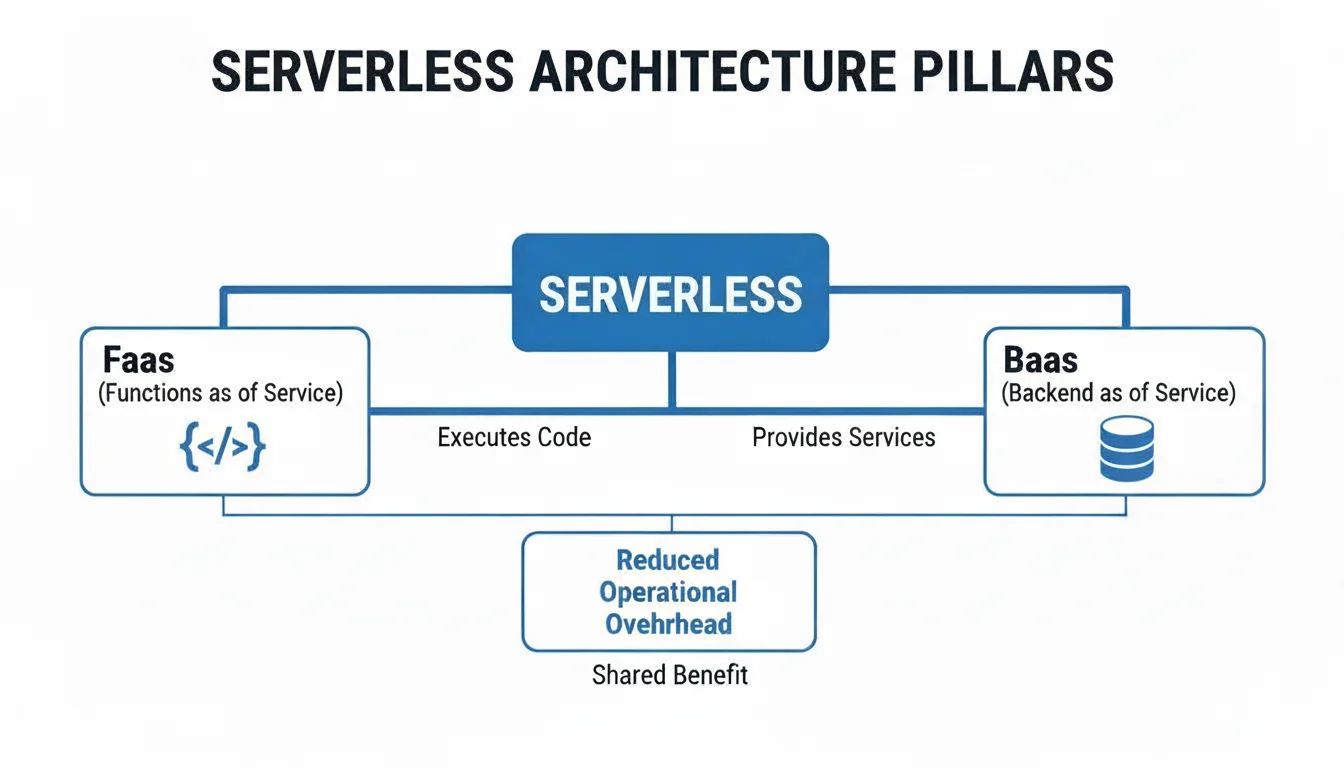
As shown, Functions as a Service (FaaS) is the engine that runs your event-driven code. At the same time, Backend as a Service (BaaS) provides the managed services your functions need. These services handle things like databases and long-term storage. This ensures your data stays available even when the function code is not running.
Understanding Cold Starts: A Certification Consideration
The on-demand nature of serverless creates a specific performance trait called a cold start. If your function has been inactive, there is no container waiting for it. When a request arrives, the cloud provider has to do the heavy lifting of finding a server, creating the container, and loading your code. This process can add anywhere from a few hundred milliseconds to several seconds of latency.
After a function runs, the provider usually keeps that container "warm" for a short time. This is done in case another request arrives soon. If a second request comes in while the container is still active, the function starts almost instantly. This is called a warm start. Warm starts are much faster because the environment is already prepared.
A cold start is the latency that occurs when a serverless function is triggered for the first time after a period of inactivity. While this delay is often minor, it matters for applications where speed is vital, such as a mobile app's user interface. Cloud providers have created ways to fix this. One method is provisioned concurrency. This allows you to pay a small fee to keep a set number of function instances warm and ready to go. This eliminates the startup delay for your most important tasks. Knowing how to manage cold starts and use mitigation tools is a frequent topic on cloud architecture and optimization exams.
The Stateless Nature of Serverless: A Design Principle
A main rule of serverless design is that functions must be stateless. You must treat every function call as a brand-new event that knows nothing about previous calls. You cannot assume that data stored in the function's memory during the first run will be there during the second run. This design is what allows serverless platforms to scale to thousands of users at once without crashing.
This rule exists because there is no guarantee that your function will run on the same server or container twice. If you try to save a user's login session or a shopping cart inside the function's local memory, that data will disappear. It vanishes as soon as the function finishes and the container is cleared. To build a reliable system, you must keep the logic separate from the data.
So, how do you save important information? You use Backend as a Service (BaaS). Instead of keeping state inside the temporary function, you send that data to an external service. These services are built to store information safely over long periods.
- User Sessions: Use managed database services like Amazon DynamoDB to store session data. You can also use specialized caching tools like AWS ElastiCache, which uses Redis or Memcached to store data in memory for fast access.
- File Data: If your app handles images, documents, or videos, store them in durable object storage. Amazon S3 and Google Cloud Storage are the standard choices for this.
- Application State & Workflows: For complex apps that require multiple steps, use a state machine service. AWS Step Functions can coordinate many FaaS functions, keeping track of where the process is and what data needs to move to the next step.
This setup creates a clear line between the temporary logic in your FaaS functions and the permanent data in your BaaS tools. This separation is a requirement for building cloud-native applications that are resilient and easy to grow. If you are studying for a certification, you must understand this separation of concerns. It is the basis for designing modern distributed systems. To see how these parts fit together in the real world, you can review popular tech stack examples that use serverless parts to handle high traffic and complex data.
Evaluating The Benefits And Tradeoffs Of Going Serverless
Choosing a serverless architecture marks a major change from traditional methods of deploying applications. While the model provides clear benefits, it is not a perfect fit for every scenario. Every major technology shift requires a careful look at the advantages and disadvantages to see if they fit your project requirements and the goals of your business. Cloud solution architects must treat this cost-benefit analysis as a core part of their job. Understanding when to use these tools—and when to avoid them—is what separates a senior architect from a beginner.
The current growth of this sector shows how much it is changing the industry. Market data suggests the serverless market will grow from roughly USD 32.59 billion in 2026 to an estimated USD 91.56 billion by 2031. This is not a small trend or a niche interest for hobbyists. It represents a long-term shift in how companies plan their cloud strategies. You can find more specific market data and projections on Mordor Intelligence if you want to look at the industry trends in more detail.
The Upside: Why Teams Are Embracing Serverless
The primary reason teams move to serverless is to remove the burden of managing infrastructure. This shift lets developers focus almost entirely on writing code rather than configuring virtual machines. This core benefit results in several advantages that IT teams and business leaders notice quickly after adoption.
First, the impact on cloud costs is often immediate. Serverless uses a strict pay-per-use billing model. This means the cloud provider only bills you for the exact amount of time your code is running. These increments are often measured in milliseconds. In a traditional setup, you pay for a server to sit idle while it waits for a user to visit your site. In a serverless environment, those costs for idle time disappear. This pricing structure is particularly useful for applications that have traffic that is hard to predict or that comes in sudden bursts.
Second, the ability to use automatic scaling is a major advantage. When an application gets a sudden spike in traffic, the cloud platform manages the extra load automatically. You do not have to spend time manually adding more servers, adjusting load balancers, or trying to optimize the resources in a cluster. The underlying infrastructure handles ten requests or ten million requests with the same logic. It scales up to meet demand and scales back down when the traffic leaves. This high level of elasticity is a fundamental part of cloud design and is a frequent subject on modern cloud certification exams.
For many teams, the most important result is improved developer productivity. By removing the need to manage servers, developers no longer spend time on OS patching, capacity planning, or low-level security hardening. They can spend their time on what they were hired to do: building features and fixing bugs. This change speeds up the time it takes to get a product to market. It makes a company more competitive because it can ship new updates faster than competitors who are still stuck managing their own hardware or virtual instances.
The Other Side Of The Coin: Potential Downsides
While the benefits are strong, adopting serverless without looking at the tradeoffs can cause problems. Moving to this model requires a different way of thinking about architecture and operations. If you don't account for these factors, you might face hidden costs or performance issues.
One major issue is vendor lock-in. When you build an application using specific services like AWS Lambda, Amazon API Gateway, and Amazon DynamoDB, you are using tools that are built to work specifically within that one cloud provider. Because these services use proprietary APIs, moving your application to a different provider is not a simple task. It can be a slow, expensive, and difficult project to rewrite the parts of your code that talk to those specific services.
Debugging and fixing errors also changes in a serverless environment. Instead of one large application running on a single server, your system is now made of many small, separate functions. Tracking a single request as it moves through dozens of these functions to find an error is difficult. To manage this, you need high-quality monitoring tools. Centralized logging and distributed tracing are not just helpful extras; they are required for keeping the system running. Without them, you will have no visibility into how your functions are interacting or where they are failing.
Finally, you have to deal with cold starts. This is the delay that happens when a function runs for the first time after it has been inactive. The cloud provider has to "spin up" the environment to run your code, which adds a small amount of latency. For apps that need the fastest possible response times, such as high-speed trading platforms or real-time games, this delay might be unacceptable.
Reflection Prompt: How might vendor lock-in change the strategy for a company using multiple cloud providers? Which architectural patterns help reduce this specific risk?
Serverless Computing: Benefits Vs. Tradeoffs
This table provides a summary of the main points IT professionals should think about when choosing whether to go serverless. Comparing functions like Lambda to virtual machines like EC2 is a standard task for cloud architects. You can find more practical details on these differences at EC2 vs Lambda.
| Benefits (Pros) | Tradeoffs (Cons) |
|---|---|
| Pay-per-use cost model cuts down on costs for servers that are sitting idle. | Vendor lock-in makes it hard to switch your application to a different cloud provider. |
| Automatic scaling manages sudden spikes in user traffic without manual work. | Higher operational complexity when trying to debug or monitor many small functions. |
| Improved developer velocity lets teams spend more time on features instead of servers. | Performance latency can happen because of cold starts in certain scenarios. |
| Lower operational overhead because the provider handles patching and maintenance. | Resource limitations exist for how long a function can run and how much memory it uses. |
| Better fault tolerance because functions are isolated and can be replaced if they fail. | Different security model which requires managing specific permissions for every function. |
Choosing to use serverless means looking at these factors and deciding which ones matter most for your specific project. The right choice depends on what your application needs to do, the skills your team has, and the goals of your organization. Every project is different, and what works for a startup might not be the right choice for a large bank.
Practical Use Cases For Serverless Technology
Learning the theory behind serverless computing is a necessary first step, but seeing how these systems function in production is where the value becomes clear. Serverless architectures are not a universal fix for every software challenge. Instead, they represent a targeted solution for specific problems where traditional server management creates unnecessary overhead. The primary advantage of this model is that it allows developers to stop managing operating systems and hardware configurations. Instead, they can focus on writing modular code that executes only when triggered by a specific event.
We will examine several practical scenarios where a serverless approach provides clear benefits for technical teams and the organizations they support.
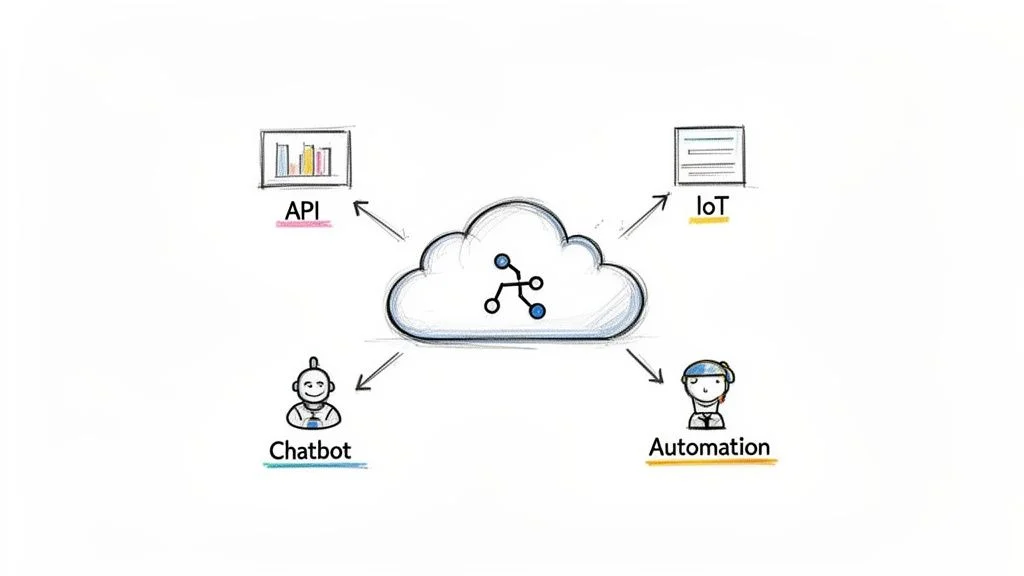
Building Scalable APIs And Backends
Constructing the backend for web and mobile applications is the most frequent application of serverless technology. This popularity stems from how well the model handles fluctuating traffic. Consider an e-commerce site that experiences standard daily traffic but faces extreme spikes during limited-time sales or holiday events. In a traditional hosting environment, an engineer would need to estimate the maximum possible traffic and rent enough server capacity to handle that peak. This leads to a situation where expensive hardware sits underutilized for most of the year, draining the budget while performing no work.
Serverless removes the need for capacity planning. In this architecture, every incoming API request serves as a trigger for a specific function. The cloud provider manages the execution environment for each request individually. It does not matter if the application receives ten requests or ten million; the infrastructure scales up or down instantly to meet the demand. This behavior makes serverless an excellent choice for microservices architectures. In this setup, developers break an application into small, independent services that each handle one specific task.
For instance, a developer might use AWS Lambda connected to an Amazon API Gateway endpoint. When a customer clicks a "Purchase" button on the site, the frontend sends a request to that endpoint. The cloud provider instantly starts a Lambda function to process the order. This function can validate the credit card data, update a managed inventory database, and trigger a separate function to generate a shipping label. Each of these steps runs in its own isolated environment. The company only pays for the milliseconds the code is running. This pattern of event-driven execution is a central topic in cloud architecture training.
Processing Real-Time Data Streams
Modern digital systems produce massive amounts of continuous data. This includes everything from log files generated by web servers to telemetry data sent by millions of industrial sensors. Serverless functions are ideal for processing this high-volume, ephemeral information because they can execute as soon as data enters the system.
Instead of waiting for a daily batch process to run, you can configure functions to react the moment a new data point arrives in a stream. This allows for immediate data transformation, anomaly detection, and real-time analytics. Because serverless functions scale horizontally, they can process thousands of data points simultaneously without the developer having to manage a complex cluster of processing nodes.
The utility of serverless for data streaming is most obvious when dealing with unpredictable data patterns. An IoT sensor might remain inactive for several hours and then suddenly transmit a burst of data every millisecond. A serverless function responds to each event as it happens. This eliminates the cost of keeping a dedicated server running and waiting for a signal that may not arrive for hours.
A practical application can be found in the logistics industry. A shipping company might track delivery trucks using GPS sensors that report coordinates to a service like Amazon Kinesis or Azure Event Hubs. Each new coordinate entry triggers an Azure Function or Google Cloud Function. The function performs a quick calculation to see if the truck is still on its assigned route. If the truck deviates, the function can immediately send a notification to a dispatch supervisor. This type of automated, event-driven logic is a standard component of modern supply chain management.
Powering Intelligent Chatbots And Voice Assistants
Interactive applications like chatbots and voice assistants require immediate responses to maintain a natural user experience. These systems operate on a simple event-response cycle: a user speaks or types a command (the event), and the system must interpret the intent and provide an answer (the execution). This cycle is a perfect fit for the serverless execution model.
Chatbot usage is often erratic. A customer support bot might be extremely busy during business hours but rarely used at night. With serverless, the organization does not pay for the bot while it is idle. During busy periods, the cloud provider automatically runs as many instances of the function as needed to ensure every user gets a quick response. This allows developers to focus on the logic of the conversation and the integration with external data sources rather than worrying about server load.
A banking chatbot provides a clear example. When a customer asks for their current balance via a mobile app, the request triggers an AWS Lambda function. The function performs three quick steps: it verifies the user's identity, it pulls the balance from a secure, managed database, and it formats the response for the user. This happens in a fraction of a second. The bank benefits from a system that can handle thousands of customers at once while only incurring costs when a customer actually interacts with the bot.
Automating IT And Security Operations (Serverless Ops)
Serverless is not just for building features that customers see; it is also a powerful tool for internal automation. Many IT tasks are repetitive and manual, which increases the risk of human error. These operational jobs can be handled by event-driven functions that respond to changes in the cloud environment. This approach is often called "Serverless Ops," and it improves both the reliability and the efficiency of infrastructure management.
Functions can be programmed to watch for specific triggers within a cloud account, allowing for automated management of resources.
- Automated Backups: Engineers can schedule a function to execute at a specific time every night. This function can take snapshots of critical databases and move them to long-term storage, ensuring data is protected without manual intervention.
- Security Remediation: If a monitoring service detects that a storage bucket has been made public, it can trigger a function to immediately reset the permissions to private. This type of automated response limits the time a system is vulnerable. This is a primary focus area for professionals pursuing security certifications.
- Cost Management: Organizations can deploy functions that scan for orphaned resources, such as virtual machine disks that are no longer attached to a server. The function can alert the team or delete the resource to prevent unnecessary charges. This practice is part of the cost optimization strategies covered in cloud practitioner exams.
This automation creates a system that can fix itself. For example, a Google Cloud Function can be set to run every time a user uploads a document to Cloud Storage. The function can run an antivirus scan on the file before it is allowed to be accessed by other parts of the application. This creates an automated security gate that protects the entire system from malicious uploads.
Starting your work with serverless technology is an effective way to accelerate development and reduce the time spent on infrastructure maintenance. However, successful implementation requires careful planning. For those preparing for professional certifications, understanding these best practices is just as important as knowing how to write the code.
The following advice comes from observing how serverless systems behave in production. By addressing cost, security, and monitoring early in the process, you can avoid common issues and ensure your projects are stable and sustainable over the long term.
Manage Your Costs Proactively
The billing model for serverless is based entirely on usage, which is usually a benefit. You are not billed for idle time, which can save a significant amount of money. However, this also means that your bill is tied directly to how often your code runs and how long it takes to finish. If an application suddenly becomes popular or if a developer writes a bug that causes a function to call itself repeatedly, costs can rise quickly.
To prevent unexpected expenses, your first step should be to set up billing alerts in your cloud provider's management console. Services like AWS Budgets or Azure Cost Management allow you to set specific spending limits. If your usage patterns suggest you will hit those limits, the system sends a notification so you can investigate. It is always a good idea to start your learning process within the "free tier" offered by most providers. This allows you to experiment with functions without spending money. Mastering these financial controls is a requirement for the AWS CLF-C02 and other foundational cloud exams.
Prioritize Security From The Start
The security model changes when you move to serverless. You are no longer responsible for patching the underlying operating system, which is a major benefit. However, you are now responsible for the security of many small, connected components. Every function is a potential target, which means you must adopt a "least privilege" strategy for every piece of code you deploy.
The most important rule of serverless security is to give each function only the exact permissions it needs to do its job. If a function only needs to read data, do not give it permission to write or delete data. This limits the damage that can be done if a single function is ever compromised.
For example, if a function is designed to read a configuration file from an Amazon S3 bucket, its Identity and Access Management (IAM) policy should be restricted to that specific bucket. It should not have access to other buckets or other services like database management or networking. Correctly managing these Identity and Access Management (IAM) roles is the most effective way to secure a serverless environment. This is a frequent topic in AWS, Azure, and Google Cloud security certification exams. If you are preparing for the current AWS exam, our AWS Certified Cloud Practitioner Study Guide provides a detailed breakdown of how to use IAM to protect your resources.
Implement Robust Monitoring and Observability
In a traditional application, you might look at a single log file on a single server to find an error. In a serverless application, a single user request might trigger five different functions across three different services. This makes it much harder to find the source of a problem. You need observability, which is the ability to look at the telemetry data of your entire system to understand its health and performance.
You should set up centralized logging as soon as you begin building. Tools such as AWS CloudWatch or Azure Monitor gather logs and performance data from all your functions into one place. You should also use distributed tracing, which assigns a unique ID to a request so you can follow it as it moves through different functions. This makes it easier to find where a delay is occurring or why a specific step is failing. You should monitor metrics like how long functions take to run, how often they fail, and "cold start" times—the delay that occurs when a function runs for the first time after being idle. Maintaining this visibility is a core part of operational excellence in cloud environments.
Frequently Asked Questions About Serverless
IT professionals often encounter specific questions when investigating serverless models. These inquiries address the technical differences between function-based computing and traditional infrastructure. Answering them clarifies how these abstractions function in modern cloud environments and where they offer the most value for organizations.
Why Is It Called Serverless If Servers Are Still Used?
The name is a misnomer because physical servers still run the code. The term actually describes your operational experience. The distinction is that you are no longer responsible for managing, provisioning, or scaling those servers. The cloud provider assumes those burdens entirely.
Consider the municipal water supply in a home. You do not manage a reservoir, a treatment plant, or a network of underground pipes. You turn a faucet, and water flows immediately. Serverless applies this same abstraction to application code. The provider handles the complex tasks of hardware provisioning, OS patching, and maintenance. This allows you to focus strictly on your code and business requirements. You treat compute resources as a utility rather than a collection of hardware to be maintained.
Is Serverless The Same As Containers?
Serverless and containers are separate technologies that often complement each other. Containers, managed with tools like Docker and orchestrated by platforms like Kubernetes, package application code and dependencies into a portable unit. This unit runs reliably across various environments. With containers, you generally remain responsible for managing the underlying server clusters, such as EC2 instances or Azure Virtual Machines. You must also manage the orchestration and scaling of those containers yourself.
Containers are often preferred for applications that require specific operating system configurations or long-running background tasks that would exceed serverless timeout limits. In these cases, the control offered by a container justifies the additional management effort required to maintain the environment.
Serverless provides a higher level of abstraction by hiding both the container and the server. You upload function code and define triggers. The platform handles the rest. It provisions the execution environment and scales resources up or down based on demand. It can even scale to zero when the function is not in use. While containers provide application portability, serverless offers relief from infrastructure management. Understanding this difference is necessary for cloud architecture and developer certifications. It helps architects select the appropriate compute model for specific workloads.
Is Serverless Always Cheaper Than Virtual Machines?
The economic efficiency of serverless versus virtual machines (VMs) depends on specific workload patterns. For applications with unpredictable traffic or long periods of inactivity, the pay-per-use model reduces costs significantly. You pay nothing when your code does not run. This efficiency makes serverless ideal for bursty or low-volume workloads.
However, a workload that runs constantly at a high, predictable volume—an always-on 24/7 application—might be more economical on a dedicated virtual machine or a containerized solution with a fixed monthly cost. This is a trade-off between the flexibility of on-demand execution and the lower per-hour cost of dedicated, always-on resources. Performing a cost analysis based on usage patterns is a required skill for solution architects. This topic is frequently tested in cloud cost optimization scenarios within professional exams.
Ready to master these cloud concepts and prove your expertise? MindMesh Academy provides the study materials, practical insights, and learning tools needed to approach certification exams with confidence. Prepare for the current AWS Certified Cloud Practitioner exam (verify current exam versions on the vendor site) and other industry credentials. Start your path toward becoming a certified professional by exploring our resources at MindMesh Academy.

Written by
Alvin Varughese
Founder, MindMesh Academy
Alvin Varughese is the founder of MindMesh Academy and an enterprise architecture leader. An electrical engineer by training, he moved from factory automation in South Africa to cloud architecture at GE Appliances and Humana (Fortune 50), and holds 20 professional certifications including AWS Solutions Architect Professional, Azure DevOps Engineer Expert, and Microsoft Agentic AI Business Solutions Architect. He built MindMesh Academy after interviewing too many highly certified candidates who couldn't answer basic questions: the goal is prep that makes you better at the job, not just able to pass the exam.