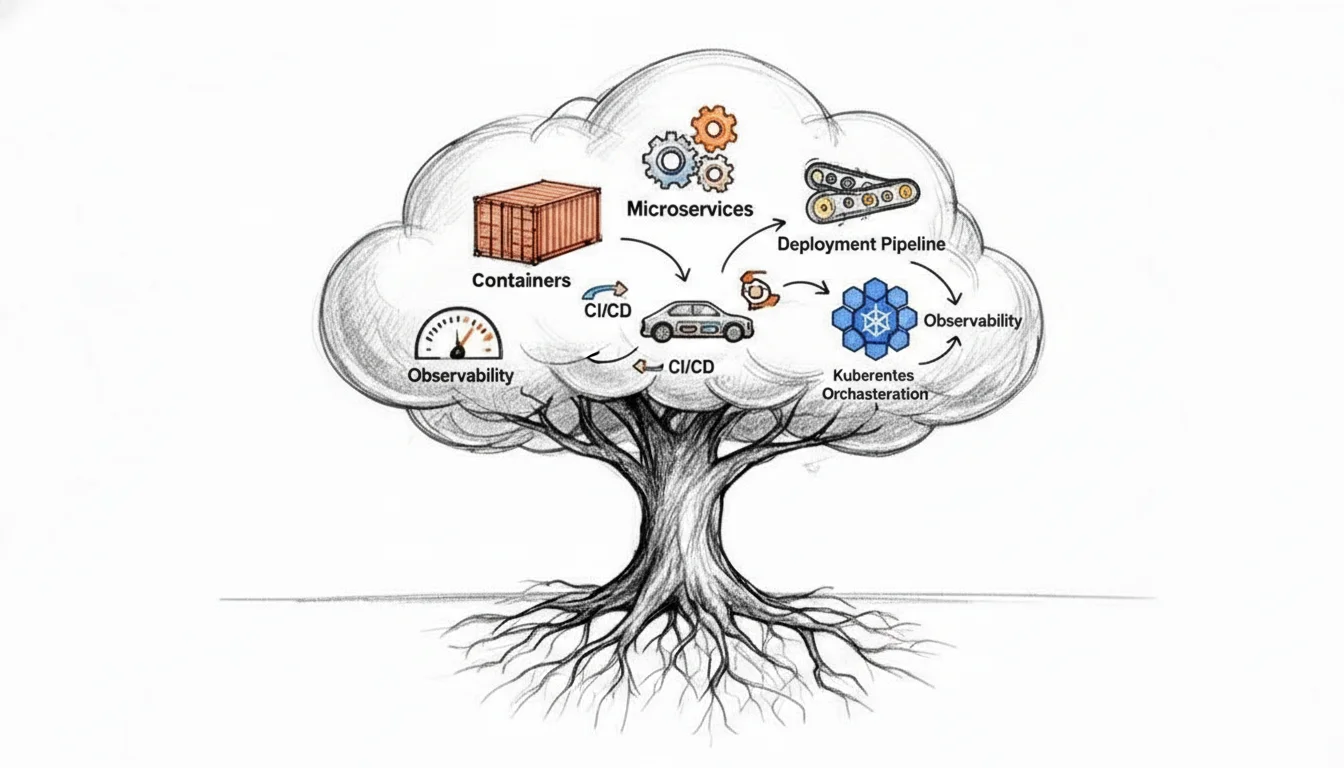
What is cloud native application? A Complete Guide to Modern Apps
What is Cloud-Native Application? A Comprehensive Guide for IT Professionals
Modern IT teams face the constant challenge of building applications that remain resilient and scalable under pressure. Cloud-native development offers a strategic way to meet these shifting business demands. At MindMesh Academy, we focus on the knowledge you need to use these principles in your career and succeed on your certification exams. These applications do more than just occupy space on a remote server.
Cloud-native applications are fundamentally different from traditional software models. These systems are architected from the first line of code to use the elasticity, resilience, and massive scale of modern cloud environments. This approach is not about simply hosting an old application on a new server. Success requires designing software that communicates directly with cloud-specific services and underlying infrastructure.
Consider a maritime analogy. Moving a traditional application to the cloud via a "lift-and-shift" process is similar to taking a river barge meant for quiet waters and towing it into the Atlantic. It might stay afloat, but the barge was never built for ocean storms or strong currents. A cloud-native application is like a ship built specifically for the open sea. It is adaptable and engineered to perform in unpredictable conditions while using sophisticated navigation and stability systems. This specific integration with cloud characteristics makes the transition to cloud-native technology effective.
What Really Makes an Application “Cloud Native”?
Understanding cloud-native technology requires looking past marketing buzz to see a specific strategy for building and running software. It is a method that values speed, efficiency, and system health. This approach moves away from rigid, one-size-fits-all software. Instead of just running code on a remote server, cloud-native development changes the internal logic of how applications function to take advantage of cloud environments.
Legacy applications usually exist as monolithic systems, which work like a single, massive block of code. In these systems, components are tightly coupled, meaning a bug in one area can shut down the whole program. If you need to modify a small piece at the base, the entire application might become unstable. Cloud-native architecture breaks this tower into independent services that act like individual blocks. Each service can be developed, swapped, scaled, or upgraded without impacting any other part of the system.
This design increases speed and agility by allowing separate development teams to manage their specific services at the same time. Teams no longer have to wait for every part of the application to be ready before they can deploy a specific feature. This shortens update cycles and reduces the risks that typically come with large, infrequent software releases. For professionals studying for certifications like the AWS Certified Solutions Architect or Azure Solutions Architect Expert, mastering the shift from monoliths to microservices is a requirement for designing modern, scalable systems.
The Guiding Principles for Cloud-Native Excellence
Building for the cloud requires a different set of rules compared to traditional software development. These principles ensure an application can handle the demands of a global user base:
- Built for Change (Agility): These applications handle small, frequent, and low-risk updates. Instead of waiting months for a major release, teams use an iterative process to improve the software. This approach lets companies react to feedback and market changes almost immediately without taking the entire system offline for maintenance.
- Automation is King (Efficiency): Manual work creates bottlenecks and errors, so cloud-native teams automate as much as possible. This includes code compilation, testing, and deployment. Automation ensures that every deployment follows the same rigorous standards, which reduces human error. Teams use Continuous Integration/Continuous Delivery (CI/CD) pipelines to move code to production, a focus tested in certifications like the AWS Certified DevOps Engineer or Microsoft Certified: Azure DevOps Engineer Expert.
- Resilience by Design (Reliability): Engineers build these systems to expect failure. The software includes self-healing mechanisms that allow it to recover automatically when a specific service fails. It also uses horizontal auto-scaling to increase or decrease resources based on user demand. This ensures the application remains available and fast even during traffic spikes, preventing the crashes common in older systems.
Reflection Prompt: Think about a traditional application you've worked with. How would applying these three guiding principles — "Built for Change," "Automation is King," and "Resilience by Design" — transform its development, deployment, and operational lifecycle? Consider the challenges and benefits for your team and the end-users.
More Than Just "Lift-and-Shift"
Many companies start their transition to the cloud by moving existing apps to virtual machines. This "lift-and-shift" approach reduces data center costs but misses the full power of cloud computing. These applications are cloud-hosted, but they are not cloud-native. To get the most out of cloud technology, developers must rethink how they design their software. This often means re-architecting the code to follow modern cloud computing architecture patterns that focus on distributed services rather than a single server.
This change is more than a technical preference; it is a massive market shift. In 2024, the global market for cloud-native applications reached an estimated $22 billion. This growth shows that organizations rely on this method to stay competitive. You can find more details about these market trends and growth projections at Consainsights.
The following table highlights the critical distinctions between these application approaches, which is a frequent topic in certification exams.
Cloud Native vs. Traditional Applications At A Glance
| Attribute | Cloud Native | Cloud-Ready (Lift-and-Shift) | Traditional Monolith |
|---|---|---|---|
| Architecture | Microservices, serverless, event-driven | Monolithic, N-tier (VM-based) | Monolithic, tightly coupled |
| Deployment | CI/CD pipelines, containers, immutable | Manual or semi-automated VM deployments | Infrequent, manual deployments |
| Scalability | Horizontal (auto-scaling), elastic | Manual or limited auto-scaling (VMs) | Vertical scaling, often manual |
| Resilience | Designed for failure, self-healing, fault-tolerant | Relies on infrastructure redundancy (VM HA) | Single point of failure, high downtime risk |
| Infrastructure | Immutable, Infrastructure as Code (IaC) | Mutable, manually configured VMs | Static, on-premises servers |
| Development | Agile, DevOps culture, small autonomous teams | Traditional or Agile | Waterfall, siloed teams |
The differences between these models go beyond where the code is stored. Cloud-native represents a total change in how we think about, build, and manage software. For certification candidates, knowing these differences is essential when choosing the right architectural patterns and deployment models for a business.
Understanding the Pillars of Cloud-Native Architecture
To understand the core of a cloud-native application, you must examine its architectural structure. This approach relies on several specific principles—often called pillars—that create software capable of meeting massive user demands. These systems remain resilient under pressure, scale automatically based on traffic, and are built to handle frequent updates without crashing.
You should view these pillars as the integrated supports for a modern software structure. Each pillar solves a specific limitation found in traditional development methods. They replace slow, manual processes with dynamic, automated workflows. The following five pillars define this architectural style.
Microservices: The Power of Specialization
The first pillar is the microservices architecture. In a traditional setup, developers build a single, massive application called a monolith. In a monolith, every feature is tied to every other feature. If one part fails, the entire application often goes down. Cloud-native design breaks this system into a collection of small, independent services. Each service handles one specific function and does it well.
A busy restaurant kitchen offers a clear analogy. The traditional monolithic approach is like having one chef responsible for every dish on the menu. If that chef struggles with a complex sauce, the entire kitchen stops moving, and no food reaches the customers. This single person becomes a bottleneck for the entire operation.
A microservices approach works like a team of specialized chefs. One chef handles the grill, another manages the sauces, and a third focuses only on pastries. Every person is an expert in their specific area and works independently. If the pastry station has an issue, it does not stop the grill chef from serving steaks. This separation improves efficiency and makes the system more resilient. It allows software teams to build, test, and scale specific services without affecting the rest of the application. This modularity is a primary concept for those studying for the AWS Certified Developer and Microsoft Certified: Azure Developer certifications.
The diagram below shows this evolution, illustrating the progression from traditional architectures to cloud-native systems.
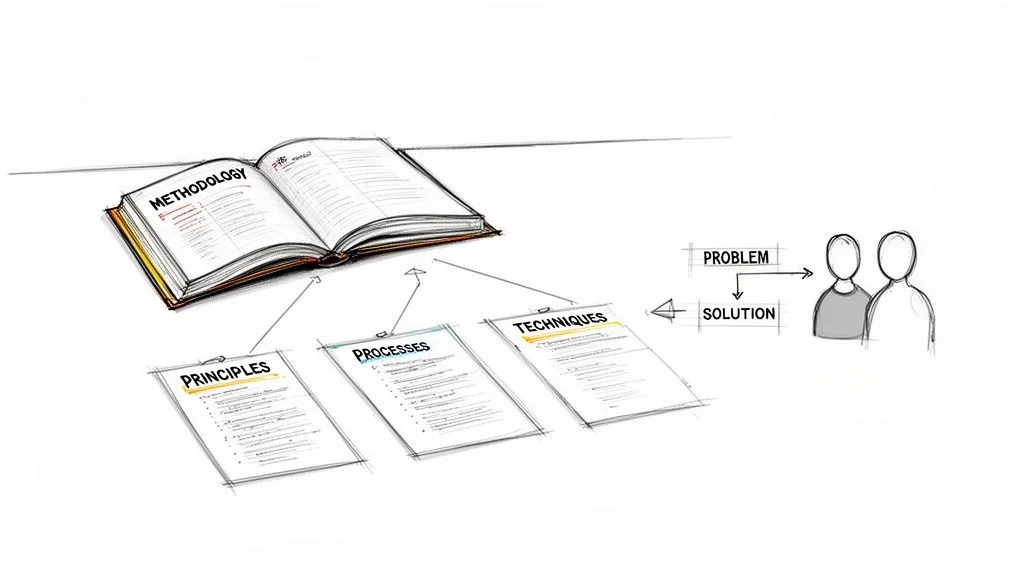
As the illustration shows, moving to a cloud-native model is not just about moving files to a new server. It is a structural change. You are moving from a rigid, centralized entity toward a flexible, distributed network of services.
Containers: The Universal Shipping Box
Once you have designed specialized microservices, you need a way to package them. The goal is to make sure the service runs exactly the same way on a developer's laptop, a testing server, and a production environment. This is where containerization comes in. Docker is currently the industry leader in this space.
Visualize a container as a standardized shipping crate for your software. It bundles the application code with everything it needs to run, including libraries, system tools, and settings. Because everything is included in the package, the application does not rely on the software installed on the host server.
A container solves the common developer problem where code works on one machine but fails on another. By wrapping every dependency inside the container, it ensures the software stays consistent from the local development stage through testing and into production. This consistency is vital for reliable deployments.
This portability changes how teams work. It removes bugs caused by different server configurations and makes the deployment process faster and more predictable. Understanding containers is a requirement for the Certified Kubernetes Administrator (CKA) exam and most cloud platform certifications.
CI/CD: The Automated Software Factory
If you are managing dozens or hundreds of independent microservices, you cannot update them by hand. It would take too much time and lead to too many errors. The third pillar, Continuous Integration and Continuous Delivery (CI/CD), solves this. It acts as an automated assembly line for software development.
- Continuous Integration (CI): This practice requires developers to merge their code changes into a shared repository frequently. Every time they merge code, an automated system builds the application and runs a series of tests. This identifies errors early so they can be fixed before they cause major problems.
- Continuous Delivery (CD): This process takes the code that passed the CI tests and automatically prepares it for release. The goal is to make sure that new features and bug fixes are always ready to be deployed to customers safely.
This automated pipeline increases how fast a team can work. In the past, companies might release software once every few months. These were high-risk events. With CI/CD, teams can release small updates several times a day. They can respond to what customers want in real time. This is a core skill for anyone working in DevOps.
Immutable Infrastructure: The Disposable and Replaceable Server
The fourth pillar introduces a different way to manage servers. In the past, if a server needed a security patch, an administrator would log in and install it. This is called mutable infrastructure. Over time, these manual changes make every server slightly different, leading to "configuration drift" and unexpected bugs.
With immutable infrastructure, you never modify a server after it is deployed. If you need to update a setting or install a patch, you do not change the existing server. Instead, you build a new server from a fresh, updated image. Once the new server is running, you delete the old one.
This is like replacing a lightbulb. You do not try to fix the internal filament while the bulb is in the socket; you simply put in a new one. This method is safer and more predictable. It removes the risk of undocumented changes causing system failures. Teams usually manage this using Infrastructure as Code (IaC) tools like Terraform or CloudFormation. To see how this concept fits into the wider cloud market, you can review the differences between IaaS, PaaS, and SaaS.
Observability: The Advanced System Dashboard
In a system made of many moving parts, you must be able to see what is happening inside at all times. This is the fifth pillar, observability. It is the ability to understand the internal state of a system by looking at the data it sends out. Observability allows you to ask questions about why a system is behaving a certain way without needing to set up a specific alert for that exact problem beforehand.
Traditional monitoring is limited. It is like a car’s "check engine" light. It tells you there is a problem, but it does not tell you why the problem started. Observability is more like a modern car's digital dashboard combined with a diagnostic computer. It gives you detailed data through three main sources:
- Logs: These are text records of specific events that happen within a service, marked with the exact time they occurred.
- Metrics: These are numbers that track performance over time. Examples include how much memory a service is using or how many people are visiting a site per second.
- Traces: A trace follows a single request as it moves through different microservices. It shows how much time each step took, which helps find exactly where a delay is happening.
By looking at this data together, teams can see exactly how their system is performing. They can find the root cause of a crash quickly and fix performance issues before they affect many users. This is a vital area of knowledge for Site Reliability Engineers (SRE) and operations teams who manage modern applications.
Exploring Essential Cloud-Native Tools
Theoretical understanding of cloud-native architecture provides the foundation, but implementation depends on a specific toolset. This collection of technologies is vast, but a core group of tools forms the foundation for most modern software stacks. These components are designed to work together, behaving like a coordinated team that maintains a high-performance machine.
To build a functional application, you need logic, a deployment environment, a communication system, and a way to monitor performance. The tools listed below provide these functionalities, turning architectural concepts into operational software. They replace manual configuration and human intervention with automated systems that manage complexity at scale.
Docker for Containerization
Standardizing application delivery usually starts with Docker. This technology changed how software is packaged by making containerization accessible to every developer. A Docker container acts as a standardized unit for microservices. It bundles the application code with every dependency required for execution, including libraries, system tools, and the runtime environment.
This method solves the common problem where code runs on a developer's machine but fails in production. By building a consistent and isolated package, Docker ensures that an application behaves the same way regardless of where it is deployed. Whether the software is running on a local laptop or a massive production cluster, the environment remains identical. This consistency is a primary requirement for building reliable CI/CD pipelines. It also removes bugs caused by environment differences, which is a major topic in many cloud certification programs.
Docker uses a layered file system. Each instruction in a Dockerfile creates a new layer, and these layers are cached to make the build process faster. Unlike a virtual machine, a container does not include a full guest operating system. Instead, it shares the kernel of the host machine. This makes containers lightweight and allows them to start in seconds. Engineers use Docker images as the blueprints for these containers, storing them in registries so they can be pulled and deployed to any server.
Kubernetes for Orchestration
Packaging applications into containers is only the first step. Organizations must manage hundreds or thousands of these units across a fleet of servers. Kubernetes (K8s) is the standard for container orchestration. While Docker provides the container itself, Kubernetes acts as the management system that coordinates how those containers run. It functions as an automated control system that manages the placement and health of every container in the cluster.
Kubernetes performs several critical operational tasks to maintain the stability of an application:
- Scheduling: The system evaluates the resource needs of a container and selects the best server, or node, within the cluster to run it. It considers CPU, memory, and custom constraints to ensure balanced resource use.
- Self-healing: When a container crashes, Kubernetes starts a new one to replace it. If a node fails, the system detects the loss and moves the containers to healthy nodes. This happens automatically and often resolves issues before a human operator is notified.
- Scaling: The platform can increase or decrease the number of active containers based on CPU usage or incoming traffic. This horizontal scaling ensures the application has enough power during peak times and saves money during quiet periods.
- Service Discovery: Kubernetes provides a stable network identity for containers. Even as containers are created or destroyed, other parts of the application can find them through a consistent internal DNS system.
The modern history of this technology began in 2013 when Google decided to open-source the Kubernetes project. This led to the formation of the Cloud Native Computing Foundation (CNCF) in 2015. The CNCF now manages over 20 different projects that help engineers build and run software in the cloud. Learning this stack is a requirement for IT professionals who work with hybrid or multi-cloud systems. These skills are tested in certifications such as the Certified Kubernetes Administrator (CKA) or Certified Kubernetes Application Developer (CKAD). Those interested in market growth can review the latest market research on cloud-native trends to see how these tools are being adopted globally.
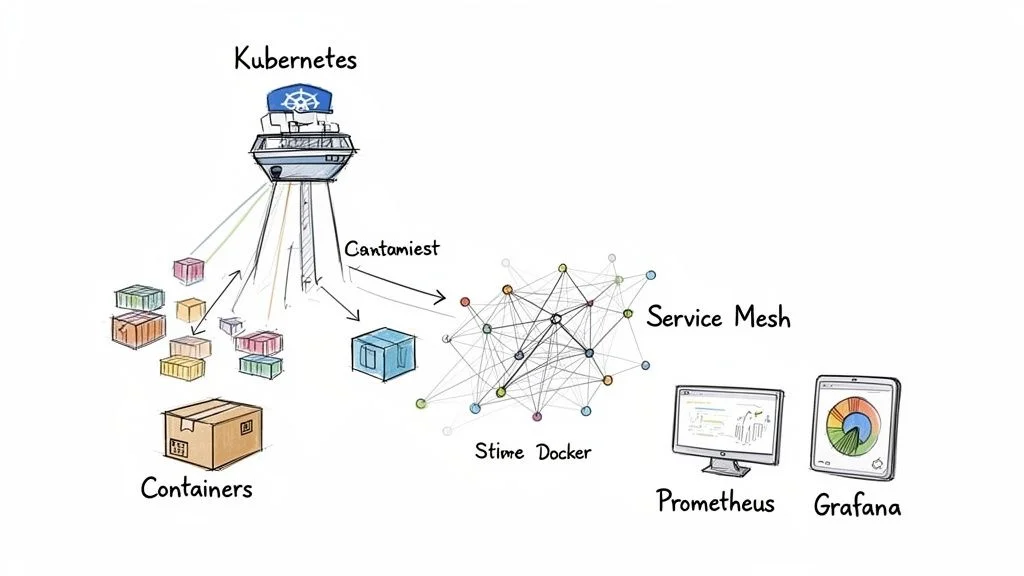
The CNCF provides a roadmap for the many tools available in the market. These tools are sorted by their specific roles, such as database management, messaging, security, and observability.
Service Mesh for Microservice Communication
In a microservices model, a single application is broken down into many small services. These services must communicate with each other over a network. Managing this communication becomes difficult as the number of services increases. A service mesh, such as Istio or Linkerd, provides a dedicated layer to manage these interactions.
A service mesh is an infrastructure layer that is added to the application environment. It controls how microservices share data, moving the networking logic out of the application code and into the infrastructure. This allows developers to focus on writing features instead of writing code for network retries or security.
Most service meshes use a "sidecar" pattern. This means a small proxy is deployed alongside every service instance. This proxy intercepts all network traffic entering or leaving the service. Because the proxy handles the traffic, the service mesh can provide several advanced features:
- Mutual TLS (mTLS): The mesh automatically encrypts all traffic between services, ensuring that data is secure while it moves across the internal network.
- Traffic Routing: Engineers can send a small percentage of traffic to a new version of a service to test it. This supports advanced deployment strategies like canary releases or A/B testing.
- Resilience: The mesh can use circuit breakers to stop traffic from going to a service that is failing. This prevents a small error in one service from causing the entire system to crash.
These concepts are frequently included in advanced cloud architecture and DevOps training. Using a service mesh simplifies the management of complex distributed systems.
Prometheus and Grafana for Observability
Organizations need a way to see what is happening inside their applications. Observability provides insight into the health of a system, and the primary tools used for this are Prometheus and Grafana.
- Prometheus is a monitoring system that uses a time-series database. It collects metrics from applications and hardware by "scraping" data from specific endpoints at regular intervals. This creates a history of performance data that shows how the system changes over time. It uses a powerful query language called PromQL to analyze this data and trigger alerts when something goes wrong.
- Grafana is the visualization tool used to view the data collected by Prometheus. It connects to the data source and allows teams to build interactive dashboards. These dashboards use graphs and charts to show real-time performance. It turns the raw numbers from Prometheus into visual information that humans can understand quickly.
These tools serve as the dashboard and data recorder for a cloud-native application. They allow Site Reliability Engineers (SREs) to find the cause of a problem and see how performance changes after a new update. Mastering these tools is a requirement for anyone seeking a DevOps or SRE certification.
Key Cloud-Native Technologies and Their Roles
This table provides a summary of the core tools used in a standard cloud-native stack. It is a useful reference for understanding how these different technologies work together.
| Tool/Platform | Category | Primary Function |
|---|---|---|
| Docker | Containerization | Packages an application and its dependencies into a portable container. |
| Kubernetes | Orchestration | Manages the lifecycle of containers at scale (scheduling, scaling, healing). |
| Istio | Service Mesh | Controls and secures communication between microservices; adds advanced traffic management. |
| Prometheus | Monitoring & Alerting | Collects and stores time-series metrics from applications and infrastructure. |
| Grafana | Visualization | Creates interactive dashboards and graphs to visualize metrics data. |
| Envoy | Service Proxy | A high-performance proxy that powers many service mesh implementations. |
While many other tools exist, these represent the essential components of a modern stack. Understanding how to integrate and use these systems is a vital skill for building stable cloud-native applications. This knowledge is highly sought after in the current IT job market.
Learning From Real-World Use Cases
Theory provides a useful starting point, but seeing how cloud-native works in practice clarifies its actual value. The true strength of these architectural choices shows up when they fix difficult business problems for the companies we interact with every day. Looking at how major technology firms apply this approach helps turn abstract concepts into reality.
Examining these examples makes ideas like high availability, fault tolerance, and dynamic scaling feel more concrete. This look at real-world results helps connect theory to the practical outcomes required in certification exams and large engineering projects. It moves the conversation from how a system works to why those choices matter in a live production environment.
Safely Modernizing With the Strangler Fig Pattern
One of the hardest tasks for any established business is moving away from old, monolithic software. These systems are often slow and fragile, but they hold critical data and run essential processes. Changing them all at once is risky and expensive. The Strangler Fig Pattern provides a way to modernize without stopping operations.
Imagine a vine growing around an old tree. It starts at the base, slowly climbs the trunk, and eventually creates its own structure. Over years, the original tree inside may die away, leaving the vine standing on its own. Software developers use this same logic. Instead of trying to rewrite an entire application from scratch, you build new microservices around the edges of the existing monolith.
You start by identifying a single, low-risk function within the old system. You build a modern version of that function as a cloud-native service and use an API gateway or load balancer to route traffic to it. Slowly, you move more pieces of the old application to new services. This iterative approach allows for steady progress without the danger of a failure that shuts down the whole company. Many teams working on legacy system modernisation choose this method to ensure the business stays online while the technology improves. It is a common strategy discussed in enterprise architecture and cloud migration certifications because it prioritizes uptime and safety.
Key Takeaway for Certification: The Strangler Fig Pattern is a low-risk architectural choice for moving to the cloud in stages. It lets companies deliver new value quickly while phasing out old code in the background. Be ready to pick this pattern for scenarios where downtime must be avoided during a migration.
Netflix: Mastering Scale and Resilience
Netflix operates at a scale that few other companies can match. To provide streaming video to millions of people at the same time, they built an architecture designed to handle intense pressure and stay online even when parts of the system fail. Their entire platform runs as a collection of microservices on AWS.
Every part of the Netflix experience is its own service. There is a service for signing in, one for the search bar, one for movie ratings, and another for the video player itself. This separation is a deliberate choice. If the rating service crashes, you can still search for and watch a movie. The failure of one part does not bring down the whole app.
To ensure this system stays reliable, Netflix created the Simian Army. This is a group of automated tools that break things on purpose. The most famous tool, Chaos Monkey, randomly turns off production servers. This forces engineers to build services that can recover automatically without a human needing to intervene. This way of thinking—where you plan for failure instead of trying to prevent it entirely—aligns with the reliability pillar of the AWS Well-Architected Framework. It ensures that when a real server fails in the middle of the night, the system fixes itself before any user notices a lag in their stream.
Spotify: Accelerating Feature Development
Spotify needed a way to let hundreds of developers work on the same app without getting in each other's way. If everyone had to coordinate every single update, the company would move too slowly to compete. They solved this by changing both their software and their organization.
They organized their staff into "Squads." A Squad is a small, cross-functional team that owns one specific part of the user experience. Because the Spotify app is built with microservices, a Squad can write, test, and launch their code without waiting for other teams to finish their work. This creates a high level of agility across the company.
This model provides several clear advantages for the business:
- Speed: A team can dream up a feature like the "Discover Weekly" playlist and roll it out to users in a fraction of the time it would take in a monolithic system.
- Autonomy: Squads have the freedom to choose the best programming languages or databases for their specific task. This prevents delays caused by waiting for a central department to approve every technical choice.
- Scalability: If millions of people suddenly start using the search function at once, Spotify only needs to add more computing power to the search microservice. They do not have to scale the entire application, which saves money and resources.
These examples from Netflix and Spotify show that cloud-native is more than a technical choice; it is a way to stay competitive. Large companies are moving toward this model to claim more market share. In fact, microservices allow for 10x faster deployments and help teams use resources more efficiently. This often leads to cost savings between 30-50%. For more details on how these trends are shaping the industry, you can review the latest market analysis from Spherical Insights.
Reflection Prompt: Think about a software project you have worked on. How would a microservices approach like the one used by Netflix or Spotify have changed the way your team worked? What would have been the biggest challenge in making that change?
Weighing the Benefits and Challenges
Moving to a cloud-native architecture is a major strategic decision that changes how an organization functions. It is not a simple software update. This transition provides new technical capabilities but also creates different types of operational requirements. Understanding these trade-offs is a requirement for passing professional certifications and for making effective architectural choices in live environments.
The primary reason companies adopt cloud-native design is the increase in software delivery speed. Traditional monolithic applications are often slow to change. They require long testing cycles because a single small edit can break the entire system. Cloud-native designs use microservices to isolate changes, allowing teams to build, test, and release software much faster. This change in velocity means businesses can react to market shifts in hours rather than months.
If you are preparing for a cloud or DevOps exam, you must understand how these benefits translate to real-world business value. Cloud-native methods can reduce the time it takes to go from a code commit to a live feature. Industry benchmarks suggest a 200% boost in developer productivity (verify this figure against your organizational baseline). The market reflects this shift, with the global cloud-native market projected to reach $17 billion by 2028 and US figures hitting $45.3 billion in 2026 (verify current projections on vendor sites). A detailed breakdown of these projections is available on Grand View Research.
The Clear Advantages of Going Cloud-Native
Moving away from legacy infrastructure provides more than just speed. It helps teams create systems that are more efficient and harder to break.
- Enhanced Scalability: Cloud-native applications use automation to grow or shrink based on real-time traffic. This elasticity means you only pay for the computing power you use at that moment. If a retail site gets a sudden surge of traffic during a holiday sale, the system adds more containers automatically. When the sale ends, it shuts those containers down to save money. This pattern is a major part of the current exams for AWS, Azure, and GCP.
- Improved Resilience: These systems are built to handle failure. In a monolith, a memory leak in one function can crash the whole server. In a cloud-native setup, if one microservice fails, the orchestrator detects it and starts a new instance. Users rarely notice a problem because the rest of the application keeps running. This self-healing ability is a core requirement for high-availability systems.
- Faster Deployment Cycles: Automated CI/CD pipelines let developers push small updates frequently. Instead of one large release every six months, a team might push ten small updates every day. This reduces the risk of each update. If a bug reaches production, it is easier to find and fix because the change was small.
- Reduced Vendor Lock-In: Most cloud-native tools rely on open-source standards. Using Docker for containers and Kubernetes for management makes the software portable. You can run the same code on AWS, Google Cloud, or a private data center without rewriting the logic. This gives a business more independence when choosing cloud providers.
Measuring these benefits is standard practice for high-performing teams. Many organizations use DORA metrics to track their progress. These metrics look at how often you deploy, the lead time for changes, the change failure rate, and how fast you can restore service after an outage.
Navigating the Inherent Challenges
This transition has hurdles. Moving to a cloud-native model requires careful technical planning and a change in how teams work together.
Critical Insight for IT Leaders: Succeeding with cloud-native technology depends on team culture. It requires developers and operations staff to share responsibility for the software. Without a focus on collaboration and continuous learning, the technology alone will not solve delivery problems.
Common obstacles include:
- Increased Architectural Complexity: A system made of 50 microservices is harder to track than one big application. You have to manage how these services find each other through service discovery, how they talk across a network, and how to follow a single request as it moves through different components using distributed tracing. This creates a need for specialized monitoring tools.
- The Need for a DevOps Culture: Cloud-native architecture fails in a siloed environment. If the development team writes code and hands it to the operations team to run, the system will break. Automation requires both sides to work on the same pipelines and use the same tools.
- New Skill Sets Required: Teams must learn a new stack. This includes Docker for packaging, Kubernetes for orchestration, and Infrastructure as Code (IaC) tools like Terraform to manage hardware. Organizations must invest in training or hire staff who understand these specific technologies.
- Enhanced Security Concerns: Because a cloud-native app is spread across many containers and networks, it has a larger attack surface. You have to secure every connection between services, manage secrets like API keys, and harden container images. These topics are tested heavily in certifications like the (ISC)² CCSP or the current AWS Certified Security - Specialty (SCS-C03).
Getting Ready for Your Certification Exam
Mastering the theoretical side of cloud technology is a positive first step, but walking into a certification exam with certainty requires a different level of preparation. You need a functional strategy that targets the specific technical domains found on modern tests. This requires you to connect high-level architectural ideas to actual deployment tasks while following a logical progression of study.
This guide provides a structured method to help you prepare. We will clarify your study objectives and show you how to demonstrate a command of cloud-native concepts to examiners.
You should begin by developing a deep understanding of core operational principles. Certification questions rarely ask for simple definitions of technical terms. Instead, they require you to analyze how microservices or containers produce specific business results, such as improved system uptime or more efficient resource use. Current industry statistics support this focus: today, 75% of new software builds are cloud-native, which marks a significant increase from less than 20% only five years ago. This rapid change is fueled by the requirement for automated scaling and resilient systems. These specific capabilities are the primary focus of most modern cloud exams. You can find more details on these trends in the full market report from Grand View Research.

Exam-Relevant Key Takeaways
To prepare for difficult scenario-based questions, you must internalize these five core areas. These topics are featured prominently in most major cloud and DevOps certification tracks.
- Microservices vs. Monoliths: You must be able to explain the operational trade-offs between these two styles. Microservices grant teams the ability to work independently and deploy updates more frequently, though they increase the complexity of managing a distributed system. Monoliths are often easier to build and test at the start but eventually become difficult to scale or modify without affecting the entire system.
- Containers and Orchestration: You should clearly distinguish between these two layers of the stack. Docker serves to package the application and its dependencies into a single unit, whereas Kubernetes acts as the system that manages those units across a cluster. You should expect questions regarding specific Kubernetes objects like Pods, Services, Deployments, and the logic behind ReplicaSets.
- CI/CD Automation: View CI/CD as the primary engine for cloud-native delivery. You need to understand how these pipelines speed up release cycles and improve code stability by removing manual steps. Modern exams often test your knowledge of how automated testing within a pipeline prevents common deployment failures.
- Immutable Infrastructure: You should adopt the "replace, don't repair" mindset for managing servers and environments. This method ensures that your production environment remains predictable and secure. If a server fails or needs an update, you do not patch the live system; you deploy a new version from a verified image and decommission the old one.
- Observability Pillars: You must memorize the three primary types of data: logs, metrics, and traces. Be ready to describe how logs provide a record of events, how metrics show the health of system resources over time, and how traces help you follow a single request as it travels through multiple different microservices. These are vital for fixing performance issues in distributed environments.
Sample Exam-Style Questions
Testing your knowledge with practice problems is an effective way to prepare for the format of a real exam. Focus on the logic used to find the right answer, as this reasoning is what you will use during the actual test.
Question 1: A development team struggles with slow release cycles. Every time they update their monolithic e-commerce application, the process feels like a high-stakes risk that might crash the site. Which cloud-native principle would fix this specific problem?
- A) Immutable Infrastructure
- B) Service Mesh Implementation
- C) CI/CD Automation
- D) Observability
Correct Answer: C. CI/CD pipelines automate the building, testing, and deployment phases of the software life cycle. This allows teams to ship small, frequent updates rather than large, risky ones. While Immutable Infrastructure (A) helps with environment stability and Service Mesh (B) manages internal communication, only CI/CD directly shortens the release cycle. Observability (D) helps you see problems but does not automate the release process itself.
Question 2: An organization wants to build an application that can run on any cloud provider without needing major code changes. This helps them avoid being locked into a single vendor. Which technology is most useful for achieving this portability?
- A) Serverless Functions
- B) Containerization with Docker
- C) A specific CI/CD tool like Jenkins
- D) A relational database service
Correct Answer: B. Containerization is the primary technology used to ensure an application runs the same way regardless of the underlying hardware or cloud provider. By bundling the code with its specific libraries and settings, Docker creates a portable unit that is easy to move between environments. Serverless functions (A) often use proprietary vendor APIs, and a database service (D) is a storage component rather than a portability tool. While Jenkins (C) helps with builds, it does not package the application for multi-cloud use.
Recommended Study Path and Resources
Following a logical order of study prevents you from feeling buried by technical documentation. Move from broad theories to specific, practical skills.
- Master the Fundamentals: Do not rush into complex tool configurations. You should first understand why the industry moved toward cloud-native designs. Start by exploring the best ways how to learn cloud computing to build a solid mental framework.
- Explore the CNCF Projects: Spend time reviewing the Cloud Native Computing Foundation (CNCF) website. This organization hosts many of the projects you will use in the field. Focus your early efforts on Kubernetes for orchestration, Prometheus for monitoring, and Envoy for service proxying, as these are the most common tools in the current market.
- Choose a Certification Track: Pick one specific exam to keep your studies focused. If you work in operations or systems administration, the Certified Kubernetes Administrator (CKA) is a respected choice. If you are a developer, consider the AWS Certified Developer - Associate or the Azure Developer Associate track to learn how to build applications on specific platforms.
- Get Hands-On: Reading about cloud-native tools is not enough to pass a performance-based exam. You need to use lab environments like Killer Shell or A Cloud Guru to practice in real scenarios. Alternatively, install Minikube or Docker Desktop on your own computer. Setting up clusters, deploying applications, and fixing broken services is the only way to gain the practical experience required for a professional career.
Frequently Asked Questions
As you learn more about cloud-native concepts, certain questions often arise. These answers clarify common confusion and help you apply these theories to real-world projects.
What’s the Difference Between Cloud-Native and Cloud-Hosted?
A cloud-hosted application functions like a visitor living out of a suitcase in a hotel. They moved to a new city, but they have not adapted to the environment. They use the same old routines and tools in a different location. This represents the "lift and shift" model. Organizations move software to cloud servers without redesigning it. The code runs on someone else’s hardware, but it ignores the cloud's potential for scaling and efficiency. These apps often cost more to run because they cannot scale down during low usage.
A cloud-native application acts like a local resident who built their home specifically for that city. The structure handles the local weather and uses the city’s resources efficiently. These applications use an architecture designed for the cloud from day one. They utilize distributed components and automated scaling to handle traffic. They are built to be resilient and elastic, surviving hardware failures and sudden user growth without crashing.
Is Serverless Computing Always Cloud-Native?
While the terms are related, they are not the same thing. Cloud-native is a broad architectural approach—the logic behind building modern systems. Serverless computing represents a specific way to execute that logic. Most serverless products, such as AWS Lambda or Azure Functions, are cloud-native by their very nature.
These services are event-driven, stateless, and scale automatically to meet demand. They require the on-demand capabilities provided by cloud providers. While you can build a cloud-native system using standard containers or virtual machines, it is rare to find a serverless application that does not follow cloud-native rules. Serverless focuses on operational efficiency, letting developers write code while the provider manages the underlying server resources.
Key Distinction: Cloud-native represents the architectural approach and method (how you build systems), while serverless is a specific implementation model that fits that method, especially regarding operational efficiency and automatic scaling.
How Can Small Businesses Adopt These Principles?
Small businesses can adopt these principles without needing a massive engineering department or a large budget. Start with small, manageable steps to see immediate results.
- Containerize one service: Pick a single part of your application and package it using Docker. Learning to isolate a service in a container provides a practical starting point. It ensures your code runs the same way on a developer's laptop as it does in production.
- Automate a single pipeline: You do not have to automate everything at once. Build a basic CI/CD pipeline for that one containerized service. This introduces your team to automated testing and deployment, which reduces manual errors.
- Use managed services: Avoid building your own Kubernetes cluster from scratch. It takes too much time and technical expertise. Use managed versions like Google Kubernetes Engine (GKE), Amazon Elastic Kubernetes Service (EKS), or Azure Kubernetes Service (AKS). These tools handle the infrastructure management for you. This allows your team to spend time on features instead of fixing servers.
Ready to master these concepts for your next exam? MindMesh Academy offers curated study materials and practical insights to help you succeed. Be well-prepared for your career in IT. Check out the AZ-305 Azure Solutions Architect Practice Exams to test your knowledge.

Written by
Alvin Varughese
Founder, MindMesh Academy
Alvin Varughese is the founder of MindMesh Academy and an enterprise architecture leader. An electrical engineer by training, he moved from factory automation in South Africa to cloud architecture at GE Appliances and Humana (Fortune 50), and holds 20 professional certifications including AWS Solutions Architect Professional, Azure DevOps Engineer Expert, and Microsoft Agentic AI Business Solutions Architect. He built MindMesh Academy after interviewing too many highly certified candidates who couldn't answer basic questions: the goal is prep that makes you better at the job, not just able to pass the exam.