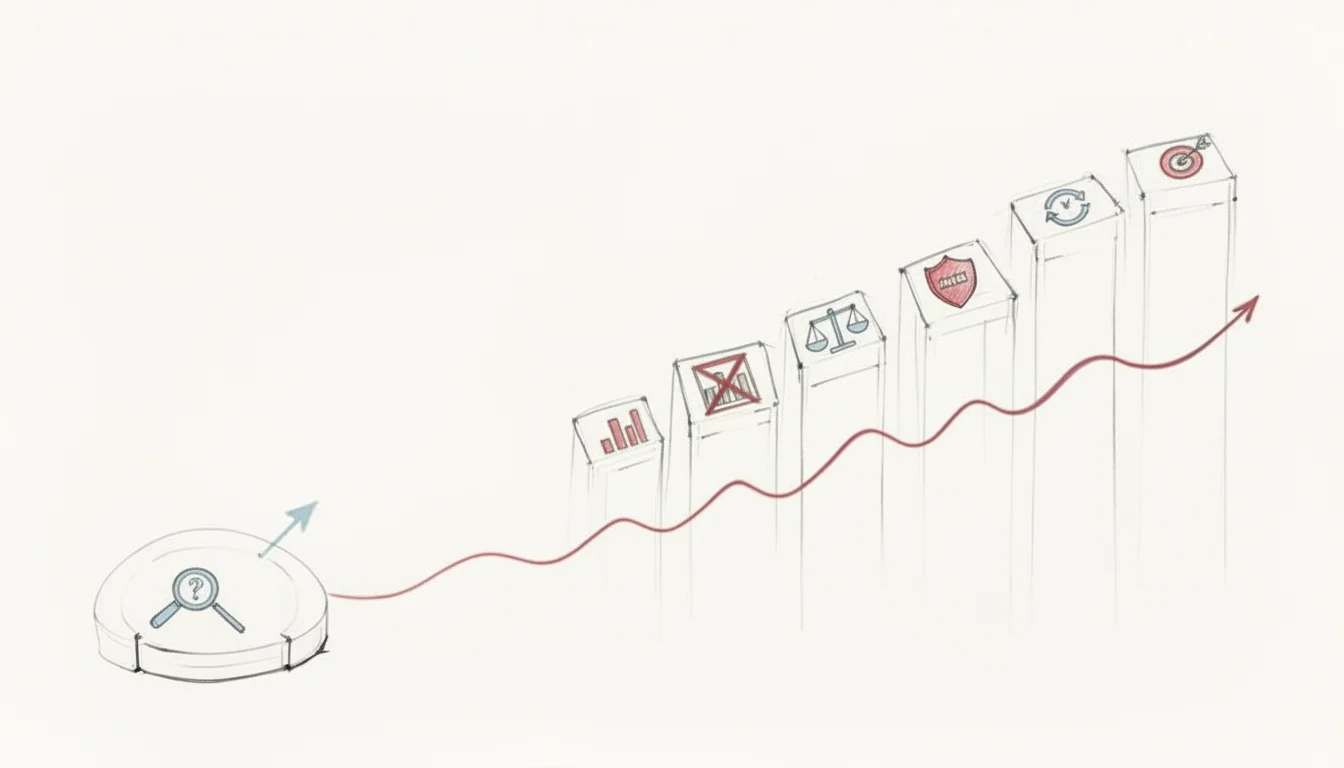
What Is Risk Management Process Step-by-Step
Navigating Uncertainty: Your Step-by-Step Guide to the Risk Management Process
Risk management is a foundational discipline for any organization, especially within IT. It functions as a continuous cycle to identify, evaluate, and address threats before they become disasters. The process does not aim to eliminate every possible threat, as that is impossible. Instead, it provides the data needed to make smart choices, mitigate threats, and even recognize advantages hidden within uncertainty.
Consider an IT project manager handling a cloud migration. Without risk management, they remain vulnerable to system outages, budget overruns, and data breaches. Using this framework helps the team anticipate these issues early. They can plan for contingencies instead of reacting to crises. This proactive approach ensures projects stay on schedule and within budget, even when technical difficulties arise.
Why a Structured Risk Management Process is Essential for IT Professionals
Imagine launching a new enterprise application or migrating data to critical Azure infrastructure. Without foresight, these high-stakes initiatives remain vulnerable to unexpected threats. A lead software developer might leave the company mid-project. A critical hardware server could fail. A zero-day cybersecurity vulnerability might emerge at the worst possible time during a product launch. These incidents cause severe project delays, budget overruns, and lasting damage to an organization's professional reputation.
This is where a formal risk management process serves the technical team. It provides a framework to spot these challenges early. IT teams use it to address problems before they occur rather than reacting to emergencies after the fact. For those preparing for certifications like the PMP (Project Management Professional) or ITIL (Information Technology Infrastructure Library), this process is about more than passing an exam. It is about building a practical skill set used every day in high-stakes technical environments.
This framework treats risk as a manageable variable instead of a vague threat. It gives organizations the tools to protect digital assets and maintain operational continuity under pressure. IT leaders can use data to make decisions that help the business meet its strategic goals instead of chasing crises. Look at IT project manager's responsibilities to see how central risk planning is to technical success in complex environments.
From Theory to Strategic IT Advantage
Implementing a risk management process does more than prevent failure. It builds a culture of awareness across the department. When everyone from system administrators to architects watches for threats, the organization responds faster to change. This level of readiness makes the entire department more agile and prevents small issues from becoming outages.
A proactive
risk management cultureturns uncertainty into a competitive advantage. It distinguishes those prepared for the future of IT from those who are merely reacting to it.
The infographic below shows the specific stages of this process. It follows a logical path from the first moment a risk is identified through to a planned response.
 Figure 1: The iterative steps of the risk management process, highlighting its continuous nature.
This is a recurring cycle rather than a one-time task. Its importance shows in market data; the global risk management market is projected to reach a total of US$23.7 billion by 2028 (verify current figures on the vendor site). This growth shows that businesses rely on these strategies to maintain stability in an environment that changes every day.
These principles apply across many sectors. In logistics, for example, the Fleet Safety Management Essentials guide shows how companies plan for industry-specific risks. Whether it is a fleet of trucks or a cluster of servers, the logic of planning remains the same.
We will now examine the five core steps of this process and provide practical insights for IT professionals.
The 5 Core Steps of the Risk Management Process
This table provides a high-level summary of the risk management lifecycle. It serves as a guide for understanding the logic behind the discipline in a technical or managerial role.
| Step | Objective | Key Activity |
|---|---|---|
| 1. Identify the Risk | To find and record every potential risk that might impact the IT project or the organization's goals. | Brainstorming, reviewing old project data, performing a SWOT analysis, and interviewing subject matter experts. |
| 2. Analyze the Risk | To determine the nature of each risk and calculate how likely it is to happen and what the impact would be. | Using qualitative and quantitative methods to score risks with a standard risk matrix tool. |
| 3. Evaluate the Risk | To check analyzed risks against the company’s rules to decide which ones are acceptable and which ones need immediate action. | Ranking risks by their priority scores and determining the organization's specific risk tolerance levels. |
| 4. Treat the Risk | To choose and start the right actions to change, lower, or remove a specific risk from the project. | Creating response plans that use four main strategies: avoid, mitigate, transfer, or accept. |
| 5. Monitor and Review the Risk | To keep a constant watch on risks, check if response plans are working, and find any new threats that appear. | Regular reviews, tracking Key Risk Indicators (KRIs), updating the risk register, and sending status reports. |
Each step in this framework leads into the next one. Together, they allow IT teams to stay in control of their strategic direction. The following sections explore each stage individually with a focus on practical use for certifications and real-world IT scenarios.
Step 1: How to Identify Potential Risks in IT
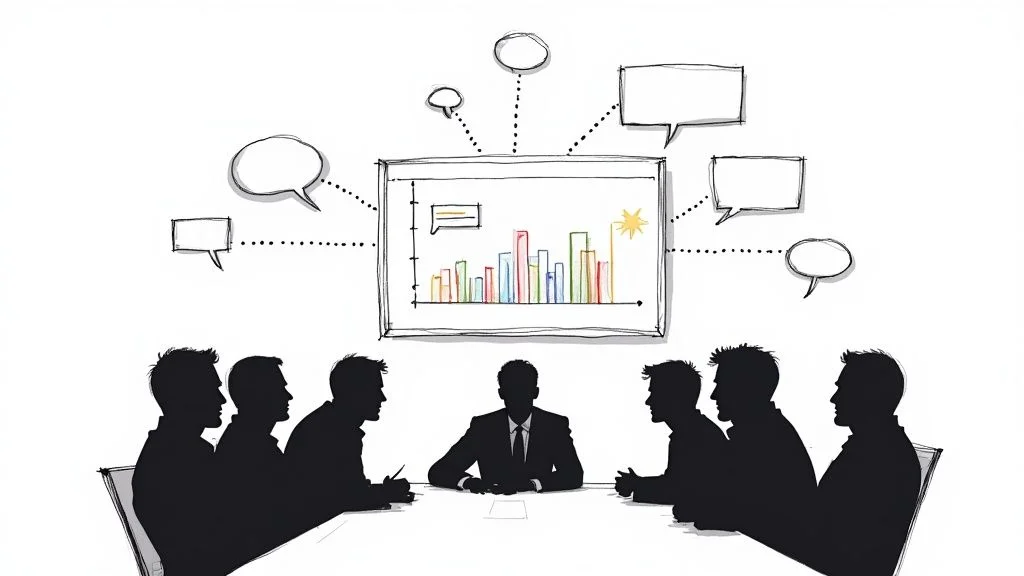
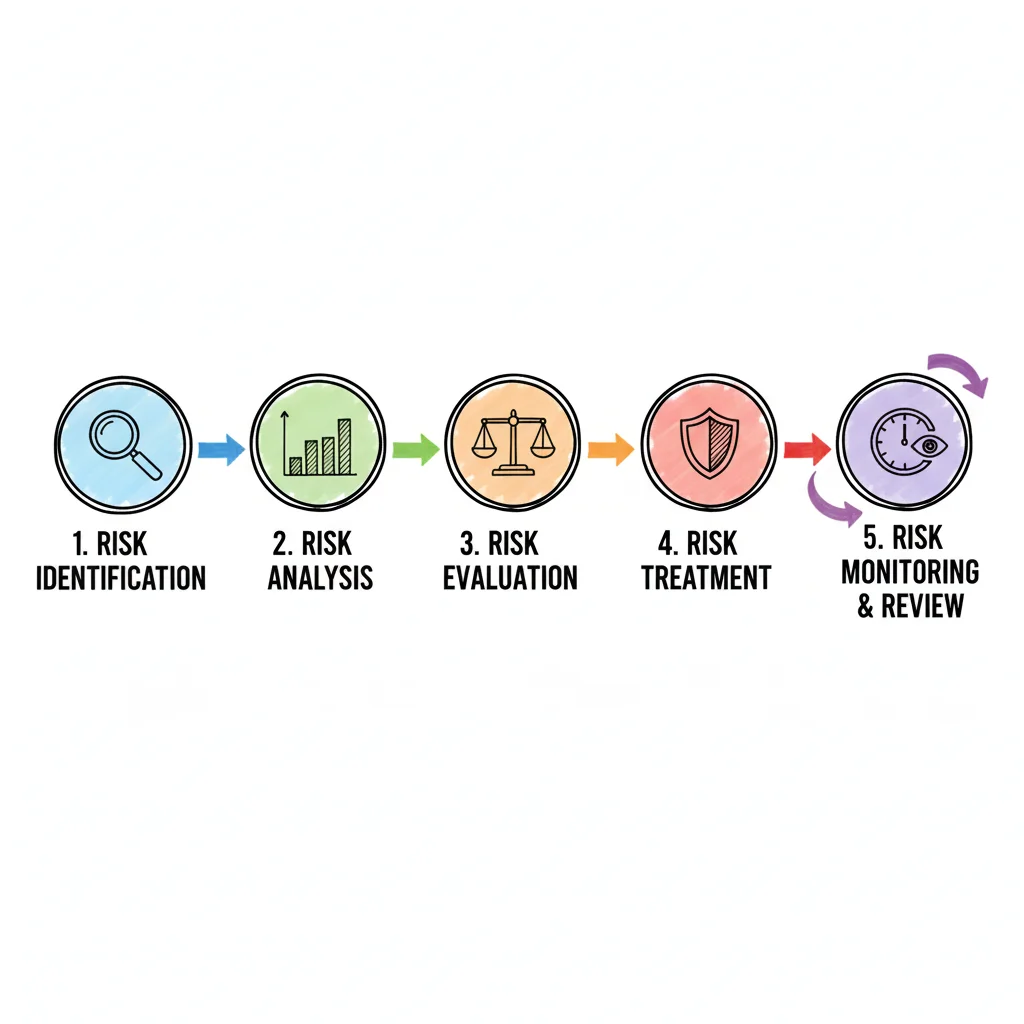 Figure 2: Collaborative brainstorming sessions are essential for thorough risk identification.
Identifying risks is the first stage of the risk management process. You cannot manage a threat that remains hidden. This phase acts as a discovery period where you map out every potential issue that could stall an IT project, leak data, or block business goals. Cybersecurity analysts perform similar work when gathering intelligence to defend a network.
Consider a development team building a new microservices architecture on AWS. Their goal is to ship a secure, scalable application on a strict timeline. Risk identification here goes beyond spotting simple bugs. It requires a 360-degree look at everything from vendor lock-in and compliance gaps to team skill shortages regarding new cloud tools. This is a strategic investigation of "what could go wrong" scenarios. You want to avoid merely ticking boxes on a generic checklist. Instead, you need to find every potential hurdle before it becomes an active disaster.
Techniques for Uncovering IT Risks
To get a full picture of potential threats, IT professionals must gather data from various sources. Relying on a single method often creates blind spots. The most effective teams combine multiple approaches to ensure they cover all bases.
Here are proven techniques tailored for IT environments:
- Brainstorming Sessions: Assemble your project team, stakeholders from security and operations, and subject matter experts. Facilitate an open discussion about threats. This uses the collective knowledge of the group to spot risks that one person might miss, such as hidden system dependencies.
- Example: During an application upgrade, developers might find risks in legacy compatibility, while the operations team flags potential database migration downtime.
- Interviews: Set up one-on-one meetings with specific staff. A network engineer can identify technical weak points or single points of failure. A legal professional can highlight risks from new privacy laws like GDPR or CCPA that impact global services.
- SWOT Analysis: This classic framework helps find Strengths, Weaknesses, Opportunities, and Threats. The 'Threats' quadrant is a productive source for finding external risks relevant to IT. These include new cyber threats, technology jumps from competitors, or shifting rules affecting cloud use.
- Example: When an organization adopts a new SaaS tool, a SWOT analysis might show the threat of vendor instability or a rival launching a tool with better features.
- Historical Data Review: Do not ignore the past. What challenges did previous IT projects face? Did an old software release have performance issues? Did a server move run into hardware conflicts? Incident reports and project archives help you predict future
potential risks.- Reflection Prompt: Think about a recent IT project you worked on. What unexpected problems happened? How could those have been identified earlier using one of these methods?
For our microservices team on AWS, brainstorming might reveal the risk of a critical service hitting its API rate limits during peak traffic. Interviews could show that the team is worried about the security of a specific open-source library. A SWOT analysis might show that new AWS service pricing could hurt the project budget.
The goal of
risk identificationis not to cause worry, but to build awareness and readiness. A thorough list ofpotential risksforms the foundation for all otherrisk management activities. This step is a requirement for anyone studying for PMP or ITIL certifications.
Once you identify a risk, you must document it. This is where a risk register becomes a central tool. View it as the master logbook for every single threat discovered. This is not a static document. It is a living file that tracks each risk from the moment it is found until it is resolved. It ensures nothing is forgotten and provides a clear, organized overview of the challenges facing your IT initiative. Using a register allows the team to prioritize their efforts rather than reacting to every issue as if it has the same level of urgency. Keeping this log updated is a fundamental task for any project manager.
Step 2: How to Analyze and Prioritize Risks for IT Projects
You have identified a list of potential risks for your IT project or system. Now you must decide which of these need your focus first. Risks are rarely equal. A minor user interface bug on an internal tool is very different from a total system outage or a major data breach. This risk analysis stage helps you tell the difference between real threats and small problems.
In this stage, you determine how to use your limited time, budget, and personnel. You want to address the issues that could cause the most harm. Without this step, you might waste resources on small issues while a major threat stays hidden.
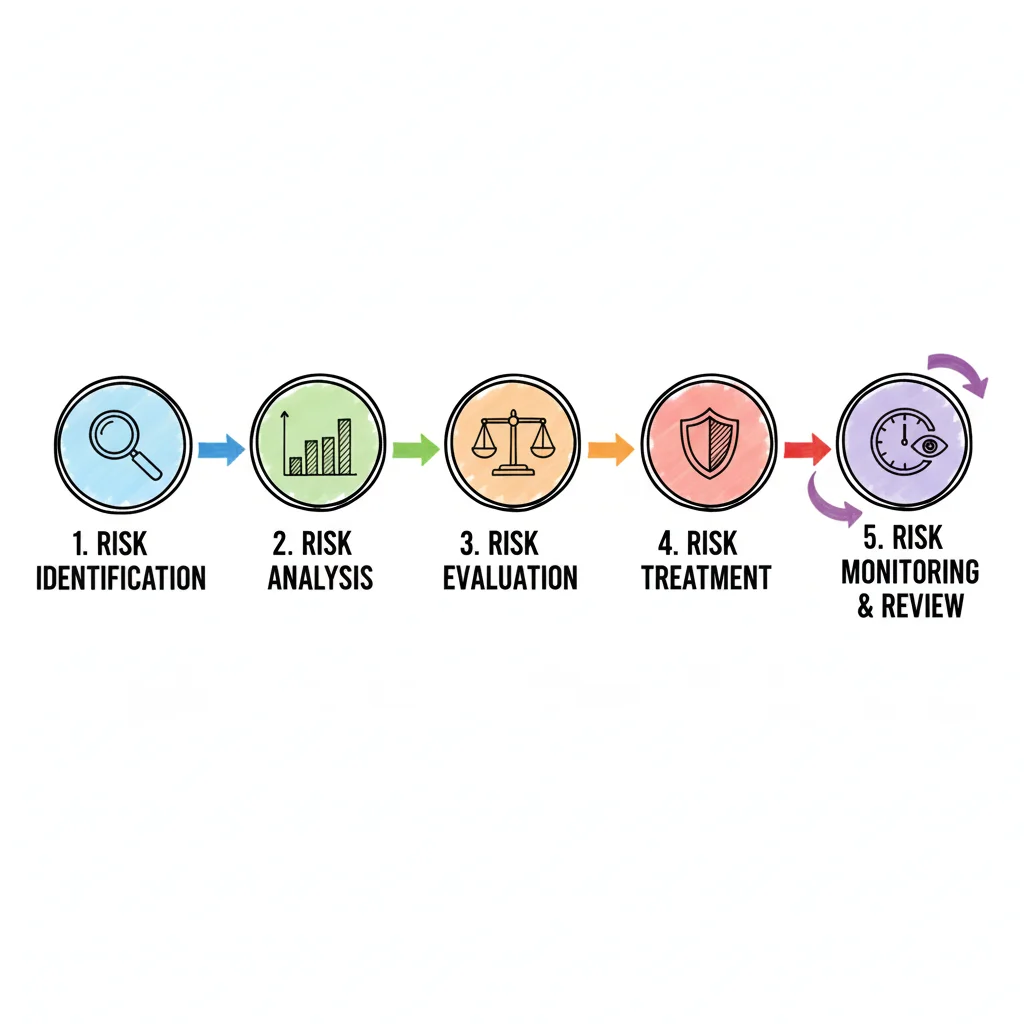 Figure 3: A typical risk matrix visually categorizes risks by likelihood and impact, facilitating prioritization.
The basis of risk analysis is checking every threat against two specific factors: likelihood and impact.
- Likelihood: This measures the chance that an IT risk will happen. You can use simple labels like "Very Low," "Low," "Medium," "High," or "Very High." Many teams prefer using specific numbers such as 5%, 50%, or 90% to provide more precision.
- Impact: If the risk happens, how bad is the result? You must look at how it hits your project budget, your delivery schedule, your company reputation, and your daily operations. Common ratings include "Negligible," "Minor," "Moderate," "Major," or "Catastrophic."
Using these two factors changes a list of worries into a solid plan. For example, an AWS Solutions Architect might see that cloud costs are rising because of poor resource management. They might rate this as "Highly Likely." However, if the project has extra budget set aside, the impact might only be "Moderate." On the other hand, a professional ransomware attack is a "Low Likelihood" event for a well-guarded system. If it did happen, the impact would be "Catastrophic" because it could stop all business activity.
Using a Risk Matrix for Clear Prioritization
A risk matrix, or risk heat map, is a standard tool for this work. It is a common part of PMP exam terminology. This visual grid lets you plot every risk according to its likelihood and impact scores. When you put your risks on this grid, you can see which ones sit in the "red zone" and which are in the "green zone."
This tool makes abstract fears easy to see and rank. It helps with both project management and long-term risk management for any IT department.
- High-Likelihood, High-Impact (Red Zone): These are critical problems that need fast and strong action. If there is a known security hole in a live system and hackers are actively looking for it, that risk goes here. You cannot wait to fix these.
- Low-Likelihood, High-Impact (Yellow Zone): These are serious scenarios that need a backup plan. A large natural disaster that hits a main data center is a good example. While it is not likely to happen today, the damage would be massive. You must have disaster recovery plans ready just in case.
- High-Likelihood, Low-Impact (Yellow Zone): These are common issues that you can usually handle without a crisis. This includes things like small errors in a test environment or short service outages that can be fixed quickly. They need a process to handle them, but they are not top priorities.
- Low-Likelihood, Low-Impact (Green Zone): These are risks you might choose to
accept. You will monitor them, but you do not spend much money to fix them. A small design flaw on an internal page that does not stop anyone from working is a typical green-zone risk.
This logical method is a central part of IT project management. It is also a major topic for various IT certifications. People studying for the PMP exam must know risk analysis and response strategies to succeed. This knowledge is useful for passing the test and for managing risks in a real office. You can read more about this in MindMesh Academy's resources: Risk Analysis and Response.
A
risk matrixdoes not stop threats, but it gives you the strategy to handle them. It ensures that IT teams spend their energy on the right problems.
Ranking risks is more important now than in the past. The Global Risks Perception Survey shows that cyber risk is a major worry for companies everywhere. Economic changes are also a big threat to operations. By analyzing these risks, IT leaders can put their resources where they prevent the most trouble. After finishing this analysis, you are ready for the next step: creating a specific risk response.
Step 3: How to Respond to Prioritized IT Risks
You have identified and ranked your IT risks. The risk management process now shifts into action. With a prioritized list ready, you must decide how to handle each threat.
This phase focuses on proactive decisions rather than reactive crisis management. For every risk, you face a choice. Your goal is to select the most effective path for your IT project or company. The right risk response strategy depends on specific factors: potential damage, the organization's risk appetite, and the cost of the solution.
The Four Core Risk Response Strategies for IT
Four primary approaches exist for handling any given IT risk. These methods represent fundamental concepts within ITIL and PMP certification frameworks.
-
Avoidance: This is the most decisive action. You change plans or project scope to
sidestep the riskentirely. For instance, a software firm might consider using a new, unproven third-party API. This API has known security flaws and a history of failures. Toavoidthe associatedcybersecurity riskand prevent instability, the firm decides against using it. Instead, they build a tool in-house or select a reliable alternative. Removing the activity that created the risk eliminates the threat entirely. -
Transference: This strategy shifts the financial or operational burden of a risk to an outside party. Purchasing
cyber insuranceis a classic case ofrisk transference. Insurance does not stop a data breach, but it moves the financial liability for legal fees and recovery costs to the provider. Outsourcing cloud management to a Managed Service Provider (MSP) functions similarly. The MSP contractually assumes responsibility for uptime and specific security protocols. By doing this, the organization limits its direct exposure to the fallout of a failure. -
Mitigation: This is the most frequent
risk response strategy. It focuses on lowering the chance of a risk occurring or reducing itsimpactif it does. To reducelikelihood, teams might use multi-factor authentication (MFA), run security training, and apply consistent patch management. These actionsmitigatethe chance of a threat succeeding. To reduceimpact, a company might set up redundant data backups in different geographic regions. A detailed disaster recovery plan ensures the business continues operating even after a significant incident. -
Acceptance: Sometimes the cost of addressing a
riskis higher than the potentialimpactif it happens. In these cases, you might choose toacceptthe risk. This choice must be a deliberate, recorded decision rather than a result of neglect. For example, a small visual glitch on an internal dashboard is a good candidate for acceptance. If the glitch does not affect data or functionality, pulling a senior developer off a high-revenue project to fix a cosmetic issue makes little financial sense. You acknowledge the issue exists and move forward.
Choosing a
risk responseis a strategic business decision. The right response aligns with your budget, timeline,risk appetite, and overall business objectives. This process changes a potential crisis into a managed outcome.
Implementing these response plans often requires changes in workflows, policies, or technology. A solid understanding of the change management IT process helps here. It ensures that new procedures are introduced without causing unnecessary friction or creating additional risks.
Once you choose a strategy for each prioritized risk, document the details in your risk register. Assign ownership for the action plan to a specific person or team and set clear deadlines. This accountability is vital. It prepares the organization for the final stages of the process: ongoing monitoring and periodic reviews.
Steps 4 and 5: Keep Your Eye on the Ball with Risk Monitoring and Review in IT
You have thoroughly identified threats, analyzed their likelihood and impact, and developed strong response plans. While reaching this stage is a significant achievement, the risk management process does not end here. Risk management requires a cycle of constant observation rather than a one-time setup. The final two steps, monitoring and reviewing, change your static plan into a living, adaptive defense system for your IT organization.
Consider this process similar to maintaining an enterprise-grade intrusion detection system (IDS). You would not simply install the software and walk away, assuming it will perform perfectly for years. You must oversee its alerts, update the signature databases, and check the logs to identify patterns. This is exactly what risk monitoring and review involve—a persistent health check to ensure your safeguards remain effective and respond to an evolving threat environment.
This constant oversight is essential. It confirms that your risk response plans are working as intended and helps you identify new threats that surface as IT projects change, technologies advance, and the regulatory environment shifts. By staying alert, you prevent small vulnerabilities from turning into major security breaches or operational failures.
The Power of Continuous Risk Monitoring in IT
Continuous monitoring is the daily activity of tracking identified risks and assessing the effectiveness of your response strategies. Your risk register should be a living document, updated on a regular schedule to reflect the current risk status. If a plan to mitigate potential server downtime is proving successful, you might choose to lower that risk's priority or move resources to a more pressing issue.
A highly effective way to handle this is by establishing Key Risk Indicators (KRIs). KRIs act as your early-warning system. They are specific, measurable metrics that show when a risk is starting to escalate or when a mitigation effort is no longer performing well. Instead of guessing if a system is safe, you use data to prove it.
- Cybersecurity Risk KRI: A sudden, sharp increase in failed login attempts on critical systems, or an unusual volume of outbound network traffic, serves as a KRI. These signs point to an active attack or a compromised account that requires immediate investigation.
- Project Budget Risk KRI: If a project's actual burn rate exceeds its forecast by 15% for two consecutive weeks, that KRI signals a high probability of a budget overrun. This allows the project manager to adjust spending before the funds are exhausted.
- Operational Risk KRI: An uptick in customer support tickets reporting the same software bug or a drop in system performance serves as a KRI for product failure. This metric tells the development team that the current software version might have reliability issues that need a patch.
KRIs provide objective insights rather than relying on subjective opinions. They allow IT teams to be proactive, stepping in to fix a minor issue before it grows into a full-scale crisis.
Why a Regular Review Cadence Matters for IT Risk Management
While monitoring happens every day, formal risk reviews provide the chance to step back and look at the broader environment with stakeholders. These participants often include leadership, project sponsors, and department heads. These meetings should follow a fixed schedule—monthly for fast-moving projects, quarterly for stable operations, or bi-annually for strategic-level risks. The frequency depends on how fast change occurs in your specific IT environment.
The risk management process is not a static document but a dynamic cycle. Regular reviews ensure that an organization's IT strategy remains relevant and responsive to a constantly changing technological and business world.
The formalization of risk management grew as global business and IT infrastructures became more complex. In a fast-moving digital environment, an annual check-in is not enough to keep a company safe. Forward-thinking IT organizations build this review cycle directly into their core strategic planning. This makes risk management a continuous priority, much like continuous integration and continuous delivery (CI/CD) in software development. Using an iterative approach is necessary to handle modern technical challenges, a concept frequently highlighted in reports that analyze global technology risks.
These review sessions are also necessary for clear communication. Regularly reporting on the current risk status keeps stakeholders informed and builds confidence in IT leadership. It encourages a culture where everyone feels a sense of ownership in protecting the organization's technological goals. This reinforces the idea that managing risk is a team effort within the IT department and across the entire company.
*Video: An overview of the essential steps and concepts in the risk management process.*Knowing the steps of risk management is one thing; putting them into practice in a real IT setting is a different challenge. The most successful organizations do not treat risk management as a chore. They build it into their daily operations, moving it from a compliance checklist to a strategic advantage.
When you execute these steps correctly, the benefits are obvious. Strategic planning is more accurate, resources go where they are needed most, and confidence among stakeholders, customers, and employees grows. This allows IT teams to make smart decisions that protect the business while helping it grow and innovate.
Encourage a Risk-Aware Culture within IT
Your strongest defense against IT risks is a team that is actively looking for them. A risk-aware culture within an IT department is not about creating fear or slowing down innovation. Instead, it is about giving every employee—from helpdesk technicians to senior architects—the ability to report a potential problem without being blamed for it.
This mindset starts with leadership. When IT leaders discuss risks during project kickoffs, architecture reviews, and team meetings, they send a clear message: risk management is a shared responsibility. It is part of delivering high-quality and secure IT services.
A successful risk management program isn't owned by a single department. It’s a collective mindset where every IT team member feels responsible for spotting and proactively handling threats in their domain, whether it’s cybersecurity, system reliability, or data integrity.
Integrate and Automate Risk Management in IT Workflows
For risk management to be effective, it cannot be an isolated activity. You must build it into your core IT planning, development cycles, and decision-making processes. This ensures that risk is considered at every stage of a project, rather than being an afterthought.
- Strategic Alignment: Focus your risk management efforts on what is most important to the business. Instead of spending time on generic risks, look at the specific threats that could stop your most critical IT projects. This includes major cloud migrations, the launch of a new application, or a primary security initiative.
- Use Technology Wisely: Modern risk management software and GRC (Governance, Risk, and Compliance) platforms can automate the repetitive parts of the process. These tools can maintain the risk register, track KRIs automatically, and send reminders for upcoming risk reviews. This gives IT professionals more time to analyze data and solve complex problems.
- Continuous Improvement: The technical world is always shifting, and IT risks change with it. You must regularly review and adapt your risk management process to keep up with new developments like artificial intelligence, emerging cyber threats, and changing regulations. To understand how to apply these ideas, you can check best practices for real-world risk management that highlight the need for continuous adaptation.
By following these steps, you ensure that your IT department is not just reacting to problems as they happen. Instead, you are looking ahead, identifying obstacles, and clearing the path for the organization to succeed. Risk management, when done well, provides the stability needed to take the calculated risks that lead to technological breakthroughs.
Frequently Asked Questions About IT Risk Management
Even with a solid risk management process in place, you may have questions when putting it into practice. Here are answers to common questions IT professionals ask.
What’s The Difference Between Risk Management and Risk Assessment?
A risk assessment is a specific phase within the broader risk management process. During this stage, you identify and analyze potential threats to determine their likelihood and impact on your IT systems or projects. It is a diagnostic step meant to pinpoint vulnerabilities before they cause damage to your infrastructure or data.
Risk management covers the entire lifecycle of a threat. It starts with the initial assessment but continues long after the identification phase. This broader term involves creating strategic response plans, implementing those plans, monitoring their effectiveness over time, and reviewing the current situation regularly. If risk assessment is the diagnosis, then risk management is the complete, ongoing treatment and prevention plan.
How Often Should My IT Organization Review Risks?
No single rule fits every IT organization, but checking a box once a year fails to protect modern IT environments. A good starting point is to conduct a formal risk review at least quarterly.
Significant change should trigger an immediate
risk review. When your IT department launches a major new project, such as an enterprise ERP system, expands into new cloud regions, or must comply with new data protection regulations, pull out yourrisk register. Conduct a thorough review whenever your internal or external environment shifts. Staying proactive is the only way to anticipate what comes next in the IT world.
Can a Small IT Business Implement This Entire Process?
Yes. One of the greatest strengths of the risk management process is that it scales easily. You do not need a dedicated department or expensive software to get results. The five core steps—identify, analyze, respond, monitor, and review—work for organizations of any size.
A small IT team can run its process using simple tools like a shared spreadsheet or a collaborative document. To make it work, integrate risk discussions into regular team meetings. The framework is flexible enough to fit a startup or a multinational enterprise. It helps any group manage critical cybersecurity, operational, and project risks. Small businesses often find that this structured approach prevents small oversights from turning into expensive outages.
Ready to master the concepts needed for your next IT certification, such as PMP, ITIL, AWS, or Azure? MindMesh Academy provides expert-curated study guides and tools to help you be well-prepared for your exams and excel in your career. We provide the resources you need to master essential skills like effective risk management. Explore our courses today.

Written by
Alvin Varughese
Founder, MindMesh Academy
Alvin Varughese is the founder of MindMesh Academy and holds 20 professional certifications including Microsoft Agentic AI Business Solutions Architect, AWS Solutions Architect Professional, and Azure DevOps Engineer Expert. He's held senior engineering and architecture roles at Humana (Fortune 50) and GE Appliances. He built MindMesh Academy to share the study methods and first-principles approach that helped him pass each exam.