What Is Change Management in ITIL? A Complete Guide
ITIL 4 Change Enablement Explained: A Comprehensive Guide for IT Professionals
In the evolving landscape of IT service management, what was once broadly known as Change Management has transformed. Today, in ITIL 4, this critical practice is expertly termed Change Enablement. Far more than just a name change, this evolution embodies a profound shift in philosophy: to maximize the value delivered by any modification to an IT service while concurrently minimizing the inherent risks and potential for disruption. It’s the structured, proactive process that ensures every adjustment within your IT environment—from a routine software patch to a major architectural overhaul in AWS or Azure—is meticulously assessed, appropriately authorized, thoughtfully planned, and seamlessly rolled out.
For IT professionals seeking to navigate complex digital environments, mastering Change Enablement isn't just about understanding a theoretical framework; it's about gaining the practical skills to drive stability, foster innovation, and secure a competitive edge. This guide will demystify Change Enablement for certification success and real-world application.
From Gatekeeper to Air Traffic Controller
When you delve into "what is change management in ITIL," you're engaging with the core principles of modern IT operations. Historically, this practice often garnered a reputation as a rigid gatekeeper—a bureaucratic bottleneck primarily focused on approving or denying requests to prevent outages. While the intent was sound, this restrictive approach frequently stifled innovation and created friction between agile IT development teams and broader business objectives. It became a hurdle rather than a facilitator.
The transition to Change Enablement in ITIL 4 signals a significant paradigm shift. Picture this evolution as upgrading from a static checkpoint to a sophisticated air traffic control system for your entire IT ecosystem.
Instead of simply blocking or allowing requests, the purpose of Change Enablement is to expertly guide every single modification—from a minor security update to a complex multi-region cloud deployment—along the safest and most efficient flight path. This modern perspective is laser-focused on accelerating value delivery, but critically, without introducing chaos or compromising service stability.
Reflection Prompt: Consider a time when an IT change in your organization felt like it was stuck behind a "gatekeeper." How did that impact project timelines or team morale? How might a more "enabling" approach have changed the outcome?
A New Name for a New Purpose
The name change from "Management" to "Enablement" is more than a linguistic refinement; it reflects a fundamental shift in philosophical approach. "Management" can imply control, oversight, and often, restriction. "Enablement," in stark contrast, suggests empowerment, facilitation, and active support.
The ultimate goal is no longer solely to prevent adverse events. Instead, it’s about actively empowering and ensuring that beneficial, value-adding changes are implemented smoothly, securely, and successfully. This proactive philosophy is a cornerstone of the broader principles woven throughout ITIL service management, emphasizing how IT is not just a support function but a strategic business enabler.
This evolution is paramount for any organization striving for agility. In an era where rapid business response is crucial, a poorly executed change can grind operations to a halt, incurring significant financial and reputational damage. Recent studies underscore this urgency, revealing that business disruption has surged by an alarming 183% since 2019, with a further 33% increase in 2023 alone. These statistics highlight the indispensable need for a flexible, effective change process that can adapt to the speed of modern business. For more insights, you can explore statistics on why change initiatives need structured management.
Key Takeaway: The Shift to Enablement ITIL 4 Change Enablement moves beyond simple control. It’s about building a robust framework that supports innovation and speed, allowing IT professionals to confidently introduce improvements while safeguarding critical services. This mindset is crucial for achieving certification and excelling in modern IT roles.
ITIL Change Management vs ITIL 4 Change Enablement At a Glance
To truly appreciate this pivotal shift, let's examine the contrasting approaches side-by-side. The table below illustrates the evolution from the often rigid, process-heavy model prevalent in earlier ITIL versions (like v3) to the more agile, value-focused practice championed in ITIL 4.
| Aspect | ITIL v3 (Change Management) | ITIL 4 (Change Enablement) |
|---|---|---|
| Primary Focus | Risk avoidance and strict process control. | Delivering value, enabling business agility, and reducing friction. |
| Philosophy | Gatekeeper; primarily controlling what changes are permitted. | Enabler; guiding changes to ensure successful implementation. |
| Approach | Often a single, rigid process applied to virtually all changes. | Flexible, adapting processes based on the type, risk, and impact of the change. |
| Integration | A standalone process largely confined to the Service Transition lifecycle stage. | An integrated practice embedded within the holistic Service Value System (SVS). |
| Speed | Can be slow and bureaucratic, potentially hindering rapid deployments. | Designed to actively support DevOps, Agile methodologies, and faster delivery cycles. |
| Role of CAB | A mandatory approval board for the majority of changes. | Utilized primarily for high-risk changes; delegates authority for others. |
As evident, the core idea has matured from a system primarily designed to prevent failure into one strategically crafted to empower success. This nuanced understanding is fundamental for anyone pursuing ITIL 4 certification, as it highlights the practical application of ITIL's guiding principles.
The Core Goal of Change Enablement
At its heart, Change Enablement is a delicate balancing act. It provides a structured framework to ensure every proposed change is thoroughly evaluated for its potential impact, anticipated benefits, and associated risks.
Simultaneously, it’s engineered to be sufficiently flexible to accommodate a wide spectrum of modifications—from low-risk, pre-approved tasks to high-stakes emergency fixes.
By standardizing procedures and meticulously managing the entire lifecycle of all changes, Change Enablement provides the stability and predictability that organizations require to innovate confidently. It assures that every modification demonstrably adds value, seamlessly aligns with overarching business objectives, and minimizes any detrimental effects on live services. This proactive stance is crucial for maintaining operational excellence in dynamic environments, a principle echoed across various certification frameworks like PMP and Agile.
Why Effective Change Enablement Drives Business Success
Grasping the mechanics of ITIL Change Enablement is essential, but the pivotal question for any IT professional or business leader is always, "What tangible benefits does this bring to the organization?" A robust Change Enablement practice transcends mere IT "ticking boxes"; it’s a strategic imperative that directly enhances stability, fosters agility, and ultimately, fuels sustainable growth.
Consider the ripple effect when changes are haphazardly introduced without a clear, structured process. The typical outcome is operational chaos: unforeseen downtime, critical services malfunctioning, and a deluge of calls from frustrated customers. Effective Change Enablement serves as a vital safeguard, ensuring every single modification is rigorously evaluated for its potential impact long before it ever goes live.
This proactive, forward-thinking approach dramatically reduces change-related incidents. Fewer incidents translate directly into higher service availability and reliability. When your critical business services, whether hosted on AWS, Azure, or on-premise, are consistently stable and dependable, customer satisfaction soars, and your revenue streams are robustly protected.
Reducing the Hidden Costs of Failed Changes
Failed changes represent a massive, often underestimated, drain on organizational resources. They consume countless staff hours in reactive troubleshooting, necessitate emergency "all hands on deck" fixes, and frequently culminate in a frantic "change back-out" to revert to the previous system state. All this reactive firefighting diverts your most skilled IT personnel away from strategic projects that genuinely create value and drive innovation.
A structured Change Enablement process actively disrupts this costly cycle. By guaranteeing that changes are meticulously planned, rigorously tested, and intelligently scheduled, the probability of failure drops dramatically. This cultivates a far more predictable and resilient IT environment and, equally importantly, liberates your top talent to concentrate on initiatives that propel the business forward.
The data unequivocally supports this: on average, a mere 34% of change initiatives are deemed clear successes. This statistic alone underscores the critical necessity of a structured approach. A meticulously managed practice, bolstered by appropriate tools and expertise, directly diminishes the incidence of botched changes and emergency fixes, thereby safeguarding business continuity. For a deeper dive, explore the change management software market and its impact.
Reflection Prompt: Think about a past incident at your workplace that was directly caused by an unplanned or poorly executed change. What were the tangible (e.g., downtime, financial loss) and intangible (e.g., reputational damage, team burnout) costs?
A mature Change Enablement practice fundamentally transforms IT from a potential source of disruption into a reliable engine for innovation. It cultivates trust across the organization, unequivocally demonstrating that IT can deliver new capabilities and enhancements without jeopardizing the stability and integrity of existing services.
Accelerating Innovation and Ensuring Compliance
There's a pervasive misconception that Change Enablement inherently introduces red tape and slows down operations. In reality, a well-designed process achieves precisely the opposite. By establishing a clear, predictable, and optimized pathway for implementing changes, it actually empowers organizations to deliver new services and features with greater speed and confidence.
When every stakeholder—from the individual submitting a Request for Change (RFC) to the team conducting the post-implementation review—understands and adheres to the established framework, bottlenecks dissipate. Teams can plan their work with certainty, knowing their critical updates won't be mired in bureaucratic delays. This controlled velocity enables the business to respond more rapidly to market shifts and secure a distinct competitive advantage.
Furthermore, a thoroughly documented change process is absolutely indispensable for achieving and maintaining regulatory compliance. Numerous industries, including finance, healthcare, and government, mandate that organizations demonstrate stringent control over their IT systems. Change Enablement furnishes an impeccable audit trail for every single modification, proving that all changes were properly authorized, comprehensively tested, and meticulously tracked from inception to completion. This not only streamlines audit processes but also significantly bolsters the company's overall security posture, laying a robust foundation of operational excellence that underpins long-term success.
Certification Insight: Compliance & ITIL Understanding how ITIL Change Enablement supports compliance is crucial for certifications like ITIL 4 Foundation, CISA, and CISSP. The ability to articulate the role of a documented change process in meeting regulatory requirements demonstrates a holistic understanding of IT governance and risk management.
Understanding the Three Types of ITIL Changes
To effectively implement Change Enablement in a real-world IT environment, ITIL wisely recognizes that not all changes are created equal. Their risk profile, potential impact, and urgency can vary dramatically. Attempting to push a minor password policy update through the same exhaustive, multi-level approval process as a critical core server migration would inevitably bring operations to a standstill. Such an approach would be impractical and counterproductive.
This is precisely why ITIL Change Enablement categorizes changes into three distinct types: Standard Changes, Normal Changes, and Emergency Changes. Each type follows its own tailored path and adheres to a specific set of rules. This adaptive approach is central to ITIL’s philosophy, as it masterfully balances the imperative for speed with the non-negotiable requirement for safety—ensuring that low-risk, routine tasks can be executed rapidly, while significant, high-risk modifications receive the meticulous attention they demand.
Standard Changes: The Pre-Approved Menu
Envision a Standard Change as a routine, low-risk operation that is frequently performed. It’s a common, well-understood task with a proven, documented procedure. A helpful analogy is ordering a familiar dish from a restaurant menu. The kitchen staff have a precise, repeatable recipe; they know exactly how to prepare it, and you don’t require a special consultation with the head chef every time you place the order.
Because these changes are highly predictable and have a low potential for negative impact, they are typically pre-authorized. This means they do not need to go through a full review by the Change Advisory Board (CAB) each time they are executed. This pre-approval significantly streamlines everyday IT operations, saving valuable time and resources.
Practical examples of Standard Changes in modern IT include:
- New User Onboarding: Setting up a new employee with standard laptop configurations, essential software, and network access following a predefined, documented checklist.
- Software Installation/Upgrades: Deploying pre-approved, standard software (e.g., a specific version of a productivity suite or a development tool) to a user's machine, or applying a minor version update that has been thoroughly tested.
- Routine Server Maintenance: Applying non-critical security patches or minor configuration tweaks to non-production servers based on a pre-defined maintenance schedule and procedure.
- Cloud Resource Scaling (Automated): Automated scaling of compute resources (e.g., AWS EC2 instances, Azure Virtual Machines) within predefined parameters and policies.
By pre-approving these common, repeatable tasks, organizations empower their IT teams to execute work efficiently, reducing bureaucratic overhead and fostering a more responsive operational environment.
Pro Tip for Standard Changes: For your ITIL 4 certification, remember that Standard Changes still require a formal process. They are pre-authorized for repeated use, not exempt from being logged and reviewed periodically to ensure the procedure remains valid and low-risk.
Normal Changes: The Planned Renovation
A Normal Change encompasses any modification that doesn't fit the criteria of a Standard Change or an Emergency Change. These are the unique, non-routine modifications that demand a comprehensive risk assessment and formal authorization before implementation can even commence. Continuing our analogy, this is akin to planning a significant home renovation, perhaps redesigning a core part of your house.
You wouldn't begin demolition without a detailed blueprint, a budget, and consensus from all occupants. The potential for unexpected issues is considerable, necessitating meticulous planning and review. Normal Changes always originate with a formal Request for Change (RFC).
The RFC undergoes scrutiny by the Change Manager and is typically then reviewed by the Change Advisory Board (CAB). The CAB’s primary role is to meticulously weigh the potential impact, the anticipated benefits, and all associated risks to ascertain that the change is truly justified and viable before granting approval. This rigorous review process is fundamental to the effectiveness of ITIL Change Enablement in preventing service outages and ensures that expertise from various business domains—not exclusively IT—has the opportunity to identify and address potential red flags.
Examples of Normal Changes include:
- New Application Deployment: Introducing a new business-critical application, whether an ERP system, a CRM, or a custom-built microservice.
- Major Infrastructure Upgrades: Migrating a database to a new platform, upgrading core network devices, or significantly refactoring a cloud architecture (e.g., shifting from IaaS to PaaS).
- Security Policy Overhauls: Implementing a new firewall rule set across the corporate network or a revised access control policy that affects multiple systems.
- Service Pack Installations: Applying major service packs or significant cumulative updates to operating systems or enterprise applications that require extensive testing.
Emergency Changes: The Burst Pipe Fix
An Emergency Change is precisely what its name implies—a critical fix that must be deployed with extreme urgency to resolve a major incident that is severely impacting business operations or to patch a critical security vulnerability that poses an immediate threat. This is the IT equivalent of a burst pipe flooding your data center. You don't convene a committee meeting to discuss options; you act immediately to mitigate damage.
Given their paramount urgency, Emergency Changes follow a fast-tracked, expedited process. Approval typically comes from a smaller, more agile group known as the Emergency Change Advisory Board (ECAB). Often, the resolution is implemented first to restore service or mitigate risk, with comprehensive documentation and a full review occurring retroactively.
Common triggers for these high-stakes, rapid-response scenarios include:
- Critical Security Patch: A zero-day vulnerability (like Log4j) is actively being exploited, demanding an immediate patch deployment across all affected systems to avert a catastrophic data breach.
- Major Service Outage: A core business application (e.g., an e-commerce platform) experiences a complete failure, and every minute of downtime directly translates into substantial financial loss and reputational damage.
- System Failure Recovery: A critical database server crashes unexpectedly, requiring an immediate restoration from backup to bring essential business functions back online.
While absolutely indispensable in crisis situations, Emergency Changes are inherently high-risk because they bypass the normal, thorough testing and comprehensive review cycles. For this reason, they should be considered a last resort, reserved exclusively for genuine, business-threatening crises that cannot wait for a Normal Change process. Post-implementation review for emergency changes is particularly crucial to capture lessons learned and assess any unintended consequences.
How the ITIL Change Enablement Workflow Operates
Understanding the distinct types of changes is foundational, but witnessing how a conceptual idea progresses to a live, operational solution is where the true power of ITIL Change Enablement becomes apparent. The workflow provides a structured, predictable pathway that masterfully balances the imperative for agility with the non-negotiable requirement for stability.
Let’s meticulously walk through the entire lifecycle of a typical Normal Change. This step-by-step examination will unveil the intricacies of the process, transforming what might otherwise be a complex and risky journey into a clear, manageable, and auditable framework—essential knowledge for any IT professional pursuing ITIL certifications.
Step 1: Creating and Submitting the Request for Change (RFC)
Every journey toward a significant modification begins with a formal Request for Change (RFC). This is not merely a cursory note; it’s a detailed proposal that meticulously lays the groundwork for every subsequent decision. The individual or team initiating the change, often termed the Change Initiator, logs this RFC within an IT Service Management (ITSM) tool (e.g., ServiceNow, Jira Service Management, BMC Helix ITSM).
A robust RFC must comprehensively address several critical questions from the outset:
- What exactly is the proposed change, and what is its underlying purpose? (e.g., "Implement a new authentication module for the customer portal to enhance security and comply with XYZ regulation.")
- What are the measurable business benefits we anticipate from this change? (e.g., "Reduce authentication-related support tickets by 15%; improve user trust; avoid potential regulatory fines.")
- Which services, systems, or Configuration Items (CIs) will this change directly impact or interact with? (e.g., "Customer portal application, Active Directory, API Gateway, Firewall Rules.")
- What is the worst-case scenario? What are the potential risks if this change goes awry? (e.g., "Customer login failures, data breach, denial of service.")
A well-articulated RFC in this initial step is absolutely vital. It provides the Change Manager with all the necessary preliminary information to even begin a meaningful evaluation of the request.
Checklist for a Robust RFC:
- Clear description of the change
- Justification/business case
- Anticipated benefits
- Scope and impacted CIs
- Potential risks and mitigation strategies
- Estimated resources (time, cost, personnel)
- Proposed schedule
- Back-out plan summary
- Required testing details
Step 2: Reviewing and Evaluating the RFC
Once the RFC is formally submitted and entered into the ITSM system, the Change Manager conducts the initial review. Their primary objective at this stage is to verify completeness, clarity, and initial alignment with broader business and IT objectives. This acts as a crucial filter—vague, incomplete, or low-value requests might be returned to the initiator for further detail or, if entirely unsuitable, rejected outright.
Should the request pass this initial screen, a more in-depth evaluation commences. This phase involves a collaborative assessment of the potential impact on existing IT services, identification of required resources (both human and technical), and a thorough understanding of the overall risk profile. The ultimate goal here is to construct a comprehensive, 360-degree view of the proposed change before it progresses further. This holistic understanding is key to navigating the entire change management IT process.
Step 3: Assessing and Authorizing the Change
This is the stage where the Change Advisory Board (CAB) typically becomes actively involved. The CAB is a strategically assembled, cross-functional group of stakeholders—comprising technical experts, business unit leaders, security specialists, and compliance officers—who collectively review the proposed Normal Change. Their mandate is to examine the RFC from every conceivable angle, ensuring a balanced perspective.
The CAB's core mission is to furnish expert advice and recommendations to the Change Manager. They play a pivotal role in meticulously weighing the justification, potential impact, and associated risks of a change. Crucially, the CAB does not merely rubber-stamp approvals; instead, they ensure that the proposed plan is robust and that the anticipated benefits genuinely outweigh any potential disruption. Armed with the CAB's comprehensive recommendation, the Change Manager or another designated Change Authority (who might be a senior IT leader or, for specific changes, the Change Manager themselves) makes the final decision: to authorize the change, reject it, or defer it for future consideration.
Step 4: Planning and Building the Change
Upon receiving official authorization, the technical team responsible for the change initiates the execution phase. This involves delving into the specifics of developing a comprehensive plan for building, rigorously testing, and ultimately deploying their solution.
This meticulous plan must unequivocally include:
- A Build Plan: Detailed technical steps to create the change (e.g., developing new code, configuring a server, setting up cloud resources like an AWS Lambda function or Azure Kubernetes Service).
- A Test Plan: A clear strategy for how the change will be thoroughly tested to validate its functionality and confirm that it does not introduce any unintended side effects or break existing services. This should include unit, integration, and user acceptance testing (UAT).
- An Implementation Plan: A step-by-step playbook for rolling the change out into the live production environment, often including a communication strategy for affected stakeholders.
- A Back-out Plan: This is the critical safety net—a meticulously detailed plan outlining how to effectively undo the change and revert to the previous stable state if unforeseen issues arise during or after deployment. This might involve database rollback scripts or reverting to previous VM snapshots.
This level of meticulous planning is often the defining factor between a smooth, successful change and a disruptive, resource-intensive disaster.
Step 5: Coordinating Implementation and Deployment
Once the change has been thoroughly built and rigorously tested, it is scheduled for deployment. The Change Manager collaborates closely with the release and deployment teams to ensure the rollout is executed seamlessly. This involves proactive and transparent communication with all affected stakeholders, guaranteeing that there are no surprises when the scheduled implementation time arrives.
The implementation team precisely follows their predetermined plan, deploying the change into the production environment. During and immediately after deployment, the system is closely monitored for any immediate issues, performance degradation, or unexpected behavior.
Step 6: Reviewing and Closing the Change
The process doesn't conclude simply because the change is live. A Post-Implementation Review (PIR) is an essential step to objectively ascertain if the change was truly a success. This crucial review addresses the most vital questions: Did the change achieve its intended objectives? Did it deliver the anticipated value? Were there any unforeseen side effects or impacts? What lessons can be learned?
The flowchart below visually depicts the distinct pathways for Standard, Normal, and Emergency Changes.
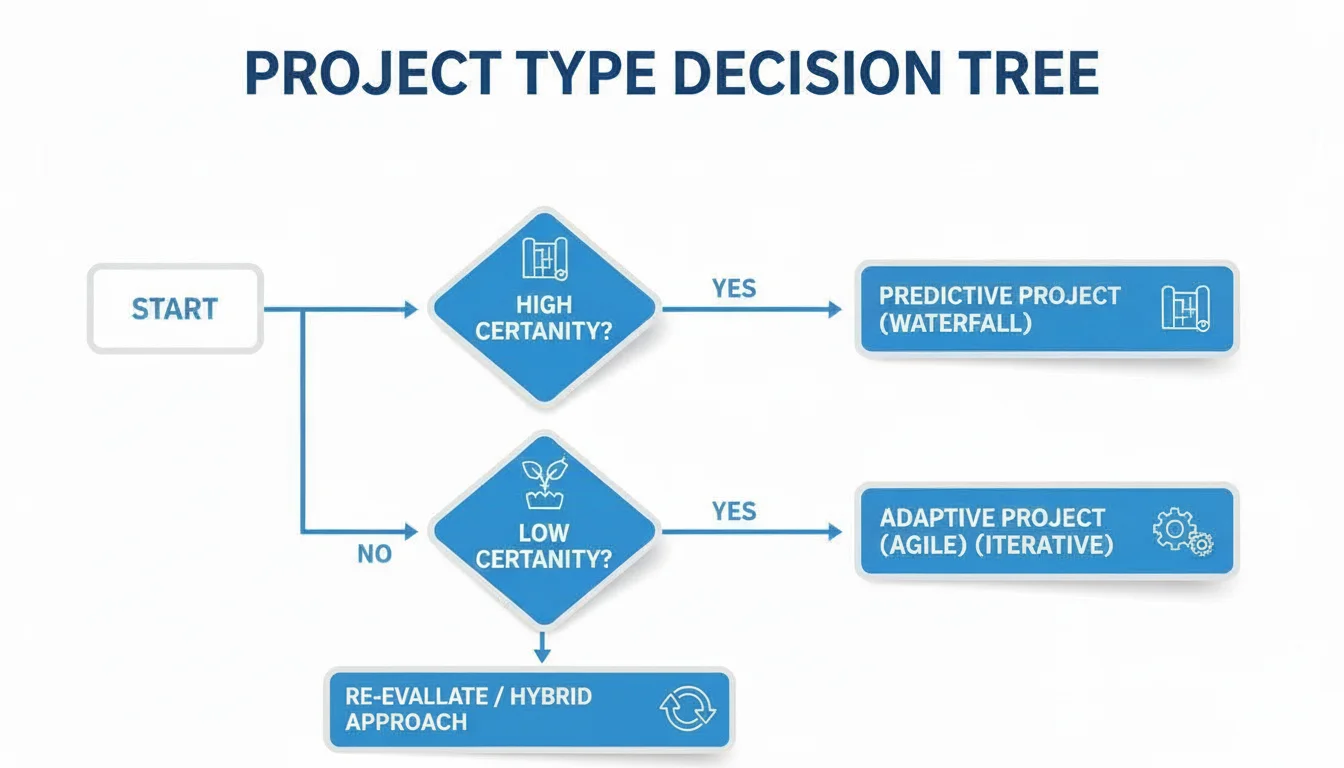
This visual highlights how the process intelligently adapts, ranging from the pre-approved fast lane for Standard Changes to the urgent, streamlined response necessitated by Emergency Changes.
If the PIR confirms that all objectives were met, the change operated as intended, and no significant issues arose, the RFC is formally closed. This marks the successful conclusion of its lifecycle and adds another valuable entry to the organization’s knowledge base, informing future change initiatives and contributing to continual improvement.
Learning Opportunity: Continual Improvement The PIR in Step 6 is a direct link to ITIL's Continual Improvement practice. It's not just about closing a ticket; it's about learning, adapting, and refining your Change Enablement process. This iterative approach is highly valued in modern IT and for certification.
Key Roles That Make Change Enablement Work

A robust Change Enablement practice is never a solitary endeavor; it is inherently a team sport. Its success hinges on a carefully defined set of roles, each contributing its unique expertise to guide changes across the finish line without inducing chaos or compromising stability. Clearly understanding "who does what" is fundamental to grasping how the theoretical concepts of ITIL Change Enablement translate into effective real-world operations.
Consider it akin to the precision and coordination of a flight crew and air traffic control team. You have a pilot, a co-pilot, and air traffic controllers, all meticulously communicating and collaborating to ensure a safe and efficient journey. Without these clearly delineated roles and responsibilities, you would simply have a disparate group of individuals acting independently, hoping for a positive outcome. Let’s meet the core team instrumental in ensuring a smooth "flight" for every change.
The Change Manager: The Air Traffic Controller
At the epicenter of the Change Enablement practice is the Change Manager. This individual serves as the primary coordinator and custodian of the entire change lifecycle—from the moment a Request for Change (RFC) is submitted to its final review after successful implementation. While they often don't hold absolute veto power over approvals, they are the process owner, ensuring consistent adherence to established procedures and best practices.
The Change Manager effectively acts as the air traffic controller for your IT environment. They don't personally "fly the planes" (i.e., implement the changes), but they meticulously manage the runways, monitor all incoming and outgoing "traffic," and ensure that no collisions occur. Their paramount objective is to establish and maintain a safe, orderly, and efficient flow of changes.
A Change Manager’s daily responsibilities typically include:
- Fielding RFCs: Serving as the initial point of contact and primary gatekeeper for all proposed changes, ensuring they meet initial criteria.
- Setting Priorities: Collaborating with stakeholders to assess the urgency, impact, and interdependencies of changes to facilitate logical scheduling and sequencing.
- Leading the CAB: Chairing Change Advisory Board (CAB) meetings, guiding discussions, and ensuring productive outcomes.
- Maintaining Records: Ensuring a comprehensive and accurate log of every single change, its status, and its outcome is meticulously maintained for auditability and future reference.
The Change Advisory Board (CAB): The Expert Panel
The Change Advisory Board (CAB) is a crucial, cross-functional group of experts convened to provide informed advice and recommendations on Normal Changes. Crucially, the CAB is not a static committee; its composition often varies depending on the specific nature and scope of the change under consideration. For instance, a financial system update would necessitate the presence of a finance representative, whereas a significant network change would require a dedicated network engineer.
The CAB’s fundamental purpose is to rigorously evaluate proposed changes from a multifaceted perspective—technical feasibility, business impact, financial implications, and security considerations. They assist the Change Manager and other stakeholders in comprehending the full spectrum of the change, from potential risks to anticipated benefits, thereby ensuring that decisions are grounded in comprehensive understanding and collective expertise.
Key Insight: It is vital for ITIL certification and practice to remember that the CAB is precisely what its name signifies: an advisory board. It provides expert recommendations and insights, but the ultimate authorization typically emanates from a designated Change Authority—which could be a senior business leader, the Change Manager (for certain types of changes), or an executive steering committee.
The Emergency Change Advisory Board (ECAB): The Crisis Team
When a critical incident strikes and an immediate fix is imperative, waiting for the next scheduled CAB meeting is not an option. This is precisely the scenario for which the Emergency Change Advisory Board (ECAB) exists. The ECAB is a smaller, highly agile core group of decision-makers who can be rapidly convened to approve urgent, high-stakes Emergency Changes.
Think of the ECAB as the IT equivalent of an emergency response team. They possess the requisite authority to make swift, informed decisions on critical fixes, such as deploying a zero-day security patch or restoring a mission-critical service that has experienced a catastrophic failure. Their decision-making power is strictly confined to genuine emergencies, preventing the misuse of this fast-track approval for routine updates or non-critical issues.
To consolidate these essential roles, here’s a concise summary of their primary responsibilities.
Roles in ITIL Change Enablement
| Role | Primary Responsibility | Key Focus |
|---|---|---|
| Change Manager | Manages the end-to-end change lifecycle and ensures process adherence. | Process governance, coordination, and communication across all change types. |
| Change Advisory Board (CAB) | Assesses, reviews, and provides expert recommendations on Normal Changes. | Comprehensive risk assessment, impact analysis, and strategic business alignment. |
| Emergency CAB (ECAB) | Provides rapid authorization for high-priority Emergency Changes. | Quick decision-making, immediate incident resolution, and critical risk mitigation. |
Ultimately, a truly successful Change Enablement practice is a symphony of these roles working in perfect concert. The Change Manager orchestrates the workflow, the CAB furnishes critical, multi-faceted expertise, and the ECAB intervenes decisively when time is of the absolute essence.
How Do You Know If Change Enablement Is Working? Measuring Success with The Right Metrics
Implementing a Change Enablement practice is a commendable initial step, but how can an organization definitively ascertain that it is genuinely delivering tangible value? To validate its effectiveness and move beyond merely "going through the motions," it is imperative to measure what truly matters.
Tracking the right Key Performance Indicators (KPIs) provides the indispensable data-driven evidence required to demonstrate its value. This data unequivocally shows stakeholders precisely how the practice is enhancing service stability, reducing risk, and optimizing overall IT operations. These metrics are not simply for superficial reporting; they are the vital signs of your process, indicating areas of strength and highlighting opportunities for crucial adjustments. Without them, you are essentially operating blind.
Core Metrics for a Healthy Change Practice
A meticulously managed Change Enablement practice generates a clear and comprehensive data trail. The key lies in concentrating on a select few essential KPIs that offer a balanced perspective on both efficiency (how swiftly changes are processed) and effectiveness (how well they are executed).
Here are the critical metrics every IT team should be vigilantly tracking:
- Percentage of Successful Changes: This is arguably the most crucial metric. It quantifies how many of your implemented changes went live without causing a single incident, requiring a rollback, or necessitating unforeseen remediation. A consistently high percentage, ideally aspiring to 98% or better, is a resounding indicator that your planning, risk assessment, and testing protocols are exceptionally robust.
- Number of Incidents Caused by Changes: This metric establishes a direct correlation between a specific change and any subsequent service disruption or outage. If this number demonstrates a consistent downward trend, you possess compelling evidence that your risk assessments and CAB reviews are effectively identifying and addressing potential problems before they impact end-users.
- Reduction in Emergency Changes: While Emergency Changes will inevitably occur, a persistently high volume of them is typically symptomatic of deeper, systemic issues within an organization, such as insufficient planning, inadequate testing, or a prevailing culture of reactive "firefighting." Witnessing a steady decrease in this number is a powerful testament to an organization's transition towards a more proactive and stable operational posture.
- Change Backlog and Age: This metric assesses the volume of outstanding Requests for Change (RFCs) awaiting processing and the average duration they have remained in the queue. A burgeoning backlog can signal significant bottlenecks within your approval or implementation processes. Close monitoring of this KPI ensures that changes maintain a smooth flow and do not become stagnant, which can lead to frustration and impede progress.
Consistently tracking these KPIs cultivates a powerful and iterative feedback loop. The data furnishes the irrefutable evidence needed to justify the value of your Change Enablement efforts, precisely pinpoint areas ripe for improvement, and ultimately ensure that every single change genuinely adds measurable value to the business.
Turning Data Into Action
The objective extends beyond merely accumulating numbers. The true value materializes when you begin to interpret the underlying trends and draw actionable insights.
Is the number of change-related incidents incrementally increasing? This is your clear signal to critically re-evaluate your risk assessment methodology or potentially augment your testing requirements. Is the change backlog shrinking consistently? Excellent! This indicates that your workflow is becoming more streamlined and efficient. This is precisely how you leverage data to proactively drive continuous improvement within your Change Enablement practice.
This unwavering focus on measurement is a cornerstone of ITIL and an absolutely essential topic for anyone pursuing ITIL certification. For all IT professionals studying, a thorough understanding of these KPIs is a must-pass subject, and the official ITIL 4 Foundation guidance covers each one in detail. Ultimately, these quantifiable metrics are what transform a theoretical process into a measurable business asset that directly fuels real-world stability, efficiency, and sustained success.
Common Questions About ITIL Change Management
Even with a clear theoretical grasp, practical questions inevitably arise when discussing what ITIL Change Enablement (or the historical Change Management) looks like in the day-to-day reality of an IT department. Let's address some of the most frequently encountered points of confusion to help you solidify your understanding and connect the dots for practical application and certification readiness.
What Is the Difference Between Change and Release Management?
This is, without a doubt, the most common distinction queried by IT professionals, and for very good reason—they are closely intertwined but fulfill fundamentally different organizational functions.
-
Change Enablement is fundamentally about the decision-making process. It acts as the gatekeeper (or rather, the air traffic controller) for modifications. Its primary responsibility is to meticulously review a proposed change, weigh its inherent risks against its potential benefits, and grant the official authorization to proceed. It’s the part of the process that definitively answers the question, “Should we implement this?”
-
Release Management, conversely, is all about orchestrating the execution. It takes an approved change (or a collection of approved changes) and meticulously plans how to efficiently and safely deliver it from development into the live production environment. It manages the practical aspects—the aggregation, building, testing, scheduling, and deployment of one or more changes as a unified release. Its core function is to answer the question, “How and when will we implement this?”
Here’s a simple, illustrative analogy: Change Enablement is the air traffic control tower that approves a flight plan, confirming it's safe, adheres to regulations, and won't conflict with other air traffic. Release Management is the highly skilled flight crew that meticulously preps the plane, follows the approved flight plan, and safely navigates it into the air and to its destination.
How Do You Get Stakeholder Buy-In for the Process?
Gaining enthusiastic adoption for any formal process can be challenging, especially in environments where teams are accustomed to a more informal or "cowboy" approach to deploying changes. The key to success isn't simply to enforce rules; it’s to compellingly demonstrate the tangible benefits to all stakeholders.
Avoid starting conversations by focusing on the process itself. Instead, begin by highlighting existing pain points. Present data: How many service outages were directly attributable to undocumented or poorly managed changes last quarter? How many invaluable hours did your most skilled engineers spend reactively firefighting issues that arose unexpectedly?
Then, strategically position Change Enablement as the definitive solution to these problems. Frame it not as an impediment that slows things down, but as a mechanism that creates stability and predictability. That stability directly translates into less time spent on frantic, unplanned fixes and more time dedicated to the stimulating, value-adding work that everyone desires to do.
Focus on the overarching business benefits. A formal Change Enablement process is not about accumulating bureaucracy; it is a strategic investment in protecting revenue streams, significantly enhancing customer satisfaction, and enabling the faster, safer, and more reliable delivery of new features and capabilities.
What Are the Most Common Pitfalls to Avoid?
When organizations initially roll out an ITIL change process, they frequently encounter a few predictable stumbling blocks. Anticipating these common pitfalls beforehand can save considerable headaches and accelerate successful adoption.
The most pervasive pitfall is making the Change Enablement process excessively heavy, rigid, and bureaucratic. If a developer is forced to seek full CAB approval simply to update a minor configuration file, they will inevitably discover and utilize workarounds. The solution lies in the intelligent and nuanced application of the three change types. Allow Standard Changes to flow rapidly through pre-approved procedures, reserving the deep-dive assessments and formal CAB reviews for the inherently riskier Normal Changes and time-critical Emergency Changes.
Another classic mistake is a pervasive failure in communication. Nothing erodes trust and fosters resistance faster than surprising people with a change they were unaware was coming. Over-communicate. When a change is on the horizon, every individual and team that could potentially be impacted needs to be informed: what is happening, why it’s happening, and when it’s scheduled. Utilize multiple communication channels, from ITSM tool notifications to team meetings and email broadcasts. Transparency builds confidence and prepares stakeholders for what’s ahead.
Case Study Snippet: The Overly Bureaucratic CAB A large financial institution implemented a CAB that required 15 distinct approvals for almost every change, regardless of size or risk. Developers quickly learned to "package" many small, unrelated changes into a single large RFC just to push them through, leading to huge, risky deployments and ultimately undermining the very purpose of the CAB. The solution was to empower Change Managers to delegate authority for Standard and lower-risk Normal Changes.
Ready to master these essential ITIL 4 concepts and ace your certification exam? MindMesh Academy provides expertly crafted study guides and evidence-based learning tools specifically designed to help IT professionals like you succeed. MindMesh Academy does not publish ITIL material. If you manage change on an ITSM platform as well as on paper, our free ServiceNow CSA study guide covers the same ground from the platform side.

Written by
Alvin Varughese
Founder, MindMesh Academy
Alvin Varughese is the founder of MindMesh Academy and an enterprise architecture leader. An electrical engineer by training, he moved from factory automation in South Africa to cloud architecture at GE Appliances and Humana (Fortune 50), and holds 20 professional certifications including AWS Solutions Architect Professional, Azure DevOps Engineer Expert, and Microsoft Agentic AI Business Solutions Architect. He built MindMesh Academy after interviewing too many highly certified candidates who couldn't answer basic questions: the goal is prep that makes you better at the job, not just able to pass the exam.