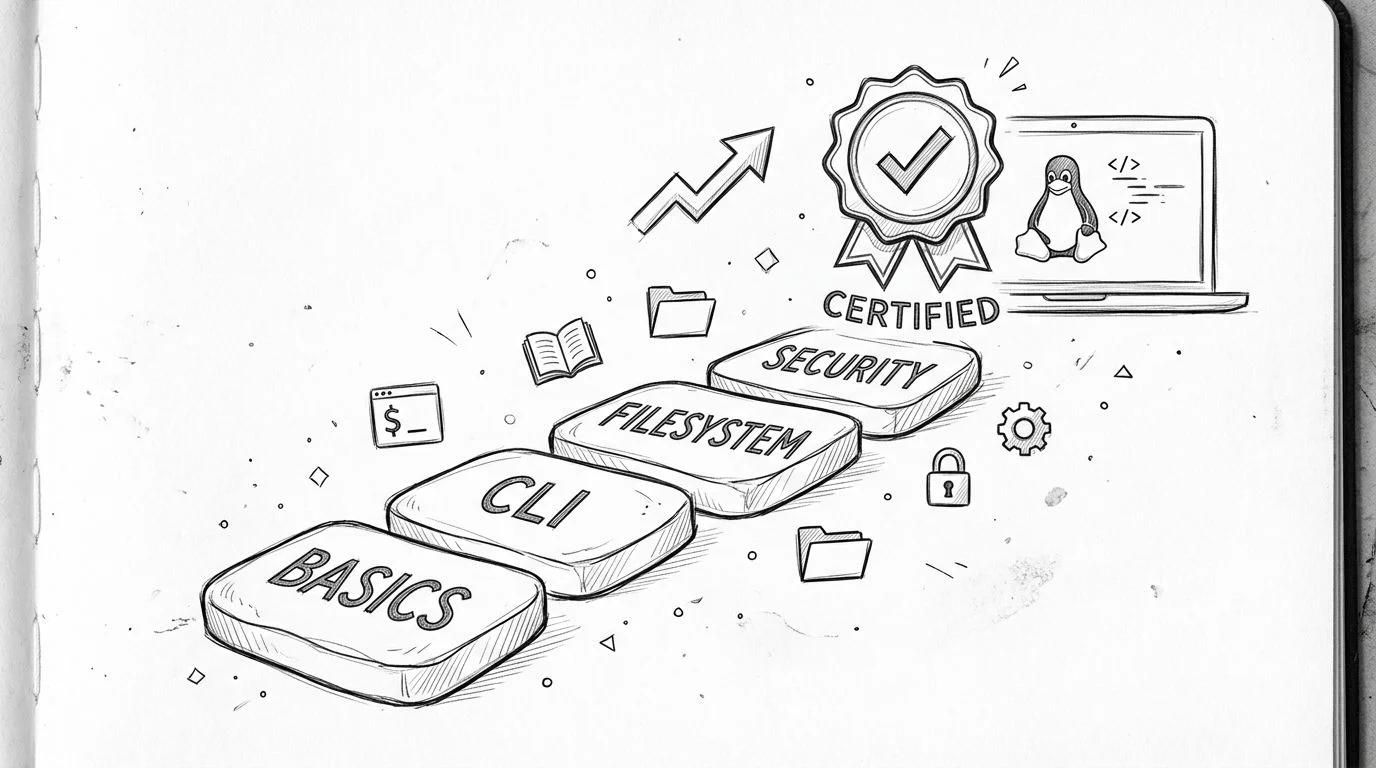
Your 2026 Guide to Linux Essentials Certification Success
Linux Essentials Certification: A Practical Guide for IT Pros
You might be in that awkward middle ground right now. You work in helpdesk, technical support, QA, desktop support, or maybe you're self-teaching after hours, and Linux keeps showing up everywhere. Job descriptions mention Bash. Cloud tutorials assume you can move around a terminal. Security content talks about permissions and log files like everyone learned them years ago.
Linux isn't a private club with its own language. It's a skill set, and like any skill set, it becomes manageable when you start with the right scope. The Linux Essentials certification gives beginners a clear entry point. You focus on the core ideas that appear repeatedly in real IT work: navigating a system, using commands, understanding files and permissions, and seeing how open-source tools fit into modern infrastructure.
What I like about this certification is simple. It gives shape to your learning. You stop bouncing between random tutorials and start building a foundation that supports later roles in administration, cloud, support, and security.
Your First Step into Linux
Many people first encounter Linux indirectly. You reset passwords in a support role, but the back-end system runs on Linux. You troubleshoot a web app, and the logs reside on a Linux server. You start learning cloud, and suddenly every demo uses a shell prompt instead of a desktop.
That's usually the moment when curiosity turns into career planning.
The Linux Essentials certification helps because it lowers the barrier to entry without watering the subject down. You don't need to be a system administrator already. You don't need a home lab packed with gear. You need a willingness to practice, make mistakes, and learn what the commands are doing.
For many early-career professionals, this is the first certification that feels practical instead of abstract. It gives you vocabulary for technical conversations, confidence with the terminal, and a way to prove that your Linux knowledge isn't just casual exposure. If you're trying to move from "I've seen Linux before" to "I can work with Linux basics," this is a smart place to start.
Linux starts feeling less intimidating when you treat it like a daily tool, not a giant theory project.
There's also a strategic reason to begin here. Modern IT roles overlap more than people think. Support engineers touch logs and services. Cloud teams rely on command-line workflows. Security analysts need to understand users, permissions, and basic system behavior. Linux underpins a lot of that work. Formalizing your foundation can make your next move more deliberate.
If you're building momentum for a career shift, it helps to accelerate your career with certifications that match your current level instead of jumping straight to advanced exams. Linux Essentials fits that approach well. It gives you a beginner-friendly target, but the skills underneath it are useful long after the test is over.
What Is the Linux Essentials Certification
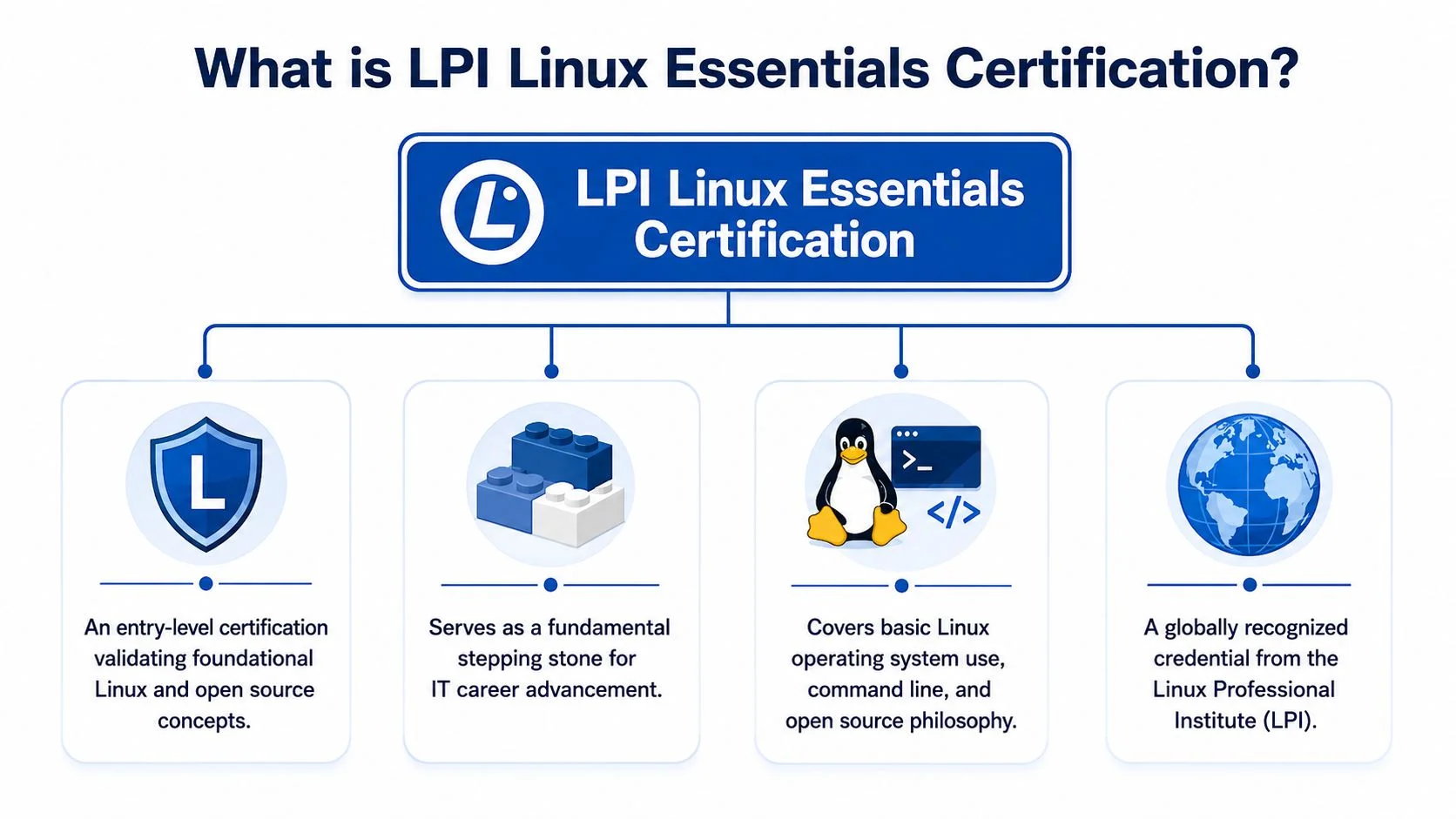
The Linux Essentials certification is an entry-level credential from the Linux Professional Institute (LPI). Its purpose is straightforward: it introduces beginners to Linux, open-source concepts, command-line usage, basic administration ideas, and core security habits in a way that's structured enough to measure.
LPI clearly positions it as a starting point. On the Linux Essentials overview page, LPI states the certification has no prerequisites, a single exam, exam code 010-160, and lifetime validity. Candidates answer 40 questions in 60 minutes.
Why that matters
Each of those design choices tells you who this certification is for.
No prerequisites means beginners can start without first collecting other Linux credentials. A single exam keeps the process focused. Lifetime validity means that once you earn it, it stays on your resume as permanent proof of foundational knowledge. That's especially helpful for people who want a long-term signal of entry-level Linux competence, even if they later specialize in cloud, security, or DevOps.
This also explains why the Linux Essentials certification feels different from more advanced Linux exams. It isn't trying to prove that you can run production infrastructure alone. It's proving that you understand the basics well enough to build on them.
Who should consider it
This certification makes sense for several kinds of learners:
- Career changers who need a realistic first credential in IT
- Helpdesk and support staff who want to move closer to systems work
- Students who need a grounded introduction to Linux
- Aspiring cloud or security professionals who know Linux keeps appearing in their next roles
- Self-taught learners who want to organize what they've picked up informally
The strongest reason to pursue it isn't prestige. It's clarity. Linux can feel huge because it is huge. This certification narrows the field to the essentials and gives you a defined finish line.
Practical rule: If you're still translating terms like shell, distribution, permissions, and package manager in your head, you're exactly the kind of learner this certification was built for.
Breaking Down the Syllabus and Exam Format
The Linux Essentials certification becomes much less mysterious when you stop thinking of it as "a Linux test" and start seeing it as a map of beginner job skills. The syllabus teaches the parts of Linux that working IT teams expect you to recognize early, even if you're not the person managing every server yet.
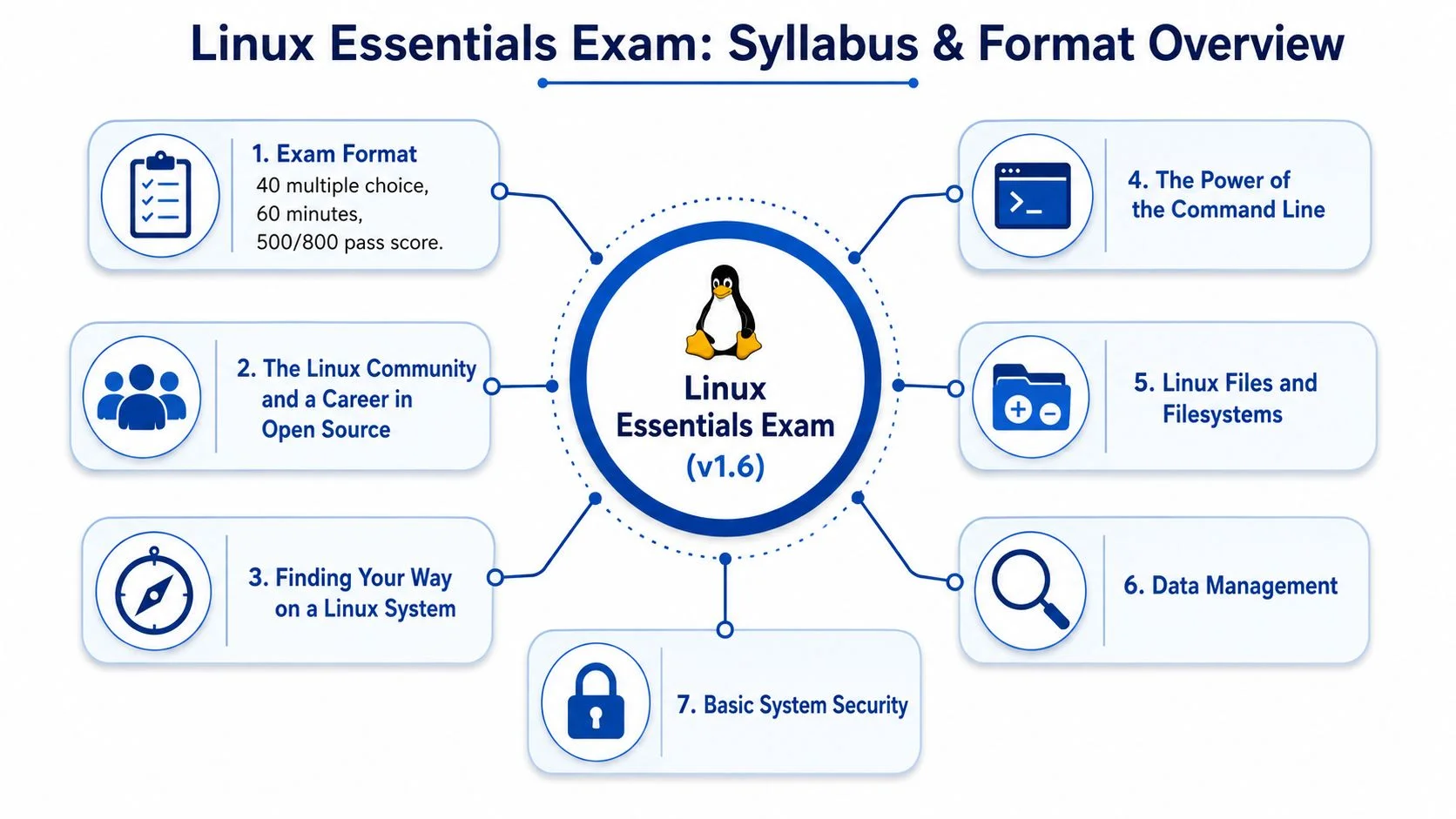
There are also a few hard exam details worth knowing up front. The exam uses a passing score of 500 out of 800. Registration is available through Pearson VUE or the LPI Marketplace, and the listed cost is $110 (verify current pricing on the vendor site). The exam is offered in multiple languages, including English, French, German, Japanese, Brazilian Portuguese, and Spanish through VUE test centers, reinforcing that this credential is meant for a broad international audience.
What the domains mean in plain English
Here's the part many beginners need most. The syllabus titles can sound academic, but the skills underneath them are practical.
-
The Linux community and a career in open source
This section teaches the culture around Linux. You learn what open source means, why distributions differ, and how Linux fits into the broader technology landscape. On the job, that helps you understand why one team uses Ubuntu, another prefers Red Hat-based systems, and why documentation and community resources matter so much. -
Finding your way on a Linux system
This covers navigation. You'll work with directories, files, paths, and the general structure of a Linux system. In real life, this is what lets you move through logs, config locations, user home directories, and project folders without feeling lost. -
The power of the command line
This section covers the core of the beginner Linux experience. You'll use commands to list files, copy data, move items, remove items, and inspect system information. Employers value this because command-line confidence makes you faster, more precise, and less dependent on point-and-click tools. -
The Linux operating system
This area introduces how Linux is organized and managed. That includes files, processes, packages, and core system concepts. It's the difference between using a machine and understanding how the machine behaves. -
Security and file permissions
This section covers basic permissions, users, groups, and secure habits. That's not just test material; it's part of daily operational discipline in support, administration, and security work.
What employers actually see in these skills
When a hiring manager sees Linux Essentials on a resume, they shouldn't assume "expert administrator." They should assume something more useful for an entry-level candidate: this person has started building good technical habits.
A few examples make that concrete:
| Exam area | Real-world job skill |
|---|---|
| Filesystem navigation | Finding logs, configs, and project files without guesswork |
| Command-line basics | Running routine tasks quickly and accurately |
| Permissions | Avoiding common mistakes with access and ownership |
| Open-source concepts | Understanding how Linux tools and distributions differ |
| System basics | Reading output, recognizing structure, and troubleshooting calmly |
One topic that often trips beginners up is the jump from commands to actual workflow. For example, scheduling recurring jobs can sound advanced until you realize it's just another layer of command-line operations and system behavior. If you want a practical example of how Linux automation shows up in real administration work, this guide to scheduling tasks in Linux gives useful context.
What usually feels hardest
Individuals don't struggle because the topics are impossible. They struggle because Linux feels unfamiliar at first.
Common sticking points include:
- Paths and directories. New learners mix up absolute and relative paths.
- Command syntax. A small typo can change the result or cause an error.
- Permissions. The logic takes time to click.
- Working without a desktop interface. The terminal feels sparse until you build repetition.
That's normal. The fix isn't memorizing random commands. It's tying every command to a task. Don't just run ls. Use it to inspect a folder. Don't just learn cp. Use it to back up a file before editing it. Skill sticks when the action has a reason.
Career Impact and Benefits of Getting Certified
The Linux Essentials certification helps your career in two ways. First, it gives employers a recognizable signal that you've studied Linux fundamentals seriously. Second, and more important in my view, the preparation process changes how you work.
That second part matters more than many beginners realize.
When you study for this exam, you stop treating the terminal like a black box. You learn how to move through a system with intent. You start noticing file ownership, command output, environment behavior, and the relationship between users, groups, and permissions. That shift improves your problem-solving even before you apply for the next role.
The career value is broader than the certificate
Linux appears across many early-career job paths. A junior system administrator needs it directly. An IT support specialist may use it to investigate logs, understand server-side issues, or work with cloud-hosted systems. A DevOps intern won't get far without basic shell fluency.
That's why the Linux Essentials certification is best viewed as infrastructure for your career. It supports later steps.
- Resume credibility helps when you're competing with candidates who only list "familiar with Linux"
- A stronger foundation makes later certifications less overwhelming
- Command-line confidence carries into cloud, automation, and troubleshooting work
- Better security habits support roles that involve access control and system hygiene
A beginner who can navigate a Linux system calmly is often more useful than a beginner who's memorized buzzwords but freezes at the terminal.
It also points toward modern practices
Linux basics don't exist in a silo anymore. If you continue toward cloud engineering, platform work, or security operations, you'll see the same foundations appear in different contexts. User permissions become access control. Shell commands become deployment and troubleshooting habits. File and process awareness become operational discipline.
That's one reason it helps to read beyond the exam objectives and connect your learning to current workflows. For example, teams working in cloud-native and security-aware environments often need a practical understanding of secure development and operations habits. This overview of DevSecOps best practices is useful for seeing how foundational Linux knowledge fits into a wider operational mindset.
The short version is this: the certificate can help open doors, but the deeper value is that you become easier to trust with technical work.
Linux Essentials vs. Other Linux Certifications
Choosing your first Linux certification can get confusing quickly because the names sound similar while their intent is different. Linux Essentials, CompTIA Linux+, and RHCSA can all be good certifications, but they serve different points in a learner's journey.
Linux Essentials is the right starting point for people who are still building their base. Linux+ often fits learners who already have meaningful exposure and want a broader or more job-ready certification. RHCSA usually suits people who want to prove hands-on administration ability in Red Hat environments.
Linux certification comparison
| Certification | Ideal Candidate | Focus | Prerequisites | Vendor Neutral |
|---|---|---|---|---|
| Linux Essentials | Beginner, student, helpdesk professional, career changer | Foundational Linux, open source, command line, files, permissions | None (per LPI) | Yes |
| CompTIA Linux+ | Learner with some Linux experience | General Linux administration and applied job skills | Experience recommended; not a beginner cert | Yes |
| RHCSA | Candidate targeting Red Hat-centered administration roles | Hands-on administration in Red Hat Enterprise Linux environments | Prior Linux practice recommended | No |
How to decide honestly
A simple test helps. Ask yourself which statement sounds most like you.
"I've used Linux only a little, and I want a structured introduction."
Start with Linux Essentials.
"I already understand the basics and want a stronger administration-focused credential."
Linux+ may be the better next move.
"I'm aiming at jobs that specifically use Red Hat, and I'm ready for a more hands-on challenge."
RHCSA becomes relevant.
The mistake I see most often is beginners choosing the exam that sounds most impressive instead of the one that matches their current skill level. That usually leads to frustration, not faster progress. A certification path works best when each step supports the next.
Why Linux Essentials still stands out
Linux Essentials does one job very well: it turns vague interest into solid footing. That matters more than people think. If your command-line skills are still uneven, if file permissions still feel fuzzy, or if Linux distributions all blur together in your head, a foundational credential is not "too basic." It's efficient.
There's also nothing wrong with using it as a launchpad. Many learners move from beginner Linux study toward broader vendor-neutral tracks. If that sounds like your path, you might eventually want to prepare for CompTIA exams after you've locked in the fundamentals.
The best certification is the one that fits your present level and moves you forward without gaps.
Treat Linux Essentials as a first brick, not the whole building. That mindset makes the comparison much easier.
Your 8-Week Linux Essentials Study Plan
A good study plan does two things. It keeps you from drifting, and it forces hands-on practice early. The Linux Essentials certification rewards learners who interact with the terminal, not just people who read definitions.
Start with a simple setup. Use a Linux virtual machine, a cloud-based practice box, or a spare system where you can experiment without worrying about breaking your daily device. Your goal is repetition with low stress.
Here's a practical roadmap.
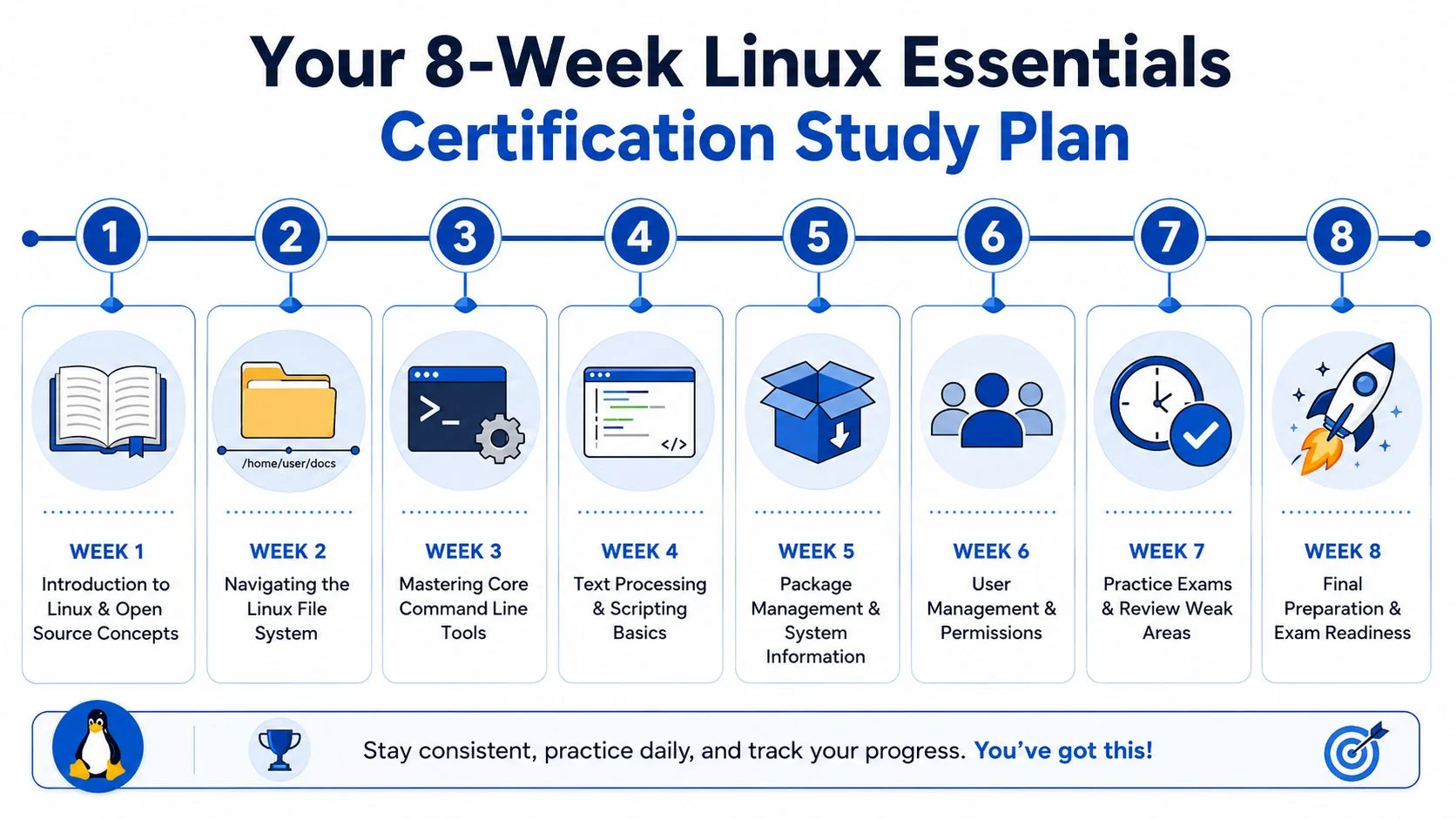
Weeks 1 through 4
Week 1
Learn what Linux is, what distributions are, and why open source matters. Don't stay abstract for too long. Log in, open a terminal, and get comfortable typing commands without fear.
Focus on:
- Core concepts such as distributions, shells, users, and the open-source model
- Basic orientation like seeing your current directory and identifying files
- Vocabulary building so common Linux terms stop sounding foreign
Week 2 Work on navigation. Spend time moving through directories, creating folders, listing contents, and understanding path structure. At this stage, many beginners either gain confidence or keep guessing.
Practice tasks:
- Move around the filesystem until commands like changing directories feel routine
- Create and remove test files in a practice area
- Compare locations so relative and absolute paths become clear
Week 3
Go deeper into core command-line tools. Use commands for viewing files, copying data, renaming items, and deleting safely. Repeat these actions until you can explain what each one does before pressing Enter.
Week 4
Work with text and simple shell habits. Read command output carefully. Practice filtering and redirecting output in a basic way. The goal isn't to become a scripting expert. It's to stop seeing the terminal as random text.
Before moving on, spend a session reviewing weak spots from the first month.
Study commands in pairs. Learn what a command does, then use it in a tiny real task. That's how recall becomes usable skill.
A short video can help reset your mental model when concepts feel scattered:
Weeks 5 through 8
Week 5
Turn your attention to system basics. Learn how packages, processes, and system information fit together. You don't need expert-level administration. You do need to recognize the moving parts of a Linux system.
Week 6
Spend this week on users, groups, ownership, and permissions. This topic often takes repetition, so keep it concrete. Create files, inspect ownership, change permissions in your lab, and observe what changes.
Try a simple routine:
- Create a file
- Inspect its permissions
- Change access settings
- Test what a user can and can't do
Week 7
Shift into exam mode. Start using practice questions and timed review blocks. Don't chase perfect scores. Use mistakes diagnostically. If you miss a permissions question, return to the terminal and recreate the scenario.
This is also the right time to tighten your study habits. If you want a framework for spacing review, reducing last-minute cramming, and building more durable recall, these exam preparation strategies are useful even though they're written for a different certification context.
Week 8
Review calmly. Revisit your notes, weak commands, and misunderstood concepts. Do short sessions instead of exhausting marathons. Your job now is consolidation, not panic-learning.
How to know you're ready
You're approaching readiness when you can do the following without talking yourself through every step:
- Move through directories confidently
- Explain common commands in plain language
- Recognize basic permission concepts
- Read command output without freezing
- Identify when a question is testing a concept versus testing syntax
If you still feel shaky, that doesn't mean you're failing. It usually means you need more hands-on reps, not more stress.
Final Preparation and Exam Day Strategy
In the final couple of days, stop trying to learn brand-new topics. Review commands, concepts, and mistakes you've already seen. Short practice sessions work better than grinding for hours when your brain is tired.
On exam day, pace matters. You have 60 minutes for 40 questions, as noted earlier from LPI's official overview, so don't let one stubborn question drain your focus. If the platform lets you flag and return, use that feature. Answer what you know first, then come back with fresh eyes.
A few habits help:
- Read the full question before looking for a familiar keyword
- Watch for small wording differences around permissions, paths, or command behavior
- Eliminate wrong answers first when you're unsure
- Keep your breathing steady if you feel rushed
If you're testing at Pearson VUE, give yourself extra time so check-in doesn't rattle you. Bring the mindset of someone doing familiar work, not someone walking into a trap. The Linux Essentials certification is designed for beginners. It's meant to validate a foundation, not punish you for not being an expert.
Pass or fail, this study process already did something valuable. It made Linux less mysterious and more usable.
If you want a structured way to prepare for technical certifications and build real skills, MindMesh Academy offers guided study resources, adaptive learning paths, and progress tracking to help you stay consistent. Explore MindMesh Academy's full catalog of certifications.

Written by
Alvin Varughese
Founder, MindMesh Academy
Alvin Varughese is the founder of MindMesh Academy and an enterprise architecture leader. An electrical engineer by training, he moved from factory automation in South Africa to cloud architecture at GE Appliances and Humana (Fortune 50), and holds 20 professional certifications including AWS Solutions Architect Professional, Azure DevOps Engineer Expert, and Microsoft Agentic AI Business Solutions Architect. He built MindMesh Academy after interviewing too many highly certified candidates who couldn't answer basic questions: the goal is prep that makes you better at the job, not just able to pass the exam.