How to Get a CompTIA Certification
Mastering Your CompTIA Certification
Earning a CompTIA certification helps IT professionals start a new career or advance an existing one. These credentials provide professional validation and support self-improvement, earning respect from employers globally. At MindMesh Academy, we provide clear paths to help you succeed. This guide covers the entire process, including how to select the right exam and build a study plan that works. We also provide tips for exam day to help you pass with confidence. By following these steps, you can use your new credential to increase your professional impact and reach your specific career goals in the IT industry.
Why CompTIA Certifications Matter in the Current IT Industry
Before evaluating study techniques and exam requirements, we should look at why CompTIA certifications carry so much weight with employers. These credentials signify more than a simple addition to a resume. They serve as a global benchmark for technical proficiency and functional knowledge.
A primary reason for this value is the vendor-neutral approach used by CompTIA. Many certifications from providers like Microsoft or Amazon Web Services focus on a single software environment. For example, an Azure Administrator Associate or an AWS Certified Solutions Architect candidate learns tools specific to those brands. In contrast, CompTIA validates foundational skills that apply across any technology stack. This universal application explains why hiring managers value these credentials. When a manager sees a CompTIA Security+ certification, they know the candidate understands core security principles. This knowledge remains valid regardless of the specific firewall brand or cloud service the company uses. It is similar to learning the principles of internal combustion before specializing in the maintenance of a specific car manufacturer.
A Recognized Standard Around the World
The global footprint of CompTIA is massive. With more than 2.5 million professionals certified across 147 countries, the organization has created a common language for technical skills. Your certification carries the same authority whether you apply for a job in a local town or seek an international role. Market data consistently shows that leading CompTIA exams provide a reliable base for success in nearly any IT specialty.
Finding Your Starting Point on the CompTIA Roadmap
CompTIA organizes its certifications into a logical progression where each level builds on the last. This structure allows you to start with core basics and move toward a specialty as your career goals change.
Here is how those certifications connect, from entry-level fundamentals through to the specialist tracks:
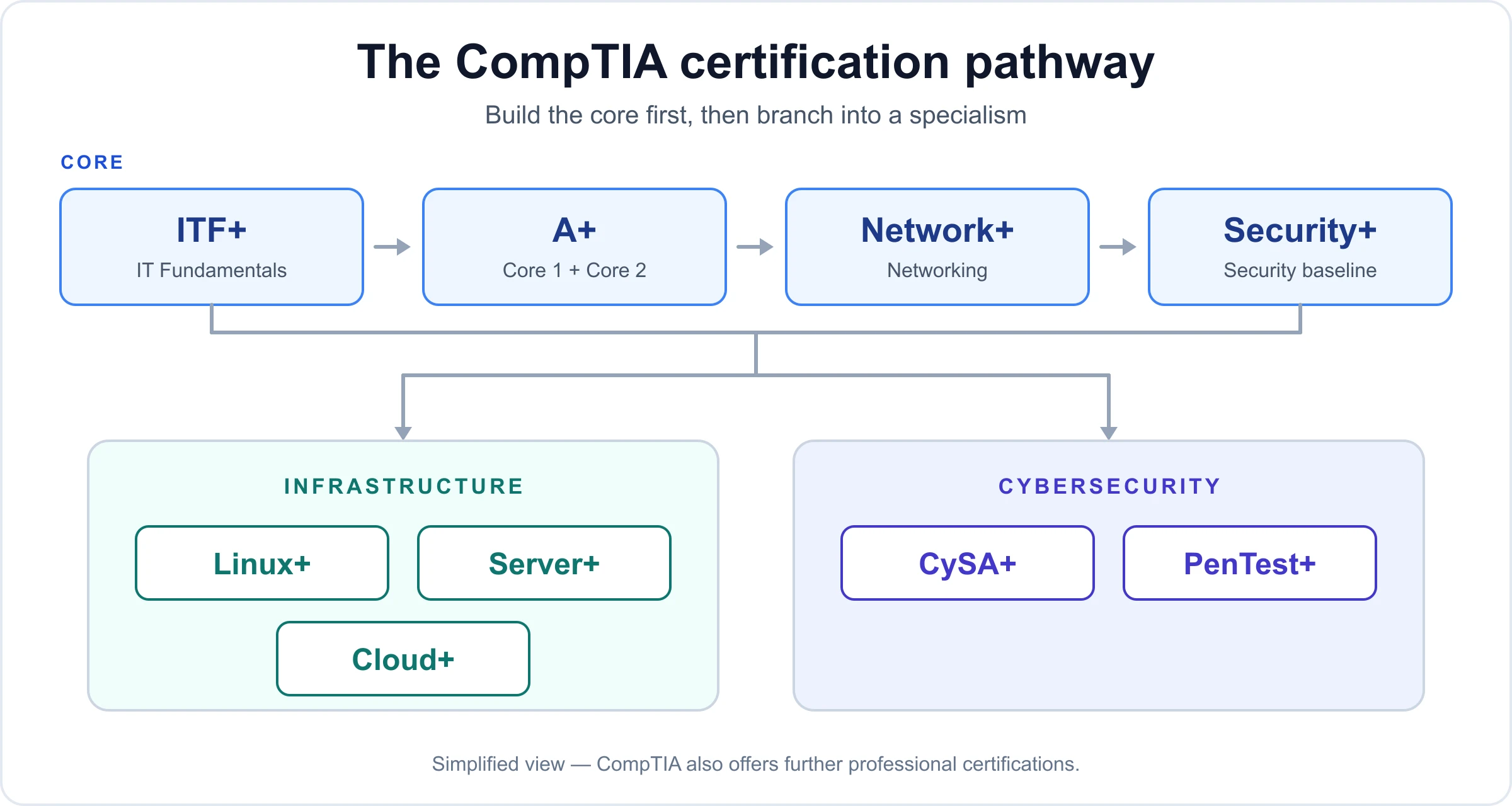 Caption: The core ladder — ITF+, A+, Network+ and Security+ — feeds into specialist tracks in infrastructure and cybersecurity.
As the image shows, exams are grouped into categories like core skills, infrastructure, and cybersecurity. This framework helps you assess your current skill level and plan a future career path.
Key Takeaway: Your first step is to evaluate your current experience and goals honestly. Are you looking for your first IT job, or are you an expert looking to validate skills in cloud computing or digital defense?
Understanding this structure simplifies the process of picking an exam. Consider these common career situations:
- Entry-Level IT Aspirant? Most experts recommend CompTIA A+ as the starting point. It serves as the industry standard for help desk and support roles. The exam covers hardware, software, basic networking, and security fundamentals.
- Aspiring Network Administrator? After earning the A+, many professionals move to CompTIA Network+. This exam covers network infrastructure, protocols, and how to fix connectivity issues.
- Dreaming of a Cybersecurity Career? CompTIA Security+ is the standard entry point for anyone serious about digital defense. It focuses on risk management and threat mitigation.
The following table outlines popular certification paths and the jobs they help you get.
Popular CompTIA Certification Paths and Target Roles
| Certification | Focus Area | Ideal for Roles Like |
|---|---|---|
| A+ | Core hardware, software, networking, and security fundamentals. | Help Desk Technician, Technical Support Specialist, Field Service Technician |
| Network+ | Network infrastructure, protocols, security, and troubleshooting. | Network Administrator, Systems Engineer, Network Support Specialist |
| Security+ | Core cybersecurity skills, risk management, and threat mitigation. | Security Analyst, Systems Administrator, Cybersecurity Specialist |
| CySA+ | Intermediate-level cybersecurity analytics and threat detection. | Cybersecurity Analyst, Threat Intelligence Analyst, Security Engineer |
| CASP+ | Advanced, hands-on cybersecurity for enterprise environments. | Senior Security Engineer, Security Architect, IT Cybersecurity Manager |
| Cloud+ | Cloud infrastructure, deployment, and security. | Cloud Engineer, Systems Administrator, Cloud Specialist |
This progression shows how foundational knowledge leads to specialized expertise. Each certificate acts as a stepping stone to higher positions and improved career stability.
To see what you need to learn, you can download a free CompTIA study guide. This provides a look at the specific topics on the exams so you can decide which path fits your goals best.
Choosing the Right Certification for Your Career Trajectory
Choosing a CompTIA certification starts with an honest look at your professional goals. CompTIA offers a wide range of credentials. Selecting the right one is a business decision for your career that should match what you want to do long-term and what the current job market requires.
Before you pay for an exam or buy study guides, you need to understand the different areas within IT. This knowledge helps you spend your time and money on a specialization that makes sense for your future.
Define Your Starting Line: A Self-Assessment
Be clear about your current skill level. Are you someone trying to get a first job in technology? Or are you already working in the field and want to prove your skills or move into a management role?
Your current experience is the main factor in this decision. Someone switching careers to get a help desk job needs a different plan than a veteran network engineer who wants to move into cloud architecture. If you identify your level now, you can avoid the mistake of trying to take an advanced exam that requires technical knowledge you haven't learned yet.
This visual guide shows how the process moves from your first goal to the day you take the exam:
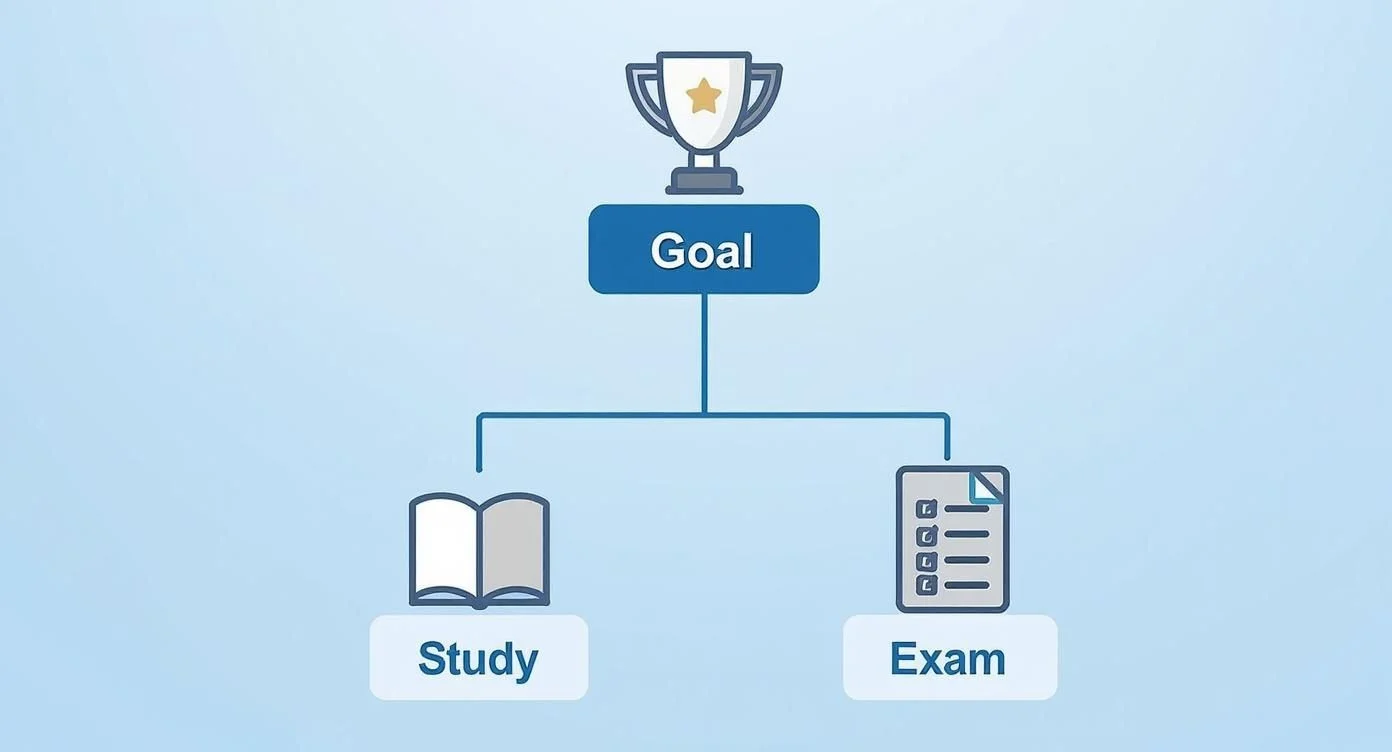 Caption: A visual guide outlining the strategic steps for obtaining a CompTIA certification, from goal setting to exam day.
The main idea is that every choice you make—the certification you pick and the way you study—should help you reach your specific career goal.
Reflection Prompt: Think about your current job or the one you want. What are the three most important skills for that role? Consider how a CompTIA certification might help you learn those specific skills.
Match Your Certification to a Career Pathway
CompTIA groups its certifications into pathways. These pathways show how an IT career usually grows. Looking at the exams this way helps you see the big picture instead of just focusing on one test.
There are three main pathways to look at:
- Core Skills Pathway: This is where most people start. It includes the "big three" exams: A+ (220-1201/220-1202), Network+ (N10-009), and Security+. These certifications are necessary for jobs like technical support, junior network administration, and basic cybersecurity roles.
- Infrastructure Pathway: This path is for people who want to build and look after IT systems. It includes certifications like Cloud+ for those working as cloud specialists or engineers. It also includes Server+ for professionals who manage data centers and server hardware.
- Cybersecurity Pathway: This is an advanced track for people who want to protect data and systems from attacks. The credentials in this path include CySA+ for analysts who watch for threats and CASP+ for senior engineers who design secure systems.
Using these pathways helps you plan your next step and the two or three moves after that.
To see where you fit, look at this decision matrix. It compares your experience with your future goals.
CompTIA Certification Decision Matrix
| Career Goal | Your Experience Level | Recommended Certification | Next Logical Step |
|---|---|---|---|
| Get first IT job (Help Desk, Tech Support) | 0-1 years | CompTIA A+ | Network+ or Specialize |
| Become a Network Administrator | 1-3 years, ideally have A+ | CompTIA Network+ | Security+ or Server+ |
| Move into a Cybersecurity role | 2+ years, ideally have Net+ | CompTIA Security+ | CySA+ or PenTest+ |
| Work with cloud infrastructure | 2+ years | CompTIA Cloud+ | Vendor-specific (e.g., AWS Certified Solutions Architect, Microsoft Azure Administrator) |
This table is a guide, not a set of strict rules. It gives you a framework for making a choice based on how most people move through their IT careers.
The Foundational Trio: A+, Network+, and Security+
Most people who are starting out or changing careers focus on one of these three certifications. Each one acts as a door to a different part of the IT industry. You will see these three certifications mentioned in many job descriptions.
Let’s look at three examples of how people use these certifications in real life.
Scenario 1: The Career Changer Entering IT Support
Maria worked in customer service for years and wants to move into IT. She is good at solving problems and talking to people, but she does not have professional technical experience.
- Best Choice: CompTIA A+ (220-1201/220-1202). This is the best place to start. It teaches you about hardware, software, and operating systems. It also covers how to fix common technical problems. This is what you need for a help desk or support role.
- Why it Works: The A+ exam matches the skills that managers look for when they hire for entry-level support. It gives Maria the technical foundation she needs to build her career. It allows her to fix computer issues and understand how basic networks connect.
Scenario 2: The Aspiring Network Administrator
David has worked in IT support for two years and has his A+ certification. He likes working with routers, switches, and network protocols. He wants to become a network administrator.
- Best Choice: CompTIA Network+ (N10-009). This certification proves David has the networking skills companies need for junior admin and support roles. It covers network types, cabling standards, and how to keep a network secure.
- Why it Works: This is the logical next step after the A+ for anyone who wants to work with infrastructure. With the Network+ certification, David can set up a network for a small office. He can also fix connectivity problems and understand how IP addressing works.
Scenario 3: The Future Cybersecurity Analyst
Lena is a systems administrator with several years of experience. Her job now includes more security tasks, and she wants to move into a full-time cybersecurity career.
- Best Choice: CompTIA Security+. This certification covers the main principles every security professional needs to know. It teaches risk management, how to stop threats, and how to respond when a security incident happens.
- Why it Works: Companies around the world recognize Security+ as the standard for basic cybersecurity skills. Many security jobs require this certification. It gives Lena the tools to find security weaknesses and follow company security policies.
Picking the right certification at the start saves you time. It ensures the things you learn are useful right away. This makes your new certification a strong tool for moving up in your career from the first day you earn it.
When you look at these options, consider the daily tasks of the jobs they lead to. An A+ technician might spend the day replacing a hard drive or helping a user sign into their email. A Network+ professional might spend their time configuring a virtual private network (VPN) or testing signal strength for a wireless network. A Security+ holder might spend their shift reviewing firewall logs or training staff on how to avoid phishing emails.
By matching your certification to your interests, you stay motivated during the study process. IT is a field that requires constant learning. Starting with a certification that interests you makes it much easier to build the habit of staying current with new technology.
Make sure to check the specific exam codes before you begin. For example, CompTIA A+ currently uses the 220-1201 and 220-1202 exams (verify current codes on the vendor site). For Network+, the current version is N10-009 (verify current codes on the vendor site). Using the correct materials for the current exam version is vital for being well-prepared. Following the official pathways ensures you don't miss any fundamental concepts that could hinder your progress later.
Crafting a Study Plan That Actually Works
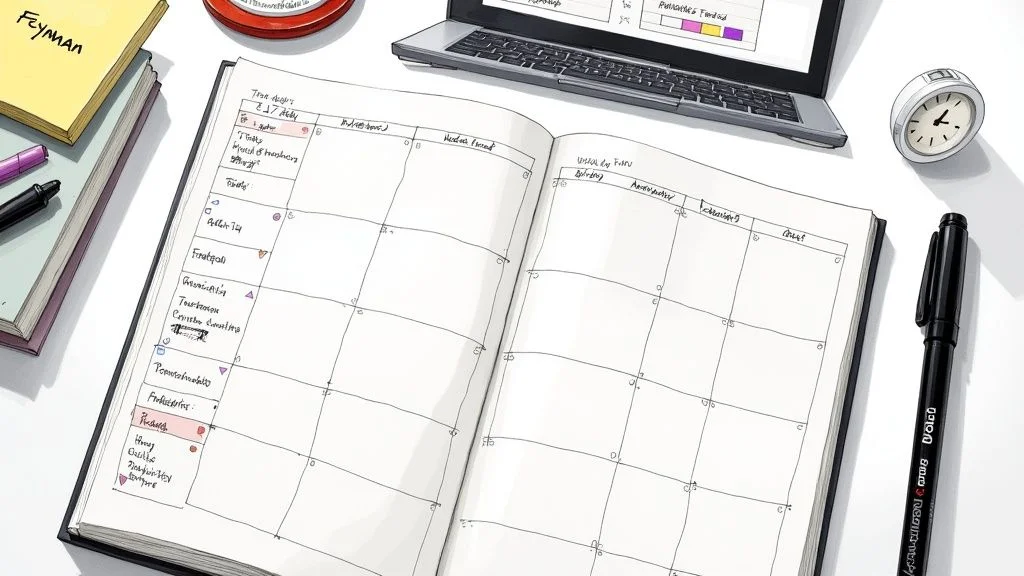 Caption: A focused individual outlines a personalized study plan, blending digital resources with traditional note-taking for effective learning.
You have picked your certification. Now the actual work begins. Many students fail because they buy a book and read it cover-to-cover without a strategy. This approach leads to information overload and frustration. To pass any CompTIA exam, you do not need to study harder. You need to study with a clear, personalized plan.
Start with a step that cannot be skipped: go to the official CompTIA website and download the exam objectives. This document serves as your map. It lists every topic that might appear on the test, organized by domain. It also shows the percentage of the exam dedicated to each section. If the current CompTIA A+ 220-1201 Core 1 exam weights "Mobile Devices" at 15% and "Networking" at 20%, you know exactly where to spend your time.
Do not just glance at this PDF on your screen. Print the document. Use a highlighter to mark terms you already know and circles around terms that look like a foreign language. Every single hour you spend studying should link back to a specific line item in these objectives. This ensures you are not wasting time on technology that is no longer on the test.
Building Your Study Timeline
A solid timeline is the foundation of your preparation. You must be honest about your daily life. A person working forty hours a week with children will move at a different pace than a student with a wide-open summer. For most people balancing a career and personal life, a 90-day (or 12-week) timeline works best for core certifications like Security+. This window is long enough to learn the material but short enough to keep the information fresh.
Use this general structure to build your 12-week schedule:
- Weeks 1-9: Spend this time learning the actual content. Focus on one or two exam domains every week. Look at the weighting in the official objectives; if a domain is worth 30% of your score, give it more than one week.
- Weeks 10-11: Transition to testing your knowledge. This is the phase for practice exams and quizzes. Use your scores to find the holes in your logic. If you keep missing questions about the OSI model, go back to your books for those specific pages.
- Week 12: Run a final review. Do not try to learn brand-new complex topics two days before the test. Instead, look over your notes and take a few more practice questions to keep your mind sharp. Focus on getting enough sleep and reducing stress.
While you build this schedule, watch out for common errors. Learning how to avoid common study mistakes can keep your plan on track and prevent you from losing momentum halfway through.
Choosing Your Study Resources Wisely
No single book or video will give you everything you need. The most successful candidates use a combination of tools that fit how they learn best. If you only read a textbook, you might miss the visual cues of a hardware installation. If you only watch videos, you might miss the deep technical definitions.
A balanced study kit should include:
- A Primary Video Course: Find a series that covers every objective in order. Instructors on platforms like MindMesh Academy walk through the concepts visually, which helps clarify how different technologies interact.
- An Official Study Guide: Textbooks provide the depth that videos sometimes skip. The CompTIA CertMaster books or third-party guides like those by Sybex or McGraw Hill are standard options. Use these to look up the exact definitions of protocols and hardware specifications.
- Hands-On Labs: You cannot learn IT by just reading. You have to do the work. This is especially true for performance-based questions (PBQs) that require you to configure a router or set up a firewall. Use CompTIA's CertMaster Labs or set up your own virtual machines using software like VirtualBox.
- High-Quality Practice Exams: These tests show you how CompTIA words their questions. They help you practice managing your time so you do not run out of minutes during the actual exam.
Expert Tip: Do not burn through your practice exams too early. Save the full, timed tests for the final three weeks. In the beginning, use short quizzes at the end of chapters to check if you understood what you just read. This keeps the full-length exams fresh for when you really need to simulate the testing environment.
Master Concepts, Don't Just Memorize Facts
Passing a CompTIA exam requires more than just memorizing a list of port numbers. Performance-based questions (PBQs) test your ability to solve problems in real scenarios. If you only memorize facts, you will struggle when the exam asks you to fix a broken network connection. You have to understand how the technology works.
Use active study methods to make the information stick. Passive reading is rarely enough for technical exams.
Two methods are particularly effective for IT students:
- The Pomodoro Technique: This keeps your brain from getting tired. Study for 25 minutes with total focus—no phone, no email. Then, take a 5-minute break to walk around or grab water. After four of these sessions, take a 20-minute break. This prevents the "zombie" feeling that happens after hours of staring at a screen.
- The Feynman Technique: This is a great way to test your understanding. Take a topic like "Public Key Infrastructure" and try to explain it out loud to a friend who does not work in IT. If you cannot explain it without using big technical words, you do not understand it well enough yet. Go back to your resources and study that section again until you can explain it simply.
You should also use spaced repetition. This involves reviewing a topic right before you are likely to forget it. Instead of studying "Firewalls" once and never looking at it again, review your firewall notes two days later, then a week later, then a month later. This moves the information from your short-term memory into your long-term memory. To improve this process, you can master spaced repetition studying using flashcard apps or simple calendar reminders.
Reflection Prompt: Look at your current daily schedule. Which of these study techniques can you start using tomorrow? Think about whether you prefer watching a video or doing a hands-on lab first when learning something new.
Getting Registered and Ready for Test Day
You have put in the work, and your study plan is solid. Now it is time to handle the logistics: registering for the exam and preparing your mindset for the big day. While these steps might feel like a list of administrative chores, understanding the workflow ahead of time makes for a much smoother experience. Clearing up these details early on prevents last-minute stress, letting you arrive at your testing slot with a clear head.
Securing Your Spot: Vouchers and Scheduling
The first requirement is an exam voucher. This is a unique code that acts as your ticket to book a test slot. You can buy one directly from the CompTIA store. This is the most common method for individual candidates.
Before you pay full price, look for ways to save money. Many employers have professional development budgets that cover the cost of technical certifications. It is worth asking your manager or HR department if the company will pay for the voucher or reimburse you once you pass. Students should also check the CompTIA Academic Store. If you have a valid ".edu" email address or can prove current enrollment, the savings are significant.
Once you have your voucher code, head to Pearson VUE. This is the official testing partner for CompTIA. On this site, you will make a major choice: do you want to take the test at a physical facility, or would you prefer the online proctored OnVUE exam from your home?
The Pearson VUE website serves as your primary dashboard. You will use it to find local testing centers, pick a date, choose a time, and confirm your appointment.
Each testing environment has its own set of trade-offs. Think about your personal habits and your home setup before you decide.
| Testing Option | The Good | The Not-So-Good |
|---|---|---|
| In-Person Center | A quiet, controlled space where the staff handles the computers and internet. | You have to drive to a specific location; available times may be limited. |
| Online (OnVUE) | Total convenience. You can test from your home or office at almost any time of day. | Very strict rules for your room and desk. If your internet fails or someone walks in, the exam ends. |
If you choose the online option, you must run the pre-exam system check on the computer you plan to use. This tool verifies that your webcam, microphone, and internet speed meet the requirements. While testing at home is convenient, many people still prefer a testing center. In a center, you do not have to worry about your neighbor mowing the lawn or your Wi-Fi dropping out in the middle of a difficult question.
The Final 24-Hour Countdown
The day before your exam is the wrong time to start a marathon study session. Your goal at this stage is to let the information you have learned settle. Your brain needs rest to organize facts and help you recall them during the test. Pushing too hard at the last minute often leads to burnout and second-guessing.
Follow this simple plan for the 24 hours leading up to your appointment:
- Keep it light. You can look at a few flashcards or review a single difficult topic. Do not take any more full-length practice exams. A low score right before the real test will only hurt your confidence and cause unnecessary anxiety.
- Confirm logistics. If you are going to a center, check the map and plan for traffic. Make sure you have your identification ready. You usually need two forms of ID, and one must have a photo. If you are testing at home, clear your desk of everything except your computer. Ensure your testing area is perfectly clean and that no one will disturb you.
- Prioritize relaxation. Your mental state directly affects how well you perform. Do something that has nothing to do with technology. Take a long walk, watch a movie, or spend time on a hobby. Giving your mind a break is more effective than one last hour of reading.
Feeling some nerves on exam day is normal. When you start the test, do not worry about the final score. Focus only on the specific question displayed on the screen. Trust the weeks of preparation you have already completed.
Getting through this final stage successfully requires a calm approach. For more advice on keeping your cool, see our guide on how to overcome exam anxiety and build confidence.
On the Day: Smart Test-Taking Strategies
When the timer starts, time management is your best tool. CompTIA exams include performance-based questions (PBQs). These are simulations that ask you to perform a task, like configuring a router or fixing a software error. They usually appear at the very beginning of the exam and can take a long time to finish.
A common strategy used by successful candidates is to flag the PBQs and move past them immediately.
Go straight to the multiple-choice section first. These questions are faster to read and answer. By doing them first, you build momentum and ensure you get points for everything you know. This prevents a situation where you spend 20 minutes on a single simulation and then run out of time for ten easy questions at the end. Once you have finished all the multiple-choice items, go back to the flagged PBQs and use your remaining time to work through the simulations. This method helps you stay calm and ensures you see every question on the exam.
Putting Your New Certification to Work
The moment you see "Pass" on the testing center screen, you have achieved a major milestone. This success marks the transition from being a student of technology to becoming a verified professional. However, the certification itself is a tool, and its effectiveness depends entirely on how you use it to advance your career. You should act quickly to turn this credential into measurable career progress while your knowledge is fresh and your motivation is high.
Your first action after passing should be digital. Check your inbox for a notification from CompTIA’s partner, Credly, to claim your digital badge. This badge is more than a simple graphic. It is a verifiable, digital record that allows employers and colleagues to confirm your technical skills with a single click.
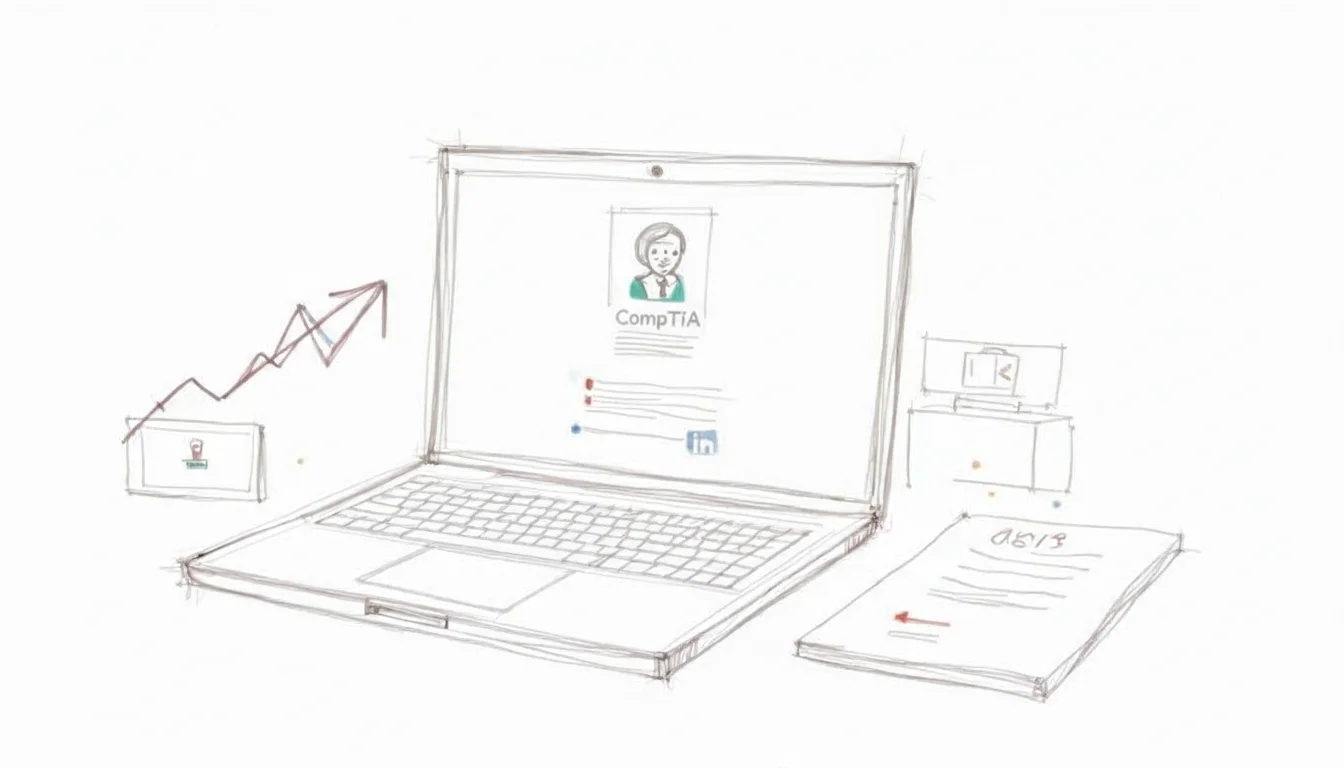 Caption: A professional updates their LinkedIn profile with a newly acquired certification badge to improve their online presence.
Use this digital badge to anchor your professional identity. Do not wait several days or weeks to share your success. Add the badge to the "Licenses & Certifications" section of your LinkedIn profile as soon as it becomes available. This specific update helps your profile appear in search results when recruiters filter for candidates who hold your specific certification.
Updating Your Professional Brand
You should review every platform where a hiring manager or a client might find your professional information. Your new credential needs to be visible and consistent across these channels to show your expertise.
- Your Resume: Create a distinct section titled "Certifications" or "Professional Development." You should use the full, official name of the certification. Instead of writing "Security+," write "CompTIA Security+ Certified." This helps automated resume scanners identify your qualifications accurately.
- LinkedIn Profile: The badge is useful, but you can do more to improve your visibility. Update your headline to include your new status. A headline such as "IT Support Specialist | CompTIA A+ Certified" tells anyone viewing your profile exactly what you are capable of doing before they even click on your page.
- Email Signature: Adding your certification to your signature is a subtle way to demonstrate your skills. Using "Jane Doe, Network+" in your professional emails keeps your qualifications visible to your current managers, colleagues, and external partners during daily communication.
Providing a consistent image across these platforms proves your dedication to your career and shows that you have the skills the industry requires.
Translating Your Certification into Tangible Value
When you sit down for an interview, simply mentioning that you have a Security+ certification is not enough. You need to explain how the skills you learned during the certification process will solve the specific problems the company is facing. Managers want to hire people who can apply their knowledge to fix systems and protect data.
Rather than just listing the topics you studied, describe the practical tasks you can now perform.
Key Insight: Focus on what you can do rather than what you know. Explain your skills as solutions to the technical difficulties a company might encounter.
Consider these examples for different roles:
- CompTIA A+ for a Help Desk role: "The CompTIA A+ curriculum taught me a systematic way to troubleshoot hardware and software problems. I can use this process to identify and fix user issues faster. This approach reduces the time employees spend waiting for repairs and helps the team stay productive."
- CompTIA Network+ for a Network Administrator role: "With my Network+ certification, I have mastered network protocols, topologies, and security. I can use these skills to help maintain a stable and protected network. This ensures the company has the reliable connectivity it needs for daily operations."
- CompTIA Security+ for a Security Analyst role: "My Security+ certification gives me a clear understanding of current threats, risk management, and security controls. I am prepared to identify vulnerabilities in the system and help set up defenses that protect sensitive company data from cyberattacks."
- General Example (e.g., PMP, if applicable): "A PMP certification shows a manager can finish projects on time. In the same way, my [CompTIA Certification Name] proves I can [specific outcome relevant to the cert]. This helps your technical team work more efficiently and keep our systems secure."
By framing your achievement this way, you change a line on your resume into a logical reason why you are the best person for the job.
Understanding Your New Career and Salary Potential
Earning a CompTIA certification is a strategic move for your financial future. Statistics show a clear link between holding these credentials and earning a higher income. Many IT professionals see their pay increase after they earn their first CompTIA certification compared to those who do not have one.
The CompTIA Security+ is a strong example. It is often listed among the certifications that lead to higher pay, with an average salary for certified professionals in North America reaching $99,609 (verify current salary data on industry sites). Other credentials, such as Linux+ and Project+, also help professionals earn higher salaries by proving they have specialized skills. You can research these trends to see how certifications serve as the building blocks for a long-term, high-paying career in technology.
A new certification makes you a candidate for jobs that were out of reach before. You must spend time researching the current job market to see where your new credential is most useful.
Check major job boards like LinkedIn, Indeed, and Dice. Look for job postings that list your certification as a requirement. Pay attention to these three areas:
- Job Titles: Look for new roles that you are now qualified to hold.
- Salary Ranges: Find out the standard pay for people who have your specific certification in your geographic area.
- Key Responsibilities: Review the specific tasks and the level of responsibility companies expect from certified employees.
This research gives you the data you need to negotiate a better salary at your current job or to apply for new, higher-level positions. Your CompTIA certification is proof of your skills, and you should ensure your compensation reflects the value you bring to the organization.
Common Questions About CompTIA Certifications
Most people have several questions when they begin looking at IT certifications. Getting clear answers early allows you to focus on the work that matters: learning the concepts and passing your test. Here are the most frequent questions from people starting their careers in technical support and systems administration.
How Long Does It Take to Get a CompTIA Certification?
The time you need to prepare depends on your background and how many hours you can study each week. Because every student starts with a different level of knowledge, there is no single timeline that fits everyone. You must look at your own schedule and experience to set a realistic goal.
If you are new to the industry and have very little technical experience, you should plan for three to four months of regular study to pass the CompTIA A+ (220-1201 and 220-1202). This usually involves 10 to 15 hours of work per week. On the other hand, an experienced network administrator who wants to earn the CompTIA Security+ might be ready in six to eight weeks. They already understand the underlying networking concepts, so they only need to focus on the specific security objectives for the exam. Your success depends on your starting point and the discipline you show during your study sessions.
Which CompTIA Certification Is Best for Beginners?
If you want to move into IT from a different field, the best starting point is the CompTIA A+ (220-1201 and 220-1202). It is the standard entry-level credential for the industry. It covers the basic knowledge you need for help desk support, field service, and technical coordinator roles.
The A+ exams cover a wide range of essential topics:
- PC hardware components and peripherals: identifying and configuring CPUs, motherboards, RAM, and storage devices.
- Operating systems and software functionality: managing and troubleshooting Windows, macOS, Linux, and mobile software.
- Basic networking concepts: understanding how TCP/IP, DNS, and Wi-Fi networks operate in a home or office.
- Core security principles and best practices: applying methods to protect hardware, software, and data from common threats.
- Operational procedures and troubleshooting methodologies: following safety standards and using logical steps to fix technical problems.
You need a strong technical base to build a long career. The A+ provides that base. Trying to skip this step and start with a specialized certification is like trying to learn advanced calculus before you understand basic algebra. It is possible, but it usually leads to major gaps in your knowledge and more difficulty on the job.
Our Advice: Do not ignore the A+ because you think it is too basic. It is built to be your first step. It matches the specific skills that hiring managers look for when they interview help desk technicians and support specialists.
Do CompTIA Certifications Expire?
Yes, they expire after three years. This is a specific design choice by CompTIA. Technology changes quickly, and this expiration policy ensures that your certified skills stay current. If certifications lasted forever, they would eventually lose their value to employers.
To keep your certification active after the three-year mark, you must join the CompTIA Continuing Education (CE) program. This requires you to earn a specific number of Continuing Education Units (CEUs) before your expiration date arrives.
You can earn these units through several different activities:
- Achieving a higher-level CompTIA certification: passing a more advanced exam often renews your lower-level certs automatically.
- Attending industry webinars, conferences, or workshops: participating in technical training events allows you to earn credit for staying informed.
- Publishing relevant articles, blog posts, or whitepapers: sharing your knowledge with the technical community counts toward your renewal.
- Documenting your day-to-day work experience: your professional tasks can count as units if they align with the exam objectives.
This renewal system is not just a requirement. It is a way to show employers that you are committed to professional growth. It proves that your knowledge stays current with the latest standards in the field.
Can I Take a CompTIA Exam Without Formal Training?
You can take the exam without taking a formal class. CompTIA does not require you to finish a specific training program before you sit for the test. If you have years of practical experience and believe you know every exam objective, you can buy a voucher and schedule your test immediately.
However, most people do not take this path. These exams use very specific questions that cover a detailed list of objectives. General experience is helpful, but it is often not enough to pass the test on its own. Most successful candidates use a structured plan that includes official study guides, video lessons, hands-on labs, and practice exams. While you can study on your own, you must be disciplined and thorough to ensure you are ready for the performance-based questions you will face.
Ready to transition from contemplating to achieving? MindMesh Academy provides the expert-led courses and adaptive learning tools you need to master the material, ensuring deep understanding beyond mere memorization. Explore our CompTIA prep courses today and build a personalized study plan that delivers tangible results.
Ready to Get Certified?
Prepare at MindMesh Academy using expert-curated study guides, practice exams, and spaced repetition flashcards. These resources help you pass with confidence.

Written by
Alvin Varughese
Founder, MindMesh Academy
Alvin Varughese is the founder of MindMesh Academy and holds 20 professional certifications including Microsoft Agentic AI Business Solutions Architect, AWS Solutions Architect Professional, and Azure DevOps Engineer Expert. He's held senior engineering and architecture roles at Humana (Fortune 50) and GE Appliances. He built MindMesh Academy to share the study methods and first-principles approach that helped him pass each exam.