Free CompTIA Study Guide for IT Success
IT professionals make a strategic move by earning foundational CompTIA certifications to grow their careers. While paid materials have value, you can succeed using high-quality, free resources. You just need to know how to combine them effectively. This guide from MindMesh Academy identifies the free materials available for the current CompTIA A+, Network+, and Security+ exams. Use these tools to improve your study habits and reach your goals faster, starting today. Prepare with confidence without spending a fortune on textbooks or classes.
Charting Your Course: The CompTIA Certification Path
The selection of CompTIA certifications is wide, but this guide provides a practical map for your career. Credentials like the "Trifecta"—comprised of A+, Network+, and Security+—establish the base for a successful IT career. These certifications confirm the specific skills that hiring managers seek across the technology field, from entry-level support roles to advanced cybersecurity positions.
To visualize this, imagine constructing a high-performance building. The CompTIA A+ certification serves as the concrete foundation, providing the stability and basic operational knowledge needed for any project. CompTIA Network+ then builds the structural frame and installs the electrical and data cabling that allow different parts of the structure to communicate. Finally, CompTIA Security+ adds the necessary protection—the entry controls, surveillance, and firewalls—to keep the entire building safe. Each certification builds on the previous one, resulting in a technical skill set that fits the requirements of modern IT departments.
Deciphering the Core Domains of CompTIA
Passing these exams requires a clear grasp of several technical areas. While each test has its own focus, they share a common logic. The image below provides a look at the primary focus areas found in the major CompTIA exams.
As shown in these CompTIA materials, every major certification uses these core pillars. This structure means the facts you learn for A+ will support your understanding of Network+ and Security+ later. It is a step-by-step process where earlier lessons make later, more complex topics easier to understand. This layered approach ensures that technical knowledge is reinforced at every stage.
Why Prioritize the CompTIA A+ Certification?
For people entering the tech industry or those wanting to prove their existing skills, the CompTIA A+ certification is the standard starting point. It is the most recognized credential for showing you have the hands-on knowledge required for support and endpoint management.
As of 2025, A+ remains a top requirement for many jobs. In North America, roughly 59% of IT professionals with at least one CompTIA certificate hold an A+. Companies prefer A+ certified hires because they often need less initial training and can solve technical issues faster from their first day. You can find more information about how these certifications help with career growth on the CompTIA website.
The A+ is more than a way to improve a resume. It is a way to prove you can diagnose, fix, and support the hardware and software systems that businesses use every day.
Getting your A+ helps you feel ready for the harder parts of Network+ and Security+. It is a foundational move for any technical career. To start your study sessions, check the table below for some of the best free tools available for the current exam versions.
Essential Free Study Resources for the CompTIA Trifecta
The following table lists some of the best free tools available to help you prepare for these certifications. These resources have helped thousands of students pass their exams and start their careers.
| Certification | Highly Recommended Free Video Series | Top Free Practice Questions Source | Key Topics Covered |
|---|---|---|---|
| A+ | Professor Messer's A+ Series | ExamCompass A+ Practice Tests | Hardware, Mobile Devices, Networking, Troubleshooting, Operating Systems |
| Network+ | Professor Messer's Network+ Series | Crucial Exams Network+ Questions | Networking Concepts, Infrastructure, Network Operations, Security, Troubleshooting |
| Security+ | Professor Messer's Security+ Series | GetCertified4Less Practice Questions | Threats & Vulnerabilities, Architecture & Design, Implementation, Operations |
Use these resources as your primary study tools. Combining a video course with regular practice questions is a proven strategy to pass with confidence. Ensure you verify current exam pricing and registration details on the official vendor site before scheduling your test.
Navigating the CompTIA A+ Core 1 and Core 2 Exams
The CompTIA A+ certification serves as the standard entry point for technical support roles. It is not a single test. To earn the credential, you must pass two separate exams: Core 1 (220-1201) and Core 2 (220-1202). These tests evaluate different aspects of a technician's skill set, covering both physical components and the logical systems that control them.
Think of these exams as two halves of a whole IT support skill set. Core 1 focuses on hardware and infrastructure—the physical parts you can touch and replace. Core 2 shifts to the logical layer. This includes software, operating systems, security protocols, and the operational procedures that allow hardware to function for an organization.
You must pass both exams to become certified. While you can take them in any order, many candidates start with Core 1. Building a foundation in hardware often makes it easier to understand how software interacts with those physical components later.
Mastering Core 1: The Hardware Core
The Core 1 exam requires you to work directly with the physical elements of a computer system. This domain covers mobile devices, networking hardware, virtualization, and cloud computing basics. You will need to show you understand how parts work together and how to fix them when they fail.
To visualize how these components interact, compare a computer to a vehicle.
- CPU (Central Processing Unit): This component functions as the engine. It is the primary power source that executes calculations and drives all operations. Just as a larger engine allows a car to go faster or carry more weight, a more powerful CPU handles complex data processing tasks more efficiently.
- RAM (Random Access Memory): This is the immediate workspace, similar to the dashboard or the front passenger seat. It holds the data and programs you are currently using so the CPU can access them quickly. RAM is fast but volatile. When you turn off the system, the data on that "seat" is cleared.
- Storage (SSD or HDD): This represents the trunk of the car. It is used for long-term retention of your operating system, files, and applications. The data stays there even when the power is off. When you need to run a program, the system moves that data from the trunk into the front seat (RAM) for the CPU to use.
A computer runs poorly if these parts are not balanced. A fast CPU cannot perform at its peak if there is not enough RAM to hold the necessary data. If you want to see a full list of these technical requirements, this CompTIA A+ Core 1 study guide provides a breakdown of every official exam objective.
Key Takeaway for IT Professionals: Core 1 is about more than identifying parts. You must understand the functional role of each component and how they depend on one another. This perspective is what allows a technician to diagnose a hardware failure accurately instead of just guessing which part to replace.
Conquering Core 2: The Operational Brain
After learning the hardware, Core 2 focuses on the software and management tasks that make the hardware useful. This exam tests your knowledge of various operating systems, security best practices, and the standard procedures technicians use in a professional environment.
Using the car comparison again:
- Operating System (Windows, macOS, Linux): This is the driver. The OS manages the hardware and provides the interface you use to control the vehicle. Without an OS, the hardware is just a collection of parts that cannot talk to each other.
- Software Applications: These are the specific tasks the car performs. A GPS handles directions, and the radio provides music. These programs run on top of the OS, and the driver (the OS) coordinates how they use the car's resources like the engine or the fuel.
- Security Practices: These are the safety rules and features of the vehicle. This includes locking the doors (antimalware), using a seatbelt (firewalls), and checking the ID of anyone who asks for the keys (user authentication).
A technician who understands both Core 1 and Core 2 can support the entire lifecycle of a device. You will know how to build the machine and how to keep it running safely within a business network.
CompTIA describes A+ certified staff as proven problem solvers. They support the technologies that modern businesses rely on, including cloud resources, data management, and mobile security. These skills are required in almost any IT environment, from small repair shops to large corporate help desks.
Preparing for Real-World Troubleshooting with PBQs
CompTIA A+ exams use Performance-Based Questions (PBQs) to test your practical skills. These are different from multiple-choice questions because they place you in a simulated environment. You might have to configure a wireless router or fix a broken system through a virtual command line.
You might not just define a "Blue Screen of Death" (BSOD) on the exam. Instead, the test could show you a virtual computer that has crashed. You would then have to find the cause and fix it using the tools provided in the simulation.
Approach these problems like an investigator. Use a methodical process to find the solution:
- Gather Evidence: Look for specific error codes or messages on the screen. A specific hex code like 0x0000007B can tell you exactly which subsystem failed.
- Interview Stakeholders: Ask the user what happened right before the crash. Did they plug in a new printer? Did they just finish an update? This information helps you narrow down the timeline of the failure.
- Examine the Scene: Check the logs. On a Windows machine, you would open the Event Viewer. This tool records every error and warning the system generates. It often lists the specific driver or service that caused the crash.
- Hypothesize and Test: Form a theory based on what you found. If the logs point to a memory error, you might test the RAM modules. If a driver is the problem, you might roll it back to a previous version. Test your theories one at a time to ensure you know which fix actually worked.
This diagnostic mindset is exactly what the A+ exams measure. Successful technicians do not just memorize facts; they apply their knowledge to solve problems in real-time. This ability to troubleshoot effectively is the most important skill you can develop as you prepare for your certification.
Building Your Network+ N10-009 Expertise
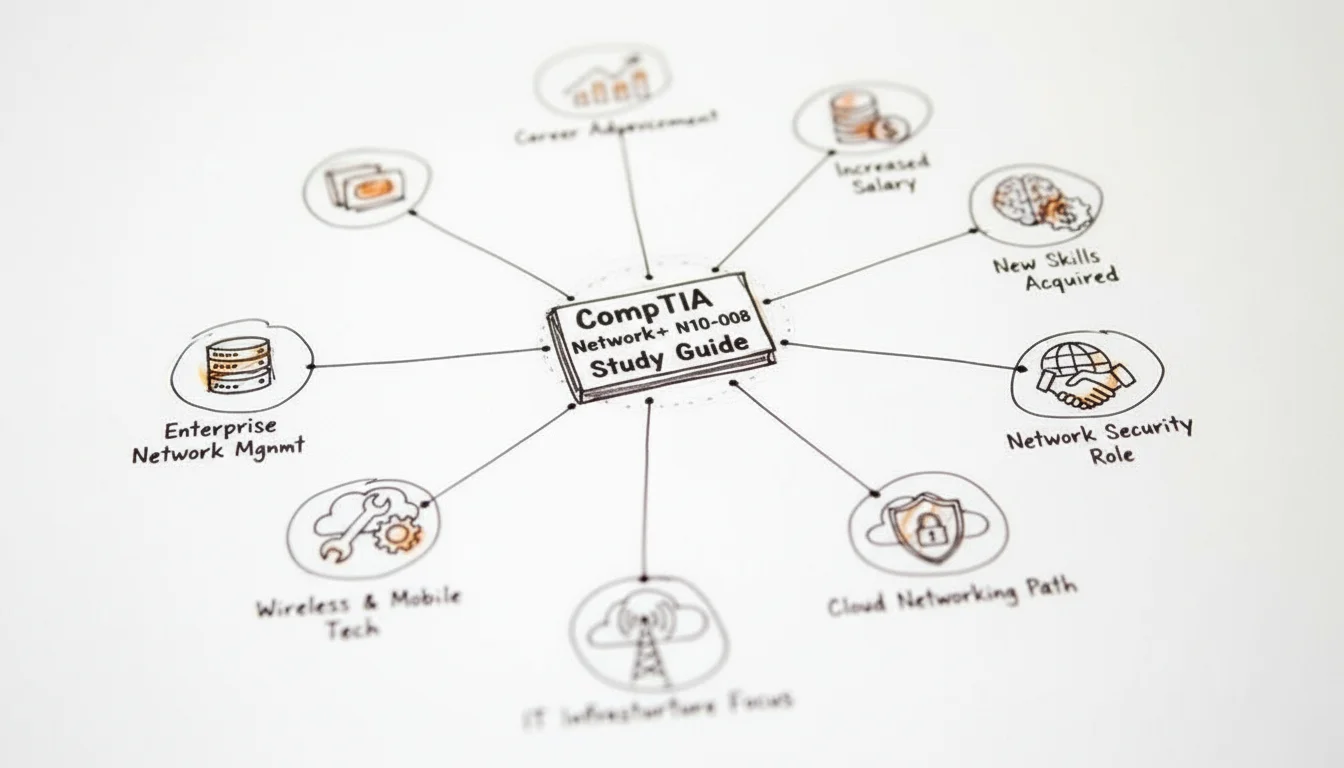
Moving from the hardware-focused world of A+ to the world of Network+ often feels like learning a new language. While the A+ 220-1201 and 220-1202 exams focus on individual machines and local troubleshooting, Network+ N10-009 shifts your perspective toward how those machines interconnect. It is no longer just about the computer on your desk; it is about the wires, signals, and logic that let that computer talk to a server thousands of miles away.
Think of the internet as a massive, international shipping and logistics company. Every laptop, phone, server, and smart thermostat has its own address, similar to a house or an office building. When you send an email or click a link, your device breaks that information into small data parcels. It then sends these parcels out across a vast infrastructure to reach a specific destination.
The current Network+ exam tests your knowledge of this entire delivery system. You will need to understand the virtual roads, the high-speed data highways, and the routing centers that keep traffic moving. We will examine these core concepts by looking at how they apply to the networks you use every day.
Demystifying the OSI and TCP/IP Models
A global data network would collapse without a strict set of rules. In networking, these rules are called protocols. To keep things organized, engineers use frameworks like the OSI (Open Systems Interconnection) model and the TCP/IP model. These models break down the complex act of digital communication into layers. This helps technicians identify exactly where a problem is occurring.
The OSI model uses seven distinct layers to describe how data moves through a network:
- Layer 7 (Application): This is the interface where users interact with data. When you use a web browser or an email client, you are working at this layer. It handles the protocols that software uses to communicate, such as HTTP for web pages or SMTP for sending mail.
- Layer 6 (Presentation): This layer acts as a translator. It ensures that data is in a format the receiving application can understand. It handles data compression and encryption, making sure a secure website can be read once it reaches your screen.
- Layer 5 (Session): Think of this as the manager of a conversation. It starts, maintains, and ends the connection between two devices. It ensures that if a connection is interrupted, the devices can try to resume where they left off.
- Layer 4 (Transport): This layer is responsible for moving data reliably. It breaks large files into smaller segments and assigns them sequence numbers. You will study protocols like TCP, which guarantees delivery by asking for receipts, and UDP, which prioritizes speed for things like video streaming.
- Layer 3 (Network): This is where logical addressing happens. Routers operate here, using IP addresses to decide the best path for a data packet to take across multiple networks. It is the "GPS" layer of the model.
- Layer 2 (Data Link): This layer handles physical addressing through MAC addresses. Switches live here, managing how data moves between devices on the same local network segment. It packages data into frames for the local hardware to handle.
- Layer 1 (Physical): This is the actual hardware. It includes the copper wires, fiber optic cables, and radio waves used by Wi-Fi. At this level, data is just a series of electrical pulses or light flashes representing ones and zeros.
The TCP/IP model is a more practical, four-layer version used by the modern internet. It combines the top three OSI layers into a single Application layer and merges the bottom two into a Network Access layer. For the N10-009 exam, you must know both. Understanding these layers helps you troubleshoot. If a user cannot reach a website, you start at Layer 1 by checking the cable. If the cable is fine, you move up to Layer 3 to check the IP address. This structured approach is what separates a professional from an amateur.
Essential Networking Tools and Topologies
A network technician needs to understand the tools of the trade. The Network+ exam covers hardware like hubs, switches, and routers. Hubs are older, simpler devices that send data to every port at once. Switches are more efficient, sending data only to the specific device that needs it. Routers sit at the edge of your network, acting as the gateway to the outside world.
Beyond the hardware, you must understand network topologies. These are the physical and logical layouts of how devices connect.
- Bus Topology: In this setup, every device connects to a single main cable. It is easy to set up in a small room, but if that main cable breaks, the entire network fails. It is rarely used in modern offices but appears in some older industrial settings.
- Star Topology: This is the most common layout today. Every device connects to a central switch. If one computer’s cable fails, everyone else stays online. It is reliable and easy to expand, making it the standard for most business environments.
- Ring Topology: Here, data moves in a circle from one device to the next. Some fiber optic networks use this for redundancy. If a break occurs, the data can often be sent the other way around the ring to reach its destination.
- Mesh Topology: In a mesh, every device connects to every other device. This provides multiple paths for data. While it is expensive and difficult to wire in a physical office, it is the foundation of the internet itself and many high-availability data centers.
Choosing the right topology affects the speed, cost, and reliability of a network. A small home office might only need a simple star, while a hospital or a bank might require a mesh to ensure they never lose connectivity.
Mastering Subnetting and IP Addressing
To talk to each other, devices need unique labels. This is known as IP addressing. Most networks currently use IPv4, which consists of four numbers separated by dots, like 192.168.1.1. Part of this address identifies the network you are on, while the rest identifies your specific device.
Subnetting is the process of taking one large network and carving it into smaller pieces. Imagine a large office building with 500 people. If everyone is on the same network, the "broadcast" traffic—background chatter between computers—can slow everything down. By subnetting, you can give the accounting department their own network and the sales team another. This improves security and keeps the network fast.
Subnetting is often the hardest part of any CompTIA study guide free resources provide. It requires a bit of math and an understanding of binary. However, mastering it is vital for the N10-009 exam. You will be expected to look at an address and a mask to determine how many devices can fit on that network.
Use this table as a reference for common subnet masks:
| CIDR Notation | Subnet Mask | Number of Usable Hosts |
|---|---|---|
| /24 | 255.255.255.0 | 254 |
| /25 | 255.255.255.128 | 126 |
| /26 | 255.255.255.192 | 62 |
| /27 | 255.255.255.224 | 30 |
You might notice the number of usable hosts is always two less than the total. This is because every network needs a "Network Address" (the first address) and a "Broadcast Address" (the last address). You cannot assign these to individual computers.
To pass with confidence, you should practice these calculations until they are second nature. Use online calculators to check your work, but make sure you can do the basic math by hand for the exam. The N10-009 exam will often present these problems in performance-based questions where you have to configure a router or a switch with the correct addresses.
Reflection Prompt: Why would a school want to put its student Wi-Fi on a different subnet than the office computers used for grades and payroll?
Mastering the Security+ SY0-701 Exam
Preparing for the Security+ SY0-701 exam marks a major step forward in your career. While the A+ certification established your knowledge of hardware and software and Network+ explained how to connect those systems, Security+ gives you the duty of protecting the entire environment you have built. You are moving from a general technician role to becoming a protector of data and digital assets. This shift requires you to think less about how things work and more about how they can be broken or stolen.
To understand these security principles, use the analogy of a well-defended building. Your firewall is like the thick exterior walls and a deep moat; it serves as your first line of defense at the perimeter. Encryption is the secret code your messengers use to ensure that no one else can read your letters if they are intercepted. Access control policies function like the guards standing at every entrance. They check IDs and confirm permissions before they allow any person to pass through the gates.
This way of thinking turns technical terms into practical concepts. Your goal goes beyond memorizing a list of acronyms for a test. You are learning the strategic principles used to keep information safe from real-world attacks. We will examine the main domains covered in the exam, beginning with an analysis of potential attackers.
Identifying Threats and Vulnerabilities
The basis of any good defense strategy is knowing who might try to attack you. The Security+ exam tests your knowledge of common digital threats and system flaws. You must know the difference between a threat and a vulnerability. A threat is an external force, such as a criminal group trying to steal data. A vulnerability is a weakness in your own system, like a server that has not been updated or a computer with incorrect security settings. The threat looks for a vulnerability to exploit.
You need to recognize how attacks happen and why threat actors choose specific targets:
- Malware: This is a broad category of software designed to damage or disable systems. A virus can destroy your files, much like a biological infection spreads through a population. Ransomware is a specific type of malware that locks up your important files and asks for money to give them back. It essentially holds your data hostage until a payment is made.
- Phishing: This is a form of deception where an attacker pretends to be someone you trust. They might send an email that looks like it came from your bank or a manager. They use these social engineering tricks to get you to give them your password or other secret information.
- Denial-of-Service (DoS) Attacks: Imagine a crowd blocking the entrance to a store so that no real customers can get in. A DoS attack does this to a website or a server by hitting it with too much fake traffic. This prevents the system from working for the people who actually need it, which ruins the availability of the service.
Understanding these methods is the first part of your study. Any high-quality CompTIA study guide free tool will provide real-world examples of these attacks. Seeing how they work helps you remember the details for the exam.
Security professionals now work with the assumption that weaknesses always exist in a network. Your goal is not to build a perfect system that can never be broken. Instead, you focus on finding those weaknesses early, figuring out how much damage they could cause, and putting controls in place to lower that risk to an acceptable level.
Adopting this proactive and risk-aware mindset is necessary for passing the SY0-701 exam and will serve you well throughout your time working in cybersecurity.
Implementing Secure Architectures and Designs
Knowing your enemy is vital, but you also have to build a system that can survive an attack. This part of the Security+ exam looks at secure architecture. You must plan for security from the beginning rather than trying to add it on after the system is already running. You create a structure that is safe by design, choosing the right hardware and software and setting them up to work together against intruders.
A main principle in this area is defense-in-depth. You never rely on a single lock or one single wall. Instead, you put many different security controls in place. You use firewalls, systems that detect intruders, strong passwords, and encryption. You also train employees to be careful. If an attacker manages to break through one of these layers, they will still face several others. This keeps a single failure from leading to a total data breach.
You should focus on these architectural concepts:
- Secure Network Design: This is the practice of splitting a network into different sections. You use VLANs and firewalls to separate the parts of the network that the public can see from the parts that hold private company data. This is like having separate rooms in a building that each require a different key. If someone gets into one room, they cannot easily get into the others.
- Cloud Security: Most companies now use services like AWS, Azure, or Google Cloud. You need to know how to keep data safe when it is not on your own equipment. This requires an understanding of the shared responsibility model. This model explains that the cloud company takes care of the physical security of the servers, while you are responsible for securing the data and the programs you run on those servers.
- Cryptography: This is the science of using math to hide data. You will learn about different ways to encrypt information, including symmetric methods like AES and asymmetric methods like RSA. You need to know how to use these tools to protect data when it is saved on a disk and when it is being sent over a network.
These skills are used every day in the tech industry. CompTIA certifications are recognized around the world and are tied to jobs that are growing quickly. If you have a Security+, Network+, or CySA+ certification, you are better prepared for these roles. Data shows that 62% of IT professionals who have at least one CompTIA certification have earned the Security+ credential. This shows how much value the industry places on this specific set of skills. You can find more details about how these certifications affect careers on the official CompTIA website.
Managing Risk and Ensuring Compliance
Working in security is not always about technical tasks like configuring firewalls. A large part of the job involves managing risk and making sure the company follows the law. This is known as Governance, Risk, and Compliance (GRC). It is a structured way to handle the dangers a company faces and ensure that it meets all legal standards for data protection.
The risk management process follows four main steps:
- Identify Assets: You must list the most important things the company owns. This might be customer data, secret business plans, or the computer systems used to process sales. You cannot protect something if you do not know it exists.
- Identify Vulnerabilities: You look for the weak points in the company. These could be servers that are missing updates, passwords that are too simple, or employees who have not been trained on security.
- Assess Risks: You look at each weakness and figure out how likely it is to be attacked. You also think about how much it would hurt the company if that attack happened. A risk that is very likely to happen and would cause a lot of damage gets fixed first.
- Implement Controls: You take action to lower the risk. This could mean buying new security software, writing new rules for employees to follow, or changing how physical access to the building is handled.
This part of the exam also covers compliance with government and industry rules. Laws like GDPR in Europe and HIPAA in the United States tell companies how they must protect private information. There are also industry rules like PCI DSS for companies that handle credit card payments. If a company does not follow these rules, they can be forced to pay large fines and might lose their customers. Your job is to ensure that the security measures you put in place meet these external requirements. This protects both the data and the reputation of the company.
Proven Study Methods for CompTIA Success
Learning the exam objectives is only the start of your preparation. To pass CompTIA certifications and keep that knowledge for your career, you must use effective study habits. Passive reading and watching videos are rarely enough for the level of understanding these professional exams demand. You need to engage your brain using active learning techniques to make technical concepts stick. These methods move you beyond simple term recognition and push you toward a functional understanding of how systems work.
This level of mastery is required to clear performance-based questions (PBQs). These simulations often trip up candidates who only rely on rote memorization. If you can explain how a packet moves through a network or how a firewall filters traffic, you will be better prepared for the exam and the job. We will look at two techniques that consistently help students succeed with technical certifications.
Accelerate Learning with Active Recall
Many students spend hours memorizing networking ports or security protocols only to see that knowledge vanish days later. This happens because passive learning creates weak connections in the brain. Active Recall solves this problem by changing how you interact with your notes. Instead of reading a paragraph over and over, you force your brain to retrieve information from memory.
Think of this like physical training for your mind. Every time you struggle to remember a fact and then successfully recall it, you strengthen your grasp of that subject. It is a simple way to improve your study sessions and ensure you are ready for test day. You can integrate this into your routine using these three approaches:
- Flashcards: Use physical cards or digital tools like Anki and Quizlet to drill ports, protocols, acronyms, and command syntax. Do not just look at the answer; say it out loud before you flip the card.
- The Blank Page Method: After you finish a study session on a topic like cloud models or troubleshooting steps, take a blank piece of paper. Write down every detail you can remember without looking at your books. This reveals exactly what you still need to learn and what you already know.
- Self-Quizzing: Pause every few minutes while reading to ask yourself a question about the content. Try to answer it in writing as if you were taking the actual exam.
This active approach is a central part of learning for CompTIA exams because they cover a massive amount of technical detail. If you want tips on organizing your notes to support this method, see our guide on effective note-taking methods for tech certifications.
Reflection Prompt: How can you fit active recall into your daily routine, even for ten minutes at a time, to help remember complex technical details?
Master Concepts with the Feynman Technique
The Feynman Technique is a mental framework for understanding hard subjects. Named after physicist Richard Feynman, the idea is simple: if you cannot explain a concept to a beginner, you do not understand it yet. Using this method prevents you from hiding behind technical jargon that you might not fully grasp. Use these four steps for your CompTIA preparation:
- Select a Concept: Pick a difficult topic from your study material. This might be IPv6 subnetting, RAID levels, or the steps of the incident response process.
- Teach It: Explain the topic out loud as if you are teaching someone with no IT background. Use simple language. Avoid using jargon unless you define it immediately. For example, instead of just saying "DNS," explain that it acts like a phone book for the internet.
- Identify Knowledge Gaps: Notice where you struggle to explain things or where you rely on complicated words to fill the gaps. These moments show you where your understanding is weak. Go back to your study materials to fix these specific areas.
- Simplify and Refine: Try the explanation again. Use analogies to make the concept easier to grasp. If you can explain a complex security protocol using a real-world analogy, you have mastered the material.
This method works for CompTIA prep because it makes you understand why things work the way they do. It turns book knowledge into a practical skill that helps you in job interviews and on the factory floor.
The benefits of earning these certifications are clear. Data shows that IT workers with these credentials often have better job satisfaction and higher pay. The Global Knowledge IT Skills and Salary Report shows average salaries for Linux+ at roughly $103,198 and Security+ at around $99,609 in North America (verify current salary data on the Global Knowledge website). These numbers show the value that companies place on certified skills that have been validated by an objective exam. You can find more details on how CompTIA certifications help IT careers for thorough career insights.
Your CompTIA Prep Questions, Answered
As you work through your CompTIA study materials, you will likely encounter specific questions or moments of uncertainty. This section serves as a direct consultation to clarify common doubts. The goal is to keep your attention on your primary objective: passing your certification exams and moving forward in your career.
Let's address these frequent questions to help you organize your study plan effectively.
Is It Feasible to Pass CompTIA Exams Exclusively with Free Resources?
Yes, it is entirely possible. If you are a disciplined and motivated professional, you can achieve a CompTIA certification using only high-quality free materials. Success with this approach depends on how well you combine different types of resources to cover all exam objectives.
The most effective strategy involves building a study system that uses multiple formats. For example, many successful candidates start by following a complete video series from a respected educator like Professor Messer. After watching the videos, you can test your understanding and find knowledge gaps by using practice questions from a reliable site such as ExamCompass. This method ensures you are both learning the theory and applying it to exam-style scenarios.
Adding the support of online communities, such as the r/CompTIA subreddit, can provide extra perspective. These forums allow you to see which topics other students are struggling with and find shared study notes. While paid resources often provide more convenience or a more structured path, they are not a requirement for success if you are willing to spend the time organizing your own curriculum. You must be diligent about downloading the official exam objectives from CompTIA to ensure your free resources cover every required topic.
Which CompTIA Certification Should an IT Professional Pursue First?
For most people entering the field or looking to solidify their technical knowledge, the CompTIA A+ is the best place to start. This certification provides the foundational knowledge required across hardware, software, networking, and basic security. It establishes the common language used by help desk staff, field technicians, and system administrators.
Earning your A+ credential makes you a strong candidate for vital entry-level roles, such as an IT support specialist or help desk technician. Even if your ultimate goal is to work in cloud architecture or advanced cybersecurity, starting with the A+ and moving to the Network+ provides a clear advantage. When you eventually study for the Security+ exam, the more advanced technical concepts will be easier to understand because you already have a firm grasp of how data moves across a network and how operating systems function.
The A+ certification is more than a simple entry point; it is the essential foundation for a stable and adaptable IT career. By mastering these core principles, you prepare yourself for the more complex challenges found in advanced technical roles.
Mastering the technical content is only one part of the process. If you find yourself struggling with the pressure of the testing center, remember that managing exam anxiety is a skill you can learn. For practical techniques to stay calm, you can read our guide on how to overcome exam anxiety and boost your confidence. Using these mental preparation tools can have a positive impact on your final score.
How Much Time Should I Allocate for CompTIA Exam Preparation?
The amount of time you need to study depends on your existing technical knowledge, your professional experience, and how many hours you can realistically commit each week. There is no single timeline that works for everyone, but you can use the following general framework to plan your schedule:
- For those new to IT or with limited experience: Plan for 1 to 3 months of consistent study for each major certification, such as the A+, Network+, or Security+ (verify current exam requirements and study recommendations on the CompTIA website). This usually requires a commitment of 10 to 15 hours per week. This timeframe allows you to absorb the material without burning out.
- For IT professionals with existing experience: You can often shorten this timeline. You might be ready to take the exam in 3 to 4 weeks (verify current exam requirements on the CompTIA website). In this case, your study time will likely focus on learning CompTIA’s specific terminology and filling in gaps in your knowledge rather than learning every concept from the beginning.
Be honest with yourself about your current skill level and your daily schedule. Use a structured study plan to create a routine that is challenging but manageable. It is better to study for one hour every day than to try to cram for ten hours only on the weekend.
What Are the Best Sources for Free CompTIA Practice Exams?
Using high-quality practice exams is a vital part of your preparation. These tests serve as a benchmark to show if you are ready for the actual exam and highlight the specific topics where you need more work. While a CompTIA study guide free of charge provides the information you need, you must test that knowledge under conditions that mimic the real exam.
Look for sources that the IT community has already vetted. Websites like ExamCompass are well-regarded because they offer large question banks. One of the best features of ExamCompass is the ability to filter practice tests by specific exam objectives. This allows you to focus your practice on your weakest areas.
Many training providers also offer free diagnostic tests or sample questions that give you a sense of the wording and difficulty you will face. Additionally, stay active in online groups like the r/CompTIA subreddit. Users there often share links to community-curated practice databases and mock exams that are kept up to date by other students. Using these resources helps you become familiar with the "CompTIA way" of asking questions, which often involves choosing the "best" answer among several technically correct options.
At MindMesh Academy, we believe that effective study habits and high-quality materials are the keys to moving forward in your IT career. We provide educational prep courses designed to help you pass your exams and gain the practical skills needed for long-term success in the technology field. You can explore our certification programs and various resources here. We also offer specific learning paths to help you understand the material for the A+ Core 1 Study Guide and A+ Core 2 Study Guide as you work toward your CompTIA A+ certification.
Ready to Get Certified?
Prepare for your exam using study guides curated by experts, practice exams, and spaced repetition flashcards at MindMesh Academy:

Written by
Alvin Varughese
Founder, MindMesh Academy
Alvin Varughese is the founder of MindMesh Academy and holds 20 professional certifications including Microsoft Agentic AI Business Solutions Architect, AWS Solutions Architect Professional, and Azure DevOps Engineer Expert. He's held senior engineering and architecture roles at Humana (Fortune 50) and GE Appliances. He built MindMesh Academy to share the study methods and first-principles approach that helped him pass each exam.