A Practical CompTIA Network Plus Study Guide
A Practical CompTIA Network+ Study Guide: Your Strategic Path to Certification
This guide provides a direct path for passing the CompTIA Network+ (N10-009) exam. At MindMesh Academy, we offer more than a simple study list. This resource is a field-tested plan designed to help you master networking fundamentals rather than just memorizing answers for test day.
IT professionals who want to strengthen their core technical skills will find this certification is a vital career step. We begin by breaking down the five exam domains. This analysis shows you exactly what to expect on the test and identifies where you should spend your study time to achieve the best results.
Your Strategic Starting Point for Conquering the Network+ Exam
Preparation for the CompTIA Network+ exam requires a clear strategy to turn a broad syllabus into a manageable study plan. This vendor-neutral certification serves as a professional credential for roles in network support, systems administration, cloud operations, and entry-level cybersecurity. It validates your skills in designing, managing, and troubleshooting both wired and wireless networks.
The Network+ focuses on a vendor-neutral approach, setting it apart from specific tracks like the Cisco CCNA or Juniper JNCIA. The principles you learn apply to any environment. This flexibility helps you adapt to different hardware and software, regardless of the specific brands an organization uses. You will understand how networks function at a fundamental level rather than just learning how to configure one specific brand of router or switch.
Understanding the N10-009 Exam Structure
CompTIA released the current version of the certification, the N10-009 exam, on June 20, 2024. It serves as the primary standard for validating core networking skills in the current job market. The exam contains a maximum of 90 questions. You will face a mix of multiple-choice questions and Performance-Based Questions (PBQs) that require hands-on problem-solving. A passing score is 720 on a scale of 100-900 (verify current passing scores on the official site).
For official details and current updates, refer to the N10-009 exam page on CompTIA's website. This resource provides information directly from the source to ensure you are looking at the most recent requirements and exam objectives.
Success depends on how well you learn the five core domains. Review the weighting for each domain to decide where to focus your efforts. This allows you to plan your study schedule around the areas that appear most frequently on the exam.
The following table lists the five official domains of the N10-009 exam and their respective weightings. Use this data to prioritize your study time effectively as you move through the material.
CompTIA Network+ (N10-009) Exam Domain Breakdown
| Exam Domain | Percentage of Exam |
|---|---|
| 1.0 Networking Concepts | 23% |
| 2.0 Infrastructure | 18% |
| 3.0 Network Operations | 17% |
| 4.0 Network Security | 19% |
| 5.0 Network Troubleshooting & Tools | 23% |
The data shows that Networking Concepts and Network Troubleshooting & Tools carry the most weight, making up nearly half of the exam. These percentages reflect the daily work of a network professional. Networking Concepts provides the theory behind how data moves and how protocols interact. Network Troubleshooting & Tools focuses on how to resolve connectivity issues and use hardware or software to find faults. Both are essential for technical roles.
Mastering these domains helps you build the skills employers prioritize in new hires. A methodical approach to troubleshooting makes you a more capable technician and improves your professional profile.
This guide follows a structured path, breaking down networking topics into specific, accessible parts. We explain each concept clearly so you can apply the information in a real-world setting. Our guide on how to get a CompTIA certification covers general strategies for any exam. Our goal is to provide the knowledge you need to be well-prepared on exam day.
Reflection Prompt: Considering the domain weightings, which areas do you anticipate will be most challenging for you, and how might you proactively allocate more study time to them?
Building Your Personalized Study Plan: A Blueprint for Success
Downloading a generic checklist from the internet rarely provides the depth of understanding needed to pass the Network+ exam. Success comes from a study plan specifically tailored to your unique schedule, your existing knowledge, and your preferred learning style. A structured approach turns a vast mountain of information into a series of manageable climbs. This ensures you cover every topic without feeling overwhelmed.
The core principle is to establish a sustainable rhythm. Begin with fundamental concepts like the OSI model and IP addressing. From there, you can progressively layer on complex topics such as network security and advanced troubleshooting. This iterative method creates stronger connections between concepts. It reinforces your understanding and helps you avoid the burnout that follows last-minute cramming.
Here is an overview of how this process unfolds, moving from foundational knowledge to exam mastery.
The infographic illustrates a logical flow. You build a solid foundation of understanding and then create a strategic plan. This preparation leads directly to confidence and success on exam day.
Crafting Your Weekly Schedule: An Adaptable Framework
Your timeline is a critical factor in your strategy. If you are new to networking and are using a broad resource like the official CompTIA Network+ Study Guide, expect to spend about 4-5 months studying (verify typical study durations on the CompTIA website). This requires a commitment of 10-15 hours per week. If you already have IT experience, such as a role on a help desk, you might move faster. You could potentially finish in 4-6 weeks by focusing on specific knowledge gaps like subnetting or the mechanics of Performance-Based Questions (PBQs).
CompTIA certifications remain valid for three years (verify current renewal requirements on the CompTIA website). To keep your status active, you must earn Continuing Education (CE) credits. This requirement ensures your skills stay current as technology changes. You can review CompTIA's official guidelines for a detailed breakdown of the renewal process.
Below is a flexible 8-week framework for the N10-009 exam. You should adapt this to your own learning pace and expertise.
Weeks 1-2: The Foundation (Domain 1.0 - Networking Concepts)
- Focus: Core networking principles, models, and initial definitions.
- Key Topics: Study the OSI and TCP/IP models in detail. You must understand fundamental network protocols like HTTP, DNS, DHCP, and ARP. You also need to explore various network topologies such as star, mesh, and bus.
- Actionable Tip: Do not just memorize port numbers. Use flashcards to learn the function and a real-world example for each one. For Port 25 (SMTP), remember that it sends email from a client to a server. This contextual knowledge makes it much easier to recall the information during the exam.
Weeks 3-4: The Nuts and Bolts (Domain 2.0 - Infrastructure)
- Focus: Physical and logical network architecture.
- Key Topics: This period covers cabling standards like Ethernet and fiber optics. You will study the mechanics of routing and switching, along with IPv4 and IPv6 addressing. You must also master subnetting calculations.
- Actionable Tip: Subnetting often causes trouble for students. Use online subnet calculators to check your manual work at first. However, you must eventually be able to calculate subnets quickly and accurately by hand. This is a requirement for the exam and a necessary skill for any network professional. Practice these math problems until they become second nature.
Key Takeaway: The goal is to do more than pass a test. You are building knowledge that serves as the foundation for your professional career. If a topic feels difficult, take a short break and return to it later. Concepts often become clearer after you give your brain time to process them.
Advanced Topics and Final Review: Consolidating Your Knowledge
After you understand the basics, shift your focus to network management, security, and systematic troubleshooting. This is where the individual pieces of networking come together into a functional system.
Weeks 5-6: Operations and Security (Domain 3.0 & 4.0)
- Focus: Managing and securing network environments.
- Key Topics: Study wireless standards like 802.11ax (Wi-Fi 6). Learn network monitoring techniques and tools. You must be able to identify security threats like DDoS attacks, malware, and phishing. You will also learn to implement hardening strategies using firewalls and access control lists.
- Actionable Tip: Use hands-on practice. Install virtualization software like VirtualBox or VMware Workstation Player. Create a simple virtual lab to experiment with. Try configuring a basic firewall or use a network analyzer like Wireshark to look at the traffic on your own network. Practical experience makes these security domains much easier to understand.
Weeks 7-8: Troubleshooting and Crunch Time (Domain 5.0 & Full Review)
- Focus: Problem-solving methodologies and a full review of all materials.
- Key Topics: Master the CompTIA six-step troubleshooting process. Practice using command-line tools like
ping,tracert,ipconfig, andnetstat. You must also be able to interpret monitoring data to find and fix network issues. - Actionable Tip: Take full-length, timed practice exams. When you get an answer wrong, analyze why the correct choice is right and why your choice was incorrect. Keep an "error log" to track these mistakes. This log helps you find and fix your weak areas before the actual test.
To make the information stick, use study techniques like spaced repetition. Reviewing difficult concepts at increasing intervals improves your long-term memory. Read our guide on how to master spaced repetition studying to make your final sessions more effective. This strategic approach ensures you are prepared and confident when you walk into the exam room.
Reflection Prompt: As you move through your schedule, identify one difficult concept from each domain. How will you make sure you spend enough time practicing these specific areas?
Mastering Core Networking Concepts: Your Essential Toolkit
It is time to examine the fundamental technical concepts that form the base of how networks function. The CompTIA Network+ exam requires more than just the rote memorization of definitions. You must be able to visualize how these abstract models and protocols operate in real-world environments, where they govern every packet of data that moves across a wire or through the air. You should view this section as your basic toolkit. It is essential for building a strong understanding of networking.
We will start by clarifying the differences between the OSI and TCP/IP models. From that point, we will move into the practical application of IP addressing and the specific skills required for subnetting. We will finish by looking at the key protocols that support the internet and see how virtualization and cloud networking are changing the way modern infrastructure is built.
Unpacking the OSI and TCP/IP Models: The Blueprints of Data Transmission
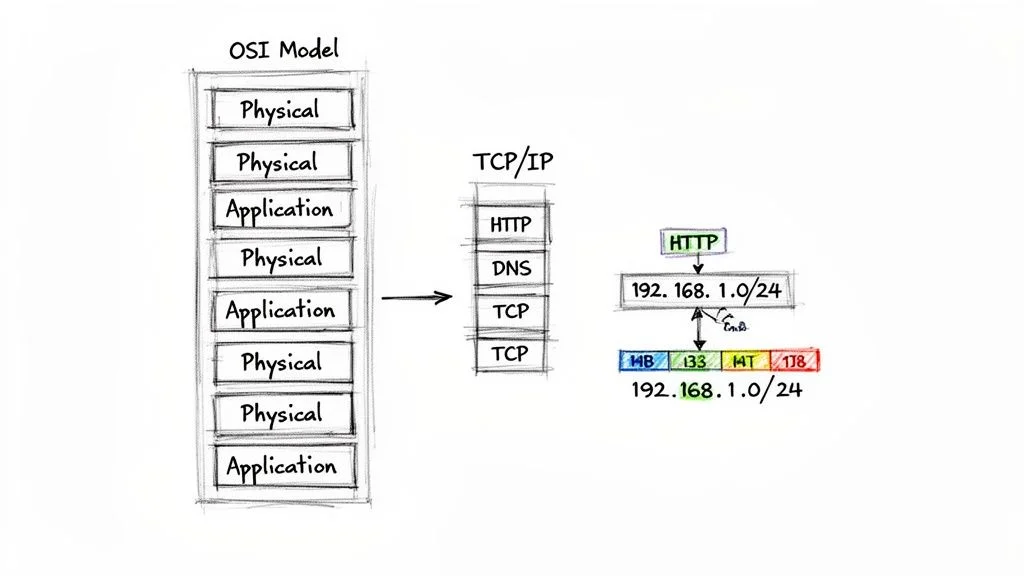
Network models are the architectural blueprints that guide how data moves. They break down the complex process of sending data—such as a request from your laptop to a server located on another continent—into distinct steps called layers. To pass the Network+ exam, you must have a clear understanding of the OSI model and the TCP/IP model.
The OSI (Open Systems Interconnection) model is a seven-layer conceptual framework. It is an excellent educational tool because of its detail. This detail makes it useful for systematic troubleshooting. You will often hear experienced network engineers describe problems by saying, "That sounds like a Layer 2 issue." This is a direct reference to the Data Link layer of the OSI model. It has become a standard language for professionals in the field.
The TCP/IP model is a simpler, four-layer model. It corresponds directly to the protocols that people use on the internet today. While the OSI model is more theoretical, the TCP/IP model represents the practical implementation used in modern systems.
The following table provides a comparison to help you connect these theoretical concepts to actual network operations.
| OSI Model (7 Layers) | TCP/IP Model (4 Layers) | Real-World Example |
|---|---|---|
| 7. Application | 4. Application | Your web browser utilizing HTTP/HTTPS to request a webpage. |
| 6. Presentation | TLS/SSL protocols encrypting your data for a secure connection. | |
| 5. Session | Your PC establishing and maintaining a persistent connection to a web server. | |
| 4. Transport | 3. Transport | TCP ensuring all segments of a webpage arrive reliably and in the correct order. |
| 3. Network | 2. Internet | IP addresses facilitating the routing of your request across the internet. |
| 2. Data Link | 1. Network Access | Your network adapter's MAC address sending data to the local router. |
| 1. Physical | The physical Ethernet cable carrying electrical signals. |
The real skill lies in understanding what each layer does, not just knowing their names. The Network layer handles logical addressing and routing. This is where IP addresses live. The Data Link layer handles physical addressing within a local area, which is where MAC addresses are used. Having a clear grasp of these functions is necessary for designing and fixing networks.
Reflection Prompt: Imagine a user complains their internet is slow. Using the OSI model, where would you begin your troubleshooting, and why?
A Practical Guide to IP Addressing and Subnetting: Foundation of Connectivity
IP addressing is the central part of network communication. Subnetting is a more advanced skill that separates skilled network professionals from those who are just starting. An IP address is a unique identifier for a device on a network. It works like a street address for a house. The Network+ exam focuses heavily on both IPv4 and IPv6 addressing methods.
Subnetting is the process of taking a large network and dividing it into smaller, more efficient pieces called subnets. There are several reasons why a technician would choose to do this:
- Enhanced Security: Subnetting lets you isolate different departments. For instance, you can keep the Finance department on a different network than the Marketing team. This limits how far a security breach can spread if one department is compromised.
- Improved Performance: Large networks often have too much broadcast traffic. Every time a device sends out a broadcast, every other device on that network has to process it. By creating subnets, you reduce the size of these broadcast domains. This keeps the network from getting congested.
- Streamlined Management: It is much easier to find and fix a problem if you only have to look at 30 devices in a small subnet. If you have a massive network with hundreds of devices all mixed together, troubleshooting takes much longer.
Suppose you are a network technician and you are given the IP address block 192.168.10.0/24. The "/24" part is called CIDR notation. It means the first 24 bits of the address represent the network. This leaves 8 bits for the host devices. This math results in 254 usable IP addresses because you have to subtract two addresses—one for the network ID and one for the broadcast address.
If your manager tells you that you need separate networks for Administration, Sales, and Guest Wi-Fi, you will use your subnetting skills to create them. You do this by borrowing bits that were originally meant for hosts and using them to create new subnets. You must be able to calculate subnets, find host ranges, and identify broadcast addresses by hand. This is a requirement for passing the exam and for working in network administration.
Essential Protocols and Ports You Must Know: The Language of Networks
IP addresses show where data needs to go, but protocols are the rules that explain how it gets there. The Network+ exam expects you to know many different protocols and the port numbers they use.
Instead of trying to memorize a giant list, you should group them by what they do. This makes the information easier to remember and apply.
- Web Traffic Protocols:
- HTTP (Port 80): This is the standard for web browsing that is not encrypted. It is used when security is not the main concern, though it has mostly been replaced by more secure options.
- HTTPS (Port 443): This is the secure version of web traffic. It uses TLS/SSL to protect data while it travels. It is the current standard for almost all web services.
- Email Protocols:
- SMTP (Port 25): This protocol is used only for sending emails. It moves mail from a client to a server or between different mail servers.
- POP3 (Port 110): This is used for receiving emails. It usually downloads the messages to your device and then removes them from the server.
- IMAP (Port 143): This is also used for receiving emails. Unlike POP3, it lets you manage your messages while they stay on the server. This makes it easier to keep your inbox synced across a phone, tablet, and computer.
- File Transfer & Remote Access Protocols:
- FTP (Ports 20, 21): This is an older way to move files. It is not secure. Port 20 moves the actual data, while Port 21 is used to control the connection.
- SSH (Port 22): Secure Shell is used to log into a remote computer securely through a command line. It also allows for secure file transfers, known as SFTP.
- Network Management & Addressing Protocols:
- DNS (Port 53): This acts as the phonebook for the internet. It takes a name that a human can remember, like
mindmeshacademy.com, and turns it into the numerical IP address that a computer needs to find the site. - DHCP (Ports 67, 68): The Dynamic Host Configuration Protocol automatically gives IP addresses to devices when they join a network. It also provides other important details like the subnet mask and the default gateway.
- DNS (Port 53): This acts as the phonebook for the internet. It takes a name that a human can remember, like
Using this functional approach makes troubleshooting much easier. If a user tells you they can receive emails but cannot send them, you should immediately think about SMTP and Port 25. If you can categorize these protocols by their job, you will be able to answer exam questions that test your ability to apply knowledge to a specific problem.
Reflection Prompt: Consider a common network issue where a user can browse some websites but not others. Which protocols and ports would immediately come to mind for troubleshooting, and what specific command-line tools would you use to investigate?
From Theory to Practice: Mastering Troubleshooting and Security
The CompTIA Network+ exam is more than a memory test; it is built to evaluate your practical capabilities—the tasks you perform in a physical or virtual IT environment. This part of the exam focuses on how theoretical knowledge becomes actual skill, specifically within the domains of troubleshooting and network security. To succeed, you must adopt the mindset and specific actions of a professional network technician. This means resolving technical problems and fixing vulnerabilities under pressure without losing track of your process.
Relying solely on flashcards will not be enough to pass. You need to develop the hands-on instincts that hiring managers prioritize. This section covers the structured methodologies that turn complicated network failures into manageable tasks. We will also examine the core security principles needed to maintain strong business operations. Understanding this practical side of the curriculum is the most effective way to handle Performance-Based Questions (PBQs), which often determine the final result of your exam.
Thinking Like a Troubleshooter: A Methodical Approach
When a user reports that the network is down, an inexperienced technician might start unplugging cables at random. A professional uses a structured process. The Network+ exam requires you to demonstrate this systematic approach. The most effective method involves working through the layers of the OSI model to isolate the failure point.
- Layer 1 (Physical): Check the hardware first. Are the copper or fiber cables plugged in all the way? Look at the link lights on the network interface card and the switch. If they are not green or flashing amber, the hardware connection is likely broken. Check if the wireless radio on a laptop is switched off. Physical layer issues are simple to fix but frequently cause the most downtime.
- Layer 2 (Data Link): If the hardware is connected, check local communication. Look at the switch configurations to see if the device is assigned to the correct VLAN. Check for frame errors or spanning tree protocol blocks that might stop traffic. Use the
arp -acommand to see if the device can resolve MAC addresses for other systems on the same local segment. - Layer 3 (Network): This layer involves IP addressing and routing. Check if the device has a valid IP address or if it has defaulted to an APIPA address starting with 169.254. Verify the subnet mask and default gateway. Use the
pingcommand to test the connection to the gateway and then an external address like 8.8.8.8. If the gateway responds but the external address does not, the issue is likely with the router or the internet service provider. - Layer 4 (Transport) & Higher (Application): If basic connectivity works, look for higher-level blocks. A firewall might be stopping a specific port, such as TCP port 443 for secure web traffic. Use
nslookupordigto confirm that the DNS server is translating hostnames into IP addresses correctly. If the hostname does not resolve, the user cannot reach the site even if the network path is open.
This logical flow prevents you from repeating steps or making assumptions. By following this sequence, you can find the source of a problem much faster. To see more detailed examples of these steps, our guide on troubleshooting networks covers additional scenarios.
The goal is not just to get the system running again. You must understand why the failure happened. This analytical mindset is exactly what the Network+ exam tests. It is what separates a technician from someone who just follows a script.
Reflection Prompt: Imagine a user can access internal file servers but cannot open external websites. Which OSI layers are most likely involved? Think about which command-line tools would help you determine if the problem is a routing error or a naming service failure.
Getting Ready for Performance-Based Questions: Hands-On Simulation
PBQs are simulations designed to test your actual technical ability. You might have to set up a wireless access point, fix a connection error using a virtual terminal, or adjust rules on a firewall. The best way to prepare is through repeated practice in lab environments.
A Sample PBQ Scenario
A PBQ might show you a network diagram and a support ticket. The ticket says: "User Jane Doe cannot open the company SharePoint site, but she can access Google and other public websites."
- Analyze the Facts: If Jane can reach Google, her physical connection is working. Her IP address and gateway configuration are also likely correct. This tells you the problem is not at Layer 1 or Layer 2. The issue is specific to the internal resource.
- Formulate a Hypothesis: Since external sites work, the network path is active. The problem might be that her computer cannot find the internal IP address for SharePoint (a DNS issue) or a firewall is blocking her from that specific internal server.
- Test the Hypothesis (Simulated Command Line): Use the tools provided in the simulation to confirm your theory.
- Step 1: Check IP connectivity. Run
pingusing the IP address of the SharePoint server. If the ping works, the network path is fine. This points directly to a DNS problem. - Step 2: Check DNS resolution. Run
nslookupfor the SharePoint site name. If the command returns an error or a different IP address than the one you pinged, the DNS records are wrong. - Step 3: Trace the path. If the
pingto the IP address fails, runtracerton Windows ortracerouteon Linux. Watch the hops to see where the packets stop. If they stop at a specific router, that device might have a bad routing table or a firewall rule blocking the traffic.
- Step 1: Check IP connectivity. Run
Mastering this process of elimination is the only way to handle PBQs efficiently within the time limit.
Building Your Network Security Foundation: Shielding Your Network
Network security is a broad topic, but the Network+ exam focuses on fundamental concepts that apply to daily operations. These security topics appear across every domain of the exam, not just in the security-specific section.
Focus your studies on these primary areas:
- Wireless Security Standards: Know the specific differences between WPA2 and WPA3. You should understand why WPA3 is better for protecting against brute-force attacks and why WEP is no longer used because of its basic flaws. Be ready for questions that ask you to choose the best encryption type for a SOHO router.
- Common Attack Vectors: Study the mechanics of Distributed Denial of Service (DDoS), man-in-the-middle (MitM), and social engineering tactics. You need to know more than just the definitions. You must be able to recognize the signs of these attacks in a network log and know the best way to stop them.
- Network Hardening Techniques: Hardening is the process of making a network more difficult to attack. This includes turning off switch ports that are not being used and setting up Access Control Lists (ACLs) to limit who can enter specific parts of the network. You should also be familiar with using VLANs to keep guest traffic away from sensitive company data and keeping all firmware updated to fix known security gaps.
Troubleshooting represents 23% of the N10-009 exam. This high percentage reflects the importance of these skills for anyone working in IT support or administration. The demand for technicians who can actually solve problems rather than just identifying them is very high. Training programs that focus on these practical skills often see 93% success rates for their students. This shows that focusing on the "how" is just as important as the "what" when preparing for the current exam.
Final Prep and Test-Day Game Plan: Optimizing for Performance
The final weeks before your CompTIA Network+ N10-009 exam are for fine-tuning, not for learning entirely new concepts. By this stage, the heavy lifting of initial study should be behind you. Now, your focus shifts from absorbing raw information to executing under pressure. You are refining your knowledge, building mental endurance, and sharpening the instincts you will use during the actual test.
How do you reach this state of readiness? Mimic the real exam experience as closely as possible.
Taking full-length, timed practice tests is essential. This is not the time for casual review. To prepare properly, you must recreate an authentic environment. Put your phone in another room, close all extra browser tabs, and minimize every possible distraction. Set a timer and commit to the full 90-minute duration. This exercise does more than test your memory. It builds the mental stamina required to maintain focus while a clock counts down in the corner of your screen.
When you finish a practice test, the real work begins. You must examine your mistakes with total honesty.
Your Secret Weapon: The Error Log
An error log is a tool used to turn your current weaknesses into future strengths. This method is simple but effective. It helps you understand the specific reason why you missed a question, rather than just identifying the correct answer choice. Open a basic spreadsheet and track the following details for every mistake you make:
- Question/Topic: Identify the core concept or exam domain. Examples include subnetting calculations, WPA3 encryption standards, DNS record types, or OSI Layer 3 troubleshooting steps.
- Why I Missed It: Be honest about the cause of the error. Did you misread a word in the question? Did you guess on a specific port number because you forgot it? Were you tricked by a deceptive distractor answer? Was there a fundamental gap in your knowledge?
- The Fix/Action Plan: This must be a concrete, measurable task. Do not just say "study more." Instead, write something like: "Redo the wireless security module," "Solve 10 subnetting problems without using a cheat sheet," or "Review the specific uses of Port 53, 67, and 68."
This disciplined routine forces you to look directly at your knowledge gaps. You will soon see patterns in your errors. These patterns show you exactly where to spend your final study hours. This is the most efficient way to fix the remaining holes in your understanding before the test begins.
Key Insight: The goal of a practice test is not to get every question right. The goal is to find every mistake you might make and correct it before you sit for the actual exam. Your error log provides the data you need to make that happen.
Smart Test-Taking Tactics: Optimizing Your Performance
Knowing the material is only half the requirement for passing. You must also be able to demonstrate that knowledge while under pressure. The Network+ exam includes Performance-Based Questions (PBQs) that can be stressful. Having a plan for these questions will help you stay calm.
Strategic Approach to PBQs A common tactic used by successful test-takers is to flag the PBQs and skip them at first. These simulations are time-consuming and can be frustrating if you get stuck early. Prioritize the multiple-choice questions first. These are usually faster to answer and allow you to bank points quickly. After you finish the multiple-choice section, return to the PBQs with your remaining time. You will feel less stressed knowing that the bulk of the exam is already behind you.
The Power of Process of Elimination If you encounter a multiple-choice question that confuses you, start eliminating answers immediately. Most questions have at least two choices that are clearly wrong or illogical. By removing those, you change your odds of picking the right answer from 25% to 50%. This is a significant advantage. Never leave a question blank on a CompTIA exam. There is no penalty for guessing, so even a 50/50 shot is better than zero.
Your Exam Day Eve Checklist: Rest and Readiness
The day before your exam should be used for light review and mental preparation. Do not spend eight hours cramming. Your brain needs rest to function at its highest capacity.
The Day Before the Exam:
- Logistics Confirmation: Verify your scheduled exam time and the address of the testing center. Map out your route and account for potential traffic.
- ID Verification: Find two forms of valid, signed identification. CompTIA has specific requirements for ID, so ensure yours meet the criteria. Place them by your keys or in your bag.
- Light Review: Limit your study time to one hour. Briefly look at your error log, flashcards, or summary notes. When the hour is up, put the books away.
- Unwind and Decompress: Do something that has nothing to do with networking. Go for a walk, watch a movie, or listen to music. Let your mind recover from the weeks of intense focus.
- Prioritize Sleep: This is a critical step. A tired brain makes mistakes on simple questions. Get a full night of uninterrupted sleep so you wake up sharp.
When you walk into the testing center feeling rested and prepared, you have a massive advantage. Trust the work you have done over the past several weeks. Use your strategy, manage your time, and stay focused. You have prepared for this, and you are ready.
Got Questions About the CompTIA Network+? We Have Answers.
Asking the right questions before you commit to the CompTIA Network+ is a smart move. You likely want to know about prerequisites, the differences between the current N10-009 exam and the older version, and what jobs wait for you after you pass. This section answers the most common questions candidates ask when preparing for this certification.
Do I Really Need Experience Before Taking the Exam?
This is a common concern for newcomers. Officially, CompTIA recommends that candidates have their A+ certification and approximately 9 to 12 months of professional experience working as a network technician or administrator. (Verify current recommendations on the CompTIA website).
However, these are recommendations rather than strict requirements. If you are starting fresh, do not let these numbers stop you. A well-organized study plan can fill the gaps. If you pair your reading with practical, simulated labs that mimic real-world tasks, you can make up for a lack of job history. The main goal is not just to memorize facts but to understand how network concepts work in real scenarios. If you do not have a job in the field yet, prioritize hands-on virtual lab experience to build your confidence with the command line and hardware configurations. Practical experience, even in a lab, is what helps you solve the performance-based questions on the exam.
How Is the N10-009 Different from the Old N10-008?
The N10-009 exam is a major update. It was built to match the current state of networking technology. While the older N10-008 exam was a solid standard for years, the industry changes fast, and the new objectives reflect that shift.
Here are the primary areas where the exam has changed:
- Modern Architectures: The N10-009 exam includes a significant focus on cloud networking and virtualization. This includes understanding virtual machines, network function virtualization (NFV), and Software-Defined Networking (SDN). These technologies run most modern enterprise networks.
- Stronger Security Focus: Security is no longer a separate topic; it is part of every networking task. The new exam covers current wireless security standards like WPA3, more complex authentication methods, and practical ways to defend against common network attacks.
- Structured Troubleshooting: CompTIA now emphasizes a methodical approach to solving problems. Instead of guessing at solutions, the N10-009 asks you to use a step-by-step process to find, diagnose, and fix network issues accurately. This makes you more effective when working in a live environment.
The N10-009 is built for the networks of today. It ensures that when you get certified, you have the skills companies are looking for right now. The update removes older, outdated technologies to make room for these modern requirements.
What Career Paths Does Network+ Actually Open?
The CompTIA Network+ certification is a door to many different IT roles. It is a vendor-neutral credential, which means it proves you understand networking regardless of whether a company uses Cisco, Juniper, or HP hardware. This makes you a flexible candidate for many positions, including:
- Network Administrator: Candidates in this role manage daily operations, maintain hardware, and ensure the network stays online.
- Junior Network Engineer: This role involves assisting with the design and implementation of network solutions for larger organizations.
- IT Support Specialist: Professionals in Tier 2 or Tier 3 support handle complex technical issues that the basic help desk cannot resolve.
- Systems Administrator: These professionals manage servers and software, using networking knowledge to ensure everything connects properly.
- Network Field Technician: This job requires traveling to different sites to install hardware and troubleshoot physical connections.
- Help Desk Technician: While often a starting point, the Network+ helps these workers move into senior roles much faster.
The pay for these roles is also competitive. As more industries rely on stable networks, the demand for people who can build and fix them grows. Recent data for 2025 shows that the average total compensation for professionals with a Network+ certification is around $81,643 USD. (Verify the latest salary statistics through local job market reports). This number shows that employers value the skills this certification represents. You can read more about the Network+ salary potential from InfoSec Institute for more details on pay scales and job growth.
How Do I Keep My Certification from Expiring?
Your CompTIA Network+ certification stays valid for three years from the day you pass the exam. To keep it active, you need to participate in the Continuing Education (CE) program.
Important Perspective: Do not perceive certification renewal as a mere administrative chore. The CE program is a way to show employers that your skills are still fresh. It proves you are staying current with technology as it changes.
To renew, you must earn 30 Continuing Education Units (CEUs) during that three-year window. (Check the latest CEU requirements on the CompTIA site). CompTIA makes it easy to earn these credits. You can get them in several ways:
- Higher Certifications: If you earn a more advanced certification like CompTIA Security+ or CySA+, your Network+ will renew automatically.
- Professional Development: Attending industry conferences, webinars, or specific IT training sessions counts toward your units.
- Education: Completing college courses that cover networking topics is another valid way to earn CEUs.
- Work Experience: In some cases, the work you do on the job can count toward a portion of your renewal requirements.
This system is flexible. It allows you to grow your career while keeping your existing credentials current.
Ready to stop reading and start learning? MindMesh Academy offers structured study paths, tools to help you remember what you learn, and thorough progress tracking. These resources help you prepare for the CompTIA Network+ exam so you can take it with confidence. Start your path with MindMesh Academy today!
Ready to Get Certified?
Prepare for your exam at MindMesh Academy with expert study guides, practice exams, and spaced repetition flashcards:

Written by
Alvin Varughese
Founder, MindMesh Academy
Alvin Varughese is the founder of MindMesh Academy and an enterprise architecture leader. An electrical engineer by training, he moved from factory automation in South Africa to cloud architecture at GE Appliances and Humana (Fortune 50), and holds 20 professional certifications including AWS Solutions Architect Professional, Azure DevOps Engineer Expert, and Microsoft Agentic AI Business Solutions Architect. He built MindMesh Academy after interviewing too many highly certified candidates who couldn't answer basic questions: the goal is prep that makes you better at the job, not just able to pass the exam.