CompTIA A+ Study Guide Sections to Master First
CompTIA A+ Study Guide Sections to Master First
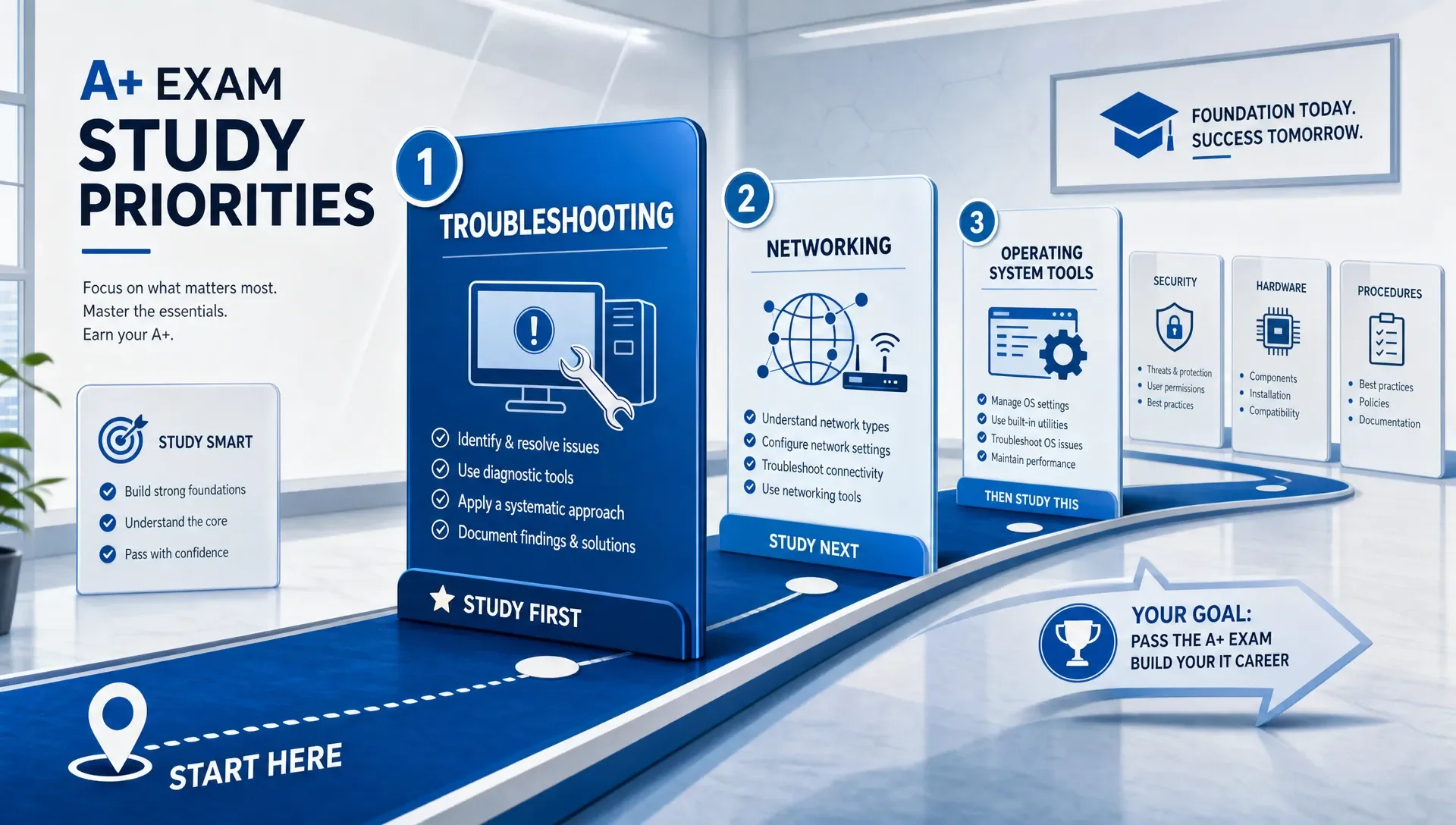
When you're preparing for CompTIA A+, don't study every section with the same urgency. Some topics build foundational understanding, helping you answer the most scenario-based questions early on. Focus first on troubleshooting, networking, operating system tools, security, and core hardware. These areas not only carry significant exam weight but also explain the logic behind many other objectives.
CompTIA A+ requires passing two exams: Core 1 and Core 2. CompTIA publishes the official objectives, domains, and exam details on its CompTIA A+ certification page. Use this blueprint as your source of truth. The study order suggested here doesn't replace the official objectives; it simply shows which sections to prioritize so the rest of your study guide makes sense faster.
Start With CompTIA A+ Study Guide Sections That Build Understanding
A good study order isn't always the same as the order listed in exam objectives. Some topics are foundational. When you understand them early, you'll recognize patterns in later sections instead of memorizing disconnected facts.
Use this priority order for your first pass through a CompTIA A+ study guide:
| Priority | Study guide section to master first | Main exam connection | Why it should come early |
|---|---|---|---|
| 1 | Hardware and network troubleshooting | Core 1 | It trains you to reason through symptoms, not just identify parts. |
| 2 | Networking fundamentals | Core 1 | DHCP, DNS, IP addressing, Wi-Fi, and ports appear across support scenarios. |
| 3 | Operating system tools | Core 2 | You need to know where to fix common Windows, macOS, Linux, and mobile issues. |
| 4 | Security fundamentals | Core 2 | Security affects account support, malware removal, wireless setup, and device handling. |
| 5 | Hardware components and peripherals | Core 1 | Components are easier to remember once you understand common failure symptoms. |
| 6 | Operational procedures | Core 2 | Safety, documentation, privacy, and professionalism shape the best answer in scenarios. |
| 7 | Mobile devices, virtualization, and cloud basics | Core 1 | These are important, but they build on networking, hardware, and OS knowledge. |
This sequence works because A+ questions often describe a user problem, a device state, or a business constraint. The exam usually isn't asking, "Can you recite a definition?" It's asking, "What would a good technician do next?"
Master Hardware and Network Troubleshooting First
Treat troubleshooting as a skill, not just a chapter to read. If you can work through symptoms logically, you'll perform better on performance-based questions, multiple-choice scenarios, and situations where several answers look plausible.
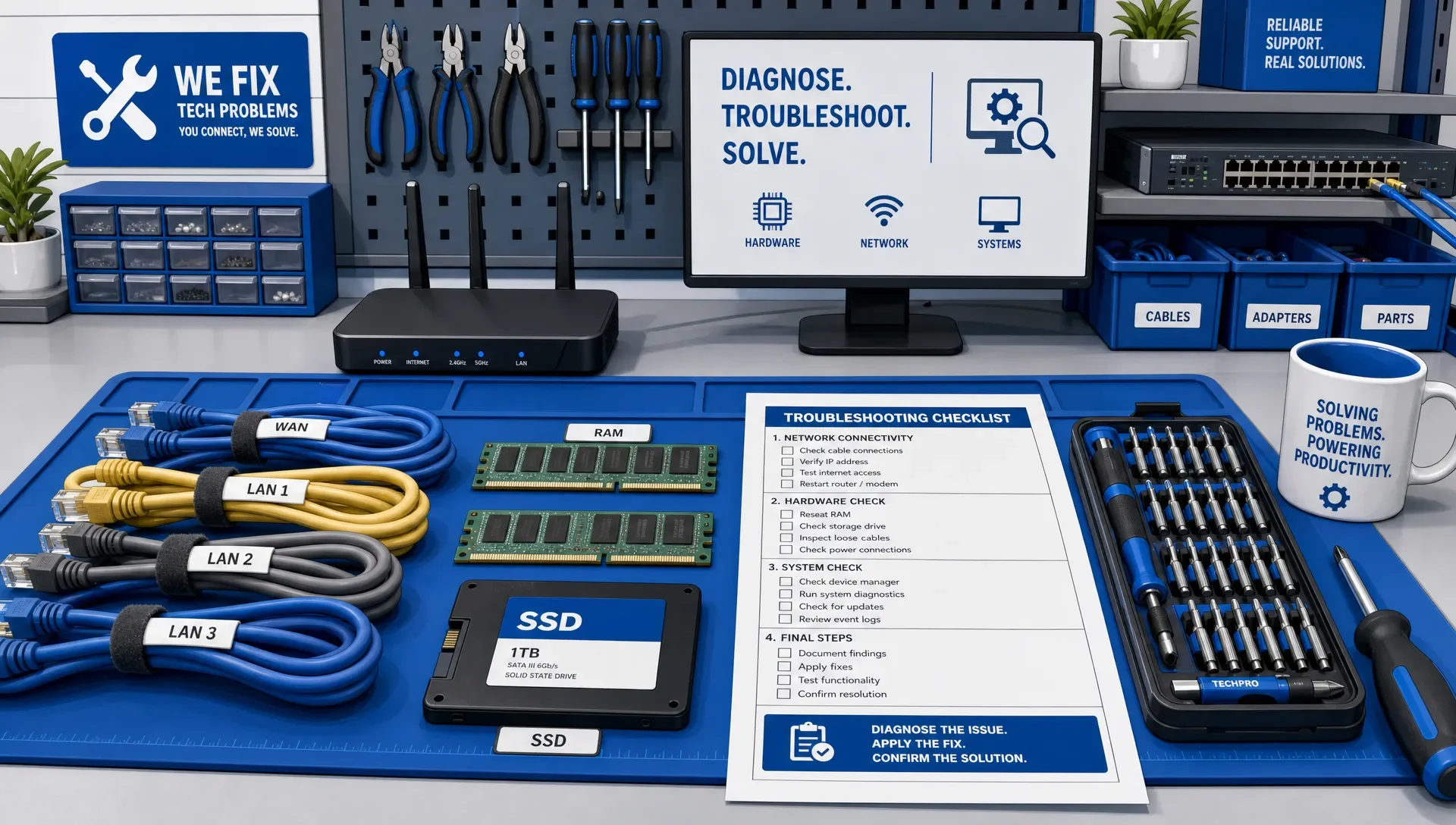
Start with the standard troubleshooting flow:
- Identify the problem.
- Establish a theory of probable cause.
- Test the theory to determine the cause.
- Plan and implement a solution.
- Verify full system functionality.
- Document the outcome.
Don't just memorize these steps. Practice applying them to short scenarios.
For example, if a user reports a desktop that powers on but shows no display, your first thought shouldn't be to immediately replace the monitor. Instead, you'd check obvious and low-risk causes first: power connection, input source, cable seating, brightness, a known-good monitor, graphics output, and any recent changes. That mindset is exactly what A+ wants to measure.
Focus especially on these troubleshooting patterns:
- No power, intermittent power, overheating, strange noises, and boot failures
- No network connectivity, limited connectivity, APIPA addresses, and DNS failures
- Printer jams, faded output, streaking, ghosting, and queue issues
- Storage symptoms, slow performance, failed drives, and missing boot devices
- Display, audio, Bluetooth, and wireless symptoms
A practical way to study this section is to make a two-column notebook page. On the left, write the symptom. On the right, list the safest first checks, the likely cause, and how you'd verify the fix. This forces you to think like a technician instead of a test taker.
Learn Networking Before You Memorize More Hardware
Networking is one of the highest-return sections in any CompTIA A+ study guide because it touches so many other areas. If you understand DHCP, DNS, default gateways, Wi-Fi authentication, common ports, and basic router settings, many confusing questions become straightforward.
A+ networking isn't a deep network engineering exam. You don't need to be a subnetting expert. You do need to recognize what breaks when each network service fails.
| Concept | What you should be able to explain | Common exam-style symptom |
|---|---|---|
| DHCP | Assigns IP configuration automatically | Device has an APIPA address or can't reach the network. |
| DNS | Resolves names to IP addresses | User can ping an IP address but not a website name. |
| Default gateway | Routes traffic outside the local network | Device can reach local resources but not the internet. |
| Wi-Fi encryption | Protects wireless access | Device can't connect after security settings change. |
| Common ports | Identify services by number and protocol | A firewall rule blocks email, web, or remote access. |
Study ports in context. Instead of drilling 25 numbers in isolation, group them by job: web, email, file transfer, remote access, directory services, and name resolution. Then ask what would happen if that service were blocked or misconfigured.
This is also a good point to start targeted practice. After your first pass through networking and troubleshooting, use A+ Core 1 practice exams to see whether you can apply the concepts under realistic question pressure.
Prioritize Operating System Tools That Help You Solve Tickets
Operating system questions are easier when you study them as support tasks. Don't start by trying to memorize every menu in Windows. Instead, focus on the tools a technician uses to investigate, repair, secure, and recover a system.
For Windows, concentrate on the tools and commands that answer support questions quickly. Microsoft maintains official documentation for Windows commands, which is useful when you want to confirm what a command actually does.
| Support task | Tools or commands to know | What to practice |
|---|---|---|
| Check network configuration | ipconfig, ping, tracert, nslookup | Determine whether the issue is local IP, gateway, DNS, or connectivity. |
| Manage storage | Disk Management, chkdsk | Identify partitions, drive letters, file system issues, and disk errors. |
| Review performance | Task Manager, Resource Monitor | Find high CPU, memory, disk, or startup impact. |
| Manage services and startup | Services, Task Manager, System Configuration | Disable, restart, or investigate background services. |
| Repair startup or recovery issues | Safe Mode, Startup Repair, System Restore | Choose the least disruptive recovery path. |
| Manage users and permissions | Local Users and Groups, Settings, Control Panel | Apply least privilege and fix access issues. |
Don't ignore macOS, Linux, Android, ChromeOS, and iOS, but keep the depth realistic. A+ expects you to know basic navigation, common settings, high-level file locations, installation sources, update behavior, and basic command-line awareness.
A strong test for readiness is simple: when you read a support scenario, can you name the first tool you'd open and why? If not, keep studying this section before moving deeper into memorization.
Study Security Early Because It Changes Every Support Decision
Security isn't a late-stage add-on for A+. It changes how you answer support questions. A technically possible fix may not be the best fix if it violates least privilege, exposes personal data, skips documentation, or ignores malware containment.
Start with the security concepts that appear in everyday help desk work: authentication, authorization, multifactor authentication, password policies, account lockouts, malware symptoms, social engineering, wireless encryption, and mobile device protections.
When you study malware removal, pay close attention to the sequence. A safe process usually includes identifying symptoms, quarantining or isolating when needed, disabling system restore if appropriate to the scenario, remediating, updating, scanning, enabling protection, and educating the user. The exact answer depends on the question, but the principle is consistent: contain risk before you casually continue normal operations.
Security also affects hardware and network questions. A wireless issue might really be an encryption mismatch. A shared printer issue might involve permissions. A lost phone question might involve remote wipe, screen locks, or account protection. A user access problem might be a group membership issue rather than a broken application.
You don't need to study like a cybersecurity analyst for A+, but you do need a support technician's security reflex: protect the user, protect the organization, and use the least risky fix that solves the problem.
Then Fill In Hardware Components, Printers, and Mobile Devices
Many candidates start with hardware because it feels concrete. That's not wrong, but hardware sticks better after you've studied troubleshooting and networking. Once you know the symptoms, the components become easier to remember.
For desktop and laptop hardware, focus on function, compatibility, and failure behavior. Know what RAM does, how storage types differ, why power supplies matter, what expansion cards add, which connectors are used for which devices, and what symptoms point to display, storage, memory, or cooling problems.
For printers, don't treat the section as pure memorization. Laser printer questions often test process order, replaceable parts, and symptom diagnosis. Inkjet and thermal printer questions often focus on media, print quality, connectivity, and maintenance. If you can connect each symptom to a likely cause, you'll answer more confidently.
Mobile devices deserve the same practical approach. Know common laptop field-replaceable units, docking stations, battery and charging symptoms, touchscreens, Bluetooth pairing, mobile synchronization, location services, and security settings. These questions are often straightforward if you've already mastered wireless networking and basic security.
Save Virtualization, Cloud, and Operational Procedures for Later, Not Last-Minute
Virtualization and cloud basics are usually easier after networking and hardware. You need to understand local resources, storage, IP addressing, and shared responsibility at a basic level before cloud terms feel useful. Focus on use cases: virtual machines, resource pooling, cloud storage, measured service, scalability, and why a technician might use a sandboxed environment.
Operational procedures are different. You can schedule them later in your first pass, but don't cram them the night before. These topics often decide the best answer when two technical options seem close.
Operational procedures include safety, electrostatic discharge protection, environmental handling, documentation, change management, incident response awareness, privacy, licensing, professionalism, and communication. They may sound like soft topics, but exam scenarios often reward the candidate who knows how to support users without creating risk.
When you shift into Core 2 review, mix operating systems, security, software troubleshooting, and procedures together. That's closer to real help desk work, and it prepares you for scenario wording. A+ Core 2 practice exams can help you check whether you're choosing safe, supportable actions rather than just technically possible ones.
How to Turn Your CompTIA A+ Study Guide Into Weekly Practice
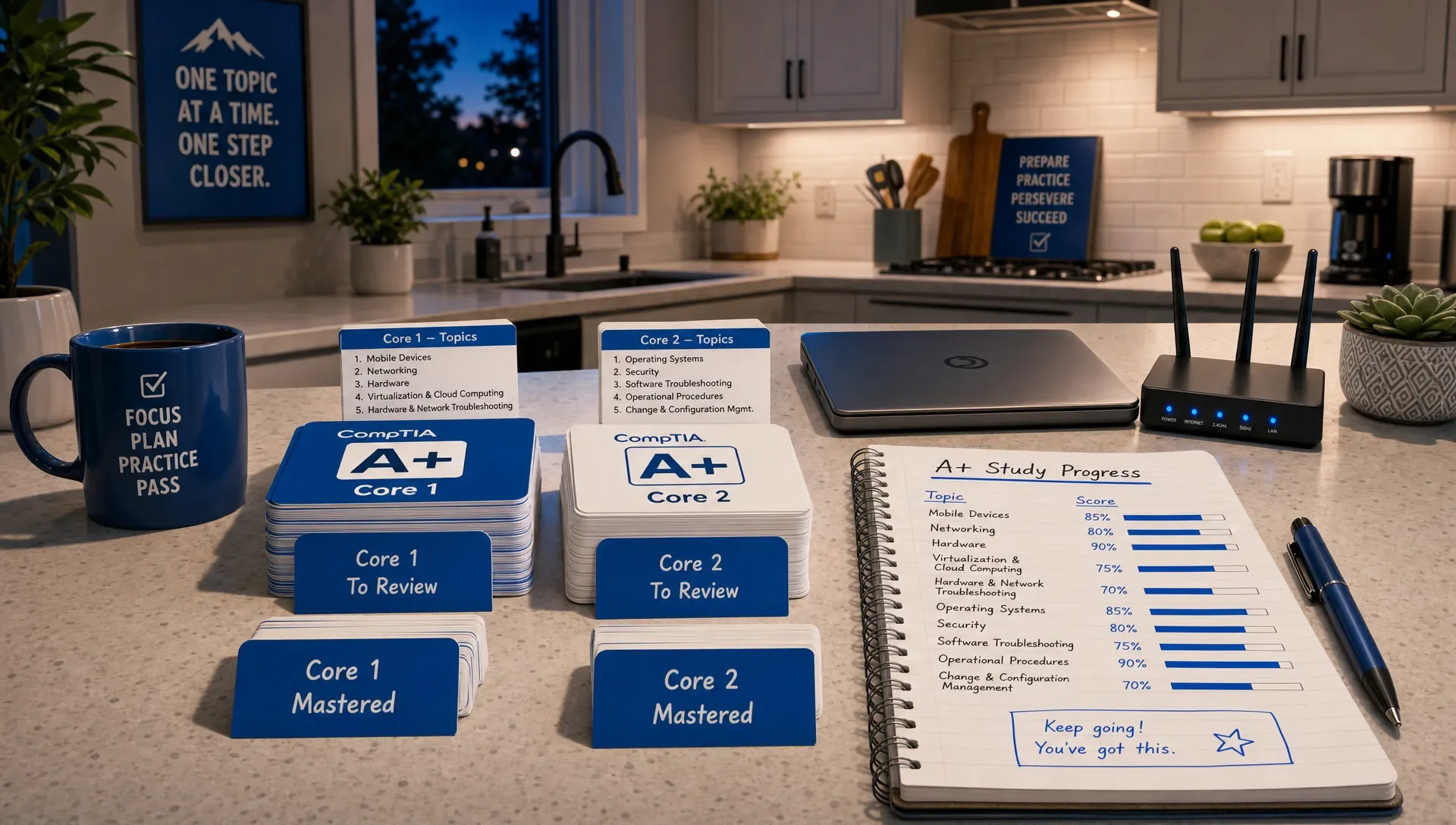
Reading is only the first pass. To make the material stick, you need retrieval practice, spacing, and mixed review. A review published in Psychological Science in the Public Interest identified practice testing and distributed practice as high-utility learning techniques. This matches what good certification prep should feel like: recall, apply, review, and repeat.
Here's a simple four-phase way to use your CompTIA A+ study guide without getting lost:
| Phase | Main focus | Practice method | Move on when you can... |
|---|---|---|---|
| 1 | Troubleshooting and networking | Short scenarios, port groups, command practice | Explain the likely cause and next step for common connectivity issues. |
| 2 | Operating systems and security | Tool matching, malware scenarios, account scenarios | Choose the right tool or security action without guessing. |
| 3 | Hardware, printers, mobile, cloud | Component identification, symptom mapping, flashcards | Connect device symptoms to likely failed parts or settings. |
| 4 | Mixed Core 1 and Core 2 review | Timed quizzes, PBQ-style practice, error review | Keep scores stable across domains, not just in your favorite sections. |
If you need a more detailed calendar, use a dedicated CompTIA A+ exam study timeline for first-time takers after you understand your weak areas. A timeline works best when it's based on performance, not wishful thinking.
For each study session, keep the workflow tight. Read one objective section, answer practice questions, review every explanation, turn missed facts into flashcards, and retest the same topic later. Don't wait until the end of the book to discover that you misunderstood DNS, malware removal, or printer troubleshooting.
Readiness Signals Before You Move to the Next Section
A common mistake is moving on because a topic feels familiar. Familiarity isn't readiness. You want proof that you can retrieve and apply the material.
Use these readiness checks before you leave a major section:
| Section | You're ready to move on when... |
|---|---|
| Troubleshooting | You can explain the safest next step and why other options are weaker. |
| Networking | You can diagnose basic DHCP, DNS, gateway, Wi-Fi, and port-related symptoms. |
| Operating systems | You can name the right tool or command for common support tasks. |
| Security | You can apply least privilege, malware response, account protection, and wireless security in scenarios. |
| Hardware | You can connect components, connectors, printer parts, and mobile features to real symptoms. |
| Operational procedures | You can choose the answer that fixes the issue while respecting safety, documentation, and privacy. |
Also track your wrong answers by reason. Was it a vocabulary gap, a missed detail, a weak concept, or a rushed decision? That diagnosis tells you what to do next. A vocabulary miss may need flashcards. A concept miss needs a study guide review. A rushed decision needs slower question analysis.
Frequently Asked Questions
What section of a CompTIA A+ study guide should I study first? Start with hardware and network troubleshooting, then networking fundamentals. Those sections build the reasoning skills you'll use across Core 1 and Core 2 scenarios.
Should I study Core 1 or Core 2 first? If you're new to IT, Core 1 is often a better starting point because hardware, networking, and troubleshooting create useful context. You can still introduce Core 2 topics early, especially operating systems and security.
Is CompTIA A+ mostly memorization? No. Memorization helps with ports, connectors, commands, and acronyms, but many questions test judgment. You need to identify symptoms, choose safe next steps, and apply troubleshooting logic.
When should I start taking practice exams? Start topic-level practice after each major section. Save full timed practice exams for later, once you've studied the highest-priority areas and can review mistakes by domain.
How do I know I'm ready for the real A+ exams? You're getting close when your practice scores are stable across domains, you can explain missed answers, and you're no longer relying on recognition alone. Readiness should be based on topic performance, not just total study hours.
Do I need hands-on practice for CompTIA A+? Yes, if you can get it. Even simple practice with Windows tools, home router settings, storage devices, cables, printers, and virtual machines can make exam scenarios easier to understand.
Build Your First-Pass A+ Plan With Less Guesswork
The best CompTIA A+ study strategy is simple: master the sections that improve your troubleshooting judgment first, then fill in the details with practice and review. Don't let the size of the objectives push you into passive reading.
MindMesh Academy helps you build a strong foundation for the CompTIA A+ exam. Our study materials provide structured guides by exam objective, performance-based question formats, and readiness tracking by topic. Start with troubleshooting and networking, test what you know, then let your weak areas decide what you study next with our CompTIA A+ Core 1 study guide.

Written by
Alvin Varughese
Founder, MindMesh Academy
Alvin Varughese is the founder of MindMesh Academy and an enterprise architecture leader. An electrical engineer by training, he moved from factory automation in South Africa to cloud architecture at GE Appliances and Humana (Fortune 50), and holds 20 professional certifications including AWS Solutions Architect Professional, Azure DevOps Engineer Expert, and Microsoft Agentic AI Business Solutions Architect. He built MindMesh Academy after interviewing too many highly certified candidates who couldn't answer basic questions: the goal is prep that makes you better at the job, not just able to pass the exam.