Your Guide to Business Continuity Planning Steps
A strong business continuity plan (BCP) follows a cyclical process. You must analyze potential threats, develop recovery strategies, and test that plan consistently. This is more than an emergency checklist; it is a proactive, strategic framework that keeps your critical operations running when—not—if a disruption occurs. At its core, the process protects your personnel, safeguards vital assets, and preserves your organization's hard-earned reputation. This preparation ensures you stay functional despite the most unpredictable events.
Why Business Continuity Is a Strategic Imperative
Disruptions are a certain part of the modern operating environment. A well-designed business continuity plan (BCP) makes the difference between a minor pause and a total operational breakdown. It represents a shift from a reactive "what do we do now?" mindset to a proactive stance that builds resilience into the organization. For IT professionals pursuing certifications like the PMP, ITIL 4, or cloud architect credentials, knowledge of BCP is essential. It supports incident management, disaster recovery, and long-term operational stability.
The 2020 pandemic highlighted this need for preparation. During that time, 51% of businesses admitted they lacked a BCP ready for a global emergency. This gap revealed significant vulnerabilities across many industries. A plan that only covers IT is insufficient for modern risks.
A complete BCP is a company-wide strategy that includes every part of the organization:
- People: Protecting the safety and well-being of staff is the first priority. What specific mechanisms allow employees to remain productive if physical offices are closed? This often involves secure remote access strategies, which are core topics in CompTIA Security+ or the AWS Certified Security - Specialty (SCS-C03) (verify current exam versions on the vendor site).
- Processes: Managers must identify which business functions are vital for staying operational. You need clearly defined workarounds and alternative workflows that are ready to use immediately. This focus on service continuity aligns with the process mapping and optimization standards found in ITIL 4 Foundation.
- Technology: This area depends on reliable data backups, redundant hardware, and effective system failovers that trigger automatically. These technical safeguards are central design factors for those studying for Azure Solutions Architect or AWS Certified Solutions Architect certifications. Keeping these systems ready ensures that data remains available even when hardware fails.
- Stakeholders: During a crisis, clear and honest communication with customers, partners, and suppliers is required to maintain trust. Your plan should define who sends updates and which channels they use to provide information. Failure to communicate often causes more damage than the initial disruption itself.
The continuity process works best as a repeating cycle of analyzing risks, planning responses, testing those plans, and making improvements based on the results.
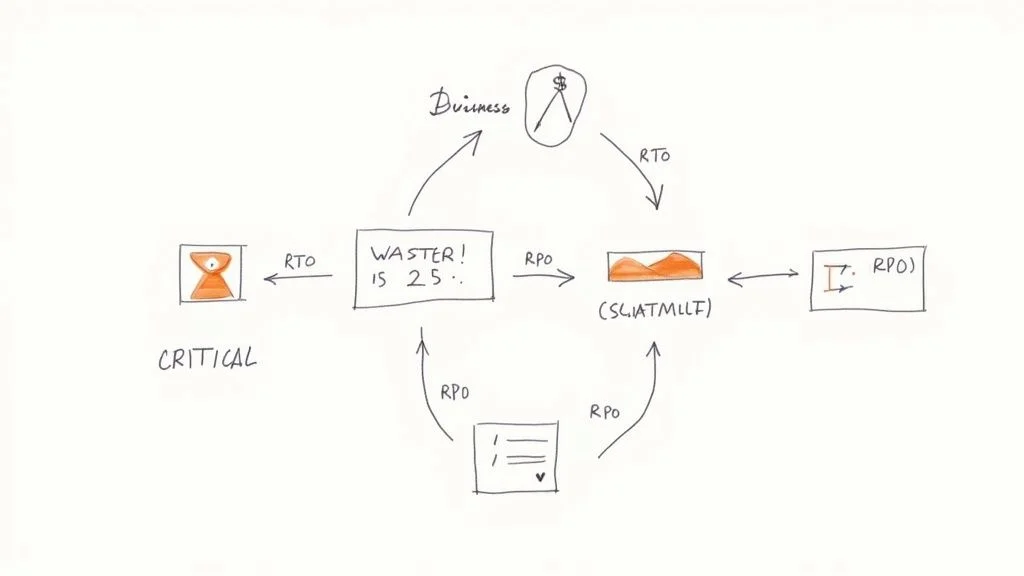 Figure 1: The core Business Continuity Planning cycle: Analyze, Plan, and Test.
This is not a project you finish and archive. Business continuity is a living process. It must evolve alongside your organization as you adopt new technologies and change your strategic objectives.
Building a Foundation of Resilience
To protect an organization, you must first identify what needs the most protection. Start with an internal assessment to find your most critical assets and systems. Identify specific vulnerabilities to see where things might fail. This is the heart of a professional risk management process. To examine this area further, read our article: What is Risk Management Process?.
Before writing recovery documents or running live drills, it is vital to master the basics of BCP. Reviewing a practical guide to Business Continuity Planning provides the necessary knowledge base. This early effort ensures that every step you take is purposeful and helps your business survive and grow through any challenge it faces.
Pinpointing What Matters with a Business Impact Analysis (BIA)
Constructing a recovery strategy requires a clear understanding of the specific assets you are protecting. This is the role of a Business Impact Analysis (BIA). The BIA serves as the initial step that replaces organizational assumptions with data and provides a basis for every technical decision in your plan.
The BIA functions as an investigation into your core operations. It forces leadership and technical teams to identify the processes that actually keep the business running. For an e-commerce platform, the checkout system is the primary driver of revenue and customer trust. For a logistics company, the most critical components are likely the dispatch systems and real-time shipment tracking software. By performing a BIA, you can prioritize resources and assign budget to the areas where downtime would cause the most damage.
Defining Your Recovery Timelines: RTO and RPO
The BIA introduces two fundamental metrics that guide business continuity planning. These are essential for IT professionals, cloud architects, and system administrators to understand: the Recovery Time Objective (RTO) and the Recovery Point Objective (RPO). These metrics are not theoretical concepts; they are strict deadlines that dictate how you design your crisis response and recovery systems.
-
Recovery Time Objective (RTO): The RTO functions as a deadline. It represents the maximum duration a specific business function can remain offline after a failure before the consequences become unacceptable. If a customer-facing application goes down, how many minutes or hours can pass before the loss of revenue or customer trust becomes critical? That specific window is your RTO. For architects working in AWS or Azure, meeting a very short RTO typically requires technical solutions like active-passive or active-active multi-region deployments, or automated failover to standby instances.
-
Recovery Point Objective (RPO): This metric defines the limit of tolerable data loss. It specifies the maximum amount of data—measured in time—that the organization can lose during an incident. If your RPO for a sales database is one hour, your backup and replication systems must ensure that you never lose more than sixty minutes of transaction data. To meet these targets, technical teams often implement database transaction log shipping, high-frequency snapshots, or continuous data replication in cloud environments.
RTO and RPO values change depending on the specific needs of different departments. A payment processing system might require an RTO of 15 minutes and an RPO of near-zero to ensure no transactions are dropped. Meanwhile, an internal HR reporting server might only require an RTO of 48 hours and an RPO of 24 hours. Because the immediate impact of an HR reporting delay is lower, the business can justify a less expensive recovery solution for that specific server.
Reflection Prompt: Look at a core application in your current technical environment or one you are designing. What would be its specific RTO and RPO based on its business value? What specific technologies would you use to meet these targets? Consider how these requirements influence the design patterns you have studied for certifications like Azure AZ-305 or the AWS Solutions Architect Associate.
Architecting workflows to meet these specific needs is a vital skill for cloud engineers. You can find more information on designing data storage and business continuity solutions to see how these concepts apply to professional Azure certification tracks.
From Analysis to Actionable Data
Deriving accurate RTO and RPO numbers requires collaboration with the people who manage daily operations, such as department heads and subject matter experts. During these discussions, you must map out the dependencies between different processes. You also need to analyze the potential financial losses, operational disruptions, and reputational damage that would occur if a specific function stopped working.
The goal is to create a hierarchy of business functions. This list ranks every process by its importance to the survival of the organization. By ranking these functions, you ensure that the IT team knows exactly what to fix first when a disaster occurs.
Using a table is an effective way to communicate these priorities to both executive leadership and the technical staff. This format turns complex analysis into a clear set of targets.
Prioritizing Business Functions with RTO and RPO
| Business Function | Impact of Disruption (Sample) | Recovery Time Objective (RTO) | Recovery Point Objective (RPO) |
|---|---|---|---|
| E-commerce Checkout | Immediate revenue loss, customer abandonment | < 15 minutes | < 5 minutes |
| Customer Relationship Management (CRM) | Sales & support teams blocked, lead loss | < 4 hours | < 1 hour |
| Inventory Management System | Shipping delays, inaccurate stock levels | < 8 hours | < 4 hours |
| Internal HR Platform | Payroll processing delays, admin disruption | < 48 hours | < 24 hours |
This table converts abstract ideas into quantifiable goals. It acts as the primary reference for choosing backup technologies, selecting failover sites, and assigning staff to recovery teams.
The BIA identifies which systems need recovery and specifies the exact sequence required to restore them. It ensures that every technical action taken during a crisis focuses on the most critical parts of the business first. This analysis provides the evidence needed for all subsequent planning. Without it, you are guessing. With it, you have a logical basis for your entire continuity strategy.
Uncovering Threats with a Practical Risk Assessment
After you have mapped your critical business functions using the BIA, you must identify what could disable them. This is the goal of a risk assessment. It is a systematic way to find potential threats, estimate how likely they are to happen, and measure the severity of their impact. This exercise isn't about creating panic. It is a logical process to understand the actual dangers your business faces.
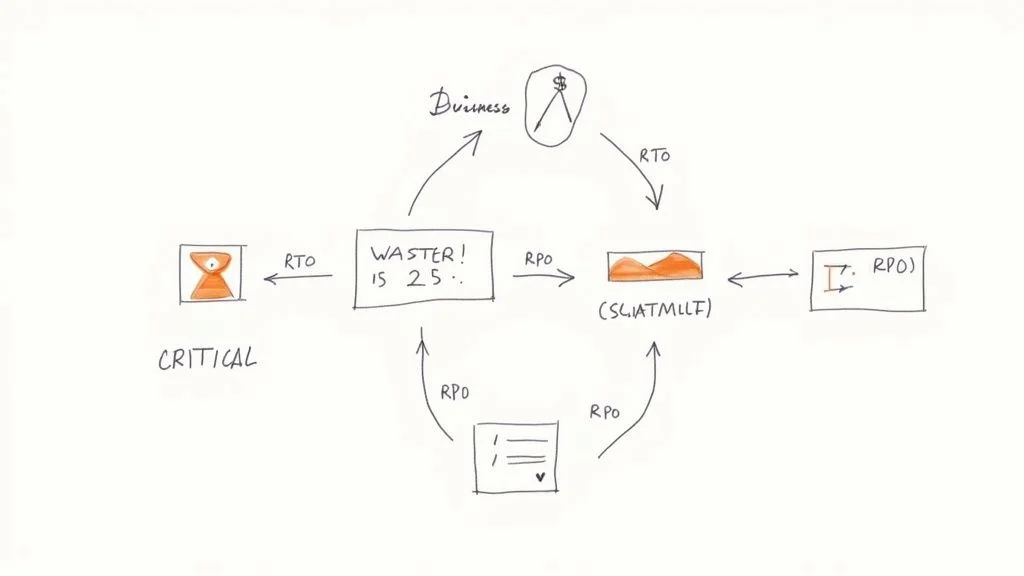 Figure 2: Understanding the interconnected elements of business continuity planning, including RTO and RPO.
While the BIA looks inward at your operations, the risk assessment looks outward at vulnerabilities and external threats. Take a small accounting firm as an example. A local power outage is a likely risk, but it usually has a low impact on the business over the long term. In contrast, a ransomware attack that encrypts all client data is less likely but would have catastrophic results. You must include both scenarios in your planning.
Categorizing Your Business Risks
Organizing threats into logical groups makes the process easier to manage. This simple step ensures you look at all possible angles without getting lost in the details. A good way to start is by dividing risks into three main buckets:
- Natural Disasters: These are large-scale events often determined by your location. Examples include hurricanes for coastal offices, wildfires in dry climates, or severe flooding in low-lying areas.
- Technical Failures: This group covers all disruptions related to technology. This includes server crashes, internet outages, software bugs, or failures at a third-party cloud provider. If you are studying for CompTIA Network+ (N10-009) or CCNA, you know that building network resilience against these failures is a primary requirement for any modern infrastructure.
- Human-Caused Threats: This broad group includes intentional attacks like ransomware, phishing, or insider threats. It also includes accidents, such as an employee accidentally deleting a database. This category also covers risks like a key supplier going out of business or failing to deliver services.
The goal of a risk assessment is not to eliminate every possible risk. That is impossible. Instead, it gives you a clear view of your unique risk profile so you can decide where to spend money and time to protect and recover your operations.
Scoring and Prioritizing Threats
Once you have a list of risks, you need to decide which ones to handle first. A common method is to score each risk based on two factors: likelihood (how probable is it?) and impact (how bad would the consequences be?). Using a 1-to-5 scale for each factor provides enough detail to make good decisions.
For organizations that want a formal way to identify and evaluate these threats, look at the ISO 31000 risk management framework. This international standard provides a foundation for a repeatable risk assessment process that can grow with your business.
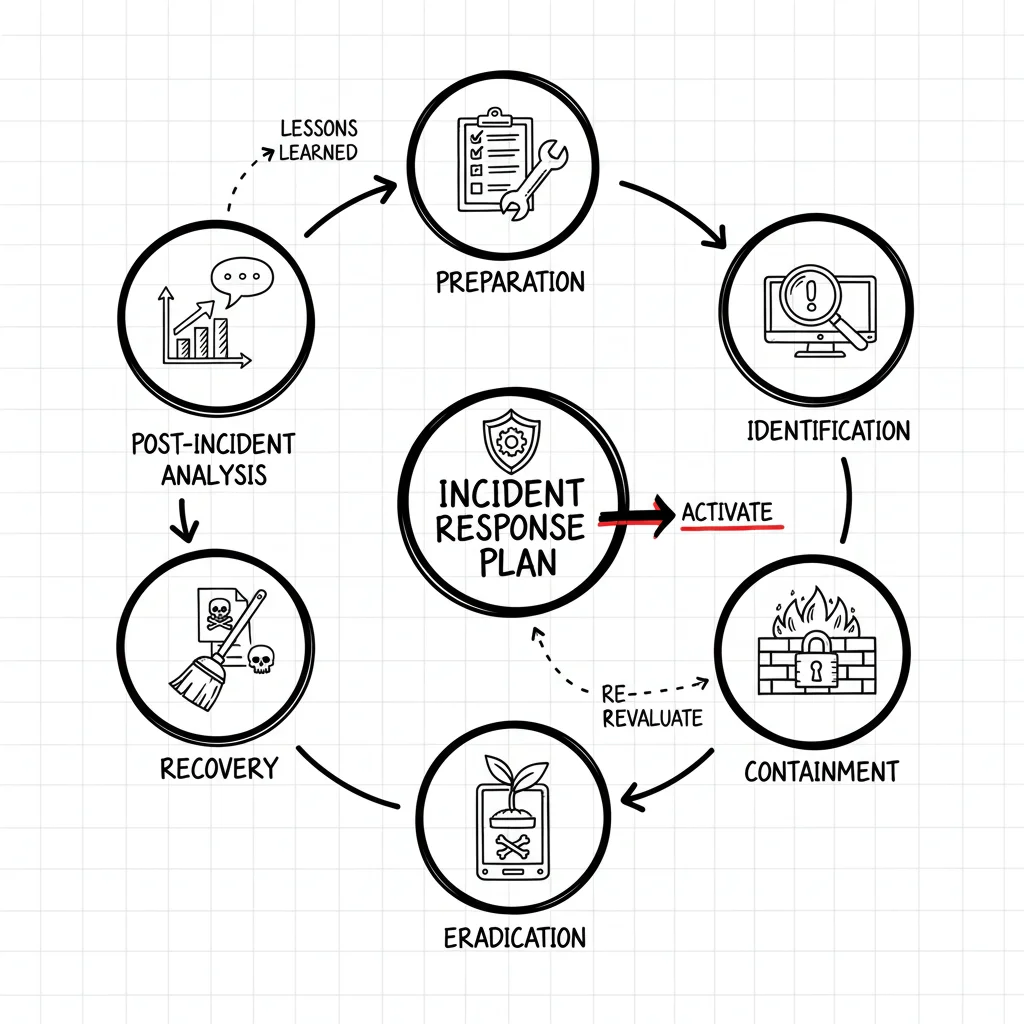
Multiply the likelihood score by the impact score to get a risk rating. A high-likelihood, high-impact threat—such as a data breach for an online store—needs your immediate attention. On the other hand, a low-likelihood, low-impact threat can stay on a watch list for later review. This scoring turns a long list of concerns into an actionable plan. It shows you exactly where to focus when you start building recovery strategies. This assessment also dictates how your team will react when a crisis happens. To see how these assessments turn into action, read our guide on what an incident response plan entails. A thorough risk assessment is the foundation of any plan to handle business incidents.
Building Your Actionable Recovery Plan
*Video 1: A brief overview of what makes a successful business continuity plan.*You have finished identifying your critical functions and assessing various threats. Now, you must turn that analysis into a document your team can use when operations stop. The goal is to move from theory to a manual that guides actual responses.
Do not create a confusing, thick binder that only sits on a shelf. Instead, build a practical playbook. This guide should be clear and short. It must help your staff act with speed and accuracy when they are under pressure. If a plan is too long, nobody will read it during an emergency.
Every part of this plan needs to be specific. Avoid vague instructions like "switch to backup systems." An effective plan lists the exact steps for a failover to a cloud environment if a local server fails. If a storm closes your office, the plan should name the specific remote work tools the sales team must use. It should not just suggest they "work from home." Detail matters when time is short.
Defining Roles and Responsibilities
When a crisis starts, organizations cannot afford confusion. Uncertainty slows down recovery. One of the primary business continuity planning steps is assigning roles and a chain of command before an incident happens. Everyone needs to know who is in charge of which task.
Think of this group as your crisis command center. Your plan must list these people by name and job title. This ensures there is no doubt about who should be contacted. Key roles often include:
- Crisis Manager: This person makes the final calls and coordinates the entire response. They hold the authority to choose a strategy during a disaster. This role shares many traits with a Project Manager working under pressure, which is a key topic in PMP certification.
- Department Leads: These people are the experts from IT, operations, HR, and finance. They lead their specific teams through the disruption and report back to the manager.
- Communications Coordinator: This person handles every message sent inside and outside the company. They make sure the information is accurate and reaches people at the right time.
Assigning these duties early prevents people from doing the same work twice. It also stops important tasks from being forgotten. Every team member needs to know their reporting structure and what they are allowed to do without asking for permission first. This structure changes a disorganized scramble into a controlled response. These methods align with the Incident Management practices found in the ITIL 4 framework.
A recovery plan acts as your team’s memory during a disaster. It is built on the specific actions people take and exactly who is responsible for them. This ensures the response is fast and organized when every minute matters.
Crafting a Crisis Communication Strategy
The way your company talks during a disaster will protect or hurt your reputation. You need a clear communication plan to keep the trust of your employees, customers, and partners. The best way to do this is to write message templates before anything goes wrong. This allows you to send out facts quickly.
Your strategy should cover three main areas:
- An Employee Communication Tree: You must have a plan for what happens if email or internal chat stops working. You need a second way to reach every staff member. This might include a mass SMS service, a dedicated phone line, or a private group on social media.
- A Customer and Stakeholder Plan: Decide how you will update clients and suppliers. You might use website banners, social media posts, or have account managers call people directly.
- Media Response Protocol: Choose one trained person to talk to the news. This keeps the message the same across all channels. It prevents rumors and keeps the information accurate.
Companies are spending more on these preparations because the risks are growing. The global business continuity management market had a value of USD 754 million in 2024 (verify current figures with the latest market reports). This market is expected to grow to more than USD 2.2 billion by 2033 (confirm projections with vendor data). This growth shows that businesses realize they cannot ignore the need for formal planning. You can see more data on the growth of the business continuity market in recent reports.
A documented plan is a tool for the whole company. It turns panic into action. It gives your organization a map to get back to normal work as fast as possible.
Testing and Maintaining Your Continuity Plan
Writing a business continuity plan on paper is a major step, but an untested document is just a collection of assumptions. To find out if your strategy actually works, you must put it through a series of evaluations. This phase is where your plan moves from a theoretical idea to a functional guide that your team can use during an actual recovery.
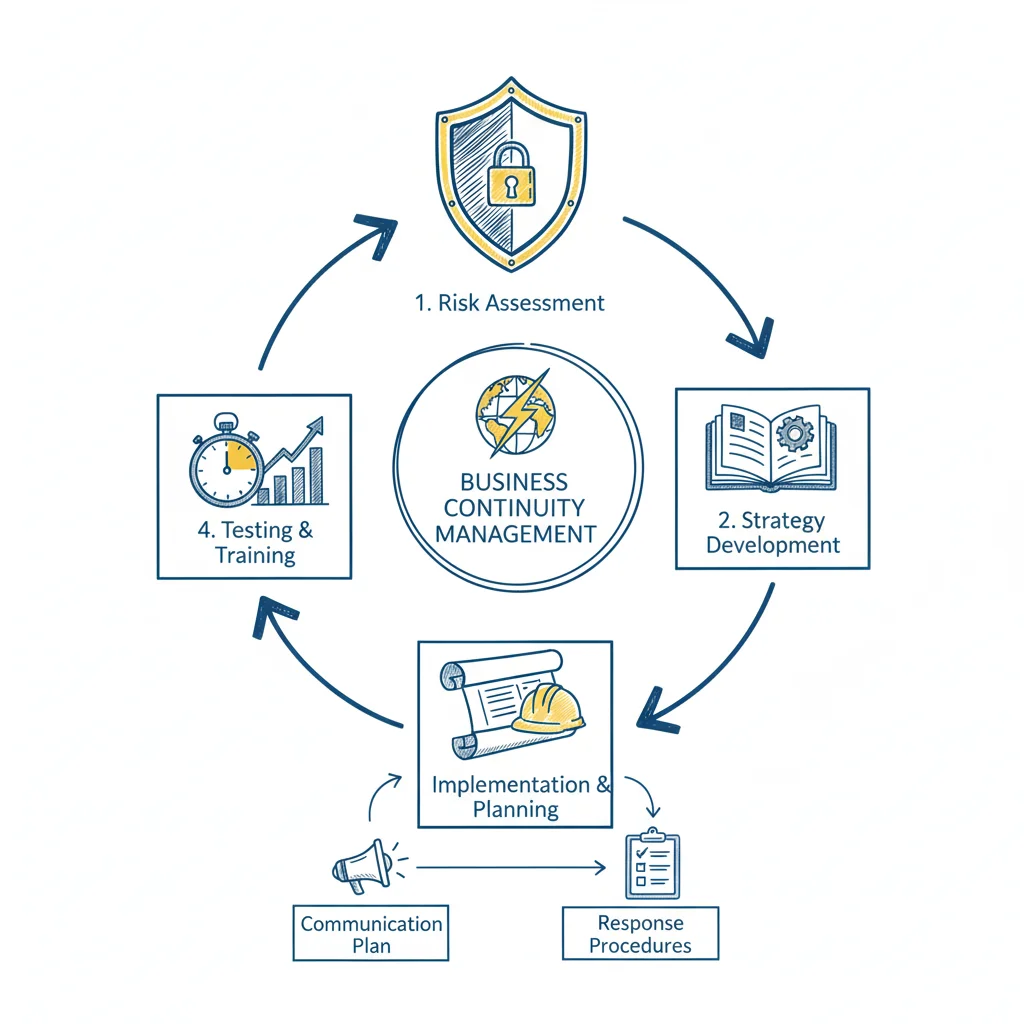 Figure 3: Business continuity planning requires clear task delegation and follow-through.
Testing is not about creating problems for your daily operations. It is about finding gaps and mistakes while you are in a safe, controlled environment. You can start with simple exercises and work your way up to harder drills. The main goal is to build the skills your team needs so they can act quickly and clearly when a real crisis happens.
Choosing the Right Type of Test
You do not have to start with the most difficult simulations. Choosing the right exercise depends on how prepared your company is right now and what you want to learn. Often, a well-managed discussion will show you more than a rushed, complicated drill, especially when you are first starting out.
Here are the most common ways to test your plan:
- Tabletop Exercise: This is a low-stress way to start that provides a lot of value. Get your crisis team in a room and talk through a specific problem, such as a ransomware attack or a major supplier going out of business. This is a guided talk that looks at roles, who makes decisions, and how people talk to each other. It is a great way to find where your written rules have gaps. This helps your team prepare for real-world incidents, much like practicing for certification exam scenarios.
- Walk-through: This is a more detailed version of a tabletop talk. Team members do not just discuss their jobs; they explain the exact, step-by-step actions they would take. For example, an IT manager might list every click needed to start a data recovery, while the marketing lead reviews the exact text of customer alerts. This helps you see if the people responsible for recovery actually have the tools and access they need.
- Functional Drill: At this level, the testing is hands-on. A functional drill tests one specific part of your plan in a real, but isolated, setting. This might involve moving a non-critical software application to a backup server or sending a test message through your emergency alert system to see if it reaches everyone. It allows you to verify that your technology and hardware respond as expected without affecting the whole company.
- Full Simulation: This is the most extensive test because it tries to mimic a real disaster as closely as possible. Often, a full simulation starts with very little warning for the staff. It might involve moving employees to a different work site or running the entire company on backup systems for a set amount of time. This shows you how different departments work together when they are under pressure.
An untested plan is a major liability. Regular testing, even through simple tabletop talks, changes your plan from a static paper file into a tool that builds confidence. It makes your company much harder to disrupt.
Establishing a Cadence for Maintenance
A business continuity plan must change as your company changes. It is not a project you finish once and then put in a file. A common mistake is for companies to build a strong plan and then let it get old. Industry data shows a clear problem: while most companies have a plan, 56% never conduct a full simulation, and they do not update their documents often enough. Looking at the state of business continuity preparedness shows why this creates a dangerous blind spot.
To avoid this, you need to make maintenance part of your regular work schedule. This is not about doing one giant review every year. Instead, perform small, regular tasks that keep your plan accurate. This focus on getting better over time is a central part of ITIL 4 practices.
Here is a practical schedule you can use:
- Quarterly: Look at and update all contact lists. This includes your crisis team, your main vendors, and local emergency services. People leave their jobs or change their phone numbers often, so these lists get old quickly.
- Semi-Annually: Hold a tabletop exercise. Pick a new or emerging threat to talk about so your team learns how to adapt to different problems.
- Annually: Plan a larger functional drill. This is also the best time to read through the entire BCP. Update it to show any big changes in your software, your staff, or your business processes that happened during the year.
- As Needed: Do not wait for the annual review if a major change happens. Fix the plan immediately if you open a new office, hire a new critical supplier, or start using a new major technology system.
Following this regular schedule for testing and updates is one of the most important business continuity planning steps. It ensures your plan grows as your business grows. This way, you can be sure the plan will be a reliable and vital tool when you need it most.
Common Questions About Business Continuity Planning
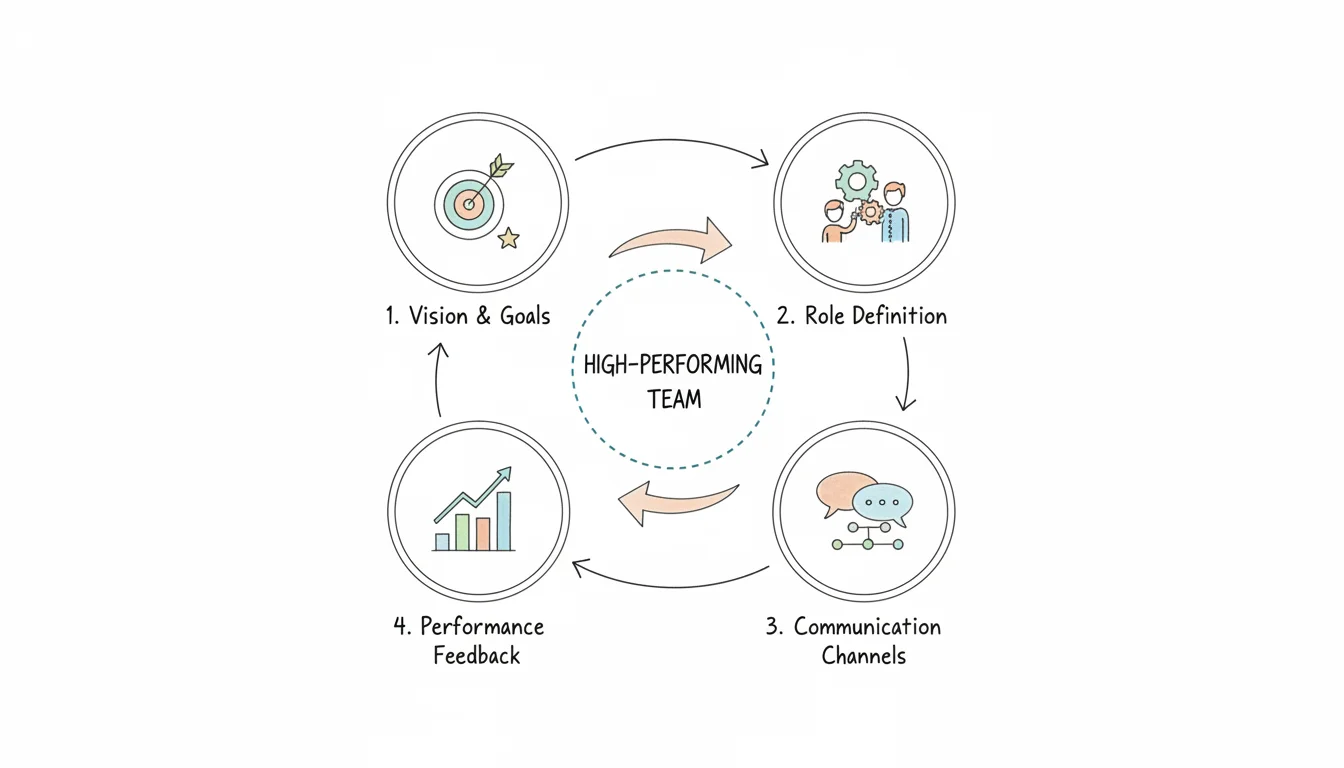 Figure 4: Collaborative discussion is key to effective business continuity planning.
When organizations begin the work of creating a business continuity plan, practical questions always come up. This questioning indicates a healthy planning process. Addressing these common queries during these business continuity planning steps helps avoid confusion and identifies potential failure points before a crisis occurs. Clarifying these specific points now will prevent many logistical headaches later during an actual emergency.
How Often Should We Review Our BCP?
The most frequent error is treating a business continuity plan like a static, one-time project that gets checked off a list. It functions as a living document that needs regular attention to remain effective. You should conduct a full review of the document at least once every year to account for general organizational shifts.
However, an annual review is the bare minimum requirement. You must update the plan whenever a significant change happens within the company. Static plans become obsolete quickly. If your operational environment changes but your recovery steps stay the same, the plan will fail when you need it most.
Immediate updates are required when specific triggers occur:
- Hiring new executives or promoting staff into roles with different responsibilities. If the plan lists a person who no longer works there as the primary contact, your response will stall.
- Deploying new software systems like a CRM, ERP, or supply chain management platform. Your recovery steps must include the specific login procedures and data restoration paths for these newer tools.
- Moving office locations or opening new physical branches. New locations mean new utility providers, different local emergency contacts, and unique physical security considerations.
- Changing a core business process or the way you deliver services to customers. If you move from a brick-and-mortar model to an e-commerce model, your continuity priorities will shift entirely toward website uptime and logistics.
Testing your plan regularly often reveals which parts no longer work. Use these test results to keep your documentation in sync with how the business actually functions. This cycle of testing and updating mirrors the Continual Service Improvement principle found in ITIL 4, where every service life cycle includes a feedback loop for improvement.
Business Continuity vs. Disaster Recovery
People often use these terms interchangeably, but they represent different scopes of work. Understanding this distinction is vital for those studying for certifications like CompTIA Security+, (ISC)² CISSP, or various cloud architect exams. A disaster recovery (DR) plan is a tactical, technology-focused subset that sits inside the wider business continuity plan (BCP).
Consider the following comparison:
- Disaster Recovery focuses on technical restoration. It covers the specific steps needed to get IT systems functioning after a failure. This involves restoring servers from backups, spinning up cloud databases, and fixing network connectivity. It is strictly about the technology and the data.
- Business Continuity focuses on the whole organization. It is the strategy used to keep the business operational while those systems are being fixed. It covers your staff, physical facilities, customer communications, and supply chains. It is the playbook for keeping the company alive and meeting obligations while the systems are offline.
A DR plan restores the systems. A BCP ensures that employees know what to do while those systems are down and how to use them once they return. For example, if your email server fails, the DR plan tells the IT team how to restore it. The BCP tells the sales team to use phone calls or alternative messaging apps to stay in touch with clients while the email is broken. Both are necessary, but the BCP acts as the primary strategy that defines the priorities for the DR team.
Can a Small Business Create a BCP on a Tight Budget?
Yes. Effective planning depends on preparation and clear thinking rather than expensive software or consulting services. Small businesses can build high levels of resilience by focusing on practical steps that offer a high return on investment.
You can improve your survival chances without a massive budget. Use the tools you already pay for. For example, use existing cloud storage for off-site data backups or utilize team collaboration platforms to enable remote work if an office becomes inaccessible. Cross-training employees on different job functions is another high-value, low-cost tactic. If only one person knows how to process payroll or access vendor accounts, their absence becomes a single point of failure for the entire company.
The most valuable investment is not financial capital, but the time your team spends discussing different "what-if" scenarios. A simple, clear plan that every employee understands and has practiced is much better than a complex, expensive one that gathers dust on a shelf.
Ready to master the concepts behind effective planning, incident response, and disaster recovery to earn your certification? MindMesh Academy provides expert-led study materials and evidence-based learning techniques to help you ace your IT certifications and advance your career. Start your training today and build the skills for a resilient future at Explore IT Certification Practice Exams.
Ready to Get Certified?
Master your certification exam using expert study guides, practice exams, and spaced repetition flashcards at MindMesh Academy:

Written by
Alvin Varughese
Founder, MindMesh Academy
Alvin Varughese is the founder of MindMesh Academy and holds 20 professional certifications including Microsoft Agentic AI Business Solutions Architect, AWS Solutions Architect Professional, and Azure DevOps Engineer Expert. He's held senior engineering and architecture roles at Humana (Fortune 50) and GE Appliances. He built MindMesh Academy to share the study methods and first-principles approach that helped him pass each exam.