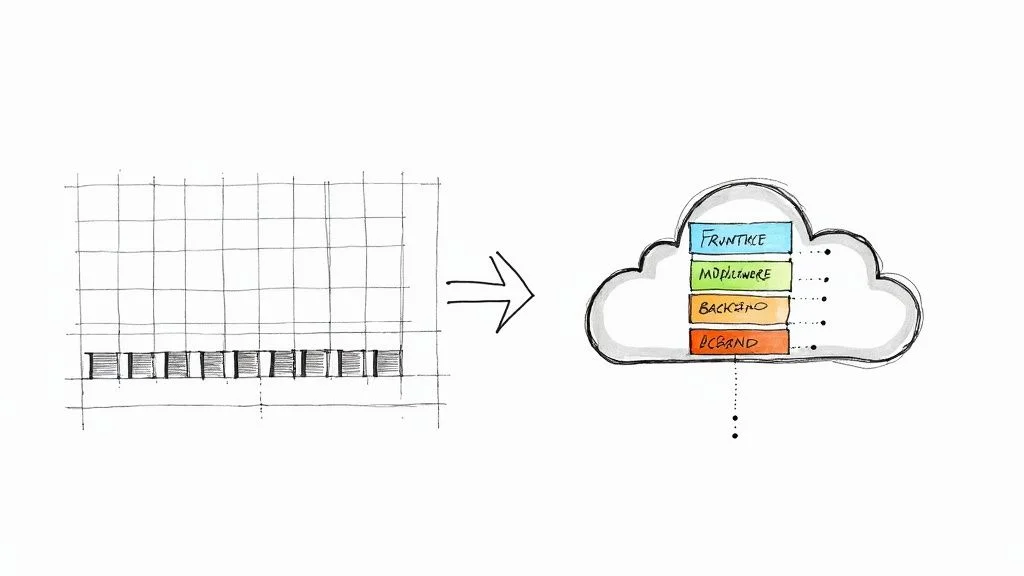
What Is Cloud Computing Architecture Explained
Cloud computing architecture provides the structural framework for cloud services. It defines how physical servers in a data center, software, and networks are configured and connected to operate together. This setup allows for the delivery of resources over the internet. Mastery is essential for professionals building efficient systems.
This knowledge supports those pursuing the AWS Certified Cloud Practitioner or Microsoft Azure Fundamentals certifications. It even assists project managers earning a PMP (when handling cloud-based initiatives). Grasping these principles goes beyond theory; it is a practical requirement. Professionals use this understanding to design, deploy, and manage solutions that scale effectively while remaining cost-effective. Technical expertise ensures that these solutions remain stable and perform well.
The Blueprint for Your Digital World
A skyscraper requires a detailed architectural plan to ensure it remains stable and functional under pressure. Cloud services follow this same logic. Cloud architecture is not simply a collection of various technologies; it is the strategic organization of how every component—including physical hardware and virtualized software—works together to deliver computing power efficiently and reliably. For IT architects and engineers, this design dictates every major decision, from establishing a security posture to building effective disaster recovery strategies.
This broad blueprint is typically divided into two distinct but connected sides. This is similar to a modern application that has a visible user interface supported by powerful, invisible backend systems.
- The Front-End (Client-Side): This is the user-facing part of the system. It includes everything you interact with directly, such as your web browser, mobile applications, or desktop software. It also encompasses command-line interfaces (CLI) that administrators use to manage cloud resources. Essentially, the front-end is the entry point that allows users to access and control cloud-based services.
- The Back-End (Server-Side): This is the engine room of the operation where processing, storage, and networking occur. It consists of physical servers located in data centers, virtual machine instances, databases, and massive storage systems. It also includes the networking hardware and the various software layers that allow the front-end to work. While this side is hidden from the end-user, cloud providers manage it carefully to ensure performance.
Two Sides, One System
The effectiveness of cloud architecture depends on how the front-end and the back-end communicate. This communication usually happens over the internet or a private network. When you upload a file to a service like AWS S3 or Azure Blob Storage through a web portal, your browser sends a request across the network to the back-end. A server then receives this request, identifies the correct storage location, and saves the file. The interaction feels fast because the underlying architecture is designed specifically for this type of responsiveness and speed.
By separating these concerns, architects can update the user interface without disrupting the data processing on the back-end. This separation also allows for better security, as the sensitive data stored in the back-end is shielded from direct public access by the front-end entry points.
Reflection Prompt: Think about a cloud service you use daily, such as a streaming platform or a mobile banking app. Can you identify which parts are the front-end and which services might live in the back-end? How do you think they send data back and forth?
To explore these foundational concepts further, our guide on what cloud computing is provides an excellent starting point.
The real utility of cloud architecture is its ability to pool and distribute large amounts of computing, storage, and networking resources whenever they are needed. This on-demand provisioning creates high levels of efficiency and scaling. It allows organizations of all sizes to use high-performance computing power without the high costs or the labor-intensive work of managing their own physical hardware. This principle of shared resources and flexible allocation is a foundational element of cost optimization and scaling. These concepts are also vital for anyone preparing for the current AWS Certified Solutions Architect exam.
The business world has responded to these advantages with significant investment. In a single recent quarter, global spending on cloud infrastructure reached $107 billion. This was a jump of $7.6 billion from the previous quarter, marking the largest single-quarter increase ever recorded. This rapid growth shows why cloud expertise is a high priority for IT professionals. For a closer look at the data, you can read the full cloud market share analysis on CRN.
Core Components of Cloud Architecture at a Glance
To understand how the front-end and back-end work together, we can look at the specific components that make up a typical cloud system. Knowing these individual parts helps you see how they integrate into a functional whole.
| Component Type | Key Elements | Primary Function | Certification Relevance |
|---|---|---|---|
| Front-End | User Interface (UI), Client-Side Logic | Manages how users interact with the cloud service through an app or browser. | Focuses on user access, authentication methods, and client-side security protocols. |
| Back-End | Servers, Databases, Virtual Machines, APIs | Acts as the processing center that manages data, runs applications, and handles computations. | Central for architects designing systems that must be scalable, fast, and secure. |
| Network | Internet, Intranet, Connectivity Tools | Connects the front and back ends so they can send and receive data. | Involves designing secure connections using VPCs, VPNs, or services like Direct Connect and ExpressRoute. |
| Management | Dashboards, Monitoring Tools, Automation | Provides the tools needed to oversee and control the entire cloud infrastructure. | Relates to monitoring performance, managing budgets, and using automation for operations. |
Key Takeaway: A successful cloud architecture is built to be modular. Each piece should be able to function and scale independently while remaining connected to the others. In the AWS environment, your back-end might use EC2 instances for compute power, RDS for database needs, and S3 for long-term storage. These components communicate within a Virtual Private Cloud (VPC) and are overseen through the AWS Management Console.
You can see these architectural principles in action by looking at existing platforms. For example, the Windows Azure Platform demonstrates how these various components are bundled into a set of services for business use. For IT professionals, learning both the high-level design principles and the specific technical components is necessary to understand how cloud architecture supports everything from simple file storage to large-scale enterprise applications.
How Cloud Service Models Work: IaaS, PaaS, And SaaS
Understanding the blueprint of cloud architecture leads directly to the question of how you use these resources. Cloud service models define the boundary of responsibility between you and your provider. If you are preparing for certifications like the AWS Certified Cloud Practitioner (CLF-C02), you must distinguish between these models and identify their specific trade-offs. The choice you make determines your control over the underlying hardware and the speed at which you can deploy software.
Three main models dominate the industry: Infrastructure as a Service (IaaS), Platform as a Service (PaaS), and Software as a Service (SaaS). A common way to visualize these differences is through the "Pizza as a Service" analogy. Deciding how much of the pizza you want to prepare yourself versus how much you want the restaurant to handle explains the logic of cloud computing.
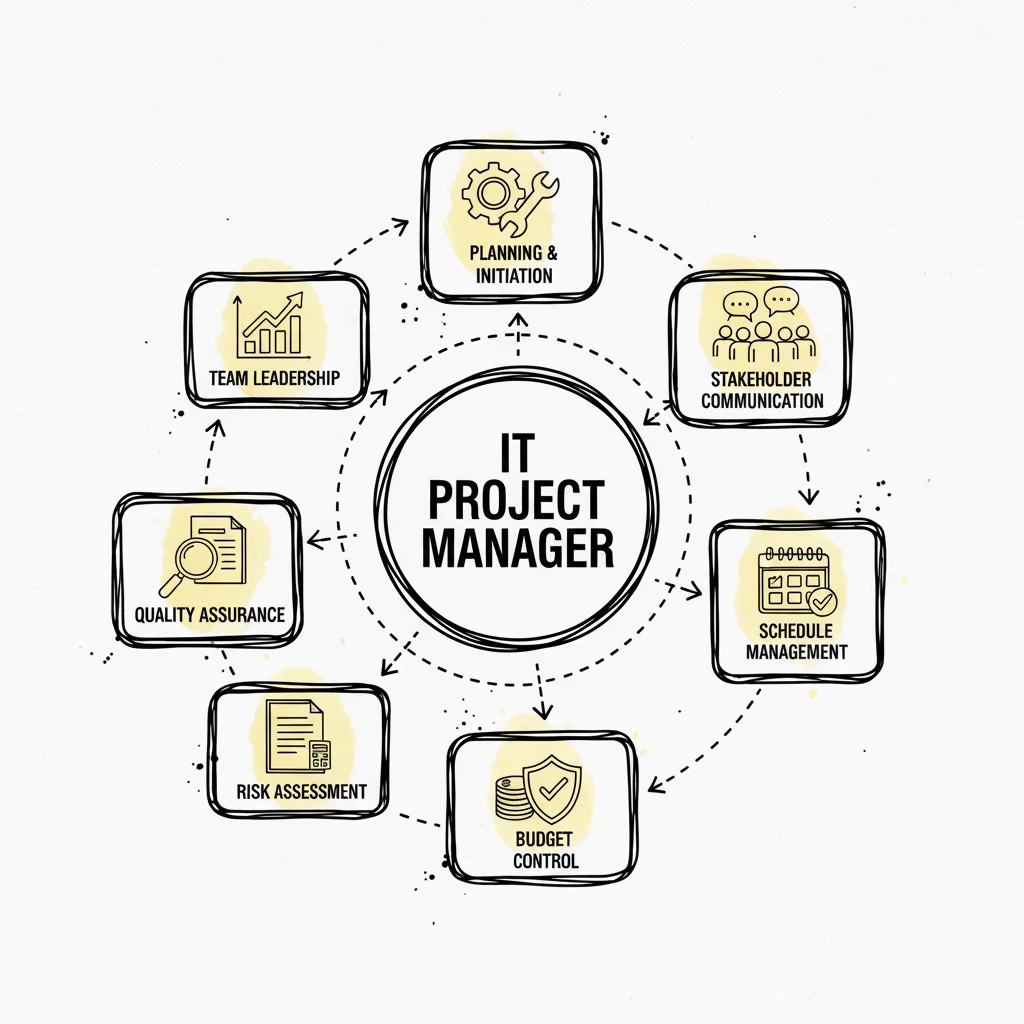
Regardless of the model, the goal is to link user-facing applications to back-end infrastructure. The variable is who manages the layers of the technology stack, such as networking, storage, servers, and virtualization.
IaaS: The DIY Professional Kitchen (Infrastructure as a Service)
Infrastructure as a Service (IaaS) functions like leasing a professional kitchen. The cloud provider offers the essential building blocks. They give you the high-capacity ovens, which represent servers like AWS EC2 instances or Azure Virtual Machines. They provide the walk-in fridges, representing storage solutions like Amazon S3 or Azure Disk Storage. They also manage the gas and water lines, which are the networking capabilities like Virtual Private Clouds (VPC). Once these assets are provisioned, the rest of the work belongs to you.
In this model, you bring your own ingredients, which is your data. You follow your own recipes by creating and managing your applications. You also bring your own tools, including the operating systems, middleware, and runtime environments. IaaS offers the highest level of flexibility and control. This makes it a preferred choice for experienced IT teams, system administrators, and DevOps engineers. It is particularly useful when migrating existing on-premise applications that require specific configurations or when building a highly customized system from the ground up.
- You Manage: You are responsible for the applications, your data, the runtime environments, any middleware, and the entire operating system. This includes tasks like patching the OS, managing security patches for software, and configuring firewalls.
- Provider Manages: The vendor handles the physical infrastructure. This includes the physical servers, hard drives for storage, networking hardware, and the virtualization layer that allows multiple virtual machines to run on a single physical host.
- Best For: IT departments and DevOps teams that need granular control over their environment. It works well for hosting complex legacy applications or performing direct migrations to the cloud where the goal is to replicate a local server environment exactly.
PaaS: The Take-And-Bake Pizza Kit (Platform as a Service)
Platform as a Service (PaaS) acts as a take-and-bake kit. The provider gives you the dough, sauce, cheese, and toppings. In technical terms, the provider manages the underlying infrastructure so you don't have to. This "kit" is a ready-to-use development and deployment environment. The provider takes care of the operating system, server patching, database management, and network configuration. You might use services like AWS Elastic Beanstalk, Azure App Service, or Google App Engine to host your work.
Your main job is to assemble the product. You write the application code and manage the data it generates. Then you place it in the provider’s "oven" by deploying it to their platform. With PaaS, developers can concentrate on coding and building features. They avoid the technical debt of managing server hardware or performing manual software updates on the OS. This model speeds up the development process because the platform automatically handles scaling and high availability.
- You Manage: You focus exclusively on your application code and the data those applications produce. You may also manage some configuration settings related to how the application scales or connects to other services.
- Provider Manages: The vendor handles everything else. This includes the servers, storage, networking, operating systems, runtime environments (like Java, Python, or .NET), middleware, and various development tools.
- Best For: Software developers and engineering teams who need to build, test, and launch software quickly. It is ideal for teams that want to avoid the overhead of infrastructure management and focus on delivering user value through code.
SaaS: The Hot Pizza Delivered (Software as a Service)
Software as a Service (SaaS) represents the highest level of convenience. You order a pizza, and it arrives hot and ready to eat. You do not worry about the kitchen, the ingredients, or the temperature of the oven. You simply consume the final product.
SaaS applications are the software solutions people use every day, such as Gmail, Salesforce, Microsoft 365, or Dropbox. In this model, the cloud provider manages the entire technology stack. They own the infrastructure, the platform, and the application itself. Users access the software through a web browser or a mobile app, usually through a subscription or a per-user fee. There is no software to install on a local server, and updates happen automatically in the background without user intervention.
- You Manage: You manage your user accounts, specific settings within the application, and the data you enter into the system. You have very little control over how the software functions or how the data is stored on the back end.
- Provider Manages: The vendor manages every layer. They handle the network, servers, storage, virtualization, operating systems, middleware, runtime, and the application code itself.
- Best For: End-users and businesses that need a functional, off-the-shelf solution. It is the best choice when you need a specific tool—like an email client or a customer relationship management (CRM) system—but do not want to manage any technical infrastructure.
The following table visualizes the division of responsibilities. It compares the different cloud models against a traditional on-premise setup. This comparison is a central concept in many cloud certification exams because it highlights the shift from owning hardware to consuming services.
IaaS vs PaaS vs SaaS: A Responsibility Breakdown
| Managed Component | On-Premise | IaaS | PaaS | SaaS |
|---|---|---|---|---|
| Applications | You | You | You | Provider |
| Data | You | You | You | Provider |
| Runtime | You | You | Provider | Provider |
| Middleware | You | You | Provider | Provider |
| Operating System | You | You | Provider | Provider |
| Virtualization | You | Provider | Provider | Provider |
| Servers | You | Provider | Provider | Provider |
| Storage | You | Provider | Provider | Provider |
| Networking | You | Provider | Provider | Provider |
Moving from on-premise to SaaS involves a trade-off. You give up granular control over the system configuration to gain simplicity and speed. In an on-premise environment, you are responsible for the physical security of the server room and the cables in the walls. In a SaaS model, you are only responsible for who has a password to the account.
Reflection Prompt: Suppose you are advising a startup with a very small IT staff that wants to launch a new web application quickly. Which cloud service model would you recommend? If that same startup needed to migrate a legacy database that only runs on a specific, older version of Linux, would your recommendation change?
Current market data reveals an interesting trend in how businesses adopt these models. While IaaS is growing at a fast rate and currently holds 26% of the market share, SaaS remains the leader in total revenue. SaaS is projected to generate $390.5 billion globally as more businesses shift their core operations to managed software.
Selecting the right service model is a foundational step in any cloud strategy. For IT professionals, a deep understanding of these models ensures that technical decisions support business objectives. To strengthen your understanding, review our guide on the three main types of cloud computing.
Choosing Your Cloud Environment: Public, Private, and Hybrid
Once you decide how to use the cloud through service models like IaaS, PaaS, or SaaS, you must determine where your applications and data will reside. This choice involves three primary deployment models: public, private, and hybrid. Each model offers a different balance of cost, control, and security. Your choice here defines your architectural strategy and dictates how your team manages resources on a daily basis.
Selecting a cloud environment is like picking a physical property for a business. Every option has specific rules, benefits, and maintenance costs. Cloud architects use these models to match organizational workloads with the right level of privacy and speed, ensuring that the infrastructure meets both technical and legal requirements.
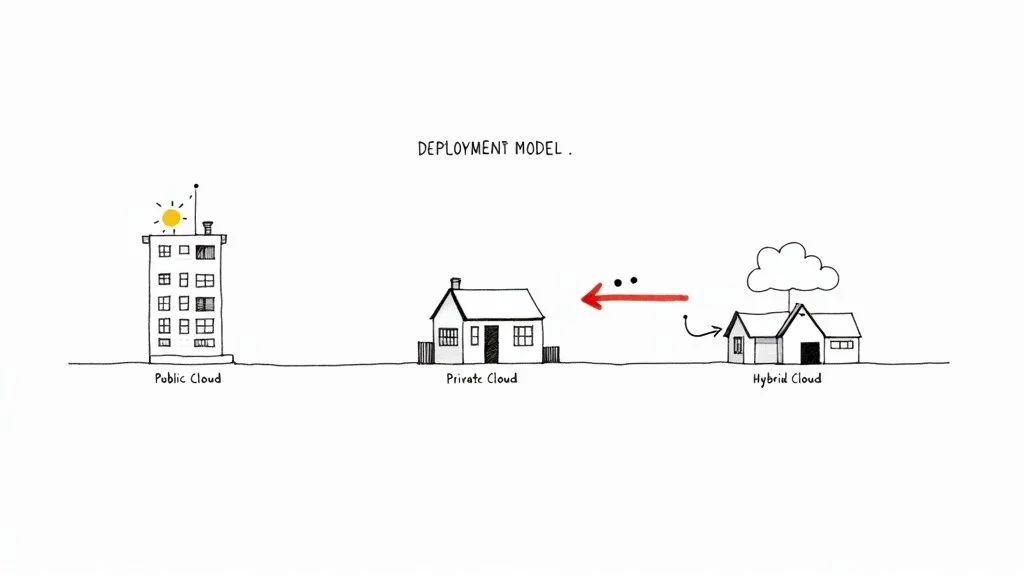
The following sections explain what each environment offers for IT professionals and their organizations.
The Public Cloud: A Feature-Rich Apartment Complex
The public cloud functions like a massive, modern apartment complex. Global providers like Amazon Web Services (AWS), Microsoft Azure, and Google Cloud own and manage the entire infrastructure. This includes the physical data centers, the thousands of servers, and the high-speed networking cables. As a tenant, you rent specific resources—your virtual apartment—and use shared amenities like security protocols, databases, and content delivery networks.
This setup is highly cost-effective because it uses a pay-as-you-go model. You pay for the storage and processing power you use, much like paying a monthly utility bill. Public clouds offer high levels of scalability and elasticity. You can add more virtual servers to handle a busy weekend and turn them off Monday morning to save money. This removes the need for large capital investments in hardware.
However, you share the underlying physical hardware with other companies. You do not have direct control over the physical servers and must follow the provider’s operational rules. Security is handled through a shared responsibility model: the provider secures the hardware and the virtualization layer, while you remain responsible for securing the data and applications you place there.
Ideal Use Cases:
- Web applications: Host websites and services that must scale quickly to meet global user demand.
- Development and testing: Create temporary environments to test new code without buying permanent hardware.
- Unpredictable workloads: Manage applications with traffic that fluctuates sharply throughout the year.
- Disaster recovery: Store backup data in a different geographic region for a lower price than building a second physical data center.
The Private Cloud: Your Own Custom-Built Estate
A private cloud is similar to owning a custom-built house or an entire gated estate. It is a cloud environment used exclusively by one organization. You can host a private cloud in your own physical data center or pay a third-party vendor to host it on dedicated hardware just for you. The key is isolation; no other organizations share your computing resources or bandwidth.
This model provides high levels of control and customization. It is the standard choice for industries with strict regulatory requirements, such as those following HIPAA or PCI DSS rules. If you have sensitive data or specific architectural needs that a public provider cannot meet, the private cloud offers a solution. While this model gives you total authority over the software and hardware stack, it also brings the highest cost. You are responsible for buying the hardware, managing the power and cooling, and maintaining the virtualization software.
Private clouds provide high security and customization. They are often the choice when data sovereignty and strict compliance are mandatory, ensuring that sensitive information remains completely separated from other organizations.
Ideal Use Cases:
- Financial institutions: Manage sensitive transactions and customer records in a completely isolated environment to prevent data leaks.
- Government agencies: Meet national security and data residency requirements that forbid storing information on shared hardware.
- Healthcare providers: Ensure patient records stay within a strictly controlled and audited infrastructure.
- Legacy applications: Run older software that requires specific hardware configurations not found in standard public clouds.
The Hybrid Cloud: The Best of Both Worlds
A hybrid cloud is a strategy that combines public and private clouds into one connected system. You keep your most valuable assets in a secure private environment while using a public cloud for large-scale, less sensitive projects. You keep sensitive data and core apps in your private cloud for security, but you use the public cloud for tasks that need massive scale, like data analytics or handling seasonal shopping spikes.
This model allows a company to find a balance between security and cost. It provides the isolation of a private cloud for regulated tasks and the power of the public cloud for everything else. This flexibility makes the hybrid model a standard for many modern companies that cannot move everything to the internet at once.
Current data supports this shift. Cloud architecture is now part of almost every business, with 96 percent of companies using at least one public cloud. Furthermore, 90 percent of organizations expect to use hybrid cloud models in the future. These numbers show that a single-cloud approach is becoming less common. You can explore more cloud computing statistics on Spacelift to see how these trends are moving across various industries.
Many organizations also use a multi-cloud strategy. This means using services from several public cloud providers at once. For example, a company might use AWS for its web servers, Azure to integrate with Microsoft productivity apps, and Google Cloud for machine learning. This approach avoids being locked into one vendor and lets teams pick the most effective service for each specific task. It also provides a safety net; if one provider has an outage, parts of the business can keep running on another.
Key Takeaway for IT Professionals: Architects often use hybrid or multi-cloud designs to balance costs, performance, and legal requirements. Learning to connect and manage workloads across these different environments is a vital skill for those pursuing certifications like the AWS Certified Solutions Architect or Azure Architect Expert. Professionals should be ready to design systems that move data between these clouds securely and efficiently.
The Hallmarks Of A Well-Designed Cloud Architecture
While understanding cloud models and service types provides the foundation, what separates a basic cloud setup from a professional-grade environment? A well-designed cloud architecture is not just a collection of migrated online resources. Instead, it is a system engineered for resilience, efficiency, and cost control. For IT professionals preparing for advanced certifications, these hallmarks represent the practical application of design theory in real-world scenarios.
The difference between a standard production car and a high-performance vehicle illustrates this well. Both provide transportation, but the high-performance model is built for reliability, speed, and safety during extreme stress. A reliable cloud architecture follows a similar logic. It uses specific structural pillars to ensure the system handles traffic spikes and hardware failures without crashing. These criteria are non-negotiable. They act as a checklist for architects evaluating an environment to ensure it can stay operational as business requirements change.
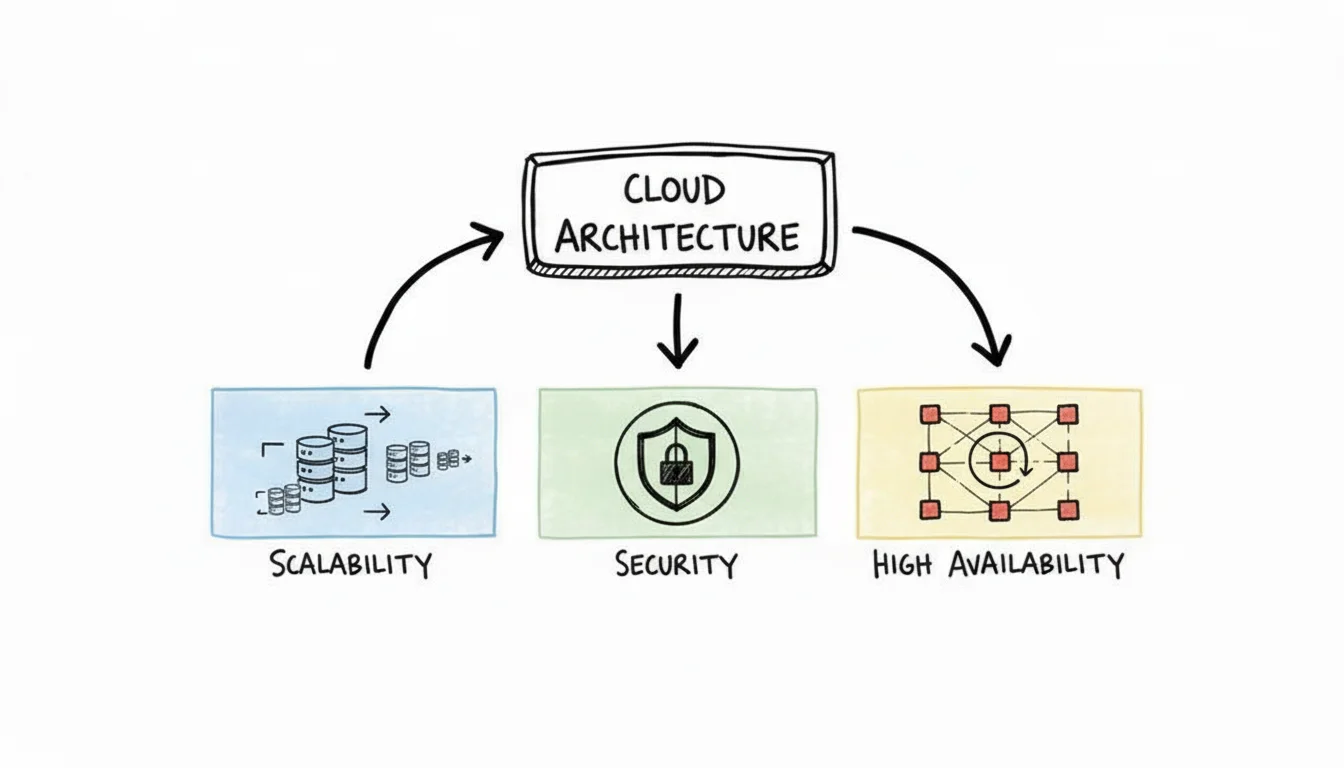
Built To Grow Instantly: Scalability and Elasticity
The ability to adapt to changing demand is a primary reason organizations move to the cloud. This adaptability relies on scalability and elasticity, which are distinct but related concepts.
- Scalability: This is the capacity to handle more work by adding resources over time. It focuses on long-term growth. If an e-commerce platform increases its customer base by 20% every month, the architecture must support that growth. Scalability is usually handled in two ways. Vertical scaling involves adding more power to an existing resource, such as increasing the RAM or CPU of an AWS EC2 instance or an Azure VM. Horizontal scaling involves adding more individual units to the system, such as launching ten additional web servers to share the load across a cluster.
- Elasticity: This is the ability to automatically expand or shrink resources based on immediate, short-term demand. While scalability is about growth, elasticity is about fluctuation. For example, a sports news site might see traffic jump from 1,000 users to 1,000,000 users during a championship game. An elastic system uses tools like AWS Auto Scaling Groups or Azure Scale Sets to add capacity instantly. When the game ends and traffic drops, the system removes those extra servers. This ensures you only pay for the capacity used during the surge, preventing unnecessary spending on idle resources.
Designed For Uptime And Resilience: High Availability and Fault Tolerance
Effective cloud architecture assumes that hardware and software will eventually fail. Instead of trying to prevent every possible error, architects design for high availability and fault tolerance. These principles ensure services remain online even when individual components stop working.
High Availability (HA) is a system design principle that guarantees a specific level of operational uptime, often measured in "nines." For instance, "four nines" (99.99% uptime) means a service can only have about 52 minutes of downtime per year. HA is achieved through redundancy—duplicating key components across different failure zones, such as AWS Availability Zones or Azure Availability Zones. If one server or data center fails, an automatic failover mechanism redirects traffic to a healthy resource. This reduces the risk of a total service outage.
Fault Tolerance takes this resilience a step further. While high availability tries to keep downtime to a minimum, fault tolerance seeks to eliminate it entirely. A fault-tolerant system is built to experience zero service interruption and zero data loss, even if a major component fails. This often requires active-active configurations, where two identical systems run simultaneously and mirror data in real-time across different geographic regions. Because it requires double the resources and specialized configuration, fault tolerance is more expensive and complex than high availability, but it is necessary for mission-critical applications where even a few seconds of downtime is unacceptable.
A Secure Foundation And A Recovery Plan: Security and Disaster Recovery
No cloud system is complete without a plan for data protection and recovery from major outages. Security and disaster recovery are essential parts of any architecture, and they appear frequently in certification exams as non-negotiable requirements.
- Security: Protection must be part of the design from the start, not something added later. A well-built system uses network firewalls, such as AWS Security Groups or Azure Network Security Groups, to control traffic. It includes encryption for data while it is stored and while it moves across the network. Identity and Access Management (IAM) policies ensure that only authorized users can touch specific data. A core part of this is the Shared Responsibility Model. This model clarifies that the provider (like AWS, Google, or Microsoft) secures the physical infrastructure, while the customer secures their own data, applications, and operating systems.
- Disaster Recovery (DR): This is the strategy for recovering from large-scale catastrophes, such as a natural disaster taking out an entire data center region. While high availability covers small failures, DR covers total site loss. A DR plan involves replicating applications and data to a geographically distant region. If the primary region goes dark, the organization uses documented procedures to fail over to the backup site. Effective DR ensures business continuity and minimizes data loss after a major incident.
These principles are not just abstract ideas; they form a checklist for building and assessing cloud systems. Providers like AWS have organized these concepts into the AWS Well-Architected Framework. This framework helps architects optimize for reliability, security, and cost. You can learn more about this in the AWS Well-Architected Framework guide.
Building an effective cloud architecture also requires monitoring the bottom line. For help managing and reducing your cloud spend, see the guide on understanding cloud cost optimization. Each of these hallmarks—scalability, availability, and security—must work together to support the needs of the business without overextending the budget. When these pillars are in place, the architecture can grow and adapt to any challenge.
The Future of Cloud Architecture and Emerging Trends
Cloud computing architecture does not remain in a fixed state. As hardware and software progress, the methods used to distribute and manage computing power change to meet new requirements. For IT professionals, keeping up with these changes is a necessity to remain competitive. Understanding where the next set of cloud solutions will come from allows engineers to build better systems and anticipate market needs. Currently, three major movements change how architects design these systems: serverless computing, edge computing, and the integration of artificial intelligence and machine learning. These shifts solve specific problems regarding speed and efficiency across digital networks. They represent a transition in how organizations build and run software, moving away from manual resource management toward automated, intelligent systems.
The Rise of Serverless Computing
Developers can now build and run applications without the need to manage the servers that host them. This is the main benefit of serverless computing. Despite the name, servers are still involved in the process, but the cloud provider manages all the hardware and resource allocation. Instead of setting up virtual machines or managing container clusters, developers write code in the form of specific functions. Cloud providers like AWS Lambda, Azure Functions, and Google Cloud Functions run these functions when a specific event happens, such as a user clicking a button or a file being uploaded to a database. The provider handles all the background work, including server provisioning, scaling to meet demand, and applying security patches.
This setup allows development teams to spend their time on core application features rather than infrastructure maintenance. The cost model is also different from traditional cloud hosting. Serverless uses a pay-as-you-go system that charges users only for the exact amount of time the code is running. This measurement often goes down to the millisecond. This pricing model removes the cost of paying for idle server space when no one is using the application. It is useful for applications with uneven traffic or event-driven tasks where demand spikes suddenly. By removing the need to manage infrastructure, serverless models simplify the development cycle and reduce the amount of manual operational maintenance.
Serverless architecture removes the infrastructure layer from the developer's view, allowing a focus on shipping code. It marks a change from managing machines to managing functions, which simplifies the development lifecycle and reduces the amount of manual operational work.
Bringing Computation to The Edge: Edge Computing
Edge computing changes the centralized cloud model by moving data processing closer to the actual source of the data. In traditional cloud setups, data travels over a long distance to reach a central data center for processing. With edge computing, that work happens at the "edge" of the network. This edge could be a sensor on a machine, a smart camera in a store, a point-of-sale terminal, or a computer inside a vehicle. Moving the processing closer to the device reduces latency and lowers the amount of bandwidth needed to send data back and forth.
Speed is the main reason for this shift. Some applications require responses in real-time and cannot wait for data to travel to a distant server. For example, an autonomous vehicle cannot wait to send sensor data to a remote data center for instructions; it needs to process that data locally to make driving decisions in milliseconds. Edge computing provides the localized power to make those calculations possible.
You can see edge computing in several practical areas:
- Internet of Things (IoT): Devices like industrial sensors and smart city hardware use tools like AWS IoT Greengrass or Azure IoT Edge to process data on the spot for immediate action.
- Augmented Reality (AR) & Virtual Reality (VR): These systems require very fast processing to maintain a smooth experience where digital images stay synced with the movements of the user.
- Telecommunications: 5G networks use edge resources to place computing power closer to the user, which supports applications that need very low delay.
By using these local resources, organizations can keep their systems responsive even when the main network connection is congested or slow.
The Integration of AI and Machine Learning
Cloud platforms are no longer just places to store data or host websites. They have become intelligent systems that offer advanced services. The biggest cloud providers now offer managed Artificial Intelligence (AI) and Machine Learning (ML) tools that are ready for immediate use. These services allow businesses to add smart features to their applications without building complex algorithms from the ground up.
Tools such as AWS SageMaker, Azure Machine Learning, and Google AI Platform provide the tools needed to build, train, and deploy models. Organizations use these to add image recognition, natural language processing, and predictive analytics to their software. This allows for the creation of smart chatbots and recommendation systems without the need for a large team of specialized data scientists. This availability of AI tools is changing how industries operate by making it easier to build applications that learn from data. These managed services provide the infrastructure and the software frameworks necessary to turn raw data into useful predictions or automated actions.
Your Top Cloud Architecture Questions, Answered
Learning cloud architecture often feels like acquiring a new language. It is full of technical terms and complex concepts. IT professionals must connect theoretical models to practical applications to succeed in the field. This section provides direct answers to common questions that arise during this process. These answers will help you make more informed technical decisions as you work with different cloud systems.
The following Q&A addresses specific points often found in certification exams. Use these explanations to clarify the relationship between different cloud components and service models.
What's The Difference Between Cloud Architecture And Cloud Infrastructure?
This is a fundamental distinction in the field. The best way to understand the difference is to compare a strategic design plan to the physical materials used in construction.
Cloud architecture refers to the high-level design and strategic plan. This design defines how services, applications, databases, security measures, and networks function together. The goal of the architecture is to meet specific business objectives. A cloud architect defines these design principles. They focus on the logic behind the system and how various components interact. The architecture explains why the system is built a certain way and how it achieves reliability and performance. It serves as the conceptual framework for the entire environment.
Cloud infrastructure consists of the physical and virtual resources that execute the architectural plan. This includes the actual hardware, such as physical servers, storage drives, routers, and switches. It also includes the virtualization software, like hypervisors, that allows these physical resources to be divided into virtual ones. Infrastructure is the technical layer that provides compute power and storage capacity. If architecture is the plan for organizing resources, infrastructure is the collection of resources being organized. You need both to build a functional system, but they serve different purposes in the development lifecycle.
How Do I Choose The Right Cloud Service Model For My Business?
Deciding between IaaS, PaaS, and SaaS involves a trade-off. You must balance the need for control and customization against the desire to reduce operational management. For IT leaders, this choice affects team skill requirements, monthly costs, and how fast a company can release new software.
- Go with IaaS (Infrastructure as a Service) when you need high levels of control. This model is best for experienced DevOps teams. They might need to build custom environments or migrate legacy systems that cannot be changed. This is often called a lift-and-shift migration. You rent the raw compute power and storage, then install your own operating systems and middleware. You are responsible for patching the OS and securing the application data, but you have the most freedom to configure the system to your specific needs.
- Opt for PaaS (Platform as a Service) when your goal is to speed up application development. PaaS removes the need to manage underlying servers, operating systems, and databases. The provider gives your developers a ready-to-use environment where they can simply write and deploy code. This model is efficient for microservices and modern web applications. It allows your team to focus on the application logic rather than server maintenance or hardware scaling.
- Choose SaaS (Software as a Service) when you need a functional application that works immediately. The provider manages the entire technology stack, including the software itself. Common examples include CRM tools like Salesforce, email services like Microsoft 365, or project management software. With SaaS, you access the software over the internet. Your team does not handle updates, security patches, or backend infrastructure. This frees your staff to focus on business tasks rather than software maintenance.
The right model depends on where you want your IT staff to spend their time. Moving from IaaS to SaaS means you trade configuration control for convenience. This allows your team to work on activities that provide more direct value to the business.
Is A Multi-Cloud Strategy Always Better Than A Single-Cloud One?
This is a complex question that architects must consider carefully. A multi-cloud strategy involves using services from more than one public cloud provider, such as AWS and Google Cloud. Many organizations use this approach to avoid vendor lock-in. It allows them to choose the best services from different providers for specific tasks. It can also increase resilience, because a failure in one provider’s data center does not necessarily take down the entire system.
However, using multiple clouds adds significant complexity. Your team must manage different security protocols, billing structures, and API requirements for each provider. This requires a high level of expertise and strict governance. For many small to medium-sized companies, a single-cloud strategy is often better. It is usually more cost-effective and much easier to manage. Training is simpler when your staff only needs to master one platform. The best approach depends on your company's size, the skills of your IT staff, and your specific technical requirements. You must weigh the benefits of diversification against the costs of increased administration and potential data egress fees.
Ready to master these concepts and prove your expertise? MindMesh Academy offers expert-curated study guides and evidence-based learning tools to help you pass with confidence and advance your career. Start your learning at MindMesh Academy.
Ready to Get Certified?
Prepare for your next certification at MindMesh Academy with study guides, practice exams, and spaced repetition flashcards:

Written by
Alvin Varughese
Founder, MindMesh Academy
Alvin Varughese is the founder of MindMesh Academy and holds 20 professional certifications including Microsoft Agentic AI Business Solutions Architect, AWS Solutions Architect Professional, and Azure DevOps Engineer Expert. He's held senior engineering and architecture roles at Humana (Fortune 50) and GE Appliances. He built MindMesh Academy to share the study methods and first-principles approach that helped him pass each exam.