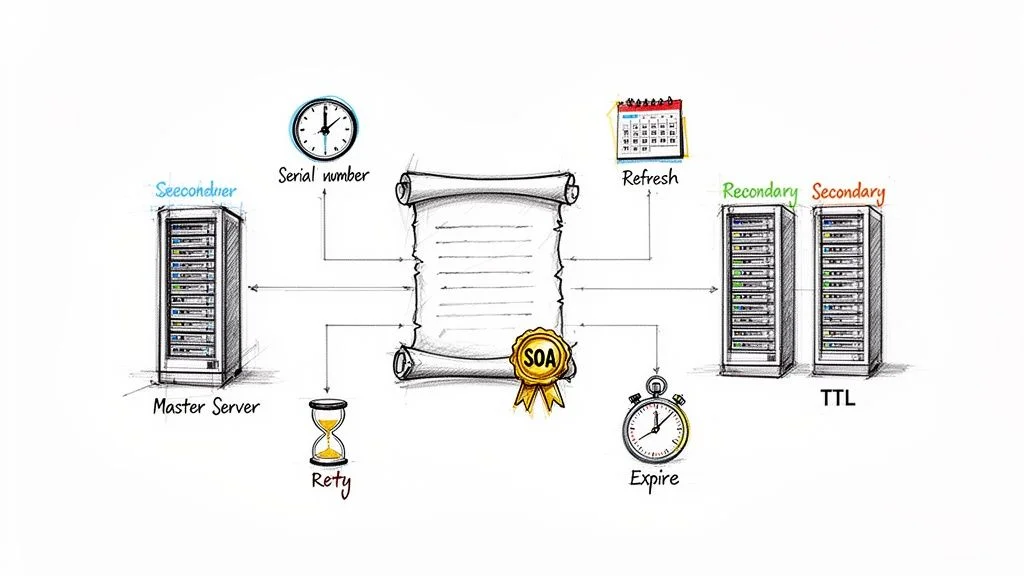
Mastering the SOA Record in DNS A Definitive Guide
Mastering the SOA Record in DNS: Your Definitive Guide for IT Professionals
A Start of Authority (SOA) record serves as the primary administrative entry for any DNS zone. For IT professionals preparing for certifications like the AWS Certified Advanced Networking – Specialty or the Microsoft Azure Administrator (AZ-104), mastering the SOA record is mandatory. This record acts as the digital birth certificate and master rulebook for your domain. It identifies which server holds the authoritative version of your zone file and sets the standards for how other servers distribute your DNS data across the internet.
Without a correctly configured SOA record, your DNS zone is dysfunctional. This record is the foundational piece that validates your domain's presence. It ensures that secondary name servers know when to update and how long to cache information.
The Unsung Hero of Your Domain's Reliability
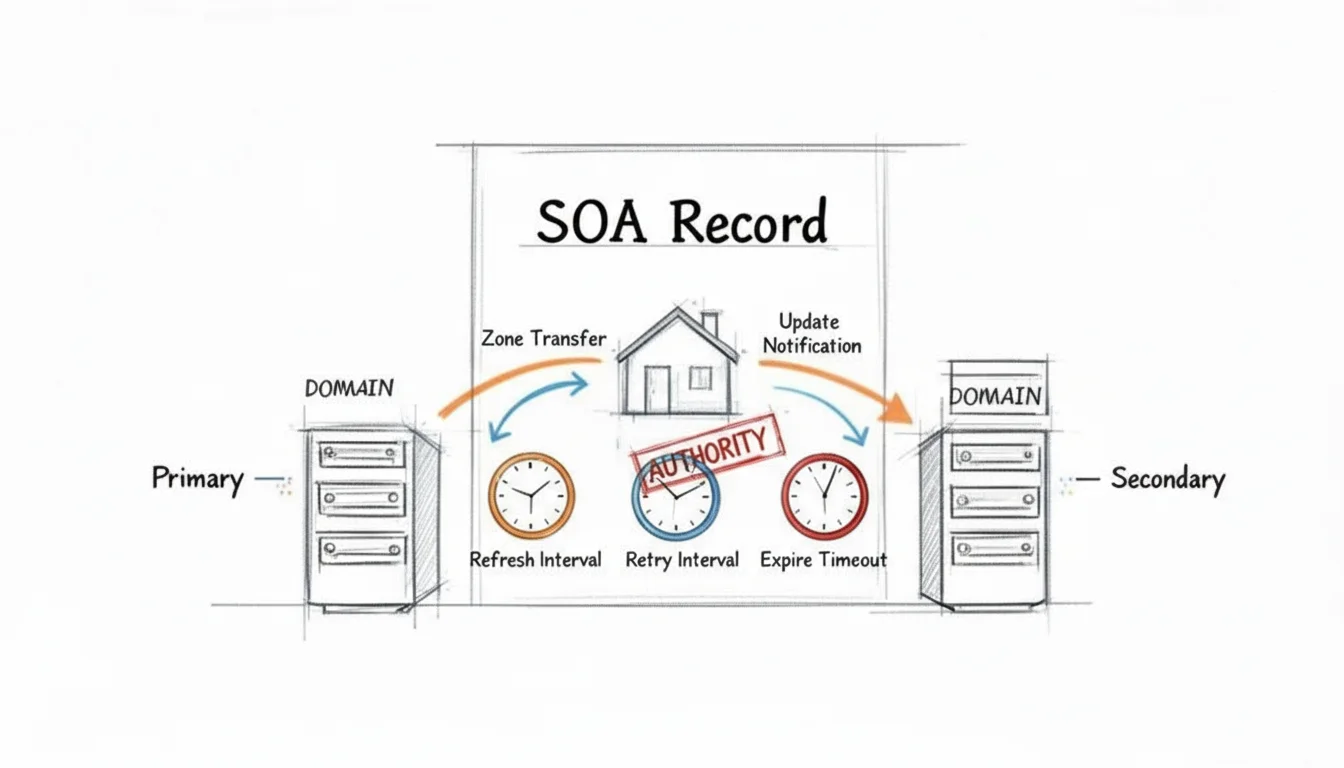 This diagram illustrates how the SOA record facilitates reliable DNS synchronization, ensuring consistency across your domain's nameservers.
Records like A, MX, and CNAME usually receive the most attention because they direct user traffic to websites, email servers, and cloud services. However, the Start of Authority (SOA) record is the engine operating in the background. It provides the administrative framework that makes all other DNS functions possible. Without this record, a DNS zone cannot function properly. It acts as the anchor for the entire zone file. It provides the instructions that all other servers must follow to stay in sync.
Compare your domain's DNS zone to a specific property in a city. The SOA record serves as the official deed and the building code for that property. It identifies the owner, which is the primary nameserver, and lists an emergency contact. This contact is the administrator's email address. The record also sets the rules for how secondary DNS servers stay updated. Just as a building requires a deed to be recognized by the city, a DNS zone requires an SOA record to be recognized as a valid part of the global internet.
Why This Single Record Is Absolutely Essential
To understand the necessity of the SOA record, you have to look at how different DNS entries work together. You might frequently add or change other record types to meet operational needs. For example, you might add a CNAME for a new CDN or update an A record during a server migration. While those records change, the SOA record remains a constant. Its presence validates a collection of records. It turns them into an authoritative "zone" that other servers on the internet can trust.
This record handles several specific responsibilities that keep your domain operating consistently worldwide.
- Declaring the Source of Truth: The record officially identifies the primary nameserver for the zone. This establishes one authoritative source for all DNS data. By doing this, it prevents conflicting information from circulating across different servers. It ensures all updates come from a single, controlled location, even if you use multiple secondary servers to handle high traffic volumes.
- Controlling Zone Synchronization: The record contains specific timers—Refresh, Retry, and Expire—that dictate how secondary DNS servers behave. These timers tell "slave" servers how often to check for updates. They also define how long to wait before retrying if a check fails. Critically, they set the expiration period. This is the point when a secondary server should stop serving data if it cannot reach the primary server for an extended time.
- Managing Updates: Every SOA record includes a version number called a serial number. This number acts as the trigger for the zone update process. When you change your DNS settings and increment this number, it signals to servers across the internet that new data is available. Without a change in the serial number, secondary servers will continue to serve old, cached data, ignoring your updates.
The following table highlights how these core functions impact your network operations:
SOA Record At a Glance
| Core Function | What It Controls | Why It Matters for You |
|---|---|---|
| Zone Authority | Declares the primary "master" nameserver for the zone. | Establishes a single source of truth to prevent conflicting DNS information. This is vital for maintaining domain integrity across cloud providers like AWS Route 53 or Azure DNS. |
| Zone Synchronization | Manages how and when secondary servers retrieve updates. | Ensures that changes to your DNS, such as updating an IP for a new EC2 instance or an Azure VM, propagate reliably to all caching servers globally. This prevents users from being directed to inactive IP addresses. |
| Administrative Contact | Specifies an email address for the domain administrator. | Provides a technical contact for automated systems or other administrators to report zone-related issues. This supports the IT service management (ITSM) principles taught in ITIL certifications. |
| Cache Management | Defines a default TTL for records without an explicit one. | Controls how long DNS resolvers cache your domain's information. This affects how quickly changes appear worldwide and determines how efficiently your DNS infrastructure handles incoming queries. |
The SOA record is more than just a line of text in a file. It is the control panel for the health and consistency of your domain.
The SOA record is the foundation of DNS zone integrity. Every single DNS zone must contain exactly one SOA record. This makes it a 100% mandatory component for all domain operations. Secondary servers cannot synchronize data from a primary server without it, which would cause your domain to become unavailable if the primary server fails.
For IT professionals, particularly those preparing for technical certifications, understanding the SOA record is a requirement. This knowledge is necessary for managing DNS in complex environments, such as those described in our MindMesh Academy guide to DNS in VPCs with Route 53 Resolver. That guide explains everything from basic setups to the advanced configurations needed to pass exams and perform in high-level technical roles. Whether you are working with on-premises servers or cloud architecture, the logic of the SOA record remains a requirement for a healthy network.
Breaking Down the SOA Record, Field by Field
An SOA record serves as the authoritative source of administrative data for a DNS zone. It functions as the zone's official registry and operational manual. Configuring these fields correctly is required for a stable DNS environment. This applies whether you are managing global infrastructure or preparing for certifications like CompTIA Network+ (N10-009) or the CCNA. Misconfigured SOA fields often lead to propagation delays, zone transfer failures, and intermittent resolution errors that are difficult to diagnose without a firm grasp of these components.
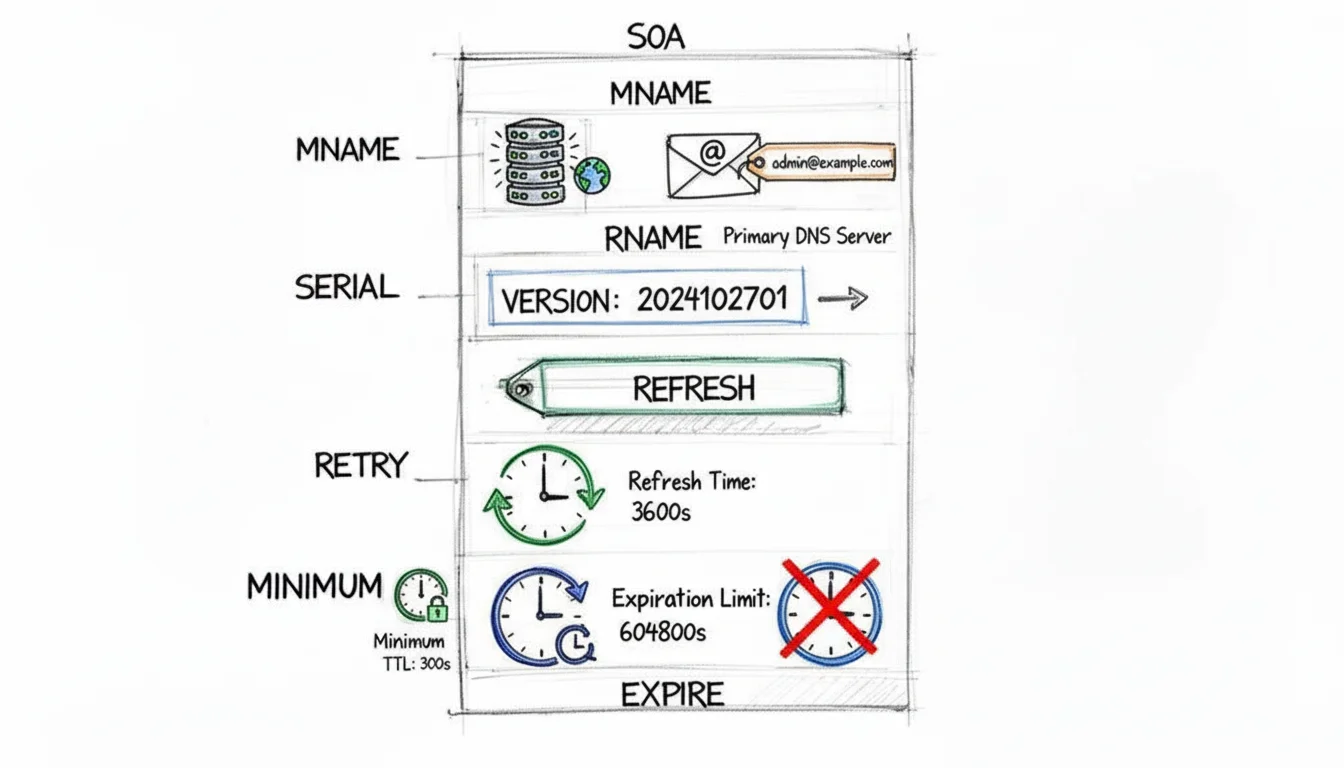 This visual breakdown highlights the seven distinct fields within an SOA record, each playing a crucial role in domain administration.
The following analysis details the function and technical requirements of each field.
MNAME: The Primary Source of Truth
The MNAME (Master Name Server) field identifies the primary authoritative nameserver for the zone. This server contains the original version of the zone file where all manual or automated updates occur. In cloud environments, this typically points to an internal hostname provided by services like AWS Route 53 or Azure DNS.
While many modern DNS setups use multiple "primary" servers in a multi-master configuration, the SOA record still requires one specific MNAME. This server acts as the point of origin for zone transfers. When you add a new record or modify an existing IP address, the MNAME server processes the change first. All secondary nameservers—often called "slave" or "consumer" servers—reference the MNAME server to synchronize their data.
In some advanced architectures, administrators use a "hidden master." This is a primary server that is not listed in the public NS records. It serves as the source of truth for public-facing secondary servers but remains protected from direct public queries. Even in this scenario, the MNAME field must accurately reflect the primary source to ensure the zone remains functional and updates can be pushed via NOTIFY messages (RFC 1996).
RNAME: The Go-To Contact for Problems
The RNAME (Responsible Person) field provides the email address of the administrator or team managing the DNS zone. It acts as a technical contact point for ISPs, other network administrators, and automated monitoring systems that detect issues with your domain. If a configuration error causes a loop or excessive traffic, the RNAME is where notifications are sent.
The formatting of this field follows a specific convention defined in RFC 1035. The "@" symbol used in standard email addresses is replaced with a period. For example, admin@example.com is written as admin.example.com. within the record. If the local part of the email address contains a period, such as dns.admin@example.com, that period must be escaped with a backslash. It would appear as dns\.admin.example.com..
Failure to follow this formatting can lead to parsing errors in DNS management tools. Every RNAME entry must also end with a trailing dot to signify a fully qualified domain name. This level of detail is necessary for tasks such as when you configure Azure DNS zones and record sets during AZ-104 exam preparation.
SERIAL: The Zone's Version Number
The SERIAL number is the primary mechanism used by nameservers to determine if a zone file has been updated. It is a version counter for the entire zone. Every time a change is made—whether adding an A record, updating an MX record, or modifying a TXT record—the serial number must be increased.
Secondary nameservers check this value against their local copy. If the serial number on the MNAME server is higher than the version held by the secondary server, the secondary server knows it must initiate a zone transfer (AXFR or IXFR) to pull the new data. If an administrator fails to increment this number, the changes made to the primary server will not propagate to the secondary servers. This results in "stale" data being served to users, which can cause service outages if a record points to a decommissioned IP address.
Most administrators use the YYYYMMDDNN format. In this system, the first eight digits represent the date (Year, Month, Day) and the last two digits represent the revision number for that specific day. For example, 2024052101 indicates the first update on May 21, 2024. Alternatively, some systems use a simple Unix timestamp.
An SOA record’s serial number is a 32-bit unsigned integer. It has a maximum value of 4,294,967,295. Because of how DNS handles serial number comparisons (RFC 1982), the system uses "Serial Number Arithmetic." This allows the number to wrap around to zero after reaching its maximum value while still being recognized as "greater than" the previous high value, provided the jump is not too large.
Reflection Prompt: If you deploy a new web server and update your DNS records but forget to increment the SOA serial number, your primary server will show the new IP, but your secondary servers will continue to point to the old one. This causes intermittent connection failures for users. What would be the most effective way to verify which nameserver is serving the outdated record?
REFRESH, RETRY, and EXPIRE: The Synchronization Timers
These three fields control the timing of communications between primary and secondary nameservers. They define how persistent secondary servers should be when trying to maintain an up-to-date copy of the zone. All values are expressed in seconds.
- REFRESH: This timer sets the interval at which a secondary server queries the primary server's SOA record to check for a serial number increase. A value of
3600(1 hour) is common for active zones, while86400(24 hours) might be used for static zones. - RETRY: This value defines how long a secondary server waits before trying again if the initial refresh attempt fails. If the primary server is unreachable due to a network outage, the secondary server uses this shorter interval to re-establish contact. A typical value is
600(10 minutes) or1800(30 minutes). - EXPIRE: This is the limit for how long a secondary server can continue to serve its current data without a successful refresh from the primary. If this time limit is reached without contact, the secondary server considers its data unreliable and stops answering queries for the zone. This prevents the distribution of dangerously outdated information. This value is usually high, such as
604800(7 days) or2419200(28 days).
Setting these timers involves a trade-off. Low values ensure fast propagation of updates but increase the load on the primary server and consume more bandwidth. High values reduce overhead but can lead to long periods of inconsistency if a primary server goes offline. Professional network management involves finding the specific balance required for your organization's uptime requirements.
MINIMUM: The Negative Caching TTL
The MINIMUM field is often misunderstood because its definition changed between RFC 1035 and RFC 2308. In modern DNS, this field defines the "Negative Caching TTL." It specifies how long a DNS resolver should remember a "no-record" response.
If a user tries to access test.yourdomain.com and that record does not exist, your nameserver returns an NXDOMAIN response. The MINIMUM value tells the user's local resolver (or their ISP's resolver) to cache that "does not exist" answer for the specified duration.
This prevents the resolver from asking your nameserver the same question repeatedly in a short timeframe. Without negative caching, a surge in queries for non-existent subdomains—either through user error or a malicious denial-of-service attack—could overwhelm your infrastructure. A common value is 3600 (1 hour), though some high-traffic environments reduce this to 300 (5 minutes) to allow for faster recovery if a record is accidentally deleted.
SOA Field Breakdown and Recommended Values
The table below summarizes the fields and provides guidance on standard settings used in the industry. Adhering to these values helps prevent common configuration errors that lead to DNS instability.
| Field Name | Purpose Explained | Common Values | Impact of Misconfiguration |
|---|---|---|---|
| MNAME | The Fully Qualified Domain Name (FQDN) of the primary nameserver. | ns1.example.com. | An incorrect entry can cause zone transfer failures, preventing secondary servers from syncing and eventually leading to the zone going offline. |
| RNAME | The administrative contact email (using a . instead of @). | hostmaster.example.com. | Prevents other administrators from contacting you during technical emergencies, which can delay the resolution of cross-network routing issues. |
| SERIAL | The version number of the zone; must increase with each update. | YYYYMMDDNN or a Unix timestamp | Failing to increment this stops updates from reaching secondary servers. Users will see old data, which can break site functionality after a migration. |
| REFRESH | Frequency for secondary servers to check for serial updates. | 3600 to 86400 seconds | Values that are too low increase unnecessary traffic. Values that are too high cause updates to take days to reach all nameservers. |
| RETRY | Wait time for a secondary server after a failed refresh check. | 600 to 3600 seconds | If set too low, the secondary server may contribute to a "thundering herd" effect on a recovering primary. If too high, synchronization stays broken longer than necessary. |
| EXPIRE | The time limit before a secondary server stops serving zone data. | 604800 to 2419200 seconds | If too short, the domain disappears from the internet during a primary server outage. If too long, the server provides incorrect data for weeks. |
| MINIMUM (TTL) | Duration to cache negative responses (NXDOMAIN). | 300 to 3600 seconds | If set too high, a typo in a new record will prevent users from seeing the corrected record for a long time. If too low, it increases server load from invalid queries. |
Understanding these specific values is a practical requirement for maintaining a resilient DNS infrastructure. Each field supports the reliability of the global DNS system and ensures that your domain remains accessible and consistent for users worldwide. Professional certification paths frequently test this knowledge because it is fundamental to network troubleshooting and architecture.
How Serial Numbers Drive Zone Transfer Synchronization
The serial number functions as the version control system for your DNS zone file. It is the most critical field for maintaining synchronization across a distributed network of authoritative name servers. When you modify any part of a DNS zone, this number dictates whether those changes propagate to other servers or remain isolated on the primary. This specific field enables a mechanism known as a zone transfer, which ensures that every server in your infrastructure holds identical information.
The primary server, often called the master, holds the authoritative version of the domain records. Secondary servers, also known as slave servers, maintain copies of these records to provide redundancy and reduce latency by handling queries from different geographic locations. Every time an administrator adds a record, deletes an old entry, or modifies an existing TTL, the primary server's version must change. To signal this change to the rest of the network, the administrator increments the version number.
This version number is the serial number. It acts as a flag for every secondary server, indicating that the master blueprint has been updated and a new copy is required. This simple mathematical trigger prevents unnecessary bandwidth consumption by ensuring that data only moves when an actual update has occurred. It maintains eventual consistency across the global DNS system.
The Golden Rule of Zone Transfers
DNS synchronization operates on a straightforward logic. Mismanaging this specific field causes the majority of propagation delays and update failures. However, the logic remains remarkably consistent across different DNS software implementations like BIND, PowerDNS, or Windows DNS.
A secondary server will only request a zone transfer if the primary server's serial number is numerically higher than the serial number it currently stores. If the serial number on the primary server is lower than or equal to the one on the secondary, the secondary server assumes no updates are available and takes no action.
This rule is absolute. There is no background verification of file modification dates or complex checksum comparisons involved in the initial check. The secondary server performs a basic mathematical comparison: Is the master’s serial number greater than mine? If the answer is yes, the secondary initiates the transfer. If the answer is no, the communication ends immediately. This logic prevents loops and ensures that updates flow in one direction—from the authoritative primary server down to the secondaries.
Choosing Your Serial Number Format
The DNS protocol treats the serial number as a 32-bit unsigned integer, which allows for a value up to 4,294,967,295. While the software only sees a number, human administrators typically follow specific conventions to make the records manageable. Choosing a format depends on whether you manage records manually or through automated systems.
- Date-Based (YYYYMMDDNN): This is the standard choice for manual administration. A serial number like
2024102801indicates that the change was the first update (01) made on October 28, 2024 (20241028).- Pros: This format provides immediate context. An administrator can look at the SOA record and know exactly when the last change occurred. This is useful for auditing and manual troubleshooting.
- Cons: You are limited to 100 changes per day (00 through 99). If you forget to update the date portion when a new day begins, or if you accidentally decrease the number, the secondaries will stop receiving updates.
- Simple Integer (Unix Timestamp): This method uses a monotonically increasing number, often the Unix epoch time. This is the total count of seconds that have elapsed since January 1, 1970. For instance,
1730156400represents a specific moment in time.- Pros: This format is ideal for automation and CI/CD pipelines. A script can pull the current system time and use it as the serial number, ensuring the new value is always higher than the previous one. It removes the 99-change-per-day limit entirely.
- Cons: The number is unreadable to humans. You cannot determine when a zone was last updated without using a conversion tool, which adds a layer of friction to manual audits and quick visual checks.
If your team updates records by hand, use the date-based format. It reduces the mental load during troubleshooting. If your DNS is managed via API or scripts where changes happen many times an hour, the Unix timestamp is more reliable. It eliminates the risk of human error in calculating the next sequence.
A Tale of Two Scenarios for DNS Synchronization
Understanding the impact of the serial number is best seen through its application. Consider a secondary server that currently holds a zone file for yourdomain.com with a serial number of 2024102801.
Successful Update Scenario:
- You access the primary server to add a new
MXrecord to handle incoming mail for a new department. - After adding the record, you increment the serial number to
2024102802. - The secondary server eventually reaches its REFRESH interval, which might be set to 2 hours (7200 seconds). It queries the primary server for the SOA record.
- The secondary compares its local serial (
2024102801) to the primary's serial (2024102802). Since the primary’s number is higher, the secondary recognizes that its data is stale. - Result: The secondary server requests a zone transfer. It pulls the updated file, including the new
MXrecord. Mail delivery for the new department begins working across the entire network.
Failed Update Scenario (The Classic Blunder):
- You access the primary server to delete an outdated
Arecord that points to a decommissioned server. - You save the zone file but forget to change the serial number. The value remains
2024102801. - The secondary server checks the primary server when its REFRESH timer expires.
- It sees that the primary’s serial number is
2024102801, which is identical to the one it already has in memory. - Result: The secondary server assumes nothing has changed. It does not trigger a transfer. While the record is gone from the primary server, the secondary server continues to tell the internet that the old IP address is valid. Users querying the secondary server will still attempt to connect to the dead server, leading to timeout errors or potential security risks if that IP is reclaimed by another entity.
This failure is a frequent issue in IT environments. The change exists on the master server, but it is effectively invisible to the rest of the world because the trigger for synchronization was never pulled. Consistent serial number management is the only way to ensure that your DNS changes propagate as intended and that your infrastructure remains synchronized. Mismanaging this number is a guaranteed way to cause service outages that are difficult to diagnose if you are only looking at the records themselves and not the metadata that controls them.
SOA Records in the Wild: Real-World Examples
While knowing the definition of each field in an SOA record is a start, seeing how they function in a live environment provides the clarity required for actual network administration. Textbook descriptions are helpful, but observing how these records dictate domain behavior across the global internet illustrates their true utility.
DNS zone files serve as the master instruction set for a domain. They house the A, CNAME, and MX records that direct traffic to specific servers. Within this structure, the SOA record always occupies the top position. It acts as the primary authority for the entire zone, asserting control over every subsequent record. Without a valid SOA, the rest of the zone data lacks the necessary context for synchronization and validity.
The Role of the SOA in a Zone File Structure
In a standard zone file, such as those used by BIND (Berkeley Internet Name Domain) or represented in a cloud provider's API, the SOA record appears first. This placement is intentional, as it sets the operational parameters for the zone before any hostnames are defined. The subsequent records point browsers, mail servers, and API clients to their endpoints, but they all rely on the timing and authority settings established in that first line.
- SOA Record: This line defines the primary nameserver (MNAME), the administrator's contact mailbox (RNAME), and the timing parameters for the zone. It establishes the authoritative source of truth. If a resolver encounters conflicting information about a zone, the SOA record is the final word.
- NS Records: These entries list the authoritative nameservers for the domain. While the SOA points to the primary master, the NS records often list the master and all secondary servers. This informs the internet which specific machines are qualified to answer queries for any record within that domain.
- A Records: These map human-readable hostnames to IPv4 addresses. For example,
api.example.commight point to192.0.2.1. These records are the primary destination for the majority of user traffic. - MX Records: These identify the mail exchange servers responsible for accepting email. They include priority values to ensure that if one mail server is offline, traffic can fail over to a secondary or tertiary server. A lower number indicates a higher priority in the delivery hierarchy.
- CNAME Records: These are used to create aliases, mapping one hostname to another. If you have a service hosted on a third-party platform, you might point
shop.example.comto an external load balancer. This allows you to manage hostnames without knowing the underlying IP address of the external service.
The SOA record is the structural base for these entries. Its serial number and timers dictate how quickly updates to your A, MX, or CNAME records reach the rest of the world. If these timers are misconfigured, a simple IP change on an A record could take hours to propagate, leading to service interruptions for your users.
Breaking Down a Live SOA Record Example
An SOA record consists of a single line of text formatted to provide several data points in a strict, specific order: [MNAME] [RNAME] [SERIAL] [REFRESH] [RETRY] [EXPIRE] [MINIMUM TTL]. Each field performs a specific role in the maintenance and distribution of the DNS zone.
A typical SOA record for
example.commight look like this:ns1.primary.com. hostmaster.example.com. 2024052101 7200 1800 1209600 300
This string summarizes the management strategy for the example.com domain. These timing values are not chosen at random; they represent a calculated balance between the need for rapid updates and the goal of minimizing unnecessary network traffic between primary and secondary nameservers.
The format ns1.primary.com. hostmaster.example.com. follows strict syntax rules. Note the trailing dots after the domain names; in DNS zone files, these signify a "fully qualified domain name" (FQDN), indicating that the name is absolute. The hostmaster.example.com. field represents the email address hostmaster@example.com, where the first dot replaces the standard "@" symbol.
The serial number 2024052101 follows a common convention: the year (2024), the month (05), the day (21), and a two-digit revision number (01). This format allows for 100 changes per day while ensuring the number always increases, which is how secondary servers recognize that an update has occurred.
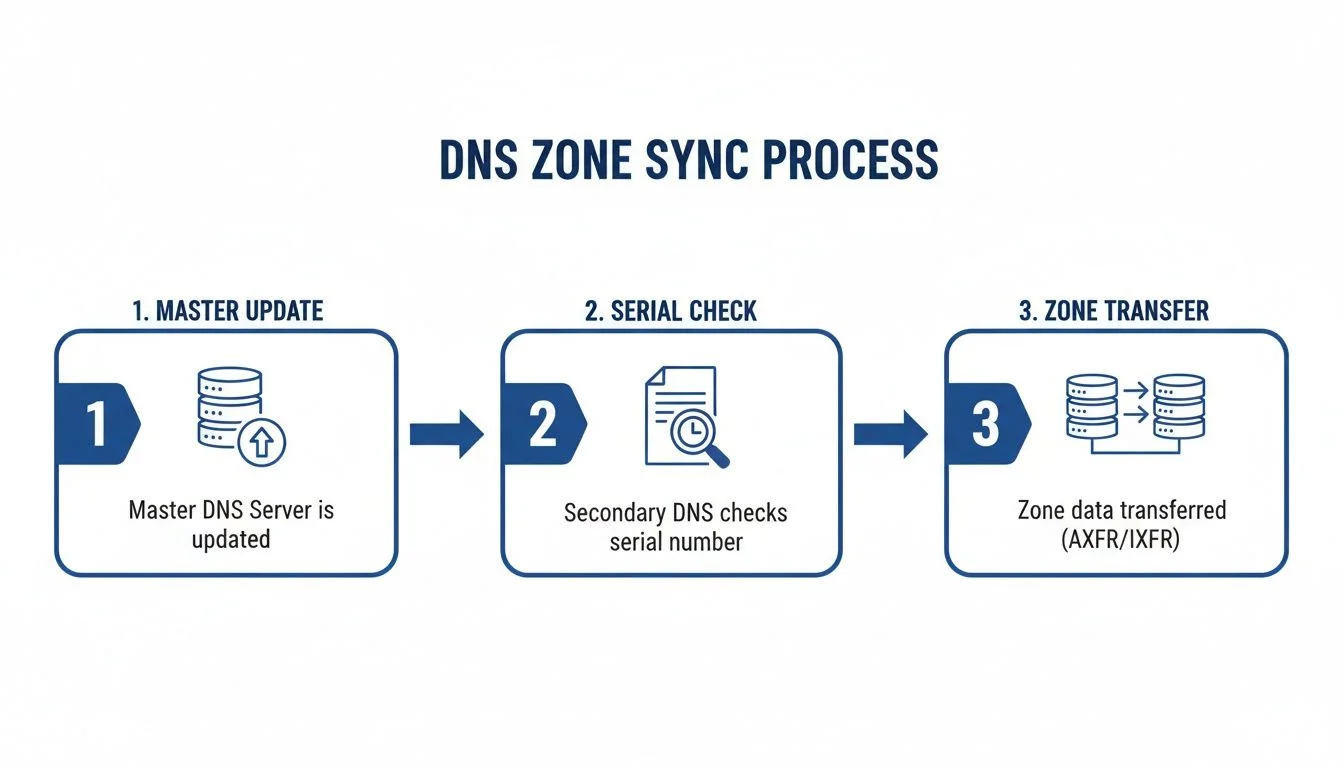 The zone synchronization process: an admin updates the primary server, incrementing the serial. Secondary servers periodically check this serial, initiating a full zone transfer if the primary's serial is higher.
When an update is detected, the secondary server may perform a full zone transfer (AXFR), where the entire zone file is copied, or an incremental zone transfer (IXFR), which only copies the records that changed. This efficiency prevents large zones from wasting bandwidth during minor updates.
What Do the Example Timers Mean in Practice?
To understand how these settings impact a live domain, consider the real-world implications of the values used in our example:
- Refresh (7200 seconds): This value determines how often secondary servers check the primary for changes. At two hours (7200 seconds), the secondary server will query the primary's SOA record and compare the serial number to its own. If the primary serial is higher, the secondary initiates a transfer. This delay means that changes to your zone might take up to two hours to appear on all authoritative servers if they are not notified via a "DNS NOTIFY" message.
- Retry (1800 seconds): If the primary server fails to respond to a refresh request due to a network outage or server maintenance, the secondary server will wait 30 minutes (1800 seconds) before trying again. This prevents the secondary from overloading a potentially struggling primary server with constant reconnection attempts during a period of instability.
- Expire (1209600 seconds): This value acts as the domain’s "doomsday clock." If the primary remains unreachable for two full weeks (1,209,600 seconds), the secondary server will stop answering for the zone. It assumes the data is too old to be safe for public use. This prevents "zombie" DNS data from persisting if the primary source is permanently lost or moved.
- Minimum TTL (300 seconds): Also known as the negative cache TTL, this value tells resolvers how long to remember that a record does not exist. If someone queries for a non-existent subdomain, the five-minute (300 seconds) timer ensures that your nameservers aren't hit with the same invalid query repeatedly by the same resolver, improving efficiency during misconfigurations or DDoS events.
Remember that these settings exist within a massive global system. While you configure timers for your zone, you are participating in an architecture that handles millions of domains simultaneously. Many DNS providers enforce technical limits to maintain performance, such as capping public zones at 10,000 record sets. With millions of new domains registered every quarter, the structure and reliability provided by SOA records are essential to the scale of the modern internet. To see the scale of this activity, you can examine the latest global domain activity statistics to understand the volume and complexity of the global DNS network.
Common SOA Misconfigurations and How to Fix Them
*This video provides a visual walkthrough of how SOA records function and potential pitfalls in their configuration.*The SOA record in DNS appears simple in documentation, but in practice, minor errors here cause some of the most confusing and difficult-to-diagnose DNS issues. These problems often manifest as inconsistent resolution. Some users see the latest updates while others stay stuck looking at old, stale data. Engineers call this "split-brain DNS," a concept frequently tested in IT certification exams.
This section provides a field guide to troubleshooting common SOA-related problems. We will examine the classic errors that trip up even seasoned administrators. Learning these concepts is essential for any network professional. You can expect these scenarios to appear in practical exam questions for certifications like CompTIA Network+ (N10-009) or the AWS Certified Advanced Networking – Specialty.
Forgetting to Increment the Serial Number
If there is one mistake every DNS administrator makes at least once, it is this one. You might complete a critical change to a zone file—perhaps updating an A record for a new server hosting your primary application—but you forget to increase the serial number.
-
Impact: Your secondary nameservers check the primary server's SOA record at scheduled intervals. When they see the serial number has not changed, they assume the zone file is current. They do not request a new version. This results in an update that is live on the primary server but completely invisible to the secondary ones. This triggers a "split-brain" DNS scenario where different users receive different answers depending on which nameserver handles their query. Some users will be directed to an old, decommissioned server, which leads to application errors, 404 failures, or total outages for those specific clients.
-
Solution: Make updating the serial number an automatic habit. Every time you touch a zone file, your next step must be to increment the serial number. If you use the
YYYYMMDDNNformat, double-check that you rolled the date over for a new day or increased the two-digit counter if you made multiple changes on the same day. For automated deployment pipelines, using a Unix timestamp is a reliable way to guarantee the number is always unique and higher than the previous entry. This eliminates the risk of human oversight.
Setting the Refresh Interval Too High
It is tempting to set a long REFRESH interval, such as 24 hours (86400 seconds), to limit traffic between nameservers. Administrators often do this to reduce network load or save on data costs in specific environments. However, this strategy often backfires.
-
Impact: A high REFRESH value creates a significant propagation delay. If you must push an emergency fix, update a critical security record like a DMARC or SPF entry, or switch to a disaster recovery site during a failure, you could wait an entire day before secondary servers check for the update. This delay turns a minor configuration change into a prolonged outage or prevents a critical service launch from reaching the global audience. It slows down business operations and leaves your DNS records in an inconsistent state for too long.
-
Solution: You must balance server responsiveness with network traffic. A REFRESH value between one and four hours (3600 to 14400 seconds) is a standard practice for most domains. This ensures your DNS changes propagate in a reasonable time without hitting your primary server with constant, unnecessary requests. Most modern nameservers handle this traffic without any performance degradation.
The relationship between the REFRESH, RETRY, and EXPIRE timers is a common point of confusion. One frequent mistake is setting the RETRY value higher than the REFRESH value. This is illogical. If a check fails, you want the follow-up attempt to occur sooner than the next regularly scheduled check. To maintain a functional setup, always ensure
RETRY < REFRESH.
Setting the Expire Value Too Low
The EXPIRE timer is the ultimate lifeline for your domain if the primary nameserver suffers a major, extended outage. Setting this value too low—such as for only a day or two—removes your safety net.
-
Impact: Imagine your primary server goes down due to a regional data center failure right before a long holiday weekend. If the EXPIRE time is too short (e.g., 24-48 hours), your secondary servers will eventually decide that their cached zone data is stale and untrustworthy. At that point, they stop answering queries for your domain. This takes your website, email, and all other services completely offline for everyone. A single server failure becomes a global domain blackout because the secondary servers essentially "gave up" on the data they had.
-
Solution: Use a generous EXPIRE time to protect your availability. A safe value is usually between one to four weeks (604800 to 2419200 seconds). This provides a comfortable window to diagnose, fix, or restore a failed primary server before your secondary servers stop functioning. This level of foresight is vital for building a resilient infrastructure that can survive a catastrophic disaster at the primary site.
Reflection Prompt: You are managing a mission-critical web application on AWS, and your primary DNS server unexpectedly goes offline. If your EXPIRE value is set to just 24 hours, what is the best-case scenario for your application's availability? What's the worst-case, and how can you proactively mitigate such risks based on the timer relationships you have learned?
For those managing complex cloud environments, you may find the MindMesh Academy guide on troubleshooting DNS resolution in AWS useful for investigating related scenarios and preparing for advanced networking certifications.
Common Questions and Sticking Points with SOA Records
After you understand the specific fields within an SOA record, practical questions usually arise. These nuances appear frequently in certification exams like the CompTIA Network+ N10-009 (verify current exam codes on the CompTIA site) or during high-stakes troubleshooting in production environments.
We will address the common points of confusion for IT professionals and network administrators.
The Big Difference: SOA Minimum TTL vs. a Regular Record's TTL
Functional differences between the Minimum TTL value in an SOA record and the TTL set on a standard A, CNAME, or MX record often cause confusion. The distinction lies in how DNS systems handle caching for positive results versus negative results.
A standard record's Time to Live (TTL) acts as the cache timer for a successful lookup. When a DNS resolver, such as a public DNS provider or an ISP nameserver, successfully retrieves the IP address for www.yourdomain.com, the standard TTL provides a specific instruction. It tells the resolver to store that successful "yes" answer for a set number of seconds before querying the authoritative server again. This process is known as positive caching.
The SOA record's Minimum TTL serves a different purpose: negative caching. This value dictates how long a recursive DNS server should remember that a specific record or subdomain does not exist. If your authoritative nameserver returns an NXDOMAIN (Non-Existent Domain) response for a query like typo.yourdomain.com, the SOA Minimum TTL tells the requesting server to stop asking for that invalid name for a specified duration.
This mechanism reduces unnecessary traffic to your authoritative servers. It prevents your infrastructure from being overwhelmed by repeated queries for misspelled, deleted, or deprecated hostnames. A standard TTL caches an existing record, while the SOA Minimum TTL caches the absence of a record. Understanding this helps you diagnose why deleted records appear to persist in caches or why high volumes of invalid queries might impact server performance.
Choosing Your Serial Number Format: Dates vs. Integers Revisited
Serial number management generally follows two patterns: the date-based format and the simple incrementing integer. The choice depends on your operational workflow and how you handle DNS zone updates.
-
YYYYMMDDNN (e.g., 2026082101): This format is helpful for teams performing manual DNS updates. A glance at the serial number reveals the date of the last change, offering a clear audit trail. In this example, the zone was updated on August 21, 2026. The "01" represents the first revision of that day. This format is effective for environments where humans review change management logs. However, it imposes a hard limit of 99 updates per day. If you reach "99" and need another change, the format breaks because the counter cannot exceed two digits without interfering with the date portion of the 32-bit integer.
-
Simple Integer (or a Unix Timestamp): This approach works best for automated systems and DevOps pipelines. A script increments a numerical value or pulls the current Unix timestamp without requiring logic to parse the current date or count daily changes. It is a clean method for automation and avoids the daily update cap. While it lacks human-readable context during a quick visual inspection of the zone file, it is highly reliable for high-frequency update environments.
The general rule for IT teams is straightforward. Use the date format if humans make the changes and need visual cues for auditing. If you use scripts to update DNS frequently, a simple integer or Unix timestamp is less prone to errors. Regardless of the method, the serial number must always increase. If a new serial number is lower than the current one, secondary nameservers will ignore the update, and your zone changes will not propagate.
Can a Zone Have More Than One SOA Record?
A DNS zone cannot have more than one SOA record. This is a foundational rule of the DNS protocol. Every valid DNS zone must contain exactly one SOA record to define the properties of that specific authority.
This requirement is strictly defined in RFC 1035. If a nameserver attempts to load a zone file that contains multiple SOA records, or none at all, it will reject the entire zone. When a zone fails to load, every record within that zone—including A, MX, and CNAME records—stops resolving. Your website, email services, and any other domain-dependent applications will go offline immediately.
While you might see different SOA records for the same domain name in a "split-horizon" DNS setup, these are technically different zones served to different audiences (such as internal versus external users). Within a single zone file or single instance of a zone, the "one SOA" rule remains absolute. A misconfigured SOA record does more than cause minor lag; it can trigger a complete domain outage. Always verify your SOA configuration using tools like dig or nslookup during any DNS deployment or server migration to ensure the zone is valid.
Ready to Get Certified?
Study using expert-curated study guides, practice exams, and spaced repetition flashcards at MindMesh Academy to pass with confidence:

Written by
Alvin Varughese
Founder, MindMesh Academy
Alvin Varughese is the founder of MindMesh Academy and an enterprise architecture leader. An electrical engineer by training, he moved from factory automation in South Africa to cloud architecture at GE Appliances and Humana (Fortune 50), and holds 20 professional certifications including AWS Solutions Architect Professional, Azure DevOps Engineer Expert, and Microsoft Agentic AI Business Solutions Architect. He built MindMesh Academy after interviewing too many highly certified candidates who couldn't answer basic questions: the goal is prep that makes you better at the job, not just able to pass the exam.