
Resource Allocation in Project Management: Key Strategies
Resource allocation serves as the strategic core of project management, determining whether an initiative succeeds or fails. IT professionals studying for the PMP, AWS Certified Project Manager, or ITIL must master this skill to handle complex technical environments. Inefficient allocation often acts as a hidden stressor that breaks budgets, misses deadlines, and exhausts teams well before the damage becomes obvious. Effective management requires more than just updating a spreadsheet. It demands deliberate choices that separate high-performing projects from those that eventually collapse under poor planning and mismanaged project assets.
The True Cost of Poor Resource Allocation
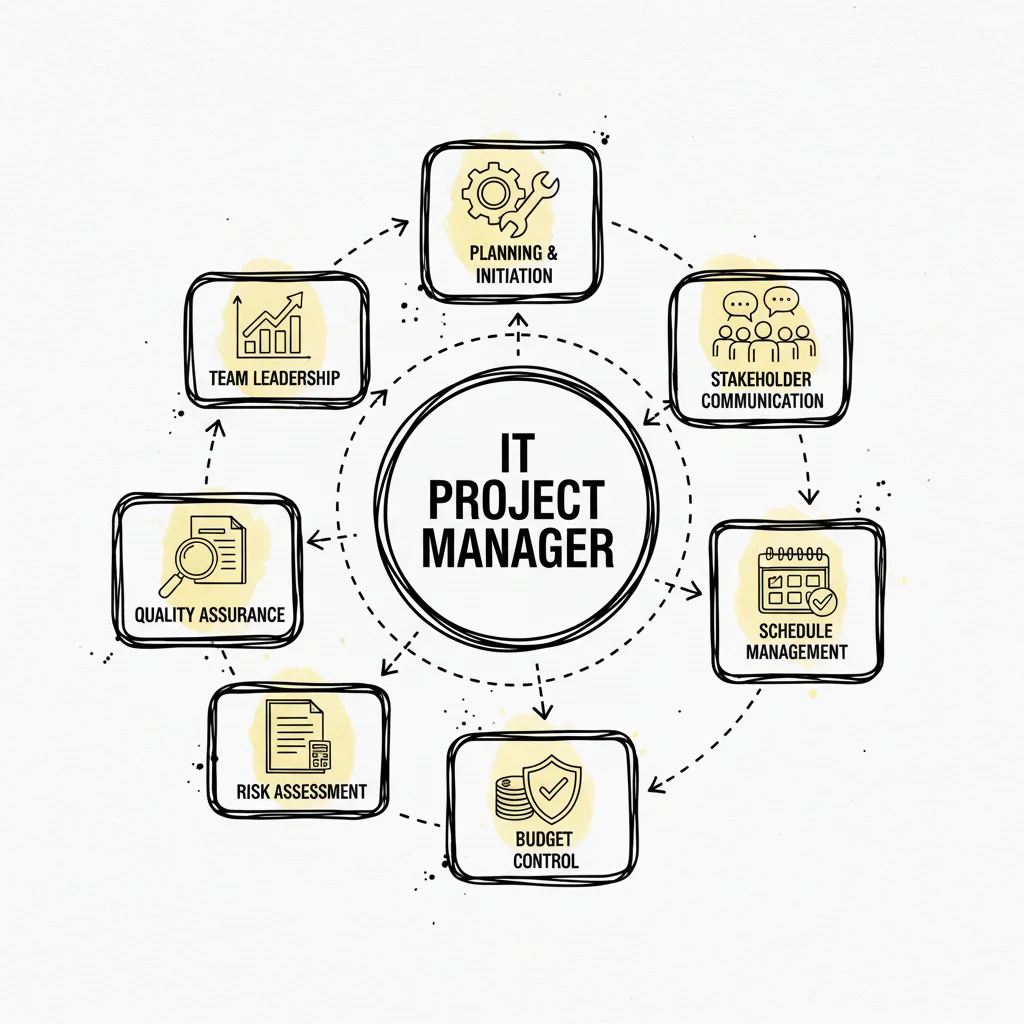
Imagine an IT project manager leading a large orchestra. Each musician represents a specific resource—a DevOps engineer, a cloud architect, a budget line item, or a specialized software license. The conductor ensures every element performs at the correct time and with the appropriate intensity to create a functional system. If the backend developers deliver their module too early, or the QA team is brought in a full sprint late, the music stops. You do not get a smooth software release; you get chaos, confusion, and expensive rework.
This dissonance happens frequently in project management. Assigning a junior developer to a critical cybersecurity task that is far beyond their current skill level, onboarding a senior cloud architect too late in an AWS migration project, or miscalculating the budget for a vital enterprise license invites serious problems. These mistakes lead to bottlenecks, wasted hours, and a final product that falls short of technical expectations.
The financial repercussions are specific and stark. Globally, poor project management practices cost companies $1 million every 20 seconds. This adds up to $2 trillion wasted annually. It is no surprise that, on average, projects go over budget by 27%, a statistic highlighted by Ravetree.com. (Verify current data on the Ravetree site). Understanding and mitigating these costs is a core skill taught in most project management certification programs.
Why It Is More Than A Scheduling Problem
At its heart, ineffective resource allocation triggers a destructive domino effect. The fallout spreads past missed deadlines and impacts every part of an organization, from team morale to the bottom line. Getting this right is a central part of an IT project manager’s responsibilities. When resources are mismanaged, the damage is often permanent and difficult to reverse.
Here’s a closer look at the most common consequences:
- Budget Overruns: Assigning the wrong person to a task or overloading key personnel usually extends the duration of the work. This may even require complete rework from scratch. Every additional hour inflates labor costs, consumes cloud compute resources unnecessarily, and quickly depletes the project budget. Unexpected expenses like emergency contractor fees often arise when internal resources are stretched too thin to meet a deadline.
- Team Burnout: Consistently funneling too much work onto your top-performing engineers or architects is a guaranteed way to kill their motivation. Burnout does more than just reduce daily productivity; it leads to sloppy work, increased technical debt, and staff resignations. This is especially damaging in highly specialized IT roles where finding a replacement can take months. When senior leaders leave, they take institutional knowledge with them, further stalling progress.
- Reduced Project Quality: When teams are stressed and rushing to meet impossible deadlines, they cut corners. The quality of deliverables—whether software code, infrastructure configurations, or technical documentation—drops significantly. This results in frustrated stakeholders, an increase in support tickets after launch, and a damaged company reputation. High-pressure environments often lead to security vulnerabilities that are missed during the final rush.
A project plan without a solid resource allocation strategy is merely a wish list. It outlines what you want to achieve but ignores the practical reality of how you will get there with your available human and technical assets.
The difference between successful resource management and failure is clear. We can see the tangible outcomes when comparing the two approaches side-by-side.
The Impact of Poor vs Effective Resource Allocation
| Project Metric | Outcome with Poor Allocation | Outcome with Effective Allocation |
|---|---|---|
| Budget | Regular overruns and unexpected costs like unplanned cloud spend. | Projects stay within or under budget; costs are predictable. |
| Timeline | Frequent delays and missed release dates or deployment windows. | On-time delivery becomes predictable and reliable. |
| Team Morale | Burnout, high stress, and increased turnover of skilled IT staff. | Balanced workloads, high engagement, and better talent retention. |
| Work Quality | Subpar deliverables, increased technical debt, and frequent rework. | High-quality outcomes that meet technical and business expectations. |
| Stakeholders | Dissatisfaction, loss of confidence, and missed business opportunities. | Trust and satisfaction from reliable delivery and business value. |
As the table shows, the stakes are high for IT projects. Poor allocation keeps a project in a cycle of failure. Effective allocation forms the foundation for consistent success and creates actual strategic value for the business.
The Strategic Imperative of Effective Allocation
When you master resource allocation, it turns from a reactive administrative chore into your most significant strategic advantage. It involves making deliberate, intelligent decisions about where to invest your most important assets: your people, your time, and your money.
By aligning your most capable resources with your most critical tasks—for instance, assigning a certified Azure Solutions Architect to design a complex cloud setup or a PMP-certified manager to lead a high-stakes digital transformation—you ensure every hour of effort drives the project forward. This proactive method helps you anticipate bottlenecks before they happen, maintain team balance, and deliver high-quality work. This discipline is what converts ambitious IT goals into real-world success stories. Success here means knowing exactly who is doing what, why they are doing it, and having the data to prove it is the best use of their time.
Core Resource Allocation Methodologies
Effective resource allocation is often the difference between a project that succeeds quietly and one that fails loudly. Once you understand why it matters, the challenge becomes one of execution. This is where you move from the high-level concept of planning to the practical application of specific management techniques. For IT professionals preparing for the Project Management Professional (PMP) or similar certifications, these methodologies are central to the curriculum. They provide a standard framework for solving the most common scheduling problems encountered in technical environments.
Consider these methodologies to be playbooks designed for specific project pressures. They are not rigid laws, but they provide a logical way to handle an overloaded development team or an immovable software release date. Without a structured method, it is easy to fall into the trap of assigning tasks to whoever seems free at the moment. That reactive style leads to wasted time, uneven workloads, and missed milestones. Using a formal methodology allows you to make defensible decisions that keep the project moving toward its goals.
The Project Management Body of Knowledge (PMBOK) focuses on two primary techniques for managing these situations: Resource Leveling and Resource Smoothing. Each technique handles constraints differently, and knowing which one to use is a key skill for any project lead.
Resource Leveling: The Master Chef Approach
Imagine a lead chef managing a high-end restaurant kitchen during a busy Saturday night dinner rush. Orders are flooding in, and almost every dish requires time at the grill or from the saucier. In this environment, the chefs, the stove burners, and the prep space are your project resources. If the lead chef tries to push every single order through the grill as soon as it is received, the system will break down. The grill cook will become overwhelmed, the quality of the food will drop as steaks are rushed, and the kitchen staff will face burnout before the night is over.
To prevent this, the chef uses a version of Resource Leveling. The chef looks at the queue of orders and identifies the bottleneck at the grill station. Instead of forcing more work onto that station, they change the order of operations. They might have the pastry chef start on complex desserts for Table 5 earlier than planned, or they might delay the start of an entree for Table 12 until the grill cook has cleared their current tickets. This adjustment might extend the total time a customer sits at their table by fifteen or twenty minutes, but it ensures that every meal meets the restaurant's standards and the staff remains productive.
In the context of project management, Resource Leveling is the process of adjusting the project schedule to resolve resource conflicts or over-allocation. If you have a senior database administrator who is scheduled to work 60 hours in a single week across three different projects, you have a resource conflict. You cannot create more hours in the day, so you must move the start and finish dates of the tasks. By shifting these dates, you spread the workload over a longer period.
The primary outcome of Resource Leveling is often a change in the project's final delivery date. Because you are prioritizing the availability of your people over the calendar, the project may take longer to complete than originally estimated. You are making a strategic trade-off: you accept a delayed finish date in exchange for a more sustainable work pace and higher output quality. According to the PMBOK Guide, this is a technique where start and finish dates are adjusted based on resource constraints with the goal of balancing the demand for resources with the available supply.
This diagram shows a resource histogram before any leveling has been applied. You can clearly see a period in the middle of the project where the demand for hours far exceeds the actual capacity of the team.

After leveling is applied, those peaks are removed. The tasks that created the spike are pushed into periods where the team has free time. The total amount of work remains the same, but it is now distributed in a way that aligns with what the team can actually deliver each day.
Key Takeaway: Use Resource Leveling when you have limited resources and some flexibility with your deadline. It is the best choice when team health and product quality are more important than finishing on a specific date.
Resource Smoothing: The Logistics Manager Approach
Now, consider a different situation involving a logistics manager at a cloud infrastructure company. The team needs to provision and test 50 new server racks for a client by the end of the month. This deadline is part of a signed contract with heavy financial penalties for any delay. In this case, the end date of the project is an immovable constraint. The manager cannot simply tell the client that the servers will be ready a week late.
The manager reviews the schedule and sees that the network engineering team has a massive spike in work during the second week of the project, followed by a very light workload in the third week. Because the deadline cannot change, Resource Leveling is not an option. Instead, the manager uses Resource Smoothing.
The manager identifies tasks that have float or slack time. These are activities that can be moved without impacting the final project completion date. For example, some of the cable labeling and inventory tasks originally scheduled for the busy second week can be moved to the slower third week. Some pre-configuration tasks from week three might be pulled into week one. By shifting these non-critical tasks, the manager levels out the team's workload while keeping the final deadline intact.
Resource Smoothing is about optimizing the use of resources within the limits of the existing schedule. The critical path—the sequence of tasks that determines the project's end date—remains unchanged. You are simply fine-tuning the timing of the other tasks to ensure that no one is overworked during one phase and idle during the next. This creates a much more stable environment for the technical team and helps maintain a consistent level of productivity throughout the project.
You should use this technique when your timeline is fixed, such as for a hard product launch, a scheduled software release, or a regulatory compliance deadline. The goal is to achieve a consistent rate of resource use without extending the project duration. To find more ways to improve your project outcomes, you can also look into other effective resource allocation strategies that complement these standard methodologies.
Key Takeaway: Use Resource Smoothing when your project has a firm deadline. It allows you to balance the team's workload by adjusting the timing of non-critical tasks without moving the final delivery date.
Choosing Between Leveling and Smoothing
Determining which methodology to apply requires a clear understanding of your project's most significant constraint. You have to ask yourself: what is more likely to break? Is it the deadline or the people? If you have a hard launch date for a new app, you lean toward smoothing. If you have a small, specialized team that cannot be replaced or expanded, you lean toward leveling. This decision is a common point of discussion in management meetings and a frequent topic on certification exams. If you are interested in a more detailed look at these concepts, you can explore more on these key models in project management at MindMesh Academy.
The following table outlines the differences between these two approaches:
| Factor | Resource Leveling | Resource Smoothing |
|---|---|---|
| Primary Goal | Balance resource workload and prevent over-allocation. | Optimize resource use within a fixed timeline. |
| Project Timeline | Flexible; the project end date can be extended. | Fixed; the project end date cannot be extended. |
| Critical Path | May change as tasks are delayed. | Does not change; tasks are shifted only within their float. |
| Best For | Projects where team well-being and quality are more important than a strict deadline. | Projects with a hard deadline where you must manage workload spikes without compromising the end date. |
| Analogy | A chef rearranging orders to prevent kitchen burnout, even if it means slightly longer waits. | A logistics manager optimizing delivery routes to meet a contractual delivery deadline for all packages. |
Reflection Prompt: Think about your current project. If you had to choose right now, which methodology would be more effective? Does your team have the flexibility to move the deadline to ensure quality, or are you working against a hard date that requires careful optimization of every available hour?
Ultimately, these methodologies provide you with the tools to manage your team with precision. By applying Resource Leveling or Resource Smoothing, you move away from guesswork and toward a data-driven approach to management. This helps you keep your IT projects on track, protects your team from unnecessary stress, and ensures that your technical resources are always used in the most effective way possible. Knowing when to prioritize the schedule and when to prioritize the person is the mark of a skilled project manager.
Building Your Resource Allocation Process
Managing an IT project without a structured resource allocation process is like building a complex cloud infrastructure on an unstable foundation. Eventually, critical components will fail. While an "on-the-fly" approach might work for a small, isolated task, it quickly falls apart as projects grow. Once you involve multiple teams, cross-functional dependencies, or specialized technical skills, an ad-hoc method leads to confusion and delays.
A repeatable, well-defined process introduces order, predictability, and efficiency. This framework ensures every project is staffed with the right talent, helping you avoid the common issues of team burnout and budget overruns. The following steps outline how to build a resource allocation system that works for complex IT environments.
Start with Scope and Breakdown
You cannot assign resources if you lack clarity on what the project actually requires. The first step is gaining a clear understanding of the project’s scope and its final deliverables. Avoid vague goals; instead, break the entire project into smaller, manageable, and tangible pieces of work.
This is where a Work Breakdown Structure (WBS) is useful. As a fundamental concept in PMP certification training, the WBS deconstructs a project into major phases, then into detailed tasks, and finally into work packages. For example, a high-level goal like "develop a new customer portal" is too broad for allocation. Through a WBS, that goal becomes a specific list of needs: frontend development, database schema design, OAuth2 integration, and UX prototyping. Each of these sub-tasks has an associated effort estimate, required skill set, and dependency on other tasks.
A well-defined scope, articulated through a WBS, acts as the primary reference for resource allocation. Every decision you make—who to assign, which cloud environments to provision, and for how long—must directly support the tasks you have mapped out in this structure.
Create a Centralized Resource Pool
After defining the work, you must identify who is available to do it. A centralized resource pool, often called a resource matrix, is a single source of truth for every available asset. This includes human staff, specialized software licenses, and shared hardware or cloud environments. This is a dynamic inventory that reflects the current state of your organization's capabilities.
For every team member, this inventory should provide specific insights, often using data points defined in ITIL service management frameworks:
- Skills and Competencies: Record core strengths like Python, Java, or SQL. Include specific certifications, such as the AWS Certified Solutions Architect – Associate (SAA-C03) or CompTIA Security+. Secondary skills, like technical writing or public speaking, should also be tracked for cross-functional needs.
- Availability: Distinguish between full-time employees, part-time staff, and external contractors. Calculate actual capacity by subtracting time spent on holidays, mandatory training, administrative meetings, and recurring maintenance tasks from the standard 40-hour work week.
- Current Workload: List existing project assignments, operational support tickets, or ongoing initiatives. Knowing what is already on a person's plate allows you to prevent over-allocation and the productivity drops that come with multi-tasking.
A central repository of this data removes guesswork. Project managers can stop asking "who is free?" and start making data-driven decisions that align staff skills with project priorities.
Reflection Prompt: How does your organization currently track team members' skills and availability? What are the challenges in maintaining an accurate, centralized resource pool?
Match Resources to Tasks
Once the work and the resources are defined, you must match people to specific tasks. This part of the process requires balancing technical requirements with human factors. You should not assign a task to the first person with an open slot on their calendar; the goal is to find the person with the specific expertise the task demands.
Assess the complexity and the risk of the work. A high-risk task on the critical path—such as migrating a legacy database or implementing a new security protocol—requires a senior engineer or an architect with proven experience. A more routine task, like writing unit tests or updating documentation, is a better fit for a junior team member. This provides the junior staff with a growth opportunity while allowing senior engineers to focus on high-impact architecture. This logic ensures that work is completed effectively while supporting the long-term development of the team. For more detail on these methods, you can read this guide on mastering resource allocation in project management.
Schedule and Visualize the Plan
With your assignments made, you must integrate them into a project schedule. Gantt charts are effective tools for this, as they show the timeline and the connections between tasks. Visualizing the plan helps you see resource bottlenecks where one person is required for two simultaneous high-priority tasks. It also shows where dependencies exist, such as a frontend team waiting for a backend API to be finalized.
At this stage, you apply resource optimization techniques to balance the workload. Two primary methods are leveling and smoothing.
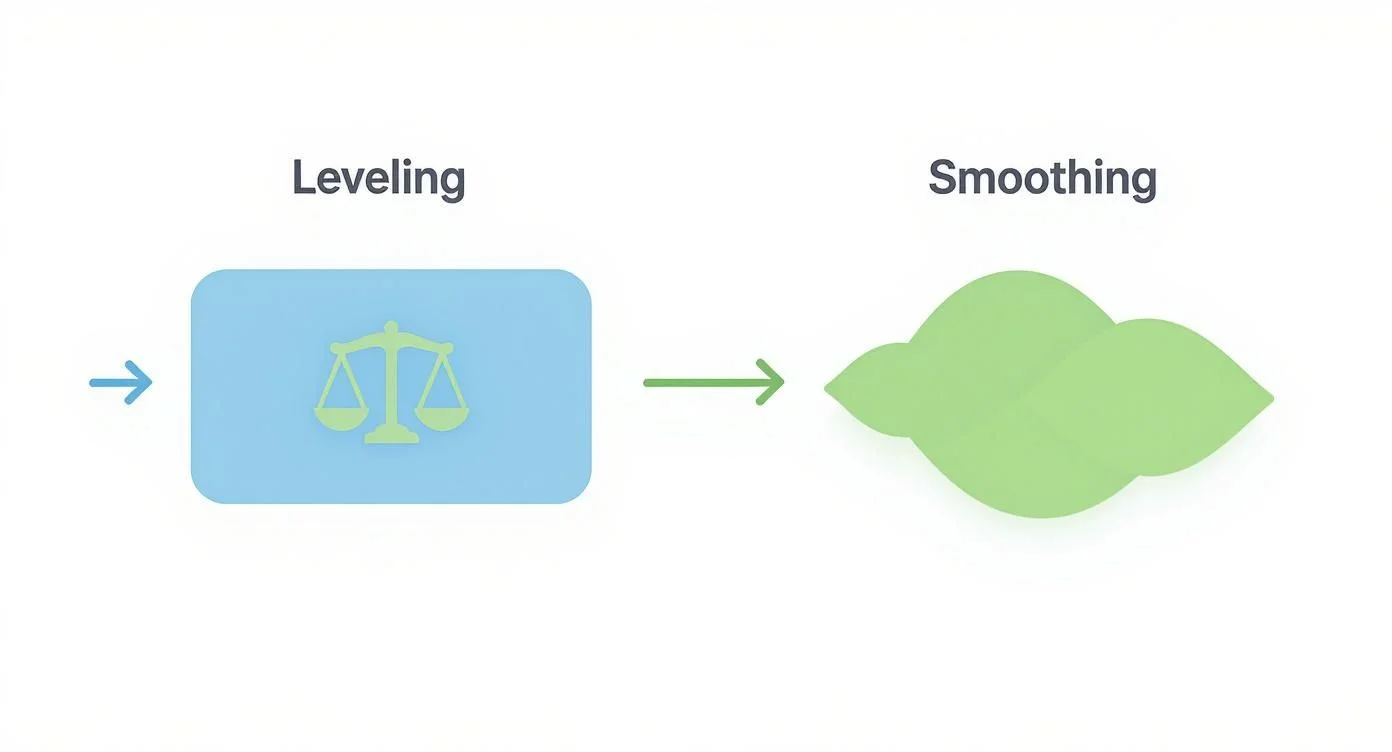
As shown in the diagram, leveling is used when resources are over-allocated. If a database administrator is assigned 60 hours of work in one week, you move tasks to a later date. This may extend the project timeline, but it ensures the work is actually achievable. Smoothing is used when you have a fixed deadline. You shift tasks within their "float" or slack time to even out the workload. This prevents a situation where a developer has 50 hours of work one week and only 10 the next, all without changing the final delivery date.
Track, Monitor, and Adjust
Project plans rarely remain perfect once the work begins. Continuous monitoring is required to keep the project on track. One of the most important metrics to follow is planned vs. actual hours. If a task estimated for 10 hours actually takes 20, you need to know why and adjust future allocations accordingly. Frequent stand-up meetings and informal check-ins help you identify roadblocks, such as a developer getting stuck on a bug or a hardware shipment being delayed.
The goal is to be proactive. If you see that a senior security engineer is overwhelmed, you can shift their non-critical tasks to someone else before a delay occurs. This feedback loop makes your resource plan adaptable to the realities of IT work. Many organizations fail at this stage. Industry data indicates that fewer than 60% of projects meet their original budget and only about 50% finish on time (verify current industry benchmarks for the latest project management reports). These failures are often the result of failing to adjust resources as the project evolves.
Reflection Prompt: How do you currently track the progress of your projects against planned resource utilization? What adjustments have you made mid-project due to resource challenges?
Modern Best Practices for Resource Management
Mastering standard resource allocation methods is a good start, but successful IT project managers go beyond those basics. They treat resource management as a dynamic system rather than a static puzzle solved at the project's beginning. This approach requires staying proactive. You must shift your mindset from seeing resource allocation in project management as a one-time setup to viewing it as a continuous cycle of refinement. A flexible plan accounts for new information and changing priorities, helping the team advance even when unexpected obstacles appear.
Let Data Drive Your Decisions
In complex IT work, intuition and anecdotes are unreliable. Guessing about how long a task takes or when a person is available leads to missed deadlines. Effective project managers use hard data for every allocation. Start by tracking planned vs. actual hours for all projects. This metric creates a baseline for future estimates. It provides evidence for difficult questions. For example, you can see if cloud infrastructure deployments always take longer than estimated or if a DevOps specialist automates specific build processes faster than others.
Using historical data and performance metrics moves you past guesswork. You create forecasts based on reality. This makes your project timelines more reliable and easier to explain to stakeholders or during certification exams. Relying on documented performance instead of optimistic estimates ensures your resource levels match the actual demands of the work.
Borrow from Agile for More Flexibility
You can apply agile thinking without following a strict Scrum framework. The main idea—prioritizing adaptability over rigid, long-term schedules—improves IT resource management. A detailed resource plan made months ago will likely fail as technology and requirements change. Static plans often break when they encounter the realities of software development or network migrations.
Integrate these agile ideas to keep your projects flexible:
- Work in Sprints: Divide the project into smaller blocks, such as two-week development sprints or one-month infrastructure cycles. This makes it easier to assign resources for short, predictable periods and adjust for the next phase based on what the team actually accomplished.
- Check In Constantly: Use daily stand-ups or weekly huddles to monitor progress and identify blockers. This allows you to see when an engineer is struggling and move help to that area before a minor issue causes a significant delay. Frequent communication prevents small technical snags from becoming project-wide bottlenecks.
- Build Cross-Functional Teams: Help team members learn skills outside their main roles. If a frontend developer can help with API integration or a cloud engineer knows the basics of database administration, you reduce potential bottlenecks. This flexibility helps fast-moving IT projects stay on track even when a specialist is unavailable.
By shifting toward iterative planning, you avoid the trap of over-committing resources to a plan that no longer fits the project's needs. This method allows you to pivot quickly when a priority changes or a new technical requirement emerges.
Always Have a Plan B (and C)
Successful IT projects operate on the assumption that failures occur. A server might go down, a lead developer might get sick, or a third-party vendor might miss a deadline. This is not about pessimism; it is about practical risk management, which is a major focus for the PMP exam. Relying on a single person for a critical task without a backup creates a single point of failure that can derail the entire schedule.
A contingency buffer provides a strategic safety net. You might set aside a block of unallocated time for a senior cybersecurity engineer or reserve part of the budget for temporary freelance help. This reserve is not "wasted" time; it is a calculated protection against the unknown. A study by the Project Management Institute showed that high-performing organizations are far more likely to integrate risk management and contingency planning into their standard operations. Having these backups ready prevents a single crisis from stopping your project's momentum.
Master Clear and Open Communication
Building a data-driven resource plan is useless if the IT team does not understand or trust it. Clear communication makes the plan work. Each team member must recognize their specific responsibilities and how their work supports the project goal. If an engineer feels their workload is unfair or that assignments are arbitrary, productivity drops.
Transparency is vital. When the whole team can see the project board and track workloads in a shared application, it removes confusion. People trust the system when they see that work is assigned fairly and logically. In remote or hybrid IT environments, this visibility is required to keep engineers focused and productive. Regular updates about resource shifts help the team stay aligned. When everyone understands the "why" behind an allocation change, they are more likely to support the transition and stay focused on the delivery goals. Sharing the logic behind your decisions builds a culture of accountability where every person knows exactly what is expected of them.
Choosing Your Resource Allocation Toolkit
Establishing a clear process for resource allocation in project management is a necessary first step, but the software you choose to support that process determines how well you can scale IT operations. Many managers struggle because the market is crowded with platforms that all promise to be the perfect solution. To find what works, you need to look past generic feature lists and build a selection framework based on the specific needs of your team and your project volume.
The goal is not to find a tool that is globally ranked as the "best." Instead, you want to find the software that fits your organizational reality. A tool built for a five-person startup developing a simple app will usually be too basic for a 500-person enterprise that manages global cloud networks. Conversely, enterprise software often introduces too much administrative friction for a small, agile team. You must match the software's depth to your team size, the technical difficulty of your projects, and your long-term business goals.
Buying the wrong resource allocation software does more than just waste your budget. It creates extra administrative work for your staff, annoys your senior engineers with unnecessary data entry, and stops the efficiency gains you wanted to see. A careful evaluation helps you pick a tool that actually helps your team do their jobs rather than becoming a recurring monthly expense that everyone ignores.
Matching Tools to Your Team Size and Complexity
The most effective way to filter software options is by looking at the scale of your current IT work. A small development group and a massive IT department with dozens of teams have different requirements for visibility and control.
-
For Small Teams (Under 20 People): Speed and ease of use are essential. At this size, you do not need a tool that requires a full-time administrator just to keep the data updated. You should look for all-in-one platforms that combine basic task lists with simple calendars and workload views. The focus here is on keeping everyone on the same page without adding layers of bureaucracy. Lightweight agile tools usually work best for this group because they allow for quick changes.
-
For Mid-Sized Teams (20-100 People): This is where resource management becomes difficult. Projects often share the same small pool of specialists, such as senior security engineers or cloud architects. When three different project managers all need the same person at the same time, you have a conflict. Your software must include dedicated resource scheduling and capacity planning features. You need to be able to track skills and run reports that show exactly where your team is over-committed.
-
For Large Enterprises (100+ People): Large organizations require heavy-duty software. You need a platform that handles portfolio-level management, which means looking at hundreds of projects at once to see if the company has enough headcount for the next year. These systems must connect directly with your HR software, finance platforms, and IT service management systems. Security features, complex user permissions, and audit logs are mandatory requirements for companies at this scale.
Core Features to Look For in Allocation Software
No matter the size of your company, an effective platform should provide a few specific functions. These features are standard in the industry and are often covered in IT project management certification studies.
-
Centralized Resource Pool: You need one single place that lists every person available to work. This database should include more than just names. It needs to track specific technical skills, current certifications like the AWS Certified Developer or the PMP, daily availability, and their internal cost rates. Without a centralized list, managers end up using separate spreadsheets, leading to double-booking and data errors.
-
Real-Time Dashboards: A project plan that is saved as a static file is out of date almost immediately. You need a live view that shows what every engineer is doing right now. Look for tools that offer resource histograms. These charts show a person's total capacity compared to their assigned tasks. If the chart shows they are working 50 hours in a 40-hour week, you can see the problem immediately and move tasks to someone else.
-
Capacity Planning and Forecasting: High-performing teams do not just react to the current week; they look ahead. Your software should help you predict future needs by comparing upcoming project demands against your team's projected availability. This allows you to see if you need to hire more staff or delay a project months before a crisis happens. This move from reactive fixing to proactive planning is what separates professional project management from simple task tracking.
-
Skills Tracking: Availability does not matter if the person does not have the right skills for the job. A smart allocation system lets you tag people with specific expertise, such as "Senior Python Developer" or "Cloud Security Architect." When a task requires a specific certification or years of experience with a certain technology, you should be able to search your pool and find the right match in seconds. This prevents the common mistake of assigning a junior staff member to a high-risk task simply because they happened to be free that day.
Comparison of Resource Allocation Tool Categories
To simplify your search, you can group most tools into four main categories. Each category is built for a different style of work and solve different problems.
| Tool Category | Best For | Key Features | Example Tools |
|---|---|---|---|
| All-in-One Project Management | Small to mid-sized IT teams that want one place for tasks and schedules. | Task tracking, team calendars, simple workload charts, agile boards, and chat. | Asana, Monday.com, ClickUp |
| Dedicated Resource Management | Mid-sized to large IT groups with many projects and shared staff. | Global resource lists, detailed capacity planning, skills filters, and workload forecasting. | Float, Resource Guru, Saviom |
| Professional Services Automation (PSA) | IT firms, consultants, and MSPs who bill clients for their time. | Project accounting, resource tracking, time sheets, expense management, and invoicing. | Kantata, Forecast.app, Accelo |
| Enterprise Resource Planning (ERP) | Large corporations that need to link IT resources with finance and HR data. | Massive modules for accounting, HR records, supply chain, and project portfolios. | NetSuite, SAP S/4HANA, Oracle |
This table serves as a guide for your initial research. By identifying which category your team falls into, you can ignore dozens of tools that are either too simple or too complex for your needs.
When you focus on these core functions and stay realistic about your team's size, you can ignore the marketing slogans and find a tool that works. This method ensures you pick a toolkit that makes management easier, improves the quality of your project delivery, and allows your technical staff to focus on their work rather than administrative roadblocks. Selection should always be driven by your current workflow requirements rather than a list of "cool" features that your team will never use. Finalize your choice by testing a few options with a small group of users to see how well the software handles your specific project types.
Key Metrics to Measure Your Success
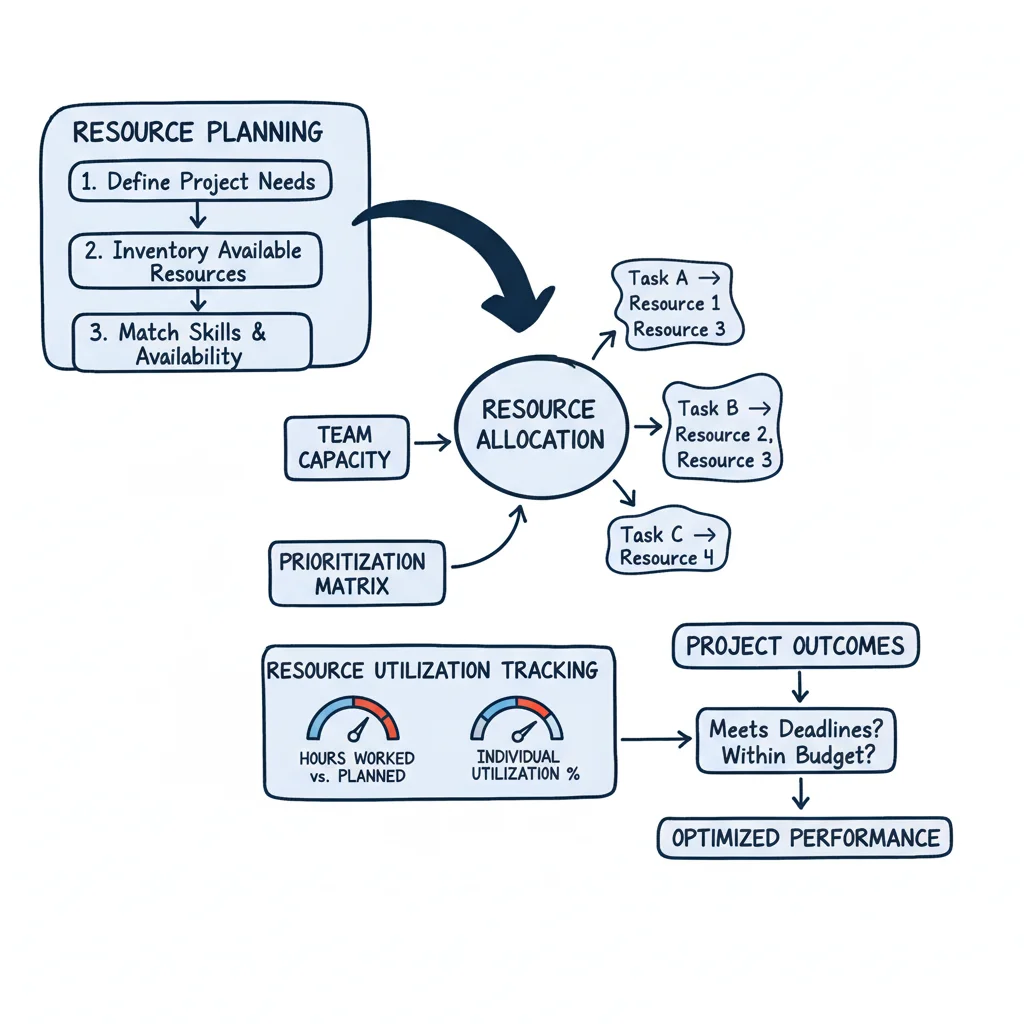
You have built and implemented a resource allocation plan. This is a major achievement, but you need objective ways to determine if that plan actually produces the results you want. Without the right metrics, you are managing by intuition rather than information. To move beyond guesswork and demonstrate value to your organization, you must systematically track specific Key Performance Indicators (KPIs).
These KPIs function like the gauges on a vehicle dashboard. Each one provides data points that are vital for a safe arrival—your speed, your fuel levels, and your engine health. You would not start a long trip without a functioning dashboard, and you should not manage a complex IT project without metrics. These numbers translate your team’s daily activities into a clear narrative for stakeholders, providing an accurate view of project health and resource efficiency.
By consistently monitoring these core metrics, you can identify and solve problems before they become crises. These data points allow you to make smarter adjustments in real time and prove the effectiveness of your resource allocation in project management.
Resource Utilization Rate
Project managers often use this as their primary metric because it shows exactly how much of your team's available time goes toward productive project work or billable tasks. It serves as a clear measurement of team efficiency and overall capacity engagement.
A utilization rate that stays at 100% for high-demand roles, such as cloud architects, might look productive on a spreadsheet. However, this level of engagement often signals that your team is facing burnout. It suggests an unsustainable pace that leaves no room for error. On the other hand, a consistently low rate means expensive IT staff or specialized hardware is sitting idle, which increases your operational costs and wastes budget.
- The Math: (Total Productive or Billable Hours / Total Available Hours) x 100
- What It Tells You: It shows whether your team members are overbooked, underworked, or operating at a sustainable level. Most experienced IT project managers target a utilization rate between 80-85%. This range provides a necessary buffer for administrative requirements, technical training, and the unforeseen challenges that appear in every project.
Planned vs Actual Hours
This KPI acts as a reality check for your planning process. It is a straightforward comparison: you look at the hours you estimated for a task, such as migrating a database to Azure or configuring a new API gateway, and compare that to the hours the team actually spent.
To improve project estimation for future initiatives, you must start with this metric. Tracking planned versus actual hours is the most effective way to see where your estimates and reality diverge. It reveals which types of IT tasks your team consistently finishes early and which ones regularly take longer than expected.
When you see large gaps between your plan and the actual results, it usually points to a specific problem. Perhaps the scope of a software module was not clearly defined, leading to extra work. In other cases, the technical complexity of a legacy system might have been underestimated, or the assigned staff might have lacked the specific seniority needed for the job. Tracking this metric gives you the data required to plan more accurately in the future.
Project Margin and Cost Variance
IT projects must prove their financial worth to the business. Project Margin shows you how profitable a project is by comparing the total costs against the revenue or business value it delivers. Cost Variance (CV) gives you a more immediate look at the budget, showing if you are spending more or less than planned for the work you have finished so far.
These financial metrics serve as the foundation of a powerful technique you can learn more about in this guide on Earned Value Management (EVM) basics. EVM is a critical concept for anyone pursuing a PMP certification. By using these figures, you gain an all-encompassing view of how efficiently you are spending the project budget.
A healthy project margin provides the best evidence that your resource strategy is working. It shows that you are not just keeping the team busy; you are producing real value for the organization while managing the costs of high-priced IT resources.
Answering Your Top Resource Allocation Questions
Even with carefully built plans and professional software, managing IT projects remains a difficult task. You are constantly balancing changing priorities, sudden technical blockers, and the specific needs of your staff. These variables make questions about how to distribute work inevitable.
We will look at some of the most frequent resource allocation challenges project managers face. The following advice focuses on practical solutions that fit within the frameworks of certifications like PMP and ITIL.
How Do You Handle Resource Conflicts?
A frequent problem in IT occurs when two urgent projects need the same expert or equipment at the same time. You might find that a senior cybersecurity architect is required to lead a response to a live threat while also being scheduled to start a major compliance audit. Alternatively, two separate software teams might need access to a specific staging server. When these interests collide, you must step back and evaluate the situation from a portfolio view.
The strategic goals of the business serve as your primary guide. You must determine which project offers the most value or mitigates the highest risk right now. Does one project generate immediate revenue? Does the other prevent a massive regulatory fine? Usually, the project with the highest strategic weight gets the primary claim on that person or tool.
Once you identify the priority, you still have to manage the second project. You can use several specific tactics to keep things moving:
- Adjust the Timeline: Resource leveling is an effective technique here. You look for ways to delay tasks in the lower-priority project that are not on the critical path. This allows you to wait until the specialist is finished with their urgent work before they switch back.
- Find a Backup: Check your internal talent pool or your list of external vendors. You might find another team member with a similar certification, such as a secondary AWS Solutions Architect, who can cover the basic requirements. Even if they need a few days to get up to speed, they can keep the project from stalling.
- Split Their Time (Carefully): While switching back and forth between tasks can reduce efficiency, a specific split sometimes solves the problem. You might assign the expert to the high-priority project for 30 hours a week and the secondary project for 10 hours. This requires very clear boundaries to prevent burnout and ensure the expert knows where to focus their energy each day.
What’s the Best Way to Allocate for Small Teams?
In a small IT department, heavy management processes can slow down progress. You do not need a complicated set of rules to move quickly. Instead, focus on creating visibility and making sure the team feels a sense of collective responsibility for the work.
Large-scale enterprise software often provides more data than a small team actually needs. A basic visual system, like a Trello or Kanban board, is frequently more effective. These tools show exactly what every person is doing in real time. When everyone can see the "In Progress" column, it becomes obvious when one developer is overloaded while another has extra capacity. This visual clarity allows the team to shift tasks among themselves without waiting for a formal management meeting.
For small IT teams, success depends on everyone having a clear view of the current workload. A quick, informal weekly meeting to check the backlog and individual tasks is often much more useful than using a complicated resource management tool.
The main objective is to build a culture where people speak up. You want team members to flag when they are reaching their limit before a deadline is missed. This type of open communication prevents small issues from turning into project-wide crises.
How Often Should You Review a Resource Plan?
An IT resource plan should be a living document that changes as the project moves forward. It is not something you write once and ignore. Technical requirements change, people get sick, and stakeholders add new requests. To keep the project on track, you must update the plan based on the specific rhythm of your work.
If you use an agile framework like Scrum, you should evaluate your resource distribution at the start of every sprint. These reviews usually happen every one or two weeks. During sprint planning, the team looks at the upcoming tasks and decides who has the capacity to take them on. This frequent check ensures that the work remains realistic and that no one is overwhelmed for more than a few days at a time.
For projects following a waterfall methodology, a monthly review is usually the minimum requirement. However, you should also perform a deep check whenever you hit a major milestone or transition to a different phase. For example, moving from the development phase to User Acceptance Testing (UAT) usually requires a completely different set of skills and people. Conducting these reviews helps you spot potential bottlenecks early. You can then make adjustments to the schedule or the staff before those bottlenecks cause a delay in the final delivery date.
Stop guessing and start building the skills you need to lead successful IT projects. MindMesh Academy offers expert-led prep courses that turn difficult project management theories into real-world skills. Take a look at our PMP and other IT certification study guides today at PMP Practice Exams.

Written by
Alvin Varughese
Founder, MindMesh Academy
Alvin Varughese is the founder of MindMesh Academy and an enterprise architecture leader. An electrical engineer by training, he moved from factory automation in South Africa to cloud architecture at GE Appliances and Humana (Fortune 50), and holds 20 professional certifications including AWS Solutions Architect Professional, Azure DevOps Engineer Expert, and Microsoft Agentic AI Business Solutions Architect. He built MindMesh Academy after interviewing too many highly certified candidates who couldn't answer basic questions: the goal is prep that makes you better at the job, not just able to pass the exam.