CompTIA Network Plus Exam Prep: Pass N10-009 in 2026
CompTIA Network Plus Exam Prep: Pass N10-009 in 2026
You are likely at a significant crossroads. You might be an experienced professional looking to validate your networking skills beyond basic ticket resolution. Perhaps you are a student sorting through technical acronyms to build a coherent knowledge base for the first time. You could even be a career changer weighing if the CompTIA Network+ exam (N10-009) is a smart first move or an unnecessary distraction.
At MindMesh Academy, we recognize these hurdles. Network+ rewards conceptual clarity that pays dividends throughout your career. When you understand why a VLAN isolates traffic, how duplex mismatches degrade performance, or why a structured troubleshooting process is vital, you are doing more than preparing for a certificate. You are developing the specific mental models required for effective, real-world IT operations.
Many study guides merely list exam objectives without explaining their application. This approach is often incomplete. Knowing the specific content on the test differs from knowing how to learn it effectively so the information remains useful. Successful candidates do not just study for more hours; they use better methods. They revisit material before it fades from memory, test their knowledge often, and choose consistent, small practice sessions over frantic last-minute cramming.
This guide uses an evidence-based method to help you succeed. We break down complex topics into plain language and provide clear examples you can use. We also outline a realistic study system to help you prepare with confidence and master networking fundamentals.
Is the CompTIA Network Plus Exam Worth It for You?
Deciding to invest in the CompTIA Network+ N10-009 exam requires a clear understanding of how it fits your career trajectory and day-to-day technical tasks. A practical way to measure its utility is to look at the specific networking hurdles that currently slow you down or create uncertainty during troubleshooting. If you struggle with the mechanics of subnetting, the logic of Layer 2 switching, or explaining why specific devices fail to obtain an IP address via DHCP, this certification provides the necessary technical grounding. It offers a structured way to learn topics that often seem fragmented when you only encounter them through individual support tickets or short video clips.
For professionals aiming for roles like help desk technician, junior network administrator, or entry-level cybersecurity analyst, this certification holds significant weight. Because it is vendor-neutral, you learn the core logic of networking rather than just the command-line interface of a single manufacturer. This approach is useful in modern IT environments where teams manage equipment from various providers, including Cisco, Juniper, and Aruba, alongside cloud-based networking components in environments like AWS or Microsoft Azure. You focus on how traffic moves through a network, which allows you to adapt to any hardware or software platform you encounter.

When Network+ is a strong fit
Think about Alex, an IT support technician who handles hardware setups and account management with ease. Alex hit a wall when a ticket arrived describing a printer that worked for the marketing team but remained unreachable for the accounting department on the same floor. While Alex could ping the gateway, he lacked the understanding of VLAN tagging and IP routing necessary to identify that the two departments were on different subnets without a proper route between them. Similarly, when users in a far corner of the office reported intermittent connectivity, Alex did not have the tools to check for co-channel interference or signal attenuation on the 5GHz band.
The N10-009 curriculum is built to resolve these exact technical blind spots. It provides a map that helps you identify why certain symptoms appear and how to trace them to a specific failure point.
This certification is a logical step if you want to:
- Move beyond basic support work: You will transition from following static checklists to understanding how packets travel across local area networks (LANs) and wide area networks (WANs). This includes learning how encapsulation works as data moves from the application layer down to the physical wire.
- Build broad confidence: You will gain a clear perspective on networking concepts that apply to any technology, which is useful when moving into cloud networking. Understanding how a virtual private cloud (VPC) functions is much easier once you understand traditional routing and subnetting.
- Establish a reliable foundation: The knowledge gained here prepares you for more specialized paths. Whether you eventually pursue the CCNA - Study Guide for Cisco-specific roles or move into security with the CompTIA Security+ or the AWS Certified Solutions Architect – Associate, you need this underlying networking logic first.
- Perform better in technical interviews: You will be able to speak clearly about OSPF and BGP routing protocols, the differences between stateful and stateless firewalls, and the specific steps of the standard troubleshooting process.
Many students use this as a bridge before specializing. While vendor-specific tracks are detailed, starting with a broad view helps you learn the general rules of networking before you have to memorize specific proprietary commands. It is about learning the mechanics of the engine before you specialize in a specific brand of car.
What the certification really proves
Earning this certification does not make you a senior network architect, but it does prove you have the technical literacy to maintain a network that is stable and secure. It validates that you can handle the daily operations required to keep a business online.
The exam confirms your competency in:
- Conceptual knowledge: You must show you understand the OSI model layers—from Physical and Data Link up to the Application layer—and how devices like multi-layer switches and routers operate at those specific levels.
- Operational judgment: This involves maintaining network documentation, using monitoring tools to identify performance bottlenecks, and understanding high-availability concepts like load balancing and failover clusters.
- Security awareness: You will learn to implement Access Control Lists (ACLs), manage Network Access Control (NAC), and apply hardening techniques to switches and routers to prevent unauthorized access.
- Troubleshooting discipline: The exam emphasizes the CompTIA 6-step troubleshooting methodology. This forces a logical approach: identifying the problem, establishing a theory of probable cause, testing the theory, creating a plan of action, verifying full system functionality, and documenting the findings.
View this certification as a way to learn how to read a complex technical map. You aren't necessarily designing every high-speed fiber link in the city, but you know how the traffic should flow, where the congestion is likely to happen, and how to find an alternate route when a link goes down. This skill makes you an immediate asset to any infrastructure team.
The practical value
The process of studying for the Network+ exam often changes how you view technology. Students frequently report that concepts which once felt like a collection of random acronyms suddenly start to click together. A VLAN is no longer just a checkbox in a management console; it becomes a tool for segmenting traffic and improving security. DNS stops being a mystery and becomes a specific point in a troubleshooting sequence that you can test with tools like nslookup or dig.
This shift in perspective is the primary reason the CompTIA Network+ N10-009 is a good choice for those starting their technical careers. You stop guessing and start analyzing.
However, if your current role is moving toward specialized software development or if you already manage complex BGP configurations and high-density wireless deployments daily, the exam might be too basic. In those cases, looking at professional-level certifications from Juniper or Cisco might offer a better return.
For those in early-career roles or people switching into IT from other fields, this certification acts as a bridge. It moves you from basic hardware support into the world of infrastructure. The best way to approach the material is through consistent practice with virtual labs and active recall of the core protocols. This ensures that the information stays with you long after you leave the testing center, allowing you to handle real-world network outages with a calm, methodical approach.
Decoding the Network Plus Exam Blueprint N10-009
The CompTIA Network+ N10-009 exam follows a structured format organized into five skill domains. These domains reflect the specific responsibilities of IT professionals working in network administration and support. A successful study plan should mirror this structure to be effective. By understanding the weight of each domain, you can prioritize your study time and avoid spending too many hours on less critical topics. The N10-009 exam contains a maximum of 90 questions. You must finish the exam within 90 minutes. It uses a scaled score of 100 to 900, with a passing score of 720 (verify current scoring and requirements on the CompTIA site). The assessment tests both your theoretical knowledge and your ability to solve technical problems in scenario-based environments.
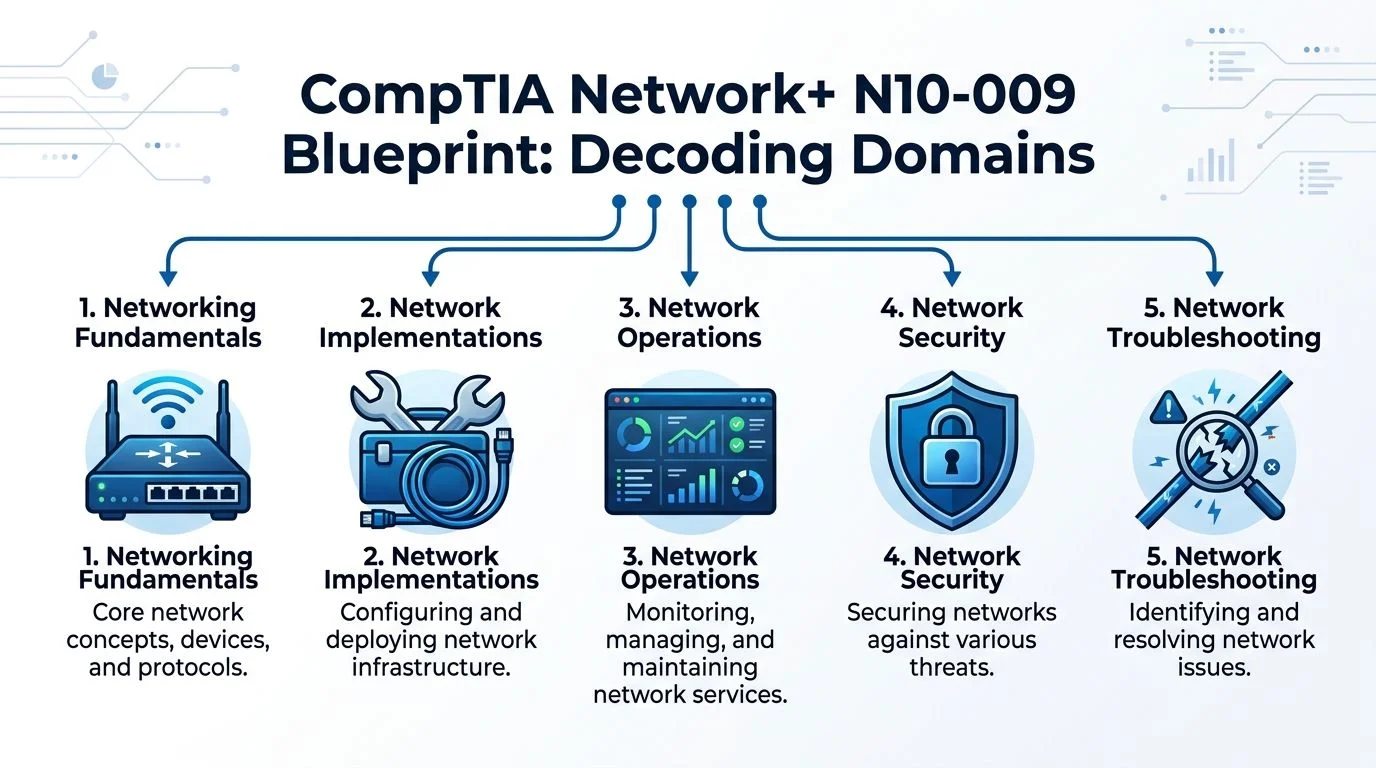
Networking Concepts (23%)
Networking Concepts represents the largest portion of the exam and serves as the technical foundation for the other four domains. If you do not grasp these fundamentals, you will likely struggle with implementation and troubleshooting later.
The OSI (Open Systems Interconnection) model is a primary focus here. Do not simply memorize the seven layers through rote repetition. Instead, use the OSI model as a diagnostic map for identifying network failures. For example, the Physical layer (Layer 1) focuses on bits, signals, and hardware like cables or hubs. The Data Link layer (Layer 2) manages frames and MAC addresses. The Network layer (Layer 3) handles packets and logical addressing through IP addresses. The Application layer (Layer 7) provides the interface for user-facing services like web browsers or email clients. When you view the model through this functional lens, it becomes a practical tool for isolating where a network communication error occurs.
You must also understand how different hardware components behave. Routers operate at Layer 3 to move traffic between different networks. Switches operate at Layer 2 to forward frames within a single local network. Firewalls act as gatekeepers to filter traffic based on security rules. Modern cloud service models are also part of this domain. You will need to know the differences between Software as a Service (SaaS), Infrastructure as a Service (IaaS), and Platform as a Service (PaaS). These models are essential because modern networks often integrate local hardware with public cloud resources like AWS VPCs or Azure VNETs.
- Reflection Prompt: Can you explain the difference between a router and a switch to a person without a technical background? If you cannot provide a simple analogy, review the core functions of MAC and IP addressing.
Network Implementation (20%)
Network Implementation focuses on the physical and logical setup of a network. This domain tests your ability to choose and apply the right configurations for specific business needs.
A common challenge for students is moving past simple term recognition to actual decision-making. It is not enough to know the definition of a VLAN (Virtual Local Area Network). You must understand when to use VLANs to segment a network. For example, you might use them to separate accounting data from guest Wi-Fi traffic to improve security and reduce broadcast congestion. Implementation also covers physical standards. You should know when to use Cat6 cabling versus fiber optic lines based on distance and bandwidth requirements.
Wireless standards are equally important. You will need to understand Wi-Fi 6E and how the 6GHz band differs from older 2.4GHz and 5GHz frequencies. Choosing between a mesh network and a traditional setup with multiple access points is a skill you will likely see tested. If you intend to earn Cisco certifications in the future, the CCNA - Study Guide provides a useful comparison. It shows how the vendor-neutral concepts in Network+ lead into the specific device configurations required for Cisco hardware.
- Real-world connection: Imagine you are setting up a new branch office. How would Network+ principles help you choose between copper cabling and fiber, or decide where to place wireless access points for the best coverage?
Network Operations (19%)
Network Operations centers on the daily tasks required to keep a network stable and efficient. This domain focuses on long-term maintenance rather than initial setup.
Key topics here include network monitoring, documentation, and change management. You must understand how to read network diagrams and maintain baselines so you can tell when performance drops. This section also introduces business metrics used to measure reliability. You should know these terms:
- MTBF (Mean Time Between Failures): The average time a system runs before a failure occurs.
- MTTR (Mean Time To Repair): The average time required to fix a failed system and return it to service.
- RTO (Recovery Time Objective): The maximum amount of time a business can afford to be offline after a failure.
- RPO (Recovery Point Objective): The maximum amount of data loss, measured in time, that a business can tolerate.
Successful students usually study these concepts by applying them to realistic scenarios. Instead of using a flashcard for "RPO," think about a database server that crashes at noon. If the last backup was at 8:00 AM, the RPO is four hours. Understanding the business impact of these numbers makes them easier to remember during the exam.
- Reflection Prompt: If a critical application stops working, what are the first three operational steps a certified professional should take before they begin changing configurations?
Network Security (20%)
The security domain on the Network+ exam focuses on practical protections within a network. It combines general networking knowledge with security controls to protect data and hardware.
You need to know the purpose of various security tools. Access Control Lists (ACLs) are used to permit or deny traffic based on IP addresses or port numbers. Network Access Control (NAC) solutions verify the identity of a device or user before allowing them to connect to the network. Device hardening involves reducing the attack surface by disabling unused ports, changing default passwords, and keeping firmware updated. Packet filtering is another core concept, focusing on blocking traffic that does not meet your security policy.
When you study security terms, ask yourself what specific risk each control addresses. For example, if you are studying 802.1X, recognize that it helps prevent unauthorized devices from plugging into a physical switch port and gaining access to the internal network. This goal-oriented approach to studying helps you identify the correct answer in scenario-based questions.
- Real-world connection: How do VLANs help with security? Consider how isolating the HR department from the public guest Wi-Fi prevents visitors from seeing sensitive employee files.
Network Troubleshooting (18%)
Network Troubleshooting is often the most difficult domain because it requires you to apply logic and the OSI model under the pressure of a timed exam.
Exam questions will often present a symptom, such as a user who cannot reach the internet or a server that is responding slowly. You must follow a structured troubleshooting process to find the cause. This process usually involves identifying the problem, developing a theory of the cause, testing that theory, and creating a plan of action. You will also need to verify that your fix worked and document everything you did.
Common issues include physical problems like broken cables or interference. You might also face logical issues like duplex mismatches, incorrect DNS settings, or DHCP exhaustion where no IP addresses are available for new clients. If you can explain why a specific symptom points to a certain OSI layer, you have the right mindset for this domain. For instance, if you cannot ping a local gateway, you should look at Layer 1 and Layer 2 before worrying about Layer 7 application settings.
What PBQs are really testing
Performance-Based Questions (PBQs) test your ability to apply judgment to technical tasks. They go beyond simple multiple-choice questions to see if you can perform the work of a network technician.
In a PBQ, you might have to look at a network diagram and identify a single point of failure. You might be asked to use a simulated command-line interface to check an IP configuration or fix a connectivity issue. Some questions require you to drag and drop components into the correct order, such as the steps of the troubleshooting methodology. Students find these questions easier if they have used labs or practice simulators. Active practice is more effective than passive reading because it trains your brain to retrieve and use information rather than just recognizing it.
How to use the blueprint wisely
The N10-009 blueprint is your study guide. Use it to prioritize your time effectively.
Start by focusing on the domains with the highest percentages, such as Networking Concepts and Implementation. If you have experience in security but have never configured a switch, spend more time on the implementation and operations domains. Break the larger domains into smaller targets. For example, under Network Security, you can spend one day on ACLs and another on hardening techniques. Review these topics consistently over several weeks. A steady pace is more effective than a single marathon study session. This method turns the blueprint into a roadmap that tells you what to study and where you need more practice to pass with confidence.
Your Evidence-Based Study Strategy for Network+
Most candidates who fail the CompTIA Network+ exam do not lack technical potential. Instead, they often struggle because they use study habits that are poorly suited for a dense, technical subject. Passive learning might feel like it is working, but it rarely leads to the mastery required for the N10-009.
Rereading a chapter several times feels productive, but it often provides a false sense of security. Highlighting large sections of a textbook might seem organized, but it rarely translates to deep understanding. Your brain gets better at what you actually practice. If you only practice reading, you become better at reading, not at recalling or applying technical logic under pressure. Passive review trains superficial familiarity rather than the strong recall needed to solve networking problems.
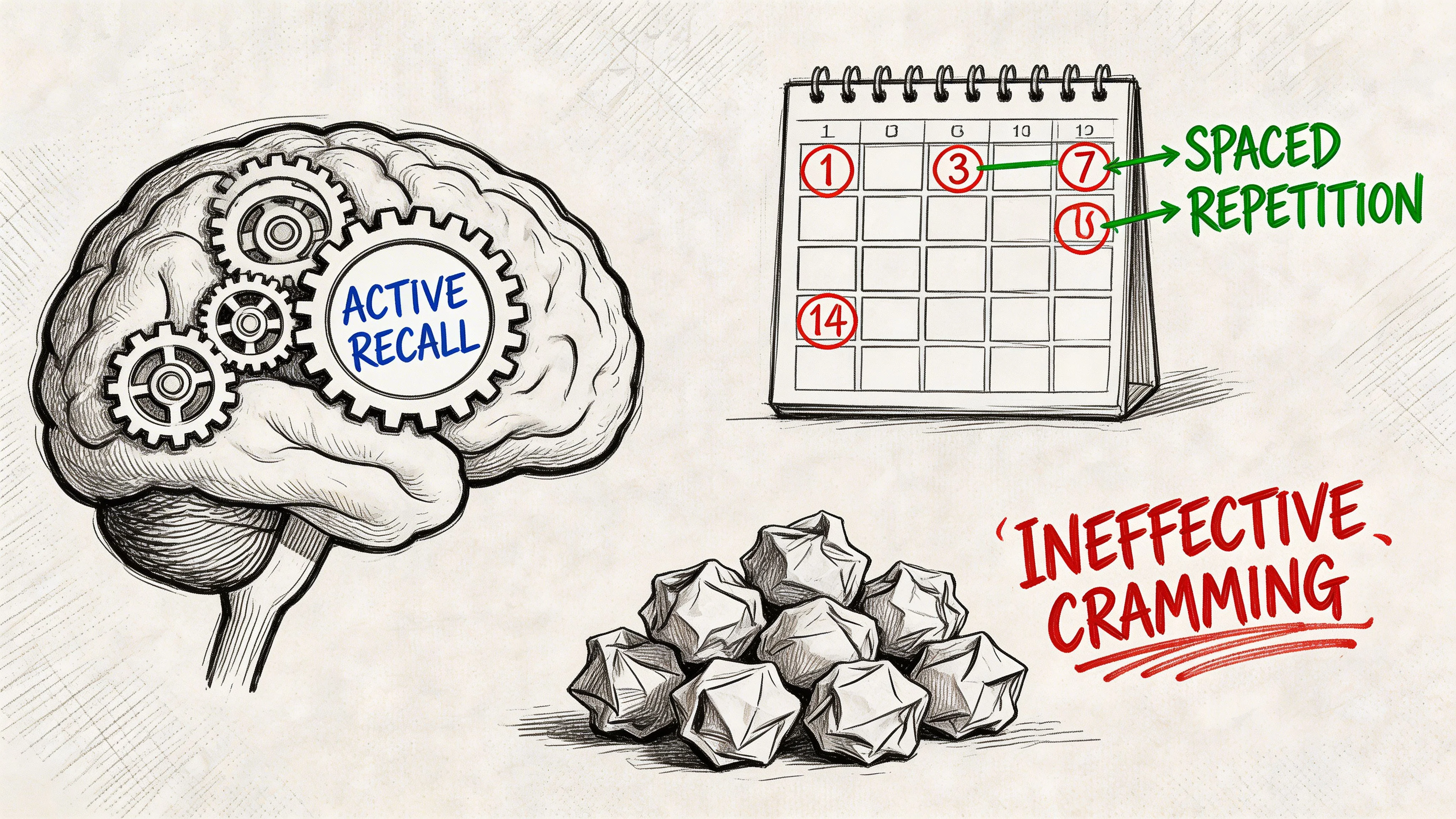
Why cramming fails for technical exams
Networking knowledge is layered. It is not a list of isolated facts to be memorized. You are building a mental map that links protocol behaviors, hardware functions, and troubleshooting logic. For instance, understanding the Dynamic Host Configuration Protocol (DHCP) is more than knowing its definition. You must understand how a client requests an address, how a relay agent functions across different subnets, and what happens to connectivity when a lease expires or a server fails.
Cramming might help you recognize a term on a flashcard for a day or two. However, it rarely prepares you to solve a complex network scenario where the wording of the question is tricky or the context changes. This is a common challenge on the current N10-009 exam.
Think about physical fitness. One high-intensity workout will not build lasting muscle if you do not allow for recovery and consistent repetition over weeks. Technical study works the same way. Short, focused sessions that you repeat over time build durable knowledge. These sessions challenge your brain to retrieve and apply information rather than just looking at it.
Use active recall every day
Active recall is a learning technique that requires you to retrieve information from your memory before you check your notes or the answer key. This effortful retrieval strengthens the neural paths in your brain and makes the information much easier to access during the test. It is the difference between recognizing an answer and knowing it.
You can use several methods to practice active recall:
- Cover and recite: Look at a technical term like DNS or ARP in your study guide. Cover the explanation with your hand and explain the concept out loud. If you cannot explain how a DNS recursive query works without looking, you have not mastered the concept yet.
- Draw from memory: Take a blank piece of paper and try to sketch the OSI model. List all seven layers from Physical to Application. Then, try to place specific devices like switches and routers, or protocols like TCP and IP, into their correct layers.
- Explain aloud: Act as if you are teaching the material to someone else. Explain why a specific symptom, such as intermittent connectivity, might point toward a duplex mismatch rather than a standard cable failure. If you can teach it, you understand it.
- Quiz yourself: Use flashcards or self-made quizzes immediately after a study session. Do not wait until the end of the week to test your knowledge. Frequent testing prevents the "forgetting curve" from taking hold.
If you find it difficult to pull the information from your head, it is a sign that you need more practice with that specific topic. Do not ask if you have read a concept. Ask if you can explain it clearly without any help from your resources.
Space your review on purpose
Spaced repetition is a strategy that uses the natural way our brains forget things. The idea is to review information right before you are likely to forget it. You gradually increase the time between your review sessions as the information becomes more familiar.
This is very effective for the Network+ exam because the syllabus contains many terms that are easy to confuse. You can use this to keep track of security tools like firewalls versus ACLs, or wireless standards like 802.11ac and Wi-Fi 6E. It also helps with cable types such as Cat5e versus Cat6 and disaster recovery metrics like Recovery Time Objective (RTO) and Recovery Point Objective (RPO). Instead of reviewing every topic every day, rotate them.
A standard schedule for spaced repetition might look like this:
- Day 1: Learn a new networking concept, such as subnetting or VLAN tagging.
- Day 2: Perform a quick five-minute review of that same concept.
- Day 4: Test your recall of the concept again using a practice question.
- Day 10: Try to explain the concept or perform a related task without using any notes.
- Ongoing reviews: Mix these older topics into your general practice sessions to keep them fresh.
Practice questions are learning tools, not just checkpoints
Many students wait until the end of their studies to take practice exams. They use them only to see if they are ready for the real test. This is a mistake. Practice questions should be used as diagnostic tools throughout your entire study process.
When you get a question wrong, do not just look at the correct letter and move on. Analyze the mistake. Ask yourself what detail you missed in the scenario. Did you misunderstand how a protocol like BGP or OSPF works? Did you confuse two terms that sound similar? If you cannot explain the logic of the correct answer to someone else, you need to revisit that part of the syllabus.
The troubleshooting section is a major part of the exam. CompTIA states that Network Troubleshooting accounts for 24% of the total score. This is because network downtime is expensive for businesses. Industry data suggests that downtime can cost an organization an average of $5,600 per minute (verify current industry data on the CompTIA site). The exam prioritizes your ability to solve problems quickly and logically to minimize these costs.
Build a small lab mindset
You do not need a rack of expensive hardware to study for Network+. You do, however, need to move beyond just reading definitions. You need to see how these protocols work in a live environment.
Try using tools like Wireshark to look at real packet captures. This lets you see the three-way handshake of TCP in action. Use network simulators like Cisco Packet Tracer or GNS3 to build virtual networks and test different configurations. Draw your own network diagrams to visualize how data flows from a client to a server. When you practice, focus on the sequence of troubleshooting steps. Knowing the final answer is less important than knowing the process used to find it. This logic is what you will need for the Performance-Based Questions (PBQs).
The following video is a great resource for your daily review. It helps reinforce these study habits visually and provides a break from reading.
The strategy that usually works best
For most learners, the best way to prepare for the CompTIA Network+ N10-009 exam is to follow a consistent cycle. This rhythm prevents burnout and ensures steady progress.
- Learn a concept from your textbook or video course. Ensure the explanation is clear and uses simple terms.
- Actively test your recall of that specific topic on the same day you learned it.
- Revisit the concept using a spaced repetition calendar to make sure it stays in your memory.
- Apply the concept by solving practice questions or using a network simulator to perform a related task.
- Track your weak spots by keeping a list of domains or terms that consistently confuse you, then review those areas more often.
This method works because it values consistency over intensity. It takes the stress out of the process by giving you a clear path to follow every day. Steady progress is the most reliable way to build the confidence needed for exam day.
A Practical 90-Day Network Plus Study Schedule
A study plan for the CompTIA Network+ N10-009 exam needs to be rigorous and organized to be effective. It should guide your daily study sessions with clear objectives. While the N10-009 update focuses heavily on modern networking environments, the core goal remains the same: proving you can design, manage, and troubleshoot functional networks.
This sample schedule covers 90 days of disciplined study. If you have significant IT experience or have already earned your CompTIA A+ (220-1201 and 220-1202), you might finish these phases faster. If you are new to the field, you should take more time to understand the basics before moving to advanced configurations. The order is intentional. You must build a foundation, apply that knowledge through practice, and then focus on exam-specific performance.
Sample 90-Day Network+ Study Plan
| Phase | Weeks | Primary Focus | Key Activities |
|---|---|---|---|
| Phase 1 | Weeks 1-4 | Foundations and vocabulary | Learn core concepts (OSI, protocols), build flashcards, initiate active recall, complete short quizzes |
| Phase 2 | Weeks 5-8 | Implementation and operations | Work through scenario-based questions, practice labs/simulations, conduct targeted review of weak areas, increase question volume |
| Phase 3 | Weeks 9-12 | Troubleshooting and exam readiness | Take full-length timed practice exams, refine pacing, intensively revisit missed topics, practice PBQ-style thinking |
Phase 1: Build the map before the details
Your first month should focus on the fundamentals. This period is about building the mental framework that supports technical skills. Focus first on Networking Concepts, which makes up 23% of the N10-009 exam. Then, integrate Network Operations (19%) to see how those concepts work in a live environment. You need to understand the role of routers, switches, and access points. You must also track how data moves through the OSI model and explain protocols like TCP, UDP, DNS, and HTTP without hesitation.
A typical weekly schedule during this phase looks like this:
- Week 1: Study network devices such as routers, switches, and firewalls. Learn the star and mesh topologies and the basic purpose of protocols like IP and Ethernet.
- Week 2: Study the seven layers of the OSI model in detail. Practice drawing the model and listing which devices and protocols operate at each layer. Start practicing simple subnetting.
- Week 3: Focus on wireless standards (802.11) and cloud models like SaaS, IaaS, and PaaS. Understand how these cloud services change the way traffic enters and leaves a local network.
- Week 4: Learn availability metrics like MTBF (Mean Time Between Failures) and MTTR (Mean Time To Repair). End the month with a mixed-topic quiz to see which foundations are weak.
Daily sessions should be short and focused. After learning a new concept, test yourself with active recall. Do not just reread your notes. Try to explain the concept of a "three-way handshake" to an empty room to see if you truly understand it.
If a topic remains confusing after two study sessions, look for a different explanation. Do not try to learn complex configurations if you are still unsure about the basic protocol operations.
Phase 2: Move from definitions to decisions
The second month is when definitions turn into practical knowledge. This is where you connect terms like "VLAN" and "Trunking" to actual business needs. Your focus shifts to Network Implementation (20%) and Network Operations (19%). Instead of asking "what is a VLAN?", you should ask "why would I use a VLAN to segment this specific office department?"
Structure your weeks to emphasize implementation:
Weeks 5 and 6
Focus on the physical and logical setup of wired and wireless networks. This includes cabling standards, segmentation strategies, and deployment options.
Daily tasks:
- Concept reviews: Spend ten minutes reviewing foundations from Phase 1 to keep them fresh.
- Scenario questions: Practice questions that ask you to choose the right cable for a 200-meter run or the best security protocol for a guest Wi-Fi network.
- Drawing exercises: Sketch out how to configure a switch with three VLANs and an 802.1Q trunk link to a router.
- Error logs: Keep a log of every question you miss. Write down why you picked the wrong answer and the logic behind the correct one.
Weeks 7 and 8
Shift your focus to operational tasks. The N10-009 exam expects you to know how to maintain a network over time, not just set it up once.
Use these questions to test your knowledge:
- Baselines: Do I know how to use a baseline to identify when a network is performing poorly compared to its normal state?
- Documentation: Can I identify which document—a logical diagram, a physical map, or an inventory list—is needed for a specific repair task?
- Tools: Do I know the difference between a protocol analyzer like Wireshark and a simple link tester?
This is the time to study newer topics in the N10-009 objectives, such as Infrastructure as Code (IaC) and the role of the Main Distribution Frame (MDF) versus the Intermediate Distribution Frame (IDF). Understanding the physical layout of rack-mounted equipment is vital for the current exam.
Phase 3: Train for the exam you’re taking
The final month is about performance under pressure. You are no longer just learning; you are training. You need to focus on Network Troubleshooting (18%) and total exam readiness. Your goal is to eliminate hesitation so that you have more time for the complex Performance-Based Questions (PBQs).
Weeks 9 and 10
Start taking longer sets of practice questions that mix all five exam domains. When you get an answer wrong, don't just move on. Explain why the correct answer is the only logical choice.
You must memorize the CompTIA troubleshooting methodology until it is automatic:
- Identify the problem: Gather information from users and identify symptoms.
- Formulate a theory: List probable causes and narrow them down to the most likely.
- Test the theory: Verify the cause by using tools or testing your hypothesis.
- Establish a plan: Create a plan to resolve the problem and implement the solution.
- Verify system functionality: Ensure the fix worked and that you didn't break anything else.
- Document findings: Record the problem, the cause, and the solution for future technicians.
Weeks 11 and 12
Simulate the testing center environment. If you plan to take the exam at 10:00 AM, take your practice exams at 10:00 AM.
Follow these steps:
- Timed exams: Take full 90-minute practice tests without interruptions. This builds the mental stamina needed for the actual exam.
- Flagging strategy: Practice skipping questions that take too long. You can always go back to them. Get the "easy" points first.
- PBQ practice: Work through simulations that require you to configure a wireless controller or assign IP addresses to a network diagram.
- Weakness review: After a full practice test, look at your scores by domain. If your Troubleshooting score is lower than your Concepts score, spend the next two days only on troubleshooting scenarios.
A sample study day
Consistent progress is better than occasional long study sessions. Here is a pattern you can use on weekdays:
- First block (30-45 minutes): Learn one specific new topic. For example, study how DHCP leases work or the difference between WPA2 and WPA3.
- Second block (10-15 minutes): Use flashcards to review older material like port numbers or OSI layers. This prevents you from forgetting early material.
- Third block (15-20 minutes): Answer ten to fifteen practice questions related to the topic you studied in the first block.
- Final minutes (5-10 minutes): Write down one thing you still find confusing. This becomes the starting point for your study session tomorrow.
Use your weekends for longer activities. Saturdays are good for labs or watching longer video course modules. Sundays should be for cumulative reviews of everything you learned that week.
How to adapt the schedule
This schedule is a guide, but you should adjust it to fit your life.
If you work a full-time job, you might only have one hour a day. In that case, keep the daily habit but extend the 90-day plan to 120 days. Do not skip days, as networking knowledge is easy to lose if you aren't using it. If you already work as a junior network admin, you can probably skip the basic hardware definitions and spend more time on the N10-009 cloud and automation objectives.
If you find that timed tests make you anxious, start taking short timed quizzes in Week 4. Getting used to the clock early can help you stay calm during the actual exam.
The most effective study plan is the one you actually finish. A 90-day plan works because it provides enough time to learn the material deeply without dragging on so long that you lose motivation. Stick to the sequence: learn the language of networking, practice the implementation, and then master the troubleshooting steps. This approach ensures you are prepared for the N10-009 exam and for a career in network administration.
Curated Resources for Your Study Arsenal
Many students assume they need more resources to succeed. In reality, most learners benefit from a cleaner, more focused study stack.
When students get stuck, it is frequently the result of juggling too many open browser tabs, fragmented video playlists, and half-finished sets of notes. This scattergun approach leads to cognitive overload. The most effective strategy involves selecting one primary source for initial instruction, one for systematic review, one for practice questions, and one specific method for hands-on, practical thinking.
Use each resource for a specific job
Different study tools solve different learning problems. Using them strategically ensures you do not waste time on redundant material.
Here is a practical framework to help you organize your resources:
- Video courses are effective when a topic feels abstract. They provide visual context and walkthroughs that clarify how data moves through a network.
- Books or detailed study guides serve as your primary reference material. They are best for slow, focused reading and filling in technical gaps that videos might gloss over.
- Practice exams test your ability to retrieve and apply information under pressure. These tools show you exactly where your knowledge fails before you sit for the actual test.
- Labs and simulations turn vocabulary into practical skill. These allow you to configure devices, troubleshoot connectivity issues, and see how a network reacts to specific changes.
Trying to use every resource for every single objective will lead to burnout. Stick to the strengths of each medium.
Where many study plans still fall short
The current CompTIA Network+ N10-009 exam introduces several updated topics that catch many students off guard. For example, there is a much heavier emphasis on Infrastructure as Code (IaC) and the specific roles of Intermediate Distribution Frames (IDFs) and Main Distribution Frames (MDFs). CompTIA notes indicate that older study materials often fail to cover these areas with enough depth. You can see the full breakdown of these changes in this overview of what's on the CompTIA Network+ exam.
A common mistake is assuming that a popular resource from a few years ago is still sufficient. It often is not. If your material focuses too much on legacy hardware and ignores the shift toward software-defined networking, you are leaving points on the table.
When evaluating any study resource, ask these questions:
- Does it explicitly state coverage for the N10-009 version of the exam, rather than the older N10-008?
- Does it incorporate scenario-based practice, or does it only ask for rote definitions of terms and acronyms?
- Does it sufficiently cover newer implementation topics like SD-WAN, VxLAN, and the security nuances of Wi-Fi 6E?
- Does it provide a way to track your progress and identify weak areas by specific exam domain?
A balanced resource mix
A simple study stack is usually the most reliable. Below is a breakdown of how to balance your materials:
| Resource Type | Best Use | Common Mistake to Avoid |
|---|---|---|
| Video Lessons | Gaining an initial grasp of concepts | Watching the screen without taking notes or testing recall |
| Written Study Guides | Detailed reference and deep conceptual work | Reading for hours without engaging in active recall |
| Practice Questions | Diagnosing gaps and simulating exam stress | Chasing a high score without reviewing the logic behind wrong answers |
| Labs or Simulations | Building practical configuration skills | Skipping labs to save time; labs are essential for Performance-Based Questions |
For specific networking fundamentals, use focused content to clear up confusion. If the mechanics of DNS still feel unclear after watching a video, a resource like this guide on what DNS is and how it works can bridge the gap. It connects the service to actual network behavior using plain language, making the concept much easier to remember.
How to use a platform without overusing it
If you choose a dedicated platform for practice questions, integrate it into your system with a clear purpose. For example, the MindMesh Academy CompTIA Network+ Practice Exam provides a structured way to track your performance. Use it to find patterns in your mistakes. If you consistently miss questions about the OSI model or subnetting, go back to your primary book or video for that specific section.
The goal is for the tool to support your study process, not replace your active engagement with the material. Do not just click through questions until you memorize them; use the feedback to drive your review sessions.
My recommendation as an instructor
After years of helping students prepare for networking certifications, I recommend this four-step approach:
- Pick one primary teaching source. Whether it is a specific video course or a thorough textbook, commit to it. Do not jump between different instructors, as this often leads to confusion due to different teaching styles.
- Add one reliable question source. Use this for regular diagnostic feedback. It will keep you honest about what you actually know versus what you think you know.
- Use one lightweight lab method. You do not need a massive home lab. Tools like Packet Tracer, GNS3, or even basic virtual machines are enough to apply the concepts hands-on.
- Maintain one dedicated review system. Use physical flashcards or an application like Anki for spaced repetition. This ensures you do not forget the material you learned in week one by the time you reach week six.
A smaller, focused study stack used with discipline always outperforms a massive collection of resources used sporadically.
The CompTIA Network+ exam covers a vast amount of territory. You gain a competitive edge through repetition, active retrieval, and clear feedback loops. Focus on mastering the current N10-009 objectives using a few high-quality tools rather than trying to consume every piece of content available online.
Avoiding Common Pitfalls and Exam-Day Tips
Qualified candidates often struggle with the CompTIA Network+ N10-009 exam because of ineffective study habits rather than a lack of technical ability. Success requires more than just reading a book or watching videos for 40 hours. It requires a specific type of mental preparation. A student might feel productive because they spent the whole weekend highlighting a textbook, but they may still fail if they cannot apply that information in a live scenario. You must prioritize active recall and practical application. Do not focus on recognizing a term when you see it on a page. Focus on being able to explain how that term impacts a real network.
After helping hundreds of students prepare for the Network+, I see the same patterns repeat. A learner studies hard but is still blindsided by the exam because their methodology didn't align with the logic CompTIA expects. The remedy is simple: study for informed decision-making, not just passive recognition of terms.
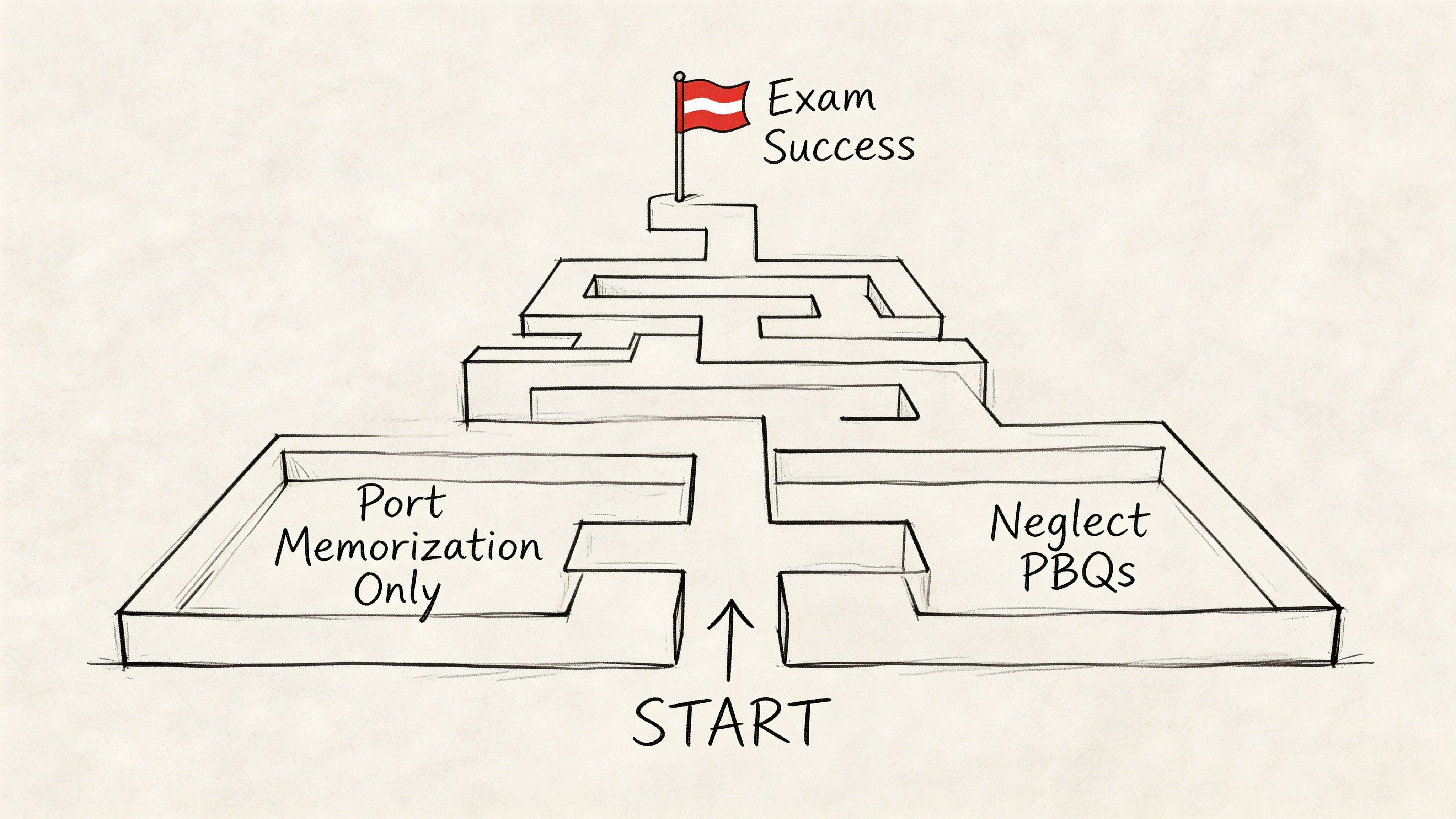
Pitfall one: Memorizing terms without understanding their use
Networking is a functional system where every part depends on another. If you study terms as if they exist in a vacuum, your ability to solve problems will fail when you face scenario-based questions. Consider the difference between Mean Time Between Failures (MTBF) and Recovery Time Objective (RTO). A technician knows MTBF helps predict when a switch might die based on historical hardware data. RTO, meanwhile, is a business metric that defines how long the company can survive without that switch during an outage.
If a question asks about the maximum acceptable downtime during a disaster, you are looking for RTO. If it asks about the expected lifespan of a new router, you are looking for MTBF. Many students miss these questions because they only know the definitions, not the application. You should always ask how a network administrator uses a specific tool or metric in their daily work. This habit changes your study session from simple memorization to professional training. It transforms passive review into active, meaningful recall, which aligns with the spaced repetition system discussed earlier.
Pitfall two: Delaying practice for Performance-Based Questions
Performance-Based Questions (PBQs) are often the hardest part of the N10-009 exam. Many people avoid them because they are difficult and time-consuming to set up. However, you cannot ignore them until the final week of study. PBQs require you to perform tasks like configuring a router, setting up a wireless network, or troubleshooting a connectivity issue using a virtual terminal.
Waiting to practice PBQs is like trying to learn to drive by only reading the owner's manual. You need to get behind the wheel. You do not need an expensive home lab to practice these logic-based tasks. Use a simple whiteboard or a piece of paper to simulate these scenarios. Draw a small office network. Place a firewall between the local network and the internet. Label a switch, a router, a wireless access point, and a client device. Mentally walk through the first steps you would take if users suddenly lost connectivity. If a switch fails, what happens to the subnet? These exercises build the mental muscle needed for the actual exam environment. The more you practice these simulations, the less stress you will feel on test day.
Pitfall three: Using cramming instead of spaced repetition
Cramming for 12 hours the day before the test rarely works for technical certifications. The N10-009 covers too many topics, from fiber optic standards and cable types to complex subnetting and network security protocols. You will naturally forget things you learned in the first week. Instead of fighting this reality, use a system where you revisit old topics every few days.
If you studied the OSI model and common port numbers on Monday, do a five-minute review on Wednesday. If you practiced command-line tools like "ping" or "tracert" last Friday, try them again today. This method ensures that the information stays fresh and moves from short-term to long-term memory. You want to walk into the testing center with all the information readily available, not buried under a pile of unorganized facts. Consistently successful students excel because they deliberately return to their weak topics, turning areas of struggle into areas of strength.
Pitfall four: Managing time poorly during the 90-minute window
The CompTIA Network+ exam is a race against the clock. You have 90 minutes to finish up to 90 questions. Some of these are quick multiple-choice items, but others are complex PBQs that can take 5 or 10 minutes each. If you get stuck on a hard question at the start, you might run out of time for five easy questions at the end. Use a protective strategy to manage your time:
- Answer the straightforward questions first to build your momentum and secure easy points.
- Flag questions that are taking too long or require deep calculations, and move on immediately.
- Read all qualifiers carefully, paying close attention to words like best, first, most likely, or EXCEPT.
- Use the process of elimination to narrow down the choices before making an educated guess.
- Return to flagged questions later when you have a better idea of how much time remains.
This approach is effective because it safeguards your mental focus. As stress levels rise, reading comprehension tends to decline. A brief mental reset by moving to a different question often helps you spot crucial details you might have initially missed.
Pitfall five: Thinking of networking as a standalone subject
Networking does not exist in a bubble. It is the foundation for all modern cybersecurity and cloud operations. Concepts like Virtual Local Area Networks (VLANs), Access Control Lists (ACLs), and network segmentation all operate at this boundary. When you study VLANs, you are studying a security tool used to isolate sensitive data. When you learn about firewalls, you are learning how to protect the network you just built.
If you plan to move into a security role later, the CompTIA Security Plus - Study Guide is an excellent next step. It shows how your foundational networking knowledge directly translates into defensive work. Seeing the connection between these subjects makes the protocols easier to remember. You aren't just learning a list of facts for a test; you are building a technical toolkit that will serve you throughout your career. This broad perspective acts as a motivator, showing you the real-world value of the material.
Exam-day habits that help
The day before the exam should be used for a light review, not an intense study session. Briefly look over your summary notes, re-examine a few practice questions you missed, and refresh your memory of key diagrams. Then, stop studying. Getting seven or eight hours of sleep is much more important than one last late-night session. Your brain needs rest to function at high speed during the test.
On exam day, keep your process simple and repeatable:
- Start steady and calm. Arrive at the testing center 15 minutes early or log into your remote proctoring software well ahead of time to resolve any technical issues.
- Read the entire question thoroughly before you even look at the answer options. It is easy to misread a question when you are nervous.
- Identify what the question is truly asking for. Is it asking for the first step in a process or the most likely cause of a failure? These are two different answers.
- If you feel stuck, use elimination. Rule out the answers that are definitely wrong. This improves your odds of choosing the right answer significantly.
- Trust your study habits. You have spent weeks practicing these concepts. Stay methodical and focused.
You do not need to feel 100% confident on every single topic to pass the exam. Your goal is to remain organized enough to demonstrate the knowledge you do have. Successful candidates pass not by guessing, but by thinking clearly and systematically under pressure. If you manage your time and stay calm, you will be well-prepared to handle whatever the N10-009 presents.
Your Final Network Plus Readiness Checklist
You must be able to evaluate your progress objectively before you sit for the CompTIA Network+ N10-009 exam. Do not rely on guesswork or a vague feeling of confidence. Readiness is not defined by how many weeks you spent studying or the number of videos you watched. Instead, it is defined by what you can do. You are ready when you can explain concepts clearly and apply your knowledge to solve problems under the pressure of a timed test.
The N10-009 exam focuses heavily on how modern networks are built and managed. Network Implementation accounts for 20% of the exam score. This includes topics like SD-WAN (Software-Defined Wide Area Network) and VxLAN (Virtual Extensible LAN). You must also understand the security changes introduced by Wi-Fi 6E, as explained in this summary of modern implementation topics in N10-009. If these technologies still seem like confusing buzzwords, you are not finished with your preparation.
Content readiness
Review this list with honesty to see if you have mastered the material:
- OSI Model: I can explain all seven layers in plain language to a coworker. I can use the model as a practical framework to identify where a network failure is happening during a troubleshooting session.
- Network Devices: I understand what switches, routers, firewalls, and access points do. I know how they differ from each other and how they interact, rather than simply memorizing their names and symbols.
- Fundamental Concepts: I can compare routing, switching, wireless, and network segmentation. I do not confuse their roles or the specific ways they move data across a network.
- Modern Implementation: I can describe SD-WAN, VxLAN, and the practical effects of Wi-Fi 6E at a functional level. I know how these technologies fit into a modern business environment.
- Security Controls: I know the common controls used in networking, such as ACLs, NAC, and VPNs. I can explain the logic behind these choices and why an IT team would choose to implement them.
Troubleshooting readiness
In this area, your confidence must come from practical application:
- Structured Methodology: I consistently follow the CompTIA six-step troubleshooting process. I do not jump to random fixes or try untested theories before I have properly identified the problem.
- Scenario Analysis: I can look at a network problem and identify the likely OSI layer, the specific device at fault, or the root cause of the issue.
- Network Tools: I am comfortable interpreting outputs from various command-line tools and software utilities. Even if the syntax looks slightly different than what I practiced, I can still understand what the data means for the network.
- Symptoms and Causes: I can tell the difference between a symptom and the actual root cause. This helps me find the core issue quickly instead of wasting time on surface-level errors.
Study process readiness
Many students ignore this part of their assessment, but it is essential for your success:
- Active Recall: I used active recall throughout my study sessions. I spent my time pulling information from my memory instead of just reading my notes or textbooks repeatedly.
- Spaced Repetition: I reviewed older topics on a set schedule. This ensured I reinforced my knowledge and kept it fresh just before I was likely to forget it.
- Practice Exams: I finished multiple timed practice exams. This means the pressure of the exam clock will not be a shock when I sit for the real test.
- Mistake Tracking: I reviewed every wrong answer on my practice tests. I tracked my mistakes to find patterns and spent extra time studying my weakest areas to ensure I improved.
Exam readiness
These final questions help you judge your psychological and strategic preparation for the test day:
- Composure: Can I stay focused even if I hit a question that is difficult or worded in an confusing way?
- Performance-Based Questions (PBQs): Do I have a clear plan for how to handle PBQs, or am I hoping they do not show up?
- Blueprint Review: Have I checked the actual N10-009 objectives? I need to be sure my study materials were up-to-date and covered every requirement from CompTIA.
- Teaching Ability: Could I confidently teach these core Network+ topics to another student who is just starting to learn?
If you answered "yes" to these points, you are likely ready for the CompTIA Network+ N10-009 exam. If you had several "no" answers, do not see it as a failure. It is a clear list of what you need to fix. Focus on those weak spots and keep a steady study schedule. Use repetition to make the knowledge stick.
If you need a structured way to study for the CompTIA Network+ N10-009 exam, MindMesh Academy has high-quality prep materials. Their system uses scenario-based practice and progress tracking to help you master the material. Use it to support your daily study habits. Do not treat it as a replacement for daily active recall, thorough review, and critical thinking.

Written by
Alvin Varughese
Founder, MindMesh Academy
Alvin Varughese is the founder of MindMesh Academy and an enterprise architecture leader. An electrical engineer by training, he moved from factory automation in South Africa to cloud architecture at GE Appliances and Humana (Fortune 50), and holds 20 professional certifications including AWS Solutions Architect Professional, Azure DevOps Engineer Expert, and Microsoft Agentic AI Business Solutions Architect. He built MindMesh Academy after interviewing too many highly certified candidates who couldn't answer basic questions: the goal is prep that makes you better at the job, not just able to pass the exam.