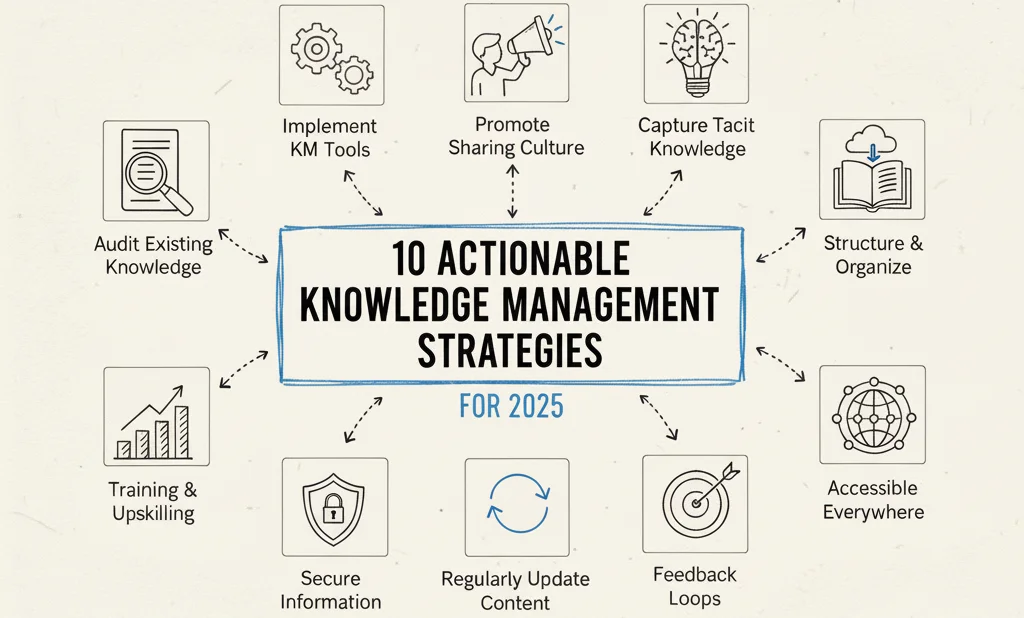
10 Actionable Knowledge Management Strategies
In today's fast-paced digital landscape, an organization's most potent competitive advantage isn't just its technology or products—it's the collective expertise residing within its IT professionals and teams. Many perceive a shared drive or a simple wiki as adequate for managing this intellectual capital, but this often falls short of tapping into its true potential. Effective knowledge management strategies aren't merely about archiving documents; they're about cultivating a dynamic ecosystem where information flows effortlessly, insights are actively exchanged, and every IT professional is empowered to both contribute and continually learn. Without a deliberate, strategic approach, vital technical knowledge becomes siloed, invaluable expertise walks out the door with departing staff, and IT teams repeatedly troubleshoot identical problems, wasting precious time and resources.
This comprehensive guide moves beyond basic storage solutions to explore ten powerful knowledge management strategies designed to transform your organization's intellectual assets into a measurable and sustainable advantage. We'll dive into practical methods, from nurturing vibrant Communities of Practice (CoPs) to implementing structured Lessons Learned programs and leveraging sophisticated expert networks. Each strategy is meticulously crafted to address a distinct aspect of how knowledge is created, captured, shared, and applied within an IT-driven company.
Here, you'll discover more than just theoretical concepts. For each of the ten strategies, we provide a clear explanation, actionable implementation steps tailored for IT environments, and real-world examples to illustrate their impact. This resource is for IT leaders, project managers, and individual professionals dedicated to building more resilient, innovative, and efficient organizations by strategically managing their most critical resource: their knowledge. You will learn how to select and combine these approaches to foster a culture of continuous improvement, turning scattered information into a powerful engine for innovation and growth.
1. Communities of Practice (CoP)
Communities of Practice (CoPs) stand out as one of the most organic and profoundly effective knowledge management strategies an IT organization can cultivate. A CoP is formed by individuals who share a common concern, grapple with similar technical challenges, or possess a shared passion for a specific IT domain. They collectively deepen their understanding and refine their expertise through ongoing interaction and shared exploration. Unlike formal project teams, CoPs often emerge organically and are driven by members' intrinsic desire to learn, collaborate, and solve real-world technical problems together.
This approach is exceptional at transforming tacit knowledge—the invaluable "know-how" and nuanced understanding that is difficult to formalize in documentation—into a shared organizational asset. Members exchange practical insights, recount project experiences, share innovative solutions, and even discuss certification study tips, thereby creating a living repository of expertise that traditional documentation struggles to capture. Such collaborative learning directly addresses complex IT challenges, accelerates problem-solving cycles, and cultivates a culture of continuous improvement, which is vital for staying ahead in IT certifications like AWS, Azure, or Kubernetes.
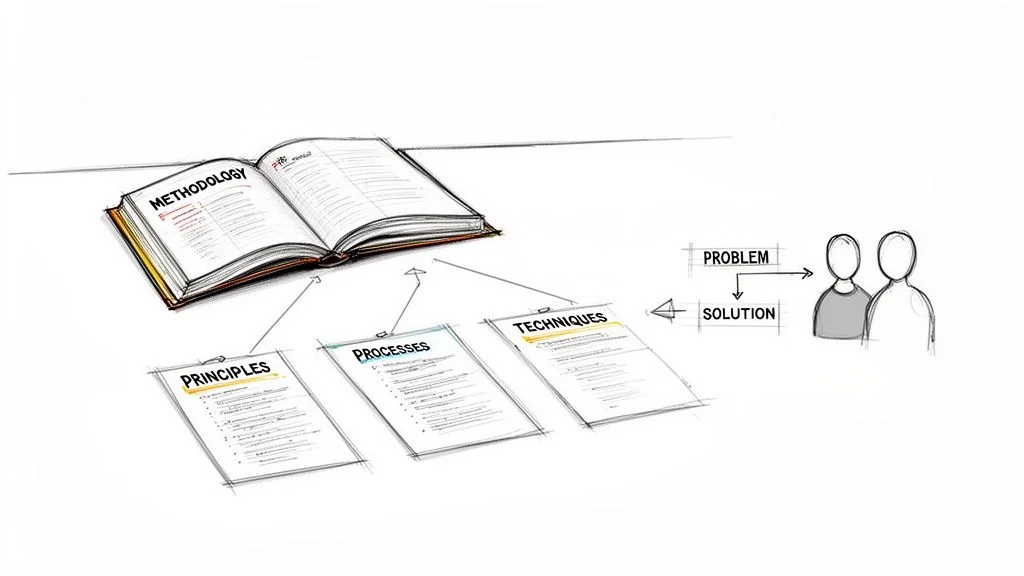 Figure 1: Communities of Practice foster collaborative learning and shared expertise among IT professionals, crucial for staying current with evolving technologies and certification requirements.
Why Use This Strategy?
CoPs are perfectly suited for environments where technical knowledge is dynamic, highly specialized, and context-dependent, as is often the case in cloud architecture, cybersecurity, or data science. They excel at disseminating best practices, preventing redundant efforts by connecting IT professionals with existing solutions, and sparking innovation through cross-functional dialogue. This strategy is particularly valuable for large, distributed IT organizations where specialists might be siloed across different departments or global locations, helping them collaborate on challenges like multi-cloud deployments or complex security configurations.
Real-World Example: Xerox Corporation
Xerox famously championed the CoP model with its field service technicians. These technicians informally shared invaluable repair tips and troubleshooting methodologies for complex machine failures during breaks. Recognizing the immense value of these interactions, Xerox formalized this process into the "Eureka" platform. This system allowed technicians globally to document and share their unique, field-tested solutions. This CoP reportedly saved the company an estimated $100 million annually by providing worldwide access to a shared pool of practical, on-the-ground technical knowledge.
Actionable Implementation Steps
To successfully launch and sustain a vibrant Community of Practice within an IT context, focus on creating the right supportive environment and providing necessary infrastructure:
- Establish a Clear Technical Domain: Define the community's focus, such as "AWS Solutions Architects," "DevOps Best Practices," "Cybersecurity Threat Intelligence," or "PMP Exam Study Group." Clearly articulate its value proposition for both individual members and the broader IT organization.
- Provide Dedicated Digital Hubs: Create an accessible digital home for the community using platforms like a dedicated Microsoft Teams channel, a Slack workspace, or an internal forum. This centralizes discussions, resource sharing (e.g., code snippets, architecture diagrams), and knowledge artifacts.
- Facilitate, Don't Dictate: Appoint a community facilitator (perhaps a senior architect or a tech lead) whose role is to nurture technical discussions, organize knowledge-sharing events (e.g., tech talks, code reviews), and connect members, rather than to micromanage them.
- Recognize and Reward Technical Contributions: Acknowledge and reward active members who share valuable technical insights, contribute to problem-solving, or mentor others. Recognition can range from a shout-out in an internal IT newsletter to linking contributions with performance reviews or professional development opportunities.
- Document and Share Key Insights: Encourage the structured documentation of valuable technical discussions, innovative solutions, and lessons learned. Create a simple, searchable mechanism for members (and other interested IT professionals) to easily find this information later, perhaps linking to an internal wiki or knowledge base.
Reflection Prompt: Think about a challenging IT problem you recently faced. Could a Community of Practice have helped you find a solution faster, or could you contribute your solution to help others?
2. Knowledge Management Systems (KMS)
Knowledge Management Systems (KMS) represent integrated technology platforms that serve as the central repository for an organization's explicit intellectual assets. These systems are purposefully engineered to capture, securely store, logically organize, efficiently retrieve, and broadly distribute knowledge, making critical information accessible to every IT professional who requires it. A KMS provides the technological backbone for managing explicit knowledge—such as technical documentation, standard operating procedures (SOPs), project plans, and incident reports—and can also facilitate access to tacit knowledge by effectively connecting users with relevant experts.
This strategy formalizes the process of knowledge sharing, transitioning it from scattered emails and disconnected network drives into a structured, searchable, and secure environment. By establishing a single source of truth for technical documentation, a KMS significantly reduces redundant work, accelerates informed decision-making (e.g., during incident response), and helps standardize IT processes across the organization. This makes a KMS a foundational component of modern IT knowledge management strategies.
 Figure 2: A robust Knowledge Management System centralizes vital IT information, making it readily accessible for operational efficiency, compliance, and rapid problem-solving.
Why Use This Strategy?
A KMS is indispensable for IT organizations aiming to scale their knowledge base and ensure operational consistency across diverse teams and projects. It is ideal for centralizing critical IT information such as infrastructure diagrams, cloud architecture blueprints, security policies, incident response runbooks, and training materials for new hires. This approach is particularly effective for managing IT compliance requirements, onboarding new IT employees efficiently, and providing comprehensive self-service resources for both internal IT teams and end-users. It's a core concept within IT service management frameworks like ITIL.
Real-World Example: Deloitte
Global consulting powerhouse Deloitte utilizes a sophisticated KMS known as the "Deloitte Knowledge Exchange" (DKE). This platform grants its consultants worldwide immediate access to a vast repository of case studies, proprietary research, proven methodologies, and detailed expert profiles. When a consultant encounters a new client challenge—perhaps a complex cloud migration or a cybersecurity strategy—they can search the DKE for similar past projects and quickly identify internal experts on the specific topic. This system empowers Deloitte to consistently deliver high-quality, informed service by leveraging its entire collective intelligence on every engagement.
Actionable Implementation Steps
Implementing a successful KMS for IT teams requires a harmonious focus on technology, people, and processes:
- Establish Strong Technical Governance: Define clear policies for technical content creation, review cycles (e.g., for architectural diagrams, code standards), and archival procedures. Assign ownership for different technical domains (e.g., cloud security, network operations) to ensure information remains accurate and current.
- Prioritize Searchability and User Experience: Invest in a system with powerful, intuitive search functionality that understands IT-specific terminology. If IT professionals cannot quickly locate the information they need—whether it's an API specification or a troubleshooting guide—they will bypass the system. You can learn more about core KMS functionality and how it's applied in platforms like ServiceNow.
- Integrate into Daily IT Workflows: The KMS should not be a standalone application but seamlessly integrated into daily IT tools such as ticketing systems (e.g., Jira, ServiceNow), project management software, CI/CD pipelines, or communication platforms.
- Invest in Change Management for IT Staff: Launch a comprehensive training and communication plan specifically for IT professionals to drive adoption. Highlight the direct benefits ("what's in it for me?") for individual contributors and teams to encourage participation and contribution.
- Audit and Refresh Technical Content Regularly: Schedule periodic reviews of all technical content to remove outdated information, correct inaccuracies, and fill identified knowledge gaps. This proactive maintenance ensures the KMS remains a trusted and reliable resource for the entire IT department.
Certification Connection: For ITIL Foundation candidates, a robust KMS directly supports "Service Knowledge Management System (SKMS)" principles, ensuring consistent service delivery and continuous improvement. How might a KMS integrate with an IT service desk?
3. Mentoring and Coaching Programs
Mentoring and coaching programs are structured knowledge management strategies designed to facilitate the direct, personalized transfer of expertise from seasoned IT professionals to less experienced colleagues. This approach formalizes the relationship between an experienced individual (mentor or coach), such as a Senior Cloud Architect or a PMP-certified Project Manager, and a learner (mentee), typically a junior engineer or a new project coordinator. It establishes a dedicated channel for passing on critical tacit knowledge, professional wisdom, and nuanced organizational know-how within the IT domain.
These programs transcend basic training by focusing on individualized professional development and fostering strong professional relationships. Through one-on-one or small group interactions, mentors can share context-specific technical insights, guide career growth (e.g., path to an AWS Professional certification), and help mentees navigate complex professional challenges common in IT, such as managing a difficult project stakeholder or troubleshooting an elusive system bug. This method is exceptionally effective for cultivating leadership skills, preserving vital institutional memory, and significantly accelerating the onboarding process for new IT talent.
Why Use This Strategy?
Mentoring and coaching are invaluable for developing essential soft skills, honing leadership capabilities within IT, and transferring deep-seated institutional knowledge that simply cannot be absorbed from a technical manual. This strategy is ideal for succession planning for critical IT roles, retaining high-potential employees (e.g., a promising DevOps engineer), and fostering a supportive, interconnected company culture across IT teams. It directly mitigates the significant risk of knowledge loss when senior IT professionals retire or transition out of the organization.
Real-World Example: General Electric (GE)
General Electric has long been celebrated for its robust leadership development initiatives, which heavily leverage mentoring programs. A notable example is its reverse mentoring program, where junior employees mentor senior executives on topics like social media, emerging technologies, or modern digital transformation trends. This bidirectional knowledge exchange not only keeps leadership informed about current tech landscapes but also empowers younger IT professionals, granting them direct access to the company's key decision-makers and ultimately strengthening organizational cohesion.
Actionable Implementation Steps
To build an effective mentoring and coaching program within an IT organization, a clear framework and robust support system are essential:
- Establish Clear Goals and Structure: Define the program's objectives, such as fostering leadership in IT, accelerating technical skill transfer (e.g., from an expert in Python to a new data analyst), or preparing for advanced certifications. Outline clear expectations, realistic timelines, and the expected frequency of interactions.
- Match Participants Thoughtfully: Utilize a combination of required technical skills, career aspirations, and personality assessments to create optimal mentor-mentee pairings. Allow participants to provide input in the matching process to ensure a strong rapport.
- Provide Training for IT Mentors: Equip mentors with essential skills in active listening, providing constructive technical feedback, and effective goal setting. Being an effective mentor in IT is a skill that can be developed and refined.
- Create Formal Agreements: Facilitate the creation of a mentoring agreement between pairs that outlines their shared development goals, confidentiality commitments (especially regarding proprietary technical information), and meeting schedules to ensure mutual accountability.
- Integrate with Talent Management and Career Paths: Link the program directly to broader IT talent development initiatives, succession planning for critical roles, and career progression frameworks. This demonstrates the program's strategic importance and allows for the measurement of its long-term impact on the IT workforce.
Reflection Prompt: Consider a skill or certification you want to acquire. How could a mentor accelerate your learning journey, and what specific expertise would you look for in such a person?
4. Storytelling and Narrative Knowledge
Storytelling is an exceptionally potent knowledge management strategy that harnesses the power of narratives to make complex information more memorable, relatable, and actionable, especially within the IT domain. Rather than presenting technical data and abstract facts in a dry, formal report, this approach embeds knowledge within a contextual story, complete with characters (e.g., the IT team), challenges (e.g., a critical system outage), and resolutions. It effectively translates nuanced, experience-based technical wisdom—often tacit—into an easily digestible and transferable format.
This method transforms abstract IT lessons into concrete, vivid examples. By framing technical knowledge as a narrative, organizations can convey their engineering culture, share critical lessons learned from project failures or successes (e.g., a difficult cloud migration), and illustrate best practices in a way that resonates emotionally and sticks in the memory far better than a simple checklist or a technical manual. It leverages one of the oldest and most inherently human methods to share wisdom and build collective understanding.
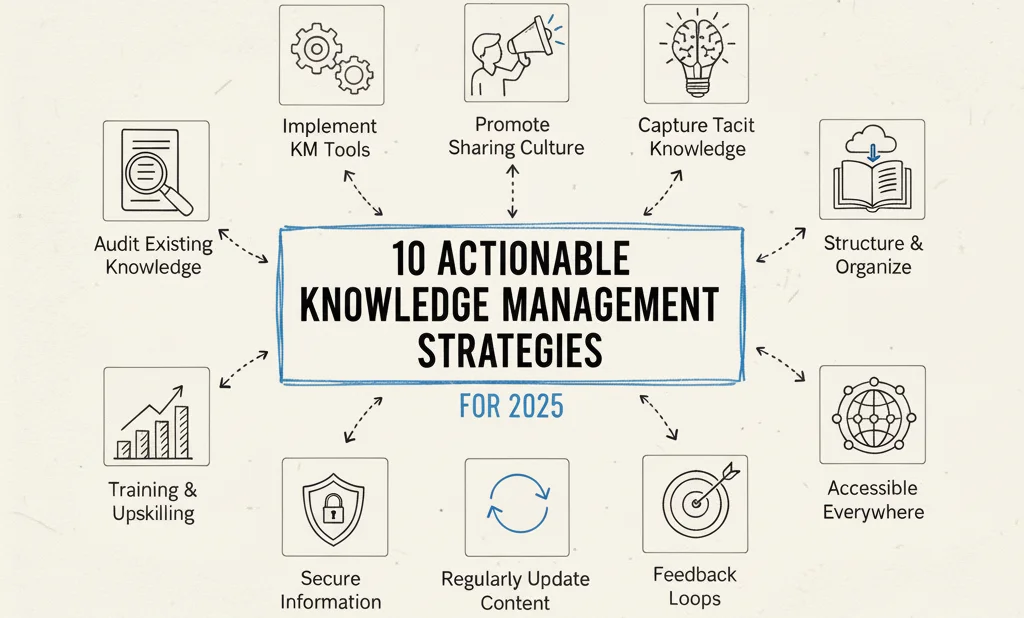 Figure 3: Storytelling transforms complex technical lessons into memorable narratives, enhancing knowledge retention, fostering cultural understanding, and sharing critical insights within IT teams.
Why Use This Strategy?
Storytelling excels at transferring implicit knowledge, embedding organizational values within IT teams, and sharing complex lessons that are difficult to codify, such as the intricacies of a legacy system or the political challenges of a major digital transformation. It is ideal for onboarding new IT employees (e.g., sharing how the company overcame a major security incident), communicating strategic changes in technology adoption, or sharing learnings from successful and unsuccessful IT projects. This strategy humanizes technical data, fostering a deeper connection and understanding among team members and helping to build a cohesive IT organizational identity.
Real-World Example: 3M
The innovation-driven culture at 3M is famously perpetuated through powerful storytelling. One of the most iconic narratives is the "accidental" invention of the Post-it Note by Art Fry and Spencer Silver. This story is repeatedly told to reinforce core company values like persistence, experimentation, and empowering employees with dedicated time for creative projects. This narrative, rather than a rigid policy document, effectively teaches employees the "3M way" of fostering innovation, making it one of the company's most valuable knowledge assets. In an IT context, similar stories could recount how a team innovated a workaround for a critical bug or successfully implemented a groundbreaking AI solution.
Actionable Implementation Steps
To effectively integrate storytelling into your IT knowledge management strategies, create a system for capturing and sharing impactful narratives:
- Establish a Technical Story Collection Process: Create clear, accessible channels for IT professionals to submit stories. This could be a dedicated section on the intranet, a form during project debriefs, or a specific channel in a collaboration tool. Prompt them with questions like: "What was the technical challenge? What was the turning point? What did your team learn?"
- Train IT Employees in Storytelling Basics: Host workshops or provide resources on structuring a compelling narrative (e.g., situation, technical conflict, resolution, key takeaway). This empowers everyone, from developers to support staff, to become an effective knowledge sharer.
- Build a Technical Story Library: Organize collected narratives in a searchable repository, tagging them by technical theme, project type (e.g., cloud migration, cybersecurity incident), or department. This "library" could be a simple database, a video channel showcasing "tech talk" interviews, or a dedicated section on the company intranet.
- Utilize Multimedia Formats: Don't limit stories to text. Encourage video testimonials from project leads, podcast interviews with IT veterans, or visual case studies (e.g., architectural evolution) to appeal to different learning styles and increase engagement.
- Integrate Stories into IT Routines: Regularly feature technical stories in company-wide meetings, IT department newsletters, and training sessions (e.g., new hire orientation). Begin team stand-ups or project reviews with a "lessons learned story" to make knowledge sharing a consistent habit.
5. Knowledge Mapping and Visualization
Knowledge Mapping and Visualization is a highly effective strategy that makes an organization's intellectual assets, particularly specialized IT expertise, visually explicit and readily accessible. This approach involves systematically identifying, documenting, and graphically representing where critical technical knowledge and expertise reside within an IT department or across the entire company. It generates an intuitive "map" that clearly shows who possesses specific skills, how technical information flows between teams, and where crucial knowledge gaps or dependencies (e.g., a single point of failure for a critical skill) might exist.
By transforming abstract technical knowledge into a tangible visual asset, this strategy helps IT organizations comprehensively understand their intellectual landscape. It moves beyond basic employee directories to create a dynamic picture of technical capabilities, expert networks, and critical information pathways. This visual clarity empowers IT leaders and project managers to make more strategic decisions about talent development, project staffing (e.g., finding the right AWS-certified architect), and proactive risk management related to knowledge loss.
*Visualizing organizational knowledge through knowledge mapping helps IT leaders identify key experts, critical skill sets, and potential knowledge bottlenecks.*Why Use This Strategy?
Knowledge mapping is indispensable for complex IT organizations that aim to prevent critical knowledge loss due to employee turnover, break down information silos between engineering teams, and quickly assemble highly specialized project teams. It is particularly effective for identifying Subject Matter Experts (SMEs) for critical IT projects (e.g., a complex data migration), supporting succession planning for key technical roles, and highlighting areas where specialized knowledge is concentrated in a single individual, thereby posing a significant operational risk.
Real-World Example: NASA
NASA employs sophisticated competency mapping systems to manage the immense and highly specialized technical knowledge essential for space exploration. Their knowledge maps link engineers and scientists to specific skills (e.g., "propulsion system design," "planetary geology"), past projects, and relevant technical documentation. When planning for a new mission or troubleshooting an issue with an existing system, managers can quickly query these maps to find individuals with niche expertise, such as experience with a particular type of sensor or material science. This strategic approach ensures that the right technical knowledge is applied at precisely the right moment.
Actionable Implementation Steps
To effectively implement knowledge mapping and visualization within an IT context, a structured and iterative approach is necessary:
- Start with a Critical IT Domain: Begin by mapping a single department (e.g., DevOps team) or a high-priority business function (e.g., cloud security operations) rather than attempting to map the entire organization at once. This makes the process manageable and allows for quick demonstration of value.
- Utilize Specialized Software: Leverage tools specifically designed for knowledge or competency mapping. These platforms can often integrate with existing HR systems, project management tools, or even internal repositories to automate parts of the data collection process, especially for technical skills.
- Combine Automated and Manual Input: Use automated data scraping from internal IT systems (e.g., project logs, code repositories, certification databases) but supplement it with surveys, interviews, and peer endorsements to capture tacit technical knowledge and validate stated expertise.
- Keep Maps Current and Dynamic: Technical knowledge is not static; skills evolve rapidly. Schedule regular updates (e.g., quarterly or semi-annually) to ensure the maps accurately reflect current skills, roles, recent project involvement, and newly acquired certifications (like PMP, ITIL, or Azure Administrator).
- Make Technical Maps Accessible: Ensure the knowledge maps are user-friendly and widely available to all IT employees. Use clear visual cues like color-coding, interactive dashboards, and simple labeling to make complex technical information easy to interpret and navigate.
6. Lessons Learned Programs
Lessons Learned Programs are among the most structured and impactful knowledge management strategies for driving continuous improvement within IT organizations. This approach involves a systematic process for identifying, documenting, analyzing, and sharing insights gained from past experiences, particularly from IT projects, incident responses, or operational events. By meticulously capturing what went well, what went wrong, and the underlying reasons, organizations can replicate successes, avoid repeating costly mistakes, and systematically enhance their processes.
This strategy effectively converts experiential knowledge—which is often lost after an IT project concludes—into an explicit, reusable organizational asset. Instead of relying on individual memory or informal anecdotes, IT teams create a formal record of practical wisdom. This repository of past technical experiences provides a crucial foundation for future project planning, proactive risk mitigation (e.g., preventing future outages), and more effective decision-making, ensuring that the IT organization continually learns and evolves over time. This is a core practice for certification frameworks like PMP and ITIL.
Why Use This Strategy?
Lessons Learned Programs are essential for IT organizations with a project-based focus, such as software development, infrastructure deployment, or cloud migration initiatives, or in environments where operational excellence (like a 24/7 NOC) is critical. They are incredibly effective at reducing project risk, improving efficiency in IT operations, and significantly accelerating the learning curve for new IT team members. This strategy is vital for preventing the recurrence of common technical problems and for systematically embedding improvements into standard operating procedures (SOPs) and architectural guidelines.
Real-World Example: U.S. Army
The U.S. Army's After Action Review (AAR) process is a world-renowned example of a highly effective lessons learned program. After every mission or training exercise, teams conduct a structured debrief to discuss what was supposed to happen, what actually happened, and what caused the discrepancies. This blame-free process focuses entirely on performance analysis and collective learning, not on individual fault. The insights gleaned from AARs are rapidly shared and integrated into future training and doctrine, fostering a highly adaptive and continuously learning organization. This model is directly applicable to post-incident reviews or post-mortem analyses in IT.
Actionable Implementation Steps
To implement a successful Lessons Learned Program in an IT context, focus on a clear process, a supportive culture, and easy accessibility:
- Implement a Structured Debrief Format: Adopt a consistent format for project post-mortems or incident reviews, such as a modified AAR. Standardizing questions (e.g., "What went well with the cloud deployment?", "What could be improved in our incident response process?", "What new tool did we discover?") helps ensure all critical technical aspects are covered.
- Establish a Blame-Free IT Culture: Emphasize that the primary goal is collective organizational learning, not individual blame. This psychological safety is crucial for fostering honest and open feedback regarding technical challenges and operational shortcomings.
- Document Both Successes and Failures: It is equally important to understand why a particular IT project succeeded (e.g., efficient use of IaC, strong team communication) as it is to analyze a failure. Capture both to create a balanced and holistic technical knowledge base.
- Create a Centralized, Searchable IT Repository: Store all lessons learned in a single, easily accessible database (e.g., within your KMS or a dedicated project management system). Tag lessons by project, IT department, technical domain (e.g., "network security," "database performance"), and even PMP process group to make them highly discoverable. To dive deeper into the project management context, you can explore comprehensive guides on lessons learned methodologies.
- Integrate Lessons into IT Project Planning: Make reviewing past lessons a mandatory step in the kickoff phase of any new IT project or initiative. This "closes the loop" and ensures that valuable knowledge is actively used to inform future planning and prevent recurring issues.
Certification Insight: The "lessons learned register" is a key artifact in PMI's Project Management Professional (PMP) certification. How does systematically collecting lessons learned contribute to the "Continuous Service Improvement" phase of ITIL?
7. Expert Networks and Yellow Pages
Expert Networks, often implemented as internal "Yellow Pages" or "who-knows-what" systems, represent one of the most direct and efficient knowledge management strategies for connecting IT professionals with highly specific technical expertise. This approach involves creating a searchable directory of individuals within the organization, meticulously detailing their skills, project experience, and areas of deep technical knowledge (e.g., "Azure Networking Specialist," "Python Data Scientist," "CompTIA Security+ certified analyst"). It essentially maps the human capital and specialized knowledge of an IT company, making valuable tacit knowledge discoverable.
Instead of IT employees wasting time sending broad emails to distribution lists or asking multiple colleagues to find the right person for a technical query, they can quickly consult the expert network. This system transforms the often-invisible technical expertise of individuals into a visible, accessible organizational asset. It directly addresses the common problem of "not knowing what we know" within IT by making it effortless to locate and connect with internal Subject Matter Experts, drastically reducing search time, accelerating problem resolution, and preventing technical knowledge silos.
Why Use This Strategy?
This strategy is exceptionally effective for large, complex, or geographically dispersed IT organizations where it's impractical for everyone to know each other's technical capabilities. It is ideal for facilitating cross-functional collaboration on complex projects, efficiently onboarding new IT employees who need to identify key contacts and experts, and assembling project teams with precisely the right mix of technical skills. By making specialized expertise easy to find, you accelerate technical problem-solving, enhance incident response capabilities, and foster a robust culture of knowledge sharing across all IT domains.
Real-World Example: Microsoft
Microsoft has long utilized sophisticated internal expert finder systems. These platforms go beyond a simple directory by integrating seamlessly with internal communication and collaboration tools like Microsoft Teams and SharePoint. Employee profiles are often auto-populated with data from their projects, contributions to internal wikis, and even certifications. When an employee searches for a technical term, the system not only returns relevant documents but also profiles of colleagues who are recognized experts on that topic, significantly streamlining the process of finding the right technical help.
Actionable Implementation Steps
To build an effective Expert Network for IT professionals, focus on creating rich, dynamic profiles and ensuring easy, integrated access:
- Establish Rich Technical Profiles: Design profiles that are comprehensive yet concise. Include not only specific skills (e.g., "Docker," "AWS Lambda," "SAP Basis") and expertise levels but also past projects, key accomplishments, acquired certifications, and an indicator of their willingness to mentor or assist others with technical queries.
- Enable Self-Service for Profile Updates: Allow IT professionals to easily create and update their own profiles. This decentralizes the maintenance effort, ensures the information remains current and accurate, and empowers individuals to showcase their expertise.
- Integrate with Existing IT Tools: Connect the expert directory with your primary IT communication platforms, such as email clients, instant messaging apps, and project management tools. A one-click "contact expert" button can significantly lower the barrier to reaching out for technical assistance.
- Incentivize Participation: Encourage profile completion and ongoing maintenance through gamification (e.g., "completed profile" badges for 100% skill mapping) or by linking contributions and expertise sharing to performance reviews and professional development opportunities within IT.
- Incorporate Social Proof and Endorsements: Add features for peer endorsements or ratings for specific technical skills. This adds a valuable layer of validation and helps users quickly identify the most trusted and sought-after experts in a given IT field.
8. Cross-Functional Knowledge Transfer Programs
Cross-Functional Knowledge Transfer Programs are structured initiatives meticulously designed to deliberately move specialized expertise and insights across traditional departmental or functional boundaries within an organization. These programs are vital for breaking down organizational silos, preventing critical technical knowledge from becoming trapped within a single IT team (e.g., the networking team versus the cloud ops team). By enabling IT employees to learn about other business areas and technical domains, they foster a holistic understanding of the organization and promote innovative, integrated problem-solving.
This strategy formalizes the process of sharing specialized knowledge that might otherwise never intersect. It transforms isolated pockets of technical expertise into a shared organizational asset, significantly enhancing collaboration and creating a more agile, adaptable IT workforce. Instead of IT professionals understanding only their piece of the technical puzzle, they begin to see how the entire system—from front-end development to back-end infrastructure and cybersecurity—works together. This holistic view is crucial for successfully delivering complex IT projects and achieving strategic alignment.
Why Use This Strategy?
This is one of the most powerful knowledge management strategies for fostering innovation and building organizational resilience, particularly in dynamic IT environments. It is ideal for breaking down "us vs. them" mentalities between IT departments, accelerating the onboarding of employees into new technical roles, and developing future IT leaders with a comprehensive view of the entire business and technology landscape. It is especially effective in organizations where seamless collaboration between development, operations, security, and business units is critical for successful digital transformation, cloud adoption, or new product development.
Real-World Example: Amazon
Amazon skillfully utilizes a robust system of internal transfers and rotational programs as a cornerstone of its extensive career development framework. For instance, an IT professional from Amazon Web Services (AWS) might undertake a temporary assignment in the Alexa division, or a logistics expert could rotate into a role within the Prime Video technical team. This structured cross-pollination ensures that best practices, innovative technical ideas, and operational knowledge are not confined to their origin. It also cultivates a versatile talent pool, allowing Amazon to staff strategic IT projects with individuals who possess a multi-faceted understanding of the company's vast and complex operations.
Actionable Implementation Steps
To effectively implement cross-functional knowledge sharing in an IT context, go beyond informal meetups and create a structured program:
- Set Clear Technical Objectives: Define precisely what knowledge needs to be transferred (e.g., "understanding microservices architecture," "implementing zero-trust security principles") and what the desired outcomes are for the individual, the host team, and the home team.
- Start with a Pilot Program: Launch a small-scale rotation between two or three highly collaborative IT departments (e.g., Development and Operations, or Security and Infrastructure) to test the process, gather feedback, and demonstrate value before a full-scale rollout.
- Provide Mentorship and Structure: Assign a dedicated mentor in the host IT department to guide the rotating employee. Use structured formats like project-based assignments, job shadowing, or joint technical initiatives to ensure the experience is meaningful and provides hands-on knowledge transfer, not just observation.
- Align with IT Career Development Paths: Position these programs as a key component of employee growth, leadership development, and preparation for advanced roles within the IT organization. This significantly increases buy-in and motivation for participation.
- Document and Share Learnings: Require participants to complete a brief report, deliver a presentation, or contribute to an internal wiki upon their return. They should share key technical insights, challenges encountered, and recommendations with their original team to amplify the benefits across the organization.
Reflection Prompt: Consider a time your team struggled due to a lack of understanding of another department's work (e.g., dev vs. ops). How could a cross-functional program have prevented or mitigated that issue?
9. Wikis and Collaborative Documentation
Wikis and collaborative documentation platforms are dynamic, centralized repositories where vital IT knowledge is created, continuously updated, and collaboratively maintained. Unlike static documents often trapped in file shares, a wiki is a living system that enables multiple authorized users—from developers to support staff—to contribute and edit content in real time. This approach democratizes knowledge creation, transforming passive information consumers into active participants in building the organization's technical brain trust.
This strategy excels at capturing and organizing explicit IT knowledge, such as standard operating procedures for system administration, API specifications, project plans, meeting notes, incident response playbooks, and technical specifications for new software. By utilizing platforms like Confluence, Notion, or integrated tools within Microsoft Teams, IT organizations can establish a single, reliable source of truth that is easily searchable and constantly evolving. This significantly reduces information silos and ensures that everyone across IT is working from the most current and accurate information.
Why Use This Strategy?
This strategy is foundational for any IT organization seeking to create a scalable, accessible, and up-to-date knowledge base. It is particularly effective for documenting IT processes that frequently change, streamlining the onboarding of new technical employees, and providing self-service support for common IT questions or troubleshooting steps. Wikis ensure that critical IT information isn't locked away in individual inboxes or local drives, making it a resilient, transparent, and highly efficient method for managing organizational intelligence.
Real-World Example: Atlassian
Atlassian, the company renowned for its popular wiki software Confluence, is a prime example of practicing what it preaches. The company meticulously runs its entire operations on Confluence, utilizing it for everything from product requirement documents and marketing strategies to HR policies and detailed team meeting notes for engineering sprints. New hires are immediately granted access to the company's extensive wiki to rapidly learn about the culture, technical processes, and ongoing projects, drastically reducing their ramp-up time. This unwavering commitment to collaborative documentation fosters a strong culture of transparency and shared ownership across all teams.
Actionable Implementation Steps
To effectively implement a wiki as one of your core IT knowledge management strategies, a structured approach with clear guidelines is crucial:
- Establish a Clear Information Architecture: Design an intuitive and logical structure for your wiki with clear parent pages, technical categories (e.g., "Cloud Architecture," "Database Management," "Security Policies"), and consistent naming conventions. This makes content easily discoverable for IT professionals.
- Create Standardized Technical Templates: Develop templates for common IT document types, such as project briefs, incident reports, API documentation, how-to guides for software deployment, or technical design documents. This ensures consistency and makes it easier for employees to contribute.
- Define Clear Governance Policies: Set clear guidelines on what technical information should be documented, who has editing rights (e.g., role-based permissions), and the process for reviewing and archiving outdated content. A good starting point is to implement best practices for documentation specific to your IT environment.
- Appoint Wiki Champions and "Gardeners": Designate and empower moderators or "gardeners" for different sections of the IT wiki. Their role is to encourage contributions, maintain technical quality, ensure accuracy, and keep the content organized and current.
- Integrate into Daily IT Workflows: Make the wiki an integral part of everyday IT work. Encourage linking to wiki pages in emails, chat messages, and project management tools instead of attaching static files to drive consistent adoption and usage.
Certification Connection: CompTIA A+ certification emphasizes the importance of documentation for IT support. How can a wiki serve as a central repository for troubleshooting guides and common IT support solutions?
10. Organizational Learning Culture and Knowledge Sharing Incentives
Creating an organizational learning culture is arguably the most foundational and transformative of all knowledge management strategies. This approach centers on embedding knowledge sharing, continuous learning, and adaptability directly into the company's core values, daily behaviors, and reward systems. Instead of treating knowledge management as a separate, niche initiative, it becomes an integral, intrinsic part of "how we do things here" across the entire organization, especially within IT.
This strategy shifts the focus from merely implementing tools and processes to cultivating the right people-centric environment. It fosters an atmosphere where intellectual curiosity is celebrated, technical mistakes are viewed as valuable learning opportunities, and proactively sharing expertise is both expected and meaningfully rewarded. By doing so, it encourages the voluntary flow of both tacit and explicit knowledge across all levels and IT departments, making the entire organization inherently more agile, resilient, and innovative in the face of rapid technological change.
Why Use This Strategy?
This strategy is absolutely essential for any IT organization striving for long-term innovation, continuous improvement, and sustainable adaptability. It's particularly effective for combating knowledge hoarding, dismantling stubborn silos between IT teams, and significantly increasing employee engagement and retention. By strategically aligning individual incentives (e.g., career growth, recognition) with collective knowledge goals, it creates a self-sustaining cycle of learning and improvement that directly fuels competitive advantage in the technology sector. Building a thriving knowledge ecosystem starts with understanding and shaping your organization's environment. For more insights into creating the right foundation, consider fostering a strong organizational culture.
Real-World Example: 3M
3M stands as a classic, enduring example of a company with a deeply ingrained learning culture. Its renowned "15% Time" policy empowers employees to dedicate up to 15% of their paid working hours to projects of their own choosing, without requiring explicit management approval. This institutionalized freedom to explore, experiment, and learn has directly led to some of 3M's most successful innovations, including the ubiquitous Post-it Notes. This type of incentive demonstrates profound trust in employees and directly supports a culture where learning, innovation, and proactive knowledge sharing are paramount.
Actionable Implementation Steps
To cultivate a robust learning culture and effectively incentivize knowledge sharing within an IT organization, a holistic and consistent approach is required:
- Secure Leadership Buy-In and Active Participation: Ensure that IT leaders and executives not only endorse but actively model and champion knowledge-sharing behaviors. Their visible actions—contributing to wikis, mentoring junior staff, or sharing their own lessons learned—must consistently align with the cultural values being promoted.
- Integrate into Performance Management and Career Paths: Directly link knowledge sharing activities—such as mentoring, contributing to a technical knowledge base, delivering internal tech talks, or achieving new certifications—to performance reviews, professional development plans, and career progression paths within the IT department.
- Allocate Dedicated Time for Learning and Experimentation: Formally set aside dedicated time for continuous learning, experimentation with new technologies, and knowledge consolidation, similar to 3M's 15% rule. This legitimizes learning as a core part of the IT job function, not an afterthought.
- Recognize and Celebrate Technical Contributions: Publicly acknowledge and reward individuals and teams who excel at sharing technical knowledge, solving complex problems collaboratively, or contributing significantly to the collective knowledge base. This can be through formal awards, bonuses linked to innovation, or simple but visible shout-outs in company-wide communications or IT team meetings.
- Create Psychological Safety within IT Teams: Foster an environment where IT professionals feel absolutely safe to ask "dumb" questions, admit technical mistakes without fear of punishment, challenge the status quo, and propose innovative ideas. This is paramount for fostering honest, open, and impactful knowledge exchange and learning.
Knowledge Management Strategies: 10-Point Comparison
| Approach | Implementation complexity | Resource requirements | Expected outcomes | Ideal use cases | Key advantages |
|---|---|---|---|---|---|
| Communities of Practice (CoP) | Low–Medium (organizing & sustaining groups) | Low (time, facilitation, digital/physical space) | Ongoing tacit knowledge exchange, innovation, stronger networks | Cross-organizational learning, professional development, practice improvement | Organic sharing, low cost, builds trust and engagement |
| Knowledge Management Systems (KMS) | High (technical integration, governance) | High (software, content population, maintenance, training) | Centralized searchable knowledge, compliance, faster decisions | Large enterprises, regulated environments, scalable explicit knowledge needs | Improves findability, versioning, analytics, scalability |
| Mentoring and Coaching Programs | Medium–High (matching, program design) | Medium–High (mentor time, program management, training) | Accelerated skill development, retention, leadership pipeline | Leadership development, high‑value tacit transfer, succession planning | Personalized development, measurable skill gains, high engagement |
| Storytelling and Narrative Knowledge | Low–Medium (collection processes, curation) | Low–Medium (time to capture, multimedia production) | Memorable transfer of tacit lessons, cultural preservation, improved retention | Onboarding, change communications, preserving lessons and values | Highly memorable, low cost, makes tacit knowledge explicit |
| Knowledge Mapping and Visualization | Medium (data collection, visualization tools) | Medium (specialized tools, analysts, data updates) | Visibility of expertise, gap analysis, informed resource allocation | Talent planning, R&D, identifying critical knowledge bottlenecks | Reveals expertise locations, supports strategic planning visually |
| Lessons Learned Programs | Medium (structured debriefs and follow-up) | Medium (time for AARs, documentation, tracking) | Fewer repeated mistakes, improved project outcomes, organizational memory | Project-based work, operations, post‑project reviews | Prevents repeat errors, captures actionable recommendations |
| Expert Networks & Yellow Pages | Low (directory setup) | Low–Medium (profile maintenance, validation) | Rapid expert discovery and question routing | Ad-hoc expertise queries, quick problem solving, knowledge hubs | Fast expert location, low cost, encourages direct knowledge sharing |
| Cross-Functional Knowledge Transfer Programs | Medium–High (coordination, role changes) | Medium–High (rotations, time allocation, management support) | Reduced silos, broader employee capabilities, accelerated innovation | Organizational change, cross-team projects, capability building | Breaks silos, develops versatile talent, fosters collaboration |
| Wikis & Collaborative Documentation | Low–Medium (structure and governance) | Low (platform costs, editor time, moderation) | Living documentation, faster onboarding, transparent processes | Evolving procedures, team knowledge bases, collaborative docs | Easy to use, real‑time updates, democratizes documentation |
| Organizational Learning Culture & Incentives | High (culture change, leadership alignment) | High (leadership time, incentives, programs, sustained reinforcement) | Sustained knowledge sharing, continuous improvement, competitive advantage | Long-term transformation, innovation-focused organizations | Most sustainable approach, builds intrinsic motivation and adaptability |
Building Your Knowledge Ecosystem, One Strategy at a Time
The journey through these ten powerful knowledge management strategies reveals a fundamental truth for IT professionals: managing organizational knowledge isn't about deploying a single, all-encompassing system. Instead, it involves thoughtfully cultivating a vibrant, interconnected ecosystem where technical information flows freely, specialized expertise is readily accessible, and collective intelligence flourishes. From the dynamic collaboration within Communities of Practice focused on new tech stacks to the structured data housed in a robust Knowledge Management System, each strategy serves as a vital component in this complex, living network.
The true power of these approaches is realized not in isolation, but through their synergistic application. Imagine a Lessons Learned Program where insights from a challenging cloud migration aren't just captured in a static document but are also woven into compelling narratives through organizational storytelling. These stories are then shared and discussed within a dedicated AWS Architects Community of Practice, sparking further refinements to best practices. Key takeaways from these discussions are meticulously documented in a collaborative wiki, and the experts who led the conversation are tagged in an internal Expert Network, making their knowledge discoverable for future architectural challenges. This is the blueprint for a truly integrated knowledge ecosystem in IT.
Key Takeaways for Immediate Action
As you transition from understanding these strategies to implementing them within your IT environment, focus on the core principles that bind them together. Success hinges less on the specific technology you choose and more on the cultural foundation you establish.
- Human-Centered Design for IT: Always prioritize the user experience for your IT professionals. Whether it's a mentorship program for aspiring PMP certificate holders or a KMS for system administrators, it must be intuitive, accessible, and genuinely solve a problem for your team. If a strategy introduces more friction than it removes, it will be quickly abandoned by busy IT staff.
- Start Small, Scale Smart: Resist the temptation of a massive, organization-wide IT overhaul. Instead, select one or two high-impact strategies that directly address a pressing technical need. Perhaps pilot a Cross-Functional Knowledge Transfer Program for a single DevOps project, or establish a CoP for a critical cloud security team. Use these pilot programs to learn, gather feedback, and demonstrate tangible value before expanding.
- Integration is Non-Negotiable: Your chosen knowledge management strategies should not exist in separate silos. A robust KMS should seamlessly link to expert profiles, and a Lessons Learned database should be a primary source for content used in coaching and mentoring programs. The ultimate goal is to create a fluid, seamless experience where technical knowledge is discovered and applied within the natural flow of IT work.
- IT Leadership is the Catalyst: Executive buy-in from IT leadership is absolutely crucial. When CIOs, CTOs, and IT managers actively participate in knowledge-sharing activities, champion the use of new tools, and visibly reward collaborative behaviors, they send a powerful message. This visible support transforms knowledge management from a mere corporate mandate into a shared, deeply ingrained IT cultural value.
Your Next Steps: From Strategy to Execution
The path forward begins with a single, deliberate step. Don't let the breadth of possibilities lead to inaction. Your immediate goal is to translate this inspiration into a concrete action plan that is specifically tailored to your IT organization's unique context and technical challenges.
- Conduct a Knowledge Audit for IT: Before you build, you must deeply understand your technical landscape. Identify where your most critical IT knowledge resides, where the biggest knowledge gaps are (e.g., specific cloud expertise), and what current barriers prevent effective technical sharing.
- Identify a Pilot IT Project: Choose a specific business or technical problem to solve. Is project delivery inconsistent across IT teams? Are new cloud engineers struggling to find critical architectural documentation? Select a strategy from this list that directly addresses that pain point.
- Define Success Metrics for IT: How will you know if your knowledge management strategy is working? Define clear, measurable outcomes. This could be a reduction in new hire onboarding time for IT roles, an increase in the reuse of project assets (e.g., code templates, IaC scripts), or higher employee satisfaction scores related to knowledge access.
- Empower Your IT Champions: Identify enthusiastic individuals at all levels within IT who can advocate for the new approach. These champions—perhaps a senior developer, a network engineer, or a project coordinator—will be your greatest asset in driving adoption and gathering honest feedback.
Ultimately, investing in effective knowledge management strategies is a critical investment in your IT organization's resilience, innovation capacity, and long-term success. It provides the essential framework that enables your team not just to perform, but to continuously learn, adapt, and outpace the dizzying speed of technological change. By intentionally building this ecosystem, you empower every IT professional to contribute to and benefit from the collective wisdom of the entire organization, forging a formidable competitive advantage.
Just as a thriving IT organization depends on effectively managing its internal knowledge, your personal career growth is intrinsically linked to mastering new concepts and skills. MindMesh Academy provides the structured learning paths, expert-curated content, and in-depth resources you need to build your own robust knowledge base in today's most critical tech fields. Accelerate your professional development, prepare for essential certifications (like AWS, Azure, PMP, and ServiceNow), and seize your next big opportunity by exploring our comprehensive courses at MindMesh Academy.
Ready to Get Certified?
Prepare with expert-curated study guides, practice exams, and spaced repetition flashcards at MindMesh Academy:

Written by
Alvin Varughese
Founder, MindMesh Academy
Alvin Varughese is the founder of MindMesh Academy and an enterprise architecture leader. An electrical engineer by training, he moved from factory automation in South Africa to cloud architecture at GE Appliances and Humana (Fortune 50), and holds 20 professional certifications including AWS Solutions Architect Professional, Azure DevOps Engineer Expert, and Microsoft Agentic AI Business Solutions Architect. He built MindMesh Academy after interviewing too many highly certified candidates who couldn't answer basic questions: the goal is prep that makes you better at the job, not just able to pass the exam.