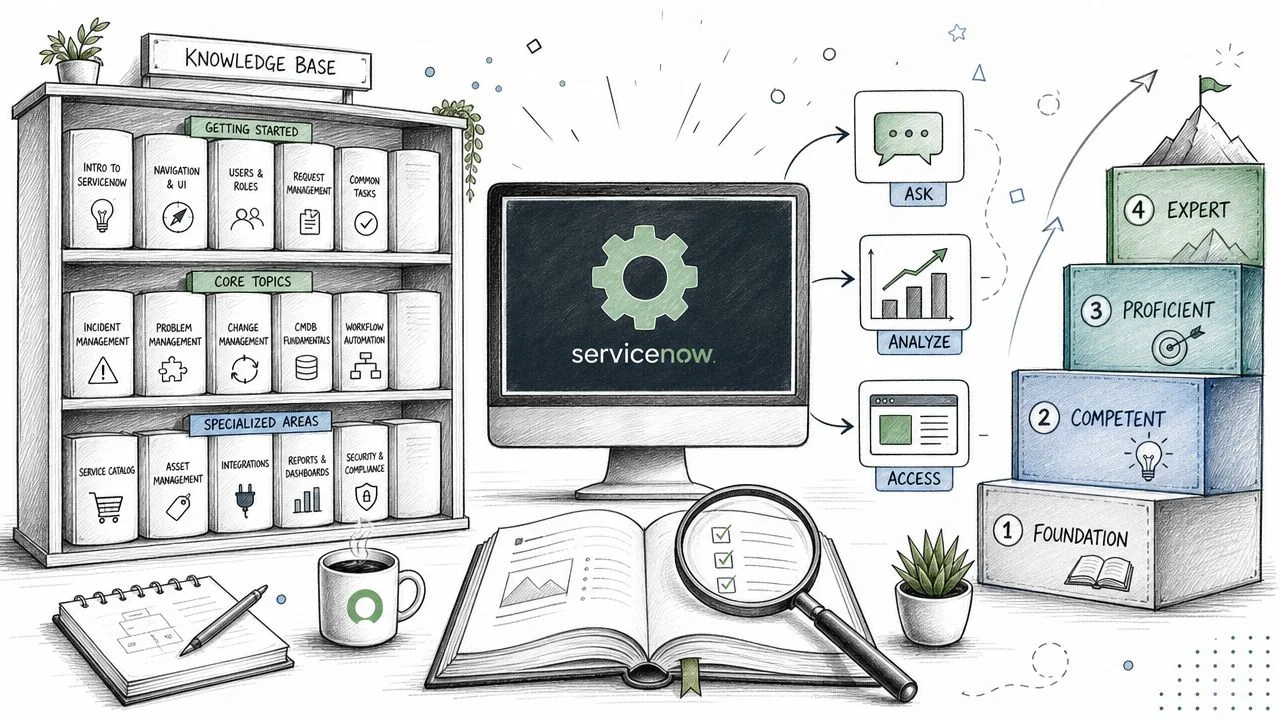
Master Knowledge Base in ServiceNow: 2026 Guide
Understanding the ServiceNow Knowledge Base: A Practical Guide
Your service desk probably already has the answers. They're just trapped in closed incidents, scattered Word files, Teams chats, and the heads of a few experienced agents everyone depends on.
A user asks how to reset a VPN client. Another asks why onboarding access failed. A third needs the same printer fix the team handled last week. The tickets look different on the surface, but to an admin, they're the same pattern repeated. When that pattern isn't captured well, the support team becomes a live search engine. Expensive, inconsistent, and hard to scale.
That's where a knowledge base in ServiceNow changes the operating model. It gives users a self-service path, provides agents with reusable answers, and offers admins a controlled way to publish, review, and retire content. Ultimately, it turns support knowledge into something structured enough to govern.
If you're new to ServiceNow admin work, this topic can feel deceptively simple. People say “just create a KB,” but the underlying questions are harder. How should you split bases? Who should see what? Where do categories fit? Why does one bad permission setting affect everything? And which facts matter for the certification exam?
From Information Chaos to Intelligent Self-Service
Monday morning starts the same way in many ServiceNow environments. A user opens a ticket for VPN setup. Another asks for software installation steps. A manager needs help with an access request that already has a documented approval path somewhere. The service desk isn't solving new problems yet. It's repeating known answers.
That pattern creates two kinds of waste. Users wait for information that should have been easy to find, and agents spend time rewriting instructions instead of handling exceptions, outages, or broken workflows.
A ServiceNow knowledge base changes that operating model by turning scattered know-how into managed, searchable content within the platform. ServiceNow builds its knowledge capabilities around self-service, so the goal isn't just to store articles. The goal is to place the right answer where users and agents can use it.
For a new admin, that distinction matters.
A folder full of documents is storage. A knowledge base in ServiceNow is a controlled service delivery tool. It has audiences, ownership, review processes, publishing states, and search behavior. That's why knowledge work shows up in both real implementations and certification exams. The platform tests whether you understand governance, not whether you can type an article.
What good knowledge management changes
When knowledge is set up well, it reduces repeat effort across the service organization.
- Users resolve routine issues themselves because common instructions are available in a place they already use.
- Agents answer faster and more consistently because they can reference approved steps instead of writing from memory.
- Knowledge managers and process owners see where content is weak through feedback, deflections, and repeated ticket themes.
- Resolved work becomes reusable institutional knowledge when a good fix is converted into a maintained article.
A useful analogy is a well-run airport. Signs handle the common questions so staff can focus on exceptions. If every traveler had to ask a person where security was, the whole system would slow down. Knowledge articles play the same role in ServiceNow. They absorb the predictable demand.
A strong knowledge base reduces avoidable contact and standardizes answers without removing human support where judgment is still needed.
That's the move from information chaos to intelligent self-service.
Why admins often misjudge the hard part
New admins usually start with article formatting because it's visible and easy to test. The harder work sits underneath. Structure, access, and ownership decide whether the knowledge program stays useful after the first few weeks.
Put HR policy content and IT troubleshooting in one poorly governed base, and search results become noisy. Leave ownership unclear, and outdated articles stay published long after the process changed. Create vague categories, and both authors and users file content wherever it seems close enough.
The cleaner mental model is a bookstore with rules.
| Element | Comparison | Why it matters |
|---|---|---|
| Knowledge base | The governed store | Defines audience, ownership, and access rules |
| Category | The shelf label | Guides browsing and keeps content organized |
| Article | The book a person reads | Delivers the actual instruction, answer, or policy |
This framing also helps with exam preparation. Certification questions often hide simple platform concepts inside business scenarios. If you remember which layer controls access, which layer organizes browsing, and which layer contains the answer, many knowledge questions become much easier to evaluate.
That's the real starting point for a successful implementation. Before you publish more content, get the container, permissions, and ownership model right.
Unpacking Core ServiceNow Knowledge Concepts
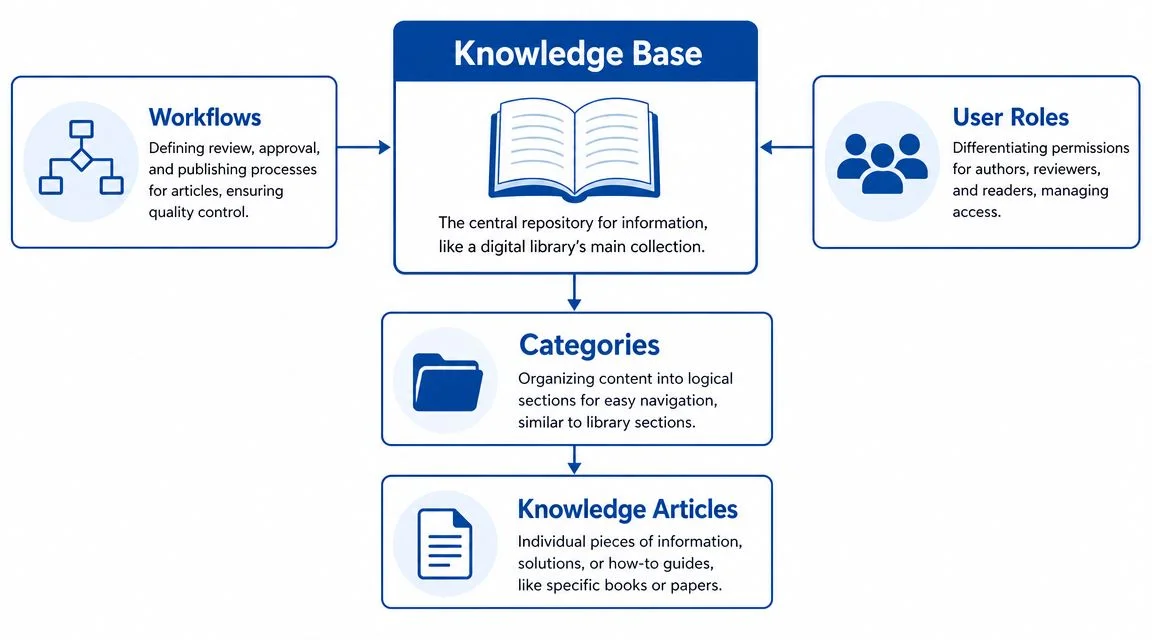
Think of ServiceNow Knowledge Management as a digital library. The knowledge base is the library itself. Categories are the sections or aisles. Knowledge articles are the books on the shelves.
That analogy helps because many admins confuse content with structure. In ServiceNow, they're related, but they aren't the same thing.
The three records you need to remember
A key exam and admin concept is that ServiceNow's Knowledge Management model is built around three core record types: the knowledge base table, the knowledge category table, and the knowledge article table. In the standard model, each article is stored in the kb_knowledge table, while article feedback is stored separately in the kb_feedback table, as explained in this ServiceNow knowledge model discussion.
That matters for more than trivia.
- The base holds governance context such as who the audience is and how access should work.
- The category organizes browsing and can sit in a parent-child hierarchy.
- The article stores the content itself as the actual published knowledge record.
An article is assigned to only one knowledge base and one knowledge category. New admins often expect one article to belong to multiple categories, like tagging content in a CMS. That isn't how the standard structure works. ServiceNow uses that constraint to enforce cleaner ownership and reduce ambiguity.
Practical rule: If an article seems like it belongs in two places, your issue is usually information architecture, not article design.
Categories are hierarchical, articles are not
Categories can have parent-child relationships. That means you can create a broad area like “Email” and then place “Outlook,” “Mobile Mail,” and “Shared Mailbox Access” underneath it.
Articles don't work that way. They don't branch. They sit in one category only.
That difference matters in real implementations. A category tree supports browsing, but article placement remains deliberate. If your team tries to solve every findability problem by creating more categories, users often get lost. Good search and strong article titles usually do more work than a deep category maze.
A quick video walkthrough can help this click visually:
Workflow and roles in plain language
Knowledge also has a lifecycle. Even if your instance uses a simplified process, think in terms of draft, review, publish, and retire.
Here's the practical meaning:
- Draft. An author writes or updates the article.
- Review. A manager or subject matter expert checks accuracy and audience fit.
- Publish. The article becomes available to approved readers.
- Retire. The article is removed when it's obsolete or replaced.
Many certification questions try to test your understanding. They won't always ask for the exact clicks. They'll ask what object controls structure, what record stores the article, or why one article can't live in many categories at once.
The library analogy that helps on exam day
If you freeze under exam pressure, use this fallback:
| Prompt | Recall answer |
|---|---|
| Knowledge base | = building |
| Category | = aisle |
| Article | = book |
| Workflow | = librarian review process |
| Feedback | = reader comments and ratings stored separately |
That mental picture makes the architecture easier to recall than memorizing table names alone.
Configuring Your First Knowledge Base
Creating your first knowledge base in ServiceNow is easy. Creating one that stays secure and usable is where admin judgment matters.
The biggest mistake new admins make is treating a knowledge base like a folder. It's closer to a security boundary with content inside it. Before you think about article templates or nice category names, decide who should read from the base and who should contribute to it.
Start with the base design, not the articles
A practical first build often begins with a simple question set:
- Audience: Is this for employees, agents, customers, or a restricted team?
- Content type: Is this policy content, troubleshooting guidance, or procedural instruction?
- Ownership: Which team approves updates and retires outdated content?
- Risk level: Would exposure of this content create confusion, compliance issues, or data leakage?
These questions help you decide whether you need one base or several. For example, an employee help base and an internal agent-only troubleshooting base usually shouldn't be merged. The audiences are different, and so are the access expectations.
Why user criteria matters so much
ServiceNow emphasizes access control at the knowledge base level rather than per article. Permissions are prioritized there, and changing a base's user criteria or group permissions affects every article in that base, as noted in ServiceNow guidance on knowledge base permissions.
That single fact answers a lot of practical questions.
If a user suddenly sees too many articles, don't inspect each article first. Inspect the base. If contributors can't create content where they should, check the base. If a certification question asks where knowledge access is primarily enforced, the safe answer is the base level.
If you choose the wrong base design, every article inside inherits the consequences.
A clean setup sequence
Use a sequence like this when you configure a new KB:
| Step | Admin decision | Why it comes early |
|---|---|---|
| Create the base | Name and purpose | Establishes scope |
| Define access | Read and contribute criteria | Controls visibility and authorship |
| Build categories | Broad to specific | Supports browsing without clutter |
| Assign owners | Team or named approver | Prevents orphaned content |
| Test access | Reader and contributor scenarios | Catches misconfiguration before publishing |
This order reduces rework. Too many teams create categories and sample articles first, then realize the wrong audience can see the base.
Example of a good first design
Suppose you're building an internal IT support KB.
A good pattern might look like this:
- Base: IT Internal Support Knowledge
- Readers: Service desk, desktop support, infrastructure teams
- Contributors: Approved support groups
- Categories: Accounts, Email, Devices, Network, Access
- Owners: Named leads in each domain
A different base might serve employees with plain-language articles like “Set up multi-factor authentication” or “Request software.” Same platform. Different audience. Different access model.
What beginners often overcomplicate
You don't need a huge taxonomy on day one. You need a base structure that makes permission logic obvious. Keep the category tree shallow until real usage tells you where users struggle.
Also, don't assume article-level exceptions will save a weak base design. In practice, knowledge governance is easier when the base itself reflects a clear audience and purpose.
For exam prep, remember this wording: knowledge base design is both an information architecture decision and a security decision. That's not just good practice. It's how the platform behaves.
Optimizing Search and Driving Adoption
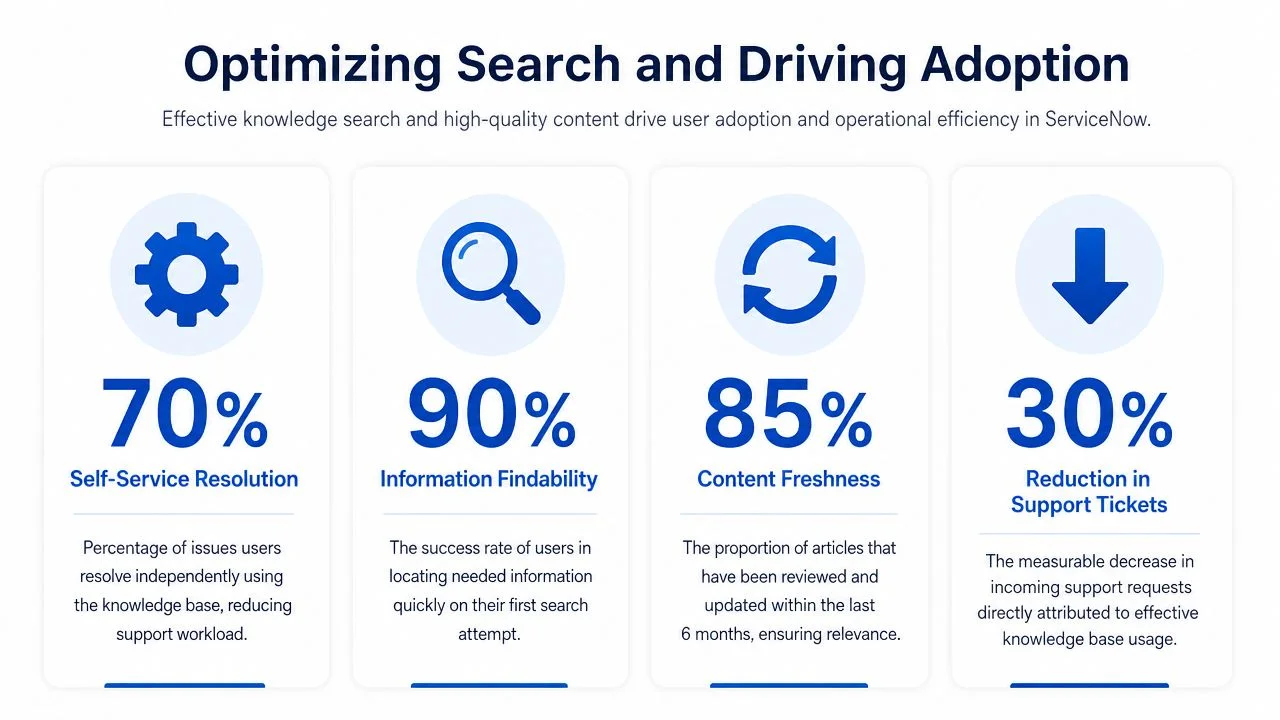
A common ServiceNow failure looks like this. The team publishes solid articles, support still gets the same repeat questions, and everyone concludes that “users do not read.” In reality, the problem is usually retrieval, trust, or both.
Treat your knowledge base like a library with a weak catalog. Even good books are hard to use if the titles are vague, the shelves are inconsistent, and readers cannot tell which copy is current. In ServiceNow, search quality and adoption follow that same pattern. People use what they can find, and they return to what proves reliable.
Findability starts before anyone touches search settings
New admins often go straight to search tuning. Start with the article itself.
Compare these two titles:
- VPN Issue
- Fix Cisco AnyConnect Login Failure After Password Reset
The second title does three jobs at once. It matches the user's likely search terms, signals a specific outcome, and gives the reader confidence that the article addresses their exact problem. The same rule applies to headings, summary text, and the terms used in the body. Write for the language users type into the search bar, not the shorthand your resolver group uses internally.
A helpful parallel comes from search system design. Mindmesh Academy's search architecture explains how keyword matching and meaning-based retrieval work together. The platforms are different, but the lesson transfers well to ServiceNow and to exam prep. Content performs better when it supports exact phrasing and user intent.
Feedback gives you a maintenance signal
ServiceNow does more than store article text. It also records how people respond to that content through ratings, helpfulness input, and feedback records, including data captured in the kb_feedback table.
That matters operationally and on the exam. A knowledge article isn't just documentation. It's a managed record with usage signals attached to it.
Use those signals carefully:
- High views with weak feedback often means the topic matters, but the article doesn't resolve the issue clearly.
- Low views for an important topic usually points to weak titles, poor keywords, or article placement that doesn't match how users search.
- Repeated negative comments often reveal skipped steps, outdated screenshots, or assumptions that the reader already knows the basics.
- Strong helpfulness scores on agent articles can show which formats are easiest to reuse during incident work.
One practical rule helps here. View count tells you demand. Feedback tells you quality. You need both before deciding what to rewrite.
Adoption depends on content operations, not publishing alone
Search is partly technical. Adoption is also editorial discipline.
A review cycle that works in real environments usually looks like this:
- Check common search terms.
- Review which articles users open for those terms.
- Compare article views with ratings and comments.
- Update weak articles or create missing ones.
- Retire duplicates that compete for the same intent.
This is the same idea behind driving ROI with AEO. Content performs better when it's structured to answer real questions clearly, not just to exist in a repository.
What good adoption looks like
You will see the change in user behavior first.
Agents start linking articles instead of rewriting the same resolution notes. Employees solve routine issues through self-service because the answer appears under familiar search terms. Article quality improves faster because feedback points to specific gaps instead of vague complaints.
For certification study, remember the underlying principle: better knowledge adoption usually comes from a mix of content quality, search relevance, and feedback-driven maintenance. If an exam question asks why a published knowledge base still fails to reduce ticket volume, look beyond publication status. Check whether users can find the content, trust it, and confirm that it helped.
Integrating Knowledge Across the ServiceNow Platform
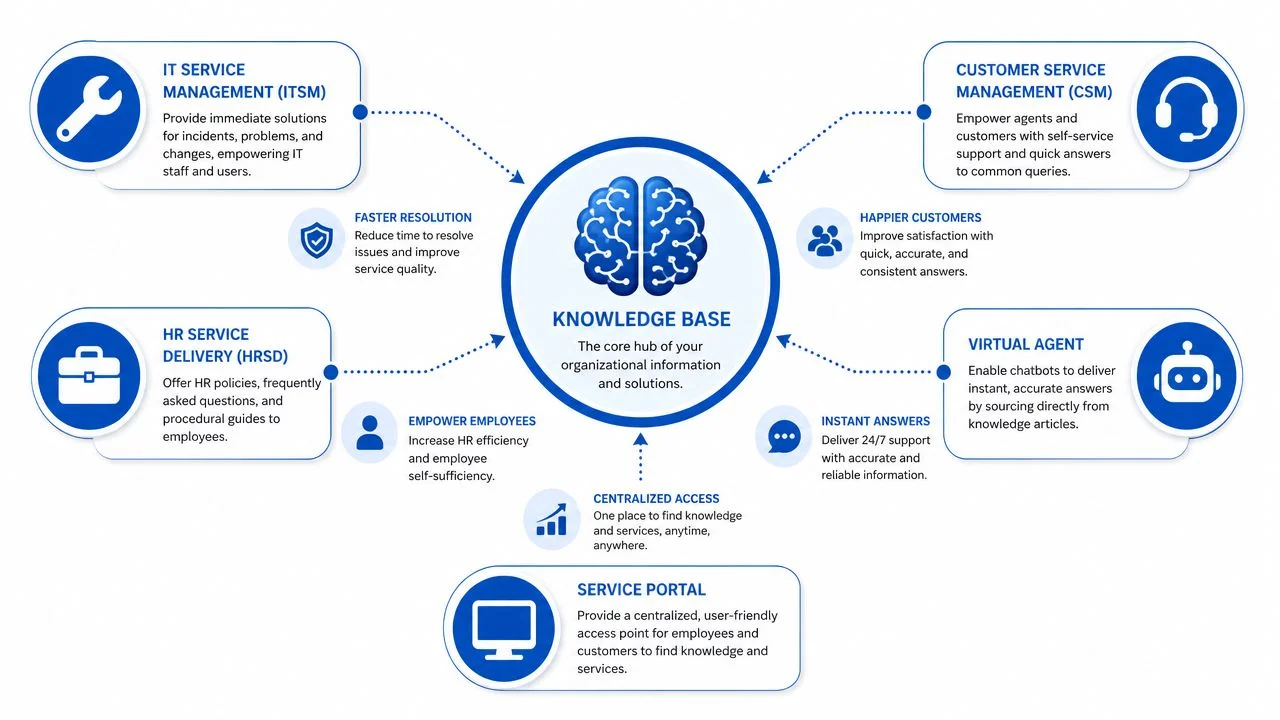
A knowledge base in ServiceNow becomes far more valuable when it isn't treated as a separate module. Its real strength shows up when other workflows pull from it at the moment someone needs an answer.
That's why experienced admins think of knowledge as connective tissue. It links support, self-service, and automation.
Where knowledge shows up day to day
In a mature instance, articles don't just sit in a list waiting for someone to browse them. They appear inside the work users and agents are already doing.
Consider these common touchpoints:
| Platform area | How knowledge helps | Example |
|---|---|---|
| Incident Management | Gives agents reusable fixes | Agent links a known resolution during triage |
| Service Portal | Supports employee self-service | User finds setup instructions before opening a case |
| Virtual Agent | Supplies answer content | Bot returns article-based guidance in chat |
| HR Service Delivery | Delivers internal policy guidance | Employee reads leave or onboarding instructions |
| Customer workflows | Supports case deflection | Customer finds a how-to article before contacting support |
The pattern is simple. The closer knowledge sits to the workflow, the more likely people are to use it.
The incident-to-knowledge loop
One of the most practical ideas in ServiceNow knowledge management is that support work can feed the knowledge system. When a team resolves an issue well, that resolution can be turned into a formal article instead of disappearing into ticket history.
That loop matters because it shortens the gap between solving a problem once and solving it repeatedly at scale. A good incident resolution becomes a reusable answer for users, agents, chat experiences, and future cases.
The best knowledge programs don't ask teams to invent documentation from scratch. They capture what support teams already proved in production.
Why this matters beyond ServiceNow admin work
If you study modern retrieval and AI systems, the architectural pattern is familiar. A central, governed content source becomes more useful as more applications depend on it. The same way people benefit from understanding Bedrock knowledge base architecture, ServiceNow admins benefit from seeing knowledge as infrastructure, not just documentation.
That mental shift helps with real design decisions.
- If the Virtual Agent may use the content, writing quality matters more.
- If portal users depend on it, article language must be simpler.
- If agents rely on it during incident work, step order and accuracy matter more than polished prose.
A common integration mistake
Some teams build beautiful knowledge content but keep it isolated from the places people work. Then they conclude users “don't like self-service.”
Usually, the issue is visibility, not user attitude. If articles aren't surfaced in the portal, suggested during case work, or available to conversational experiences, people won't change habits just because the KB exists.
The strongest implementations make knowledge available at the point of need. That's when the platform starts feeling coherent.
Operational Best Practices and Troubleshooting
A ServiceNow knowledge base often breaks down in a familiar way. The pilot goes well, a few strong articles get praise, and then six months later agents stop trusting the content, users stop clicking results, and no one is fully sure who should fix what.
That pattern usually points to two operational failures. Article ownership is unclear, or access controls were set too broadly.
Governance keeps a knowledge base useful
Knowledge articles age more like procedures than brochures. A password reset step changes. A support policy changes. A form moves. If the article stays frozen, users still treat it as official because it lives in ServiceNow and carries platform credibility.
A workable governance model includes named content owners, subject-matter validation, and a review queue tied to top contact drivers. That model matters in production because it connects content maintenance to actual support demand. It also matters for exam prep because certification questions often test whether you understand ownership, lifecycle, and governance as part of Knowledge Management, not just article creation. For broader admin exam preparation, use Mindmesh Academy's CSA study guide alongside hands-on practice.
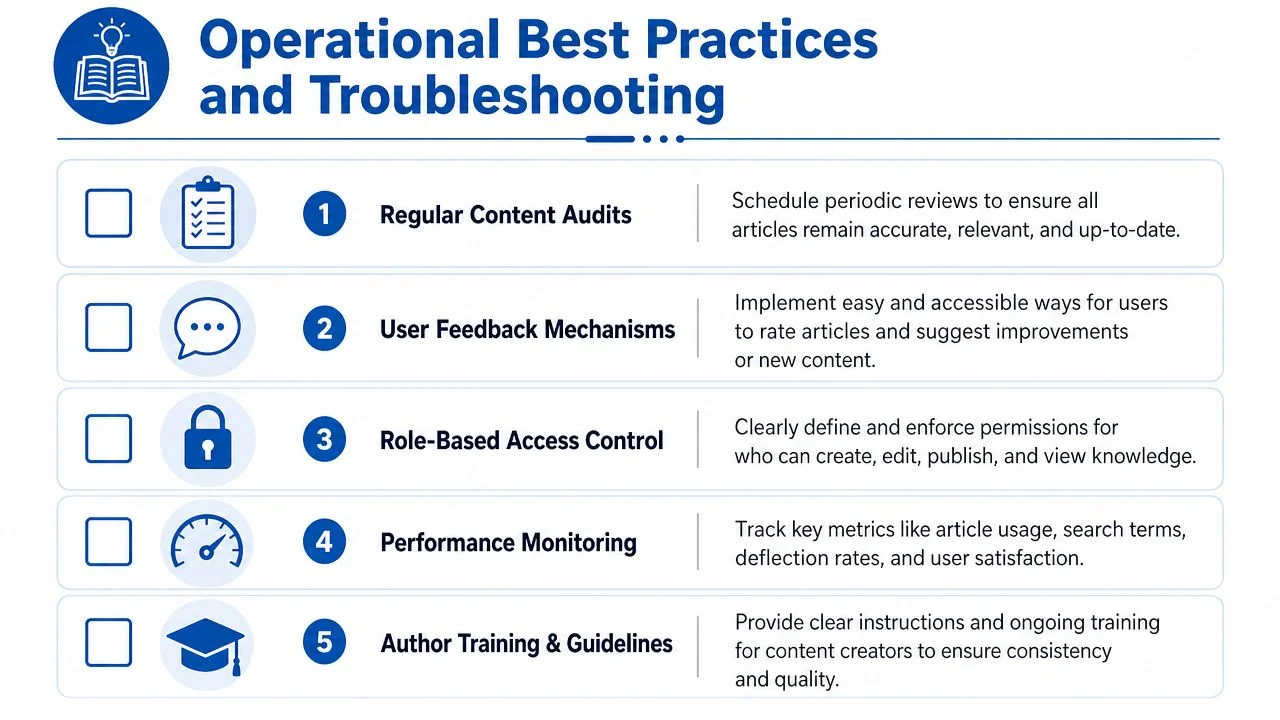
Use a governance model like this:
- Named ownership: Every article, or at least every article set, should have a real owner. If ownership sits with "the platform team" in general, reviews usually get skipped.
- Validation before publish: A knowledge manager can check format and process, but a subject-matter expert should confirm technical accuracy.
- Scheduled review: Set review expectations on a cadence that matches change frequency. A fast-changing operational article needs a tighter schedule than a stable policy article.
- Retirement discipline: Remove duplicates, obsolete content, and articles replaced by newer procedures.
- Contact-driver alignment: Review the articles tied to your highest-volume incidents, requests, or case types first. That is where stale content causes the most operational drag.
A good analogy is a runbook library in a data center. Shelves full of outdated binders don't create reliability. Current, owned, reviewed instructions do.
Security requires routine review
Knowledge security problems are easy to miss because many articles look harmless at first. Then you read closely and find internal URLs, support workarounds, architecture notes, escalation paths, or screenshots that should never be visible to the wrong audience.
In ServiceNow, the first question is often simple. Who can read this knowledge base?
That question matters because access is commonly managed at the knowledge base level. If the base is shared too broadly, every article inside it can become visible to a larger audience than intended. A small configuration mistake can create a wide exposure.
Use a practical review routine:
- Confirm user criteria and visibility settings for each knowledge base.
- Test access with realistic personas, not just an admin account.
- Review newly published articles for internal-only details such as hostnames, credentials guidance, or operational procedures.
- Recheck permissions after reorganizing bases, categories, or audience groups.
- Prefer restrictive defaults, then grant access deliberately.
Admins studying for certification should remember this pattern. Exam questions often hide the answer inside scope and access. If a user can see the wrong article, start with knowledge base security and audience settings before chasing article-level details.
Troubleshooting checklist for admins
When users say the knowledge base feels inaccurate, hard to trust, or inconsistent, run the same checks in the same order. That discipline saves time.
- Start at the knowledge base record. Verify who can read, contribute, and manage content before inspecting individual articles.
- Review high-traffic articles with poor outcomes. If users open an article and still submit a case or ask an agent, the article may be outdated, incomplete, or hard to follow.
- Look for duplicate answers. Multiple articles solving the same issue usually split search relevance and reduce trust.
- Test with end-user and fulfiller roles. Admin visibility hides real-world permission problems.
- Check ownership fields and review dates. Articles without clear accountability tend to linger long after they should be corrected or retired.
- Inspect the article structure. Missing prerequisites, unclear step order, or mixed audiences in one article often create the appearance of a platform issue when the problem is really content design.
One more practical point. If agents avoid linking articles during case work, don't assume the team resists self-service. In many environments, they are signaling that the article is weak, stale, or too generic to trust during live support.
The admin mindset that produces better results
Treat the knowledge base like an operational service with inputs, controls, and measurable outcomes. That mindset helps in two ways. It improves the day-to-day experience for agents and end users, and it aligns with how ServiceNow certification questions frame Knowledge Management.
Strong admins don't judge a KB by article count. They ask better questions. Who owns this content? Who can see it? What gets reviewed first? Which articles reduce contacts, and which ones create confusion?
Those are the habits that keep a knowledge base healthy after go-live.
Certification Focus Exam Notes and Sample Questions
A good exam question on Knowledge Management usually tests whether you understand the model underneath the screen. If you only remember button clicks, the wording can throw you off. If you understand the structure, the answers become easier to spot.
That is also how strong admins work in production. They connect configuration choices to outcomes such as access, article quality, and search behavior. For CSA prep, study Knowledge Management the same way you would study a filing system in a busy office. You need to know where records live, who can open the cabinet, and who is responsible for keeping the files current.
For a broader review path, explore our ServiceNow CSA study guide, which organizes topics by exam domain and connects platform concepts to likely test patterns.
Exam notes worth memorizing
Start with the facts that appear again and again on exams:
kb_knowledgestores the knowledge article record.kb_feedbackstores article feedback interactions.- A standard knowledge article belongs to one knowledge base and one knowledge category.
- Knowledge categories can have parent-child relationships.
- Knowledge access is mainly controlled at the knowledge base level.
- Strong governance uses named owners, subject-matter review, and scheduled content checks tied to real support demand.
The last point is easy to underestimate because it sounds operational rather than technical. On the exam, it often appears as a “best practice” answer. In real environments, it keeps the knowledge base from turning into a storage room full of unlabeled boxes. ServiceNow's own guidance on knowledge governance aligns with this approach: clear ownership, validation by the right experts, and recurring review based on what users and agents need.
Sample question 1
Which table stores knowledge articles in the standard ServiceNow knowledge model?
A. kb_feedback
B. kb_knowledge
C. kb_category
D. knowledge_article
Correct answer: B. kb_knowledge
Why: kb_knowledge is the main article table. kb_feedback tracks reactions and feedback activity, not the article itself. The distractors are designed to sound familiar, which is common in CSA questions.
Sample question 2
A user reports that they can suddenly read articles they should not have access to. Where should an admin investigate first?
A. The article body text
B. The category hierarchy
C. The knowledge base access settings
D. The incident form layout
Correct answer: C. The knowledge base access settings
Why: Access usually starts at the knowledge base level. If those rules change, the effect can spread across many articles at once. For exam purposes, this is a good reminder to check the highest practical control point first.
Sample question 3
How many knowledge bases and knowledge categories can a standard knowledge article be assigned to?
A. One knowledge base and one knowledge category
B. Many knowledge bases and one category
C. One knowledge base and many categories
D. Many knowledge bases and many categories
Correct answer: A. One knowledge base and one knowledge category
Why: This is a core part of the standard model. New admins sometimes confuse categories with tags or labels and choose an answer that sounds more flexible than the platform design.
Sample question 4
Which practice best supports long-term knowledge base health?
A. Let authors publish without review to increase speed
B. Keep all article ownership at the platform admin level
C. Use named owners and review content against top contact drivers
D. Avoid retiring old content so users have more options
Correct answer: C. Use named owners and review content against top contact drivers
Why: Healthy knowledge programs depend on accountability and review. More articles do not automatically create better self-service. Outdated and duplicate content usually lowers trust and makes search less useful.
Quick recall drill
Use this as a final memory check before the exam:
| Prompt | Recall answer |
|---|---|
| Article table | kb_knowledge |
| Feedback table | kb_feedback |
| Primary access control point | Knowledge base |
| Category structure | Hierarchical |
| Article assignment model | One base, one category |
| Governance essentials | Owner, validation, review |
If you can answer those without hesitation and explain the admin impact behind each one, you are preparing the right way. That is the overlap many candidates miss. The same facts that help you pass certification questions also help you make sound decisions after go-live.
Mindmesh Academy provides structured study materials for ServiceNow certification preparation, focusing on understanding the platform, not just memorizing isolated facts. If you're building your ServiceNow skills and want a guided path through admin concepts, exam domains, and practical review, put your knowledge to the test with our ServiceNow CSA practice exam.

Written by
Alvin Varughese
Founder, MindMesh Academy
Alvin Varughese is the founder of MindMesh Academy and an enterprise architecture leader. An electrical engineer by training, he moved from factory automation in South Africa to cloud architecture at GE Appliances and Humana (Fortune 50), and holds 20 professional certifications including AWS Solutions Architect Professional, Azure DevOps Engineer Expert, and Microsoft Agentic AI Business Solutions Architect. He built MindMesh Academy after interviewing too many highly certified candidates who couldn't answer basic questions: the goal is prep that makes you better at the job, not just able to pass the exam.