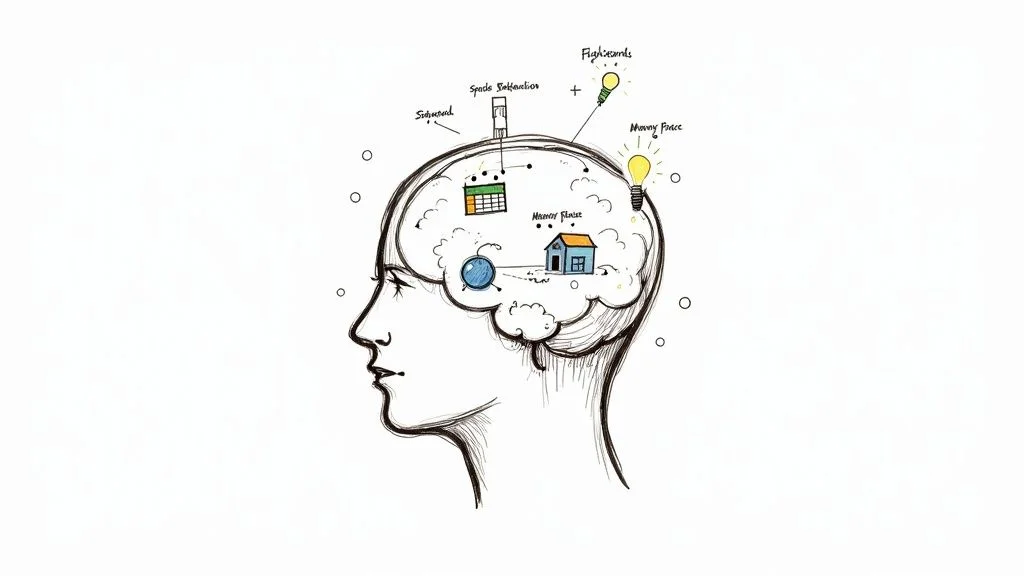
How to Improve Memory Retention: Proven Techniques
How to Improve Memory Retention: Proven Techniques for IT Professionals
Before you can master advanced memory techniques essential for navigating the complex world of IT certifications, you need to build a robust mental foundation. Think of it this way: you can't build a highly available cloud architecture on shaky infrastructure. The same principle applies to your brain, especially when preparing for high-stakes exams like AWS Certified Solutions Architect, PMP, ITIL 4, or Microsoft Azure Administrator.
Your daily habits are the bedrock of your cognitive health. Getting these right makes every other study strategy you try—from understanding intricate networking protocols with spaced repetition to memorizing specific API calls using mnemonic devices—infinitely more effective. At MindMesh Academy, we believe in empowering IT professionals with not just knowledge, but the fundamental skills to retain and apply it. Let's look at the core lifestyle habits that directly prepare your brain to learn, store, and recall critical IT information.
Build the Foundation for a Stronger Memory
It’s tempting to jump straight into clever memory hacks, but true cognitive strength, especially vital for mastering complex IT concepts and certification material, starts with the basics. The real secret to a sharp memory isn't just about quick tricks; it's about creating the optimal biological environment for your brain to thrive under pressure.
Let's break down how to strategically lay this groundwork.
Fuel Your Brain with the Right Nutrients
Your brain is a high-performance CPU, and what you eat is its power supply. Diets rich in omega-3 fatty acids, antioxidants, and flavonoids have a direct, positive link to better cognitive function, helping you maintain focus during long study sessions or intense problem-solving.
This doesn't demand a complete diet overhaul. Start small. Foods like fatty fish (think salmon or mackerel), blueberries, and even dark chocolate actively support brain cell health and combat inflammation, which can hinder memory. Try adding a handful of walnuts to your morning oatmeal before tackling AWS service limits or swapping a sugary afternoon snack for a bowl of berries while reviewing PMP process groups. These simple changes give your brain the raw materials it needs to form and hold onto memories, critical for remembering intricate technical details.
Key Takeaway: A well-nourished brain is more resilient to stress and better equipped for sustained intellectual effort.
Prioritize Sleep for Memory Consolidation
Sleep isn’t just rest; it’s your brain's maintenance window for organizing and storing information. During deep sleep, your brain actively replays the day's experiences, strengthening the neural connections that lock memories in place. For IT professionals, this means cementing knowledge of Azure security policies, ITIL service value chain activities, or specific programming syntax.
In fact, skimping on sleep for just one night can tank your ability to learn new things by up to 40%. Imagine losing nearly half your capacity to absorb new material for your next certification exam—ouch!
A consistent sleep schedule is your secret weapon for exam success. Going to bed and waking up around the same time every day supercharges your brain's natural memory-saving process. It's during these crucial hours that your brain shifts important short-term memories (like new commands or architectural patterns) into stable, long-term storage, making them readily available for your exam or next project.
Reflection Prompt: How might even an extra 30 minutes of quality sleep each night impact your ability to recall complex technical concepts the next day?
Move Your Body to Boost Your Mind
If you want to do one thing for your brain today, move your body. Regular physical activity, especially aerobic exercise, is a game-changer for IT professionals who often spend long hours at a desk. It increases blood flow to the brain and helps grow the hippocampus—the part of your brain that’s absolutely essential for verbal memory and learning, which includes understanding and recalling documentation or lecture material.
You don't have to become a marathon runner overnight. Just 20-30 minutes of brisk walking a few times a week can make a noticeable difference in your ability to focus and retain information. Plus, exercise is a fantastic stress-buster and sleep-improver, both of which are critical for a solid memory, especially when preparing for high-pressure certification exams.
For more on integrating focus-boosting habits into your routine, check out our guide on how to improve concentration while studying.
Embrace Lifelong Learning as a Cognitive Shield
Constantly challenging your brain builds what scientists call a 'cognitive reserve.' Think of it as your mind's resilience fund, helping it withstand neurological wear and tear over time. For IT professionals, this is paramount. Learning a new programming language, mastering a new cloud platform like Google Cloud Platform (GCP), or even understanding the intricacies of quantum computing forges new neural pathways, making your brain more flexible and robust. This adaptability is key in a rapidly evolving tech landscape.
This isn’t just a theory. A huge international study confirmed that people with more education consistently aced memory recall tests. By keeping your brain engaged, you're not just learning something new—you're actively building a stronger, more adaptable mind, prepared for the next certification challenge. For a deeper dive, there's some great research out there on improving working memory.
To tie it all together, here’s a quick look at these foundational strategies and how they directly boost your memory.
Daily Habits for Better Memory
| Strategy | How It Boosts Memory | A Simple First Step for IT Pros |
|---|---|---|
| Nutrient-Rich Diet | Provides essential fatty acids and antioxidants that protect brain cells and support neural communication. | Swap one processed snack for a handful of blueberries or walnuts each day during your study breaks. |
| Consistent Sleep | Allows the brain to process and consolidate short-term memories (e.g., new CloudFormation syntax) into long-term storage. | Go to bed and wake up within the same 30-minute window every day, even on weekends. |
| Regular Exercise | Increases blood flow to the brain and stimulates the growth of the hippocampus, a key memory center. | Take a brisk 20-minute walk three times this week, perhaps during a lunch break or after work. |
| Lifelong Learning | Builds 'cognitive reserve' by creating new neural pathways, making the brain more resilient and adaptable to new tech. | Spend 15 minutes today exploring a new feature in your cloud platform or a new concept in your certification track. |
Putting even one of these habits into practice today creates a powerful ripple effect, making every other memory technique you learn that much more potent for your career and certification journey.
Why Active Recall Is a Learning Game Changer
Have you ever spent a long night cramming for a CompTIA Security+ exam—re-reading course material, highlighting every other sentence—only to have key concepts vanish from your mind a day later? You're not alone. The problem isn't a "bad memory"; it's often an inefficient method. Real learning isn't about passively pouring information into your brain. It’s about forcing your brain to actively pull that information back out.
This is the core idea behind active recall, and it's one of the most powerful learning strategies you can use, especially for mastering the vast amounts of technical data in IT certifications.
Instead of just looking at the answer or re-reading a definition, you make your brain work to retrieve it from memory. That simple act of struggling and succeeding strengthens the neural connections for that specific piece of information, making it much easier to find next time. Think of it like forging a new network path. The first time you establish the connection, it might be slow. But every subsequent packet makes the route clearer and faster. Active recall does the exact same thing for your brain's neural pathways.
From "I've Seen This Before" to "I Actually Know This"
Most of our go-to study methods, like re-reading or highlighting, are based on recognition. Your brain sees the information (e.g., a diagram of a serverless architecture or a list of Kubernetes commands) and thinks, "Ah, yes, this looks familiar." It’s a cheap trick that creates a dangerous illusion of mastery. You haven't actually tested if you can produce the information on your own without prompts.
Active recall flips that entirely. It moves your brain from a passive state ("I recognize this firewall rule") to an active one ("Can I explain this firewall rule's purpose, syntax, and implications from scratch without looking?"). That mental shift is everything when it comes to building knowledge that sticks for practical application and exam scenarios.
Here’s what that difference looks like in practice for IT professionals:
| Passive Recognition Activities | Active Recall Activities |
|---|---|
| Re-reading your AWS documentation | Answering practice questions about AWS services from a blank page |
| Highlighting key passages in your PMP PMBOK Guide | Explaining a PMP process group out loud to a study partner |
| Watching a Docker lecture video for the second time | Creating flashcards for Docker commands and testing yourself (the right way) |
| Glancing over a solved subnetting problem | Solving a new, similar subnetting problem without the solution |
It's the mental effort of active recall that signals to your brain, "Hey, this network topology or security principle is important. Don't forget it."
Scientists call this the "testing effect." This chart shows it perfectly. One group just kept studying the material, while the other group was repeatedly tested on it. The results speak for themselves.
Look at how quickly the memory of the study-only group faded. The group that practiced retrieval, however, retained a huge amount of what they learned. That's the power of pulling information out, not just passively pushing it in.
How to Put Active Recall to Work
You don’t need to completely upend your study habits to do this. It’s all about making small, smart tweaks to how you engage with complex IT material.
If You're Prepping for an IT Certification Exam...
Stop just re-reading the textbook or course notes. That's a recipe for forgetting key details during the exam. Instead, try these:
- Question Everything: Before reading a section on Azure Virtual Networks, turn the heading into a question. Ask yourself, "What are Azure Virtual Networks, what are their components, and how do they connect to other services?" Try to answer it first, then read to fill in the gaps and correct your understanding.
- Use the Blank Page Method: After you finish studying a topic like ITIL service management processes, put all your notes away. Grab a blank piece of paper and write down everything you can possibly remember about it—definitions, key steps, relationships between processes, common challenges. This will instantly show you what you truly know versus what you only thought you knew.
- Become the Teacher: Grab a friend, a family member, or even your dog, and try to teach them a concept out loud. If you're trying to explain object-oriented programming principles or the differences between AWS EC2 instance types and find yourself stumbling or saying "you know, that thing...", you've just found a weak spot you need to review.
If You're a Professional Rehearsing a Technical Presentation or Client Demo...
You can't afford to just recognize your slides; you need to know your material inside and out to project confidence and expertise.
- Practice with Prompts, Not a Script: Don't memorize your talk word-for-word. That’s fragile and sounds robotic. Instead, list the key talking points for each slide (e.g., "explain microservices benefits," "demo CI/CD pipeline"). Then, practice delivering the content using your own words. This forces you to recall the underlying concepts, not just a script.
- Pre-Game the Q&A: After a practice run, think of the toughest technical questions your audience or client might throw at you regarding your proposed solution architecture or project plan. Write them down and practice answering them on the spot, without notes. This is a high-level form of active recall that builds true confidence and quick thinking.
The big idea is simple: stop being a passive audience for your learning materials and start wrestling with them. That feeling of struggle as you try to pull a fact or a technical detail from the depths of your mind isn't a sign of failure. It's the feeling of learning actually happening. That effort is what turns fragile information into rock-solid knowledge you can count on when it matters most—whether in an exam, a client meeting, or a critical troubleshooting scenario.
Lock In Knowledge with Spaced Repetition
So, you’ve started using active recall, which is a fantastic first step towards mastering IT concepts. But how do you make sure that knowledge sticks around for good, especially when dealing with the sheer volume of information in certifications like CCNA or advanced cloud exams? The secret isn't about how hard you study; it’s about how smart you time your reviews. This is the whole idea behind spaced repetition, a learning technique designed to work with your brain's natural rhythms, not against them.
It all comes down to something called the "forgetting curve." As soon as you learn something new—say, a new PowerShell cmdlet or a network subnetting rule—the memory starts to fade. It’s just how we’re wired. But here's the trick: if you review that piece of information right as you’re about to forget it, you hit the brakes on that forgetting process. Each time you do this, the memory gets stronger, and the speed at which you forget it slows way down.
Spaced repetition takes this concept and turns it into a practical, repeatable system. Instead of cramming for hours on end, you strategically space out your review sessions. You might look at something again a day after learning it, then a few days later, then a week, then a month. It’s far more effective for building durable, long-term memory for complex IT concepts than any all-nighter.
Designing Your Spaced Repetition System
You don't need fancy software to get this working for you. A simple set of digital flashcards or even a plain old notebook can be incredibly effective. The core principle is to create a schedule that gradually increases the time between reviews for the stuff you've already got a good handle on.
Let's say you're learning Azure CLI commands and want to memorize 20 new ones. A simple spaced repetition schedule might look like this:
- Review 1: The very next day.
- Review 2: Three days later.
- Review 3: A week after that.
- Review 4: Three weeks later.
This approach feels manageable and is scientifically proven to cement knowledge much better than just drilling the same commands every single day. If you're prepping for a big exam, you can learn how to master spaced repetition studying with our in-depth guide.
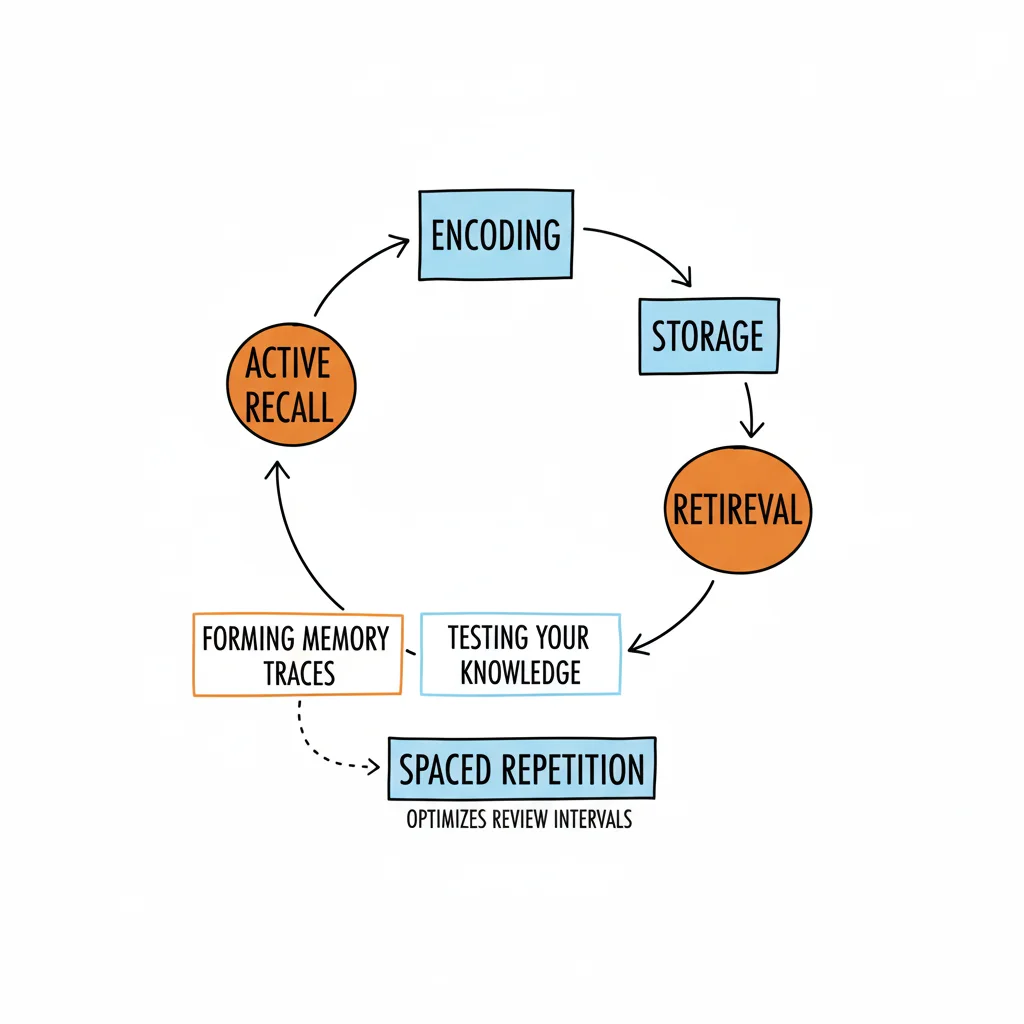
Take a look at how this process works. It's a simple but powerful loop that makes each review an active, engaging exercise.
This "Read, Question, Recall" cycle is the engine that drives effective learning. It prevents you from just passively glancing at your notes and forces your brain to do the heavy lifting.
To make this even more concrete, here’s a sample schedule you can adapt for just about any IT subject or certification.
A Simple Spaced Repetition Schedule for IT Learning
| Review Session | When to Review | Goal of the Session |
|---|---|---|
| First Review | Within 24 hours of learning (e.g., new VPC peering configuration) | Solidify the initial memory trace before it decays significantly. |
| Second Review | 3 days later | Interrupt the forgetting curve again, pushing the memory further into the future. |
| Third Review | 7-10 days later | Strengthen the neural pathway, making recall of that network protocol faster and more automatic. |
| Fourth Review | 3-4 weeks later | Test long-term retention and move the information into permanent memory for sustained expertise. |
Remember, this is just a starting point. The key is to adjust the intervals based on how well you remember the material during each review. If you struggled with a concept like serverless cold starts, review it sooner.
Low-Tech vs High-Tech Spaced Repetition
When it comes to putting this into practice for your IT studies, you’ve got options. The best one for you really depends on your personal style and what you're trying to learn.
The Notebook Method (Leitner System)
This is a classic, hands-on method using physical flashcards and a few boxes. It’s surprisingly powerful for definitions, acronyms (like RAID or SaaS), or short command snippets.
- First, create your flashcards (e.g., "What is a CI/CD pipeline?" or "Define CAP theorem") and put them all in "Box 1."
- Review the cards in Box 1 daily. Get a card right? It gets "promoted" to Box 2. Get it wrong? It stays right where it is in Box 1.
- You’ll review Box 2 less often (say, every three days), Box 3 even less (maybe once a week), and so on.
This physical act of sorting forces you to concentrate your effort on the concepts you struggle with, while giving you a lighter touch on the material you’re starting to master.
Digital Tools like Anki
If you prefer a more automated approach, an app like Anki can be a total game-changer for IT certification preparation. It’s a free, open-source program that handles the entire spaced repetition schedule for you.
- You create digital flashcards with your questions and answers (e.g., Question: "List AWS S3 storage classes and their use cases." Answer: "Standard, Infrequent Access, Glacier...").
- After reviewing each card, you rate how difficult it was to recall the answer.
- The software’s algorithm then does the math and figures out the perfect time to show you that card again, optimizing your review time.
This takes all the guesswork out of the process, letting you efficiently review thousands of facts, which is incredibly useful for professionals who need to memorize huge amounts of industry data for Cloud certifications, cybersecurity exams, or IT architecture patterns.
The goal of spaced repetition isn’t just to review; it’s to review at the perfect moment—right before you’re about to forget. That precise timing is what forges strong, lasting memories, ensuring you can recall critical network ports, Azure AD roles, or PMP formulas when it matters most.
Reflection Prompt: How could integrating Anki or a similar digital tool into your current study routine for DevOps or data science certifications dramatically improve your retention of specific commands, definitions, or algorithms?
It’s also interesting to see how these learning habits connect to broader trends in cognitive health. For instance, large-scale research has shown that the average memory function among older adults has improved robustly across most of Europe in the last 20 years, a stark contrast to the stagnant trends seen in the United States. This suggests that lifestyle factors, including the use of effective learning strategies throughout life, can have a real impact on our long-term cognitive wellness.
Use Mnemonic Devices for Complex Information
*Learn more about powerful memory techniques in this helpful video.*Let's be honest: some technical information is just a nightmare to remember. We're talking about abstract concepts, long lists of obscure configuration parameters, specific error codes, or piles of unstructured data needed for certifications. This kind of information often lacks inherent meaning or a natural connection in our brains, which is why it slips away so easily.
This is where mnemonic devices come in. They are creative memory aids that transform the abstract into something vivid, personal, and surprisingly sticky.
Think of mnemonics as a bridge for complex IT data. They work by connecting what you need to remember with something you already know, using your imagination as the building material. You’re essentially translating boring data (like OSI model layers or a sequence of Linux commands) into a language your brain actually enjoys—stories, goofy images, and familiar places. It's an incredibly powerful way to boost your memory when simple repetition just isn't cutting it for highly technical details.
Most of us learned a simple acronym in school, like ROY G. BIV for the colors of the rainbow, but that's just scratching the surface. The world of mnemonics is far richer and more powerful than you might think, especially for the intricate details in IT.
The Surprising Power of Silly Stories
Our brains are wired for visuals and narratives. We can recall a story we heard years ago or the layout of our childhood home far more easily than a list of random facts. You can tap into this natural ability by creating your own memorable associations for technical concepts.
For example, say you need to remember the seven layers of the OSI Model in order: Physical, Data Link, Network, Transport, Session, Presentation, Application.
Instead of chanting them over and over, build a little mental movie with a memorable phrase: "Please Do Not Throw Sausage Pizza Away."
- Please = Physical
- Do = Data Link
- Not = Network
- Throw = Transport
- Sausage = Session
- Pizza = Presentation
- Away = Application
It’s completely absurd, and that’s exactly the point. The more bizarre, funny, or emotionally charged your mental image or phrase is, the better it will stick. This technique is a lifesaver for remembering sequences, lists, or any kind of paired information crucial for networking certifications.
Build a Memory Palace to Organize Your Knowledge
One of the most robust mnemonic techniques ever developed is the Method of Loci, famously known as the "Memory Palace." This ancient strategy involves visualizing a place you know inside and out—like your house, office, or your daily commute—and mentally "placing" pieces of information at specific locations along a familiar route.
You know the layout of your home or office without thinking. By attaching new information (e.g., AWS architectural best practices, Azure deployment steps, or ITIL Guiding Principles) to that existing mental map, you can mentally "walk" through the space to retrieve what you've stored in perfect order. It turns abstract data into a concrete, navigable system. This method is incredibly effective for remembering the key points of a technical presentation, the phases of a project (PMP), or the steps in a complex troubleshooting process.
For more on organizing complex information, check out our guide on effective note-taking methods for tech certs, which offers some great complementary strategies.
Here’s a quick guide to building a simple Memory Palace to remember the five stages of IT Project Management (often covered in PMP or ITIL exams): Initiation, Planning, Execution, Monitoring, and Closure.
- Choose Your Palace: Pick a place you know intimately. Your home or even your company's server room is a perfect starting point.
- Map Your Route: Decide on a logical path. For example: start at the front door, move into the living room, then the kitchen, the bedroom, and finally the bathroom.
- Place Your Information: Now, create a vivid, weird image for each stage and anchor it to a location.
- Front Door (Initiation): Imagine a giant, glowing "ON" switch on your door, with "Project: New ERP System" written on it. You have to flip it to initiate the project.
- Living Room (Planning): On your coffee table, a team of tiny IT architects and business analysts are frantically drawing up blueprints for the ERP system, planning every last detail of features and timelines.
- Kitchen (Execution): The kitchen is chaos. A celebrity chef (your lead developer) is furiously coding and barking orders to a DevOps team—this is pure execution in action.
- Bedroom (Monitoring): On your bed sits a massive, old-school security monitor displaying flashing graphs of budget burn-down rates and sprint velocity reports for the ERP project.
- Bathroom (Closure): The toilet lid has been slammed shut with a giant, rusty padlock that says "Project Complete." The project is completely closed and signed off.
Now, to recall the stages, just take a mental stroll through your house. The strange images you created will pop right back into your mind, giving you the correct term in the correct order.
A Memory Palace isn't just for lists; it's a mental filing system for technical knowledge. It gives structure to unstructured information, making even the most complex IT topics—like cloud deployment models or cybersecurity frameworks—easier to navigate and recall when you need it most.
Of course, mnemonics aren't a substitute for truly understanding a topic. But they are a fantastic tool for pegging down the specific details, definitions, and sequences that deep understanding is built on. By turning learning into a creative act, you make the whole process more engaging and the results far more permanent for your IT career.
Let Your Brain Work While You Sleep

While all these active learning strategies are fantastic for mastering IT concepts, some of the most critical work for locking in memories happens when you’re not even awake. Sleep isn't just about resting your body; it's when your brain gets to work organizing, sorting, and storing everything you learned during the day, especially after an intensive study session for an Azure certification or a deep dive into DevOps practices.
This process is called memory consolidation. Think of it as your brain’s night shift, where fragile, short-term memories (like new Kubernetes commands or a complex network diagram) are carefully filed away into more stable, long-term storage. Pulling an all-nighter for an exam is like telling that night crew not to show up—all the day's hard work just gets left in a disorganized mess.
Why Every Stage of Sleep Matters
Not all sleep is the same when it comes to memory. Each stage of your sleep cycle plays a distinct role in cementing different kinds of knowledge, which is why getting a full, uninterrupted night is so crucial for IT professionals.
-
Deep Sleep (Slow-Wave Sleep): This is primetime for locking in declarative memories—the "what" of your learning, like facts, technical definitions, AWS service limits, or key concepts for an exam. During deep sleep, your brain essentially replays the day’s learning, strengthening the neural pathways tied to that information.
-
REM (Rapid Eye Movement) Sleep: This is where your brain processes procedural and emotional memories. If you're learning a new skill like scripting in Python, mastering a complex SQL query, or even troubleshooting a new system, REM sleep is what helps it become second nature and automatic.
This is exactly why all-night cram sessions backfire. You might expose your brain to more information, but you're robbing it of the very process it needs to actually keep it and apply it effectively.
Getting a full night of quality sleep after studying is not a luxury. It’s a non-negotiable part of any effective learning strategy, ensuring your brain can consolidate the vast amount of technical information needed for success in IT.
Can You Actually Boost Memory While You Sleep?
It sounds like science fiction, but new research is exploring ways to actively improve memory consolidation during sleep. A fascinating field called Targeted Memory Reactivation (TMR) involves re-introducing subtle cues—like a sound or a scent—that were present during learning while a person sleeps.
The results are pretty staggering. Studies have shown that re-exposing people to these cues while they're asleep can significantly boost their recall the next day. In fact, this method improved memory retention by around 27% in patients with mild cognitive impairment and 20% in healthy older adults. While still a research area, it highlights the immense power of sleep for memory.
Simple Steps for Memory-Boosting Sleep
You don't need a sleep lab to put this knowledge to use. The key is practicing good sleep hygiene—basically, creating the habits and environment that set you up for a great night's rest, which is vital when managing a demanding IT career and studying for certifications. To really get a handle on this, it's worth understanding what sleep hygiene is and how to improve yours.
Here are a few science-backed tips to get you started:
- Stick to a Schedule: Try to go to bed and wake up around the same time every day, even on weekends. This gets your body's internal clock in a rhythm, which improves the quality of your sleep and prepares your brain for optimal learning.
- Master Your Light Exposure: Get plenty of bright, natural light during the day, but dim the lights as bedtime approaches. That blue light from your phone and laptop screen (especially common for IT pros working late) is a major problem, as it tricks your brain into thinking it's still daytime.
- Build a Wind-Down Routine: Create a relaxing ritual before bed. This could be reading a physical book (not on a screen!), doing some light stretching, or listening to calming music. It's a signal to your brain that it's time to power down and start the crucial memory-filing process.
Still Have Questions About Improving Your Memory?
Even with a solid game plan, you're bound to have some questions as you start putting these memory techniques into practice. Let's tackle a few of the most common ones I hear from IT professionals, so you can sidestep any roadblocks and feel confident in what you're doing.
How Fast Will I Actually See Results?
This is the big one, right? Especially when you're dedicating precious time to certification prep or learning a new skill. The good news is some of these methods give you an instant payoff. The moment you start using active recall in a study session (e.g., trying to explain cloud computing principles without notes), you'll feel the difference. You’re actively pulling information out of your brain, which cements it right then and there.
Now, for building that rock-solid, long-term memory for complex topics like network architecture or cybersecurity frameworks, think of it as a sustained effort. When you use spaced repetition, you’ll likely start feeling a real grasp on the material after just a few review sessions, maybe in about a week. And those bigger lifestyle shifts, like improving your sleep? Those are more of a slow burn, with the cognitive perks building up over several weeks. Consistent effort pays off.
My best advice for busy IT professionals? Start small. Don't try to overhaul everything overnight. Just pick one or two things—maybe the blank page method for reviewing Azure service details or a simple flashcard schedule for PMP formulas—and stick with them consistently. Small, consistent wins build momentum.
What’s the Deal with Memory Supplements? Do They Work?
You see them everywhere—pills and powders promising a better brain. But honestly, for the vast majority of people, the science behind most of them is pretty shaky. You'll get far better and more reliable results by focusing on the proven strategies we've been talking about, which directly address how your brain learns and retains information.
Your brain gets what it needs from a good diet, and the research on that is solid. Think about incorporating things like:
- Omega-3s (found in fatty fish, crucial for brain health)
- Antioxidants (berries are packed with them, protecting brain cells)
- Flavonoids (a great excuse to eat dark chocolate, also good for blood flow)
Before you even think about buying a supplement, have a chat with your doctor. They can give you advice that’s actually based on your personal health. At the end of the day, your time and energy are much better spent mastering active learning techniques and getting your sleep and diet in order, which provide holistic and scientifically validated benefits.
Can This Stuff Help Me Remember Names and Faces?
Absolutely, and this is incredibly valuable in the IT world for client meetings, networking events, or managing project teams. This is where mnemonics really shine. We all struggle with this, but you can make it a strength. The next time you meet someone, immediately try to create a memorable, even slightly ridiculous, mental image that connects their name to a prominent feature or something they say.
For instance, you meet a guy named "Mark" who mentions he loves to read. You could instantly picture him using a giant, novelty bookmark to save his spot in a book. Or perhaps you meet "Sarah" who manages server infrastructure; imagine her wearing a tiny server rack as a hat. It’s a silly, vivid image, but that's what makes it stick.
You can also layer in active recall right away. Say the person's name back to them in conversation ("It was really nice meeting you, Mark"). Then, make a point to mentally recall their name a few minutes later, and again an hour after that. This little bit of spaced retrieval is what turns a fleeting introduction into a solid memory, helping you build stronger professional relationships.
At MindMesh Academy, we don’t just teach you information; we teach you how to learn it, retain it, and apply it. These science-backed principles are built right into our certification prep courses, helping you master the material for good, whether you're tackling AWS, Azure, PMP, or CompTIA. See how we do it and explore our programs at Explore IT Certification Practice Exams.

Written by
Alvin Varughese
Founder, MindMesh Academy
Alvin Varughese is the founder of MindMesh Academy and holds 20 professional certifications including Microsoft Agentic AI Business Solutions Architect, AWS Solutions Architect Professional, and Azure DevOps Engineer Expert. He's held senior engineering and architecture roles at Humana (Fortune 50) and GE Appliances. He built MindMesh Academy to share the study methods and first-principles approach that helped him pass each exam.