
Difference Between Azure and AWS in Practice
Azure vs. AWS: A Practical Guide for IT Professionals
The practical distinction between Azure and AWS involves more than comparing feature lists. It is rooted in their distinct origins and philosophies. Amazon Web Services (AWS) grew from a lean, agile culture focused on supporting startups and cloud-native pioneers. This history allows AWS to maintain a broad portfolio of mature services, as the platform frequently leads the market in introducing new cloud capabilities.
Microsoft Azure arrived as an enterprise-focused solution. It was built to integrate with common Microsoft software like Windows Server, SQL Server, and Office 365. These tools are the foundation of many global business operations.
For IT professionals planning to specialize or earn certifications, these foundational differences are vital. The right choice for your organization and career depends on your current technology stack, your team’s existing skills, and your long-term goals. At MindMesh Academy, we recognize that this perspective is necessary to handle cloud certifications and solve real-world problems effectively.
Azure vs AWS: An Executive Summary for Certification Aspirants

Choosing a cloud provider is a strategic decision that affects an IT roadmap for several years. Amazon Web Services (AWS) and Microsoft Azure lead the public cloud market, but they approach service delivery from distinct angles. For IT professionals pursuing certifications, grasping these unique philosophies and target audiences is necessary for making informed decisions. This knowledge is also vital for passing exams like the AWS Certified Solutions Architect Associate or Microsoft Certified: Azure Administrator Associate.
The difference between Azure and AWS is best understood through their respective environments. AWS acted as the original cloud pioneer. It built leadership by offering high flexibility and a massive service catalog. These options make it the preferred platform for developers and tech-forward companies building applications from scratch. If a company wants to build without legacy constraints, they often turn to AWS first.
Azure took a different path by building on Microsoft’s existing strength in the enterprise sector. Organizations already using Windows Server, SQL Server, and Office 365 find Azure a logical step forward. The transition is often easier because the tools are familiar and Microsoft provides specific licensing benefits that lower costs for current customers. To understand the foundational principles supporting these platforms, explore what is cloud computing architecture.
This divergence shows in their market performance. As of Q3 2025, AWS remains the market leader. It holds approximately 29-30% of the global cloud market. Azure sits in second place with 20-24% market share. Its growth comes from corporate adoption; 85% of Fortune 500 companies use Azure for some of their workloads. This high adoption rate makes Azure skills valuable for those working in traditional business settings.
Key Takeaway for Certification Candidates: Don't look for a "superior" platform. Look for the right fit. AWS offers a broad service range for cloud innovation, which is a core part of associate-level AWS certifications. Azure provides an integrated path for enterprise modernization, which is a primary focus for Azure certifications.
High-Level Comparison: Azure vs. AWS
This table outlines the core distinctions between Azure and AWS. It provides a snapshot of their market positions, key strengths, and ideal customer profiles. This information is a building block for any cloud certification exam. Reviewing these attributes helps clarify which provider aligns with specific project requirements or organizational structures.
| Attribute | Microsoft Azure | Amazon Web Services (AWS) |
|---|---|---|
| Primary Strength | Deep integration with Windows Server and Office 365. Offers strong hybrid capabilities and focuses on efficient modernization. | An extensive service portfolio and large developer community. It uses a first-mover advantage and focuses on innovation at scale. |
| Ideal Customer | Enterprises using the Microsoft stack and the public sector. Suits organizations requiring strong hybrid solutions for local server connection. | Startups, cloud-native firms, and developers. Best for those wanting a broad range of services and maximum flexibility. |
| Market Position | A strong number two provider. Holds a dominant foothold in the global enterprise and government sectors. | The established market leader. Holds the largest global share and offers the widest variety of services. |
| Ecosystem | Built on the Microsoft software stack. Offers a familiar environment for Windows administrators and .NET developers. | Centered on open-source technology and a huge marketplace. Provides a rich developer environment and various tools for tasks. |
This overview provides a framework for your professional development. The sections that follow will examine specific technical details. However, these basic differences in philosophy and target audience are the starting points for understanding both platforms from a certification perspective. This context helps you explain cloud strategy to stakeholders within your organization.
Comparing Global Infrastructure and Data Sovereignty

A cloud provider's physical infrastructure—its global data center network—is far more than just a list of server locations. These sites directly impact application performance, how you meet compliance standards (a major topic in certifications like AWS Certified Security – Specialty SCS-C03 or Azure Security Engineer Associate), and how you plan for disaster recovery. Both Azure and AWS maintain massive global footprints, but their underlying infrastructure philosophies serve different strategic priorities for the organizations using them.
Microsoft has prioritized expansive regional coverage. As of late 2025, Azure operates a network of more than 400 data centers spread across more than 70 regions worldwide (verify current totals on the official Microsoft Azure site). This extensive global presence positions Azure as the cloud provider with the most widespread regional reach. Such a footprint allows for localized services that are critical for multinational corporations and public sector clients who must operate within specific territories.
This strategy addresses data sovereignty directly. Many countries enforce strict regulations requiring specific data—such as financial records, tax documents, or personally identifiable information (PII)—to remain within national borders. Professional certifications often explore this challenge in governance and compliance modules. By placing data centers in more individual countries, Microsoft makes it easier for businesses to comply with these local laws.
Azure and Its Focus on Regional Presence
With its high number of distinct regions, Azure simplifies meeting demanding data residency regulations. For instance, a European bank facing GDPR requirements can deploy applications and store sensitive customer data within a dedicated Azure region in a specific country, such as Germany or France. This allows the bank to ensure legal adherence without creating complex architectural workarounds to keep data from crossing borders. This granular control over data residency is a significant advantage for regulated industries.
Regional distribution also helps minimize latency. Hosting applications closer to end-users delivers a faster, more responsive experience. This is vital in sectors like government and healthcare, where data locality and near-instant access are often non-negotiable requirements for daily operations.
Certification Connection: Azure’s strength in hyper-localized regional strategy is a key learning point for certifications focused on global deployments and regulatory compliance. It is an ideal choice for organizations navigating complex data residency laws or those needing to deploy services near a specific user base.
AWS and Its High-Capacity Availability Zones
AWS structures its infrastructure with an emphasis on resilience and massive scalability within each specific region. While it has fewer total regions than Azure, each AWS region is built with multiple, isolated Availability Zones (AZs). An AZ functions as an entirely independent data center, equipped with its own dedicated power, cooling, and network. It is physically isolated from other AZs within the same region to prevent a single event, like a local utility failure, from taking down the entire area.
This multi-AZ architecture provides high availability, a concept frequently tested in the AWS Certified Solutions Architect Associate exam. When you architect an application to span several AZs within a single region, you gain high levels of fault tolerance. Should one AZ experience a hardware failure or a power outage, traffic is automatically rerouted to other healthy AZs with minimal disruption. This ensures business continuity even during localized failures.
This model makes AWS attractive to tech-heavy industries where every second of uptime impacts revenue and user satisfaction.
- Global E-commerce: A major online retailer can distribute its website across multiple AZs to guarantee continuous availability during peak events like Black Friday, mitigating the risk of revenue loss due to localized data center failures.
- Streaming Services: A video streaming platform can use the enormous bandwidth and redundancy of a multi-AZ setup to deliver high-quality content to millions of concurrent viewers worldwide without buffering or downtime.
- Gaming Companies: Online gaming platforms rely on this architecture to provide a stable, low-latency experience. This is crucial for competitive multiplayer environments where a few microseconds can change the outcome of a match.
Reflection Prompt: If you need to deploy an application globally and data sovereignty is your primary concern, which provider's strategy aligns better with your needs? If extreme fault tolerance within a specific geographic area is the top priority, which provider excels?
Regardless of your chosen platform, you must follow best practices for protecting your data in the cloud, as architectural decisions form the primary line of defense. The strategic difference lies in Azure's focus on geographic precision for compliance versus AWS's focus on in-region resilience for mission-critical scale.
A Technical Showdown Of Core Compute And Storage Services

At the fundamental level of any cloud platform, compute and storage services provide the environment where applications live and data resides. AWS and Azure both provide reliable solutions, but their underlying architectures reveal different priorities regarding performance, scaling, and pricing. IT professionals must understand these technical variations to design efficient cloud architectures and pass professional certification exams.
The primary compute services are Azure Virtual Machines (VMs) and Amazon Elastic Compute Cloud (EC2). Both provide virtual servers on demand, yet they differ in their instance variety and how they integrate with broader software environments. In the storage category, Azure Blob Storage competes with Amazon Simple Storage Service (S3). These services vary based on access tiers, data lifecycle policies, and how they connect with analytics tools.
Comparing Virtual Machine Services: Azure VMs vs. Amazon EC2
Amazon EC2 helped define the Infrastructure as a Service (IaaS) market. It offers a massive selection of instance types categorized into families like General Purpose, Compute Optimized, Memory Optimized, and Accelerated Computing. This variety allows engineers to match virtual hardware to specific technical needs, whether they are hosting a small web application or training large-scale machine learning models. AWS often emphasizes this granular control in the AWS Certified Solutions Architect curriculum, where selecting the right instance type is a core skill.
Azure Virtual Machines provide a different experience that appeals to organizations using the Microsoft software stack. While AWS focuses on variety, Azure focuses on the environment. Deploying Windows Server or SQL Server on an Azure VM is straightforward. For many engineers, it feels like extending a local data center into the cloud. Azure also offers specialized series, such as the N-Series for GPU-intensive tasks and the H-Series for high-performance computing, though the total number of specialized options is generally smaller than what AWS offers.
Key Differentiator for Certifications: AWS EC2 is known for its wide range of instance types and its history with Linux and open-source software. This is a major component of the AWS Certified Solutions Architect Associate exam. Azure VMs are optimized for Windows workloads and offer cost advantages through specific licensing programs. This focus is central to the Azure Administrator Associate exam.
Pricing is a significant factor when choosing between these two services. Both platforms use pay-as-you-go pricing, but long-term commitments result in the best rates.
- AWS Savings Plans & Reserved Instances: AWS provides flexible discount options. Savings Plans allow for discounts up to 72% (verify current pricing on the vendor site) when users commit to a specific amount of compute usage, measured in dollars per hour (e.g., $10/hour). These plans apply to EC2, AWS Fargate, and AWS Lambda. Reserved Instances provide similar discounts but are tied to specific instance types in specific regions. Mastering these models is necessary for the cost optimization sections of AWS certifications like the AWS Certified Cloud Practitioner (CLF-C02).
- Azure Reserved VM Instances & Hybrid Benefit: Azure provides Reserved VM Instances for one-year or three-year terms. However, the Azure Hybrid Benefit is the most significant cost-saving tool for many companies. This program lets organizations use their existing on-premises Windows Server and SQL Server licenses with Software Assurance to pay a lower rate on Azure VMs. This can reduce the cost of a virtual machine by 40% or more (verify current pricing on the vendor site). For candidates taking the Azure Solutions Architect Expert exam, understanding how the Hybrid Benefit impacts the Total Cost of Ownership (TCO) is mandatory.
For large companies with existing Microsoft Enterprise Agreements, the Hybrid Benefit often makes Azure the more affordable choice for migrating legacy workloads.
A Deep Dive Into Object Storage: Azure Blob vs. Amazon S3
Amazon S3 is the industry standard for object storage. It is built for high durability, offering 99.999999999% (eleven nines) of data durability. S3 uses a flat structure where files are stored as objects within buckets. One of its strongest features is its range of storage tiers. These tiers help users manage costs by moving data based on how often it is accessed. S3 Standard is for active data, while S3 Glacier Deep Archive is for data that might only be accessed once or twice a year. Understanding these tiers is a recurring topic in the AWS Cloud Practitioner exam.
Azure Blob Storage is the Microsoft equivalent. It uses a hierarchy of storage accounts, containers, and blobs. Like S3, it offers several access tiers: Hot, Cool, Cold, and Archive. Azure Blob Storage is particularly effective because of its integration with the rest of the Azure platform. If you use Azure Data Lake Storage Gen2 for big data analytics, you are essentially using a specialized filesystem built on top of Blob storage. This makes data movement between storage and tools like Azure Machine Learning or Synapse Analytics very efficient.
Engineers who want to see how these services function alongside other providers can view comparisons like AWS vs Azure vs GCP for more context.
The following table summarizes the primary compute and storage services, showing the differences that matter most for day-to-day operations and certification preparation.
Feature Comparison: Compute and Storage Services
This table compares the main offerings from both providers, focusing on the technical and financial factors that distinguish them.
| Service Category | Microsoft Azure Service | Amazon Web Services (AWS) Service | Key Differentiator for Professionals |
|---|---|---|---|
| Virtual Machines | Azure Virtual Machines | Amazon Elastic Compute Cloud (EC2) | Azure's Hybrid Benefit provides a massive cost advantage for Windows-heavy environments. AWS offers more instance types, including those powered by custom Graviton processors. |
| Object Storage | Azure Blob Storage | Amazon Simple Storage Service (S3) | S3 is the industry default with a massive library of third-party integrations. Azure Blob is built into Azure’s data tools, making it easier to manage for internal data pipelines. |
| Block Storage | Azure Disk Storage | Amazon Elastic Block Store (EBS) | Both provide persistent storage for VMs. AWS offers io2 Block Express for extremely high I/O needs. Azure offers Ultra Disk Storage for similar sub-millisecond latency requirements. |
| File Storage | Azure Files | Amazon Elastic File System (EFS) | Azure Files provides native SMB support, which simplifies migrating traditional Windows file shares. AWS EFS uses the NFS protocol and is built for Linux-based applications and serverless architectures. |
Reflection Prompt: Imagine you are migrating a legacy Windows application that requires access to a shared drive. Which file storage service provides the most direct path for this migration? Conversely, if you were building a new web application using Linux containers that need a shared mount point, which service would you choose?
Selecting the right compute and storage service depends on your current infrastructure. Startups that prioritize open-source tools and need specialized hardware often find the EC2 and S3 variety of AWS to be a better fit. Large organizations that already pay for Windows licenses and use Active Directory for identity management often find Azure's licensing benefits and service integrations more practical. Both platforms provide the power to scale, but their methods of getting there follow different technical paths.
How Pricing Models and Total Cost of Ownership Stack Up
For any IT professional managing cloud resources, cost is a constant priority. Comparing on-demand prices for a single virtual machine rarely provides a complete picture of the Total Cost of Ownership (TCO). Both AWS and Microsoft Azure use a pay-as-you-go model. However, their specific cost-saving programs show different philosophies that favor specific use cases. Understanding these financial structures is a requirement for certifications like the AWS Certified Cloud Practitioner (CLF-C02) (verify current pricing on the vendor site), Azure Fundamentals, and any exam covering cost optimization.
The way these providers set prices reflects their original customer bases. AWS grew out of the startup and developer community. It offers many options for fine-tuning costs at a large scale. Azure uses its enterprise history to help organizations that already run Microsoft software in their own data centers.
The Azure Pricing Calculator is a vital tool for predicting what a cloud deployment will actually cost. As a professional, you use it to select specific services and tiers to build price projections. Mastering this tool is a practical skill that you will use whenever you architect a new solution.
Azure's Big Advantage: The Hybrid Benefit
For companies with significant investments in Microsoft software, the Azure Hybrid Benefit is a major cost-saving program. It is a simple mechanism that allows you to move your current on-premises Windows Server and SQL Server licenses to Azure. You must have Software Assurance to qualify for this benefit.
In practice, this means you stop paying for the software license portion of your Azure bill. You only pay for the underlying infrastructure. This can lead to price reductions of 40% or more on your virtual machine costs. For a large company with thousands of licenses, this is more than a simple discount; it often acts as the financial base that makes a cloud migration possible. This is a primary topic for candidates taking the Azure Solutions Architect Expert certification.
AWS Fights Back with Flexibility: Savings Plans and Spot Instances
AWS does not have a direct equivalent to the Hybrid Benefit, but it offers flexible and effective cost-saving strategies through Savings Plans and Spot Instances. Savings Plans are a modern way to handle reserved capacity. You receive discounts up to 72% off on-demand rates by committing to a specific level of compute usage for a one-year or three-year term. Their main strength is flexibility. These plans apply automatically across different instance types and even services like AWS Fargate. This simplifies the work required to keep budgets under control.
Key Takeaway for Certification: The best pricing choice depends on the specific context of the organization. If a company is a long-time Microsoft customer, Azure’s Hybrid Benefit offers a clear financial win. If you need flexibility for changing workloads or use diverse instance types, the AWS Savings Plan model is often more effective. These concepts appear frequently in AWS cost optimization modules.
Spot Instances are an area where AWS provides significant value for specific types of work. They allow you to bid on unused EC2 capacity. This can lower your costs by up to 90% compared to standard on-demand pricing. While the savings are high, these instances are only for workloads that can survive being shut down on short notice. Common uses include:
- Big Data: Running batch processing for analytics pipelines that can restart if interrupted.
- Development: Managing containerized CI/CD pipelines for internal testing environments.
- Scientific Computing: Executing large-scale high-performance computing (HPC) jobs that process data in parallel.
Azure also offers Spot Virtual Machines, but the AWS Spot market is older and more established. It has seen wider adoption for massive applications where cost is the primary driver.
Keeping Cloud Costs Under Control
Managing costs requires more than just finding a discount. You need clear visibility and control over every resource. Both providers offer tools to monitor and manage what you spend.
- Azure Cost Management + Billing: This tool is built into the Azure portal. It shows spending across all Microsoft cloud services in a single view. You can use it to set strict budgets, create automated alerts, and see suggestions for how to save money. It works directly with the broader Microsoft management tools used by large corporations.
- AWS Cost Explorer: This is a highly detailed tool for analyzing spending data. It lets you filter and visualize your costs to find exactly what is driving your bill higher. The forecasting features help you predict future expenses, which is a vital skill for any cloud architect responsible for a budget.
Reflection Prompt: Imagine you are proposing a migration to your executive team. How would you explain the financial benefits of Azure's Hybrid Benefit versus AWS's Savings Plans and Spot Instances for a typical enterprise workload?
Choosing a platform based on cost requires careful study. A quick look at a price list is not enough to make a good decision. You must model your specific workloads, check your existing software licenses, and calculate how each platform’s unique tools will change your total cost of ownership over several years.
A Look at Real-World Adoption and Industry Use Cases
Raw technical specifications provide a foundation, but the true value of a cloud platform appears in how businesses apply it to solve daily challenges. Choosing between Azure and AWS involves more than comparing feature lists. Organizations must align a provider’s specific strengths with their industry's unique demands. Over the years, clear patterns have formed. Specific sectors gravitate toward one platform based on their legacy systems, technical requirements, and long-term business goals. These choices reflect the specific advantages each provider has developed since their respective launches.
This division shows up clearly in how intensely companies use these clouds. Recent data shows that for businesses running light to moderate workloads, Microsoft Azure has a slight lead, with 70% of moderate users (verify current market share figures on vendor sites) choosing it over the 68% (verify current market share figures on vendor sites) who use AWS. However, among "heavy" users—those running massive infrastructure at scale—Amazon Web Services (AWS) holds a small lead at 81% usage versus Azure's 80% (verify current market share figures on vendor sites). Analyzing these numbers through the latest cloud computing statistics shows specific adoption trends that dictate market dominance.
These figures are more than trivia. They highlight the core patterns that define how each provider serves its primary markets, which informs how professionals choose to specialize through certifications.
AWS: The Go-To for High-Scale Tech and E-Commerce Innovation
AWS created the public cloud market. It began by serving digital-first businesses that need to move fast and scale without limits. Its reputation for high scalability and a wide catalog of services makes it the standard choice for industries prioritizing performance and agility. Companies using AWS often face unpredictable traffic spikes and must process huge data volumes without failure. These scenarios are frequently featured in the AWS Solutions Architect exam, where candidates must design for high availability.
Common AWS use cases include:
- E-commerce Powerhouses: Online stores preparing for high-traffic events like Black Friday use AWS Auto Scaling and EC2 instances. They also rely on services like Amazon DynamoDB to handle millions of simultaneous shoppers and keep transactions moving without latency issues.
- Global Streaming Services: Media companies use the Amazon content delivery network via Amazon CloudFront. They combine this with S3 storage to stream 4K video worldwide, minimizing buffering during high-demand periods by caching content closer to viewers.
- Hot Gaming Startups: Developers build multiplayer environments on AWS to take advantage of low-latency networking and specialized compute options like GPU instances. Services like Amazon GameLift help them manage server fleets and maintain a fast experience for players across different regions.
Certification Focus: For these types of businesses, the priority is performance, scale, and access to modern cloud-native services. AWS has been tested in these demanding scenarios for over a decade. This history gives high-stakes users confidence and provides rich case studies for AWS certifications.
Azure: The Enterprise and Regulated Industry Champion
Azure often wins when a company needs to modernize an existing IT setup rather than building everything from scratch in the cloud. Its primary advantage is how it connects with the Microsoft software many businesses already use. If an organization runs on Windows Server, Office 365, and Active Directory, moving to Azure is a logical step that often lowers costs through existing licensing agreements.
Because of this, Azure is the preferred choice for government, healthcare, and financial services. These sectors face strict compliance rules and need to keep their cloud data connected to older on-premises systems. These themes are central to the Azure Administrator Associate and Azure Security Engineer Associate certifications.
Consider a large hospital network moving patient records to the cloud. Azure fits this need well. It offers specific compliance certifications, including HIPAA and FedRAMP, and provides specialized Azure Government regions for sensitive public sector data. Its ability to connect to on-site Windows systems makes the migration more predictable and secure. Similarly, a global corporation might move its entire SAP environment to Azure. By using specialized virtual machines and a global network, the company can manage data residency requirements and regional regulations while keeping business-critical applications running.
How to Choose Between Azure and AWS for Your Business
Choosing a cloud platform is not a competition to find one objective winner. The best option for your business comes from an honest assessment of your goals, your current software, and the skills your staff already possesses. There is no single correct answer for everyone, but there is a specific choice that fits your organization’s needs.
Your decision usually starts with where you are right now. Are you part of a large corporation that has used Microsoft software for many years and needs a clear way to modernize? Or are you starting a new project at a small company where you must build fast using the latest cloud tools? Answering these fundamental questions is the first step toward choosing a path and a certification.
The Case for Microsoft Azure
For companies that use Microsoft software for their primary operations, Azure is often the most practical and cost-effective choice. If your employees work with Windows Server, Office 365, SQL Server, and Active Directory, Azure will feel like a natural part of your existing environment. This familiarity makes it much easier for staff to prepare for the Azure Administrator Associate certification.
The Azure Hybrid Benefit provides a strong financial reason to choose Microsoft. This program lets you use software licenses you already bought for local servers to pay for cloud resources. Using these credits can lower the total cost of ownership significantly. It makes moving old applications and Windows workloads to the cloud much more affordable than starting over with a different provider.
Choose Azure if your priorities include:
- Standardizing Microsoft investments: You want to get the most out of your current licensing deals and enterprise agreements.
- Implementing hybrid cloud: You need to connect your local servers with cloud tools using Microsoft's specific integration tools.
- Utilizing existing skills: Your team can use their knowledge of Active Directory to move into roles like the Azure Solutions Architect Expert.
The Case for Amazon Web Services
On the other hand, AWS is the preferred platform for companies that want the most options and a strong developer community. If you are building new applications specifically for the cloud, AWS has a vast set of tools. Because Amazon was the first major provider, its services have been tested by more users over a longer period. This maturity shows in products like AWS Lambda for serverless code, Amazon ECS and EKS for containers, and databases like Amazon DynamoDB and Aurora.
The AWS Marketplace and many third-party integrations mean you can find a tool for almost any technical problem. This range of options supports those working toward the AWS Certified Developer Associate or the AWS Certified Solutions Architect Associate. AWS often appeals to those who want to work with Linux-based systems and open-source tools.
Opt for AWS when your goals include:
- Building scalable applications: You want to create cloud-native software from the ground up using a wide array of tools.
- Accessing diverse services: You need the largest selection of APIs and features to build highly specific technical solutions.
- Joining a large community: You want to find help and open-source code from millions of other developers, which helps when studying for specialized AWS exams.
Final Recommendation for IT Professionals: The right choice matches your company culture and your own goals. Azure is a smart move for businesses that want to modernize their Microsoft setup and for workers aiming for Microsoft-focused roles. AWS remains the leader for tech-focused firms and startups that need the most flexibility to build new things.
Ultimately, both platforms are strong and change every month. The best way to make a choice is to improve your team's knowledge. For those who want to learn these basics, exploring a guide on how to learn cloud computing can help you pass with confidence. This preparation helps you master either platform and make an informed decision for your company.
Frequently Asked Questions
Analyzing technical differences and business strategies leads to several practical questions for IT professionals. We will address the common points of confusion that arise when comparing the utility of Azure and AWS in a professional environment.
Is Azure Cheaper Than AWS?
Cost comparison is a frequent topic, but the answer is rarely simple. For most professionals, the total cost depends on specific workloads, current software licensing agreements, and the chosen commitment model. Neither provider is universally cheaper than the other across all categories.
Organizations that already use many Microsoft products often find that Azure provides a more budget-friendly path. The Azure Hybrid Benefit serves as a primary driver for these savings. This program allows you to apply existing on-premises Windows Server and SQL Server licenses to your cloud instances. By avoiding the need to pay for new licenses within the cloud, you can significantly lower the hourly rate of your virtual machines. This makes Azure an attractive option for large enterprises with significant legacy investments.
On the other hand, AWS often has more competitive base pricing for various compute instances. This is particularly noticeable in their Linux offerings. The AWS Spot Instance market is also more established. This system allows users to bid on unused capacity, often resulting in savings of up to 90% compared to standard on-demand pricing. These instances are ideal for workloads that are fault-tolerant and can handle sudden interruptions. To get an accurate price estimate, you should use the official pricing calculators from both Microsoft and Amazon to model your specific infrastructure needs and usage patterns over a typical month.
Which Cloud Is Better for Beginners?
The best platform for someone starting out depends on their technical history and what they hope to achieve in their career. Both Azure and AWS provide thorough documentation, free account tiers, and clear learning paths for new users.
If you have a background in traditional enterprise IT management, Azure will likely feel more natural. Professionals who already know Windows Server, Active Directory, or .NET development usually find the Azure portal and its service integrations easy to understand. The platform is designed to align with the rest of the Microsoft software stack. This consistency can make it easier to prepare for Azure Administrator or Developer certifications if you are already comfortable in that environment.
If you are beginning from scratch, focus on open-source tools, or have a background in modern web development, the AWS community provides a distinct advantage. Because AWS has a larger market share, there is a massive collection of third-party tutorials, active community forums, and open-source projects available. This wealth of information is helpful for self-paced study as you work toward the AWS Cloud Practitioner or Solutions Architect certifications. To see how these technical concepts translate to the job market, you might look at top Azure interview questions to understand the specific skills employers prioritize.
This decision tree provides a summary of how existing technology and strategic goals can guide your choice of a cloud service.
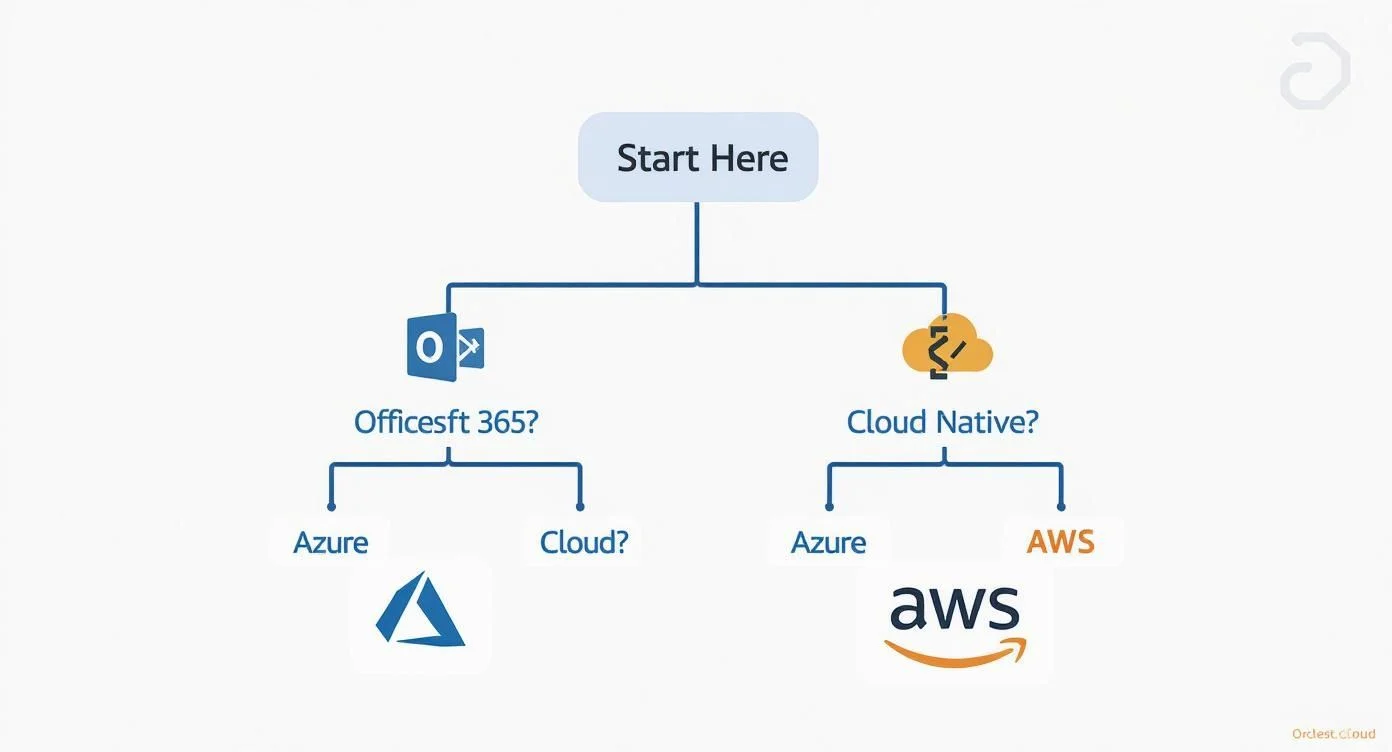
Your final choice usually depends on whether your organization is built on established enterprise software or is moving toward a cloud-native, open-source development model.
At MindMesh Academy, we produce study materials that help IT professionals pass cloud certifications for both Azure and AWS. Our teaching methods ensure you are well-prepared for the exam and the technical tasks you will face on the job. Increase your expertise and advance your career by visiting us at AWS Cloud Practitioner Practice Exams.

Written by
Alvin Varughese
Founder, MindMesh Academy
Alvin Varughese is the founder of MindMesh Academy and an enterprise architecture leader. An electrical engineer by training, he moved from factory automation in South Africa to cloud architecture at GE Appliances and Humana (Fortune 50), and holds 20 professional certifications including AWS Solutions Architect Professional, Azure DevOps Engineer Expert, and Microsoft Agentic AI Business Solutions Architect. He built MindMesh Academy after interviewing too many highly certified candidates who couldn't answer basic questions: the goal is prep that makes you better at the job, not just able to pass the exam.