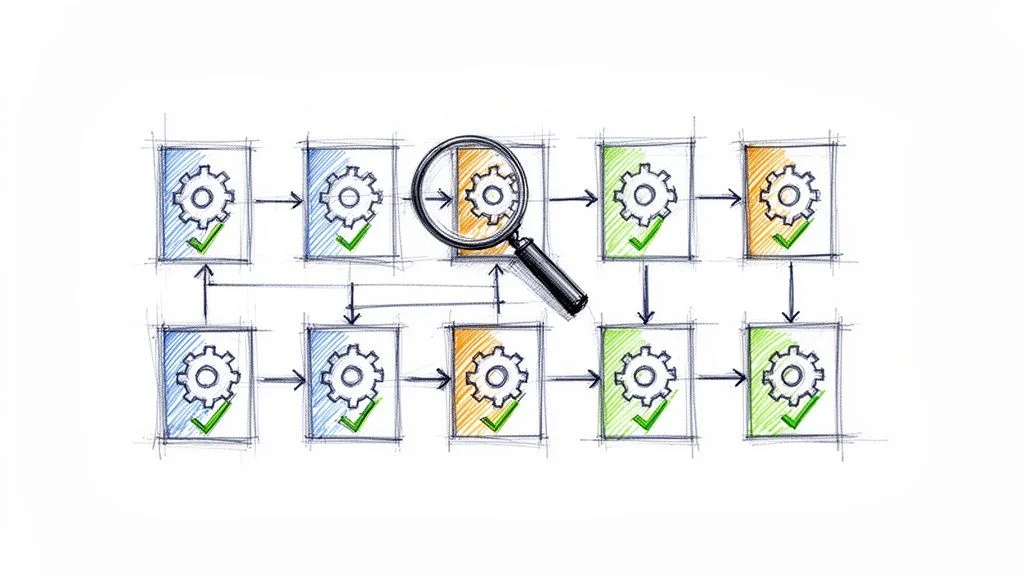
Top 10 Configuration Management Best Practices for 2026
In today's complex and fast-paced IT landscape, the line between a stable, secure system and a chaotic, vulnerable one is drawn by effective configuration management. Ad-hoc changes, undocumented dependencies, and inconsistent environments are the breeding grounds for outages, security breaches, and compliance failures. For IT professionals tasked with maintaining system integrity and aiming for prestigious certifications like ITIL, AWS, Azure, or PMP, mastering a structured approach to configuration management is no longer optional; it's a core competency and a career differentiator.
This article moves beyond abstract theory to provide a prioritized, actionable roadmap. We will explore 10 essential configuration management best practices, tailored specifically for IT professionals and certification candidates. Each practice is broken down into its core rationale, practical implementation steps, common pitfalls to avoid, and crucial exam-relevant notes to help you not only ace your certifications but also confidently apply these principles in the real world. At MindMesh Academy, we believe in bridging the gap between theoretical knowledge and practical application.
Our goal is to provide a comprehensive yet digestible guide. You will learn how to establish a single source of truth, automate deployments, manage change effectively, and prevent configuration drift. Whether you are studying for an ITIL 4 Foundation exam, preparing for the AWS Certified DevOps Engineer Professional, or aiming to bring order to your organization's infrastructure, these insights will equip you to build resilient, manageable, and secure systems. By following these proven strategies, you can minimize risk, enhance operational efficiency, and ensure your infrastructure remains a reliable asset rather than a constant source of problems.
1. Maintain a Single Source of Truth (SSOT)
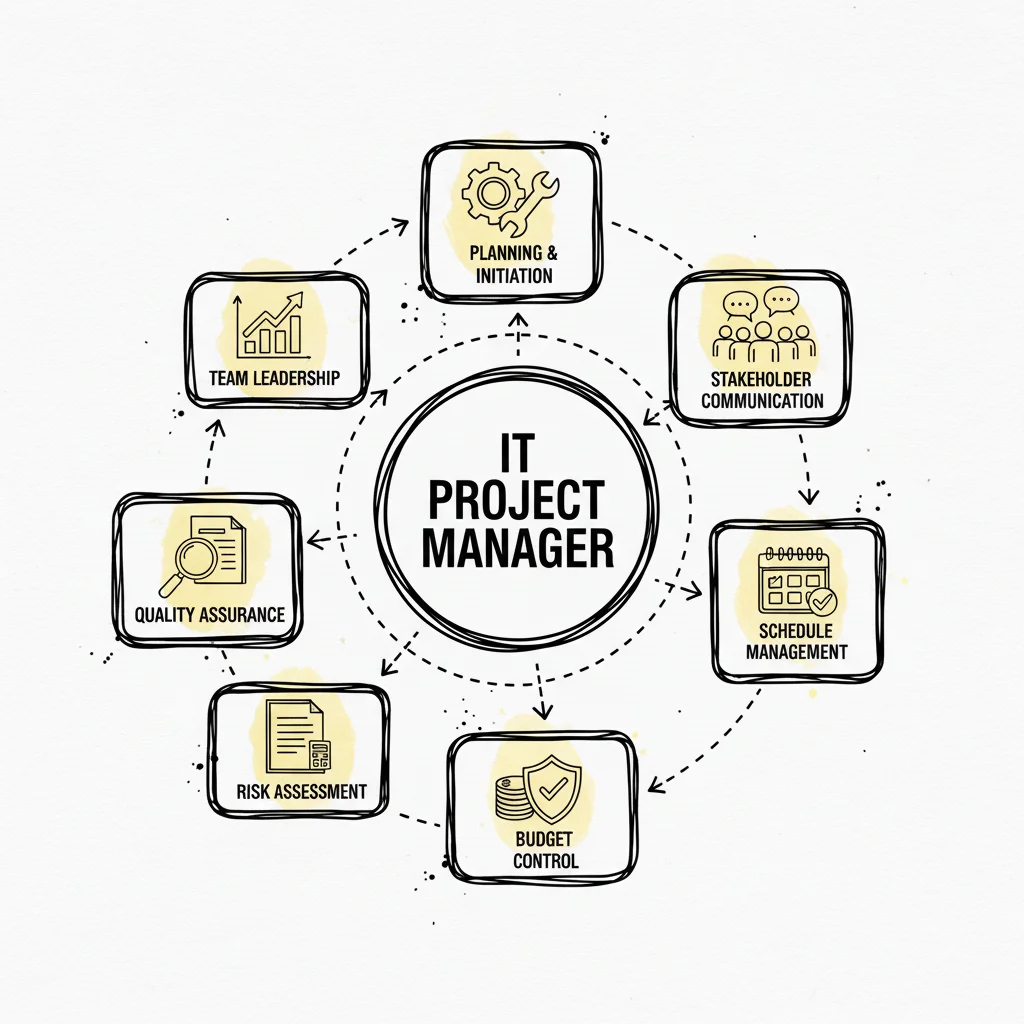
Establishing a Single Source of Truth (SSOT) is the foundational configuration management best practice. It involves creating a centralized, authoritative repository where all Configuration Items (CIs), their attributes, and their interdependencies are documented and managed. This ensures that every team member – from development to operations, security, and auditing – references the same accurate and up-to-date information, eliminating the risks associated with configuration drift, data silos, and "tribal knowledge."
An SSOT acts as the definitive record for your entire IT landscape. For instance, in an AWS environment, your IaC (Infrastructure as Code) templates in Git could serve as an SSOT for infrastructure, while a CMDB (Configuration Management Database) like ServiceNow would be the SSOT for service relationships and business criticality, crucial for ITIL processes. When a change is needed, it's made in the SSOT first, and then automated processes propagate that change to the relevant environments. This approach guarantees consistency across development, staging, and production, making systems more predictable, auditable, and easier to manage.
Why It's a Top Practice
Without an SSOT, configuration data becomes scattered across disparate systems, spreadsheets, and undocumented conversations. This fragmentation leads to conflicting information, manual errors, and significant delays in troubleshooting and deployment. Imagine an IT team trying to resolve an outage when different members have conflicting records of a server's IP address or an application's dependency. By centralizing configuration data, an SSOT provides a reliable foundation for automation, compliance (e.g., SOX, HIPAA), and effective decision-making, directly supporting the "Information and Technology" value chain activity in ITIL 4.
Actionable Implementation Steps
- Select the Right Tool: Choose a repository that fits your ecosystem and the type of configuration data.
- For Infrastructure: A Git repository (like Azure DevOps, GitHub, or GitLab) is ideal for Infrastructure as Code (IaC) files using tools like Terraform, CloudFormation, or Ansible.
- For Service and Asset Relationships: A dedicated Configuration Management Database (CMDB) like ServiceNow, BMC Helix, or Ivanti ITAM for tracking CIs, their attributes, and interdependencies.
- For Sensitive Data: A secrets management tool like HashiCorp Vault, AWS Secrets Manager, or Azure Key Vault for API keys, passwords, and certificates.
- Define Your CIs and Relationships: Start by identifying and documenting your most critical CIs, such as servers, databases, network devices, cloud services, and application settings. Crucially, map their relationships and dependencies.
- Enforce Access Control and Auditability: Implement strict Role-Based Access Control (RBAC) to manage who can view and modify configuration data. All changes should be auditable, with clear records of who made what change and when. This is vital for security compliance (e.g., CompTIA Security+ objectives).
- Automate and Integrate: Connect your SSOT to your CI/CD pipelines and automation tools (e.g., Ansible, Terraform) to ensure that configurations are applied consistently from the source. This reduces manual errors and ensures consistency.
Common Pitfalls and How to Avoid Them
A common mistake is treating the SSOT as a write-only database that quickly becomes outdated. For example, manual changes in production environments often aren't reflected back in the SSOT. To avoid this, implement regular automated audits that compare the SSOT's records against the actual state of your production environment. Use tools that can detect drift (e.g., AWS Config, Azure Policy) and either automatically remediate it or create an alert for manual review. This continuous validation loop is crucial for maintaining the integrity and trustworthiness of your SSOT.
Reflection Prompt: Consider your current environment. What would be the most impactful first step in establishing a more robust SSOT for your team? What type of CI would you prioritize documenting?
2. Implement Version Control for All Configurations
Applying version control to all configurations is a cornerstone of modern configuration management best practices. This involves using a Version Control System (VCS) like Git to track every change made to configuration files – from application settings, server images (e.g., AMIs in AWS), and Dockerfiles to infrastructure code and network policies. By treating configuration as code, every modification becomes a commit with a clear author, timestamp, and an explanation of the change's purpose.
This practice provides a complete, auditable history of your system's desired state. If a change introduces an error (a common scenario in DevOps roles), teams can quickly identify the problematic commit and revert to a last known good configuration, dramatically reducing Mean Time to Recovery (MTTR). It transforms configuration management from an opaque, manual task into a transparent, collaborative, and auditable engineering discipline, much like application code development. This is a fundamental concept for any AWS Certified DevOps Engineer Professional candidate.
Why It's a Top Practice
Without version control, configuration changes are difficult to track, audit, or roll back. This "Wild West" approach often leads to configuration drift, where environments become inconsistent and fragile. Imagine debugging a production issue when you don't know who changed a firewall rule or when a critical environment variable was last updated. Version control introduces accountability and process, enabling peer reviews, automated testing of changes, and a reliable history that is crucial for debugging, security audits (e.g., for SOC 2 compliance), and satisfying regulatory requirements.
Actionable Implementation Steps
- Centralize Configurations in Git: Store all your configuration files, such as Kubernetes manifests, Terraform code, Ansible playbooks, server build scripts, and cloud network definitions, in a centralized Git repository (e.g., GitHub, GitLab, Azure Repos).
- Write Meaningful Commit Messages: Enforce a policy for descriptive commit messages that explain the "what" and "why" of a change, not just the "how." For example, "feat: Add new S3 bucket for audit logs, required by compliance team" is much more useful than "update config." This context is invaluable for future debugging and audits.
- Implement a Branching Strategy: Define and document a clear branching strategy (e.g., GitFlow, GitHub Flow, or Trunk-Based Development). For instance, use feature branches for new changes, which are then merged into a main branch via pull requests after a mandatory review. To optimize your version control strategy, considering advanced methodologies like Trunk-Based Development can significantly improve team collaboration and deployment frequency.
- Protect Key Branches: Use branch protection rules to prevent direct pushes to critical branches like
mainorproduction. Require pull request reviews and passing status checks (e.g., automated tests, linting) before a merge is allowed. This adds a crucial layer of quality assurance.
Common Pitfalls and How to Avoid Them
A frequent mistake, particularly dangerous for security certifications like CompTIA Security+, is storing sensitive data like passwords, API keys, or certificates directly in Git repositories. This poses a massive security risk, as Git history is persistent. To avoid this, use a dedicated secrets management tool (like HashiCorp Vault, AWS Secrets Manager, Azure Key Vault, or Kubernetes Secrets) and reference these secrets from your configuration files. The configuration code in Git should only contain pointers to the secrets, not the secrets themselves. This keeps your configurations secure while maintaining the benefits of version control.
3. Establish Clear Configuration Item (CI) Classification
A key configuration management best practice is to establish a clear and logical classification system for all your Configuration Items (CIs). This involves categorizing every asset in your IT environment, such as servers, applications, databases, network devices, and even documentation, based on defined criteria like type, criticality, and business impact. A well-defined classification scheme transforms your CMDB from a simple inventory into a strategic tool for decision-making, a core concept in ITIL's Service Configuration Management.
By organizing CIs logically, you enable prioritized management, faster incident resolution, and more effective change control. For example, knowing that a specific AWS RDS database server is a "Tier 1" CI supporting a critical, customer-facing e-commerce application ensures that any related changes or incidents receive immediate attention. This systematic approach provides clarity and context, which is vital for managing complex IT landscapes, especially in cloud environments where resources are dynamic.
Why It's a Top Practice
Without proper CI classification, all CIs are treated equally, leading to inefficient resource allocation and increased risk. A critical production server might receive the same level of change scrutiny as a non-essential development tool. This lack of prioritization can delay incident resolution and lead to significant business impact. By implementing a classification system, teams can instantly understand the business context of a CI, enabling them to prioritize efforts, apply appropriate governance, and accurately assess the potential impact of changes or failures. This is a key skill for ITIL practitioners.
Actionable Implementation Steps
- Define Classification Tiers: Create a hierarchy based on business criticality and impact (e.g., Tier 1: Mission-Critical, Tier 2: Business-Critical, Tier 3: Supporting, Tier 4: Non-Essential). Align these tiers with service-level agreements (SLAs) and Recovery Time Objectives (RTOs) / Recovery Point Objectives (RPOs).
- Establish CI Types: Categorize CIs by their function, such as Hardware (Server, Network Device), Software (Application, Operating System, Database), Cloud Resources (EC2 Instance, S3 Bucket, Azure VM, AKS Cluster), and Documentation. Use established frameworks like ITIL or the ServiceNow CMDB class structure as a starting point.
- Implement Consistent Naming Conventions: Enforce a standardized naming convention for all CIs. A good convention should include elements like environment, CI type, function, and location (e.g.,
prod-web-ecom-01,dev-db-hr-mysql-02,aws-eu-west-1-prod-web-app-01). - Automate Tagging and Labeling: Leverage cloud-native tagging and labeling capabilities. For instance, use AWS resource tagging (e.g.,
Owner,CostCenter,Environment,Criticality), Azure tags, or Kubernetes labels (app,env,tier) to classify resources automatically. Integrate this with your IaC to ensure tags are applied at provisioning time.
Common Pitfalls and How to Avoid Them
A frequent pitfall is creating an overly complex or rigid classification system that becomes difficult to maintain. Teams may also fail to document the rationale behind the classifications, leading to confusion and inconsistent application. To avoid this, start with a simple, well-documented scheme and evolve it over time based on feedback and actual usage. Regularly review and validate your classifications with business stakeholders to ensure they remain aligned with organizational priorities. Use policy-as-code tools (e.g., Open Policy Agent, AWS Config Rules, Azure Policy) to automatically check for and enforce correct CI classification and tagging, making compliance easier.
Reflection Prompt: How does your organization currently classify its IT assets? Are there any inconsistencies that could lead to misprioritized work or overlooked risks?
4. Automate Configuration Deployment and Validation
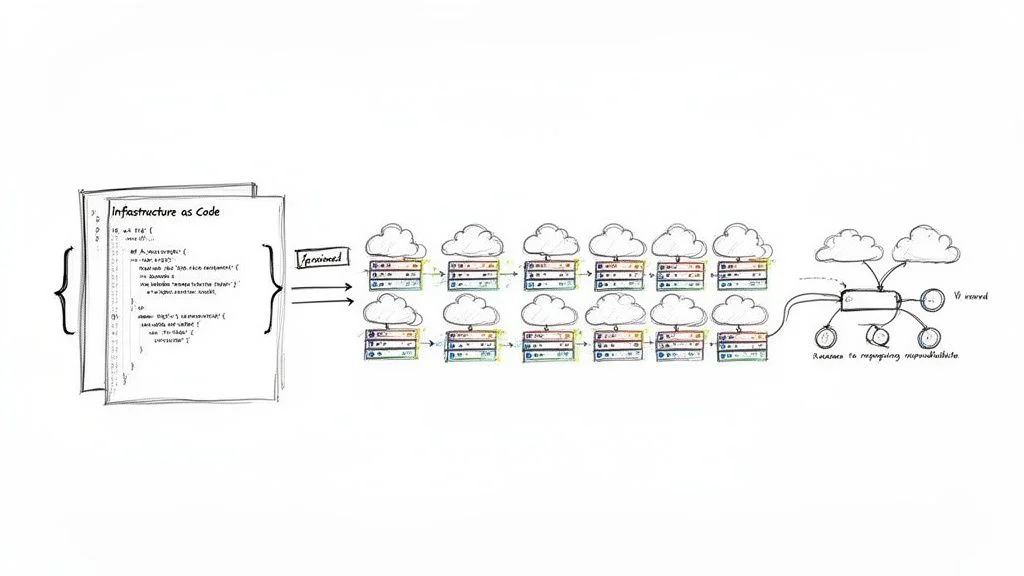
Manual configuration changes are a primary source of errors, inconsistencies, and downtime. Automating configuration deployment and validation is a core configuration management best practice that uses tools to apply and verify configurations programmatically, ensuring every environment is provisioned and updated consistently. This approach minimizes human intervention, dramatically accelerates deployment cycles, and makes infrastructure more resilient and predictable. This is a cornerstone of DevOps and a critical skill for any IT professional involved in modern IT operations.
By codifying your configurations (using IaC) and integrating them into an automated pipeline (CI/CD), you create a repeatable and auditable process. Tools like Terraform, Ansible, Chef, Puppet, or AWS CloudFormation can take a configuration file from your Single Source of Truth and apply it to target systems. The process doesn't stop at deployment; automated validation checks then confirm that the live environment perfectly matches the desired state defined in your code, providing immediate feedback and preventing configuration drift. To further enhance your automated configuration deployment and validation, delve into these CI/CD pipeline best practices.
Why It's a Top Practice
Automation is the engine that drives modern configuration management. It eliminates the "it worked on my machine" problem by guaranteeing that development, staging, and production environments are built from the exact same templates. This consistency is crucial for reliable testing, rapid troubleshooting, and secure operations, making it an indispensable part of any mature DevOps or ITIL framework. It reduces human error, speeds up time-to-market, and frees up engineers to focus on more complex, strategic tasks rather than repetitive manual configurations.
Actionable Implementation Steps
- Choose Your Automation Tools Wisely:
- For Infrastructure Provisioning: Terraform (multi-cloud), AWS CloudFormation (AWS-specific), Azure Resource Manager (ARM) templates (Azure-specific), Google Cloud Deployment Manager (GCP-specific).
- For System-Level Configuration: Ansible, Chef, Puppet, or SaltStack.
- For AWS-specific configuration: learn more about services like AWS Systems Manager and AppConfig.
- Write Idempotent Scripts and Configurations: Ensure your automation scripts and IaC definitions are idempotent, meaning they can be run multiple times without causing unintended side effects. The system's state will be the same after one run or one hundred runs. This is critical for reliable automation.
- Integrate into CI/CD Pipelines: Embed your configuration deployment scripts into a CI/CD pipeline (e.g., Jenkins, GitLab CI, GitHub Actions, Azure Pipelines, AWS CodePipeline). Trigger deployments automatically upon code commits to your configuration repository, or after successful testing in lower environments.
- Implement Automated Testing and Validation: Add a validation step in your pipeline. Use tools like Terratest (for Terraform), Serverspec, or InSpec (for Chef) to run automated tests that verify the configuration was applied correctly and the system is healthy before routing traffic to the new environment. This could include checking open ports, service statuses, or application endpoints.
Common Pitfalls and How to Avoid Them
A frequent pitfall is creating "fire-and-forget" automation without proper validation or rollback plans. For example, an Ansible playbook might successfully run but inadvertently break an application service. To avoid this, always include robust post-deployment checks that programmatically validate the health and configuration of the system. Implement automated rollback procedures that can quickly revert to a last known good state if validation tests fail. This creates a safety net that builds confidence and allows you to deploy changes more frequently and safely, a key principle in reducing operational risk for certifications like AWS Certified SysOps Administrator.
Reflection Prompt: What manual configuration tasks in your current role are most prone to error or take up significant time? How could automation tools like Ansible or Terraform address these challenges?
5. Implement Comprehensive Change Control Processes
Implementing a comprehensive change control process is a critical configuration management best practice that brings order and accountability to IT environments. This involves establishing formal, documented procedures for requesting, evaluating, approving, implementing, and reviewing all configuration changes. The goal is to ensure every modification is deliberate, assessed for impact, and fully traceable. This practice is central to ITIL's Change Enablement (formerly Change Management) and a vital aspect of project management (PMP certification).
This structured approach minimizes the risk of unplanned outages, security vulnerabilities, and compliance breaches caused by unauthorized or poorly planned changes. By formalizing the change lifecycle, from proposal to post-implementation review, organizations can maintain stability while still enabling necessary evolution. It acts as a gatekeeper, ensuring that only beneficial and well-understood changes make it into production.
Why It's a Top Practice
Without a formal change control process, configuration management becomes chaotic. Changes are made ad-hoc, without proper review or documentation, leading to configuration drift and systems that are difficult to troubleshoot or restore. A robust change control process provides the governance needed to prevent these issues, ensuring that all stakeholders (including business owners, security, and operations) are informed and potential risks are mitigated before a change is deployed. This is non-negotiable for regulated industries and essential for maintaining service stability.
Actionable Implementation Steps
- Define Change Types: Categorize changes based on risk and impact.
- Standard Changes: Pre-approved, low-risk, high-frequency changes (e.g., patching non-critical servers, adding a new user). These can follow an automated workflow with minimal human approval.
- Normal Changes: Non-emergency changes requiring assessment, scheduling, and approval (e.g., major application upgrades, network reconfigurations).
- Emergency Changes: Urgent changes to resolve critical incidents, bypassing some normal approvals but requiring post-implementation review and documentation (e.g., patching a zero-day vulnerability).
- Establish a Change Advisory Board (CAB): Create a cross-functional team (the CAB) responsible for reviewing, prioritizing, and approving high-impact or complex changes. The CAB typically includes representatives from operations, development, security, and business units.
- Automate the Workflow: Use an ITSM tool like ServiceNow, Jira Service Management, or BMC Helix ITSM to manage the change request lifecycle. This ensures requests are properly logged, routed for approval, tracked through to completion, and linked to related CIs.
- Integrate with Automation and Version Control: Link your change control system to your CI/CD pipeline and version control. For example, a deployment can be automatically triggered only after a change request receives final approval. This ensures that only approved code changes are deployed. For a deeper look at this, explore how to apply change management principles within AWS CloudFormation.
Common Pitfalls and How to Avoid Them
A frequent pitfall is creating a change control process that is overly bureaucratic, slow, and burdensome, causing teams (especially agile development teams) to circumvent it. This "shadow IT" approach undermines the very purpose of change control. To avoid this, design the process to be as lean and efficient as possible. Pre-approve low-risk, standard changes and invest in automation to speed up the workflow. The objective is to add control and visibility, not to create unnecessary bottlenecks that hinder agility. Regularly review and optimize the process based on feedback and performance metrics, ensuring it supports, rather than impedes, business needs.
6. Document Configuration Relationships and Dependencies
Documenting the relationships and dependencies between Configuration Items (CIs) is a critical configuration management best practice. This involves creating and maintaining an accurate map that shows how servers, applications, databases, network components, cloud services, and even external APIs connect and rely on one another. This holistic view is essential for effective impact analysis, faster incident resolution, and strategic change management. Without this clarity, IT operations teams are often left guessing when an issue arises.
Without a clear understanding of these dependencies, a seemingly minor change to one system can cause a catastrophic failure in another. Imagine updating a shared library that an obscure, critical application depends on, without knowing the connection. By meticulously mapping these connections, teams can predict the ripple effects of any planned change, isolate root causes during an outage, and ensure that system architecture remains resilient and supportable.
Why It's a Top Practice
In complex, distributed systems (common in modern cloud architectures), "no server is an island." The failure to document dependencies creates blind spots that cripple troubleshooting and risk assessment. Mapping relationships turns unknown risks into manageable, predictable factors, allowing teams to make informed decisions that protect service availability and performance. This practice is a cornerstone of both ITIL's Service Operation and modern Site Reliability Engineering (SRE), significantly impacting Mean Time to Detect (MTTD) and Mean Time to Resolve (MTTR) incidents.
Actionable Implementation Steps
- Utilize Discovery and Mapping Tools: Employ automated tools to scan your environment and generate initial dependency maps.
- For Application Topology: Tools like Dynatrace, AppDynamics, New Relic, or DataDog can visualize application components and their communication flows.
- For Infrastructure and Cloud Resources: ServiceNow Discovery, Splunk IT Service Intelligence, or cloud-native tools like AWS Systems Manager Explorer can identify infrastructure components and their connections.
- Document Business Context and Service Maps: Go beyond technical connections. Document which business services depend on which applications and infrastructure. Create end-to-end service maps that illustrate how CIs contribute to the delivery of critical business services. For example, note that the "e-commerce checkout" service depends on the "payment gateway API," "customer database," and "inventory microservice."
- Integrate with Change Management: Make dependency review a mandatory step in your change approval process. The change request should explicitly state the CIs that will be affected, both directly and indirectly. This enables the CAB to assess the full blast radius of a proposed change.
- Create and Maintain Runbooks and Playbooks: Include dependency information in your operational runbooks and incident response playbooks to guide engineers during troubleshooting. A clear map helps teams quickly identify upstream or downstream causes of an incident, improving incident response.
Common Pitfalls and How to Avoid Them
The most common pitfall is creating a dependency map once and never updating it, leading to a stale and misleading representation of the environment. In dynamic cloud environments, manual mapping quickly becomes impossible. To avoid this, schedule regular, automated audits that compare the documented map against the actual, running state of your systems. Implement processes where any architectural change (often driven by IaC) automatically triggers an update to the dependency documentation, ensuring the map remains a living, accurate reflection of your IT landscape. Consider tools that automatically discover and update these relationships.
Reflection Prompt: Recall a recent incident or change that had unexpected ripple effects. Could better dependency documentation have prevented or mitigated the issue?
7. Maintain Accurate and Current Inventory Records
Maintaining accurate and current inventory records is a critical pillar of any successful configuration management best practice strategy. This practice involves the continuous discovery, tracking, and verification of all Configuration Items (CIs) across the IT environment. An up-to-date inventory serves as the foundational dataset for all other configuration management activities, from change management and security vulnerability assessments to incident response and financial planning.
Without an accurate inventory, you are essentially flying blind. You cannot manage what you do not know exists. This practice ensures that your Configuration Management Database (CMDB) or asset registry reflects the reality of your infrastructure, including all hardware, software, cloud resources (e.g., AWS EC2 instances, Azure Functions), and their relationships. This accuracy is essential for making informed decisions, securing assets, ensuring compliance (e.g., for data residency or licensing), and optimizing costs.
Why It's a Top Practice
An inaccurate or outdated inventory leads to significant security vulnerabilities, compliance failures, and inefficient operations. Unmonitored assets ("shadow IT") can become security risks, introducing unpatched systems or unauthorized access points. "Ghost" servers or forgotten cloud resources can incur unnecessary costs. By keeping a precise, real-time inventory, organizations can close security gaps (a key focus for CompTIA Security+), optimize resource allocation, manage software licenses effectively, and provide auditors with a clear, verifiable record of all IT assets. This is a foundational element in mature configuration management best practices.
Actionable Implementation Steps
- Implement Automated Discovery Tools: Deploy tools that automatically scan your networks, virtualized environments, and cloud platforms to discover and identify assets.
- On-premises: Network scanners, endpoint management tools (e.g., Microsoft SCCM).
- Cloud: AWS Config, Azure Inventory, Google Cloud Asset Inventory provide continuous discovery and can integrate with a CMDB.
- CMDB-integrated: Tools like ServiceNow Discovery can scan and populate a CMDB with detailed CI information.
- Establish a Reconciliation Cadence: Schedule regular, automated reconciliation processes to compare discovered data against the records in your CMDB. This helps identify and correct discrepancies, such as CIs that exist but aren't recorded, or recorded CIs that no longer exist.
- Assign Asset Ownership and Lifecycle Management: Ensure every CI has a designated owner responsible for its entire lifecycle, from procurement/provisioning to decommissioning. This clarifies accountability for maintenance, security, and resource optimization. Integrate with IT Asset Management (ITAM) processes.
- Integrate with Other Systems: Connect your inventory system with ITSM, financial, security, and monitoring tools. This creates a unified view of asset data, linking technical details with business context (e.g., associating a server with a cost center or a critical business service).
Common Pitfalls and How to Avoid Them
A frequent pitfall is relying solely on manual processes for inventory management. Manual entry is slow, prone to human error, and cannot keep pace with dynamic cloud environments or large-scale infrastructures. To avoid this, prioritize automation from the start. Implement discovery agents and API integrations to make data collection continuous and autonomous. While manual verification has its place (e.g., for physical audits), it should supplement, not replace, a robust automated discovery and reconciliation strategy to ensure your inventory remains a trusted source of truth and a reliable basis for all configuration decisions.
Reflection Prompt: How confident are you that your organization's current IT inventory is 100% accurate? What hidden risks or costs might inaccurate records be introducing?
8. Use Infrastructure as Code (IaC) for Consistency
Infrastructure as Code (IaC) is a transformative practice that treats the provisioning and management of infrastructure as a software development process. Instead of manual setup through consoles or scripts, infrastructure components like servers, networks, databases, and load balancers are defined in human-readable, version-controlled configuration files. This code-based approach enables version control, automated testing, and repeatable deployments, making it a cornerstone of modern configuration management best practices and essential for cloud certifications like AWS Certified Solutions Architect or Azure Administrator.
By defining your entire infrastructure in code, you create a blueprint that can be versioned, shared, and executed to provision identical environments on demand. This eliminates manual configuration errors and ensures that what is tested in staging is exactly what gets deployed to production, achieving unprecedented consistency and reliability. IaC allows for immutable infrastructure, where changes are made by deploying new infrastructure from code, rather than modifying existing systems.

Why It's a Top Practice
Manual infrastructure management is slow, error-prone, and impossible to scale effectively. Think about the complexity of manually setting up 100 new web servers, complete with networking, security groups, and monitoring. IaC solves these problems by codifying infrastructure definitions, making them auditable, repeatable, and easy to manage at scale. It is the engine that powers DevOps and SRE principles, enabling teams to build, test, and release software and infrastructure faster and more reliably. It also significantly reduces configuration drift and improves disaster recovery capabilities, as infrastructure can be rebuilt from code.
Actionable Implementation Steps
- Choose the Right IaC Tool: Select a tool that aligns with your technology stack and cloud providers.
- Multi-Cloud: Terraform is widely used for provisioning across AWS, Azure, Google Cloud, and on-premises environments.
- AWS-Specific: AWS CloudFormation for native AWS resource provisioning.
- Azure-Specific: Azure Resource Manager (ARM) templates or Bicep for native Azure resources.
- Configuration Management (after provisioning): Ansible, Chef, Puppet for operating system and application-level configuration.
- Version Control Everything: Store all your IaC files (e.g.,
.tf,.yml,.json,.bicepfiles) in a Git repository. This provides a full history of changes, enables collaboration through pull requests, and allows for easy rollbacks to previous stable states. - Start with a Small, Defined Scope: Begin by codifying a single, non-critical service or environment. This allows your team to learn the tool, refine processes, and gain confidence before expanding to more complex and critical systems. For example, start with a simple S3 bucket or a development EC2 instance.
- Embrace Modularity and Reusability: Break down your code into reusable modules, components, or templates. This reduces duplication, simplifies maintenance, and enforces organizational standards across all projects. For example, create a "web server module" that can be reused across different applications or environments.
Common Pitfalls and How to Avoid Them
A frequent pitfall is creating large, monolithic IaC configurations that are difficult to understand, manage, and scale. Another is inconsistent state management, especially in multi-environment setups. To avoid this:
- Structure Your Code Logically: Separate configurations for different environments (dev, staging, prod) and components (networking, compute, database).
- Use Workspaces/State Files: For Terraform, use workspaces or separate state files for each environment to prevent accidental changes to production.
- Implement Review Processes: Mandate peer reviews for all IaC changes before merging to a main branch.
- Address Secrets Management: As discussed earlier, never hardcode sensitive information directly into your IaC files. This modular, layered approach improves readability, enhances security, and significantly reduces the risk of costly deployment errors, which is crucial for reliability in any production system.
Reflection Prompt: If you were to introduce IaC to your current infrastructure, which cloud provider or on-premises system would you target first, and what benefits do you anticipate?
9. Establish Baseline Configurations and Standards
Establishing baseline configurations is a critical configuration management best practice that involves defining and documenting an approved, standardized state for each type of Configuration Item (CI). These baselines act as a "gold standard" or template, providing a known-good configuration for servers, network devices, databases, and applications. All deployments and changes are then measured against this standard to ensure consistency, security, and compliance. This is a core requirement for many security and compliance frameworks.
This approach is fundamental to creating stable and secure environments. By defining what a correctly configured system looks like, you create a clear reference point for automation, auditing, and troubleshooting. Any deviation from the baseline, known as configuration drift, can be quickly identified and remediated, preventing security vulnerabilities and operational issues before they escalate. For certifications like CompTIA Security+, understanding and implementing baselines is key to proving security posture.
Why It's a Top Practice
Without established baselines, configurations become inconsistent and ad-hoc. Each new server or application might be configured slightly differently, introducing unknown variables that make the environment unpredictable, difficult to manage, and prone to security gaps. Baselines enforce uniformity, which is essential for scaling operations, meeting security requirements (e.g., CIS Benchmarks, DISA STIGs, NIST), and ensuring that systems behave as expected across all environments. They provide a clear, auditable record of the desired state, simplifying compliance checks and demonstrating due diligence.
Actionable Implementation Steps
- Define Your Standards: Start by adopting industry-recognized security and configuration standards.
- Operating Systems/Applications: CIS Benchmarks (Center for Internet Security) provide prescriptive guidance for hardening various systems.
- Government/Defense: DISA STIGs (Defense Information Systems Agency Security Technical Implementation Guides) offer strict security requirements.
- Cloud Resources: The AWS Well-Architected Framework, Azure Security Benchmarks, or Google Cloud security best practices provide guidelines for secure cloud deployments.
- Document and Version Baselines as Code: Store your baseline configurations as code (e.g., Ansible playbooks, Terraform modules, Dockerfiles, Golden AMIs/Images) in a version control system like Git. This makes them auditable, transparent, and easy to update when standards evolve.
- Automate Enforcement: Use your configuration management tools (e.g., Ansible, Puppet, Chef, AWS Systems Manager State Manager) to automatically apply and enforce these baselines on all new and existing CIs. For cloud environments, services like AWS Config Rules or Azure Policy can continuously check for compliance against defined baselines.
- Create an Exception Process: Establish a formal, documented process for handling necessary, justified deviations from the baseline. Each exception should be reviewed, justified (e.g., for specific application compatibility), approved by relevant stakeholders (e.g., security team), and regularly re-evaluated.
Common Pitfalls and How to Avoid Them
A frequent pitfall is creating baselines that are too rigid, don't account for legitimate variations between environments (like development vs. production), or become outdated quickly. Overly strict baselines can hinder agility and lead to non-compliance if teams find them impractical. To avoid this, design your baselines with a modular approach. Use variables and templates in your configuration management tools to allow for controlled, environment-specific customizations while keeping the core security and functional configuration consistent. Regularly review and update baselines to reflect evolving threats, technology, and business requirements.
Reflection Prompt: Are there specific security benchmarks or compliance standards that your organization struggles to consistently meet? How could baseline configurations simplify this process?
10. Monitor and Report Configuration Compliance and Drift
Even with a perfect Single Source of Truth and robust automation, configurations can deviate from their intended state over time. This phenomenon, known as "configuration drift," occurs due to manual emergency changes, unmanaged updates, misconfigurations, or even benign system processes. A critical configuration management best practice is to continuously monitor for drift and report on compliance against established baselines. This practice is essential for maintaining security, ensuring service reliability, and simplifying audits for frameworks like ISO 27001 or SOC 2.
This practice involves setting up automated systems that constantly scan your environments, comparing the actual state of Configuration Items (CIs) against their approved, desired state in your SSOT (e.g., your IaC in Git) or a defined baseline. When a deviation is detected, the system should generate an alert, create a report, or even trigger an automated remediation process. This ensures that your infrastructure remains secure, compliant, and predictable, preventing small inconsistencies from escalating into major problems.
Why It's a Top Practice
Configuration drift is a primary cause of unexpected outages, security vulnerabilities, and compliance failures. Without active monitoring, a server that was perfectly configured last week could have an unpatched vulnerability, an open port, or a critical service disabled today. By continuously monitoring for drift, you transform configuration management from a one-time setup activity into an ongoing, dynamic process of validation and enforcement. This proactive approach helps identify and resolve issues before they impact users or lead to security breaches, a key focus for any IT operations or security professional.
Actionable Implementation Steps
- Define Compliance Baselines (as discussed in Practice 9): Establish clear, version-controlled configuration baselines for all critical systems. These baselines should define the "known good" state for servers, network devices, applications, and cloud resources.
- Implement Continuous Monitoring Tools: Use tools that continuously scan and assess your infrastructure against your defined baselines.
- Cloud-Native: AWS Config (with Config Rules), Azure Policy, Google Cloud Security Command Center.
- General Purpose: Chef InSpec (for compliance as code), Tenable.io, Qualys, or dedicated CMDBs with compliance modules.
- Runtime: Tools like Prometheus or Nagios can monitor the behavior of services, indirectly indicating drift.
- Automate Reporting and Alerting: Configure your monitoring system to generate regular compliance reports for stakeholders, including IT management, security teams, and auditors. Dashboards can provide an at-a-glance view of your overall compliance posture. Crucially, set up immediate alerts for high-severity drift (e.g., critical security misconfigurations) that require urgent attention.
- Establish a Remediation Strategy: Decide how to handle drift when it's detected.
- Alert and Manual Review: For low-risk deviations or when human judgment is needed.
- Automated Self-Healing: For critical, well-understood issues, you can configure tools like Ansible, Puppet, Chef, or cloud-native services (e.g., AWS Systems Manager State Manager, Azure Automation) to automatically enforce the correct configuration. This "Desired State Configuration" is a powerful way to combat drift.
Common Pitfalls and How to Avoid Them
A frequent pitfall is "alert fatigue," where monitoring systems generate so many notifications for minor drift that engineers begin to ignore them. This defeats the purpose of proactive monitoring. To avoid this, carefully define your compliance thresholds and create a formal exemption process for necessary, approved deviations (linking back to Change Control). Not every drift is a crisis. Focus alerts on high-impact changes (e.g., a security group opening a critical port) and use scheduled reports to track less critical deviations, ensuring your team can focus on what truly matters. Regularly review and tune your monitoring rules to reduce noise and increase signal.
10-Point Configuration Management Best Practices Comparison
| Practice | Implementation complexity | Resource requirements | Expected outcomes | Ideal use cases | Key advantages |
|---|---|---|---|---|---|
| Maintain a Single Source of Truth (SSOT) | Medium–High (tooling + governance) | Centralized repository, integrations, RBAC, audits | Consistent configs, fewer errors, clear ownership | Multi-team, multi-environment, compliance-focused orgs | Eliminates conflicting info, improves decisions and audits |
| Implement Version Control for All Configurations | Low–Medium (process & training) | VCS hosting, branching policies, CI integration | Change history, rollback, collaborative reviews | IaC, team collaboration, change-tracked environments | Auditable changes, easy recovery, supports code review |
| Establish Clear Configuration Item (CI) Classification | Medium (expertise required) | Taxonomy design, tagging, periodic review processes | Prioritized management, focused change control | Large inventories, risk-based operations, SRE | Faster prioritization, better risk and resource focus |
| Automate Configuration Deployment and Validation | High (pipeline + tests) | IaC/CM tools, CI/CD, test suites, monitoring | Consistent deployments, faster delivery, fewer errors | Frequent releases, scalable/cloud environments | Eliminates manual errors, reproducible and fast deployments |
| Implement Comprehensive Change Control Processes | Medium (process heavy) | Workflow tools, approval hierarchies, documentation | Traceable, evaluated changes, reduced unauthorized edits | Regulated environments, high-impact changes | Accountability, compliance support, reduced downtime |
| Document Configuration Relationships & Dependencies | Medium–High (mapping effort) | Discovery/visualization tools, ongoing maintenance | Better impact analysis, faster root-cause identification | Complex service topologies, incident response teams | Prevents cascading failures, informs safe changes |
| Maintain Accurate and Current Inventory Records | Medium (continuous effort) | Discovery tools, reconciliation processes, integrations | Accurate asset visibility, license and cost tracking | Asset-heavy orgs, licensing management, audits | Reduces shadow IT, improves capacity and cost planning |
| Use Infrastructure as Code (IaC) for Consistency | Medium–High (skill + state mgmt) | IaC tools, version control, testing frameworks | Reproducible infra, reduced drift, rollback capability | Cloud provisioning, repeatable environments, DR | Infrastructure versioning, reduced drift, faster recovery |
| Establish Baseline Configurations and Standards | Medium (policy + enforcement) | Standards docs, enforcement tooling, review cadence | Consistent secure configurations, easier compliance | Security-conscious orgs, onboarding, compliance regimes | Improves security posture, simplifies troubleshooting |
| Monitor and Report Configuration Compliance and Drift | Medium (monitoring systems) | Continuous monitoring tools, dashboards, remediation | Early drift detection, continuous compliance reporting | Security/governance teams, regulated environments | Proactive remediation, audit-ready evidence and alerts |
Turning Best Practices into Career Momentum
We've explored ten foundational configuration management best practices, from establishing a Single Source of Truth to the continuous monitoring of configuration drift. Each principle, whether it's the rigor of version control or the transformative power of Infrastructure as Code (IaC), serves a singular purpose: to bring order, predictability, and resilience to complex IT environments. Moving beyond theory is where the real value lies. The journey from understanding these concepts to implementing them is what separates a functional IT team from a high-performing one.
The common thread weaving through these practices is a shift in mindset. It's about moving from manual, reactive fixes to automated, proactive system management. It’s about viewing your infrastructure not as a collection of disparate components, but as a cohesive, version-controlled system defined by code and governed by process. This strategic approach minimizes human error, accelerates deployment cycles, and ensures that your systems remain in a known, compliant state.
From Knowledge to Mastery: Your Action Plan
Mastering these configuration management best practices is an ongoing commitment, not a one-time project. To translate the knowledge from this article into tangible results, consider the following immediate steps:
- Conduct a Gap Analysis: Start small. Choose one critical system or application. Evaluate your current processes against the ten best practices discussed. Where are the most significant gaps? Is it the lack of version control for network device configs? Or perhaps the absence of automated compliance checks in your Azure environment?
- Select a Pilot Project: Don't try to boil the ocean. Pick a low-risk, high-impact area to introduce a new practice. For example, you could start by creating a baseline configuration for a new set of web servers in AWS using a Golden AMI, or placing the configuration files for a single application under Git version control.
- Prioritize Automation: Identify your most repetitive, error-prone manual task related to configuration. This could be server provisioning, software installation, or security hardening. Focus your initial automation efforts here (e.g., using Ansible or CloudFormation) to demonstrate quick wins and build momentum for broader adoption.
- Embrace Incremental Improvement: Your goal is not perfection on day one. It is continuous improvement. Celebrate small victories, document your learnings, and iteratively expand the scope of your configuration management initiatives. This steady progress is the key to lasting change.
The Career-Defining Impact of Configuration Management
Why is this so critical for your career? Because a deep understanding of configuration management best practices is a hallmark of a senior, strategic IT professional. It demonstrates your ability to think systemically, manage risk, and build scalable, resilient infrastructure. These skills are not just valuable; they are in high demand and are a cornerstone of prestigious certifications like CompTIA Security+, AWS Certified SysOps Administrator, AWS Certified DevOps Engineer Professional, and ITIL 4 Foundation.
When you can confidently discuss implementing IaC pipelines, managing configuration drift with tools like AWS Config, or designing a robust change control process in a job interview or a certification exam, you are showcasing a level of expertise that sets you apart. You are proving that you can do more than just fix problems; you can architect systems that prevent them from happening in the first place. This proficiency translates directly into career advancement, higher-level responsibilities, and the ability to contribute to your organization's most critical technology goals. By mastering these principles, you are not just managing servers and services; you are actively managing your professional trajectory.
Ready to transform this knowledge into certified expertise? MindMesh Academy provides adaptive study paths and evidence-based learning tools specifically designed to help you master complex topics like configuration management. Our platform helps you identify your knowledge gaps and build the skills needed to pass your certification exams and excel in your career. Start your personalized learning journey at MindMesh Academy.

Written by
Alvin Varughese
Founder, MindMesh Academy
Alvin Varughese is the founder of MindMesh Academy and an enterprise architecture leader. An electrical engineer by training, he moved from factory automation in South Africa to cloud architecture at GE Appliances and Humana (Fortune 50), and holds 20 professional certifications including AWS Solutions Architect Professional, Azure DevOps Engineer Expert, and Microsoft Agentic AI Business Solutions Architect. He built MindMesh Academy after interviewing too many highly certified candidates who couldn't answer basic questions: the goal is prep that makes you better at the job, not just able to pass the exam.