8 Crucial CCNA Sample Test Questions You Must Master in 2026
Welcome to MindMesh Academy’s expert guide. This resource moves your CCNA preparation beyond simple memorization. To earn this certification, you must understand networking principles and demonstrate the ability to apply them under pressure. Preparation requires a clear focus on how various protocols interact within a real-world network. Many candidates struggle not because they lack technical knowledge, but because they are unfamiliar with the specific formats and demands of the exam. Success depends on understanding how Cisco poses questions and identifying exactly what those questions aim to measure.
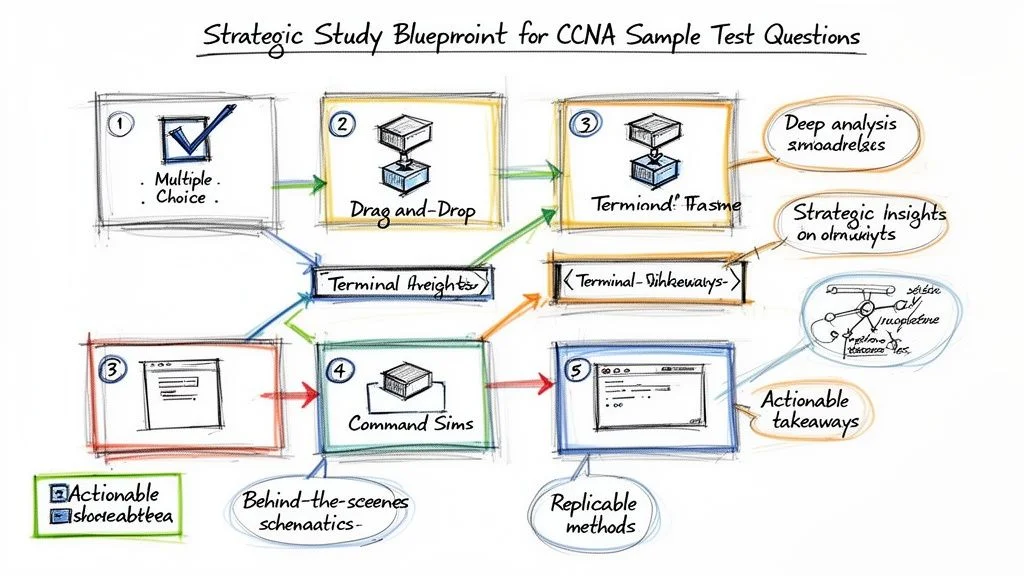
This guide provides more than a list of CCNA sample test questions. Instead, you gain a strategic framework to handle each major question type you will encounter on the current exam. We analyze a diverse array of examples, from multiple-choice theory to complex command-line scenarios, and provide step-by-step breakdowns for each correct answer. We explain the underlying logic for every question, offering tactical insights and takeaways you can use during your studies and on the day of the test.
Our approach shifts your focus from basic practice to strategic analysis. You will learn to identify common distractors, manage your time, and solve problems. By recognizing patterns in how the exam tests subnetting, routing protocols, and security, you can better anticipate the needs of the test creators. This perspective allows you to demonstrate your networking skills and ensures you are well-prepared to pass with confidence. By mastering these strategies, you turn technical knowledge into a tool for passing the exam.
1. OSI Model Layer Identification: The Foundational Map for Network Understanding
A solid grasp of the Open Systems Interconnection (OSI) model is a requirement for the CCNA exam. This seven-layer structure standardizes the functions of telecommunication and computing systems across different vendors. Questions on this topic test your ability to map networking functions, protocols, and hardware to their corresponding layers. This skill provides a shared language for technical communication and determines your strategy for troubleshooting. Engineers configuring a local area network or managing cloud connectivity use the OSI model as the primary technical reference for all data movement.
Sample Question
Difficulty: Easy
Question: An IT professional is troubleshooting a connectivity issue where a user cannot access a website. They use the ping command to test connectivity to the web server's IP address and receive a successful reply. At which layer of the OSI model is the problem most likely occurring?
A. Layer 1 (Physical) B. Layer 2 (Data Link) C. Layer 3 (Network) D. Layer 7 (Application)
Answer: D. Layer 7 (Application)
Strategic Breakdown
Analysis: The primary data point in this scenario is the successful ping result. The ping utility uses the Internet Control Message Protocol (ICMP), which functions at Layer 3 (Network). A successful reply confirms that packets can travel from the source to the destination and back. This result proves that the Physical (Layer 1), Data Link (Layer 2), and Network (Layer 3) layers are operating correctly. The copper or fiber is intact, frames are moving between MAC addresses, and routers are correctly pathing the IP traffic.
Since the user still cannot view the website despite this reachability, the failure exists higher in the OSI stack. Accessing a web page relies on protocols like HTTP or HTTPS, which operate at Layer 7 (Application). Potential problems at this level include a stopped web service on the server, DNS errors that prevent the browser from resolving a hostname, or an incorrectly configured proxy. Even though the "pipe" is open at Layer 3, the application at Layer 7 is failing to process the request.
Key Insight: A successful
pingvalidates the operational health of OSI Layers 1 through 3. Use this result to narrow your investigation to the upper layers (4 through 7) to save time. This logic applies to physical Cisco hardware and virtual environments like an Azure VNet.
Actionable Takeaways
- Protocol Mapping: Build flashcards to link common protocols to their specific layers. You must associate IP and ICMP with Layer 3, while TCP and UDP belong to Layer 4. Application protocols like HTTP, DNS, and DHCP reside at Layer 7. This knowledge is a staple of CCNA sample test questions and is required for protocol analysis.
- Troubleshooting Logic: Use a structured approach like the "bottom-up" method. By using
ping, you verify the bottom three layers at once. If Layer 3 works, you can focus your efforts on the transport and application layers. This efficiency is necessary for both the exam and production environments. - Device Associations: Recognize the layer where specific hardware operates. A hub is a Layer 1 device. A standard switch functions at Layer 2 by inspecting MAC addresses. A router functions at Layer 3 by making forwarding decisions based on IP addresses. Identifying the device's layer is a common exam requirement.
Reflection Prompt: If a ping to a server fails, which layers should you check first? Consider the status of the physical cable, the local switch port, and the default gateway configuration.
Mastering the OSI layers provides the mental framework needed to solve complex network problems. This proficiency is a requirement across many IT certifications, ranging from the CCNA to the AWS Certified Advanced Networking – Specialty.
2. Subnetting and IP Address Calculation: The Practical Blueprint for Network Design
Subnetting is among the most critical skills you will demonstrate on the CCNA exam. It involves splitting a larger IP network into smaller, specific sub-networks. Exam questions on this topic test your ability to calculate network addresses, broadcast addresses, usable host ranges, and subnet masks. Mastery of these calculations is a fundamental requirement for building efficient network designs and creating secure environments. These skills are also necessary for managing IP addresses in modern corporate settings and cloud VPC environments.
 A visual representation of subnetting, showing how a /24 network can be divided into smaller subnets, defining network, broadcast, and assignable host addresses.
Sample Question
Difficulty: Medium
Question: A network administrator needs to create several subnets from the 192.168.10.0/24 network block. The new subnets must support at least 25 hosts each. Which of the following IP addresses is a valid, assignable host address on the fourth usable subnet?
A. 192.168.10.64 B. 192.168.10.95 C. 192.168.10.97 D. 192.168.10.127
Answer: C. 192.168.10.97
Strategic Breakdown
Analysis: Begin by identifying the required subnet mask based on the host count. To support 25 hosts, you must account for the host addresses plus the network and broadcast addresses. This means you need a total of 27 addresses. The smallest power of 2 that accommodates at least 27 is 32 (2 to the power of 5). This calculation indicates you need 5 bits for the host portion of the address.
An IPv4 address contains 32 bits. If you use 5 bits for hosts, you have 27 bits remaining for the network portion (32 - 5 = 27). This results in a /27 subnet mask, which is written as 255.255.255.224 in decimal format.
The block size for a /27 subnet is 32. You can calculate this by subtracting the last octet of the mask (224) from 256. This block size represents the increment for each new network address. Starting from 192.168.10.0, the usable subnets are:
- Subnet 1: 192.168.10.0/27. The network address is .0. Usable hosts range from .1 to .30. The broadcast address is .31.
- Subnet 2: 192.168.10.32/27. The network address is .32. Usable hosts range from .33 to .62. The broadcast address is .63.
- Subnet 3: 192.168.10.64/27. The network address is .64. Usable hosts range from .65 to .94. The broadcast address is .95.
- Subnet 4: 192.168.10.96/27. The network address is .96. Usable hosts range from .97 to .126. The broadcast address is .127.
The question asks for a valid, assignable host address on the fourth usable subnet. Our calculations show the fourth subnet is 192.168.10.96/27, and its assignable host range is .97 through .126. Option C, 192.168.10.97, is the first host address in this range.
Key Insight: Pay careful attention to the phrasing of subnetting questions. You must distinguish between network addresses, broadcast addresses, and assignable host addresses. Be certain if the question asks for the Nth subnet overall or the Nth usable subnet, as counts usually start from the zero subnet.
Actionable Takeaways
- Use the Magic Number Method: For any given subnet mask, find the block size quickly. For example, with a /27 mask, 256 - 224 = 32. This block size serves as the increment for identifying network boundaries and speeds up your work significantly.
- Understand the Binary Math: While shortcuts are helpful, knowing the underlying binary logic ensures you can solve complex problems without errors. Practice converting between decimal and binary until it becomes a fast, automatic process. Many CCNA sample test questions that look difficult are simple once you understand the bitwise logic. This knowledge also applies to other technical areas involving bit-level operations.
- Memorize a CIDR Cheat Sheet: During your study sessions, write out a table for common CIDR notations like /24 through /30. Include the mask, the number of hosts, and the block size. Building this mental reference helps you recall the data instantly during the exam.
Reflection Prompt: How does efficient subnetting improve organizational security? Consider how it allows a team to segment different departments or network zones in a large office or within an AWS VPC.
3. VLAN Configuration and Trunking: Segmenting the Network for Efficiency and Security
Virtual Local Area Networks (VLANs) are a fundamental component of modern network design. They allow administrators to divide a single physical network into multiple logical broadcast domains. The CCNA exam puts significant weight on your ability to configure, verify, and fix VLANs and the trunks that move traffic between switches. These questions evaluate your practical knowledge of Layer 2 security, traffic management, and network scaling.
 An illustration of two switches connected via an 802.1Q trunk, with various access ports assigned to different VLANs, demonstrating network segmentation.
Sample Question
Difficulty: Medium
Question: A network administrator configured the connection between two switches, SW1 and SW2. On SW1, the connecting port uses the switchport mode trunk command. On SW2, the port uses switchport mode dynamic auto. Which operational mode will the link between the two switches adopt?
A. Access B. Trunk C. Static D. The link will not come up.
Answer: A. Access
Strategic Breakdown
Analysis: This question tests your understanding of Dynamic Trunking Protocol (DTP) negotiation. This Cisco protocol governs how switch ports decide to form trunk links.
Let's look at the DTP modes:
switchport mode trunk: This command sets the interface into permanent trunking mode. While it is a trunk, the port does not send DTP frames to negotiate its state with its neighbor in this specific configuration context.switchport mode dynamic desirable: This interface actively tries to convert the link into a trunk by sending DTP frames to the remote switch.switchport mode dynamic auto: This is a passive state. The interface will only become a trunk if the neighboring interface starts the negotiation by sending DTP frames.
In this scenario, SW1 uses switchport mode trunk. Although it is a trunk, it does not send the active DTP signals that a dynamic port expects. SW2 is set to dynamic auto, which means it stays passive and waits for a negotiation request. Because SW1 never sends that active signal, SW2 does not receive the necessary trigger to transition. As a result, the negotiation fails to establish a trunk, and the link defaults to an access port, typically assigned to VLAN 1.
To establish a trunk successfully, you generally need these combinations:
- Trunk / Trunk
- Trunk / Dynamic Desirable
- Dynamic Desirable / Dynamic Desirable
- Dynamic Desirable / Dynamic Auto
Key Insight: The combination of
switchport mode trunkon one side andswitchport mode dynamic autoon the other is a classic "gotcha" in CCNA sample test questions. It is designed to verify that you know not every trunk configuration actively sends negotiation frames. It highlights the specific requirements needed to trigger a state change in a passivedynamic autoport.
Actionable Takeaways
- Master the DTP Negotiation Matrix: Build a reference guide for all DTP outcomes for combinations of Trunk, Dynamic Desirable, and Dynamic Auto. You must know which pairings result in a trunk and which default to access without second-guessing. Memorizing this matrix is a high-yield activity for the current CCNA exam.
- Practice Hands-On Configuration: Use a network simulator like Cisco Packet Tracer or GNS3 to set up switches and change DTP modes on connecting interfaces. Use verification commands such as
show interfaces [interface-id] switchportandshow interfaces trunkto see the results. This practice builds the muscle memory required for the actual test environment. - Understand Core Trunking Concepts: Look beyond DTP. You need a firm grasp of the 802.1Q tagging process, the purpose of the native VLAN, and the security risks associated with it. Learn how to manage traffic using allowed VLAN lists on trunk ports. To see how these Layer 2 functions work in more complex environments, examine the features of a managed Ethernet switch.
Reflection Prompt: How do VLANs improve network security? Think about how you could use them to isolate sensitive data or control access for guest users on a corporate network.
4. Routing Protocols and Path Selection: Managing Network Traffic
A core skill for any network professional—from a CCNA candidate to a project manager overseeing IT infrastructure—is understanding how routers make decisions to forward data. The CCNA exam tests your knowledge of dynamic routing protocols like Open Shortest Path First (OSPF) and Enhanced Interior Gateway Routing Protocol (EIGRP). We focus on how these protocols build routing tables and how they determine the optimal path to a destination. Expect questions that test your grasp of Administrative Distance (AD) and protocol-specific metrics. These concepts are required for stable network design and effective troubleshooting.
Sample Question
Difficulty: Medium
Question: A router learns about the same destination network 192.168.10.0/24 from two different routing protocols. It learns one route via OSPF with a metric (cost) of 20, and another route via EIGRP (internal) with a composite metric of 28160. Which route will the router install in its routing table?
A. The OSPF route because it has a lower metric. B. The EIGRP route because it has a lower Administrative Distance. C. Both routes will be installed for load balancing. D. The router will prefer the OSPF route because it is an open standard.
Answer: B. The EIGRP route because it has a lower Administrative Distance.
Strategic Breakdown
Analysis: This question presents a standard routing scenario found on the exam. When a router learns about the same destination from different routing protocols, its first criteria for selection is Administrative Distance (AD). People often confuse metrics with AD. The metric is only used to compare multiple paths learned from the same protocol. AD measures the reliability of the source itself.
Knowing Cisco's default AD values is mandatory for this section of the test:
- EIGRP (internal) has an AD of 90.
- OSPF has an AD of 110.
Because a lower AD value indicates a more trusted routing source, the router prefers the EIGRP route with its AD of 90 over the OSPF route at 110. This logic applies even if the OSPF metric looks "better" or lower numerically. The router places the EIGRP route into the routing table. The OSPF route is typically kept in the OSPF database as a backup but remains out of the active routing table unless the EIGRP path fails. You can see this in action by looking at the numbers inside the brackets of a routing table entry, such as [90/28160], where the first number is the AD.
Key Insight: Remember the hierarchy of the decision process. Administrative Distance (AD) serves as the primary tie-breaker between different routing protocols. The metric is the secondary tie-breaker, used within a single protocol to identify the optimal path among several options.
Actionable Takeaways
- Memorize Default Administrative Distances: You should have these values ready for quick recall. Use flashcards for the main sources: Directly Connected (0), Static Routes (1), EIGRP (90), OSPF (110), RIP (120), and External EIGRP (170). These numbers show up in many CCNA sample test questions and are used constantly in professional network operations.
- Review Metric Calculations: Each protocol uses different variables to calculate the best path. OSPF uses "cost," which is derived from the bandwidth of the links. EIGRP uses a composite metric that considers bandwidth and delay by default. It can also include reliability and load if configured, though that is rare. Understanding these differences helps when you need to influence how traffic moves through your network.
- Test Logic in Labs: Use Cisco Packet Tracer or GNS3 to build a simple lab. Configure two routers with both OSPF and EIGRP. Advertise the same network from both. Use the
show ip routecommand to verify which protocol the router chooses. Seeing the AD and metric in a terminal output makes the theory stick.
Mastering how routers choose paths is the basis for managing scalable and resilient networks. To understand more about routing logic, you can read our entry on routing traffic and flow control.
Reflection Prompt: Beyond just the lowest AD, what other factors might an administrator consider when choosing which routing protocol to implement in a large enterprise network?
5. Access Control Lists (ACLs) and Packet Filtering: Your Network's Security Guard
Access Control Lists (ACLs) serve as the primary defensive mechanism for modern networks. They act as sequential filters, determining which packets may pass through a router interface based on specific criteria like IP addresses and port numbers. The current CCNA exam evaluates your proficiency in reading, writing, and deploying these rule sets in real-world scenarios. You must grasp the linear logic of packet filtering, distinguish between standard and extended configurations, and recognize the importance of rule sequence and placement on an interface. Effective ACL management is a fundamental requirement for network security professionals.
Sample Question
Difficulty: Medium
Question: A network administrator has configured the following extended ACL on a router's Gi0/1 interface, which connects to the server subnet 192.168.10.0/24. The ACL is applied in the inbound direction.
access-list 101 permit tcp any host 192.168.10.50 eq 80
access-list 101 deny ip any 192.168.10.0 0.0.0.255
A user on the 10.1.1.0/24 network attempts to establish an FTP connection (port 21) to the server at 192.168.10.50. What will be the result?
A. The connection will be permitted by the first line of the ACL. B. The connection will be denied by the second line of the ACL. C. The connection will be permitted because there is no specific rule to deny FTP. D. The connection will be denied by the implicit deny at the end of the ACL.
Answer: B. The connection will be denied by the second line of the ACL.
Strategic Breakdown
Analysis: Solving this problem requires tracing the packet through the ACL entries. Routers evaluate these rules in order, starting from the first line and moving downward until a match is identified.
- Rule 1 Evaluation: The incoming packet targets 192.168.10.50 on port 21. The router compares this packet against the first entry:
access-list 101 permit tcp any host 192.168.10.50 eq 80. This command allows only TCP traffic destined for port 80, which is standard HTTP traffic. Because the user is attempting an FTP connection on port 21, the packet does not match the parameters of this rule. The router ignores this permit statement and looks at the next line. - Rule 2 Evaluation: The packet proceeds to the second entry:
access-list 101 deny ip any 192.168.10.0 0.0.0.255. This rule blocks all IP traffic from any source to any host within the 192.168.10.0/24 range. Since the target server address 192.168.10.50 falls within this subnet, the packet matches this rule. The router immediately denies the traffic and drops the packet.
The "implicit deny any any" statement at the bottom of the list is never reached in this scenario. Because an explicit match occurred at line two, the router stops its search. No further rules are processed for this specific packet.
Key Insight: ACL logic follows a first-match system. Once a packet triggers a match—regardless of whether that match permits or denies the traffic—the process ends. No subsequent rules in the list are checked or evaluated. This logic makes rule ordering one of the most critical aspects of network configuration. Putting a broad deny rule before a specific permit rule can unintentionally block legitimate traffic.
Actionable Takeaways
- Master Wildcard Masks: Learn to calculate wildcard masks quickly for different subnet sizes. Remember that a bit value of 0 indicates the corresponding address bit must be an exact match, while a 1 indicates the bit can be ignored. This inversion of the standard subnet mask logic is a frequent trap in CCNA sample test questions. Practice with common masks like 0.0.0.255 or 0.0.0.15 to ensure accuracy during the exam.
- Trace Packets Step-by-Step: Analyze every ACL from top to bottom. Act as the router CPU. Check the source IP, destination IP, protocol, and port for each line. If a packet does not match the first rule, move to the next. Do not skip lines or assume the router will find a better match later in the list.
- Always Remember the Implicit Deny: Every ACL concludes with an invisible
deny ip any anycommand. If your list consists only of permit statements, all traffic that fails to match those specific lines will be dropped. You must explicitly allow the traffic you want to pass through the interface. This same logic governs security groups and Network Access Control Lists (NACLs) in cloud environments like AWS and Azure. You can study these similarities further in our guide on Security Groups and Network ACLs.
Reflection Prompt: Imagine you need to allow only HTTPS traffic (port 443) to the same server while blocking everything else in that subnet. How would you construct these entries? Consider how the order of your permit and deny statements changes the outcome. What happens if you accidentally put the deny rule first?
6. NAT (Network Address Translation) Configuration and Operation: Extending IPv4 Reach
Network Address Translation (NAT) appears on the CCNA 200-301 exam because it is the primary method for dealing with the shortage of IPv4 addresses. It also secures internal networks by hiding private IPs from the public web. Questions check if you can distinguish between static NAT, dynamic NAT, and PAT. You must also know the names for the four address types: inside local, inside global, outside local, and outside global. Configuring NAT on a Cisco router is a requirement for connecting private networks to the public internet.
Sample Question
Difficulty: Medium
Question: A network administrator is configuring a Cisco router to allow all internal hosts on the 192.168.10.0/24 network to access the internet using a single public IP address, 203.0.113.50, assigned to the GigabitEthernet0/0 interface. Which set of commands correctly configures PAT (Port Address Translation) for this scenario?
A.
ip nat inside source static 192.168.10.10 203.0.113.50
interface GigabitEthernet0/1
ip nat inside
interface GigabitEthernet0/0
ip nat outside
B.
access-list 1 permit 192.168.10.0 0.0.0.255
ip nat inside source list 1 interface GigabitEthernet0/0 overload
interface GigabitEthernet0/1
ip nat inside
interface GigabitEthernet0/0
ip nat outside
C.
ip nat pool PUBLIC_POOL 203.0.113.50 203.0.113.50 netmask 255.255.255.0
access-list 1 permit 192.168.10.0 0.0.0.255
ip nat inside source list 1 pool PUBLIC_POOL
interface GigabitEthernet0/1
ip nat inside
D.
access-list 1 permit 192.168.10.0 0.0.0.255
ip nat outside source list 1 interface GigabitEthernet0/0 overload
interface GigabitEthernet0/1
ip nat outside
interface GigabitEthernet0/0
ip nat inside
Answer: B
Strategic Breakdown
The goal is to translate many internal private addresses to one public IP address. This is the definition of Port Address Translation (PAT), which Cisco documentation frequently calls NAT Overload. Option B provides the correct syntax for this operation.
- ACL for Interesting Traffic: An Access Control List (ACL) identifies which traffic to translate. The command
access-list 1 permit 192.168.10.0 0.0.0.255defines the 192.168.10.0/24 subnet as the internal space allowed to access the external network. - PAT Command: The command
ip nat inside source list 1 interface GigabitEthernet0/0 overloadbinds the ACL to the NAT process. It directs traffic matching the ACL to the IP address on GigabitEthernet0/0. The overload keyword is what enables PAT. It allows many-to-one translation by tracking different port numbers for each session. - Interface Designation: NAT requires specific direction. The
ip nat insideandip nat outsidecommands tell the router which side is the private network (GigabitEthernet0/1) and which side faces the public internet (GigabitEthernet0/0).
The other options fail for technical reasons. Option A uses static NAT, which creates a permanent one-to-one mapping. This cannot work for an entire subnet trying to share a single address. Option C describes a NAT pool but omits the overload keyword and the outside interface command. Option D contains a logic error by swapping the inside and outside interface labels. The router will not translate packets arriving on the wrong interface.
Key Insight: If a question asks for a many-to-one translation, look for the overload command. It is the identifying feature of PAT. Without it, the router would perform dynamic NAT, which attempts to map one internal address to one external address. In this scenario, that would exhaust the single available public IP after only one host connects.
Actionable Takeaways
- Master the Four Address Types: Memorize the definitions for inside local (private IP of the host), inside global (public IP representing the host), outside local (destination IP seen by the internal host), and outside global (actual public IP of the destination). You will see these terms in NAT tables.
- Differentiate NAT vs. PAT Use Cases: Use static NAT for internal servers that need a fixed public entry point. Use dynamic NAT when you have a pool of public IPs to assign. Use PAT (overload) when multiple internal users must share a very limited number of public IPs.
- Practice Verification Commands: Run
show ip nat translationsin your labs to see the mapping of internal IPs and ports to external ones. Useshow ip nat statisticsto see how many translations are active and which interfaces are configured.
Reflection Prompt: How does NAT affect end-to-end connectivity for protocols like ICMP or IPsec? Consider how a NAT Gateway in a cloud environment functions compared to a standard Cisco router configuration.
7. Spanning Tree Protocol (STP) and Loop Prevention: Ensuring Network Stability
Spanning Tree Protocol (STP) is a Layer 2 protocol that prevents switching loops in redundant network topologies. Without STP, frames could circulate indefinitely, causing broadcast storms and crashing the network. The current CCNA exam requires you to know how STP operates, including its election logic, port roles like root and designated ports, and port states ranging from blocking to forwarding. Test questions frequently ask you to predict which switch will become the root bridge and how the protocol logically blocks specific paths to maintain a loop-free environment.
A visual explanation of STP, highlighting the Root Bridge, Root Ports, and a Blocking Port, crucial elements in preventing network loops.
Sample Question
Difficulty: Medium
Question: In an STP topology, three switches are connected. Switch A has a priority of 32768 and a MAC address of 0000.AAAA.AAAA. Switch B has a priority of 28672 and a MAC address of 0000.BBBB.BBBB. Switch C has a priority of 32768 and a MAC address of 0000.CCCC.CCCC. Which switch will be elected as the root bridge?
A. Switch A B. Switch B C. Switch C D. It cannot be determined from the information provided.
Answer: B. Switch B
Strategic Breakdown
Analysis: The root bridge election centers on the Bridge ID (BID). This BID is a unique identifier assigned to every switch in the spanning tree domain. It consists of two main parts: a 2-byte priority value and the switch's 6-byte MAC address. The protocol selects the switch with the lowest BID as the root bridge using a specific sequence of comparisons.
- Lowest Priority Value First: The protocol first looks at the priority value of every switch. The switch with the lowest numerical value wins.
- Lowest MAC Address (Tie-breaker): If multiple switches share the same lowest priority value, the protocol uses the MAC addresses to break the tie. The switch with the numerically lowest MAC address is then selected.
Let's look at the BIDs for the switches in our question:
- Switch A: Priority 32768, MAC 0000.AAAA.AAAA
- Switch B: Priority 28672, MAC 0000.BBBB.BBBB
- Switch C: Priority 32768, MAC 0000.CCCC.CCCC
In this scenario, Switch B has a priority of 28672. This value is significantly lower than the 32768 priority found on Switch A and Switch C. Because the priority value is the primary decision point, Switch B is elected as the root bridge immediately. You do not need to compare MAC addresses here because the priority values are not tied.
Key Insight: STP root bridge elections are hierarchical. The lowest priority always wins, regardless of the MAC address. The MAC address only matters when the priorities are exactly the same across the competing switches.
Actionable Takeaways
- Memorize the Election Process: This logic is a constant feature in CCNA sample test questions. You must remember the order of operations: first, compare the priority values; second, compare MAC addresses only if there is a tie.
- Understand Port Roles and States: After the root bridge is chosen, the network must assign roles to every port. Root ports provide the best path back to the root bridge on non-root switches. Designated ports exist on every segment to forward traffic. Blocked ports are those shut down logically to stop loops. You should also know the timing and purpose of states like Listening (clearing old MAC entries) and Learning (building the MAC table).
- Practice with Topology Diagrams: Use a blank network diagram and assign random priorities and MAC addresses to several switches. Practice identifying the root bridge and then tracing the path costs to find the root ports and designated ports. Working through these manual calculations builds the speed you need for the timed exam.
Mastering STP is vital for any technician working with Layer 2 networks. It ensures network availability and prevents common failures like MAC table instability. This knowledge also fits into wider frameworks like ITIL, where maintaining service uptime through stable infrastructure is a primary goal. If you want to practice more scenarios involving complex switch configurations, take a look at our Switching Concepts and Configuration Practice Set.
Reflection Prompt: How can an administrator influence the root bridge election process, and why might they want to do so in a production network?
8. DHCP Configuration and IP Address Assignment: Automating Network Management
The Dynamic Host Configuration Protocol (DHCP) assigns IP addresses, subnet masks, default gateways, and DNS server information to network devices automatically. Automation of this task allows network administration to scale across large environments while reducing the risk of manual configuration errors. Cisco certification exams regularly test your ability to configure a router as a DHCP server, identify why clients fail to receive an address, and explain the DORA process. Managing these assignments correctly is a basic requirement for any network engineer working in environments ranging from small branch offices to enterprise data centers.
Sample Question
Difficulty: Medium
Question: A network administrator configures a Cisco router to act as a DHCP server for the 192.168.10.0/24 subnet. The administrator needs to prevent the router's own interface (192.168.10.1) and a critical server (192.168.10.50) from being assigned to other devices. Which command should be used to achieve this?
A. ip dhcp pool LAN_POOL
B. network 192.168.10.0 255.255.255.0
C. ip dhcp excluded-address 192.168.10.1 192.168.10.50
D. ip dhcp excluded-address 192.168.10.1 followed by ip dhcp excluded-address 192.168.10.50
Answer: D. ip dhcp excluded-address 192.168.10.1 followed by ip dhcp excluded-address 192.168.10.50
Strategic Breakdown
This question evaluates your grasp of a routine DHCP configuration task: reserving specific IP addresses for static use. By excluding these addresses, you prevent the DHCP server from assigning them to dynamic clients, which avoids IP conflicts. The ip dhcp excluded-address command is the tool for this.
Evaluating the choices:
- A.
ip dhcp pool LAN_POOL: This command enters DHCP pool configuration mode. It names the pool but performs no address exclusions. - B.
network 192.168.10.0 255.255.255.0: Used inside the DHCP pool configuration mode, this command defines the range of addresses the server can manage. It does not provide a mechanism for reservations or exclusions. - C.
ip dhcp excluded-address 192.168.10.1 192.168.10.50: This syntax is incorrect for individual, non-contiguous addresses. When you provide two IP addresses in this command, Cisco IOS interprets them as the start and end of a single contiguous range. Using this command would exclude every address from .1 through .50, which is not the goal. - D.
ip dhcp excluded-address 192.168.10.1followed byip dhcp excluded-address 192.168.10.50: This is the correct method. To exclude multiple separate addresses that do not fall into a single range, you must enter the command separately for each specific IP.
Key Insight: The CCNA exam frequently tests not just what command to use, but the precise syntax and its correct application. Knowing that
ip dhcp excluded-addresscan define a contiguous range but requires separate commands for non-contiguous IPs is a crucial detail for both the exam and real-world configurations.
Actionable Takeaways
- Master the DORA Process: Be prepared to explain the four-step handshake between a client and a server. It begins with the Discover message (a broadcast sent by the client to find available servers), followed by the Offer (where the server proposes configuration details), the Request (the client formalizes its choice), and the Acknowledgement (the server confirms the lease). Understanding these states helps when troubleshooting why a client is stuck on an APIPA address (169.254.x.x).
- Practice Full Configuration: Use a lab environment to set up a complete pool. You should be able to define the network, the default router (gateway), the DNS server, and the lease time. Practice placing the
ip dhcp excluded-addresscommand in global configuration mode, as it is often placed there rather than inside the pool configuration itself. These steps are standard in many CCNA sample test questions. - Understand DHCP Relay Agents: If a client and server reside on different subnets, the client's broadcast discovery message will not reach the server because routers do not forward broadcasts by default. You must use the
ip helper-addresscommand on the router interface facing the client. This command turns the broadcast into a unicast message directed at the DHCP server's IP address.
Reflection Prompt: Beyond standard client IP assignment, how might DHCP be used to provide additional configuration information to network devices, and what are some best practices for managing DHCP in a large network environment?
8-Topic CCNA Sample Questions Comparison: A Strategic Overview
| Topic | Implementation Complexity | Resource Requirements | Expected Outcomes | Ideal Use Cases | Key Advantages |
|---|---|---|---|---|---|
| OSI Model Layer Identification Question | Low — theory and memorization | Minimal — study guides, diagrams, and memory aids | Clear mapping of protocols and specific hardware devices to their layers | Foundational study, basic troubleshooting, and standard exam prep | Establishes a necessary conceptual framework; frequent in current exams |
| Subnetting and IP Address Calculation Question | Medium — binary and math proficiency | Subnet tables, practice problems, and network simulators | Accurate subnetting, address ranges, and effective network planning | IP addressing design, DHCP planning, and network segmentation | Highly practical skill; sharpens logical reasoning and calculation speed under exam pressure |
| VLAN Configuration and Trunking Question | Medium–High — config and abstract concepts | Switch hardware or software simulators and documentation | Proper VLANs, trunking, and inter-VLAN connectivity | Network segmentation, multi-tenant setups, and security zones | Practical experience with segmentation; provides hands-on configuration practice for real-world setups |
| Routing Protocols and Path Selection Question | High — protocol behaviors and metric logic | Routers, simulators, documentation, and topology labs | Selection of the correct protocol for a given scenario, metric analysis, and troubleshooting | Large or multi-area networks, WAN/DMZ design, and scalability | Vital for infrastructure design; improves troubleshooting of complex routing logic |
| ACL and Packet Filtering Question | Medium — logical order and precise command syntax | Lab equipment, simulators, reference guides, and test traffic | Correct ACL implementation and effective traffic filtering | Network security, access control, and perimeter protection | Direct impact on security; provides practical and useful skills that are immediately applicable |
| NAT Configuration and Operation Question | Medium — translation types and mapping logic | Routers or simulators, NAT commands, and tools | Working NAT/PAT configurations and address translation verification | Internet access for private networks, SMBs, and port forwarding | Conserves public IP addresses; remains a critical component for modern internet connectivity |
| STP and Loop Prevention Question | Medium–High — elections and state transitions | Switch labs, simulators, topology diagrams, and timing tools | Loop-free topology, root bridge determination, and stable convergence | Redundant switched networks, campus designs, and data centers | Effectively prevents broadcast storms; ensures long-term network stability and availability |
| DHCP Configuration and IP Address Assignment Question | Low–Medium — protocol and relay concepts | DHCP server/client labs, Cisco routers, and DHCP logs | Reliable automated IP assignment, scope configuration, and relay setup | Dynamic host environments and multi-subnet deployments | Automates manual IP address management; widely applicable in various network operations |
From Practice to Performance: Your Next Steps to CCNA Success
You have reviewed a thorough set of CCNA sample test questions. This exercise moved beyond simple memorization to show how networking concepts function in practice. We examined fundamental OSI model layers, subnetting for IPv4 and IPv6, the use of VLANs, routing protocols, and security configurations using Access Control Lists (ACLs). This process was about more than finding correct answers. It focused on learning the specific logic behind those answers and creating a repeatable method for solving problems on the current exam.
The main takeaway from these examples is that the CCNA exam is a test of practical application, rather than theory alone. Every question type—from multiple-choice scenarios and drag-and-drop tasks to command-line simulations—is designed to see if you can act like a network administrator. You must troubleshoot, configure, and verify network operations while under a time limit. These tasks reflect the daily demands of a professional technical environment where uptime and security are the primary goals.
Synthesizing Your Knowledge: From Theory to Action
Succeeding on the CCNA requires a change in your study methods. Move from reading material to actively testing it. You should internalize the logic for solving subnetting problems, such as calculating host ranges and broadcast addresses for Variable Length Subnet Masking (VLSM). Visualize how data packets move through an ACL and how the router processes "permit" and "deny" statements. Understand the specific decisions made by routing protocols like OSPF when selecting the best path. Connect these ideas to broader IT principles found in AWS or Azure certifications, where network segmentation and routing are just as critical.
Working through practice questions helps you identify patterns and build a systematic approach. For example, when you see an ACL question, your first step is to identify the traffic direction and the interface. For a routing question, immediately check the administrative distance and metric values in the routing table. Using a structured method helps you stay calm and accurate during the test. It prevents the simple mistakes that often happen when you are rushed by the exam timer.
Key Takeaways for Exam Domination
As you prepare, focus on several strategies highlighted in this guide:
- Analyze the Question Prompt: Before looking at the answer choices, break down the prompt. Identify the technology involved, such as NAT or STP. Determine the goal, like permitting specific web traffic or stopping a switching loop. Note any constraints in the topology. Diagrams often contain clues about interface numbers or IP ranges that the text does not mention.
- Use the Process of Elimination: If you are unsure of the answer, start by removing the options you know are wrong. This is an effective tactic for multiple-choice questions. By eliminating two incorrect choices, you move from a 25% chance of being right to a 50% chance. This allows you to focus your energy on the most technically accurate options.
- Master the Cisco IOS Command Line: The CCNA is a practical certification. You must feel comfortable with the Cisco IOS. Use commands like
show ip interface brief,show running-config, andshow ip routeoften. They are your primary tools for finding errors and verifying configurations in the exam simulations and in your daily work as a technician. - Focus on Networking Basics: Complex problems usually depend on simple foundations. Reinforce your knowledge by reviewing understanding LAN and WAN networks. If you understand how a Local Area Network handles traffic differently than a Wide Area Network, you will find advanced configuration and troubleshooting much simpler.
Strategic Insight: Do not just aim for a high score on practice tests. Aim for a deep understanding. After every session, analyze why you chose each answer. If you guessed and got it right, that is a knowledge gap you need to fix. Understanding the logic behind the correct answer makes you ready for any variation Cisco might present on the actual test day.
Your Action Plan for Certification
Use these sample questions as a diagnostic tool. They show exactly where you need to improve before you schedule your test. Now, create a plan to turn those weaknesses into strengths. Use the information in this article to build a targeted study schedule. If you find subnetting difficult, do ten practice problems every day until the math is automatic. If you struggle with ACLs, build a lab in a simulator like Packet Tracer until the rules for traffic direction are clear and you can predict packet flow correctly.
This active approach changes your study from a simple review into a goal-oriented effort. By applying these strategies, you are doing more than preparing for a certificate. You are gaining the functional knowledge required for a career in networking. The CCNA is achievable, and MindMesh Academy provides resources to help you reach that goal.
Ready to move beyond individual questions into a structured learning environment? MindMesh Academy provides CCNA practice exams and study paths that mimic the actual test and target specific knowledge gaps. Improve your preparation and build the confidence needed to succeed with MindMesh Academy.
Ready to Get Certified?
Prepare with study guides, practice exams, and spaced repetition flashcards at MindMesh Academy to pass with confidence:
Free CCNA Practice Questions (With Answers)
5 real questions from the CCNA bank, with the full explanation for each answer. No sign-up needed to read them.
- Question 1IP Services [DHCP/DNS]
A helpdesk technician is troubleshooting a workstation that can't obtain an IP address. To diagnose where the DHCP process fails, the technician needs to understand the correct message sequence. What is the correct order of DHCP messages?
- A.Discover, Request, Offer, Acknowledge
- B.Offer, Discover, Request, Acknowledge
- C.Request, Discover, Offer, Acknowledge
- D.Discover, Offer, Request, Acknowledge
Show answer and explanation
Correct answer: D
Correct. DORA: Discover (client broadcasts 'I need an IP'), Offer (server proposes an address), Request (client accepts the offer), Acknowledge (server confirms the lease). Understanding this sequence is key to troubleshooting — if you see Discovers but no Offers, the server isn't reachable; if you see Offers but no Requests, the client may be rejecting the configuration.
Why the other options are wrong
A. Incorrect. The server must Offer before the client can Request. The Offer contains the proposed IP, subnet mask, gateway, and lease duration — the client needs this information before it can make a Request.
B. Incorrect. The client must initiate by broadcasting a Discover first — it doesn't know any DHCP servers exist yet. A server can't Offer an address until it receives a Discover requesting one.
C. Incorrect. A client can't Request a specific address until a server has Offered one. The Request step formally accepts a particular Offer, which is important when multiple DHCP servers respond.
- Question 2Security Fundamentals [Concepts]
What is the difference between a vulnerability and an exploit?
- A.A vulnerability is a weakness; an exploit is code that takes advantage of it
- B.Vulnerabilities only affect software; exploits affect hardware
- C.They are the same thing — both refer to a software flaw
- D.An exploit is a weakness; a vulnerability is code that takes advantage of it
Show answer and explanation
Correct answer: A
Correct. Vulnerabilities are flaws; exploits are the methods used to attack those flaws.
Why the other options are wrong
B. Incorrect. This option relies on the misconception that physical hardware is immune to vulnerabilities. In truth, both hardware (like CPU microcode) and software can have vulnerabilities, and exploits can target either medium.
C. Incorrect. It is common to conflate these terms because they are closely related. However, a vulnerability is the passive security flaw itself, whereas an exploit is the active tool or code used to take advantage of that flaw.
D. Incorrect. This option reverses the actual definitions of the two terms. A vulnerability is the underlying weakness or gap in security, while an exploit is the specific vehicle, script, or technology used to target that weakness.
- Question 3Automation and Programmability [Controller-Based Networking]
An enterprise IT director is evaluating Cisco Catalyst Center (formerly DNA Center) for a campus network with both wired and wireless infrastructure. Which description best fits Catalyst Center?
- A.A firewall appliance to inspect and block traffic
- B.A routing protocol to exchange topology information
- C.A wireless access point
- D.A network management and automation platform
Show answer and explanation
Correct answer: D
Correct. Cisco Catalyst Center (formerly Cisco DNA Center) is an intent-based networking platform that serves as the centralized management, automation, and assurance system for enterprise networks. It provides: automated device provisioning (zero-touch deployment), AI/ML-driven analytics for proactive troubleshooting, policy-based network segmentation (Software-Defined Access), and a single pane of glass for managing campus, branch, and WAN infrastructure. It communicates with network devices through NETCONF/YANG southbound.
Why the other options are wrong
A. Incorrect. Catalyst Center is a management and automation platform, not a security appliance. While it can define and enforce security policies through network segmentation, the actual traffic filtering happens on the managed network devices.
B. Incorrect. Catalyst Center is not a protocol — it's a comprehensive network management platform. Protocols (like OSPF or OpenFlow) handle specific communication tasks; Catalyst Center orchestrates the entire network management lifecycle.
C. Incorrect. Catalyst Center manages wireless access points (through integration with Cisco WLC), but it's not an access point itself. It's the management layer that sits above the entire network infrastructure.
- Question 4Security Fundamentals [ACL - Show Command Output]
What does this tell you about traffic filtering?
show ip interface Gi0/0
Router# show ip interface Gi0/0
GigabitEthernet0/0 is up, line protocol is up
  Inbound access list is 101
  Outgoing access list is not set
- A.ACL 101 filters outbound traffic leaving the router on interface Gi0/0 to secure the network
- B.All traffic is blocked on Gi0/0 by the ACL
- C.ACL 101 filters traffic entering the router on Gi0/0; outbound is not filtered
- D.No filtering is applied; the ACL is defined but not active
Show answer and explanation
Correct answer: C
Correct. Inbound ACL filters ingress traffic; no outbound ACL means egress is unrestricted.
Why the other options are wrong
A. Incorrect. This option confuses the direction of the applied filter. The output shows that ACL 101 is explicitly bound as an inbound access list, meaning it only inspects traffic entering the router through this interface.
B. Incorrect. This option assumes an overly restrictive behavior. Only traffic entering the interface is subject to the rules of ACL 101, while outbound traffic remains completely unfiltered because no outgoing access list is configured.
D. Incorrect. This option assumes the ACL is dormant. However, the output explicitly lists ACL 101 under the inbound access list field, confirming that the filter is active and actively processing incoming packets on this interface.
- Question 5Network Fundamentals [ARP - Show Command Output]
What does 'Incomplete' for 192.168.1.30 indicate?
show ip arp
Router# show ip arp
Protocol  Address          Age (min)  Hardware Addr   Type   Interface
Internet  192.168.1.1             -   0001.0001.0001  ARPA   Gi0/0
Internet  192.168.1.10           5   0011.2233.4455  ARPA   Gi0/0
Internet  192.168.1.20          15   0022.3344.5566  ARPA   Gi0/0
Internet  192.168.1.30           -   Incomplete      ARPA   Gi0/0
- A.The entry is a static ARP configured by an administrator
- B.The MAC address is being learned
- C.The entry is being deleted
- D.ARP request was sent but no reply received
Show answer and explanation
Correct answer: D
Correct. Incomplete means the router sent ARP but the host hasn't responded (may be offline).
Why the other options are wrong
A. Incorrect. This option confuses unresolved dynamic entries with static configurations. A static ARP entry is manually defined with a valid MAC address and would display that hardware address rather than showing as incomplete.
B. Incorrect. This option assumes active learning is in progress. While the router is waiting for a response, the term 'Incomplete' means the resolution process has not succeeded, rather than indicating a normal learning state.
C. Incorrect. This option mistakes a pending resolution for an aging-out process. An entry being deleted would simply be removed from the table, whereas 'Incomplete' indicates an active, unanswered ARP request.
Those are 5 of the 40 questions in the free sample exam. Sign up to take the remaining 35 under exam conditions, get scored, and see which topics are holding you back.

Written by
Alvin Varughese
Founder, MindMesh Academy
Alvin Varughese is the founder of MindMesh Academy and an enterprise architecture leader. An electrical engineer by training, he moved from factory automation in South Africa to cloud architecture at GE Appliances and Humana (Fortune 50), and holds 20 professional certifications including AWS Solutions Architect Professional, Azure DevOps Engineer Expert, and Microsoft Agentic AI Business Solutions Architect. He built MindMesh Academy after interviewing too many highly certified candidates who couldn't answer basic questions: the goal is prep that makes you better at the job, not just able to pass the exam.