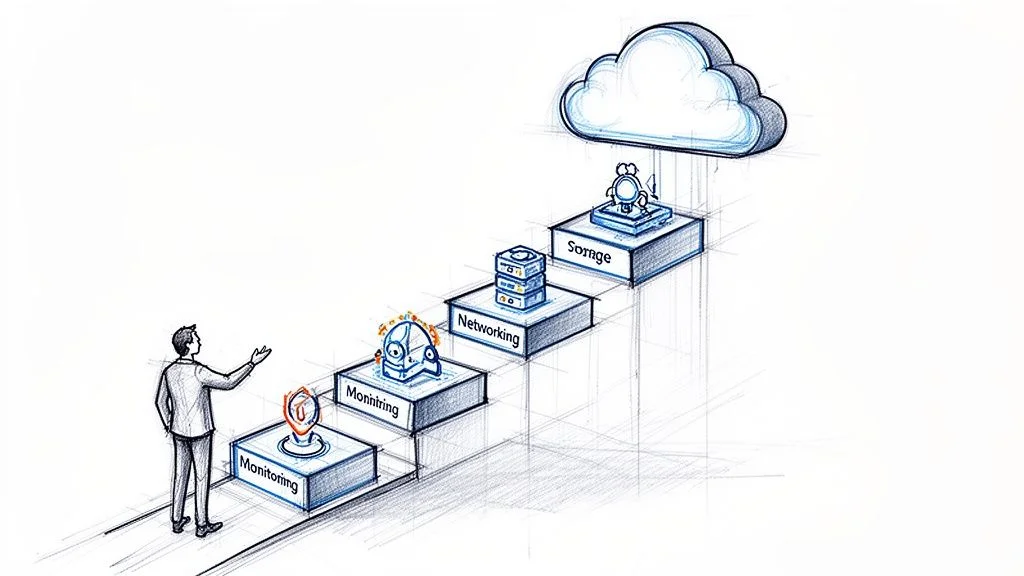
The Ultimate AZ 104 Study Guide for Azure Administrators
You are preparing to become a certified Microsoft Azure Administrator. This certification validates your ability to manage, monitor, and secure cloud environments, technical skills that companies need right now. This guide offers a clear, actionable plan to help you succeed on the AZ-104 exam. We focus on practical application rather than rote memorization.
Our approach helps you move from your very first study session to the moment you pass with confidence. MindMesh Academy delivers the knowledge and hands-on expertise required for this role. Instead of just listing exam topics, we provide a path that mimics actual administrative tasks. You will learn to handle infrastructure, storage, and networking in a way that reflects daily work in the field. Use this resource to build your skills and prepare for your next career move.
Your Path to Becoming an Azure Administrator
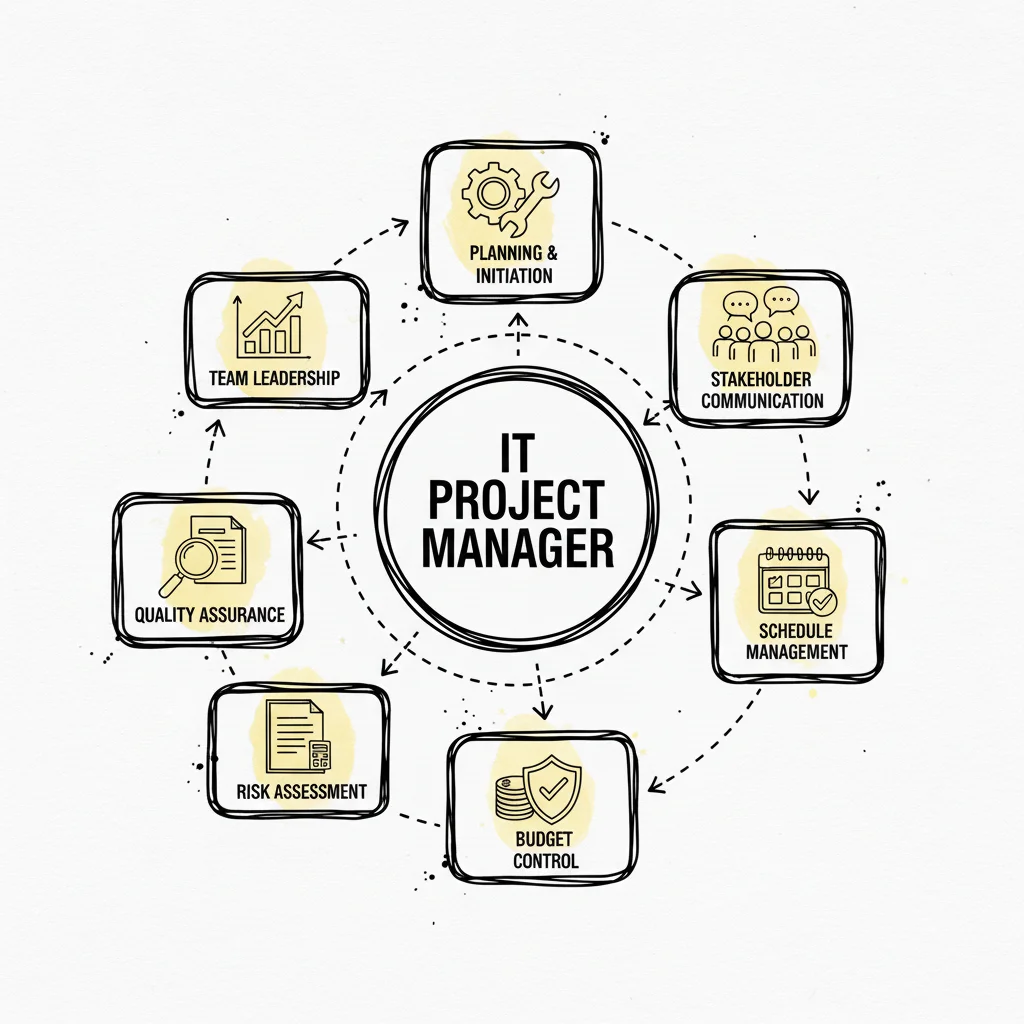
Earning the AZ-104 certification is a major career milestone for IT professionals. As organizations globally accelerate their move to cloud platforms like Microsoft Azure, the Azure Administrator has become a central figure. These professionals maintain stable, scalable, and secure infrastructures that modern businesses rely on daily. You are the person on the front lines. You take responsibility for everything from identity and access management to the deployment of virtual machine architectures. You also oversee the security of network traffic and monitor resources within the Microsoft Azure environment.
The AZ-104 exam goes beyond basic facts. It tests your technical proficiency in managing a cloud platform through practical tasks. These skills are in high demand right now. Consider the data: worldwide spending on cloud services reached $675.4 billion in 2023 (verify current figures on market research sites). This is more than double the spending seen three years prior. This rapid expansion creates an immediate need for skilled, certified Azure experts who can manage complex resources across different regions.
What This Guide Will Cover
We organized this guide to simplify your preparation by breaking the process into clear, strategic steps. Our objective is to help you study with more efficiency. We focus on the specific content and practice exercises that lead to certification success and professional competence.
The AZ-104 exam is not a memory test. It validates your ability to apply technical knowledge to administrative scenarios. Success requires consistent practice and a clear understanding of how Azure services work together to build solutions.
To build a solid foundation, you must first understand the exam's scope and its target audience. For a more detailed overview, we suggest you read our guide on understanding the AZ-104 exam's purpose and audience.
Here is a look at the tools and insights this study guide provides:
- Exam Objective Breakdown: We analyze each of the five core domains—from identities and governance to monitoring and backup—explaining their weighting and how they appear on the test.
- Multi-Week Study Plan: We provide a structured schedule featuring daily goals and specific lab exercises. This plan helps you make steady progress without experiencing burnout.
- Learning Resource Collection: This includes links to useful courses, official Microsoft Docs, interactive sandboxes, and hands-on labs to strengthen your technical skills.
- Study Technique Insights: We explain methods like adaptive learning and spaced repetition. These techniques help you retain information for the long term and master the material.
By following this plan, you will prepare to pass the AZ-104 exam with confidence. You will also develop the skills needed to work as a capable Azure Administrator in any professional setting.
A Look Inside the Core AZ-104 Exam Domains
To pass the AZ-104, you need a clear grasp of the exam content. The official Microsoft exam objectives act as the primary map for your preparation. They define what Microsoft expects from a skilled Azure Administrator. This guide follows that structure to help you learn every required skill. The test isn't just a list of facts. It is a practical evaluation of how you handle five specific areas of the platform. Understanding the weight of each domain helps you focus your energy. You can spend more time on the heavy-hitting sections and less on the smaller ones. Let’s look at how these sections break down.
Manage Azure Identities and Governance (20-25%)
This domain makes up one of the largest parts of the test. There is a simple reason for this focus: identity serves as the primary security layer in any cloud environment. This section teaches you how to control who can access which resources within your Azure setup. It helps you build a secure, organized foundation for all your work.
You need to become very familiar with Microsoft Entra ID (formerly known as Azure Active Directory). This involves learning how to create user accounts and manage groups. You will also handle software licenses and work with outside partners through B2B collaboration. Imagine you are the lead administrator for a growing company. You have to onboard new hires and put them into the right teams. You also need to make sure they have the licenses required to do their jobs effectively.
This domain covers more than just users. It focuses on how you govern the environment:
- Role-Based Access Control (RBAC): This system lets you follow the rule of least privilege. You assign specific roles like "Contributor," "Reader," or "Owner" to people based on their job needs. You also choose the scope of that role. This could be applied to a whole subscription, a resource group, or just one virtual machine. Reflection Prompt: Imagine a developer needs temporary access to deploy a web app in a specific resource group. Which RBAC role would you use? At what scope would you apply it to give only the access they need?
- Azure Policy: Policies act as the rules for your cloud space. The exam checks if you can use them to keep the company in line with its own standards. For example, you might block people from creating resources in regions you don't use. You could also force specific security settings on every new resource that someone tries to create.
- Resource Management: This part is about the daily organization of Azure. You will manage subscriptions and use resource locks. Locks stop people from accidentally deleting important production tools. You will also use tags. Tags help you track costs and organize resources for business reports.
Implement and Manage Storage (15-20%)
Every app needs a place to keep data. Whether it is a basic website or a large data tool, storage matters. This makes Azure Storage a vital part of the platform. This section tests how you pick and manage storage for different needs. Treat the service as a versatile toolkit. You need to know which tool fits the job. You will start by setting up storage accounts. These are the main containers for your data. You will definitely face questions about redundancy. You must know when to use Locally-Redundant Storage (LRS) to save money or Geo-Redundant Storage (GRS) to stay safe if a whole region fails.
You need to understand the main storage services:
- Azure Blob Storage: Use this for unstructured data like images, videos, or log files. You will manage containers and move data between different tiers. The Hot, Cool, and Archive tiers help you balance performance and cost. You will also set up lifecycle policies to move data automatically to cheaper tiers as it gets older and less useful.
- Azure Files: This service gives you managed file shares in the cloud. You can mount these shares directly just like a regular network drive on your own computer. Expect questions about setting these up for virtual machines or office servers. You also need to know how to secure them with identity-based access.
Security is part of every storage task. You must know how to keep data safe. For a wider view of cloud threats, read this guide on mitigating cloud computing security risks. On the exam, you will need to set up storage firewalls. You will also use virtual network service endpoints to limit access. Generating Shared Access Signature (SAS) tokens is another key skill. These tokens give people limited access to data without giving away your main keys. They can be set to expire after a certain amount of time, which adds another layer of safety.
Deploy and Manage Azure Compute Resources (20-25%)
Compute resources provide the power for your cloud setup. This includes virtual machines, containers, and web apps. This domain carries a lot of weight on the exam. It reflects the time administrators spend on these tools daily. Virtual Machines (VMs) are a major focus. You need to know their life cycle from start to finish.
- Creation: You must be able to build VMs using the portal, PowerShell, or the Azure CLI. You need to know how to automate this process to save time.
- Configuration: This involves picking the right VM size for the workload and adding data disks. You also have to set up the network settings and IP addresses correctly.
- Management: You will move VMs between resource groups and set up availability zones. These zones keep your apps running even if a datacenter has problems. You also need to encrypt disks to keep your data private while it is not in use.
Azure involves more than just VMs. The exam also covers modern tools like containers and Platform-as-a-Service (PaaS). A good administrator knows when to use each one. A VM gives you full control over the operating system. A container is faster and easier to move between environments. Azure App Service makes hosting websites simple. The exam tests your ability to choose the right one for a specific task.
You will use Azure Container Instances (ACI) for quick, simple container tasks that don't need a lot of management. For web apps and APIs, you will use Azure App Service. This includes setting up auto-scaling so your app can handle more traffic during busy times. You will also use deployment slots to update your app without any downtime. You must also know how to add custom domains and security certificates to protect your users. Reflection Prompt: A team wants to launch a new microservice fast. They don't want to manage servers. Would you suggest a VM, ACI, or App Service? Why?
Configure and Manage Virtual Networking (15-20%)
Networking connects everything in Azure. It is the path for data between your resources, the internet, and your own office. This section tests your ability to build secure, fast networks. You will need to think like a network administrator. You will plan and build virtual networks (VNets). This involves splitting VNets into subnets and planning IP addresses so you don't run out of space.
You also need to connect different VNets using VNet peering. This lets resources in two different networks talk to each other over Microsoft's private network. Administrators often have to fix connection problems between VMs. To do this, you must understand how traffic flows through the network and where it might get blocked.
Network security is a huge part of this section. You must be skilled with Network Security Groups (NSGs). These are the basic firewalls for your subnets and VMs. You will write rules to allow or block traffic based on five pieces of information: source IP, source port, destination IP, destination port, and protocol. You also need to know which rules take priority. The exam also covers Azure Bastion. This tool lets you connect to VMs through your browser using RDP or SSH. It is safer because you don't need to give your VMs public IP addresses to manage them.
Monitor and Maintain Azure Resources (10-15%)
Your job doesn't end after you deploy a resource. This final section is about keeping things running. You need to watch the health, speed, and cost of your environment. You should stay ahead of issues rather than just reacting to them. Azure Monitor is your main tool for this. You need to collect and look at metrics, which are numbers that show how a resource is performing. You also look at logs, which are records of events that happen in the system.
You will also set up alert rules. These rules tell you when something is wrong. For example, you might get an alert if a VM uses too much CPU or if a web app starts crashing. This allows you to fix the problem before users even notice it.
Backup and recovery are also vital skills. You will be tested on these tasks:
- Recovery Services vault: You will create these to store your backups in a safe place. You need to know how to protect the vault itself from being deleted.
- Backup policies: You will set these up for VMs and other services. A policy tells Azure how often to back up and how long to keep those backups.
- Restore operations: You must know how to bring back data or whole VMs after a failure. This keeps the business running even if a major error occurs. Reflection Prompt: How would you set up an alert in Azure Monitor to tell you if a production VM is running out of disk space?
Your Strategic Four-Week AZ-104 Study Plan
Knowing the specific topics on the AZ-104 exam is your first step. Understanding the best way to study those topics determines whether you actually pass. Relying on random video clips or skimming through Microsoft Docs will rarely result in a passing score. This exam is difficult. It requires a structured, logical plan that builds your technical knowledge day by day. You need to develop a deep understanding of how Azure services interact without burning yourself out before test day.
This four-week study plan organizes a massive amount of information into daily and weekly goals. Each week focuses on specific exam domains. You will combine theoretical study with practical lab exercises to build the muscle memory needed for real-world administration. You cannot just read about the cloud; you must build in it.
Think of the exam domains as a story that builds over time. You need to understand the basics of identity and management before you can understand how to secure a complex network. The timeline below shows how these concepts lead into each other to create a steady learning path.
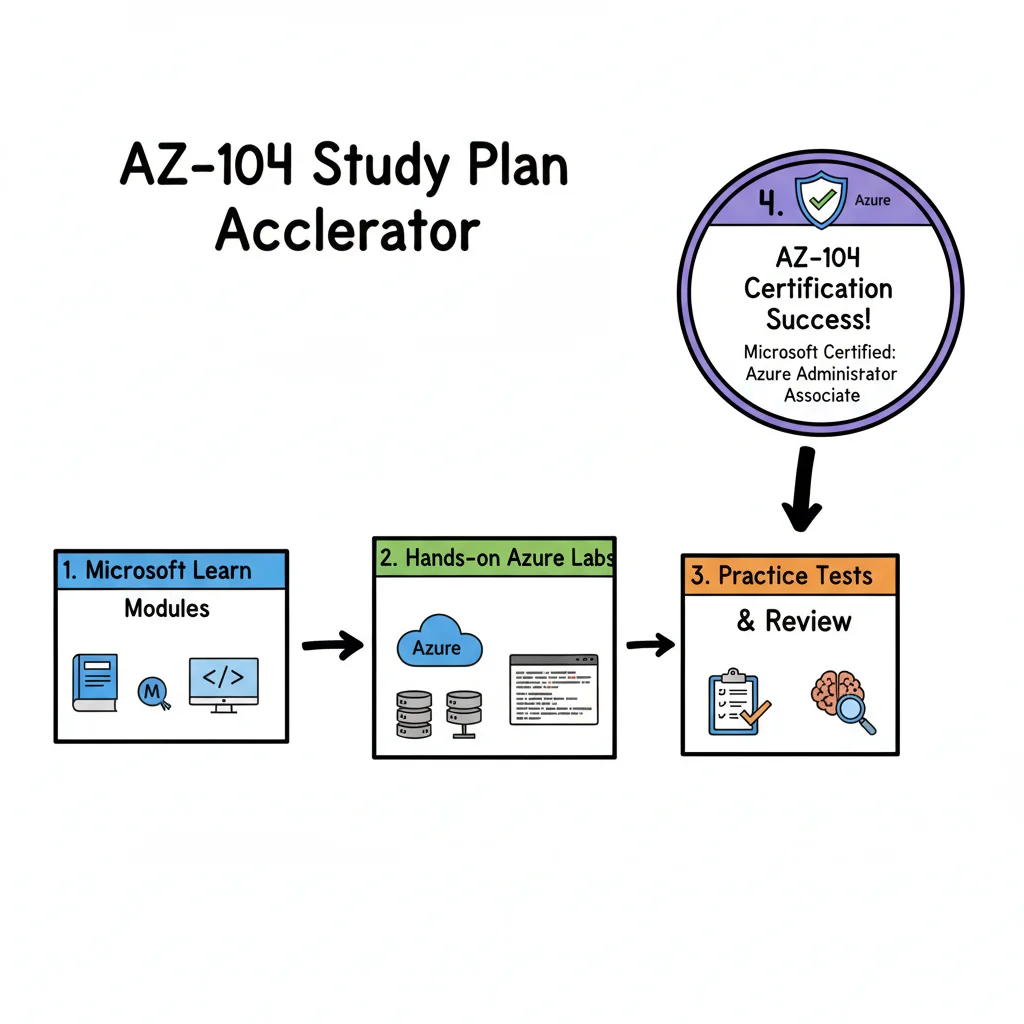
Starting with Identity and Governance creates the foundation for everything else. You are setting up the security rules and the organization of your environment before you put any expensive resources inside it. Once you have a solid handle on how to control access, you can move on to managing Storage, Compute, and Networking.
Week 1: Foundations in Identity, Governance, and Storage
Your first week is about building that foundation. You will start with the Identities and Governance domain. This section carries significant weight on the exam. After that, you will move into the basics of storage. The priority this week is to master access control and resource organization. You should never deploy resources until you know how to manage who can see them and who can change them.
Use this sample schedule to manage your time. You can adjust the days based on your work schedule, but try to keep the order of the topics the same.
Sample One-Week Study Schedule
| Day | Focus Topic | Suggested Lab Exercise |
|---|---|---|
| Mon-Tue | Microsoft Entra ID | Create test users in the Azure portal. Organize these users into a "Developers" security group. Assign a sample license to the group and configure self-service password reset (SSPR) for one of the users to see how the policy applies. |
| Wed-Thu | Access Control (RBAC) & Governance | Practice assigning built-in roles. Assign the "Reader" role at the subscription level and the "Contributor" role at a specific resource group level. Create an Azure Policy that uses a "Deny" effect to stop users from creating any virtual machine that is larger than a specific size. |
| Fri | Intro to Azure Storage | Deploy a general-purpose v2 storage account. Look at the redundancy settings and compare Locally Redundant Storage (LRS) with Geo-Redundant Storage (GRS). Create a container for Blobs and a share for Azure Files to see the difference in how they look and feel. |
| Weekend | Review & Reinforce | Go back over everything you learned this week. To practice governance, put a "CanNotDelete" resource lock on your new storage account. Try to delete the account while the lock is active. Then, remove the lock and delete the account to see how the security mechanism works. |
This "learn then do" approach is the only way to make the technical details stick in your memory. You will find that the exam asks questions that test your ability to perform these tasks, not just define them.
Week 2: Diving Deep into Storage and Compute
Now that you have a governance foundation, Week 2 moves to the resources that do the actual work. You will finish your study of storage and then start working with Azure compute services. The primary focus here is Virtual Machines (VMs).
This week requires a lot of time in the Azure portal or the command line. You will spend your time deploying, configuring, and managing the core building blocks used in almost every Azure environment.
By the end of this week, you should be able to do more than just click "Create" on a VM. You need to know how to configure the storage attached to it, set up its network interface, and choose the right high-availability options. This is a core skill for any Azure Administrator.
Follow this plan to stay on track during the second week:
- Day 1 (Advanced Storage): Focus on Blob and Azure File storage details. Create a blob container and upload several files. Set up a lifecycle management policy. Use this policy to move data that hasn't been accessed in 30 days from the Hot tier to the Cool tier. Then, set a rule to move data to the Archive tier after 180 days to save money.
- Day 2 (Securing Storage): Security is a major part of the AZ-104 exam. Go to your storage account and configure the firewall. Restrict access so that only your current IP address can reach the data. After that, generate a Shared Access Signature (SAS). Create a token that only works for two hours and only allows "Read" access. Test the token to make sure you cannot delete or upload files with it.
- Days 3-4 (The VM Lifecycle): Spend these days working exclusively with VMs. Create one Windows Server VM and one Linux VM. Once they are running, practice changing their size. Add a new 128GB data disk to the Windows VM and initialize it within the operating system. Move one of your VMs from its original resource group to a new one and watch how the associated resources move with it. Note the difference between the public IP used for remote access and the private IP used for internal communication.
- Day 5 (High Availability & Containers): Look at how Azure keeps applications running during hardware failures. Deploy two VMs into an availability set. Look at how Azure distributes them across different fault domains and update domains. After you understand VMs, try a simpler compute option. Deploy a small web application using Azure Container Instances (ACI). This will help you understand how containers run without you having to manage the underlying operating system.
- Weekend (Review & Practice): Bring your skills together. Deploy a web server like IIS on a Windows VM or Nginx on a Linux VM. Once it is running, go to the Network Security Group (NSG). Create a rule that allows traffic on Port 80 (HTTP) and Port 443 (HTTPS). Verify that you can see the default web page from your home computer's web browser.
Week 3: Mastering Azure Networking
Your resources are now running, but they need to talk to each other. Week 3 is about virtual networking. Many students find this domain difficult, but you must master it to pass the exam. Networking is what connects your identity, storage, and compute resources into a working system.
You will learn how to build virtual networks (VNets), control traffic with security rules, and fix connection problems. If you are struggling to find enough time for these complex topics, look at these tips on creating an effective study schedule to help you stay focused.
- Days 1-2 (VNet & Subnetting Fundamentals): Create a VNet with a large address space. Divide that space into three separate subnets: one for the front-end, one for the back-end, and one for management. Deploy a VM into the front-end and another into the back-end. Check if they can ping each other by default. Practice your subnetting math to make sure you don't run out of IP addresses when adding new subnets.
- Day 3 (Network Security Groups - NSGs): You must understand NSGs perfectly. Create a new NSG and build your own rules. Write an inbound rule that allows RDP access from only your IP address. Write another rule that blocks all other traffic. Apply this NSG to a subnet and then apply a different NSG to a specific VM's network interface. Observe which rule takes priority when there is a conflict.
- Day 4 (VNet Peering & DNS): Sometimes you have resources in two different networks that need to talk. Create a second VNet in a different region. Set up VNet peering between them. Once the peering status says "Connected," verify that a VM in the first network can reach a VM in the second network using a private IP address. After that, look at Azure DNS. Create a private DNS zone and link it to your VNets so you can use names like "webserver.internal" instead of IP addresses.
- Day 5 (Secure Access & Load Balancing): Improve your security by setting up Azure Bastion. This service lets you connect to your VMs through your browser using SSL. It means you don't have to leave Port 3389 or Port 22 open to the internet. Next, try to manage traffic. Deploy an Azure Load Balancer and place two web server VMs behind it. Test the load balancer by connecting to its public IP and seeing which VM responds to your request.
- Weekend (Review & Troubleshoot): The best way to learn networking is to fix something that is broken. Go into your NSG and change a rule so that it blocks a port you need. Then, use Azure Network Watcher. Use the "IP flow verify" tool to see exactly which security rule is blocking your traffic. Use the "Next hop" tool to see how traffic leaves your VM. Being able to diagnose these issues is a major part of the administrator role.
Week 4: Monitoring, Backup, and Final Review
In your last week, you focus on keeping the environment healthy and protected. You will also spend a significant amount of time reviewing everything from the past 21 days. This is where you turn your knowledge into exam readiness.
- Days 1-2 (Azure Monitor & Alerts): Open Azure Monitor and look at the performance of the VMs you created. Check the CPU usage and disk activity. Go to the Log Analytics workspace and try writing a simple Kusto Query Language (KQL) query to find all error events in the logs. Finally, set up an alert rule. Configure the system to send you an email if a VM's CPU usage stays above 80% for more than five minutes. This helps you practice automated management.
- Day 3 (Backup & Recovery): Data loss is a disaster for any company. Create a Recovery Services vault. Set up a backup policy that runs every night and keeps the data for 30 days. Run a manual backup of one of your VMs. Once the backup is finished, try to restore a single file from the backup rather than the whole VM. This shows you how to handle common requests from users who accidentally delete their work.
- Days 4-5 (Final Review & Practice Exams): This is the time for your final push. Look back at your notes on the topics that were hardest for you. Take a full practice exam to see how you handle the time limit and the way the questions are phrased. Don't just look at your score; look at why you got specific questions wrong. Use this AZ-104 practice exam to find your weak spots and fix them before the real test.
- Day 6 (Light Review & Rest): Do not spend the day before the exam trying to learn new things. Cramming usually leads to more stress and worse memory. Spend an hour in the morning reviewing your most important notes or formulas. Then, stop studying. Go for a walk, watch a movie, and get plenty of sleep. You have spent four weeks preparing. Trust the work you have done and go into the testing center with a clear, rested mind. A calm head will help you navigate the tricky questions much better than a tired one.
Essential Tools and Resources for Your Success
A solid study plan provides the map, but the right resources are the fuel that moves you toward certification. To master the concepts in this AZ-104 study guide, you need materials that bridge the gap between theory and practice. Focus on high-quality sources that offer technical depth and hands-on application.
The volume of online videos, blogs, and documentation is often overwhelming. To focus your preparation, we have compiled a list of tools for your Azure toolkit. Some tools are foundational, while others help with the final adjustments needed to pass with confidence. Using these tools helps you understand the logic behind Azure configurations instead of just memorizing the interface.
The Official Microsoft Foundation
Start with the source. Microsoft’s documentation and learning paths are the definitive guides for the exam. These resources align with the official exam objectives and are vital parts of your study. Microsoft's site provides the most current requirements and service updates.
- Microsoft Learn: The AZ-104 Learning Path on Microsoft Learn is your official, interactive textbook. This collection of free modules covers every exam objective with explanations, exercises, and knowledge checks. One major benefit is the free sandbox environments. These let you run Azure commands and deploy resources without needing your own subscription.
- Microsoft Docs: When a module leaves you with questions, Microsoft Docs acts as a detailed reference. If you are struggling with the specifics of Network Security Groups (NSGs) or Application Gateway configurations, the official docs provide technical details and best practices that introductory courses often skip. Use the search function to find specific PowerShell cmdlets or CLI commands when you need to automate a task.
Gaining Hands-On Experience
You can read about Azure concepts for hours, but the AZ-104 exam tests what you can actually do. It is a skills assessment. Passive learning is not enough. You must work within the Azure platform itself to understand how services interact and where specific settings are located in the interface.
Success on the AZ-104 exam depends on how much time you spend working in the Azure portal and command-line interfaces. Theory provides the map, but practice is how you learn to drive.
Start building muscle memory now. The free sandboxes in Microsoft Learn are great for early exploration. They allow you to follow a guided path while seeing the results of your actions in a live environment.
Once you are ready for more complex tasks, the official AZ-104 GitHub Labs are the next step. These labs walk you through tasks like deploying virtual machines, configuring virtual networks, and setting up backup policies. Learning to be efficient in the Azure portal is half the challenge. Our guide on navigating the Azure portal and CLI will help you gain speed and accuracy.
Validating Your Knowledge
How do you know if you are ready for the actual test? High-quality practice tests are a key part of your strategy. They represent the final piece of your preparation. Without them, you might walk into the testing center with blind spots in your knowledge.
A good practice test does more than quiz you. It makes you familiar with different question formats, such as case studies and drag-and-drop exercises. It helps you manage the time limit and identifies your weak spots. If you consistently miss questions on VNet peering, you know exactly where to focus your review.
Look for practice exams from providers that explain every answer, even the ones you got right. Knowing why a choice is wrong is just as important as knowing why another is right. This feedback loop helps you turn a decent score into a passing one. This process builds the confidence needed to start the exam prepared for any scenario Microsoft throws your way.
How to Accelerate Your Learning and Retention
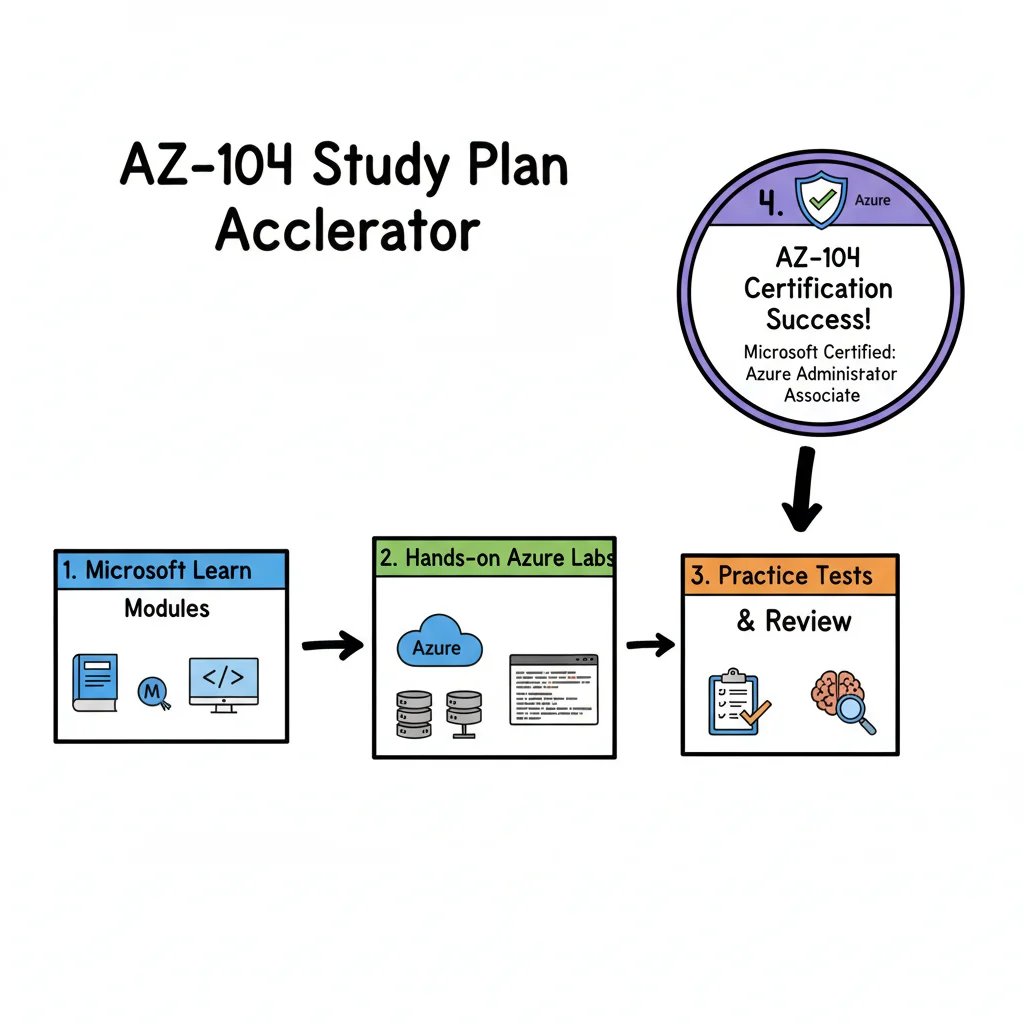 Let’s be honest: preparing for the AZ-104 certification is a long-distance run, not a quick sprint. Success is not determined by the raw number of hours you sit at your desk, but by the quality of your concentration during those study sessions. Passive habits, such as watching a video on repeat or skimming through pages of Microsoft documentation, often lead to forgetting the material almost immediately.
A better strategy involves working with your brain's natural mechanics rather than fighting them. You must move past simply consuming content. True technical mastery happens when you interact with the material, identify your specific points of confusion, and repeat the difficult tasks until they become automatic. This builds technical skills for your career rather than simple memorization for an exam.
Adopt an Adaptive Learning Mindset
Adaptive learning is a strategy where you focus your time and energy on the topics that give you the most trouble. Instead of giving every topic in the AZ-104 exam guide the same amount of attention, you prioritize the areas where your knowledge is weakest. This prevents you from wasting hours on concepts you already understand while ignoring the difficult sections that could lower your score.
Compare this to the way a professional sports coach works. A coach does not give every athlete the same generic workout plan every day. They watch how you perform on the field, find the specific points where your form is failing, and then assign drills to fix those issues. If your footwork is slow, you do not spend the whole day practicing your throw. You focus on your feet. An adaptive study system works on that same logic. It finds the specific gaps in your technical knowledge and shows you the exact lesson, lab, or document needed to fix the problem.
This is the core of how platforms like MindMesh Academy are built. The system tracks your performance on various practice questions and identifies patterns. If you are struggling with Azure Policy or RBAC, the system directs you to those specific resources. It is a faster and more effective way to prepare for a certification. You are not guessing what to study next; the system uses your own performance data to guide you.
Beat the Forgetting Curve with Spaced Repetition
Most students have felt the frustration of learning a complex topic on a Monday only to find the details have vanished by Friday. This happens because of the forgetting curve, a natural process where the brain discards information it does not use frequently. The best way to stop this memory loss is a technique called spaced repetition. This involves looking at information at increasing intervals over time.
The logic behind this is very simple: you review a concept right at the moment you are starting to forget it. By doing this, you force your brain to work harder to pull that information back from your storage. This extra effort makes the neural pathways stronger and the memory more durable. It is the difference between a temporary memory that lasts for a few hours and a permanent understanding that stays with you throughout your career. You are training your brain to treat Azure concepts as vital information that must be kept.
To use this, do not try to finish a single, eight-hour session on Azure networking all at once. Instead, spend one hour on it today. Spend a few minutes reviewing the main points tomorrow. Look at it again in three days, and then check it once more next week. This distributed approach is much less tiring than a single marathon session. It builds a much stronger memory of how to configure VNets, subnets, and network security groups.
Visualize Your Progress and Stay Motivated
It is hard to stay motivated when you do not know how close you are to the finish line. Seeing your progress in a visual format gives you a boost of energy and helps you make smart choices about your time. Any good plan for the AZ-104 needs a way to track how much you have learned and how much is left to do.
A dashboard that shows your score for each specific exam domain is a major help. It turns a vague feeling of worry into a set of clear facts. You can look at your statistics and see that you are ready for the test because you have mastered the specific objectives.
A quick look at a progress tracker might show that you are scoring well in Compute Resources but require more work on Virtual Networking. This visual feedback is helpful because it tells you exactly where to spend your next hour of study. You can stop guessing and start following a clear plan to pass the exam with confidence.
Your Top AZ-104 Questions, Answered
Starting a major certification like the AZ-104 brings up many questions. You are likely thinking about the exam logistics, the specific knowledge you need to succeed, and whether the time spent studying will result in a good return. The process of preparing for a Microsoft associate-level exam is intense. It requires a clear understanding of what to expect on test day to avoid surprises.
Let's look at the facts and provide clear, direct answers to common concerns. This FAQ is based on the experiences of IT professionals and technical experts who have successfully passed the exam.
What’s the Passing Score for the AZ-104 Exam?
To pass the AZ-104, you must reach a score of 700 on a scale that goes up to 1000.
It is a common mistake to think this means you need a 70% raw score. Microsoft uses a scaled scoring system. This means that your final score is not just a calculation of correct answers divided by the total number of questions. Instead, the weight of each question varies based on its difficulty and its importance to the Azure administrator role. For example, a complex question about troubleshooting a site-to-site VPN might carry more weight than a basic question about naming conventions for resource groups.
This methodology ensures that all candidates are measured against the same standard, even if they receive different sets of questions. In some cases, questions may also offer partial credit. If a question asks you to select three correct steps for a process and you get two right, you may still earn some points. Because of this system, you should not focus on how many questions you can afford to miss. Focus on understanding every topic in the exam blueprint.
How Much Hands-On Experience Do I Really Need?
Microsoft recommends that candidates have about six months of experience working as an Azure administrator. However, this is a guideline rather than a strict requirement. Your success depends on your ability to perform tasks, not just your job title. Many people pass the exam by using lab environments and targeted self-study.
You can build these skills on your own by following a structured practice routine. Consistency is the most important factor when you are learning the cloud.
- Activate a free Azure account: Do not just read documentation or watch videos. Go into the portal and deploy virtual machines. Configure storage accounts and set up blob containers. Create a virtual network and try to connect two different subnets. When you make a mistake, look at the error logs and figure out how to fix it. This practical troubleshooting is how you learn the logic of the platform.
- Work through labs: Use the official GitHub labs for the AZ-104 and the Microsoft Learn Sandbox. These provide structured environments where you can practice real scenarios without worrying about costs. These exercises are specifically designed to align with the exam objectives.
- Master the command line: The Azure portal is helpful for beginners, but a professional administrator must know how to use PowerShell and the Azure CLI. The exam will test your ability to identify the correct commands for specific tasks. Practice scripting basic actions, such as creating a resource group or stopping a virtual machine, using both tools.
The AZ-104 exam measures what you can do in a live environment. If you feel confident performing the administrative tasks listed in the study guide, you are ready to take the test.
What Kinds of Questions Are on the AZ-104 Exam?
The AZ-104 uses several different question formats to test your knowledge. You will face more than just standard multiple-choice questions. Microsoft wants to ensure you can solve problems and apply technical rules to business scenarios.
Prepare for these specific formats:
- Multiple-choice questions: You may have to choose one correct answer or select several correct options from a list.
- Build-list and drag-and-drop questions: These often ask you to put steps in the correct order. For example, you might have to sequence the steps required to move a virtual machine from one region to another.
- Scenario-based questions: The exam gives you a problem and asks you to pick the best solution. These questions often come in sets where you cannot go back and change your answer once you have moved to the next part.
- Case studies: These are long narratives about a company’s current infrastructure and their goals. You might read about a company like "Contoso" that needs to migrate on-premises servers to Azure while meeting strict security requirements. You will have to answer several questions based on this story. Manage your time carefully during these sections, as they require a lot of reading.
A major part of the exam is the hands-on labs. You will be given access to a live Azure environment and a list of tasks to complete. You might have to create a virtual network, configure a Network Security Group (NSG), or set up a backup policy for a database. Theoretical knowledge is not enough to pass these sections. You must be able to navigate the portal and configure settings accurately under a time limit.
Is the AZ-104 Certification Actually Worth It?
Yes, the AZ-104 is worth the effort. It is one of the most respected certifications in the IT industry. It proves that you have the skills to manage a modern cloud environment. For employers, seeing this certification on a resume acts as a signal that you have passed a difficult, performance-based assessment.
This credential often leads to higher salaries and better job opportunities. In the United States, Azure Administrators earn an average salary of $121,420 per year. Top-tier professionals in the field can earn up to $163,000 (verify current salary trends on major job sites like ZipRecruiter or Glassdoor). As more companies move their operations to the cloud, the demand for skilled administrators continues to grow.
Beyond the money, passing the exam gives you the confidence to do your job. You will know how to manage identities, secure data, and optimize networking. This certification is a strategic investment in your professional future. It sets you apart from other candidates who may only have basic cloud knowledge.
Are you ready to move from guessing to mastery? MindMesh Academy provides adaptive learning tools, spaced repetition, and progress tracking to help you prepare for the AZ-104 exam. Get your personalized study plan today and start your Azure career.
Ready to Get Certified?
Prepare for your exam with expert study guides, practice exams, and spaced repetition flashcards at MindMesh Academy:

Written by
Alvin Varughese
Founder, MindMesh Academy
Alvin Varughese is the founder of MindMesh Academy and holds 20 professional certifications including Microsoft Agentic AI Business Solutions Architect, AWS Solutions Architect Professional, and Azure DevOps Engineer Expert. He's held senior engineering and architecture roles at Humana (Fortune 50) and GE Appliances. He built MindMesh Academy to share the study methods and first-principles approach that helped him pass each exam.