AWS CloudTrail vs CloudWatch: Which Is Best for You
AWS CloudTrail vs. CloudWatch: Essential Tools for Certification Success
Preparing for AWS certifications like the Solutions Architect, Security Specialty, or DevOps Engineer Professional requires a clear understanding of core service differences. AWS CloudTrail and Amazon CloudWatch both support operational health, yet they fulfill distinct roles. Identifying these differences helps with cloud management and ensures you are ready for exam questions.
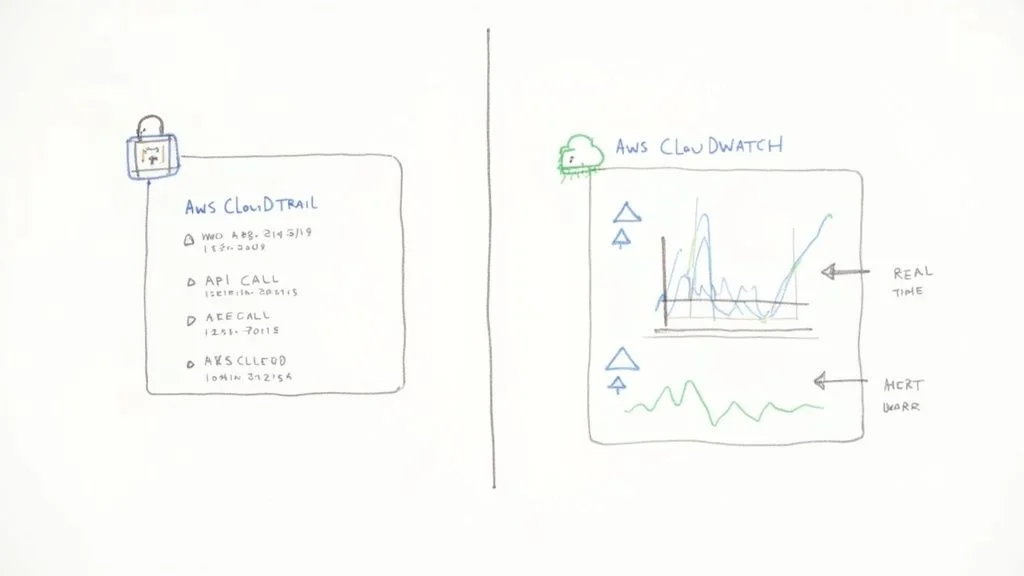
CloudTrail acts as an audit log designed for governance, security, and compliance. It records who performed an action, what happened, the location, and the timing across an AWS environment. It serves as a forensic tool for tracking activity. In contrast, CloudWatch provides monitoring and observability for performance data. This service tracks resource health and alerts you to issues as they happen. While CloudTrail records account activity and history, CloudWatch tracks resource performance to maintain system stability. Mastering these specific functions is a necessary step for any cloud professional.
Understanding CloudTrail and CloudWatch at a Glance
Learning the various AWS services involves understanding CloudTrail and CloudWatch as a fundamental step toward mastering governance and operational management. For IT professionals pursuing certifications, the distinction between these two is a common exam topic.
CloudTrail operates much like a security logbook in a high-security facility. Every time a person enters the building or changes a setting on a server, the logbook records the identity, time, and action. If a security breach happens, this logbook acts as the primary source for forensic investigation, documenting exactly who performed which action. This record ensures accountability.
CloudWatch serves as the operational pulse for that same facility. It monitors the health of equipment by displaying real-time data on processor activity, network traffic, and storage capacity. It functions as a dashboard that helps administrators keep systems running at peak performance. This allows for immediate oversight and the ability to resolve issues before they escalate.

The Core Functional Divide
AWS CloudTrail and Amazon CloudWatch both sit within the management and governance category, yet they serve different purposes. Distinguishing between auditing and monitoring is a vital skill for any AWS professional.
As of 2025, CloudWatch is the primary native tool for tracking the health of your resources. It collects metrics, logs, and events from various AWS resources to help you build dashboards, configure alarms, and automate responses. For example, an alarm might trigger an Auto Scaling group to add servers when CPU usage exceeds 80 percent. To use these features effectively, you should understand the basics of tracking system health. Find more details in a practical guide to infrastructure monitoring, which explains the principles used in cloud environments.
CloudTrail focuses on API activity. Whenever a user or service takes an action through the Management Console, Command Line Interface, or an SDK, CloudTrail captures that event. This includes creating S3 buckets or changing permissions. This history is vital for compliance audits and security reviews.
Quick Comparison CloudTrail vs CloudWatch
This table highlights the fundamental differences to help you prepare for certification exams.
| Aspect | AWS CloudTrail | AWS CloudWatch |
|---|---|---|
| Primary Function | Auditing, Governance, Compliance, Security Forensics | Monitoring, Observability, Performance Management, Alerting |
| Key Question Answered | "Who made an API call to delete this S3 bucket, and when?" | "What is the CPU utilization of my EC2 instance right now?" |
| Data Type | API call history, user activity, management/data events | Performance metrics, application logs, system events |
| Primary Use Case | Security analysis, regulatory compliance, incident investigation | Proactive performance monitoring, auto-scaling, automated responses |
Organizations use both services to maintain a secure and stable environment. This integrated approach is a major focus for those studying for the AWS Certified Solutions Architect or Security Specialty certifications. Using them in tandem provides a view into both user actions and the resulting performance of the systems.
Comparing Core Capabilities for Monitoring and Auditing
To understand the differences in this AWS CloudTrail vs CloudWatch comparison, you must look at their specific functions rather than just surface-level descriptions. Both tools provide visibility into your cloud environment, but they serve different goals. This distinction appears frequently in AWS certification exams because knowing which tool to use for a specific scenario is a core skill for any cloud professional.
CloudTrail acts as the permanent record keeper for your AWS account. It is built for governance, risk management, and compliance. Its main purpose is to maintain a persistent, tamper-evident log of every action taken by a user, an IAM role, or an automated service. This tool does not track application speed or memory usage; it tracks history and accountability.
CloudWatch monitors operational health and performance. It provides the data needed to understand the current state of your resources and applications. If you need to know if a system is currently running or if its performance meets specific targets, CloudWatch provides those quantitative data points. It is the primary tool for real-time observation and automated response.
CloudTrail: The Governance Powerhouse
CloudTrail provides a forensic-level audit trail for all activity. It records almost every API call to create a traceable history for security incident response. For professionals preparing for the AWS Certified Security - Specialty (SCS-C03), understanding the critical role of audit trails in security frameworks is essential.
Here is how CloudTrail functions and why it matters for your certifications:
- API Call Logging: CloudTrail captures nearly every API request sent to your account. This happens regardless of whether the request comes from the Management Console, the Command Line Interface (CLI), an SDK, or another AWS service. It records management events, such as creating a new EC2 instance or changing an IAM policy. You can also enable data events, which track S3 object-level actions like GetObject or PutObject. This level of detail helps candidates answer exam questions about resource changes and user tracking.
- Event History Tracking: You receive a searchable history of events from the last 90 days by default. You can access this through the CloudTrail console without setting up extra storage. This feature helps you investigate recent security issues or find out who changed a configuration. It is a useful tool for troubleshooting operational errors that happened in the recent past.
- Log File Integrity Validation: When you send logs to an S3 bucket for long-term storage, CloudTrail can create digitally signed digest files. This feature uses cryptography to prove that logs were not changed after delivery. Many regulatory standards, including PCI DSS, HIPAA, and ISO 27001, require this proof. Because it is a requirement for compliance, it appears often in security-focused exam questions.
Reflection Prompt: Consider a scenario where a critical production S3 bucket is accidentally deleted. How would CloudTrail's capabilities allow you to quickly identify who performed this action and when, providing evidence for post-incident analysis and accountability?
CloudWatch: The Performance Sentinel
CloudWatch uses metrics, logs, and alarms to ensure your infrastructure runs correctly. It drives proactive performance management. For those studying for certifications, our guide on monitoring and logging with CloudWatch and CloudTrail explains how these services work together to build resilient systems.
The following functions are vital for DevOps and SysOps roles:
- Performance Metrics Collection: CloudWatch automatically tracks standard metrics for more than 70 AWS services. This includes CPU usage for EC2, read/write capacity for DynamoDB, and latency for an Application Load Balancer. You can also send your own custom metrics to track data specific to your application. Examples include login failures, cart abandonment rates, or active user sessions. Understanding how to use custom metrics is a recurring theme in professional-level exams.
- Centralized Log Aggregation: CloudWatch Logs allows you to gather log data from many sources in one place. You can collect OS logs from EC2 instances using the CloudWatch Agent, function logs from Lambda, container logs from ECS or EKS, and network traffic data from VPC Flow Logs. Centralizing this data makes it easier to troubleshoot errors and perform real-time analysis. This is a vital skill for anyone managing large-scale cloud environments.
- Threshold-Based Alarming: This feature allows operational teams to automate their responses. You can set up alarms that trigger when a metric hits a certain limit. These alarms can notify you via the Simple Notification Service (SNS) or create tickets in your management system. Most importantly, they can start automated actions. For instance, an alarm can tell an Auto Scaling group to add more servers or trigger a Lambda function to fix a known issue. This type of automation helps maintain system uptime without manual intervention.
Reflection Prompt: Think about an application running on AWS. What three specific operational metrics would you track with CloudWatch to ensure its performance and availability? How would you set up an alarm to address a critical issue identified by one of these metrics?
Key Architectural and Operational Differences
Understanding the AWS CloudTrail vs CloudWatch dynamic requires a look at their foundational architecture. These design choices determine how the services function and how you should integrate them into your environment for various certification scenarios.
AWS designed CloudTrail as an account-level governance service. You enable it once per region, or globally for management events, and it begins recording management events for all supported services within that specific account. Its main objective is to capture every API call, turn these events into tamper-proof JSON log files, and deliver them to an Amazon S3 bucket for long-term storage and later analysis. The design focuses on integrity and complete coverage across the entire account.
CloudWatch functions as a resource-centric monitoring service. It does not look at your entire account by default. Instead, its focus is granular, focusing on specific resources you configure it to track. This might include an EC2 instance, a Lambda function, or an RDS database. This split in scope—account-wide audit versus resource-specific monitoring—is a major distinction for architects and engineers.
Data Collection and Delivery Model
The methods each service uses to gather and deliver data show their architectural differences. These differences are key for identifying the right use cases in certification questions. CloudTrail focuses on accuracy and integrity rather than immediate speed.
- CloudTrail: CloudTrail delivers logs in batches, usually with a delay of up to 15 minutes (verify current AWS documentation) from the time an API call occurs to when the log appears in your S3 bucket. This delay makes the service suitable for retrospective forensic analysis, compliance audits, and troubleshooting after an event finishes. It is not designed for real-time alerting on transient issues.
- CloudWatch: This service collects and delivers metric data in near real-time. Standard metrics often become available within 1 minute (verify current AWS documentation). High-resolution custom metrics can be published at 1-second intervals (verify current AWS documentation). This immediate availability allows you to trigger alarms or automated actions, such as scaling up infrastructure during sudden traffic spikes.
Key Takeaway: CloudTrail provides the authoritative, historical record of what happened. CloudWatch provides the live telemetry of what is happening right now, enabling immediate reaction and automated responses. Understanding this timing difference is vital for building effective monitoring strategies.
Setup and Configuration Nuances
The setup processes for these services further highlight their intended purposes. CloudTrail uses broad, account-wide coverage. CloudWatch often requires granular, resource-by-resource configuration.
Creating a CloudTrail "trail" is a direct process. You define a single configuration that sets account-wide logging rules. You specify which event types to capture, such as management events or data events, and choose an S3 bucket for storage. Once you enable it, the service collects data without requiring you to manage agents.
CloudWatch often requires more direct work and customization. For example, if you want to gather operating system-level metrics from an EC2 instance, such as memory utilization or disk space, you must install and configure the CloudWatch Agent on that instance. This agent-based model provides detailed, customizable monitoring, but it adds an extra management layer that the agentless architecture of CloudTrail does not have. This operational difference is a major factor when planning deployments, especially for professional-level exams that focus on operational effort.
Reflection Prompt: Imagine you need to monitor the free disk space on an EC2 instance. Explain why you would need to install the CloudWatch Agent, and how this differs from the default logging behavior seen in CloudTrail.
Practical Scenarios: When to Use Each Service
Theory provides a foundation, but knowing exactly when to deploy a specific AWS service is what identifies an expert. This skill is frequently tested in certification exams and remains a primary challenge for cloud architects. The comparison between AWS CloudTrail and CloudWatch is not just academic; it dictates how you build secure, efficient, and resilient environments. Each service serves as the best solution for specific operational hurdles.
Cloud adoption has become the standard for modern business. Currently, over 94% of companies utilize cloud services, and the public cloud market is projected to grow beyond $1 trillion by 2026. At this scale, monitoring and auditing are mandatory for survival. You can find more insights on cloud computing statistics at cloudzero.com.
To choose the right tool, use a simple decision criteria: Are you trying to track account activity and configuration changes, or do you need to monitor resource performance and availability?
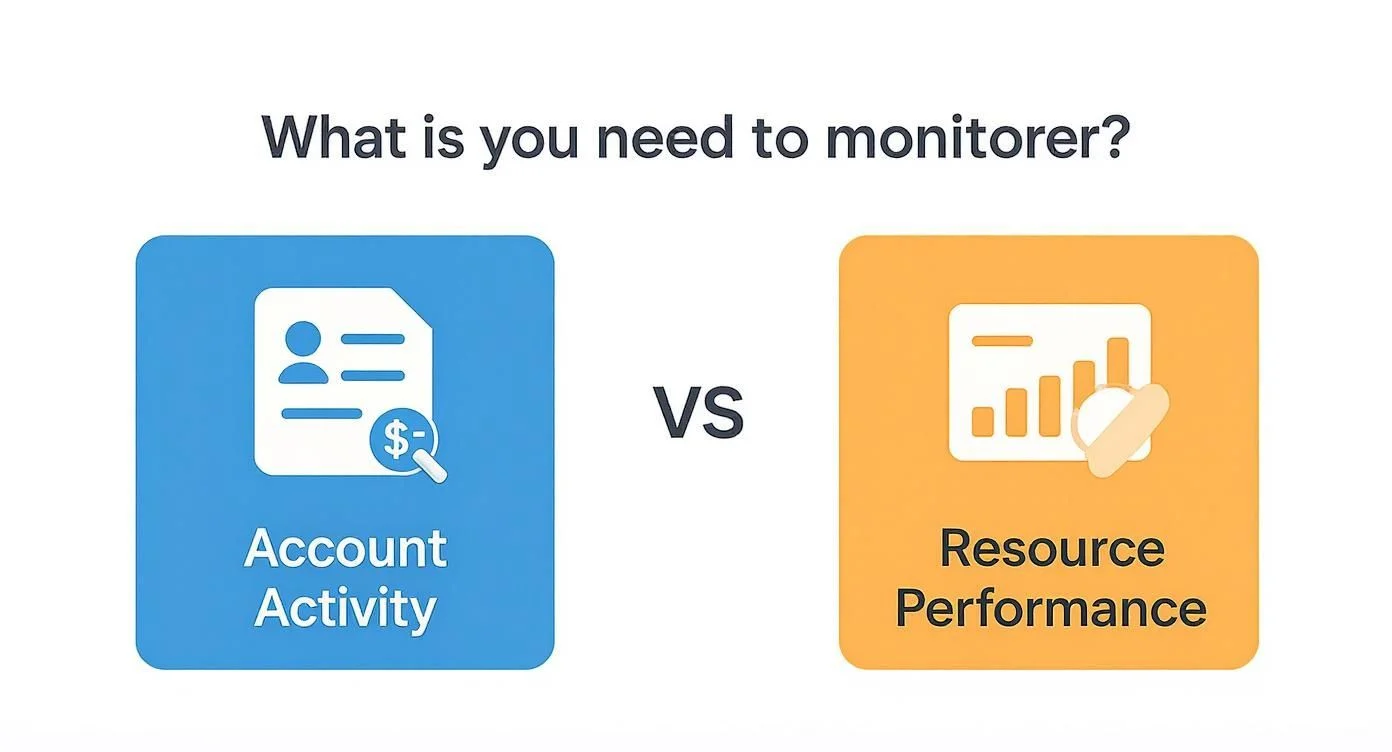
This distinction is your starting point. CloudTrail is the primary tool for auditing actions, while CloudWatch functions as the engine for operational health and real-time data insights.
When CloudTrail Is Your Go-To Service
Use CloudTrail when you need a permanent, unchangeable record of account events. It is a required tool for security forensics, meeting regulatory standards, and managing incident responses.
-
Investigating a Data Breach or Unauthorized Access: If a sensitive Amazon S3 bucket is suddenly made public, you face a potential data leak. Your first action should be reviewing CloudTrail logs. These logs identify which user or IAM role executed the
PutBucketPolicyAPI call. You will see the source IP address and the exact timestamp of the change. This provides an undeniable record for forensic analysis and remediation. This scenario is a common feature in the AWS Certified Security - Specialty (SCS-C03) exam. -
Preparing for a Compliance Audit (e.g., PCI DSS, HIPAA, SOC 2): When auditors ask who accessed specific data or changed a configuration, CloudTrail provides the proof. It confirms that you have controls to track every administrative action in your AWS account. This documentation is required for many legal and industry frameworks. For more details, our guide on AWS security and auditing services explains how these tools work together.
When CloudWatch Is the Clear Choice
CloudWatch is the tool for maintaining application uptime and optimizing speed. It provides real-time visibility and allows for automated, proactive responses to technical issues.
-
Proactive Performance Monitoring and Alerting: Imagine a mission-critical e-commerce application that uses an Amazon RDS database. You can set a CloudWatch alarm to trigger if database connections reach 80% of the limit. This alarm sends a notification via SMS or PagerDuty to an engineer. This allows the team to fix the issue before the database stops responding to users. Mastering these alerts is vital for the AWS Certified SysOps Administrator and Solutions Architect exams.
-
Automated Scaling for Traffic Spikes: Many web applications run on Amazon EC2 instances within an Auto Scaling group. CloudWatch monitors the average CPU usage across these servers. You can set a policy: if CPU usage stays above 70% for five minutes, the system must launch two new instances. This allows your application to handle sudden traffic increases without manual intervention. This approach is a basic requirement for high-availability cloud architecture.
Key Takeaway: You do not have to choose only one service. A strong cloud strategy uses both. Security events found by CloudTrail can trigger operational fixes managed by CloudWatch.
A Powerful Hybrid Scenario: Automated Security Remediation
The most effective architectures combine CloudTrail with Amazon EventBridge (the current version of CloudWatch Events). This combination allows for automated security and operational tasks, a topic often found in professional-level AWS certification exams.
Consider a situation where a developer accidentally changes a security group to allow port 22 (SSH) access from the entire internet. This is a major security risk. As soon as the change happens, CloudTrail records the AuthorizeSecurityGroupIngress API call.
You can set an Amazon EventBridge rule to watch for this specific event where the destination IP is set to 0.0.0.0/0. When EventBridge detects the event, it triggers an AWS Lambda function. The Lambda function then automatically deletes the dangerous rule, closing the port. It also sends an alert to the security team. This remediation happens in minutes, which is much faster than waiting for a human to notice the mistake. This is a practical application of "security as code" that protects your environment 24/7.
How to Analyze Cost and Pricing Models
Comparing the costs of AWS CloudTrail vs. CloudWatch requires looking beyond the base monthly fee. For anyone preparing for certifications like the AWS Certified Security - Specialty (SCS-C03 (verify current pricing on the vendor site)), understanding these pricing structures is a requirement for passing. Both services are vital for operational health, but their billing structures reflect their different goals. CloudTrail tracks who did what, while CloudWatch tracks how systems perform. Failing to account for these differences can cause your AWS bill to grow rapidly as your infrastructure scales.
CloudTrail's pricing model is often seen as simpler, but it contains specific triggers that can lead to high costs if mismanaged. By default, AWS provides a single trail per region that logs management events. This "event history" allows you to view, filter, and download your account activity for the past 90 days (verify current duration on the vendor site) at no cost. Charges only apply when you create additional trails, record data events, or move logs into CloudWatch for real-time monitoring and analysis.
Breaking Down CloudTrail Costs
When you calculate your CloudTrail expenses, you must focus on the volume of events recorded and where those logs are stored.
- Management Events: These capture control plane operations, such as creating an EC2 instance or deleting an S3 bucket policy. The first copy of management events delivered to an S3 bucket through a trail is usually free or low-cost. However, if you set up multiple trails to send these same events to different buckets, AWS charges for those additional copies. These charges are typically calculated per million events processed.
- Data Events: These record high-volume "data plane" operations. Common examples include object-level activities for Amazon S3 (like
GetObjectorPutObject) and Amazon DynamoDB (likeGetItemorPutItem). Unlike management events, these are not free. AWS typically charges a set rate per 100,000 data events (verify current pricing on the vendor site). For a high-traffic application performing thousands of S3 reads per second, enabling data events can become the most expensive part of your logging strategy. - Storage and Insights: CloudTrail itself does not charge for storage, but you pay standard Amazon S3 rates for the logs you keep. Additionally, features like CloudTrail Insights, which identifies unusual API activity, carry their own charges based on the number of events analyzed.
Untangling CloudWatch Pricing Complexity
CloudWatch uses a more granular and complex pricing model because it handles a wider variety of data types. Your bill is a combination of several usage vectors: collection, monitoring, and analysis. Because CloudWatch is the central hub for operational data, its costs scale with the complexity of your monitoring setup.
Here are the primary components of CloudWatch costs:
- Metrics: AWS provides basic monitoring for many services at no cost. This includes standard metrics like CPU utilization or disk I/O delivered at five-minute intervals. You will incur costs for custom metrics generated by your own applications or scripts. You also pay for detailed monitoring, which increases the frequency of metric reporting to one-minute intervals. Each metric is billed at a monthly rate.
- Logs: Billing for logs is split into ingestion, storage, and analysis. You pay for every GB of log data sent to CloudWatch. Fortunately, the first 5 GB (verify current pricing on the vendor site) of log ingestion per month falls under the AWS Free Tier. Storage costs are based on the volume of data kept over time, and analysis costs apply when you use CloudWatch Logs Insights to run queries against your log groups.
- Alarms: You are charged a monthly fee for each alarm you create. Standard alarms check metrics at one-minute intervals, but high-resolution alarms can check every 10 or 30 seconds. Because these require more processing and more frequent data checks, they carry a higher monthly cost.
- API Requests: Every time you programmatically interact with CloudWatch, you may incur a charge. This includes using
GetMetricDatato populate a dashboard orFilterLogEventsto scan logs. These fees accumulate if you have numerous automated scripts constantly querying your data.
Cost Optimization Tip for Certifications: Students often assume they should log every single action for maximum security. However, exam questions frequently test your ability to balance security with budget. Instead of logging all data events for every S3 bucket, use advanced event selectors. This feature allows you to target specific S3 buckets or object prefixes. By filtering out non-critical data, you keep your logs focused on security requirements while avoiding the massive costs associated with high-volume data event logging.
In a practical scenario, such as a standard web application, your CloudTrail costs should remain low if you stay within the 90-day free event history and avoid excessive data event logging. Your CloudWatch bill will likely be the larger of the two, driven by the volume of application logs from your web servers and the number of custom metrics used to track performance. Managing these costs requires being selective about what you monitor and setting appropriate retention policies for your log groups.
Why You Get Better Results Using Them Together
Choosing between AWS CloudTrail and CloudWatch is not about picking a winner. For IT professionals, especially those targeting advanced AWS certifications, viewing these services as rivals is a mistake. The real advantage comes from understanding how their unique strengths overlap. They are complementary tools rather than competitors.
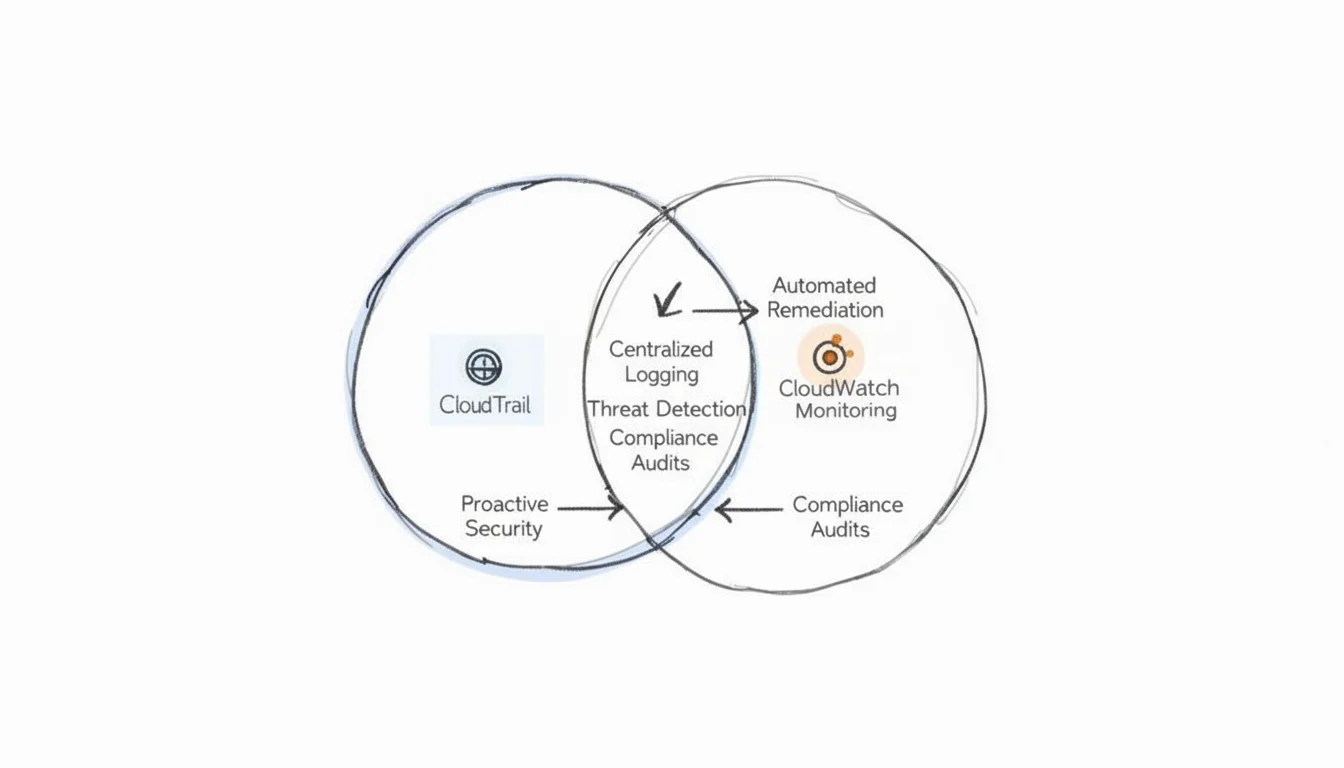
Effective AWS strategies treat these services as two sides of the same coin. They work together to show both the historical record of your account and the current state of your infrastructure. CloudTrail provides the history, while CloudWatch provides the heartbeat.
CloudTrail acts as an immutable audit log. It is the primary source for security questions regarding who initiated an action, what that specific action was, and when it happened. CloudWatch works differently. It serves as a real-time operational dashboard that tracks how resources perform at this exact moment. If you rely on only one, you create significant gaps in both operational awareness and your security posture. Building systems that are resilient and accountable requires both. This is especially true for those preparing for the AWS Certified DevOps Engineer - Professional or AWS Certified Advanced Networking - Specialty exams. Integrating both services is a standard requirement for modern cloud architecture.
Achieving Complete Cloud Oversight
To get the most out of these tools, you must understand where they connect. Advanced certification questions often describe a scenario where a CloudWatch alarm triggers because of a high-risk API call recorded by CloudTrail. For example, a user might try to delete a production database or a critical S3 bucket. This integration changes a static audit log into an active defense tool that reacts to threats in seconds.
High-performing AWS environments do more than collect data; they build feedback loops. CloudTrail spots a security event or a change in configuration, while CloudWatch—using EventBridge and Lambda—automates the response. This takes a past event and turns it into immediate protection. This connection is a central part of cloud security and automated operations.
Knowing how these services interact is a vital skill for senior engineers and DevOps leads. Our guide on configuring application logging with CloudTrail and CloudWatch provides the specific steps to link them. Using them together provides full visibility. You get specific performance metrics from CloudWatch and a detailed forensic record from CloudTrail. This is exactly what modern cloud management and current AWS certification exams require from candidates.
Frequently Asked Questions
Engineers and architects frequently face confusion regarding the specific roles of CloudTrail and CloudWatch. These common questions clarify those roles to support your certification preparation.
Can I Use CloudWatch for Auditing Instead of CloudTrail?
No. CloudWatch cannot replace CloudTrail for auditing because its primary function involves performance monitoring, log aggregation, and real-time operational data. It answers how your applications and infrastructure are performing at this exact moment. CloudTrail functions as a security and governance tool. Its architecture records every API call to create a concrete, unchangeable history of who performed an action, where it happened, and when.
Using only CloudWatch for a security audit is like checking a speedometer to investigate a vehicle accident; you lack the forensic evidence and tamper-proof event records CloudTrail provides. CloudTrail also provides the audit trail required for compliance frameworks such as HIPAA or PCI DSS. This distinction is a critical component of AWS Security and Governance exam domains. While CloudWatch Logs can store data, they do not automatically capture the specific metadata about API requests that CloudTrail tracks by default.
Do I Need Both for a Small Project?
Yes. Even for a minimal project, using CloudTrail and CloudWatch together is a best practice for security and operational visibility. CloudTrail includes a free tier that covers management events, such as creating resources or modifying configurations. This baseline audit trail costs nothing and establishes immediate accountability.
Similarly, the CloudWatch free tier provides essential metrics, such as EC2 CPU utilization, and basic log storage. These are necessary to determine if your system functions correctly and if resources remain healthy. Operating without both means you have significant blind spots in security and performance. This is an unnecessary risk regardless of your project scale or budget. By enabling both, you ensure that you can troubleshoot performance issues and trace configuration changes from the start.
What Is the Best Way to Analyze CloudTrail Logs?
Sifting through raw JSON log files in an Amazon S3 bucket is a slow, inefficient, and error-prone method for analysis, especially as data volumes grow. For any practical analysis of your CloudTrail logs, use Amazon Athena. It is the standard tool for querying these records effectively. Athena allows you to filter logs by specific fields, such as 'eventName' or 'userIdentity,' to isolate specific problems or security events quickly.
Pro Tip for Certifications: Amazon Athena is a serverless interactive query service that allows you to run standard SQL queries against data in S3 buckets, including CloudTrail logs. This setup converts a massive pile of raw log data into a structured database. You can find specific events, detect unusual activity patterns, investigate security incidents, or create compliance reports without managing servers or complex data warehouses. This cost-effective approach is a common topic in certification questions focused on auditing and troubleshooting.
Ready to master AWS services and grow your career with recognized credentials? MindMesh Academy provides expert-led study materials, practical labs, and evidence-based learning techniques to help you pass your certification exams with confidence. Start your certification today at AWS Security Specialty Practice Exams.

Written by
Alvin Varughese
Founder, MindMesh Academy
Alvin Varughese is the founder of MindMesh Academy and an enterprise architecture leader. An electrical engineer by training, he moved from factory automation in South Africa to cloud architecture at GE Appliances and Humana (Fortune 50), and holds 20 professional certifications including AWS Solutions Architect Professional, Azure DevOps Engineer Expert, and Microsoft Agentic AI Business Solutions Architect. He built MindMesh Academy after interviewing too many highly certified candidates who couldn't answer basic questions: the goal is prep that makes you better at the job, not just able to pass the exam.