Crack the Code: 8 Key AWS Cloud Practitioner Exam Questions for 2026
Crack the Code: 8 Key AWS Cloud Practitioner Exam Questions for 2026
Preparing for the AWS Certified Cloud Practitioner (CLF-C02) exam can feel intimidating, yet it remains a vital first step for validating foundational cloud knowledge. If you are an IT professional looking to enter cloud computing or confirm your existing skills, this certification provides the necessary ground for your career. This MindMesh Academy guide avoids fluff to offer a direct, strategic approach to your studies. We have selected a group of AWS Cloud Practitioner exam questions designed to reflect the current exam in both style and technical depth. Instead of encouraging rote memorization, we focus on explaining why specific answers are correct so you can apply logic to any scenario you encounter.
This article offers much more than a simple question bank. Every example functions as a mini-lesson, featuring a technical rationale, a specific exam tip, and clear takeaways. You will learn how to spot common distractors, read through subtle question phrasing, and match core AWS services to business requirements. We address critical domains including S3 storage tiers, EC2 instance types, IAM permissions, VPC security, and cost management strategies. These topics are essential for your certification and for your actual work in cloud architecture. Our hands-on style helps build the conceptual understanding you need for long-term success.
To succeed on the AWS Cloud Practitioner Exam, you must use an effective strategy for how to study effectively from video lectures. Turning passive watching into active learning changes how you retain technical information. By pairing targeted practice with these study methods, you can be well-prepared for the test. This guide provides the tactical questions required to test your current knowledge, find your weak spots, and enter the testing center ready to prove your skills. Let's look at the core concepts you need to master.
1. S3 Storage Class Selection for Cost Optimization
One frequent scenario in current AWS Certified Cloud Practitioner (CLF-C02) exam questions involves picking the most economical Amazon S3 storage class for a specific case. These questions test your ability to balance storage prices, access frequency, and data retrieval speed. This skill is useful for many cloud roles, including solutions architects and financial managers. Understanding these differences helps you apply the Cost Optimization pillar of the AWS Well-Architected Framework to real-world budgets.
Example Question & Analysis
Question: A financial services company needs to archive 10 TB of annual compliance records. The data is accessed less than once a year for audits, but when requested, it must be available for analysis within 24 hours. Which S3 storage class offers the lowest cost while meeting this retrieval requirement?
A) S3 Standard B) S3 Intelligent-Tiering C) S3 Glacier Flexible Retrieval D) S3 Glacier Deep Archive
Correct Answer: D) S3 Glacier Deep Archive
Strategic Breakdown: The main factors in this scenario are infrequent access ("less than once a year") and a long retrieval tolerance ("within 24 hours"). This combination points toward an archival storage class.
- S3 Standard (A) is built for high-frequency access and provides retrieval times in milliseconds. Because the company only needs the data once a year, the high storage price of S3 Standard makes it an inefficient choice for this specific archival need.
- S3 Intelligent-Tiering (B) automatically moves data between tiers based on how often it is used. It is a strong choice for datasets with unpredictable access patterns. However, when access is known to be extremely rare and predictable, dedicated archival classes provide better cost savings.
- S3 Glacier Flexible Retrieval (C) is a dedicated archive option offering retrieval times ranging from a few minutes to several hours. While it meets the 24-hour requirement of the scenario, the faster performance results in a higher storage price compared to the Deep Archive tier.
- S3 Glacier Deep Archive (D) provides the lowest storage cost in the AWS cloud. It is designed for long-term data retention where retrieval speed is not the primary concern. Its standard retrieval time is 12 hours, and bulk retrieval can take up to 48 hours. Since the company can wait 24 hours, this is the most cost-effective answer.
Actionable Takeaways for the Exam
- Master Retrieval Times: You must know the typical retrieval times for each class. S3 Standard and S3 Standard-IA provide data in milliseconds. S3 Glacier Flexible Retrieval usually takes minutes or hours. S3 Glacier Deep Archive typically takes 12 to 48 hours. This difference is often the deciding factor in exam questions.
- Decipher Keywords: Always look for words that indicate access patterns and retention periods. Terms like "archive," "infrequently accessed," "long-term storage," "immediate access," or "unpredictable patterns" map directly to specific S3 storage classes.
- Avoid Over-Provisioning: If a question states that a 24-hour retrieval window is acceptable, do not pick a more expensive class just because it offers faster retrieval. Cost optimization is a major focus of the Cloud Practitioner exam.
Reflection Prompt: Imagine your company stores security camera footage that must be kept for 7 years. It is rarely accessed unless there is an incident, but when one occurs, the video must be available within one hour. Which S3 storage class would you choose and why? How does this scenario differ from the compliance records example?
To master this topic, focus on the variables that influence your monthly bill. For a more detailed analysis, explore our guide on the key factors influencing AWS cost for compute and storage. Use the spaced repetition tools at MindMesh Academy to build flashcards for each S3 storage class and its retrieval speed to prepare for the current exam.
2. EC2 Instance Type Selection for Application Workloads
AWS Cloud Practitioner exam questions often present scenarios where you must select the appropriate Amazon EC2 instance type for a specific workload. These questions evaluate your understanding of different EC2 instance families—such as M, C, R, and T—and how they handle compute-intensive, memory-intensive, or general-purpose tasks. Identifying the correct instance family is a practical requirement for building architectures that align with the performance efficiency and cost optimization pillars of the AWS Well-Architected Framework. In a production environment, selecting an inappropriate instance type can cause application lag or drive up monthly costs without providing additional benefit.
 Figure 1: Illustration of diverse computing resource categories available with EC2 instances.
Example Question & Analysis
Question: A startup is deploying a new application that runs complex scientific simulations requiring significant processing power. The application is not memory-intensive but needs the best possible CPU performance to complete calculations quickly. Which EC2 instance family is the most suitable and cost-effective choice for this workload?
A) T-family (e.g., t3.large) B) R-family (e.g., r5.large) C) C-family (e.g., c5.large) D) M-family (e.g., m5.large)
Correct Answer: C) C-family (e.g., c5.large)
Strategic Breakdown: Identify key phrases like "complex scientific simulations" and "best possible CPU performance." These terms point to a compute-bound workload where raw processing power is the primary requirement.
- T-family (A) instances are burstable. They handle workloads with low baseline CPU usage that occasionally require more power, such as development environments or small web servers. They cannot sustain high CPU demand for long periods.
- R-family (B) instances prioritize memory. They provide a high ratio of RAM to CPU. Because the question specifies the application is not memory-intensive, this choice is inefficient for the described needs.
- M-family (D) instances provide a balanced ratio of compute, memory, and networking resources. While they handle many general tasks well, they are not optimized for scientific modeling where CPU speed is the priority.
- C-family (C) instances are compute-optimized. They offer the highest ratio of CPU power to memory. They excel at tasks like batch processing, high-performance web servers, and scientific simulations, making them the most cost-effective choice for this scenario.
Actionable Takeaways for the Exam
- Create Mental Associations: Link EC2 instance families to their primary purpose using simple mnemonics:
- C is for Compute-intensive workloads (e.g., scientific modeling, video encoding).
- R is for RAM-intensive workloads (e.g., high-performance databases, in-memory caches).
- M is for Main/Mixture/General Purpose workloads (e.g., web servers, small databases, enterprise applications).
- T is for Tiny/Test/Burstable workloads (e.g., dev environments, microservices with inconsistent CPU usage).
- Identify the Core Bottleneck: Read each question carefully to determine the application's primary performance requirement. You need to know if the bottleneck is CPU, memory, storage I/O, or temporary bursting. The correct answer will align with the instance family designed to optimize that specific resource.
- Eliminate Mismatched Options: In many questions, you can immediately remove two of the four choices because they are clearly designed for a different type of workload than the one described. This strategy saves time and increases your accuracy.
Reflection Prompt: If a scenario described a large-scale, in-memory database requiring extremely low latency, how would your instance selection criteria change? Which instance family would you then prioritize, and why?
Passing these questions requires a clear understanding of the core instance types. For a structured approach, review our guide on how to prepare for the AWS Cloud Practitioner exam. MindMesh Academy provides an adaptive learning path that focuses on the compute domain. Use it to master the differences between EC2 families before your scheduled exam date.
3. VPC and Network Security Configuration
The current AWS Cloud Practitioner (CLF-C02) exam frequently tests your understanding of foundational network security within a Virtual Private Cloud (VPC). These questions measure how well you understand the different security layers, specifically Security Groups and Network Access Control Lists (NACLs). You must understand how these components work together to protect cloud resources. Isolating networks and controlling access are key parts of building secure cloud environments. These concepts align with the Security pillar of the AWS Well-Architected Framework. Mastering these configurations is a requirement for anyone looking to pass the exam with confidence and apply these skills in real-world scenarios.
Example Question & Analysis
Question: A company has deployed a web application in a VPC. The web servers are in a public subnet, and the database servers are in a private subnet. The security team wants to ensure that only the web servers can initiate communication with the database servers on the standard SQL port. Which action would achieve this?
A) Create a NACL for the private subnet that allows all inbound and outbound traffic. B) Create a security group for the database servers that allows inbound traffic on the SQL port from the security group of the web servers. C) Attach an Internet Gateway to the private subnet to allow the web servers to connect. D) Configure the route table of the public subnet to send all traffic to the database servers.
Correct Answer: B) Create a security group for the database servers that allows inbound traffic on the SQL port from the security group of the web servers.
Strategic Breakdown: The goal of this specific question is to control how traffic flows between two different layers of an application. You must allow only a specific type of traffic from the web servers to the database servers. This requires a tool that can look at the source of the traffic and the destination port.
- Security Groups (B): These provide the right level of control for this scenario. They function as a firewall for individual instances and are stateful. By setting the web server security group as the source in the database security group rule, you follow the principle of least privilege. This ensures that only authorized resources can talk to the database. This approach makes your security setup flexible because you can add more web servers to that group without changing the database rules.
- NACLs (A): These function at the subnet level and are stateless. A rule that allows all inbound and outbound traffic is too broad. It does not limit communication to just the web servers. Using such a rule would fail to meet the security requirements and would go against standard practices for cloud security. NACLs are better used for broad, subnet-wide blocks rather than fine-grained instance-to-instance permissions.
- An Internet Gateway (C): This provides a path for internet traffic to reach resources in a public subnet. Private subnets do not use direct routes to an Internet Gateway. Using an IGW for communication between subnets is the wrong approach and does not provide the security filtering requested in the question.
- Modifying route tables (D): This tells the network where to send packets, such as to a NAT Gateway or a specific subnet block. While routing is necessary for traffic to move, it does not act as a filter for specific ports or sources. Route tables are for directing traffic, while security groups and NACLs act as firewalls.
Actionable Takeaways for the Exam
To be well-prepared for the exam, you should understand these specific distinctions between security layers.
- Stateful vs. Stateless Distinction:
- Security Groups are Stateful: When you create an inbound rule to allow traffic, the system remembers that connection. It automatically allows the response traffic to leave the instance without needing a separate outbound rule. This makes management simpler for administrators.
- NACLs are Stateless: These require you to be more specific. If you allow inbound traffic on a port, you must also create an outbound rule. This outbound rule usually covers ephemeral ports so the traffic can return to the source. Without both rules, the connection will fail.
- Scope of Control Matters:
- Security Groups: These function as a virtual firewall for individual EC2 instances or Elastic Network Interfaces (ENIs). They filter traffic directly at the resource level. They are the primary defense for a specific server.
- NACLs: These serve as a virtual firewall for entire subnets. Any traffic entering or leaving the subnet must pass through the NACL rules. This provides a layer of security that affects every resource within that subnet boundary.
- Rule Evaluation Order:
- Security Groups: AWS evaluates all rules in a security group to decide whether to allow traffic. These groups follow a "deny by default" model where you only create "allow" rules. If no rule matches the traffic, it is denied.
- NACLs: These process rules in a strict numerical order. The evaluation stops as soon as a match is found. If you have a "deny" rule at number 10 and an "allow" rule at number 20 for the same traffic, the traffic will be denied because 10 is processed first.
Reflection Prompt: Imagine you are configuring a public web server. You need to allow inbound HTTP and HTTPS traffic from any IP address. You also need to allow outbound traffic for those connections. Finally, you must restrict SSH access so it only comes from your office IP address. Which rules would you put in the Security Group and which would you put in the NACL?
Visualizing these connections helps you understand the concepts. You should practice sketching VPC diagrams that include subnets, security groups, and NACLs. This helps you track how a packet moves through the layers of the AWS network. For a thorough overview of VPC security, watch this video for a visual walkthrough:
Use the spaced repetition tools in MindMesh Academy to build flashcards. Focus on the differences between Security Groups and NACLs, such as their stateful nature and their scope. This will help you recall the facts quickly when you face these questions on the current exam.
4. IAM Permissions and Access Control Strategy
A large portion of the questions you will see on the AWS Certified Cloud Practitioner exam focus on AWS Identity and Access Management (IAM). These questions typically present scenarios where you must determine the best way to control access to specific cloud resources. The exam evaluates your ability to distinguish between IAM users, groups, roles, and policies. A primary focus is the principle of least privilege. This is the security practice of granting only the minimum permissions required for a specific task. This concept is a key element of the AWS Shared Responsibility Model, specifically regarding security "in" the cloud.
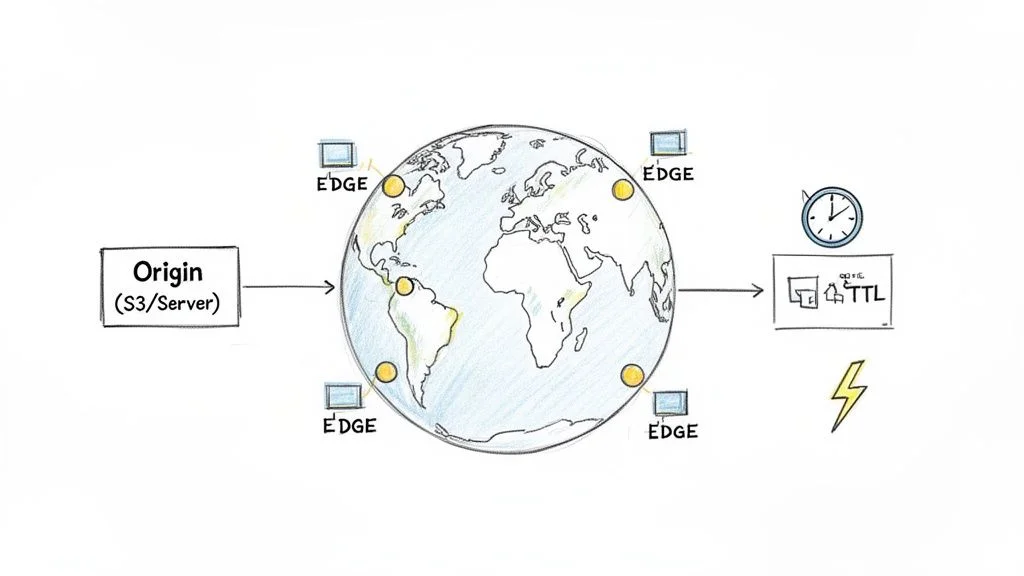 Figure 2: The principle of least privilege, where identities assume only necessary roles for their tasks.
Example Question & Analysis
Question: An application running on an EC2 instance needs to read objects from a specific S3 bucket. What is the most secure method to grant the application the required permissions?
A) Create an IAM user, generate access keys, and store them on the EC2 instance. B) Create an IAM role with a policy granting S3 read access and attach it to the EC2 instance. C) Place the EC2 instance and S3 bucket in the same Availability Zone. D) Configure the S3 bucket's policy to allow public read access.
Correct Answer: B) Create an IAM role with a policy granting S3 read access and attach it to the EC2 instance.
Strategic Breakdown: The phrase "most secure method" is your primary hint. It signals that while multiple options might technically work, only one follows AWS security standards.
- Storing access keys on an instance (A) creates a dangerous vulnerability. These keys are long-term credentials. If an unauthorized user gains access to the EC2 instance, they can discover these keys and use them to access your wider AWS environment. This approach ignores safety standards.
- Public access (D) is rarely the correct answer for internal application needs. Making an S3 bucket public means anyone on the internet can see your data. This is a severe security failure that would never be recommended for an application-to-bucket connection.
- Placing the EC2 instance and S3 bucket in the same Availability Zone (C) is a distraction. Doing this might improve speed or lower your data transfer bills, but it does not grant or manage permissions. Physical or logical proximity has nothing to do with identity and access management.
- An IAM Role (B) is the standard tool for assigning permissions to AWS services like EC2 or Lambda. When you attach a role to an instance, that instance gets temporary security credentials from the Security Token Service. AWS handles the rotation of these credentials automatically. This means there are no long-term keys for an attacker to steal. It perfectly illustrates the principle of least privilege.
Actionable Takeaways for the Exam
- Prioritize Roles Over Keys: Whenever an AWS service needs to interact with another service, use a Role. Avoid using IAM user access keys for these internal tasks. Roles are safer because they do not rely on static, long-term credentials. You should expect the current CLF-C02 exam to test this concept several times.
- Enforce Least Privilege: Always look for the answer that provides the specific access requested and nothing more. If a question says an application needs "read" access, do not choose an answer that grants "full access" or "read and write" access. AWS tests your ability to avoid over-provisioning permissions.
- Know the Core IAM Components: You must be able to define these four items clearly before sitting for the exam:
- IAM User: This is an identity created for a person or a specific application that requires long-term credentials. Each user should represent a single individual to ensure accountability.
- IAM Group: A group is a collection of users. Instead of managing permissions for twenty developers one by one, you place them all in a group and attach a policy to that group. This simplifies administration and reduces the chance of making a mistake.
- IAM Role: This is an identity that does not have its own password or keys. Instead, it is intended to be assumed by an entity like a service (EC2) or a user from another AWS account for a limited time.
- IAM Policy: These are the actual documents, usually in JSON format, that list what is allowed. They define the specific actions (like "ListBucket") and the specific resources those actions can affect.
Reflection Prompt: Suppose a new developer joins your company. They need to launch EC2 instances in the US East region but must be restricted to small instance types. They also need to read data from a specific development S3 bucket. How would you use a combination of IAM Users, Groups, and Policies to set this up without giving them too much power?
Protecting your AWS resources begins with a disciplined IAM strategy. To learn more about this, look at our detailed post on implementing AWS security best practices. When you study, use the MindMesh Academy platform to build flashcards for concepts such as "Identity-based vs. Resource-based policies." Testing yourself on the differences between a User and a Role will help you pass with confidence.
5. RDS Database Selection and Configuration
Many AWS Cloud Practitioner exam questions focus on selecting the correct Amazon RDS (Relational Database Service) configuration for specific application needs. You will encounter questions evaluating your knowledge of engines like MySQL, PostgreSQL, or SQL Server. It is also vital to understand how high availability features like Multi-AZ deployments differ from scalability options like Read Replicas. Mastering these concepts is necessary. Most high-quality cloud applications depend on a stable database to store and retrieve data, which links directly to the Reliability and Performance Efficiency pillars within the AWS Well-Architected Framework.
Example Question & Analysis
Question: An e-commerce company is launching a new application that requires a relational database. To ensure business continuity, the database must remain operational during maintenance and automatically failover in case of an infrastructure failure. The application also needs to handle high volumes of read traffic for product catalog searches without impacting write performance for new orders. Which RDS configuration best meets these requirements?
A) RDS Single-AZ instance with manual snapshots. B) RDS with Multi-AZ deployment. C) RDS with Multi-AZ deployment and one or more Read Replicas. D) RDS with Read Replicas only.
Correct Answer: C) RDS with Multi-AZ deployment and one or more Read Replicas.
Strategic Breakdown: The question highlights two specific requirements that you must address to find the correct answer:
- High Availability & Disaster Recovery: The system must stay operational during maintenance periods and perform an automatic failover if the primary infrastructure fails.
- Read Scalability: The database must manage heavy read traffic from catalog searches while protecting the performance of write operations for incoming orders.
Let's look at why specific options fail or succeed:
- RDS Single-AZ with manual snapshots (A) provides no automatic failover and no way to scale read traffic. Snapshots are useful for long-term recovery or backups, but they do not help with immediate availability during a hardware crash.
- RDS with Multi-AZ deployment (B) meets the first requirement. It creates a synchronous standby instance in a separate Availability Zone. If the primary instance fails or undergoes maintenance, RDS switches to the standby automatically. However, this setup does not solve the read traffic problem. In a standard Multi-AZ configuration, you cannot use the standby instance to serve read requests; it sits idle until a failover occurs.
- RDS with Read Replicas only (D) solves the scalability issue. It creates asynchronous copies of the database to handle read-heavy workloads. But Read Replicas are not designed for automatic failover. If the primary database goes down, a Read Replica does not automatically take over the write duties to keep the application running.
- RDS with Multi-AZ deployment and one or more Read Replicas (C) is the complete solution. Multi-AZ provides the necessary high availability and automatic failover for the primary database. Simultaneously, Read Replicas handle the heavy search traffic. This ensures the primary instance stays dedicated to critical write operations, such as processing new customer orders. This combination creates a resilient and performant architecture.
Actionable Takeaways for the Exam
- Differentiate Multi-AZ and Read Replicas' Core Purpose:
- Multi-AZ Deployment: Use this for High Availability (HA) and Disaster Recovery (DR). It maintains a synchronous standby replica in a different Availability Zone to enable automatic failover. This prevents data loss and reduces downtime for the database. When you see "failover" or "resilience," look for Multi-AZ.
- Read Replicas: Use these for Read Performance Scaling. They provide asynchronous copies of the database to handle read-only traffic. This reduces the load on your primary database. When you see "offloading reads" or "scaling performance," look for Read Replicas.
- Memory aid: Multi-AZ for failover and Read Replicas for offloading.
- Identify All Core Requirements: Read the scenario carefully to find every requirement. The exam often presents situations that need more than one feature. Do not pick an answer that only solves half of the problem.
- Associate Keywords with Features:
- "High availability," "failover," "disaster recovery," "business continuity," and "zero downtime maintenance" point toward Multi-AZ.
- "Reporting," "analytics," "read-heavy workload," "offloading read traffic," and "scalability for reads" point toward Read Replicas.
Reflection Prompt: A small startup is building an internal analytics dashboard that can tolerate a few minutes of downtime for a database, and read loads are moderate. They prioritize cost savings. Would you recommend Multi-AZ, Read Replicas, or neither for their RDS instance, and why?
To pass with confidence, you must distinguish between different AWS database services. For a detailed comparison, review our study materials on the differences between Amazon RDS, DynamoDB, and Redshift. Use the MindMesh Academy adaptive learning path to strengthen your understanding of these database concepts. This will help you apply these principles even when working under time pressure.
6. CloudFront Distribution and Content Delivery Optimization
This section focuses on global content delivery and performance using Amazon CloudFront, a frequent topic in current AWS Certified Cloud Practitioner (CLF-C02) exam questions. These questions test your knowledge of how a Content Delivery Network (CDN) speeds up the distribution of web assets to a global user base. Mastering this service is a requirement for understanding the Performance Efficiency pillar of the AWS Well-Architected Framework. It is a practical tool for reducing latency and ensuring a smooth experience for users regardless of their physical distance from your data center.
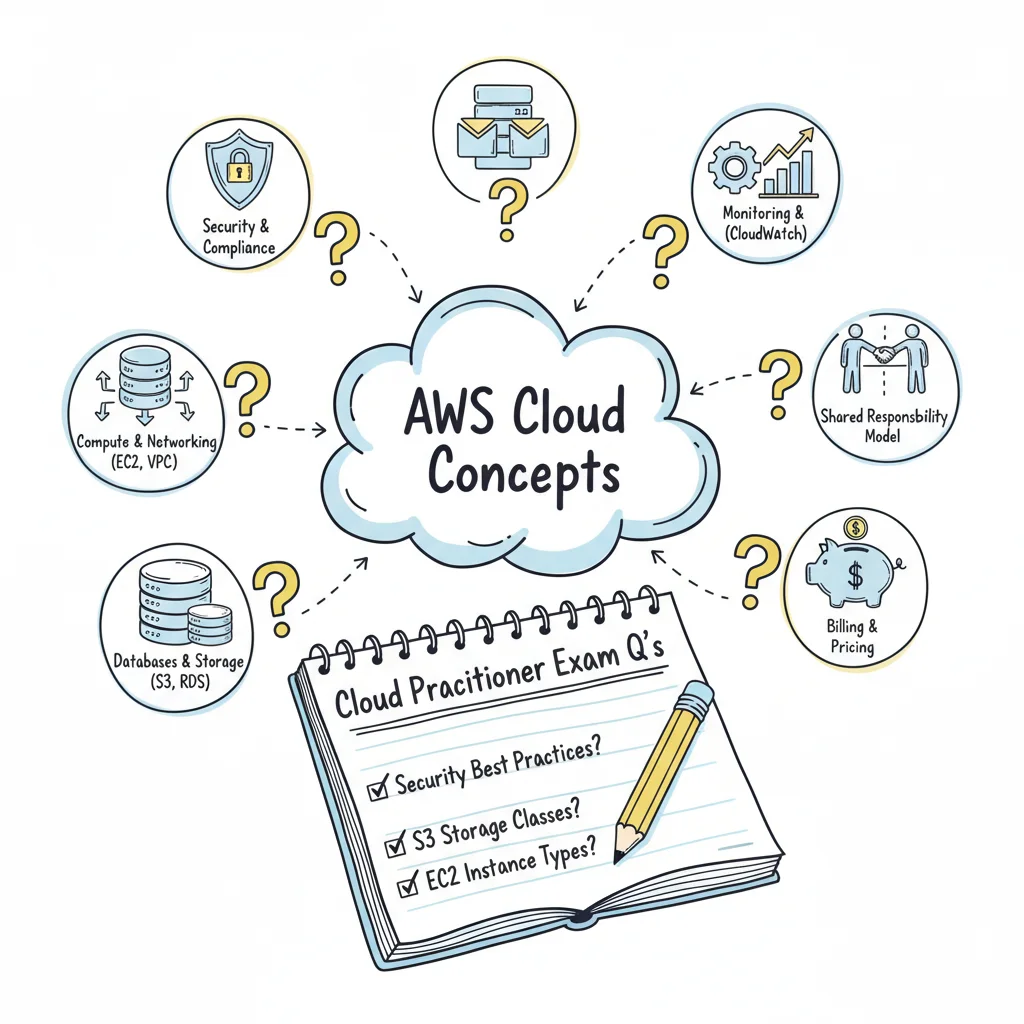 Figure 3: Content delivery via CloudFront's global edge network, using caching to lower latency.
Example Question & Analysis
Question: A media company in Europe is launching a new video streaming service for a global audience. They want to ensure users in North America and Asia experience minimal latency and fast load times. Which AWS service should they use to meet this goal most effectively?
A) AWS Global Accelerator B) Amazon Route 53 C) Amazon CloudFront D) Elastic Load Balancing
Correct Answer: C) Amazon CloudFront
Strategic Breakdown: The requirement is to distribute video content globally with low latency. This scenario points directly to a CDN.
- AWS Global Accelerator (A): This service improves application availability by routing traffic over the AWS network to your regional endpoints. It is useful for non-cached traffic like VoIP or gaming. It does not cache large media files at the edge like a CDN does.
- Amazon Route 53 (B): This is a DNS web service that connects user requests to infrastructure. While it can direct users to the nearest resource, it does not store or cache content to reduce the physical distance data must travel.
- Amazon CloudFront (C): This is the AWS CDN. It caches static and dynamic content, such as videos and web pages, at edge locations around the world. By serving data from a location closer to the user, it reduces wait times and takes the load off the main origin server. This makes it the right choice for a global streaming service.
- Elastic Load Balancing (D): This service spreads incoming traffic across multiple targets, like EC2 instances, within a specific AWS region. It provides high availability within that region but does not offer a way to cache content across different continents.
Actionable Takeaways for the Exam
- CloudFront vs. Global Accelerator: Distinguishing between these two is vital for the exam. CloudFront is the tool for caching and accelerating content like websites, videos, and APIs via HTTP. Global Accelerator is better for improving the path for TCP or UDP traffic to your application endpoints, bypassing the public internet to keep connections stable. If the question mentions caching or static assets, CloudFront is the likely answer.
- Keyword Identification: Look for specific terms in the question. Words like "global users," "edge locations," "caching," "static content," and "low latency" are strong signals for CloudFront.
- S3 and CloudFront Integration: A common architecture involves using an Amazon S3 bucket to store files and CloudFront to deliver them. If a question describes a need for global delivery of files stored in S3, remember that this combination is a standard AWS best practice.
- Edge Locations: Understand that CloudFront does not run in a single region. It uses a network of edge locations that exist outside of standard AWS Regions to get as close to the end user as possible.
Reflection Prompt: Imagine your company has a web application on EC2 instances in a single region. Users worldwide say the interactive parts of the site are slow. Would CloudFront or Global Accelerator be more appropriate here? Think about whether the slow components are files that can be cached or direct connections to the server.
Grasping how to use the AWS global network will help you pass the current exam with confidence. To strengthen your understanding, review the principles of global infrastructure in our guide on AWS Global Infrastructure: Regions, Availability Zones, and Edge Locations. You can also use MindMesh Academy to build flashcards that compare CloudFront, Global Accelerator, and Route 53. These comparisons will help you quickly identify the right service for various architectural problems during the test.
7. Auto Scaling and Load Balancing Strategy
Designing an environment that stays functional during a traffic surge while minimizing costs during a lull is a primary skill for the AWS Cloud Practitioner exam. You will frequently see questions that ask you to choose between different scaling and load-balancing tools to ensure high availability and fault tolerance. Understanding how to use Amazon EC2 Auto Scaling alongside Elastic Load Balancing (ELB) is a requirement for mastering the Reliability and Performance Efficiency pillars of the AWS Well-Architected Framework. These services ensure that your application stays available to users without overspending on idle or unnecessary compute resources.
Example Question & Analysis
Question: An e-commerce website experiences predictable traffic spikes every evening between 6 PM and 9 PM. To handle the load, the company needs to increase the number of EC2 instances during this period and scale back down afterward to save costs. Which AWS services should be used together to automate this process?
A) Amazon CloudFront and AWS WAF B) AWS Lambda and Amazon API Gateway C) Amazon EC2 Auto Scaling with a Scheduled Scaling policy and an Application Load Balancer D) Amazon S3 and Amazon Route 53
Correct Answer: C) Amazon EC2 Auto Scaling with a Scheduled Scaling policy and an Application Load Balancer
Strategic Breakdown: Option C addresses both time-based demand and traffic distribution requirements.
- Amazon EC2 Auto Scaling (C) provides the mechanism to change the number of instances in your fleet. Since the traffic spikes are predictable and occur at specific times (6 PM to 9 PM), a Scheduled Scaling policy is the most efficient tool. Instead of waiting for a metric like CPU usage to rise, which might cause a delay in response, the system adds instances before the rush begins.
- An Application Load Balancer (C) is the second half of this solution. As Auto Scaling adds new EC2 instances to the group, the ALB automatically starts sending a portion of the incoming traffic to them. It also performs health checks to ensure that if an instance fails, traffic is rerouted to the remaining healthy ones. This creates a resilient system that can pass with confidence under heavy load.
- Amazon CloudFront and AWS WAF (A) focus on content delivery and security. While CloudFront can cache content to reduce load on a server, it does not manage the number of EC2 instances running behind it.
- AWS Lambda and Amazon API Gateway (B) represent a serverless approach. While these services scale automatically, they do not manage EC2 instances, which the question specifically mentions.
- Amazon S3 and Amazon Route 53 (D) provide storage and DNS management. Route 53 can route traffic based on health, but it does not have the logic to launch or terminate EC2 instances based on a schedule.
Actionable Takeaways for the Exam
- Differentiate Load Balancers: Know the use cases and capabilities of each ELB type:
- Application Load Balancer (ALB): This operates at Layer 7 of the OSI model. It is the best choice for web applications because it can route traffic based on the content of the request, such as URL paths or hostnames.
- Network Load Balancer (NLB): This operates at Layer 4. Choose this when you need to handle millions of requests per second with ultra-low latency.
- Classic Load Balancer (CLB): This is the previous generation of load balancing. While still available, AWS recommends ALB or NLB for most modern use cases.
- Identify Scaling Triggers: Pay attention to why scaling is needed.
- Is it based on a metric like CPU utilization or network I/O? (Think Target Tracking or Step Scaling policies).
- Does it happen at a specific, known time? (Think Scheduled Scaling).
- Does it respond to an event or queue length? (Potentially more advanced, but good to consider).
- Recognize the Synergy: Remember that Auto Scaling and Load Balancing work together. The load balancer distributes traffic and performs health checks, while the Auto Scaling group replaces unhealthy instances and adjusts the fleet size based on demand. You must recognize this cooperation to build resilient applications.
Reflection Prompt: Your application experiences sudden, unpredictable spikes in traffic that last for short periods. Which Auto Scaling policy would be most appropriate, and how would it differ from the scheduled scaling example?
Mastering how these services provide elasticity is critical. For more practice, simulate creating scaling policies in the AWS console. Use MindMesh Academy’s adaptive learning engine to get more questions focused on this topic if you find it challenging, reinforcing the concepts until they are clear.
8. AWS Support Plans and Cost Management Strategy
A common scenario in AWS CLF-C02 exam questions involves selecting the right AWS Support plan or cost management tool to meet a specific business goal. These questions test your knowledge of support tiers and their features. They also evaluate your ability to use AWS cost management tools to keep cloud spending under control. This topic is vital because managing expenses and accessing technical help are fundamental to running a cloud environment. These concepts directly support the Cost Optimization and Operational Excellence pillars of the AWS Well-Architected Framework.
Example Question & Analysis
Question: A startup is launching its first application on AWS. They need business hours access to Cloud Support Associates via email for advice on use cases and best practices. They also require a response time of less than 12 hours for service-related issues. Which AWS Support plan is the most cost-effective choice that meets these requirements?
A) Basic Support B) Developer Support C) Business Support D) Enterprise Support
Correct Answer: B) Developer Support
Strategic Breakdown: The core requirements involve business hours email access to technical support and a response time of less than 12 hours for system issues. The objective is to identify the most cost-effective option.
- Basic Support (A) is included for all AWS customers at no additional cost (verify current pricing on the vendor site). It provides customer service for account or billing questions and access to the 7 core AWS Trusted Advisor checks. However, it offers no technical support from Cloud Support Associates. This does not meet the startup's requirements.
- Business Support (C) provides 24/7 access to support via phone, chat, and email. It features much faster response times, such as under one hour for production systems that are down and under four hours for non-critical issues. While this plan meets all the requirements, it is more expensive than the Developer plan. It offers more service than the startup currently needs.
- Enterprise Support (D) is the highest tier. It provides a Technical Account Manager (TAM) and response times as fast as 15 minutes for business-critical system failures. This tier is too expensive and exceeds the needs of a startup launching its first application.
- Developer Support (B) is designed for users who are testing or doing early development on AWS. It provides email access to Cloud Support Associates during business hours for technical guidance. It also guarantees a response time of less than 12 hours for system-impaired issues. This plan matches the startup's needs at the lowest price point for paid support.
Actionable Takeaways for the Exam
- Link Plans to Use Cases: Match each AWS Support plan to a typical customer profile and its primary requirements:
- Basic: This is for general users, students, or personal projects where only billing or account inquiries are likely.
- Developer: This fits early-stage development or non-production workloads that need technical help during business hours.
- Business: Use this for production workloads that require 24/7 technical support and faster response times for critical problems.
- Enterprise: This is for mission-critical systems in large companies that need proactive guidance from a Technical Account Manager and the fastest response times.
- Memorize Key Response Time SLAs: Understanding the target response times for general system issues is often the fastest way to find the right answer:
- Developer Support: <12 hours
- Business Support: <4 hours
- Enterprise Support: <1 hour
- Identify Core Cost Management Tools: Be ready to distinguish between the primary AWS cost management services:
- AWS Cost Explorer: This tool lets you visualize, analyze, and forecast your AWS spending over time.
- AWS Budgets: This allows you to set custom spending limits. You can receive alerts when your actual or predicted costs go over the thresholds you defined.
- AWS Trusted Advisor: This service provides real-time guidance to help you follow AWS best practices. It covers five categories, including cost optimization and security.
- Cost Allocation Tags: These help you organize and track your AWS costs by assigning metadata to resources for different departments or projects.
Reflection Prompt: Your company runs a critical 24/7 production application on AWS that generates high revenue. Any downtime results in immediate financial loss. Which support plan would you suggest, and what specific features would make that plan worth the investment?
Learning these distinctions is necessary for the current exam and for practical cost management. To strengthen your understanding, review our AWS Cloud Practitioner Study Guide for more details on billing and pricing. Practice with the adaptive learning tools at MindMesh Academy to test your knowledge of support plan features until you can pass with confidence.
8-Topic AWS Cloud Practitioner Comparison
| Scenario | Implementation complexity | Resource requirements | Expected outcomes | Ideal use cases | Key advantages |
|---|---|---|---|---|---|
| S3 Storage Class Selection for Cost Optimization | Moderate — demands careful policy and SLA analysis. | Knowledge of S3 storage classes, AWS Pricing Calculator, and lifecycle rules. | Lower storage expenses while maintaining acceptable data retrieval latency. | Infrequent-access backups and long-term archives with fixed retrieval windows. | Cuts long-term storage spend while meeting specific retrieval SLAs for the business. |
| EC2 Instance Type Selection for Application Workloads | Moderate — involves mapping specific workloads to instance families. | Understanding instance families, GPU options, and system benchmarking tools. | Optimized performance and reduced waste for targeted compute workloads. | Compute-heavy processing, memory-heavy databases, or machine learning training. | Improved performance per dollar spent through precise instance right-sizing. |
| VPC and Network Security Configuration | High — involves several interdependent network components. | Networking proficiency, IAM, VPC Flow Logs, and architecture diagramming. | Layered network security and strictly controlled traffic flow between subnets. | Three-tier applications, secure database isolation, and hybrid cloud connectivity. | Stronger perimeter controls and network segmentation to shrink the attack surface. |
| IAM Permissions and Access Control Strategy | High — demands precise policy creation and rigorous testing. | Deep IAM knowledge, IAM Policy Simulator, Access Analyzer, and CloudTrail logs. | Implementation of least-privilege access and a fully auditable permission model. | Cross-account access, environment isolation, and external auditor access. | Lowers the risk of over-privileged accounts; improves compliance and auditing capabilities. |
| RDS Database Selection and Configuration | Moderate — requires database expertise and AWS configuration skills. | DB engine knowledge, sizing experience, Multi-AZ/replica setup, and backups. | Managed high-availability and stable, predictable database performance for users. | Transactional applications and mission-critical databases requiring high availability. | Simplifies database operations through automated failover and backup management. |
| CloudFront Distribution and Content Delivery Optimization | Moderate — requires knowledge of caching and origin settings. | CDN configuration, caching headers, and edge logic such as Lambda@Edge. | Reduced latency for global users and lightened load on origin servers. | Global static websites, streaming media, and international e-commerce platforms. | Boosts performance and lowers origin bandwidth requirements and associated costs. |
| Auto Scaling and Load Balancing Strategy | High — involves dynamic scaling policies and balancing logic. | Load balancer selection, ASG policies, health checks, and performance metrics. | Elastic capacity that maintains application availability during traffic spikes. | High-traffic web applications, bursty workloads, and microservices architectures. | Cost-efficient scaling that improves overall application resilience and uptime. |
| AWS Support Plans and Cost Management Strategy | Low–Moderate — involves policy selection and tooling setup. | Cost Explorer, AWS Budgets, support plan budget, and Reserved/Savings plans. | Predictable monthly billing and access to necessary technical support. | Organizations requiring SLAs, cost governance, or TAM support. | Aligns support levels to business needs and prevents unexpected billing surprises. |
Your Next Steps to Certification Success
You have finished reviewing this collection of AWS Cloud Practitioner exam questions. This process required more than simple memorization; it required you to grasp the mechanics of cloud computing. We looked at choosing the correct S3 storage class to save money and setting up IAM policies to keep data safe. This review focused on the logic behind the answers. Understanding this logic gives you the technical skills you need for actual tasks in production environments.
Passing the AWS Certified Cloud Practitioner exam proves you understand the basics. It confirms you can use AWS terminology correctly and understand the platform's general architecture. The examples we analyzed, such as EC2 instance types and VPC configuration, are fundamental. You will see these concepts on the test and deal with them daily if you work in IT. The real goal is to develop a strategy for making smart, safe, and cost-effective decisions on the platform.
From Theory to Certification: A Strategic Recap
Let’s summarize the most important points from our review of these practice questions. These ideas are the foundation of your exam preparation and your future work in the cloud.
1. Cost is the Primary Driver: Saving money is a major theme throughout the AWS exam. You must link specific services to their financial results. This means knowing when to use S3 Intelligent-Tiering versus S3 Standard, or when to choose Reserved Instances over On-Demand EC2 instances. The exam checks if you can act as a financial manager for your company's cloud spend. You should always look for the most effective way to lower the monthly bill without hurting performance. You must also be familiar with tools like AWS Budgets and the AWS Pricing Calculator.
2. Security is the Top Priority: You must know the AWS Shared Responsibility Model perfectly. There is no room for confusion here. You need to know exactly what AWS manages, like the physical security of data centers and the hardware of the global infrastructure. You also need to know what you manage, such as your own data, firewall rules, and user permissions. This concept shows up in questions about IAM, VPC security groups, and encryption. If you understand this model, you can build systems that stay secure. Remember that AWS is responsible for security "of" the cloud, while you are responsible for security "in" the cloud.
3. The "Right Tool for the Job" Mentality: AWS has hundreds of services. The Cloud Practitioner exam expects you to act as a matchmaker between business problems and technical solutions. When you read a test question, you should immediately think of the right service. If the question mentions a relational database that requires SQL, think of Amazon RDS. If it mentions delivering video content to users worldwide with low latency, think of Amazon CloudFront. If the scenario involves a website that needs to grow or shrink based on traffic, think of Amazon EC2 Auto Scaling.
4. Differentiate Core Services: You must understand the differences between basic infrastructure components. Do not confuse an AWS Region with an Availability Zone or an Edge Location. You should also know the specific roles of different load balancers. For example, use an Application Load Balancer for HTTP and HTTPS traffic. Use a Network Load Balancer for high-performance TCP and UDP traffic. Similarly, you must know when to apply a Security Group to an instance versus applying a Network Access Control List (NACL) to a subnet. The exam tests your ability to tell these similar but distinct tools apart.
Your Actionable Study Blueprint
It is time to turn what you learned from these practice questions into a real plan. Follow these steps to prepare for your exam date.
-
Focus on Your Weakest Areas: Look back at the questions you missed during your study sessions. Did you have trouble with the Billing and Pricing section? Or was the Technology section harder? Find the specific domain where you struggle. Spend time reading the official AWS whitepapers for those topics. Read the "AWS Well-Architected Framework" and the "AWS Pricing Overview" document. Spending your time on your weaknesses will improve your score faster than reviewing what you already know.
-
Use Spaced Repetition: Do not try to learn everything in one night. Use a study method that shows you the difficult questions again after a few days. This technique makes your brain work harder to remember the information. It moves facts from your short-term memory into your long-term memory. This is more productive than reading the same pages over and over. Many top-scoring students use flashcards or software to manage this schedule.
-
Take Practice Exams: Sit down and take a full practice test. Use a timer and do not look at your notes. This helps you get used to the time limits and the pressure of the test center. It also builds the stamina you need to stay focused for the full length of the exam. After you finish, look at every answer you got wrong. Find out why the right answer was correct and why your choice was incorrect. This step ensures you do not repeat the same mistakes on the real exam.
-
Explain Concepts Out Loud: You know a topic well when you can explain it to someone else. Take a topic like the difference between AWS Shield Standard and AWS Shield Advanced. Try to explain it to a friend or even to yourself in a mirror. Use simple words. If you get stuck or cannot explain a part of the service, you know you need to study that part again. This exercise makes your thinking clearer and builds your confidence for the test.
Passing the AWS Certified Cloud Practitioner exam is a major step. It validates your skills and helps you find new jobs in a competitive market. By using an analytical approach rather than just memorizing facts, you are building a strong base for your career. You have the resources and the plan. Now you just need to do the work.
Ready to change how you study? MindMesh Academy uses adaptive learning to create a personalized plan for you. It focuses on the specific questions you find difficult. Stop guessing and start studying with a system designed to help you succeed. Find more help at MindMesh Academy.
These questions are drawn from Cloud Practitioner, the foundational tier. Every AWS certification, in order shows what the associate and professional exams add on top.

Written by
Alvin Varughese
Founder, MindMesh Academy
Alvin Varughese is the founder of MindMesh Academy and an enterprise architecture leader. An electrical engineer by training, he moved from factory automation in South Africa to cloud architecture at GE Appliances and Humana (Fortune 50), and holds 20 professional certifications including AWS Solutions Architect Professional, Azure DevOps Engineer Expert, and Microsoft Agentic AI Business Solutions Architect. He built MindMesh Academy after interviewing too many highly certified candidates who couldn't answer basic questions: the goal is prep that makes you better at the job, not just able to pass the exam.