
What Is Disaster Recovery Planning A Complete Guide
What is Disaster Recovery Planning: A Complete Guide for IT Professionals
A Disaster Recovery Plan (DRP) is the technical manual for maintaining resilience during an IT crisis. It acts as the "break glass in case of emergency" guide for your technical environment. This detailed roadmap explains how to restore critical IT infrastructure, systems, and data to an operational state after an unplanned outage. For IT professionals studying for certifications like CompTIA Security+, AWS Solutions Architect, or Microsoft Azure Administrator (AZ-104), understanding the details of a DRP is necessary to prove readiness for real-world failures.
This document ensures that a business survives a major outage and restores essential operations quickly.
So, What’s The Real Goal Here?
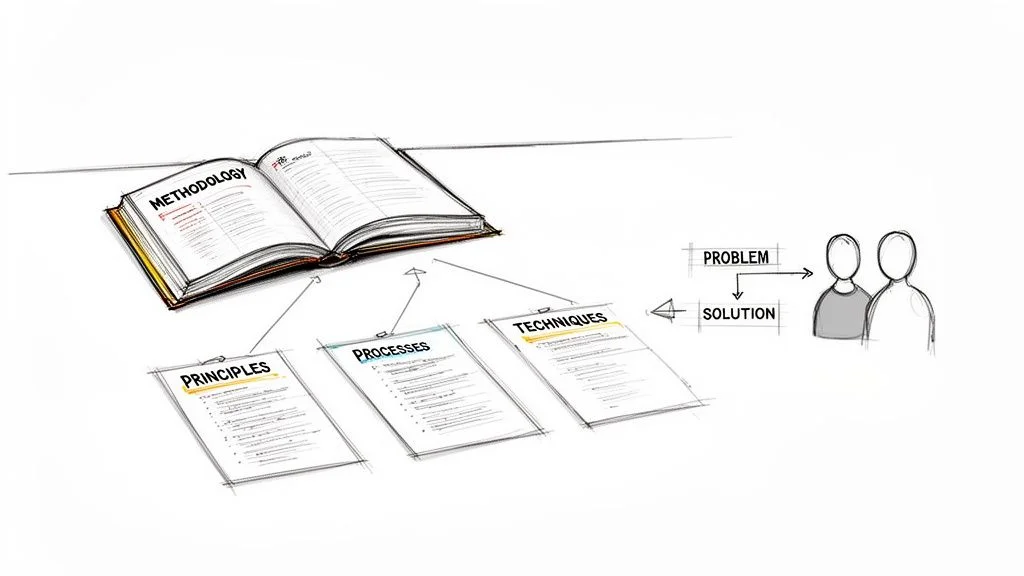
People often mistake disaster recovery for simply having backups. While backups are necessary, they are only one part of the solution. A DRP provides the formal, tested procedures for using those backups when systems fail under pressure. It changes a chaotic scramble into a sequence-driven recovery effort. Having data on a tape or in a cloud storage bucket does not help if the recovery environment is not configured to receive it or if the decryption keys are unavailable during the crisis.
The main objective of a DRP is to reduce downtime and prevent data loss. These two issues cause the most significant damage during an outage, directly hurting revenue and eroding customer trust. When a company loses access to its primary data center, every minute of downtime translates into lost productivity and potential legal liabilities.
The financial results of poor preparedness are high. Disasters, ranging from weather events to targeted cyberattacks, cost organizations over $2.3 trillion every year (verify current economic estimates through industry reports) when including supply chain disruptions and general economic impact. Because of this, disaster recovery is a central part of business risk management and a frequent topic on professional IT exams. A DRP helps teams meet specific recovery time and recovery point objectives, which define how much data a business can afford to lose and how quickly systems must return to service.
The following table provides a summary of what a DRP includes.
Disaster Recovery Planning At A Glance
| Core Concept | Primary Goal | Key Focus | Common Triggers |
|---|---|---|---|
| A structured, documented plan for IT restoration after a major incident. | To minimize downtime and data loss for critical IT systems. | Technology, data, and infrastructure at an alternate site. | Cyberattacks, hardware failure, natural disasters, human error, significant software bugs. |
This table shows the mission of a DRP: restoring technology. However, there is another distinction you must know for certification exams, especially in IT Service Management (ITSM) or project management (PMP).
DRP vs. Business Continuity: What's The Difference?
IT professionals often confuse disaster recovery with business continuity. While these concepts work together, they have different objectives and scopes. Knowing where one ends and the other begins is vital for passing exams and managing technical departments.
-
A Disaster Recovery Plan (DRP) focuses on technical details. It aims to restore servers, networks, and applications, usually at a secondary site or through a cloud provider. It answers the specific question of how to bring the technology and data back online. This includes tasks like spinning up virtual machines, restoring database snapshots, and re-establishing network tunnels for users. It is an IT-centric document that lists technical specifications.
-
A Business Continuity Plan (BCP) has a much wider scope. It outlines how the business as a whole operates during a crisis. This plan includes staffing, physical office space, supply chains, and communication with customers. It explains how the business stays functional while IT systems are down. For example, a BCP might detail how the sales team can process orders manually using paper forms if the ERP system is offline. It addresses the human and operational side of a disaster that the DRP does not cover.
The DRP is a specialized part of the BCP. While the DRP restores servers and data flow, the BCP ensures employees have a place to work and can reach those recovered systems. A successful DRP is useless if the business processes cannot resume. For more information on the broader organizational side, see our guide on business continuity planning steps. Every resilient organization requires a strategy for both technical recovery and general operational survival. If the servers come back online but the office is inaccessible and employees have no way to log in, the recovery has failed. Balancing these two plans ensures that the technical recovery supports the business needs effectively.
The Essential Components Of A Resilient DRP
A solid disaster recovery plan is more than a single document written and then filed away. It is a strategic toolkit—a carefully assembled collection of interconnected parts that form a thorough and cohesive recovery strategy. For anyone studying for IT certifications in infrastructure, security, or cloud administration, understanding these foundational building blocks is essential. These elements support every effective recovery strategy and appear frequently in professional examinations.
Each component serves a specific purpose. Some help identify what requires protection, while others define the speed and data integrity requirements needed during a crisis.
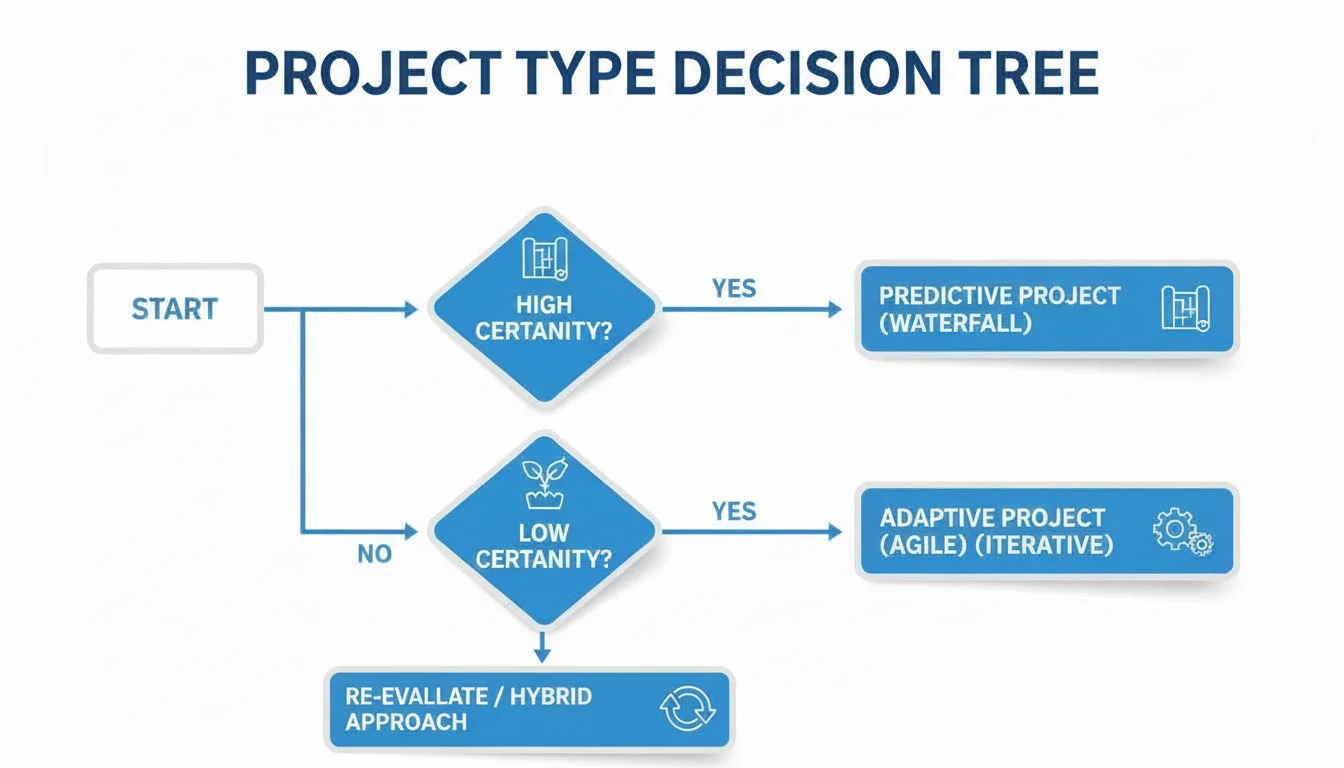
When designing a complex software system, developers never start coding without clear requirements. Disaster recovery follows the same logic. The initial blueprint is the Business Impact Analysis (BIA). This is the foundational first step where you identify the most critical business functions and the underlying IT systems and applications they depend on.
The BIA determines which applications are mission-critical. It helps you quantify the real-world impact if those systems become unavailable. This impact is measured in two ways: financial loss and operational disruption. Financial loss might include lost sales revenue or penalties for missing service level agreements. Operational disruption involves the inability of employees to perform their jobs or the breakdown of supply chains. This analysis directly informs how you prioritize recovery and where you allocate technical resources.
Once you understand what is most important, you must identify what could go wrong. That is the purpose of the Risk Assessment. This systematic process identifies potential threats. These range from common occurrences like hardware failures and power outages to catastrophic events like natural disasters, targeted cyberattacks, or significant human error. A strong plan incorporates security measures into the recovery process. Understanding the importance of cybersecurity is a key part of this proactive defense and is a recurring theme in security certification exams.
Defining Your Recovery Objectives: RTO And RPO
With the "what" and "why" mapped out by your BIA and risk assessment, you must determine specific requirements for speed and data retention. Two metrics drive these decisions: the Recovery Time Objective (RTO) and the Recovery Point Objective (RPO). For an IT professional, mastering these two concepts is mandatory. They are core to certifications focusing on business continuity and infrastructure resilience.
-
Recovery Time Objective (RTO): This metric measures maximum acceptable downtime. RTO defines how long a specific system or application can stay offline following a disruptive event. It answers the question: "How quickly must this system be fully operational again?" For instance, an RTO of one hour for an e-commerce website means it must be functional and accessible to customers within 60 minutes of an outage. If the site stays down for 61 minutes, the business has failed its recovery objective.
- Real-world Example (AWS/Azure): For a critical application running on AWS EC2 or Azure VMs, a low RTO might require strategies like active-passive configurations with automated failover. Some organizations use active-active deployments across multiple regions to ensure that if one region fails, the other takes the traffic immediately.
-
Recovery Point Objective (RPO): This metric measures maximum acceptable data loss. RPO defines the amount of data, measured in time, that an organization can afford to lose from a specific system. It asks: "How much recent data can we lose forever without severe impact?" An RPO of 15 minutes for a financial transaction system means the business cannot tolerate losing more than the last 15 minutes of recorded transactions or data changes. If a failure occurs at 12:00 PM, the system must be restored with data that is current as of at least 11:45 AM.
- Real-world Example (AWS/Azure): Achieving a low RPO requires continuous data replication. This might involve database replication or block-level storage replication across different availability zones. Traditional nightly backups are insufficient for low RPO requirements because they could result in up to 24 hours of data loss.
These two numbers—RTO and RPO—dictate your technology choices and architectural designs. If a business demands near-zero RTO and RPO for a mission-critical application, you will need expensive solutions. These include real-time data replication, multi-region deployments, and advanced database clustering. Conversely, if a 24-hour RTO and 12-hour RPO are acceptable for a less critical internal application, you can reach those goals using more affordable daily or hourly backups. To examine the technical strategies behind these objectives, read our guide on data backups and replication strategies.
Reflection Prompt: Consider a system you manage. What would be its ideal RTO and RPO? What real-world costs would be incurred if those objectives were not met? How would this impact your choice of DR solution?
Assembling The Human Element
Technology cannot solve every problem. A recovery plan is only effective if the people tasked with executing it can perform under pressure. The human element transforms a static document into an actionable guide during a crisis. Without clear human coordination, even the most advanced replication technology can fail to restore a business if no one knows who is authorized to trigger the failover.
First, you need clearly defined Roles and Responsibilities. The plan must outline who is in charge of overall recovery and who has the authority to declare a disaster. It must list the specific teams or individuals responsible for bringing particular systems back online. This clarity eliminates confusion and prevents delays or arguments when stress levels are high. Defining your incident response team is a key concept in many security and operations certifications.
- Disaster Recovery Coordinator: The person with the authority to initiate the plan and manage the overall response.
- Technical Leads: Subject matter experts for databases, networking, and cloud infrastructure who execute the technical recovery steps.
- Executive Liaison: The person who provides updates to leadership and manages high-level decision-making.
A well-defined plan ensures that during a crisis, team members are not trying to figure out their roles. They are executing them. Preparedness under pressure is the goal.
Finally, you need a Communication Plan. This is the playbook for how the recovery team talks to each other and the rest of the organization. It must also cover external stakeholders like customers, partners, and regulatory bodies. If a system goes down, who notifies the customers? How often are updates provided? Knowing who to inform and what information to convey prevents panic and maintains trust. This aspect of the plan is vital for certifications like PMP, which focuses on stakeholder communication, and ITIL, which covers service level management.
When you combine technical objectives, strategic solutions, and human coordination, you create a DRP that is technically sound and workable. A plan that accounts for both the data and the people who manage it provides the best chance of survival when an outage occurs. Technical proficiency in these areas helps you pass with confidence on your next certification exam while preparing you for real-world infrastructure challenges.
Your Step-By-Step Disaster Recovery Planning Process
Creating a disaster recovery plan is not a project that you finish once and lock in a cabinet. It is a continuous, living process that needs regular attention to remain effective. You can compare it to maintaining a piece of critical physical infrastructure, such as a bridge or a power plant. It requires a sound original design, followed by careful assembly, and then ongoing inspections to ensure it functions when it is needed. In the IT field, following this systematic workflow is the difference between a plan that looks good on paper and one that actually functions when a company faces an emergency.
This structured approach ensures that every decision your team makes is intentional. Every part of the strategy should align with the core goals of business survival and data integrity. The process begins with the people involved, moves through the technical requirements and the creation of documentation, and finishes with testing and refinement. Each stage of the process builds upon the previous one. This creates a solid framework for recovering operations quickly after a significant outage or data loss event.
Step 1: Assemble Your Recovery Team
Before you examine the technical details of servers and backups, you must establish leadership and accountability. A successful disaster recovery plan is a team effort rather than the work of a single administrator. Your first action is to form a dedicated disaster recovery team. This group should include people from various departments to ensure all parts of the business are represented. You will need participants from IT operations, leaders from key business units, security experts, legal counsel, and an executive sponsor who can provide the necessary authority and budget.
This cross-functional group is responsible for the design, implementation, and long-term maintenance of the plan. You must assign specific roles and responsibilities to avoid confusion. For example, you should appoint a team lead to oversee the whole process. Then, delegate specific technical tasks to others, such as network restoration, database recovery, application failover, or managing communications with external stakeholders. This clarity of roles prevents indecision and chaos when a crisis occurs. It reflects the same principles found in incident management within the ITIL framework, where knowing who does what is the key to a fast resolution.
Step 2: Conduct Foundational Analyses
Once the recovery team is ready, you need to gather the data that will guide your technical decisions. This stage involves two specific assessments: the Business Impact Analysis (BIA) and the Risk Assessment. The BIA identifies which systems are the most important to the organization. It quantifies the operational and financial costs of downtime for those systems. At the same time, the risk assessment identifies the various threats and vulnerabilities that could cause a disaster, ranging from hardware failure and cyberattacks to natural disasters.
These two analyses are the foundation of your entire plan. If you skip these steps, you are simply guessing about what needs protection. This often leads to wasting money on low-priority systems while leaving critical assets vulnerable. The BIA informs your recovery goals by ensuring that your technical strategy matches the actual needs of the business. For instance, if the BIA shows that a customer relationship management (CRM) system causes massive financial loss for every hour it is offline, your recovery strategy for that system will be much faster and more aggressive than the strategy for a secondary file server.
Step 3: Define Recovery Objectives and Select Strategies
With the data from your analyses, you can set specific recovery targets. The team must define the Recovery Time Objective (RTO) and the Recovery Point Objective (RPO) for every critical application and system. These numbers are the most important metrics in your plan because they dictate the technology you will use. A system with an RTO of one hour (verify current requirements with stakeholders) requires a much faster recovery strategy than a system that can stay offline for 24 hours (verify current requirements with stakeholders) without causing a major business failure.
Once these objectives are set, you can choose the technical strategies and solutions that will meet them. This is the stage where you decide on your recovery site and the architecture of your data protection systems.
- Recovery Site Selection: Your budget, RTO, and RPO will determine which type of site you use. A hot site is a fully functional mirror of your primary environment. It is ready for an immediate switchover and often uses multi-region cloud deployments in platforms like AWS or Azure. A warm site is partially equipped with hardware and network connections but requires some setup time before it is ready for production. A cold site is a basic facility with power and cooling but no active hardware. You would need to move servers and software into a cold site after a disaster begins. Modern cloud environments offer similar options through the use of virtual machines and managed services.
- Technology and Solutions: You must select tools based on your RTO and RPO. Solutions can include Disaster Recovery as a Service (DRaaS), real-time database replication, or data mirroring that happens either synchronously or asynchronously. You might also use automated failover tools or traditional disk and tape backups. For those pursuing cloud certifications, it is vital to understand recovery tools like AWS RDS Multi-AZ or Azure Site Recovery. These services allow for high availability and quick restoration of services in different geographic regions.
Step 4: Document and Formalize the Plan
A recovery plan is useless if it only exists in someone's mind or is split across different unorganized files. You must record everything in a clear and concise format. This document is not meant to be a long narrative. Instead, it should be a step-by-step instruction manual. A qualified technician should be able to follow these instructions under high stress without needing direct supervision from a manager.
Your written plan needs to include the following elements:
- Activation Criteria: This section defines exactly what counts as a disaster or a major incident. It must state who has the legal and operational authority to declare a disaster and start the recovery process. Clear criteria prevent delays during the early stages of a crisis.
- Recovery Procedures: These are the sequential steps for moving operations to the recovery site. They should cover failing over systems, restoring data from backups, changing network configurations, and verifying that applications are working. Use exact commands and include screenshots to make the process as easy as possible to follow.
- Contact Information: Keep a current list of all recovery team members, including their personal and work phone numbers. This list should also include key vendors, insurance contacts, and emergency services. This directory must be stored in a way that is accessible even if the primary network is down.
- Network Diagrams and System Architecture: These visual maps show the infrastructure of both the primary and recovery sites. They should show IP addresses, server names, application dependencies, and how data flows between different components.
You should view this document as the playbook for your most difficult day at work. It has to be simple enough for any member of the recovery team to execute quickly. To ensure you include all the necessary parts, using a disaster recovery planning checklist is a practical way to stay organized, particularly if you are studying for certifications that focus on compliance.
Step 5: Test, Train, and Maintain the Plan
A plan that has never been tested is just a series of guesses. Regular testing is the only way to prove that your procedures work and to find gaps in your logic. Testing also ensures that your staff is familiar with the steps they need to take. Testing is a cycle rather than a one-time event. This approach fits with the "Continual Service Improvement" concept found in ITIL frameworks.
There are three common ways to test your plan:
- Tabletop Exercise: This is a discussion where the team sits in a room and walks through a disaster scenario. They talk through each step to see if the plan makes sense. This is an effective way to find missing information or communication problems without interrupting business operations.
- Walk-Through Test: In this test, team members go through the actual recovery tasks in a non-production environment. They might log into the recovery systems and verify that they can perform their assigned duties. This helps confirm that the specific technical procedures are accurate.
- Simulation or Full Failover Test: This is the most thorough type of test. It involves moving live business operations from the primary site to the recovery site or a different cloud region. This test shows whether the systems can handle a real production load in the alternate environment. It provides the final proof that your strategy is effective.
After you complete any test, you must review the results. Document what went well and what failed. Then, use those lessons to update the plan. This cycle of testing and maintenance keeps the plan relevant as your technology and business needs change over time.
Reflection Prompt: If your organization underwent a full DR test today, what's one area you anticipate would present the biggest challenge? How could you proactively address it?
Comparing Disaster Recovery Strategies And Solutions
After you have thoroughly defined your recovery objectives, specifically the Recovery Time Objective (RTO) and Recovery Point Objective (RPO), you must select the technical strategies to meet those targets. The variety of disaster recovery options is broad. Each approach offers a different balance of restoration speed, total cost, and operational effort. The goal is to match specific technology to your RTO and RPO while staying within your assigned budget.
No single solution fits every organization. A small business might tolerate a full day of downtime without facing bankruptcy. For that company, a simple backup routine using external drives is often enough. On the other hand, a global e-commerce platform loses revenue every second the site is down. That organization requires a fault-tolerant setup that stays operational even during a regional outage. This type of high-availability architecture is more expensive to build and maintain. Understanding these technical trade-offs is a core requirement for IT professionals, particularly those preparing for operations or architecture certifications.
The following options are the most common strategies you will encounter in production environments and on professional certification exams.
Traditional On-Premises Solutions
For decades, disaster recovery relied on physical infrastructure. This included stacks of magnetic backup tapes, mirrored physical servers, and secondary hardware kept in a different building. While cloud services have changed how many companies approach DR, these traditional methods are still used. They are common in industries with strict data sovereignty rules or in organizations that have already invested heavily in their own data centers.
- Tape and Disk Backups (Off-site): This is a classic approach to data protection. Servers write data to physical tapes or high-capacity disks. A courier then transports these media to a secure, climate-controlled vault in a different geographic location. While this is an economical way to store massive amounts of archival data, the recovery process is slow. If a disaster occurs, you must request the tapes, wait for delivery, and then manually restore the data to your hardware. This often takes several days. Because of this, the RTO and RPO are very high. This method is not suitable for systems that the business needs to function hourly.
- Cold, Warm, and Hot Sites: These terms describe the readiness of a secondary physical facility.
- A cold site is a basic room with power, cooling, and internet. It has no hardware or data ready to go. If your primary site fails, you must ship servers to the cold site, install them, load the software, and restore the data. This is the cheapest option for a physical site, but it results in the longest RTO.
- A warm site sits between a cold and hot site. It contains some hardware, such as networking equipment and servers, which are already racked and powered. The software might be pre-installed, but the data is not current. To get running, you must load the latest backups onto the waiting servers. It offers a faster recovery than a cold site at a moderate price point.
- A hot site is a functional duplicate of your main data center. It has identical hardware and software, and data is synchronized in real-time or near real-time. If the primary site goes offline, you can switch operations to the hot site almost instantly. This provides the lowest RTO and RPO but is the most expensive strategy because you are paying for two full sets of infrastructure.
The main drawback of traditional on-premises solutions is the high upfront capital cost. You have to buy double the hardware and pay for the space to house it. You also need a dedicated team to maintain the equipment, perform updates, and run regular tests to ensure the secondary hardware still works.
The Rise of Cloud-Based Recovery
Cloud computing has fundamentally changed how organizations plan for disasters. High-performance recovery tools are now available to companies of all sizes. Instead of building a secondary data center yourself, you can use the infrastructure of providers like AWS or Microsoft Azure to protect your data and applications.
The shift to the cloud moved disaster recovery into "as-a-Service" models. These models are flexible and scale up or down based on your needs. For anyone seeking a certification in cloud architecture, knowing these options is a requirement. To see how these concepts work in a technical environment, you can read our guide on disaster recovery strategies like pilot light and warm standby.
The efficiency of cloud-based DR comes from its financial structure. You avoid large capital expenditures on hardware that might never be used. Instead, you pay for operational expenses. This means you only pay for the storage and the small amount of compute power needed for replication. You only pay for full-scale computing resources during a recovery event or a test.
This model allows small companies to use the same high-end recovery tools that large corporations use. The process of keeping a plan updated follows a specific cycle.
You must assess your risks, record the plan in detail, and test it frequently. If you do not test the plan, it will likely fail when a real disaster happens. This cycle shows that disaster recovery is an ongoing process, not a task you complete once and forget.
Understanding As-a-Service Models
The cloud recovery market uses several different service models. Each one requires a different level of management from your IT team. Understanding these differences is a major part of cloud-related exams.
- Backup as a Service (BaaS): This is an automated way to send your data to the cloud for safekeeping. The service handles the transfer and storage of your files. However, BaaS only protects the data. If your servers are destroyed, you are responsible for setting up new servers, installing the operating systems, and configuring the applications. Only after that is finished can you start the data restoration process from the cloud.
- Infrastructure as a Service (IaaS): When you use IaaS, you rent virtual servers, storage, and networking from the provider. For disaster recovery, you can create scripts to build a new environment in the cloud as soon as your primary site fails. You pay for the storage of your server images, but you only pay for the virtual machines when they are running. This gives you more control than BaaS, but it requires your team to manage the operating systems and the recovery scripts.
- Disaster Recovery as a Service (DRaaS): This is a more complete solution. A DRaaS provider, or a service like Azure Site Recovery, automates the entire process. It continuously copies your physical or virtual servers to the cloud. If a disaster happens, the service automatically starts the servers in the cloud and handles the network changes needed to redirect traffic. It also helps with the process of moving data back to your original site once it is repaired. DRaaS provides the fastest recovery with the least amount of manual work.
To help you choose, the following table compares these solutions based on performance and cost.
Comparing Disaster Recovery Solutions
| DR Solution | Recovery Speed (RTO) | Data Loss (RPO) | Cost | Best For |
|---|---|---|---|---|
| BaaS | Hours to Days | Minutes to Hours | Low | Non-critical data and long-term storage where waiting for a restore is acceptable. |
| IaaS | Minutes to Hours | Seconds to Minutes | Medium | Companies with IT teams that can manage their own automated recovery scripts in the cloud. |
| DRaaS | Seconds to Minutes | Near-Zero | High | Critical applications that must stay online to prevent significant financial loss. |
| Hot Site (Cloud) | Near-Instant | Near-Zero | Very High | Global applications that use multiple cloud regions to ensure 100% uptime for users. |
The table shows the clear link between speed and cost. If you want a near-zero RPO and a near-instant RTO, you must invest more money and technical effort. This trade-off is a central theme in cost optimization and system design.
The industry is moving quickly toward managed services like DRaaS. The global DRaaS market was valued at $22.4 billion in 2025 (verify current data on the source site). It is expected to grow to $195.7 billion by 2034 (verify current data on the source site). This represents an annual growth rate of 27.23% (verify current data on the source site). This growth happens because companies are finding it harder to manage recovery themselves as their IT environments become more complex. You can find more information on this growth in the full research on DRaaS market growth.
Selecting a strategy always comes back to the RTO and RPO metrics. These numbers act as your guide. They ensure that the technical solution you choose actually supports the needs of the business. Use these objectives to justify your budget and your choice of technology.
Best Practices For Effective Disaster Recovery Planning
Storing a disaster recovery plan (DRP) in a digital folder is a start, but it offers no guarantee that the plan will perform during a crisis. There is a vast difference between a document that exists to satisfy an auditor and a strategy that successfully restores a company after a major outage. Achieving a functional recovery requires sticking to specific, battle-tested principles. For IT professionals, these standards are not optional suggestions. They represent the requirements for operational excellence and frequently serve as the foundation for technical certification exams and real-world case studies.
These principles turn a theoretical set of instructions into a reliable tool that works when the pressure is high. Following them helps organizations avoid the panic that usually follows a system failure. Instead of reacting with confusion, teams that follow these practices act with control and clear direction.
Treating disaster recovery as a basic business requirement is the only way to protect a company's future. The costs of failing to prepare are too high to ignore. A recent survey of 1,000 senior technology executives revealed a startling reality: every single respondent reported that their company had lost revenue because of IT outages. Even with these clear financial risks, only about 54% of businesses have a documented DRP in place. You can look at the specific data points and read the full research on disaster recovery readiness to see the gap between the known risks and the actual levels of preparation.
This lack of readiness is why following these best practices is essential. It is the only way to ensure an organization stays resilient when things go wrong.
Secure Executive Buy-In From The Start
A disaster recovery plan will fail if it does not have the direct support and sponsorship of company leadership. Getting buy-in is about more than just signing off on a budget. It is about making sure that the people running the company see business continuity as a strategic necessity rather than an annoying IT cost.
When executives actively support the DRP, they ensure the team gets the necessary resources. This includes the money for secondary sites, the time for staff to train, and the authority to pull people away from their daily tasks for testing. Leadership support also sends a message to the entire company that preparedness is a priority.
To get this support, you must speak in terms of business outcomes. Do not waste time with technical talk about specific server models or complex replication protocols. Instead, explain how the plan protects the company’s income and reputation. Focus on how it keeps customers happy and ensures the company follows the law. Use the findings from your Business Impact Analysis (BIA) to show exactly how many dollars the company loses for every hour the systems are down. When the leadership team understands the financial risk, they will view the DRP as a necessary investment to protect the organization's future.
Without this high-level support, the plan will likely become "shelfware"—a document that sits around and is never updated or properly funded. True resilience starts at the top of the organization.
Involve Stakeholders Across The Business
Recovering from a disaster is a team effort. The recovery team must include people from outside the IT department. A common mistake is building a DRP inside an IT silo, where the technicians have no idea how the rest of the business actually uses the systems. To create a plan that covers every need, you must talk to leaders from every part of the company.
- Department Heads and Business Unit Leaders: These people know exactly which applications and data sets are necessary for their teams to work. They understand the daily workflows and can identify which processes must be restored first to keep the business running.
- Application Owners and Product Managers: These individuals understand the technical details of specific software. They know about third-party integrations, specific data dependencies, and the exact steps needed to bring a complicated application back online without losing data.
- Legal and Compliance Teams: These experts confirm that the DRP follows all relevant rules, such as GDPR, HIPAA, or PCI DSS. They understand the legal requirements for data availability and the strict timelines for reporting an incident to the authorities.
- Human Resources: HR is responsible for the people. They maintain the emergency contact lists and help set up alternative work arrangements. They also manage internal communications to keep employees informed and safe during a crisis.
By bringing in this diverse group of stakeholders, you create a DRP that reflects the actual needs of the company. It ensures that the plan accounts for the human side of the business, not just the hardware. This collaborative method also creates a culture where everyone feels responsible for the company's survival.
Test Relentlessly And Realistically
A plan that hasn't been tested is nothing more than a collection of guesses. The only way to know if your strategy will work is to try it out under conditions that mimic a real disaster. Regular testing allows you to find mistakes in your logic, identify broken links in your technology, and give your team the confidence they need to act fast when a real outage happens.
Consider an organization that spent years backing up its data but never tried to restore it. When a ransomware attack locked their systems, they found out the hard way that their backup files were corrupted and could not be used. Their plan failed because they never bothered to verify it through testing.
A strong testing strategy uses several different methods to ensure the plan stays current and the team stays ready:
- Tabletop Exercises: These are simple, low-cost discussions where the recovery team sits in a conference room and talks through a simulated disaster. You go through the plan step by step to see if everyone knows what to do. These meetings are great for finding confusing instructions or gaps in communication.
- Simulation Tests: These tests go a step further by focusing on specific parts of the plan in a controlled environment. For example, you might try to restore one specific database or fail over a single application to a backup server. This proves the technical steps work without putting the live business at risk.
- Full-Failover Tests: This is the most difficult but most important test. It involves moving your entire business operation to a recovery site or a cloud region for a specific period. While this takes a lot of work to organize, it is the only way to prove that your people, processes, and technology are actually ready for a total system failure.
Every test, whether it succeeds or fails, provides data. You must write down what went wrong and use that information to update the DRP. This creates a cycle of constant improvement. A disaster recovery plan should be a living document that grows and changes as the company evolves. Testing is what keeps that document relevant.
Reflection Prompt: Beyond the technical aspects, what human factors (e.g., stress, communication failures, lack of training) could derail a DRP in your organization, even with a technically sound plan?
Your Top Questions About Disaster Recovery Planning, Answered
We have examined the core definition of a disaster recovery plan, looked at its primary components, and walked through the steps needed to build one. Understanding the theory is a good start. However, the most difficult part of disaster recovery is applying these concepts when things go wrong. Whether you are preparing for a certification exam or facing a massive system outage, you need to know how these pieces fit together in a high-pressure environment.
IT professionals frequently encounter specific challenges when trying to move from a written document to a functional recovery process. These questions often center on the practicalities of implementation and the nuances of business requirements. By clarifying these points now, you can build a stronger foundation for your career and ensure you are ready for any technical emergency.
What's the Real Difference Between a DRP and a BCP?
The distinction between these two plans is a common point of confusion. You will see this topic appear frequently on IT certification exams. It is vital to understand that a Disaster Recovery Plan (DRP) is a specific, technical sub-component of a much larger Business Continuity Plan (BCP). They are not interchangeable.
The DRP is tactical. It is the technical playbook that your IT department follows to restore systems, data, and connectivity after a failure. If a server rack fails or a database is corrupted, the DRP provides the specific steps to fix the problem. It focuses on the hardware, software, and data. Its primary mission is to get the technology functional as fast as possible. The DRP answers a single, focused question: "How do we get the computers and networks working again?"
In contrast, the BCP is a strategic document for the entire organization. It focuses on keeping the business operational during and after a crisis, regardless of what happens to the technology. While IT is a part of it, the BCP covers much more. It dictates where employees should go if the main office is destroyed. It outlines how the company will handle payroll if the primary systems are down. It sets the strategy for communicating with customers, managing the supply chain, and dealing with legal or regulatory requirements during a disaster. The BCP is about the survival of the company as a whole.
To use a simple comparison, the DRP is like the repair manual for an airplane engine. If the engine fails, the mechanics use that manual to get it running again. The BCP is the flight operations manual for the entire airline. It covers how to handle ticket sales, passenger safety, and flight scheduling when a major storm grounds the fleet. You need the engine manual to fix the technical problem, but you need the operations manual to keep the airline in business. Both plans must work together to ensure the organization remains resilient.
How Often Should We Actually Test Our Disaster Recovery Plan?
There is no single rule that fits every business, but the standard for most organizations is to perform a major test at least once a year. This is the bare minimum. If you only test your plan once every few years, the instructions will likely be outdated by the time you actually need them.
The actual frequency of your testing should depend on how often your environment changes. If your company is constantly moving to new services in AWS or Azure, updating internal networks, or changing core software, you must test more often. Significant changes to your infrastructure or your staff require immediate validation of your recovery procedures. A plan written for a server room that no longer exists is useless.
A reliable strategy uses different types of tests at different intervals throughout the year. This keeps the plan current and ensures the recovery team knows exactly what to do.
- Quarterly Tabletop Exercises: These are low-stress meetings where the recovery team gathers to talk through a specific disaster scenario. A facilitator might present a situation, such as a localized flood or a ransomware infection. The team then discusses the steps they would take to respond. These exercises are effective for finding gaps in communication or logic. You might discover that the person responsible for a specific task no longer works at the company, or that a critical password is kept in a locked drawer that no one can access.
- Semi-Annual Component Tests: In these tests, you focus on a single critical system rather than the whole company. You might take your main email server or a specific customer-facing database and attempt a full recovery in a test environment. This validates the specific technical procedures for that system and helps the staff maintain their technical skills.
- Annual Full-Simulation Test: This is the most demanding and necessary test. During a full simulation, you perform a complete failover to a secondary site or a different cloud region. You run your business operations from that secondary location for a set period. This is the only way to prove that your entire recovery process works from start to finish. It gives the leadership team confidence that the company can actually survive a worst-case scenario.
Regular testing turns a DRP from a static document into a reliable process. It ensures that when a real disaster occurs, the team is not guessing—they are executing a proven strategy.
What Are RTO and RPO, and Why Do They Matter So Much?
If you focus on only two metrics in disaster recovery, they should be Recovery Time Objective (RTO) and Recovery Point Objective (RPO). These numbers define your entire strategy. They tell you how much money you need to spend and what technology you need to buy. They translate the needs of the business into technical requirements for the IT department.
Recovery Time Objective (RTO) is a measurement of time. It is the maximum amount of downtime the business can handle for a specific system before the consequences become unacceptable. The RTO asks: "How quickly must this system be back online?" If you run a high-traffic e-commerce site that generates thousands of dollars every minute, your RTO might be 30 minutes. If the system is down longer than that, the financial loss is too great. However, for a system used for internal employee training, an RTO of 48 hours might be acceptable because the business can function without it for a couple of days.
Recovery Point Objective (RPO) is a measurement of data loss. it identifies how much data the business is willing to lose, expressed as a period of time. The RPO asks: "How much data can we afford to lose forever?" For a bank processing thousands of transactions, an RPO of 15 minutes might be the limit. Losing more than 15 minutes of data would create a nightmare of missing records and angry customers. On the other hand, an internal file share used for old project archives might have an RPO of 24 hours. If that server fails, losing one day of work is a minor inconvenience that the business can tolerate.
These two numbers dictate your technical architecture. If the business owners demand a near-zero RTO and RPO for a database, you cannot rely on simple backups. You will need to use high-end solutions like AWS RDS Multi-AZ or Azure SQL Database with geo-replication. You might even need an active-active setup where two different data centers run the application simultaneously. These solutions are expensive and complex.
If the business can accept an RTO of 24 hours and an RPO of 12 hours, you can use a much cheaper strategy. Nightly backups stored in the cloud and a manual restoration process would likely be enough. By using RTO and RPO, you ensure that you are spending the IT budget on the systems that matter most. You avoid over-engineering simple systems and under-protecting critical ones. These metrics are the bridge between what the business needs and what the IT team builds.
Ready to master these concepts and be well-prepared for your next certification exam? At MindMesh Academy, we provide study materials and evidence-based learning methods to help you understand the material and apply it in real-world IT scenarios. Improve your IT career by visiting us at CompTIA Security+ Practice Exams.

Written by
Alvin Varughese
Founder, MindMesh Academy
Alvin Varughese is the founder of MindMesh Academy and an enterprise architecture leader. An electrical engineer by training, he moved from factory automation in South Africa to cloud architecture at GE Appliances and Humana (Fortune 50), and holds 20 professional certifications including AWS Solutions Architect Professional, Azure DevOps Engineer Expert, and Microsoft Agentic AI Business Solutions Architect. He built MindMesh Academy after interviewing too many highly certified candidates who couldn't answer basic questions: the goal is prep that makes you better at the job, not just able to pass the exam.