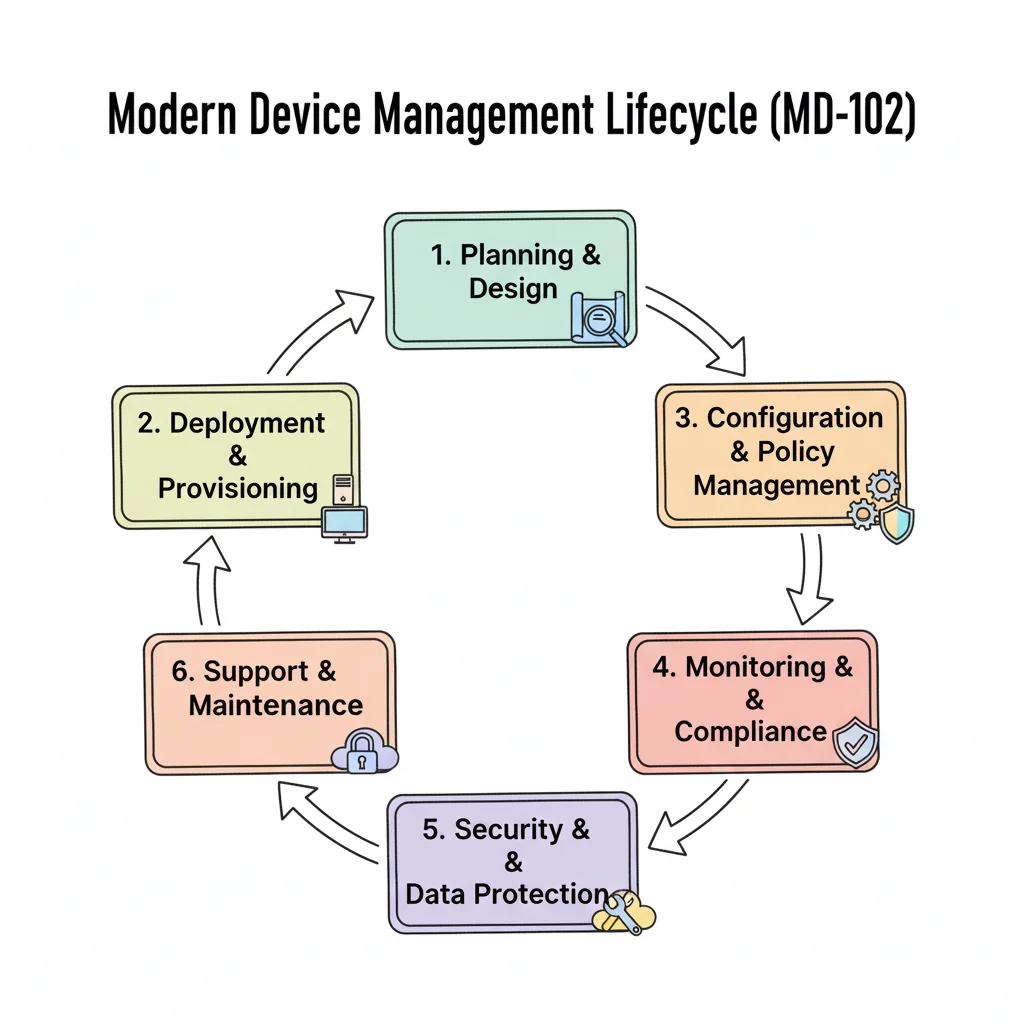
Your Ultimate Guide to the MD 102 Certification
The MD-102 certification serves as the official Microsoft endorsement for skilled Endpoint Administrators. As distributed workforces become standard, this credential validates your skills in deploying, managing, and securing devices like laptops, tablets, and smartphones using Microsoft 365 tools. Earning the certification proves you can maintain secure, efficient operations across all organizational endpoints. This qualification shows you can handle modern device management challenges while keeping company data protected.
What Is the MD-102 Certification and Who Needs It?
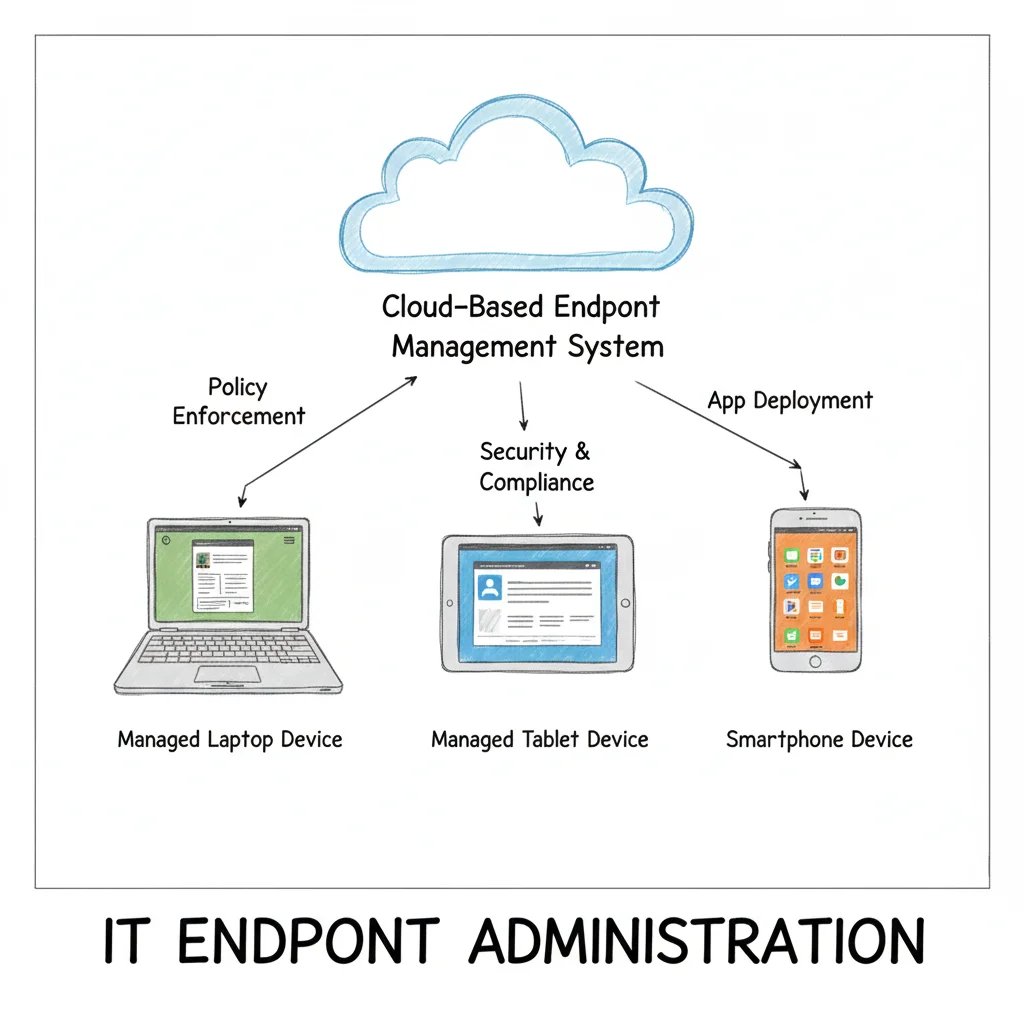 An MD-102 certified professional acts as the central command for an organization's device fleet.
MD-102 certified professionals serve as the primary coordinators for an organization’s entire hardware inventory. This role requires managing every endpoint, from laptops issued by the company to personal mobile devices used to access work email. The priority is to ensure these tools operate safely and efficiently while following organizational policies. This work involves wide-ranging management at scale rather than just resolving individual technical errors.
Officially known as the Microsoft 365 Certified: Endpoint Administrator Associate, the MD-102 exam verifies your ability to manage the device lifecycle using modern cloud tools. This certification represents a move away from traditional desktop support toward more technical deployment, configuration, application management, and security protocols across a business. It replaces the older MD-100 and MD-101 exams by merging their core requirements into a single qualification. This change reflects the industry transition from local hardware maintenance to cloud-managed systems.
To understand the scope and positioning of this credential, here is a summary of what the MD-102 covers.
MD-102 Certification at a Glance
| Attribute | Details |
|---|---|
| Certification Name | Microsoft 365 Certified: Endpoint Administrator Associate |
| Exam Code | MD-102 |
| Focus Areas | Deploying Windows, managing devices and policies, protecting and securing endpoints, managing applications. |
| Primary Tools | Microsoft Intune, Windows 365, Windows Autopilot, Microsoft Defender for Endpoint, Microsoft Entra ID. |
| Replaces | MD-100 (Windows Client) & MD-101 (Managing Modern Desktops) |
| Target Audience | System Administrators, Desktop Support Engineers, IT professionals managing devices in a Microsoft 365 environment. |
This table shows how the MD-102 prepares you to handle modern, cloud-focused device management. These skills are essential for businesses supporting hybrid work and responding to new security threats.
Who Should Pursue This Certification?
If your daily work involves device management or optimizing user productivity within a Microsoft 365 environment, the MD-102 is a strong career move. It is an ideal fit for professionals in the following roles:
- Help Desk Technicians: These workers can move from fixing individual errors to managing a full device environment. They use automation and cloud tools to handle large groups of devices simultaneously. This shift moves their daily work from reactive troubleshooting to proactive oversight.
- System Administrators: This group uses the certification to prove their skills in scalable management. Using tools like Microsoft Intune allows them to move away from older on-premises methods. The certification proves they can handle large infrastructures without relying on local servers.
- Desktop Support Engineers: These professionals target a shift from manual setups to automated deployment. They focus on enforcing security policies and maintaining proactive defenses. The MD-102 helps them master technologies that reduce the time spent on repetitive installation tasks.
- IT Professionals: Those working in a Microsoft 365 environment use this qualification to specialize in device compliance and data protection. This expertise is vital for maintaining business continuity and keeping company equipment secure.
If you handle deployment or configuration for a company using Microsoft technologies, this certification is designed for your career. It demonstrates the technical skills that make you an asset to a technical team. For a wider view of industry options, see our overview of available IT certifications.
Earning your MD-102 proves to employers that you have the practical skills to build and maintain a modern workplace. It shows you can keep every employee productive and secure, regardless of their physical location. This credential serves as evidence that you can adapt to the changing requirements of professional work environments.
Unlocking High-Demand Career Paths
The MD-102 is a path toward some of the most stable and well-paid roles in information technology. As companies adopt hybrid work models, the need for skilled endpoint administrators has increased significantly. Organizations need experts who can manage remote and office-based hardware under a single policy framework.
Statistics show that 78% of businesses worldwide use Microsoft 365. This widespread adoption creates a consistent need for professionals who understand how to configure these environments. There are currently more than 45,000 job openings for people with these skills. Compensation is strong, with average salaries often between $95,000 and $110,000 per year (verify current salary ranges on job boards like Glassdoor or Salary.com).
Passing the MD-102 exam prepares you for specific roles including:
- Endpoint Administrator: This professional handles the daily lifecycle of company devices. They enforce policies and provide support for a wide range of hardware.
- Intune Specialist: This role focuses specifically on the Microsoft Intune platform. They optimize how the business uses cloud management tools to improve efficiency.
- Modern Desktop Administrator: These experts focus on deploying and maintaining the latest Windows operating systems and related software.
- Mobility Solutions Consultant: This specialist designs secure systems for mobile device fleets. They are especially important for companies that allow employees to use their own devices for work.
These roles are fundamental to how businesses operate. They secure digital assets and help the workforce stay productive. Becoming an MD-102 certified professional makes you a key part of that foundation.
Cracking the Code: A Breakdown of the MD-102 Exam Objectives
Preparing for the MD-102 certification requires more than a quick look at the official topic list. You must understand the reasoning behind each objective. Technical concepts should link directly to the administrative tasks you face in a professional environment. Use the exam breakdown as a practical blueprint for the daily work of a modern Endpoint Administrator.
Microsoft organizes the exam into four domains. Each one has a specific weight and represents a core part of the role. This structure helps you build a study plan. You can focus on one area at a time and see how technical details solve business problems.
Deploying and Managing Windows Clients (25-30%)
This domain covers a large portion of the exam. It focuses on the fundamental skills needed to manage devices at scale. This section tests your ability to deploy and configure Windows clients. You will move away from manual, one-by-one setups. Instead, you will focus on automated, cloud-based management practices.
Consider a common corporate scenario. Your company hires 50 new remote employees. They all start on the same day. You must provide each person with a configured, secure laptop. They need to be productive immediately. You cannot visit each home to set up the hardware. This is where Windows Autopilot is essential. You must understand zero-touch provisioning. You need to know how to create deployment profiles and configure the Enrollment Status Page. These tools provide a smooth onboarding experience for the user.
You should be able to:
- Planning and implementing Windows client deployments: Select the right Windows Autopilot mode for various situations. This includes user-driven modes or self-deploying modes for kiosks. You also need to build provisioning packages for specialized hardware requirements.
- Managing Windows 365 Cloud PCs: Handle the deployment and configuration of virtual desktops. Managing these cloud-based resources is a necessary skill in a hybrid work environment.
- Upgrading and maintaining Windows clients: Create a plan to move the fleet to Windows 11. You must also ensure all devices receive the latest security patches and feature updates without manual intervention.
The MD-102 exam expects you to think about scale. Questions in this domain often ask you to identify the most automated deployment method.
Managing Identity and Compliance (15-20%)
Once you deploy devices, the focus moves to security. This domain covers user identity and the rules that protect company data. You must ensure that only the right people use secure devices to access corporate files. In this role, you define the security posture for all endpoints.
Imagine you are a digital gatekeeper for company data. You do not just check an ID at the door. You verify the identity of the user. You check if the device is healthy and uncompromised. Finally, you ensure the user only accesses the specific files they need for their job. This is the core of Microsoft Entra ID and Conditional Access.
This domain covers more than just the exam. It provides the skills to manage identity using Zero Trust principles. These standards are popular in the industry. For example, 90% of Fortune 500 companies now use these strategies. You will learn to create policies that look at user risk, device health, and location. This knowledge is useful for any IT professional. It aligns with global security frameworks like NIST or ISO 27001. Understanding how to protect resources against modern threats is a skill that translates across different industries and technologies.
Managing and Protecting Devices (30-35%)
This domain has the highest weight on the exam. It highlights how important it is to keep devices safe and functional. After a device is active, you must keep it updated and secure throughout its life. This section covers the tools used to defend a fleet of devices. You will use Microsoft Intune and Microsoft Defender for Endpoint to achieve this.
You will learn to create policies that control device settings. This includes basic items like Wi-Fi profiles and complex security configurations. You will build configuration profiles for different operating systems. This includes Windows, Android, iOS, and macOS. Having a consistent security baseline across all these platforms is a major requirement for the role.
Your work in this domain includes:
- Implementing device update policies: Create update rings in Intune. These rings allow you to test and deploy security patches. You can roll out updates for Windows, iOS, and Android devices. This must be done without stopping user work or causing system errors.
- Configuring endpoint security: Set up antivirus policies with Microsoft Defender for Endpoint. You will also manage BitLocker disk encryption and set up firewalls. These tools protect devices from a wide range of cyber threats.
- Monitoring and troubleshooting: Use Intune to perform remote actions. You can sync a device, restart it, or wipe its data if it is lost or stolen. You will also use queries and analytics. These tools help you find issues, see patterns, and fix problems permanently.
Reflection Prompt: How do the MD-102 concepts of device configuration and compliance align with ITIL's focus on service operation and continual service improvement? Think about how automated policy enforcement minimizes service disruptions and enhances security.
Managing Applications (15-20%)
The final part of the exam covers the software on the devices. You must make sure employees have the tools they need. At the same time, the software must be secure and managed. This involves deploying, updating, and protecting applications across the fleet. You will do most of this work within Microsoft Intune.
You will deploy several types of software. This includes Microsoft 365 Apps and custom applications built by your company. You will also use apps from public stores like the Apple App Store or Google Play. A major part of this domain is App Protection Policies (APP). These policies are a high priority for many companies. They allow you to protect corporate data inside an app. This is true even if the app is on a personal phone that the company does not manage. This is the foundation of a secure Bring Your Own Device (BYOD) strategy.
You will learn how to set data relocation rules. For instance, you can prevent a user from copying company email data into a personal notepad app. This keeps corporate data safe without invading the user's privacy on their personal device. The exam will test your ability to assign these applications to specific groups of users. You must also know how to monitor if the applications installed correctly. If an app fails to install, you will need to look at the logs to find the cause.
Success in this domain shows you can manage the full lifecycle of an application. This starts with the initial purchase or creation and ends when the app is retired. You will need to understand how to keep these apps updated automatically. This reduces the risk of security holes in old software. By the end of your study, you should feel comfortable managing software for thousands of users from a single console. This ability to centralize control is what makes a modern Endpoint Administrator effective.
Building Your Actionable MD-102 Study Plan
Passing the MD-102 requires more than memorizing a list of facts. Success depends on creating and following a specific study plan. Without a clear approach, the wide range of topics in the syllabus can feel difficult to manage. A structured plan turns the material into small steps that help you build skills and confidence over time.
Think of your preparation like a construction project. You do not build a skyscraper by throwing steel and bricks into a pile. You follow a specific plan. You build a solid foundation first. Then you move to the walls and the specialized systems. This study plan acts as the blueprint for your exam success. It ensures you cover every domain without missing specific requirements or technical details.
This timeline provides an overview of the core domains of the exam, which we will use to organize our study efforts.
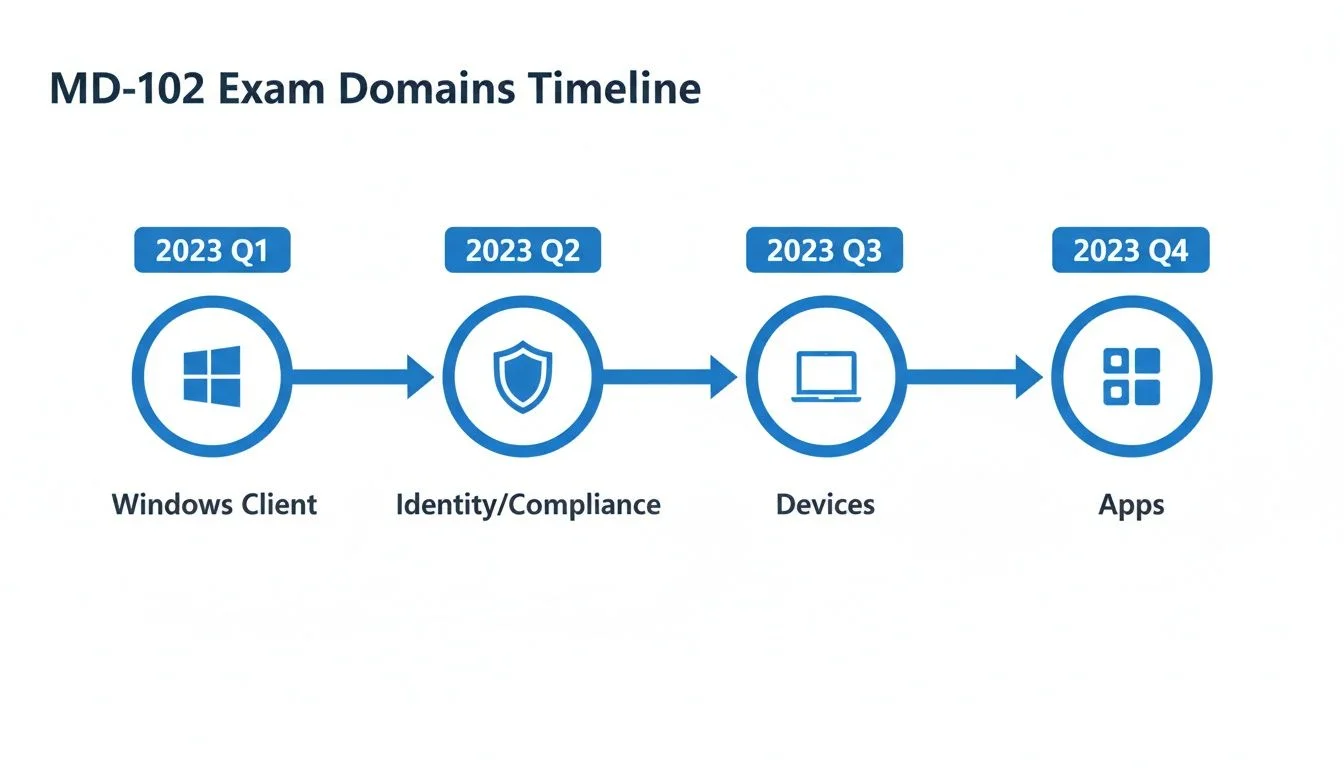 The MD-102 exam domains are structured to reflect a logical progression of skills an Endpoint Administrator would develop and use daily.
As the image shows, the learning process follows a logical path. You start by deploying the Windows client, move to managing identities, focus on securing those devices, and finish by handling applications. Our recommended plan follows this same order because it matches how administrators work in the real world.
The Milestone-Based Study Method
A milestone-driven plan divides your preparation into weekly goals. Each week, you focus on one part of the MD-102 certification syllabus. This focus helps you develop specific skills rather than trying to learn everything at once. This method works well because it gives you evidence of your progress and helps you stay motivated. It ensures you do not skip over important topics, even if you are studying while working a full-time job.
A large portion of the exam—weighted at 25-30%—focuses on deploying Windows clients. This section includes vital skills like using Windows Autopilot and managing Microsoft Entra ID joins. Learning these topics is a major step toward proving you have the skills needed to be an Endpoint Administrator. This structured approach is similar to how other professional programs organize large amounts of information into smaller, manageable groups.
To help these concepts stick, you can use the Feynman Technique during your study sessions. The idea is to explain a difficult topic in simple words, as if you were teaching it to someone who knows nothing about IT. If you cannot explain why a device needs a hardware hash for Autopilot in simple terms, you have found a gap in your knowledge. Identifying these gaps allows you to go back and study the specific area until you understand it fully.
Your Sample 6-Week Study Timeline
This sample timeline helps you start your preparation. You can move faster or slower depending on how much you already know about Windows management. Each week targets specific objectives and gives you clear milestones to track.
Sample 6-Week MD-102 Study Timeline
| Week | Primary Focus (Exam Domain) | Key Milestones & Topics |
|---|---|---|
| Week 1 | Deploying Windows Clients | Master Windows Autopilot deployment modes (User-Driven, Self-Deploying). Practice creating provisioning packages and configuring the Enrollment Status Page (ESP). |
| Week 2 | Managing Identity and Compliance | Implement and test Conditional Access policies based on user risk, device state, and location. Configure device compliance policies for different platforms (Windows, iOS, Android). |
| Week 3 | Managing & Protecting Devices (Part 1) | Create and assign targeted device configuration profiles. Implement security baselines for Windows 10/11. Configure BitLocker encryption policies via Intune. |
| Week 4 | Managing & Protecting Devices (Part 2) | Configure and manage update rings for Windows devices, including feature and quality updates. Practice remote actions like device wipe, restart, sync, and troubleshoot common device issues. |
| Week 5 | Managing Applications | Deploy Microsoft 365 Apps and internal Line-of-Business (LOB) apps via Intune. Implement App Protection Policies (APP) for BYOD scenarios, focusing on data security within apps. |
| Week 6 | Final Review and Practice Exams | Take multiple full-length practice tests to simulate actual exam conditions. Review weak areas identified by test results and revisit relevant Microsoft Learn labs for hands-on reinforcement. |
Following a schedule like this gives you a clear path. You can build your knowledge and confidence one week at a time until you are ready for the test.
Integrating Powerful Study Techniques
A schedule is helpful, but the way you study matters just as much as the time you spend. To make sure you remember the information when you are taking the test, add these two methods to your routine.
1. Spaced Repetition
Most people forget new information quickly. This is often called the forgetting curve. Spaced repetition is a way to fight this. The idea is to review a topic shortly after you first learn it, then review it again a few days later, and then again a week later. By increasing the time between reviews, you force your brain to work harder to remember the details. This process helps move the information from your short-term memory into your long-term memory.
Spaced repetition helps you move beyond simple memorization toward true understanding. You can use digital flashcards like Anki to set up a schedule for reviewing MD-102 concepts. This is helpful for remembering the different Autopilot modes or the specific settings in Conditional Access policies.
Reflection Prompt: How can you use spaced repetition to remember the differences between configuration profiles and compliance policies?
2. Adaptive Learning
Adaptive learning is about studying in a smarter way. Instead of reading about topics you already know, use quizzes to find the areas where you are weak. If you keep missing questions about App Protection Policies, you should spend more time in the Intune lab practicing those specific tasks. This targeted approach is more efficient than reading the entire textbook again. It helps you feel prepared for every part of the exam.
MindMesh Academy Tip: When you use practice tests, do not just look for the right answer. For every question, try to understand why the correct choice is right and why the other options are wrong. Microsoft often uses "distractors," which are answers that look correct but are wrong for specific technical reasons. Analyzing these distractors turns a simple quiz into a learning tool that prepares you for the actual exam environment.
By focusing on your weak spots, you can make the most of your study time. This ensures that by the time you reach week six, you have a balanced understanding of all four exam domains. Do not be afraid to adjust the 6-week timeline if you find that identity management or device security requires more attention. The goal is to reach a level where you can perform these administrative tasks without hesitation. Practice with the tools in a lab environment as often as possible, as hands-on experience is often the best way to reinforce what you have read in the documentation.
MD-102 Sample Questions and Expert Walkthroughs
Knowing the technical facts for the MD-102 exam is only the first step toward earning your certification. The actual test measures your capability to use those facts under pressure while the clock is running. You will face complex scenarios that require you to identify a core problem and pick the best solution from several options that might all look correct at first glance. Success on this exam requires critical thinking and a logic-based approach to troubleshooting endpoint environments.
This section helps you move from reading documentation to applying those concepts. We will walk through two sample questions that reflect the difficulty and style of the actual test. Instead of just giving you the answer, we will analyze why specific options fail and why one choice stands out. This method helps you develop the mindset of an Endpoint Administrator who can evaluate tools based on organizational constraints.
Question 1 Scenario Based
Your company is deploying 100 new laptops to remote employees. The plan is to ship the devices directly to their homes. Employees need to be able to unbox the laptop, connect it to their home Wi-Fi, and have the device automatically join Microsoft Entra ID, enroll in Intune, and install a core set of company applications—all before they even reach the desktop. You must accomplish this with minimal IT assistance.
Which technology should you implement to make this happen?
- Option A: Windows LAPS
- Option B: Provisioning Packages
- Option C: Windows Autopilot
- Option D: Conditional Access Policies
Expert Walkthrough and Answer
The scenario lists several specific requirements: 100 laptops, direct shipment to homes, automatic Entra ID joining, Intune enrollment, and app installation during the initial setup. The phrase "minimal IT assistance" is the most important part of the prompt. This points toward a zero-touch deployment strategy where the user handles the unboxing and the system handles the configuration. Let’s evaluate the choices based on these requirements:
- Option A (Windows LAPS): This is incorrect because Windows LAPS (Local Administrator Password Solution) is a security tool used to manage and rotate the password of the local administrator account. While it is a vital tool for preventing lateral movement after a device is set up, it has nothing to do with the initial deployment, domain joining, or software installation process described in the scenario.
- Option B (Provisioning Packages): This is incorrect for this specific use case. Provisioning packages use .ppkg files created with the Windows Configuration Designer. While they can join a device to a domain and install apps, they usually require an IT staff member or the user to manually trigger the package via a USB drive or a local file. This does not provide the "direct from the box" automation required for 100 remote users without technical expertise.
- Option D (Conditional Access Policies): This is incorrect. Conditional Access is a security engine in Entra ID that evaluates signals like user location or device health before granting access to resources like Email or SharePoint. It is a gatekeeper that functions after the device is already enrolled and managed. It cannot perform the initial deployment of the operating system or the enrollment into Intune.
Correct Answer: C. Windows Autopilot Windows Autopilot is the standard tool for this exact workflow. It allows an organization to register the hardware ID of a laptop with their Microsoft 365 tenant. When the remote employee powers on the device and connects to the internet, the laptop recognizes it belongs to the company. It then walks the user through a customized setup screen, joins the device to Entra ID, and triggers Intune enrollment. By using the Enrollment Status Page, the system ensures all mandatory applications are installed before the user ever sees their desktop wallpaper. This fulfills the "ship-to-home" and "minimal IT" requirements perfectly.
Question 2 Multi-Select
An administrator needs to ensure all corporate-owned iOS/iPadOS devices are secure before they can access company data. If a device ever becomes non-compliant (for example, if it's jailbroken or falls below a minimum OS version), its access to corporate resources should be blocked immediately.
Which TWO components must you configure in Microsoft Intune to enforce this? (Choose two.)
- Option A: A device configuration profile
- Option B: An app protection policy
- Option C: A device compliance policy
- Option D: A Conditional Access policy
Expert Walkthrough and Answer
This question asks about the relationship between device health and data access. To solve this, you need one tool to define what "healthy" means and another tool to act as the enforcer that blocks access when those health standards are not met. This is a fundamental concept in modern management.
- Option A (A device configuration profile): This is incorrect in this context. A configuration profile is used to push settings to a device, such as setting up a Wi-Fi password, enforcing a specific wallpaper, or disabling the camera. While these profiles help secure a device, they do not have the logic to "block access" to Microsoft 365 based on a health check. They are for configuration, not for evaluating compliance status.
- Option B (An app protection policy): This is incorrect. App protection policies, often called MAM (Mobile Application Management), protect data within specific apps like Outlook or OneDrive. They can stop a user from copying company data into a personal notes app. However, they are designed to protect the data inside the app regardless of the device's enrollment status. They do not block access to the entire cloud service based on whether a device is jailbroken or running an old OS version.
Correct Answers: C and D
- Option C (A device compliance policy): This is the first half of the solution. This policy defines the technical requirements for the device. You would set rules here that check for a minimum OS version (like iOS 16.0) and verify the device is not jailbroken. Intune uses this policy to give the device a "Compliant" or "Non-compliant" status. However, the compliance policy by itself only flags the device; it does not stop the user from opening their email.
- Option D (A Conditional Access policy): This is the second half of the solution. This policy lives in Microsoft Entra ID and acts as the gatekeeper. You create a rule that says: "If a user tries to access Office 365 from an iOS device, they must be using a device marked as compliant." When the user logs in, Entra ID checks the status from Intune. If the compliance policy has flagged the device as jailbroken, the Conditional Access policy blocks the login attempt instantly.
By combining these two, you create a system where the compliance policy provides the health report and the Conditional Access policy enforces the consequences of that report. This "check and block" workflow is a major topic on the MD-102 exam.
If you want to practice more scenarios and strengthen your technical logic, you can view our full list of MD-102 exam sample questions. Continued practice with these multi-step scenarios will help you prepare for the specific way Microsoft phrases their exam questions.
Mastering Exam Day Logistics and Readiness
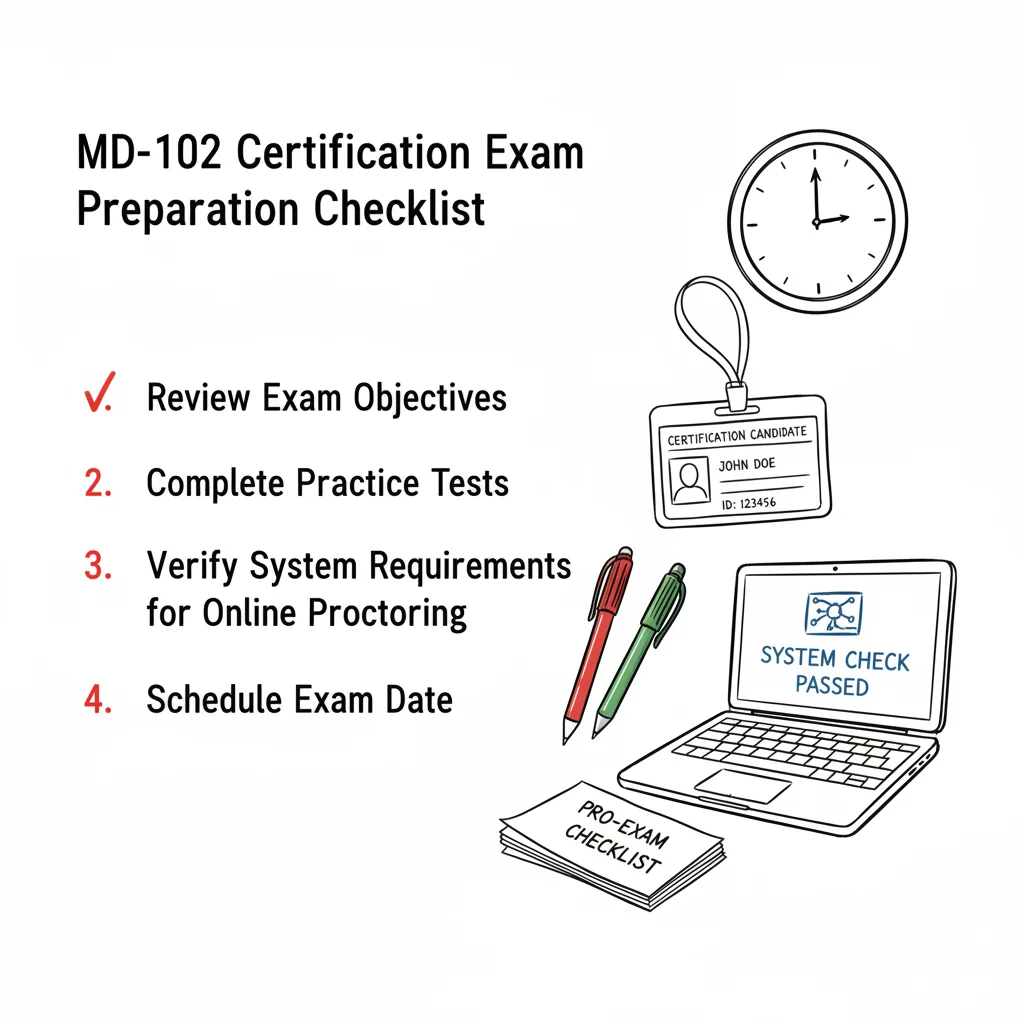 A thorough pre-exam checklist helps ensure a smooth and stress-free certification experience.
Approaching your MD-102 certification exam with confidence requires more than just knowing the technical material. You must organize every logistical detail so you can focus entirely on the questions without worrying about unexpected distractions. You want to avoid any technical surprises that could break your concentration. Think of your exam day with the same discipline a pilot uses for a pre-flight check. You would not take off without a flight plan. For this certification, understanding the rules, the timing, and the specific format is just as important as having the technical skills to manage devices. Preparing for these logistics early reduces stress and helps you perform at your best when it matters most.
Knowing When You Are Truly Ready
"Am I ready?" This is the most common question candidates ask. The most objective answer comes from your performance on practice exams, but scoring high once is not enough. You need to show that you can perform reliably across several different tests. Consistency is the real indicator of success.
Aim to score 85% or higher on several distinct, high-quality practice exams (verify current passing benchmarks with your training provider) before scheduling the real thing. This creates a buffer against the nerves that often come with a high-stakes exam environment. It proves that your knowledge is well above the minimum passing mark. True readiness also means you can explain exactly why a correct answer is right and why the other options are wrong. If you can explain the reasoning behind a configuration choice, you are ready for the exam.
Reaching this benchmark repeatedly shows a firm grasp of MD-102 concepts. It indicates that you have the skills to handle any unexpected questions the actual exam might present. This level of preparation provides the certainty you need to succeed without second-guessing your choices during the session.
Deconstructing the Exam Format
The MD-102 is not a test of simple memory. With a passing score of 700 out of 1000 (verify current scoring on the Microsoft site), a time limit of about 120 minutes, and usually 40-60 questions, it is designed to see if you can do the work of an Endpoint Administrator. This structure ensures that certified IT pros have the practical skills needed for professional environments rather than just theoretical knowledge.
You will see a mix of question types that mirror real-world tasks. Knowing these formats helps you manage your time during the exam.
- Case Studies: You will get a detailed description of a company's current setup, its business goals, and its technical problems. You then answer several questions based only on the information in that case. These test your ability to apply technical knowledge to specific business needs. You cannot return to these questions once you finish the case study section, so read the facts carefully.
- Hands-on Labs (Performance-Based Questions): Some versions of the exam include live lab environments. You might have to log into a simulated Microsoft 365 tenant and perform a specific task, such as creating a configuration profile or setting up a compliance policy. This section verifies that you can actually use the software in a live scenario to solve a problem.
- Varied Question Types: Beyond multiple-choice, you will see "drag and drop" questions where you place steps in the correct order. You might see "hot area" questions where you click on a specific part of a screenshot to answer. You might also have to choose two or three correct options from a list of five. These formats check different parts of your technical understanding.
Your Pre-Exam Day Checklist
The day before your exam should be about staying calm and clear-headed. Organizing everything in advance prevents last-minute panic and keeps your focus on the task.
- Confirm Your Appointment: Verify the date and time. If you are going to a test center, check the route and parking options to avoid surprises. If you are taking the exam at home, run the system test one last time to ensure your webcam and microphone work. Make sure your internet connection is stable and that your laptop is plugged into a power source.
- Prepare Your Identification: You need a valid, government-issued photo ID. Ensure the name on the ID matches your exam registration exactly. If you use a middle name on your ID but not on your registration, contact the testing provider to fix it before the exam date. Ensure your ID has not expired. Without a matching ID, you will be turned away.
- Review the Exam Rules: Refresh your knowledge of the testing policies. Know what you can and cannot have on your desk. For home exams, this means a clean workspace with no other people in the room. A proctor will use your webcam to inspect the entire room, including the floor and the walls, before you start the session.
- Prioritize Sleep: Avoid the urge to stay up late for one last study session. A full night of rest is more valuable than two extra hours of reading. Your brain needs sleep to process information and maintain focus during a two-hour exam. Being mentally sharp is your most effective tool for passing.
- Plan Your Morning Routine: Set an alarm that gives you plenty of time to get ready without rushing. If you are traveling, leave early to account for traffic. If you are at home, log in to the portal 30 minutes early to handle the check-in process. Eat a light meal to keep your energy up, but avoid drinking so much caffeine that you feel anxious or jittery during the test.
By handling these logistical details, you keep your mind clear for the technical content. You can focus all your energy on showing that you are a qualified Microsoft 365 Endpoint Administrator.
Why the MD-102 Is a Smart Career Move in 2026
After you review the study plans and exam objectives, you might ask if the MD-102 certification is worth the time. The answer is yes. This credential does more than add a line to your resume. It acts as a clear signal to employers that you have the skills to manage and secure devices in a cloud-focused environment. Since hybrid and remote work are now standard, organizations need people who can maintain security across many different locations.
Cybersecurity threats are rising by 25% year-over-year (verify current growth rates with the latest cybersecurity industry reports). Because of this increase, businesses are looking for IT staff who can use Microsoft Intune, BitLocker, Conditional Access, and Microsoft Defender for Endpoint. This certification shows that you can use these tools to protect an organization. Industry reports and testimonials from IT leaders often mention that this specific credential gives job seekers a distinct advantage in the hiring process.
Maximizing Your Career Potential
The IT field is full of generalists. Earning the MD-102 helps you stand out as a specialist. It shows hiring managers that you understand endpoint management concepts and are ready to solve real problems on your first day. This practical edge can lead to better job offers and gives you a stronger position during salary discussions. You transition from someone who fixes broken laptops to an expert who builds secure and functional device systems.
Having this proactive skill set makes you a strong candidate for several high-demand positions:
- Endpoint Administrator: The professional who handles the daily management of device policies, application deployments, and user profiles.
- Intune Specialist: A role for those who want to focus on building and managing an organization’s device infrastructure using the Microsoft Intune platform.
- Modern Desktop Administrator: An administrator who focuses on deploying, securing, and maintaining Windows operating systems along with the cloud services that support them.
- Mobility Solutions Consultant: An expert who designs strategies to manage diverse mobile device fleets, which is especially important for organizations using BYOD (Bring Your Own Device) policies.
To see the current demand for these roles, visit the Shorepod homepage to find insights on job trends and openings.
The MD-102 certification is about what you can do in a live environment. It validates your ability to protect company data and support a flexible workforce. By ensuring the business stays secure and productive, you become an important member of any modern IT department.
The skills you learn while preparing for the MD-102 also pair well with other cloud certifications. Many people who manage endpoints also work with Azure services. This makes the AZ-104 certification a natural next step for your career. Our AZ-104 study guide can help you plan that path when you want to grow your cloud administration skills.
With your skills proven and a clear career path ahead, now is the time to start. Begin your preparation with a clear plan and move toward the next stage of your professional life.
Your MD-102 Questions, Answered
Questions often arise when you prepare for a professional certification. This section addresses the most frequent inquiries about the MD-102 to help you organize your study plan effectively. Clear answers provide the foundation for a solid preparation strategy.
Are There Any Official Prerequisites?
No formal prerequisite certifications or exams exist for the MD-102 according to Microsoft. You can register for the test without holding any prior titles or passing preliminary exams.
While not mandatory, practical experience is vital for success. You will find the exam much easier if you understand Microsoft 365 workloads and have used Microsoft Entra ID. Hands-on skills in deploying, configuring, and managing various devices—including Windows, iOS, and Android—help you pass with confidence. If you lack direct experience in these specific areas, use a lab environment to practice tasks like policy enforcement and device enrollment before your test date.
How Long Does the Certification Last?
The Microsoft 365 Certified: Endpoint Administrator Associate certification remains valid for one year after you pass the exam. Microsoft uses this annual expiration to verify that your skills remain current as software updates and cloud services change. This cycle ensures that certified professionals keep pace with technological shifts.
To keep your status active, you must complete a free renewal assessment on Microsoft Learn. You can take this assessment before your current certificate expires. It is shorter than the original exam and emphasizes new features or recent changes to the MD-102 objectives. This process ensures your credentials stay relevant without requiring a full re-examination every year.
Reflection Prompt: Compare Microsoft’s annual renewal to certifications from CompTIA or AWS. Does a shorter, free renewal process provide more value than a three-year cycle that requires continuing education credits or high fees? Consider the benefits for active IT professionals.
What's the Difference Between the Old MD-100/101 Exams and the New MD-102?
The MD-102 replaced the previous two-exam requirement consisting of MD-100 (Windows Client) and MD-101 (Managing Modern Desktops). Microsoft combined the core skills from both tests into this single, updated exam to make the certification process more efficient for administrators. This transition simplifies the process for candidates, requiring only one exam fee and one preparation period.
The primary change is the focus on cloud-based management. The MD-102 emphasizes tools like Microsoft Intune, Windows Autopilot, and Microsoft Defender for Endpoint. This single-exam approach reflects how IT departments manage devices today. It focuses on automation and remote management rather than traditional on-premises methods, providing a direct route to validate modern skills.
Are you ready to move forward? MindMesh Academy provides structured study materials and expert content to help you master the MD-102 objectives. Use our adaptive tools to prepare and pass with confidence. Start your training with MindMesh Academy today.

Written by
Alvin Varughese
Founder, MindMesh Academy
Alvin Varughese is the founder of MindMesh Academy and an enterprise architecture leader. An electrical engineer by training, he moved from factory automation in South Africa to cloud architecture at GE Appliances and Humana (Fortune 50), and holds 20 professional certifications including AWS Solutions Architect Professional, Azure DevOps Engineer Expert, and Microsoft Agentic AI Business Solutions Architect. He built MindMesh Academy after interviewing too many highly certified candidates who couldn't answer basic questions: the goal is prep that makes you better at the job, not just able to pass the exam.