Your Ultimate CompTIA A Plus Study Guide for 2026
Your Ultimate CompTIA A+ Study Guide for 2026: A MindMesh Academy Blueprint
Start here to build a strong IT foundation. This CompTIA A+ guide outlines how to move from your first study session to passing your certification exams with confidence. We explain every core concept step-by-step. By following this plan, you will build practical, job-ready skills. Clear instruction prepares you for technical roles and ensures you master the knowledge required to succeed on the current exam.
Your Blueprint for A+ Certification Success
Choosing to pursue the CompTIA A+ certification is a practical decision that can help you enter the technology field. The A+ is more than a simple test; it is a credential that confirms you can handle the specific, physical, and digital tasks that IT support workers face every day. It shows you have the skill to manage hardware, software, networking, and security. This certification proves you are ready to solve technical problems in real time.
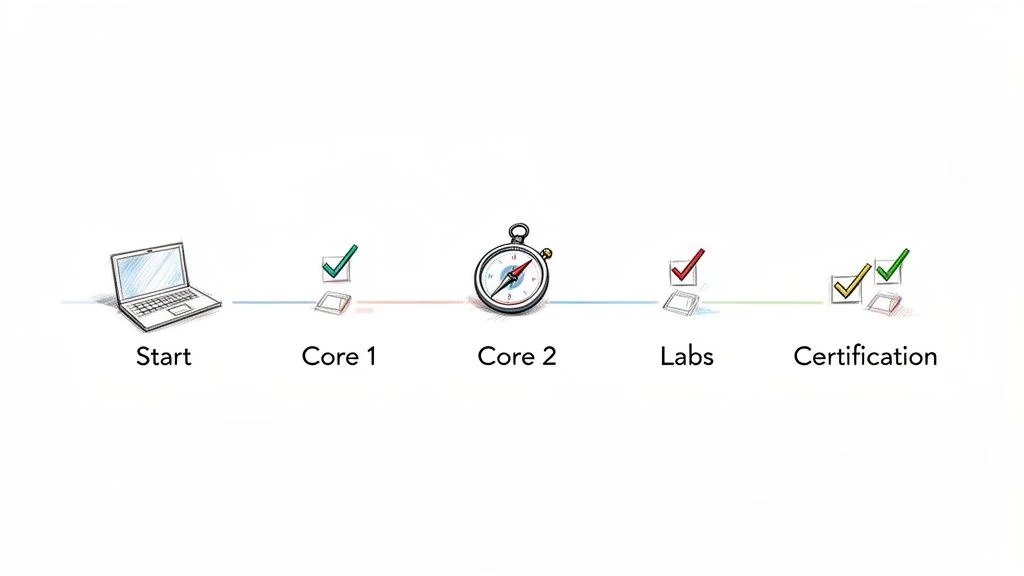
Our guide breaks the exam requirements into small, manageable units. We want to provide a clear path for your training. By following this structure, you can replace any initial confusion with technical confidence. We will walk you through the material so you feel prepared when you sit for the exams.
Why the A+ Certification Matters in Today's IT Landscape
In a crowded hiring market, this certification helps your resume stand out. It shows employers that you are serious about your career and have built a technical base. Having this credential often helps you get interviews for roles like IT Support Specialist, Help Desk Technician, and Field Service Technician. These are the entry-level positions that lead to long-term success in the industry.
The data confirms the value of this credential. Certified professionals can expect an average annual salary between $57,890 and $76,000 in 2026 (verify current pricing and salary data on the vendor site or through labor statistics). Currently, there are more than 43,000 annual job listings that specifically ask for the A+ certification (verify current job posting statistics on official employment boards). To understand your future career options, you should look into the specific roles available to certified workers.
To help you understand the process, we have summarized the two exams you need to pass.
CompTIA A+ Certification at a Glance (Core 1 & Core 2)
| Exam Feature | Core 1 (220-1201) | Core 2 (220-1202) |
|---|---|---|
| Main Focus | Hardware components, mobile devices, networking, and cloud computing fundamentals. | Operating systems, software troubleshooting, security, and operational procedures. |
| Passing Score | 675 (on a scale of 100-900) | 700 (on a scale of 100-900) |
| Number of Questions | Maximum of 90 questions | Maximum of 90 questions |
| Question Types | Multiple-choice and performance-based questions (PBQs) | Multiple-choice and performance-based questions (PBQs) |
The table shows that the exams cover different but related topics. Core 1 focuses on physical components and mobile tech, while Core 2 covers software and procedures. Together, they give you the balanced skill set that modern employers want to see in new hires.
Navigating This Study Guide for Maximum Impact
We organized this guide to help you learn facts and apply them. You will not find simple lists to memorize here. Instead, you get a system that includes:
- A Clear Domain Breakdown: We explain the official CompTIA syllabus in plain language. We connect these technical concepts to the tasks you will perform on Windows, macOS, and Linux. We also cover how these ideas apply to cloud platforms like AWS or Azure.
- An Actionable Study Plan: You will get a week-by-week schedule. This plan balances your reading time with hands-on labs and practice tests to ensure you are actually improving your skills.
- Effective Learning Techniques: We use science-backed methods to help you retain what you read. This includes spaced repetition and active recall. Using practice labs is a major part of this process because it builds muscle memory for technical tasks.
- A Winning Test-Day Strategy: You will learn how to manage your time during the test. This helps you handle performance-based questions (PBQs) and multiple-choice items with a calm mind.
Passing the test is the first step, but the real goal is performing the work effectively on your first day in an IT department. Let's begin the preparation process.
Getting to Grips with the CompTIA A+ Exam Objectives
To master the CompTIA A+ exams, you must move beyond simple memorization. You need to develop the mindset of a professional IT technician. The official exam objectives are not just a list of topics to check off. They act as a practical guide for the troubleshooting and technical skills you will use every day in your career.
This section of our CompTIA A+ study guide explains the meaning behind the official syllabus. We will look at what you need to study and why these domains matter for your start in the IT field. The certification is split into Core 1 and Core 2. Each exam covers different parts of the IT foundation that work together in a real office environment.
Core 1 (220-1201): Becoming a Digital Detective
The Core 1 exam serves as your training ground for hardware and networking. Your main goal is to understand how the physical and logical parts of a computer system work together. You will learn how they communicate and how to fix them when they stop working.
You will learn to follow technical clues. These signs might come from a smartphone log, a network traffic analysis, or a strange noise coming from a computer case. A technician uses these indicators to find and fix the source of a problem. This logic applies to many areas of technology, such as fixing a local office network or managing virtual servers in a cloud environment like AWS.
The primary domains you will master in Core 1 include:
- Mobile Devices (15%): This area focuses on the hardware and connectivity of laptops, smartphones, and tablets. You must learn to replace components like SODIMM RAM and displays. It also involves configuring wireless settings and understanding the differences between mobile operating systems and hardware accessories.
- Networking (20%): You will gain skills in how devices communicate. This covers physical items like Cat6 and fiber optic cables, as well as wireless standards. You must also understand the protocols that run the internet, such as TCP/IP, DNS, and DHCP. These skills are used for tasks ranging from basic help desk support to managing network security in Azure.
- Hardware (25%): Technicians must identify, install, and configure internal components. This includes motherboards, CPUs, and cooling systems. You will learn about storage technologies like NVMe and SATA SSDs. Understanding different types of RAM and power supply ratings is also a key requirement for this domain.
- Virtualization and Cloud Computing (11%): Modern businesses rely on shared resources. This section introduces virtual machines and how they run on hypervisors. You will learn the definitions of cloud models, such as Infrastructure as a Service (IaaS), Platform as a Service (PaaS), and Software as a Service (SaaS). This knowledge helps when working with cloud platforms.
- Hardware and Network Troubleshooting (29%): This is the largest domain in Core 1. It tests your ability to use a systematic process to solve hardware and network issues. You will be asked to diagnose failing drives, printer errors, and connectivity problems using a logical six-step method.
The current exam focuses on the physical infrastructure of IT. For example, knowing network protocols is more than just theory. It is the language that allows a new IP camera to connect to a network. It also allows an application server in a data center to communicate with a database server.
The value of Core 1 lies in its ability to help you see the entire IT environment. You develop the skill to solve problems by looking beyond the monitor. You might find a damaged cable in a server rack or an incorrect setting on a mobile device. This perspective is a trait of effective IT professionals. It follows the systematic approach used in frameworks like ITIL for managing technical incidents.
Hardware troubleshooting is a major part of this exam. You must know how to find and fix failing parts. For instance, learning how to diagnose a failing hard drive is a practical skill assessed by the A+ objectives. This prepares you for data recovery tasks in the workplace.
Reflection Prompt: Imagine a user says their internet is not working. How would you use your knowledge of networking and hardware to check the physical cables and verify the IP address settings?
Core 2 (220-1202): Stepping Up as a System Guardian
While Core 1 covers hardware, Core 2 focuses on being a system guardian. This part of the CompTIA A+ certification deals with the software that runs the hardware. It also covers the security practices needed to keep data safe. You will learn how to protect an operating system, remove malware, and fix software errors that confuse users.
The domains for Core 2 change the focus to administrative and security tasks:
- Operating Systems (31%): You will master the installation and maintenance of Windows, macOS, and Linux. This includes using the command line to manage files and user accounts. These skills are necessary for roles that involve system administration or advanced technical support.
- Security (25%): IT staff must protect systems from threats. You will learn to find weaknesses and stop malware, network attacks, and social engineering. This domain provides the foundation needed for more advanced security certifications like CompTIA Security+.
- Software Troubleshooting (22%): This domain tests your ability to fix application errors and operating system freezes. You will learn to use tools like the Task Manager and Event Viewer to see why a program is crashing. It also covers resolving mobile app issues and OS boot failures.
- Operational Procedures (22%): Professional IT work requires following best practices. This includes workplace safety, handling equipment properly, and keeping good documentation. You will also learn how to communicate clearly with users and follow change management rules, which relate to IT service management principles.
This exam looks at the user experience and the back-end of IT systems. You will not just install an operating system. You will learn how to make it secure and fast for a business. You will use command-line tools, manage permissions, and set up security policies to protect company information.
To earn your certification, you must pass both the Core 1 and Core 2 exams. Reviewing the weighting of these domains can help you decide where to spend more time during your study sessions.
CompTIA A+ Core 1 vs Core 2 Domain Focus
| Exam Domain | Core 1 Weighting | Core 2 Weighting |
|---|---|---|
| Mobile Devices | 15% | — |
| Networking | 20% | — |
| Hardware | 25% | — |
| Virtualization and Cloud Computing | 11% | — |
| Hardware and Network Troubleshooting | 29% | — |
| Operating Systems | — | 31% |
| Security | — | 25% |
| Software Troubleshooting | — | 22% |
| Operational Procedures | — | 22% |
Core 1 focuses on physical parts and how they connect. Core 2 focuses on software, security, and the professional rules of the IT workplace.
Each exam has up to 90 questions that you must finish in 90 minutes. The exams include Performance-Based Questions (PBQs). These are hands-on simulations of tasks you would do on the job. The passing score for Core 1 is 675 (on a scale of 100-900). The passing score for Core 2 is 700. This structure ensures you have the skills needed for the more than 43,000 A+-specific job roles (verify current labor statistics on industry sites) that are available every year. Employers look for these practical skills when hiring for help desk and technician positions.
When you finish your study, you will understand the exam topics and how to use them to solve problems. This practical knowledge is why the A+ is respected in the industry. It is the primary focus of our CompTIA A+ Core 1 study material. We want to help you learn skills that last throughout your career, not just until the day of the test.
Building Your Proven 8-Week A+ Study Plan
Any large goal can feel heavy until you break it down into smaller parts. That is exactly what an effective study plan does. It takes the massive list of A+ topics and turns them into a series of weekly tasks. This section provides an 8-week schedule that respects your time and helps you avoid burning out.
Treat this plan as a flexible map for your preparation. Each week is a specific mission where you learn one piece of the tech world at a time. This schedule suggests finishing the Core 1 exam before you start studying for the Core 2 exam. Focusing on one set of objectives at a time makes the information easier to digest and remember.
This timeline shows a clear path through the certification process. By mastering hardware and networking in Core 1 first, you create a base for the software and security topics found in Core 2. This method is a reliable way to stay organized and reach your goal.
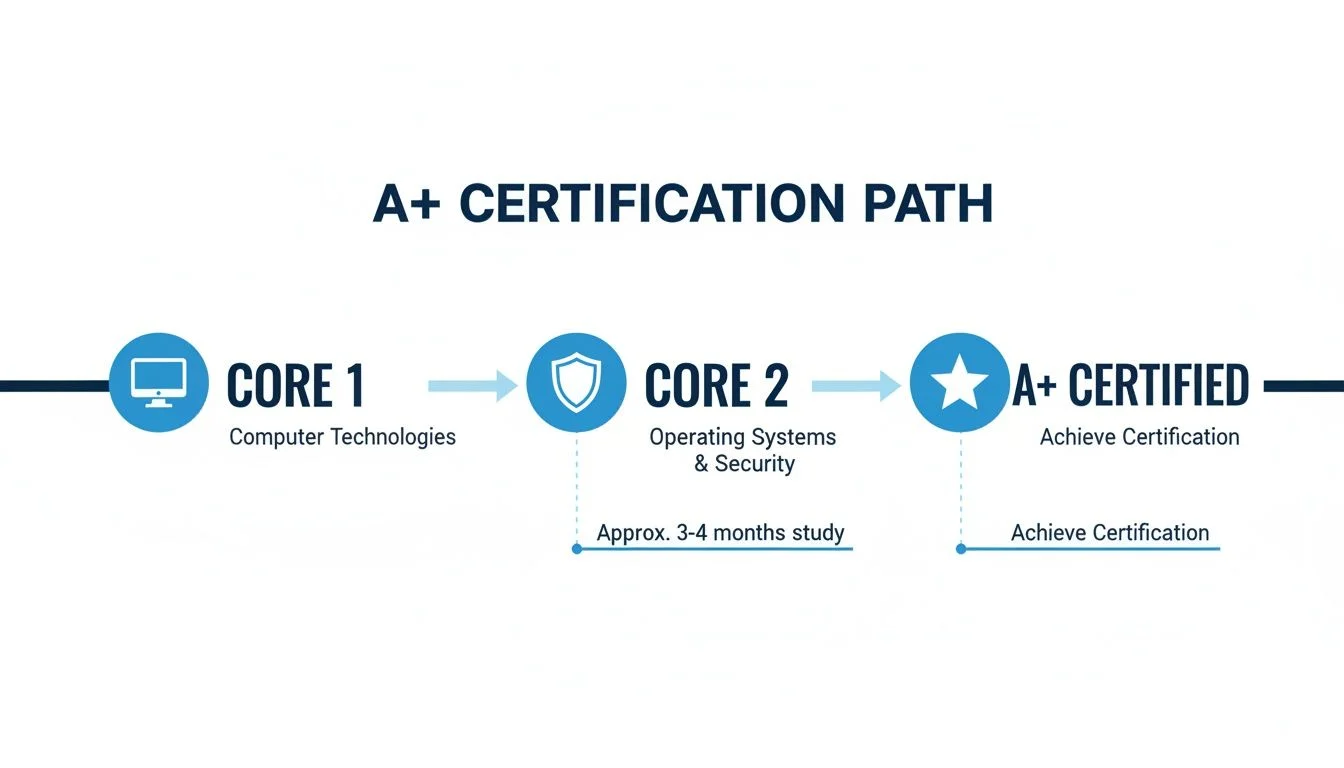
This step-by-step process keeps you focused. Finishing one exam before starting the next makes the whole certification feel less like a mountain and more like a set of stairs.
Weeks 1-4: The Core 1 Deep Dive
The first month of your schedule focuses on the 220-1201 exam. This part covers the physical side of IT. You will study hardware you can hold, the cables you plug in, and the mobile devices people use every day. Knowing these parts is vital for any technician. This knowledge serves as the base for everything you will learn later in the Core 2 modules.
-
Week 1: Hardware Fundamentals (CPU, RAM, Motherboard, Storage) Your first goal is to learn the components inside a computer case. Study how the motherboard acts as the main circuit board and connects every other part. Learn about different CPU sockets and how the processor handles data. You need to know the types of RAM, such as DDR4 and DDR5, and why speed matters for performance. Examine storage devices including mechanical hard drives and modern NVMe SSDs. Learn about power supply ratings and how to choose the right wattage for a specific build. Use flashcards to memorize terms for BIOS and UEFI settings. Knowing form factors like ATX and ITX is also required for the current exam. If you have an old computer, take it apart to see these parts in person.
- Tip: If you have an old PC lying around, try disassembling and reassembling it. This hands-on experience is gold!
-
Week 2: Networking and Connectivity (OSI Model, TCP/IP, Wi-Fi) This week covers how devices talk to each other. Study the OSI model and its seven layers to understand how data moves across a network. Learn about the TCP/IP suite and common protocols like DHCP, DNS, and FTP. You should understand the differences between a local area network and a wide area network. Study Wi-Fi standards like 802.11ac and Wi-Fi 6 (802.11ax). Go beyond reading by looking at your own router settings. Use the command prompt to run the
ipconfigtool on a Windows PC. Understanding how to check an IP address and a default gateway is a practical skill you will use daily in IT.- Reflection Prompt: How does understanding the seven layers of the OSI model simplify troubleshooting a network connection issue?
-
Week 3: Mobile Devices and Cloud Basics (Laptops, Smartphones, IaaS/PaaS/SaaS) Laptops and mobile devices have unique hardware that requires special care. You need to know how to replace components like screens, keyboards, and internal wireless cards. Study the differences between various display types such as LED and OLED. This week also covers virtualization and cloud services. You should be able to explain the difference between IaaS, PaaS, and SaaS. Virtualization allows one physical machine to act like several separate computers. This is a primary technology for modern data centers. Try setting up a virtual machine on your computer to see it in action.
- Tip: Explore the free tier of a cloud provider like AWS or Azure to create a simple virtual machine.
-
Week 4: Troubleshooting and Review (Methodologies, Practice Exams) The last week of Core 1 is for applying what you have learned. You must learn the official CompTIA 6-step troubleshooting process. This starts with identifying the problem and ends with documenting the solution. Apply this logic to hardware and network issues. Practice finding why a computer won't boot or why a printer isn't showing up on the network. This is the right time to take a CompTIA A+ Core 1 practice exam. Use the results to find your weak spots. If you struggle with networking, go back and review those specific lessons before you head to the testing center.
- Key Takeaway: Consistent practice with diverse scenarios is what builds true diagnostic prowess.
By the end of week four, you should feel ready to schedule and pass the Core 1 exam. Following this path will help you stay focused and avoid feeling overwhelmed by the amount of information.
Think of your study plan as building a house. Weeks 1-4 are for laying a strong foundation with Core 1. You would not start putting up walls and windows for Core 2 until that foundation is solid and stable.
Weeks 5-8: Conquering Core 2
Once you pass the 220-1201 exam, switch your focus to the 220-1202 exam. If Core 1 was about the body of the computer, Core 2 is about the brain. This exam focuses on operating systems, software security, and operational procedures. You will learn how to manage systems and help users solve software-related problems. This part of the study plan prepares you to maintain a secure and efficient work environment.
-
Week 5: Operating Systems (Windows, macOS, Linux, Mobile OS) You need to know how to install and manage major operating systems. Focus on Windows versions 10 and 11, but do not ignore macOS or Linux. Learn how to use administrative tools like Disk Management and Task Manager. Command-line skills are very important for this exam. Practice using
cmdand PowerShell on Windows and basic terminal commands on Linux. You should know how to change user permissions and manage system updates. Use virtualization software like VirtualBox to install different operating systems. This lets you practice without changing your main computer.- Tip: Utilize virtualization software (VirtualBox, VMware Workstation Player) to install and experiment with different operating systems without affecting your main machine.
-
Week 6: Security Principles (Malware, Network Security, Social Engineering) This week is about protecting systems from threats. You will learn about different types of malware, such as ransomware and trojans. Study how to use firewalls and antivirus software to defend a network. Physical security is also on the exam, so learn about badge readers and biometrics. Social engineering is a significant threat where attackers trick people into giving away passwords. You need to know how to spot phishing and other common scams. Understanding how to set up strong passwords and use multi-factor authentication (MFA) is critical for passing this section.
- Reflection Prompt: How do A+ security concepts about user permissions and strong passwords relate to principles of least privilege found in certifications like AWS Certified Solutions Architect?
-
Week 7: Software Troubleshooting (Application Errors, OS Issues, Mobile Glitches) This week you will practice solving software problems. You might need to fix a computer that is running slowly or an app that won't open. Learn how to use the Windows Event Viewer to see what caused a system crash. Study common mobile issues like apps that use too much battery or screens that stop responding. Use practice labs to work through different scenarios. The goal is to build your ability to think through a problem logically. Troubleshooting software requires you to look at logs and check for recent updates or configuration changes to find the root cause.
- Key Takeaway: Understanding how to interpret error messages and utilize system logs (e.g., Windows Event Viewer) is crucial for efficient troubleshooting.
-
Week 8: Operational Procedures and Final Review (Documentation, Communication, Safety) The final week covers the professional side of IT. You will learn how to document your work so others can follow what you did. Professional communication is another key topic. You need to know how to talk to customers without using technical jargon. Workplace safety is also important. Learn about electrical safety and how to handle equipment to avoid static discharge. Spend the rest of the week taking full-length practice exams for Core 2. This helps you get used to the timing of the real test. Review any areas where your scores are low to ensure you are ready for the actual exam day.
- Tip: Practice articulating troubleshooting steps out loud – this improves recall and prepares you for communicating with users.
This 8-week plan is balanced and fair. It gives you four weeks for each exam, which is enough time to learn and practice. If you are working a full-time job, try to set aside 10-15 hours per week for study. This pace makes the A+ certification a goal you can reach with confidence. Following this schedule will provide the technical knowledge you need to be well-prepared for your new career in IT.
Don't Just Read—Do: Mastering A+ Concepts with Active Learning
To pass the CompTIA A+ exams, you have to move past the habit of reading textbooks and highlighting text. Passive learning—where you simply ingest information without applying it—rarely builds the technical skill needed for the certification or a career in IT. To develop actual expertise, you must interact with the material through active learning. This means working directly with the technology you are studying.
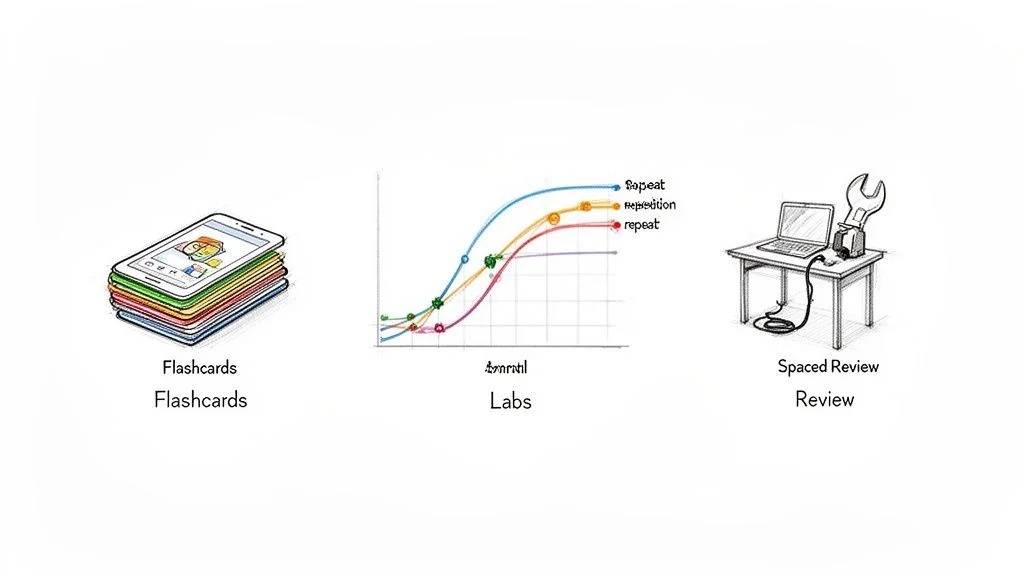
You can read dozens of cookbooks and memorize every ingredient, but you only become a cook by entering the kitchen. Active learning is your "kitchen time" for the A+ certification. It turns abstract ideas into skills you can use on the job. Without this physical or virtual practice, the concepts often remain theoretical and difficult to recall during a timed exam.
Lock in Knowledge with Spaced Repetition
One effective way to ensure you retain technical data is spaced repetition. This method fights the forgetting curve, which is the way our brains lose data over time if we do not use it. Instead of looking at a concept once and moving on, you review it at specific intervals. This tells your brain the information is important, moving it from short-term memory to a more lasting long-term memory.
Digital flashcards, using tools like Anki or Quizlet, are excellent for this. But try to create cards that go beyond simple definitions. Challenge yourself with these formats:
- Formulate them as questions: Instead of a card simply saying "RAID 5," try: "Which RAID level uses striping with distributed parity and requires at least three physical disks?"
- Incorporate real-world scenarios: Describe a common user problem on the front, like "User cannot connect to the internet after a lightning storm." On the back, list the first troubleshooting step, such as checking the physical connection or the NIC status lights.
- Test your command-line proficiency: Put a specific task on the front, such as "Show all active network connections and listening ports." On the back, list the command:
netstat -anor the PowerShell equivalentGet-NetTCPConnection.
This process of forcing your brain to recall an answer solidifies the information. To see how this fits with other ways of learning, see our guide on the best study methods for exams.
Get Your Hands Dirty with Practical Labs
You cannot learn to fix a computer just by reading about it. Labs are a required part of A+ prep. They connect the theory you read to the physical or virtual tasks you will perform. This is how you prepare for Performance-Based Questions (PBQs), which ask you to solve problems in a simulated environment rather than just picking an answer from a list.
You do not need a high-end server to start. A spare laptop or a desktop with enough RAM to run a virtual machine is all you need. Use free software like Oracle VirtualBox or VMware Workstation Player to run different operating systems like Windows 10, Windows 11, or various Linux distributions directly on your current machine.
A home lab is a safe place to experiment. It is a secure environment where you can intentionally break configurations and learn how to fix them without any real-world risk. Installing an operating system, precisely partitioning a hard drive, or setting up a local network provides experience that no book can match. This practical experience is vital for understanding A+ and prepares you for working with cloud resources like AWS EC2 instances or Azure VMs.
As you advance, connecting what you read to actual tasks becomes vital. For instance, knowing how to recover deleted files from a computer is more than just a useful skill; it sharpens your troubleshooting logic for the types of problems you will see every day in an entry-level IT role.
Use Practice Questions as a Diagnostic Tool
Practice exams do more than test your knowledge. They are diagnostic tools to find your weak spots. Don't just look for a passing score; look for the reason behind every wrong answer. Every mistake is a signal showing you exactly what you need to study next. If you get a question wrong, don't just memorize the correct answer—go back to your study materials and learn the concept again.
Here is a strategy for using practice questions:
- Take a Timed Practice Exam: Simulate the actual exam environment. This gives you a baseline score and helps you learn to manage your time. The A+ exams are timed, and feeling the clock tick is part of the challenge.
- Conduct a Thorough Review of Every Question: Look at every question, even the ones you got right. Ensure you know why the correct answer is right and why the other options are wrong. CompTIA often uses "distractors," which are answers that look correct but don't fit the specific scenario in the question.
- Identify Your Weak Domains: The A+ is broken into specific domains like Networking or Hardware. Look at your results to see where you are failing. Are you struggling with mobile security? Or is it printer troubleshooting? Your results will show you where to spend your time.
- Create Targeted Study Sessions: Use your diagnostic results to go back to your notes, flashcards, and labs. Focus your energy on the specific topics that caused you trouble during the practice test.
By using practice questions as a feedback loop, you can find and fix your weaknesses. This turns your study plan into a dynamic strategy for improvement. You will head to the testing center with more confidence because you have already faced the material in a simulated environment. Using these active methods ensures that the knowledge is part of your skill set, not just something you memorized for a day.
Navigating Exam Day with Confidence
You have spent weeks or even months preparing for this moment. Now the day has arrived. Walking into a testing center can be a source of tension, but a clear plan helps you stay sharp. This section of our CompTIA A+ study guide provides a practical strategy for managing the experience at the testing facility.
First, handle the logistics. You will book your appointment through the official Pearson VUE website. Pick a time that aligns with your natural energy levels. If you are most alert in the morning, do not schedule a 3 PM exam. Arrive at the testing facility at least 15-30 minutes before your start time. You must bring two valid forms of identification; typically, one must be a government-issued photo ID like a driver's license or passport, while the second must at least show your name and signature. Testing centers have strict rules about personal items. You will likely need to store your phone, wallet, keys, and even your water bottle in a locker. Some centers also ask you to turn out your pockets or leave your watch in the locker to ensure no outside materials enter the room.
Mastering Your Time and Questions
Once the timer starts, you are on the clock. The current exam gives you 90 minutes to address a maximum of 90 questions (verify current timing and question counts on the vendor site). This works out to roughly one minute per question. Efficiency is the only way to finish without rushing at the end.
Performance-Based Questions (PBQs) are a significant part of the test. These tasks require you to perform a specific action, like configuring a wireless router or using a command-line interface to troubleshoot a connection. They usually appear at the very beginning of the test. Because they are interactive, they can take up ten or fifteen minutes if you get stuck. A common strategy used by successful candidates is to handle them last:
- Flag the PBQs and Advance: When a PBQ appears, do not start it. Click the flag icon and move to the next question immediately.
- Conquer the Multiple-Choice Questions: Work through all the standard questions first. Many of these take only 20 or 30 seconds, allowing you to build a time buffer.
- Return to the PBQs: Once you have answered every multiple-choice item, go back to your flagged PBQs. You can now use your remaining 30 or 40 minutes on these simulations without worrying about unfinished questions.
This method keeps you from getting stuck on a difficult problem early on. If you spend too long on a simulation at the start, you might feel rushed and make simple mistakes on the easier questions later.
View the exam as a technical project. Your goal is to collect as many points as possible before the deadline. You finish the quick tasks first to build a solid score, then use your remaining resources to solve the more complex issues. This approach is similar to how you would manage tasks in a professional IT setting or while studying for other certifications like the PMP.
Decoding and Conquering Tricky Questions
CompTIA often includes distractors in their questions. These are answers that look correct but do not fit the specific scenario described. You must read every word of the prompt. Look for words in all-caps like "NOT," "MOST likely," or "BEST." These words define what the question is actually asking for. For example, a question might ask for the BEST way to secure a workstation. Three of the answers might be good security practices, but only one is the recognized industry standard for that specific situation.
If a question feels impossible, do not guess immediately. Use the process of elimination. If you can rule out two options, your chance of picking the right one goes from 25% to 50%.
Never leave a question blank. There is no penalty for an incorrect answer on the A+ exam, so a guess is always better than no answer at all. If you are unsure, pick the most likely choice, flag it, and move on. If you have five minutes left at the end, you can use the review screen to jump back to those specific questions. This strategy ensures you stay in control of the clock and give yourself the best chance to pass with confidence.
Answering Your Top CompTIA A+ Questions
Even with a thorough study guide at your disposal, specific questions about the certification process usually come up. We have answered some of the most common questions from students starting their A+ certification process to help clarify the path ahead.
How Long Should I Study for the CompTIA A+?
How long you need to study depends on your technical background and how much time you can commit to the material every week. If you are new to IT with no professional experience, plan to spend 10-15 hours (verify study hours based on your learning speed) of focused study per week. At this consistent pace, most students are ready to take both exams in about two to three months.
The 8-week study plan we provided earlier is a more intense timeline for people who can fully commit to the material. If you already have experience fixing computers as a hobby or work in a tech-adjacent field, you might be able to finish your preparation much faster. The most important factor is not the total hours spent, but sticking to a structured plan that keeps you moving forward.
Just How Hard Are the CompTIA A+ Exams?
These exams are not a simple task. CompTIA designs the A+ exams to be difficult because they must prove you have the skills to work in a real IT environment. You will face a wide range of topics, including hardware components, networking principles, security concepts, and operational procedures.
Many candidates find the Performance-Based Questions (PBQs) to be the most difficult part. These are not standard multiple-choice questions. They put you in a simulated environment and ask you to solve a specific problem, such as configuring a wireless router or troubleshooting a system error. You cannot pass these by just memorizing facts. You need hands-on practice and a high level of comfort with the exam format to pass with confidence.
The difficulty of the A+ exam is a feature, not a problem. This rigor is what gives the certification its value. It tells employers that you have practical skills rather than just theoretical knowledge. This focus on practical application is common across all professional IT certifications, including the AWS Certified Cloud Practitioner (CLF-C02) and ITIL Foundation.
Is the CompTIA A+ Still a Good Certification to Get in 2026?
Yes, it is. The CompTIA A+ remains the industry standard for anyone looking to enter the information technology field. It is the baseline certification that proves you have the skills for entry-level roles such as help desk support, field technician, and junior system administrator.
The evidence is clear: there are over 43,000 (check current job boards for updated figures) job postings that specifically list the A+ certification. Certified professionals also tend to earn higher salaries than those without the credential. Furthermore, it provides a strong base for your career. It makes it easier to pursue specialized certifications like CompTIA Network+ (N10-009), CompTIA Security+, or cloud-focused options like AWS Cloud Practitioner (CLF-C02) or Azure Fundamentals. These advanced certifications often assume you already have the core IT literacy provided by the A+.
Do I Have to Take the Core 1 and Core 2 Exams Together?
No, and most instructors suggest that you do not. You can schedule each exam separately, which is the strategy we recommend. It is more effective to focus all your energy on studying for Core 1 first.
Once you pass Core 1, your confidence will increase, and you can then focus entirely on Core 2. Treating the certification as two separate, smaller goals makes the process feel more manageable. You will officially earn your CompTIA A+ certification only after you have successfully passed both exams, but you can take them weeks or even months apart if you prefer.
Ready to turn your study plan into a career? MindMesh Academy offers the tools you need to succeed, including adaptive learning paths and dashboards that show you exactly where to improve. Focus on mastering core IT concepts to build a strong foundation for your future.
Explore our CompTIA A+ preparation tools at MindMesh Academy: A+ Core1; A+ Core2
Ready to Get Certified?
Prepare with expert-curated study materials at MindMesh Academy to pass the exam with confidence:

Written by
Alvin Varughese
Founder, MindMesh Academy
Alvin Varughese is the founder of MindMesh Academy and an enterprise architecture leader. An electrical engineer by training, he moved from factory automation in South Africa to cloud architecture at GE Appliances and Humana (Fortune 50), and holds 20 professional certifications including AWS Solutions Architect Professional, Azure DevOps Engineer Expert, and Microsoft Agentic AI Business Solutions Architect. He built MindMesh Academy after interviewing too many highly certified candidates who couldn't answer basic questions: the goal is prep that makes you better at the job, not just able to pass the exam.