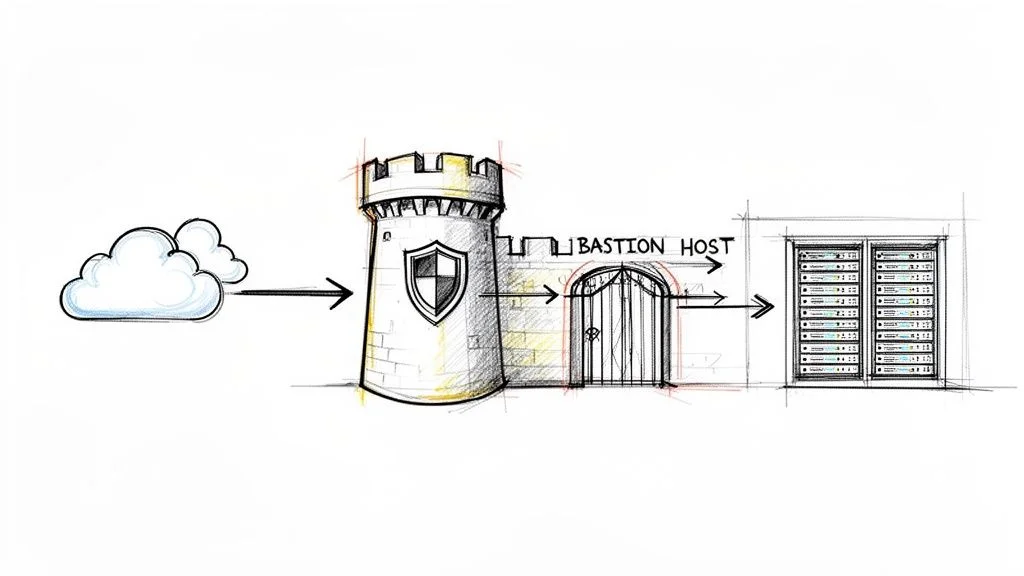
What is a Bastion Host? A Quick Guide to Secure Access
Private networks house critical assets like databases, application servers, and sensitive customer data. Leaving multiple entrances open to these resources creates high risk. Instead, organizations funnel all administrative access through a single, fortified entry point that is strictly monitored, logged, and hardened against threats. This specific configuration is known as a bastion host.
A bastion host is a specialized server purpose-built and specifically configured to withstand external attacks. It functions as a single, secure bridge for administrators who need to manage internal systems located in private network segments. This setup effectively isolates sensitive resources from direct exposure to the public internet. Security professionals studying for the AWS Certified Solutions Architect, Azure Administrator, or CompTIA Security+ certifications find that understanding bastion hosts is a requirement for designing secure network architectures. MindMesh Academy provides clear, actionable information on these topics to ensure students are well-prepared for both certification exams and practical challenges in the field. This architectural pattern remains a standard method for controlling remote access to internal environments while minimizing the attack surface.
Understanding the Bastion Host
The core concept behind a bastion host is to establish a single, hardened entry point for administrative access. Instead of exposing several internal servers to the public internet—which multiplies potential vulnerabilities—you centralize management connections through one heavily secured machine. This approach shrinks the network attack surface, which is a standard principle in cybersecurity and a frequent topic in certification exams.
By centralizing access, you reduce the number of potential entry points that a threat actor can exploit. If you manage dozens of servers, you no longer need to maintain dozens of individual sets of firewall rules for remote access. Instead, you secure one machine and close the administrative ports on the remaining servers. This creates a bottleneck that works in favor of the defender, allowing for more intense scrutiny of the traffic that does pass through the network.
Visualize a bank vault secured by one heavy, reinforced door. To reach the safety deposit boxes where your private servers and data reside, you must pass through this specific secure entrance. This single control point allows you to concentrate your strongest security measures, such as multi-factor authentication (MFA), detailed auditing, and strict access controls, exactly where they provide the most defense.
The Core Purpose of a Bastion Host
At its core, a bastion host is a tactical method for reducing the attack surface of your network. Channeling direct internet access for administrative tasks to one hardened server simplifies the overall security management process. Because there is only one entry point, the complexity of the security environment remains manageable even as the underlying infrastructure grows.
Here is a breakdown of its primary objectives:
- Controlled Administrative Access: This machine acts as the only gateway for protocols like SSH (Secure Shell for Linux and Unix systems) and RDP (Remote Desktop Protocol for Windows servers). This architecture prevents direct RDP or SSH connections from the open internet to internal application or database servers. Only the bastion host can communicate with the internal servers using these management protocols.
- Centralized Auditing and Logging: The system records every connection and command run through the bastion host in detail. This generates an essential, chronological audit trail showing exactly who accessed the system, what they did, and when they did it. Such data is vital for compliance, incident response, and forensic analysis, meeting requirements for exams like CySA+ that focus on security operations.
- Defense in Depth: The bastion host creates a strong outer layer in a multi-layered security plan. If an attacker manages to get past your initial perimeter, they still have to compromise the bastion. This delay gives security teams time to detect the threat and respond before the attacker reaches sensitive assets. It acts as a "sacrificial lamb," a hardened target designed to absorb and reveal initial attacks before they reach more sensitive areas.
Why It Is a Foundational Security Component
Hardened gateways are not a new invention. They are a proven principle used for decades to protect sensitive environments. Their use increased during the early 1990s as networks became more complex and interconnected. Professionals realized that trying to defend every inch of a wide, porous perimeter was a losing battle. The strategy moved toward creating specific, defensible points that could be easily monitored and reinforced.
By the mid-2000s, this was a standard industry practice. This transition from basic firewalls to an access-centric model remains vital today, particularly in cloud environments where the network edge is often fluid and harder to define. Reading about the history of these hosts provides context for those studying for technical certifications, as it explains why certain network designs are preferred over others.
Reflection Prompt:
- How does the concept of a bastion host align with the "principle of least privilege" or "defense in depth" strategies commonly discussed in IT security certifications like Security+ or CISSP?
To put it simply, here are the key traits that define a resilient bastion host:
Core Characteristics of a Bastion Host
| Characteristic | Description | Security Benefit |
|---|---|---|
| Public-Facing | Deliberately placed in a public subnet, it is the only server exposed to the internet for administrative access. | Isolates all other internal resources (application servers, databases) from direct public exposure, significantly reducing the attack surface. |
| Minimalist Design | Runs only the absolute essential services required for its administrative gateway function (e.g., SSH daemon, RDP service). | Eliminates unnecessary software, open ports, and services that could introduce vulnerabilities, making it harder to compromise. |
| Hardened OS | The underlying operating system is aggressively secured through custom configurations, regular patching, and specialized security tools. | Makes the bastion host itself highly resistant to common exploitation techniques and vulnerabilities. |
| Intensive Monitoring | Subject to continuous logging, auditing, and real-time alerts for any suspicious activity or configuration changes. | Provides immediate detection of potential breaches or unauthorized access attempts at the network's critical entry point. |
| Proxy/Gateway Role | It does not store sensitive data or run applications; its sole purpose is to broker secure connections to internal servers. | Limits the impact of a potential compromise, as an attacker gaining access to the bastion finds no valuable data or persistent foothold. |
These characteristics work in concert to establish a strong security checkpoint for your entire infrastructure. This specific design pattern is frequently tested in cloud certification exams, making it a critical concept for any security professional to master.
How a Bastion Host Works in Your Network
To understand how a bastion host functions, you must look at its specific location within a network architecture. Cloud environments like AWS VPC, Azure VNet, or Google Cloud VPC use segmentation to divide resources into different security zones. Your most sensitive data—including private databases, internal API servers, and application backends—is kept inside a private subnet. This subnet is configured so that it cannot be reached directly from the public internet.
A bastion host sits in a public subnet. This area acts as a buffer zone, or a "Demilitarized Zone" (DMZ), between the external internet and your restricted internal network. This placement is the core of its security design. The host functions as a controlled gateway and remains the only authorized path for administrators to move from the outside world into private zones. It directs all management traffic, such as SSH for Linux or RDP for Windows, through one single point that you can monitor and log. No other machine in your private network needs to be exposed to the internet, which reduces the number of potential targets for an attacker.
The Art of Hardening
A bastion host is not just a standard server with a public IP address. It is a system that has undergone a process called hardening. This process follows the principle of least functionality. If a service or application does not help the host perform its role as a gateway, you remove it. Think of it like a race car stripped of its seats, radio, and air conditioning to maximize performance and safety.
When you harden a bastion host, you are shrinking its attack surface. You want to close every possible door that a hacker could use to gain entry. The fewer services running on the machine, the fewer vulnerabilities exist for someone to exploit.
The following diagram shows the three main ideas behind a bastion host: it acts as a gateway, it exists in a hardened state, and it provides a way to audit every action.
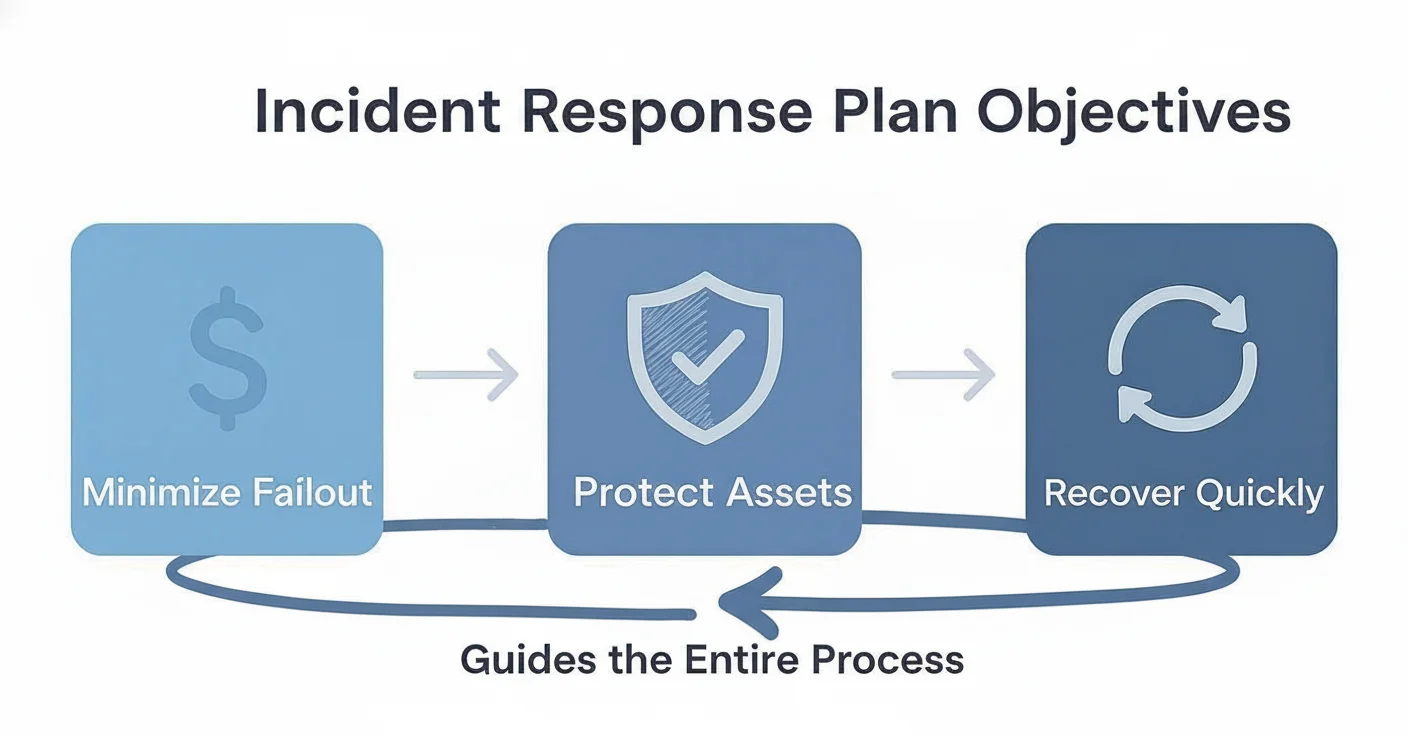
As shown in the image, the primary role of the host is to provide a fortified, logged entry point for all administrative work.
Hardening is not a task you finish and forget. It is a disciplined, repeating process. Standard steps for securing the host include:
- Minimal Software Installation: The host should only run the software required for it to function. If you use it for SSH access, only the SSH daemon (SSHd) should be active. You should not install web servers, email clients, compilers, or any other tools that are not required for the gateway service.
- Strict Firewall Rules: You must configure the operating system firewall, such as
iptablesornftableson Linux, and cloud-level security groups. These rules should block all inbound traffic by default. Only open the specific ports needed for management, like TCP port 22 for SSH or TCP port 3389 for RDP. You should also restrict access so only specific source IP addresses from your office or VPN can connect to the bastion. - Disabled Non-Essential Services: Any background service that is not part of the core gateway function must be turned off. This includes legacy protocols like FTP or Telnet, and services like local print spoolers or database engines. On Linux systems, administrators often remove the graphical user interface (GUI) entirely to reduce the code base and potential bugs.
- Aggressive Patch Management: You must keep the operating system and the SSH/RDP services updated with the latest security patches. Because this machine is public-facing, it will be scanned by automated bots constantly. Using automated patching tools ensures you close known vulnerabilities as soon as a fix is released.
- Secure Configuration: Enforce the use of SSH key-based authentication and disable password logins entirely. You should also disable root logins over the network and set strict permissions on system files to prevent unauthorized changes.
By running only essential services, a properly hardened bastion host can reduce its potential attack surface by as much as 70-75% compared to a general-purpose server. It stops being a flexible machine and becomes a dedicated security appliance.
A Look at the Connection Flow
Administrators use this gateway through a two-step process called a "jump-host" connection. This method ensures that your local computer never talks directly to the internal servers.
- Initial Connection: The administrator connects from their local workstation to the public IP address of the bastion host. This connection is protected by an SSH key pair or RDP credentials, and usually requires a multi-factor authentication (MFA) code.
- Internal Jump: Once authenticated on the bastion host, the administrator starts a second connection to the target server in the private subnet. From the perspective of that private server, the request is coming from the bastion host's internal IP address, which is a trusted source.
This two-hop method is a standard part of cloud network security in AWS Virtual Private Clouds (VPCs), Azure Virtual Networks (VNets), and Google Cloud VPCs. If you are studying for a cloud certification, you must understand how these virtual networks and access patterns work. You can find more information on advanced VPC concepts for AWS to help you prepare for your exams and pass with confidence.
Reflection Prompt:
- If an attacker managed to compromise an administrator's local machine, how does the two-hop bastion host connection flow still provide a layer of protection for your private servers?
This configuration ensures that external machines do not touch sensitive internal infrastructure. The bastion host stands as a gatekeeper that inspects and logs every administrative action that moves through it.
Comparing Bastion Hosts with Other Access Methods
Network security involves various terms that often overlap. Bastion hosts, jump boxes, and VPNs all provide ways to access remote infrastructure, but they function differently and serve specific purposes. You can view these as specific tools in a toolkit. You would not use a hammer when a screwdriver is the right choice. Understanding these differences helps when designing a network or studying for technical certifications where these distinctions are tested.
Let's look at how these methods differ.
Bastion Host Versus VPN
People often confuse these two because both offer secure remote entry. However, the scope of access they provide is very different.
A Virtual Private Network (VPN) creates an encrypted tunnel between a remote device and a private network. When an administrator connects via VPN, their computer receives an internal IP address. The computer acts as if it is plugged directly into the office or data center switch. This grants broad, network-level access. Once the tunnel is open, the user can often reach any resource allowed by the firewall. This is useful for staff who need to access internal files, email servers, or intranets. It relies on a model where the device is trusted once the connection is made. If an attacker compromises a laptop that has an active VPN connection, they might gain access to the entire internal network. This broad access is why companies are moving toward more restrictive models. For a deeper look at this technology, you can read about Virtual Private Networks (VPNs).
A bastion host takes a different approach. It does not give the user a full seat on the network. Instead, it provides session-level access. This means the user connects to the bastion host first, usually via SSH or RDP. From there, they start a second session to reach the target server. The bastion host acts as a single point of entry that handles the authentication and logging for that specific session. It is designed for specific administrative work. You use it to fix a database or update a web server configuration, not to browse the internal company website. This restricts the user to a specific task and creates a clear audit trail of what was done on the target server.
The Nuance Between a Bastion Host and a Jump Box
The terms "bastion host" and "jump box" (or jump server) are frequently swapped in conversation. Using them interchangeably is common, but technically inaccurate. This distinction is vital for security auditing and compliance.
A jump box is an intermediate server that stands between two security zones. An admin connects to the jump box and then "jumps" to a server in a more secure zone. This provides a layer of separation, but a basic jump box might be a standard Linux or Windows server with default settings. It serves as a middleman for the sake of connectivity or organization. In many cases, a jump box is just a virtual machine sitting in a public subnet that has access to a private subnet.
A true bastion host is a jump box that has undergone rigorous hardening. Hardening involves making the server as difficult to compromise as possible. This process includes using a minimal version of the operating system to reduce the number of installed files. It means disabling every protocol and service that is not required for the host to function. Security teams apply strict firewall rules to the host, allowing traffic only from specific source IPs. They also implement detailed monitoring to record every keystroke or command executed. A bastion host is a specialized security tool, whereas a jump box is often just a convenient waypoint.
Standard vehicles provide transportation, while armored vehicles offer protection against specific threats. A jump box functions like a standard vehicle, whereas a bastion host acts as the armored version.
If a team uses a simple jump box but calls it a bastion host, they might have a false sense of safety. Without the hardening process, that server remains a target that could allow an attacker to move deeper into the network. True hardening requires constant updates and monitoring, ensuring that the host itself does not become the weakest link in the chain.
Bastion Host Versus NAT Gateway
In cloud environments, people sometimes mix up bastion hosts and NAT Gateways. They both sit on the edge of a private network, but they handle traffic in opposite directions.
A bastion host manages inbound traffic. It exists so that humans can get into the private network from the outside. It is the gate that administrators use to manage their servers safely. You connect to it when you need to perform maintenance on a database that is hidden from the public internet.
A NAT Gateway (Network Address Translation) manages outbound traffic. It is used by servers in private subnets that do not have public IP addresses. These servers might need to reach the internet to download security patches, update software packages, or talk to external APIs. The NAT Gateway allows these servers to send data out to the internet, but it prevents the internet from starting a connection back to the servers. It provides a way for internal resources to get what they need from the outside without being exposed to incoming threats. The traffic flow is strictly one-way, originating from inside the private network.
Putting It All Together
Viewing these access methods side-by-side helps clarify their roles. A well-designed network often uses several of these tools at once to create layers of security. These concepts are frequently tested on certification exams for cloud architects and security engineers.
Bastion Host vs VPN vs Jump Box vs NAT Gateway
| Technology | Primary Use Case | Access Level | Security Focus |
|---|---|---|---|
| Bastion Host | Secure, audited administrative access to internal servers | Session-level (e.g., SSH, RDP) | Hardened, single entry point for inbound admin traffic; reduces attack surface |
| VPN | General remote access for end-users or site-to-site connectivity | Network-level (full network segment access) | Encrypted tunnel for broad inbound user traffic; extends network securely |
| Jump Box | General-purpose intermediary server for indirect access | Session-level (e.g., SSH, RDP) | Basic access control; often lacks rigorous hardening and monitoring |
| NAT Gateway | Enabling controlled internet access for private resources | N/A (Outbound only, no inbound initiation) | Hiding private instances from inbound internet traffic; facilitates egress |
The table shows how each tool solves a specific problem. Using them correctly ensures that users have the access they need without creating unnecessary risks.
Cloud security continues to change, and new tools provide different ways to handle these tasks. Some modern services can replace traditional bastion hosts. For example, organizations can use AWS Systems Manager Session Manager for secure access. This service provides a way to get shell access to instances through the browser or command-line interface without needing a public IP address or an open inbound port. This moves security away from managing perimeter servers and toward identity-based access. It follows the principles of Zero Trust, where access is granted based on the identity of the person rather than their location on the network. Using these cloud-native tools helps reduce the burden of managing and patching dedicated bastion hosts.
Deploying Bastion Hosts in the Cloud
Moving from high-level concepts to actual implementation, building a bastion host in a major cloud environment is a practical skill for any engineer who prioritizes security. The core ideas of hardening and isolation do not change, but AWS, Azure, and Google Cloud each have their own specific tools. You can choose a traditional virtual machine that you manage yourself or use more efficient, fully managed services.
Selecting the right deployment method is key to creating a secure and manageable access system. When you set up a bastion, you are working with the primary parts of cloud infrastructure. A clear understanding of Infrastructure Cloud Services (IaaS) is essential for this work. This foundation helps you correctly configure virtual networks, security rules, and instances to create a secure starting point for your environment.
Reflection Prompt:
- Looking at the different ways AWS, Azure, and GCP handle bastions, which method do you think is best for following the "principle of least privilege" and why?
Let's see how this works on the three main cloud platforms.
Amazon Web Services: The Classic EC2 Bastion
The traditional way to set up a bastion host in AWS is by launching a dedicated Amazon EC2 instance. This method provides high levels of control. You can choose your preferred operating system, harden the image to match your specific security standards, and install the exact monitoring tools your team needs.
Here is the standard way to deploy an EC2 bastion:
- Launch the Instance: You start by provisioning a small Linux instance. Many teams choose Amazon Linux 2 or Ubuntu Server because they are lightweight and well-supported. You place this instance in a public subnet within your Virtual Private Cloud (VPC). To make sure you can always reach it, you assign it a public IP address or link it to an Elastic IP. This allows the host to act as the single entry point from the internet into your private network.
- Restrict the Security Group: This step is the most important part of the process. You must configure the Security Group, which acts as a built-in firewall, to allow inbound SSH traffic on TCP port 22. You should only allow this traffic from a very small list of specific IP addresses. These usually include your office network, a specific corporate VPN, or the IP of an administrator’s workstation. You should set the firewall to block all other incoming traffic by default.
- Set Outbound Connectivity: You also need to configure the outbound rules for the Security Group. These rules should only allow the bastion host to start SSH connections to the private instances inside your network. This creates a one-way path for administrative tasks. By limiting outbound traffic to specific internal subnets, you prevent the bastion from being used to scan other parts of your network if it is ever compromised.
While this manual setup gives you the most flexibility, it also means you handle all the work. You are responsible for software updates, security patches, and monitoring the instance for strange activity. This type of management is a major part of the AWS Certified SysOps Administrator and Solutions Architect Associate exams.
Microsoft Azure: Bastion as a Service
Microsoft takes a different path with Azure Bastion. This is a managed service that falls under the Platform-as-a-Service (PaaS) model. With this option, Azure handles the work of managing the virtual machine, updating the operating system, and applying security patches. You can focus entirely on managing who has access to your servers.

A major benefit of Azure Bastion is how it handles connections. You connect to your private Azure VMs through the Azure portal using a web browser. This means your private virtual machines do not need public IP addresses. By removing public IPs from your internal servers, you significantly reduce the ways an attacker could try to enter your network.
To set this up, you deploy the Azure Bastion service into a specific subnet within your virtual network. The service then provides secure RDP and SSH access over SSL directly from your web browser. This method is easier to manage than a standalone VM and works directly with Azure security tools like Azure Active Directory. If you are preparing for the AZ-104 Microsoft Azure Administrator exam, you must know how to configure Azure Bastion. It is a key topic for that certification.
Google Cloud: Secure Access with IAP
Google Cloud Platform (GCP) uses a modern approach centered on identity rather than network location. Their Identity-Aware Proxy (IAP) often removes the need for a traditional bastion host. Instead of building a wall around your network, IAP checks who the user is before letting them connect to a virtual machine.
IAP is a central component of the Zero Trust security model, which Google calls BeyondCorp. The core idea is to never trust a connection attempt automatically, regardless of where it comes from. Every request to connect is checked against rules that look at the user's identity, their device health, and their location. This shifts security away from simple firewalls and toward a more intelligent, identity-based system.
When you use IAP, you connect using the gcloud command-line tool. This tool creates a secure tunnel for your SSH traffic. Your VMs do not need public IP addresses, and you do not have to manage complex firewall rules for SSH ports. You manage all access through Identity and Access Management (IAM) roles. This creates a clean and highly secure way to manage your environment. These concepts are very important if you are aiming for the GCP Professional Cloud Architect or Security Engineer certifications.
The results of using these security methods are clear. Data shows that using a bastion host can shrink an organization’s attack surface by 70-75% because it limits the number of services exposed to the internet. When you add multi-factor authentication to this setup, you can block unauthorized login attempts by 99.9%. These tools are not just extra features; they are a vital part of keeping a cloud environment safe.
Essential Security Best Practices for Your Bastion Host
The bastion host is the primary entry point to your network. If this entry point has a weak configuration or poor oversight, the internal systems are at risk. Securing the bastion is the reason it exists. Hardening this server means changing a generic operating system into a dedicated security tool.
These steps are requirements, not suggestions. They help build a gateway that stands against attacks and shields internal resources. Every practice listed here closes a hole that an attacker could use to gain a foothold. Each best practice helps remove vulnerabilities that hackers try to find.
Apply the Principle of Least Privilege (PoLP)
The Principle of Least Privilege (PoLP) is the core strategy for any secure bastion. This rule states that every user, process, and service should have only the minimum access needed for its task. No more, no less. This strategy limits the potential damage if an account is compromised. By restricting what a user can do, you reduce the surface area available to an attacker.
Avoid granting broad administrative rights. If an administrator only needs to restart a service on a private instance, they should not have access to the database or configuration files. Role-Based Access Control (RBAC) and Identity and Access Management (IAM) policies provide the technical means to enforce this. Security professionals learn this as a fundamental concept in major cloud and security certifications. You can assign specific roles to groups and then place users into those groups to ensure no one has more power than their job requires. This prevents a single compromised account from becoming a gateway to the entire environment.
Enforce Multi-Factor Authentication (MFA)
Passwords are not enough to protect a high-value target like a bastion host. Multi-Factor Authentication (MFA) is the most effective security upgrade you can use. Data shows that MFA stops over 99.9% of automated attacks using stolen credentials. It adds a second layer that a hacker cannot easily bypass with a simple password spray or credential stuffing attack.
MFA requires users to prove their identity with two or more different factors:
- Something they know: This is usually a strong password or a long, complex passphrase that is unique to the user.
- Something they have: This includes a time-based one-time password (TOTP) from an app like Google Authenticator, or a physical hardware token like a YubiKey.
- Something they are: This refers to biometrics, such as a fingerprint scan, an iris scan, or facial recognition data.
Using multiple layers ensures that a stolen password does not grant access. For a gateway into a private network, MFA is a requirement for compliance standards like PCI DSS and is a major topic in the CISSP curriculum. Even if a user’s laptop is stolen and the password is saved in a browser, the attacker would still need the physical hardware token or the user's biometric signature to get inside.
Implement Robust Logging and Monitoring
You cannot detect a breach if you are not watching the entrance. Your bastion host needs detailed logging to record every event. This creates a thorough audit trail for finding threats in real-time and performing forensic work after an incident. Without logs, you are blind to who accessed your systems and what they changed while they were inside.
You should capture these specific data points:
- Successful and failed login attempts with precise usernames.
- The source IP address for every incoming connection to the host.
- The full list of commands entered during a session, including any privilege escalations.
- Timestamps showing exactly when sessions start and end.
- Any changes made to the bastion's own system files or security settings.
Storing these logs on the bastion host is a mistake. An attacker who gets into the host will try to wipe the logs to hide their presence. You must send these logs to a separate, central system immediately. You can use AWS CloudWatch with cross-account logging, Azure Monitor Log Analytics, or Google Cloud Logging. Others use SIEM tools like Splunk, the ELK Stack, or QRadar. This keeps the logs safe and available for audits even if the bastion host is destroyed or compromised. Centralized logging also makes it easier to set up alerts that notify your security team the moment a suspicious command is run.
Whitelist Static IPs and Use SSH Keys
Proactive security is better than reactive recovery. IP whitelisting allows you to block unauthorized traffic before it reaches the login prompt. You set your cloud security groups or firewalls to only allow connections from specific, trusted IP addresses. These usually include your office network, a specific VPN endpoint, or a static IP from a trusted partner. You can use CIDR blocks to define these ranges precisely. The firewall drops all other traffic by default. This stops hackers from even scanning the port or trying to brute-force a login.
You should also turn off password logins for SSH and use SSH keys instead. SSH keys use public-key cryptography. This is much harder to break than a password. A user keeps a private key on their computer and the server holds the public key. When they connect, the server checks the keys. This removes the danger of weak or reused passwords. It is standard practice to use keys with at least 2048-bit RSA encryption or ED25519 for better performance and security.
The SSH key pair is for the initial check. The server then uses ephemeral session keys to encrypt the actual data moving back and forth. Using these keys alongside strict management policies ensures that even if one part of the system is targeted, the overall connection remains secure. You should rotate these keys regularly and remove public keys for any employees who leave the company. This keeps the list of authorized users current and prevents old keys from being used for unauthorized access.
Common Questions About Bastion Hosts
Integrating bastion hosts into a security architecture often brings up specific practical questions. Whether you are building a production environment or studying for technical certifications, you need to understand how these gateways function in real-world scenarios. Here are the most frequent inquiries from IT professionals and security candidates.
Are Bastion Hosts Still Relevant in a Zero Trust World?
Security professionals view a bastion host as a functional tool for building a Zero Trust architecture. The core premise of Zero Trust is to never trust and always verify. A bastion host acts as a centralized enforcement point for this policy. It sits between the public internet and your private network, ensuring that no user or device gains access to internal systems without strict validation.
This is not an outdated concept. It is a practical method for applying Zero Trust principles. By using a bastion host, you can verify identity explicitly through multi-factor authentication (MFA) before a connection ever reaches a backend database or application server. It also enables least privileged access. Instead of allowing administrative traffic to reach every corner of the network, you channel all management activity through one monitored checkpoint. The bastion host does not replace Zero Trust; it serves as a resilient building block that makes the framework enforceable.
Can a Bastion Host Become a Single Point of Failure?
A bastion host can become a single point of failure if the design lacks redundancy. If you rely on a single instance for all administrative access, a simple hardware failure or software crash can lock your team out of the entire environment. This is a significant architectural risk. Just as you would not deploy a single firewall for a global enterprise, you must plan for high availability with your jump servers.
For any production environment, building resilience into your administrative path is necessary. To prevent your bastion from becoming a weak link, consider these strategies:
- Deploy multiple bastion hosts: You should place bastion instances in different availability zones. This physical separation ensures that a power failure or natural disaster in one data center does not cut off your access. If you operate globally, you might even place bastions in separate geographical regions to support disaster recovery.
- Utilize Auto-Scaling Groups: Cloud providers allow you to place bastion hosts within an auto-scaling group. This system monitors the health of your instances. If a bastion host becomes unresponsive or fails a health check, the group automatically terminates it and launches a fresh, pre-configured replacement. This maintains your required capacity without manual intervention.
- Implement a Load Balancer: Use a network load balancer, such as an AWS Network Load Balancer or Azure Load Balancer, to sit in front of your bastion pool. The load balancer receives the incoming SSH or RDP traffic and routes it only to healthy, active instances. This provides a single, resilient entry point for your administrators while hiding the individual instances behind a static IP or DNS name.
These design patterns are frequently covered in the AWS Certified Solutions Architect and Azure Solutions Architect Expert exams. Mastering these configurations transforms the bastion from a potential bottleneck into a highly available gateway.
What Information Should I Log on a Bastion Host?
The goal of logging is to create an audit trail that an attacker cannot alter. You need enough detail to reconstruct every action taken during an administrative session. This is vital for meeting compliance standards like HIPAA or PCI DSS. If a security incident occurs, these logs become the primary source for forensic analysis.
You should capture and export the following data points immediately:
- All login attempts: This includes successful entries and failed attempts. Record the username, the exact timestamp, and the source IP address of the person trying to connect.
- The source IP address: Track the origin of every inbound connection request. Identifying where traffic comes from helps you spot unauthorized access from unexpected geographic locations.
- The exact commands: You must record every command a user types during their session. This is often done through shell logging, session recording, or tty logging. If a database is deleted or a configuration is changed, the log should show exactly who ran the command and when.
- Timestamps: Record when a session starts and exactly when it ends. This helps you correlate administrative activity with other system events or performance spikes.
- Any configuration changes: Log any modifications made to the bastion host itself. This includes updates to network settings, changes to local user accounts, or new software installations.
Follow this rule: Do not store logs on the bastion host. If a hacker gains control of the host, they will attempt to wipe the logs to hide their tracks. You must stream all logs in real-time to a separate, centralized system. Use tools like AWS CloudWatch Logs, Azure Monitor Log Analytics, or a dedicated SIEM platform like Splunk or the Elastic Stack. Storing logs externally ensures their integrity and availability for investigations, a concept emphasized in ITIL and various security certifications.
Should I Install Security Tools on a Bastion Host?
You should install security tools, but you must be selective. The strength of a bastion host comes from its minimal attack surface. Every extra piece of software increases the risk of a vulnerability. When managing these systems, follow the "less is more" rule. Every application you add needs a clear, documented justification.
A few specific tools are necessary to maintain a hardened state and detect potential threats. You should integrate the following:
- Intrusion Detection Systems (IDS) or Host-based IDS (HIDS): These tools monitor system activity for signs of unauthorized access or known attack patterns. They provide an early warning if someone tries to brute-force a password or exploit a service.
- File Integrity Monitoring (FIM): FIM tools alert you if critical system files or binaries are changed. If an attacker tries to install a rootkit or modify the SSH configuration, FIM will detect the change and notify the security team.
- Antivirus/Anti-Malware Scanners: While a minimalist Linux distribution has a small footprint, a baseline scanner provides a layer of defense against known malicious files that might be uploaded to the server.
- Security Information and Event Management (SIEM) Agents: These agents are required to move logs from the local machine to your centralized analysis platform. They ensure that security events are processed and alerted on in real-time.
Avoid installing general-purpose utilities. Do not install web browsers, compilers, office suites, or development tools on a bastion host. If a tool is not required for secure connection brokering or security monitoring, it does not belong on the machine. Treat the bastion as a dedicated security appliance rather than a standard server. This disciplined approach to system administration prevents the host from becoming an entry point for lateral movement within your network.
Ready to master these crucial concepts and pass your next certification exam with confidence? MindMesh Academy offers expertly crafted study guides, practice questions, and evidence-based learning tools designed to help you not just memorize, but truly understand complex technical material. Elevate your career and achieve certification success—start your journey today at AWS CloudOps Engineer Associate Practice Exams.

Written by
Alvin Varughese
Founder, MindMesh Academy
Alvin Varughese is the founder of MindMesh Academy and holds 20 professional certifications including Microsoft Agentic AI Business Solutions Architect, AWS Solutions Architect Professional, and Azure DevOps Engineer Expert. He's held senior engineering and architecture roles at Humana (Fortune 50) and GE Appliances. He built MindMesh Academy to share the study methods and first-principles approach that helped him pass each exam.