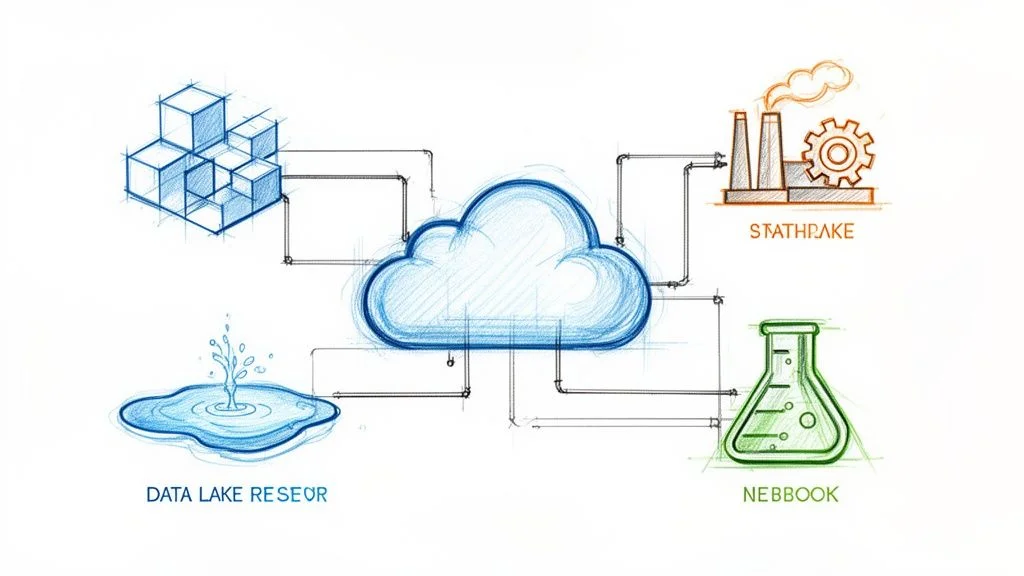
Build Your Data Warehouse on Azure: A Modern Guide
A data warehouse on Azure serves as the single source of truth for business intelligence and analytics, built on Microsoft’s cloud platform. This specialized system is more powerful than a standard database. It ingests, cleanses, integrates, and organizes information from every part of your enterprise—including sales, marketing, finance, operations, customer support, and beyond. By consolidating these scattered data points into one reliable repository, you create a stable foundation for reporting and historical analysis. The primary objective is to use this integrated data to drive proactive business strategies and informed decisions.
Why Mastering Azure Data Warehousing Is a Career Superpower
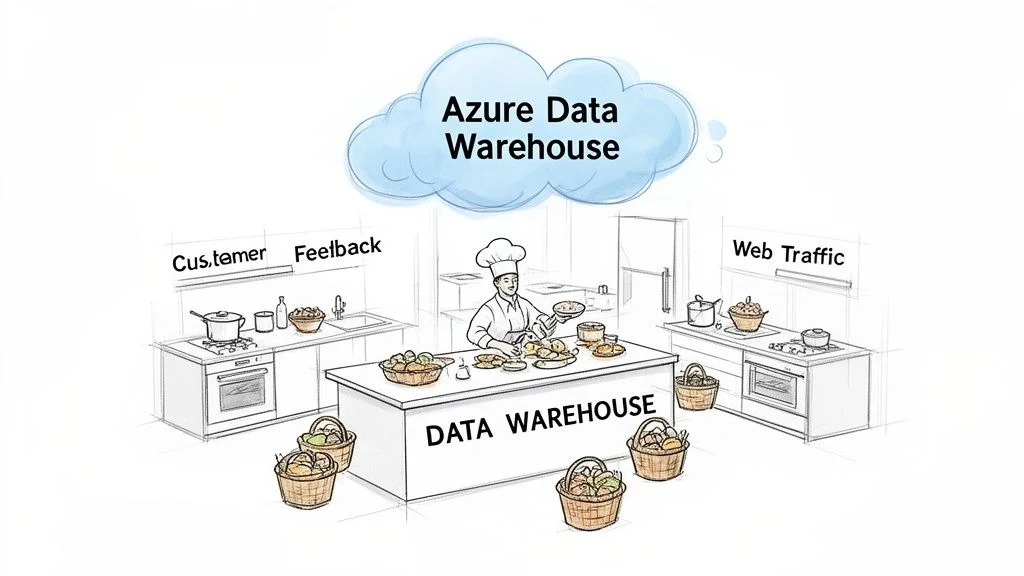
Imagine your company's operational data behaves like a massive collection of critical documents, but they are scattered across thousands of disconnected, often messy, physical filing cabinets. Financial reports sit in one office. Customer interaction logs reside in another. Website analytics are buried in a dusty server room down the hall. Trying to find a complete answer to a strategic business question—such as "What impact did our Q3 marketing spend have on customer lifetime value in specific regions?"—would be an enormous task. It might even be impossible without months of manual labor.
An Azure data warehouse serves as the digital version of a perfectly organized, high-speed central library for all that vital business knowledge. It does more than just store information. The system collects every relevant piece of data, processes it, and categorizes it logically. Finally, it makes that data very simple to retrieve and analyze. This process changes raw, fragmented data into an engine for business intelligence and data-backed decision-making.
Transforming Data Silos into Actionable Clarity
Data silos remain a constant headache for most organizations. Marketing teams often track campaign metrics in isolation, while sales teams follow their own separate performance figures. These datasets rarely overlap or align correctly. This fragmentation results in reports that do not match and insights that conflict with one another. Worst of all, it causes leadership to miss chances for strategic growth.
Azure data warehouses break these barriers down. They gather data from every possible source to provide a 360-degree view of the business. Consequently, IT professionals help stakeholders link once-isolated data points. For instance, you can show the direct link between a specific marketing campaign and sales numbers in a certain city. You can see exactly how customer service improvements change long-term retention rates.
When you unify disparate data sources, an Azure data warehouse enables organizations to move from reactive fixing to proactive, data-driven planning. That represents the difference between guessing what customers want and knowing exactly what they need based on hard evidence.
This significant change is a major reason the cloud data warehouse market is growing so fast. In 2023, the market reached a value of $24.8 billion (verify current market data via the source). Experts believe it will reach $106.2 billion by 2033 (verify current market data via the source). Because 85% of Fortune 500 companies use Azure (verify current usage stats on the Microsoft site), you need these skills to advance. For those who want to see the specific numbers, this cloud data warehouse market analysis provides more context.
Key Strategic Advantages of an Azure Data Warehouse
Choosing Azure for your data warehouse offers specific benefits for both the organization and your career path. The platform provides a level of control and speed that traditional systems cannot match.
Here is a look at why the Azure platform is a strong choice for data warehousing:
| Benefit | What It Means For You (and Your Organization) |
|---|---|
| Scalability | You can build data solutions that handle petabytes of information during intense peak hours and then scale back resources during quiet periods to reduce costs. There is no need for complex hardware management. The system relies on on-demand elasticity to meet your needs. |
| Cost-Effectiveness | This approach removes the requirement for large upfront spending on physical servers and local infrastructure. The pay-as-you-go model used by Azure makes high-level, enterprise-grade analytics affordable for businesses of almost any size. |
| Integrated Service Suite | Azure provides a full set of connected tools for data collection, storage, analytics, and machine learning. These tools are built to work together smoothly. This integration simplifies the workflows for development and daily operations. |
These are not just ideas. They are actual tools for financial and operational success that were once too expensive for many companies. For IT professionals studying for the DP-700: Microsoft Fabric Data Engineer Associate exam, knowing these foundational points is vital. To learn more about the specific topics on this important exam, look at our thorough Microsoft Fabric Data Engineer Associate study guide at MindMesh Academy. Gaining these skills helps you provide clear value as a data expert in the current market.
Reflection Prompt: Consider a recent project where data silos hindered progress. How might the scalability or integrated service suite of an Azure data warehouse have positively impacted that situation?
Understanding the Core Azure Data Services
Building a modern data warehouse on Azure requires selecting specific services that function together. It is most effective to view the architecture as a group of specialized components rather than one single product. Each Azure data service has a distinct role and performs specific tasks. Success depends on knowing how to coordinate these services. Instead of searching for one tool that handles everything, you should combine specialized services to create a high-performance solution.
Azure Synapse Analytics: The Unified Command Center
Azure Synapse Analytics functions as the central controller for data warehousing operations. It provides a platform that combines data warehousing and big data analytics into one environment. This service handles complex SQL queries against structured datasets, which is the standard for business intelligence and reporting. It also processes large volumes of unstructured data, such as logs and IoT feeds. These tasks previously required separate tools like standalone Spark clusters, but Synapse integrates these capabilities.
The platform includes two main SQL consumption models: dedicated and serverless. Dedicated SQL pools provide reserved processing power for high-performance needs, using a scale-out architecture to distribute computational tasks across multiple nodes. Serverless SQL pools allow you to query data directly in your storage account without provisioning resources, which helps manage costs for unplanned or ad hoc workloads. The global cloud data warehouse market is projected to grow from $36.31 billion in 2025 to $155.66 billion by 2034 (verify these market projections on industry analyst sites). Synapse manages AI and machine learning tasks, making it a key tool for data engineers. For those preparing for the DP-203 certification, understanding the differences between SQL pools and Spark pools is vital.
Azure Data Factory: The Automated Logistics Network
After setting up the analytics engine, you must determine how to move data reliably and efficiently. Azure Data Factory (ADF) serves as the automated management system for moving and preparing data. Raw data exists in disconnected sources, including operational databases, cloud applications, and external APIs. ADF orchestrates the movement of this data through the data integration process, typically using ETL (Extract, Transform, Load) or ELT (Extract, Load, Transform) patterns.
The service uses a visual interface that allows data engineers to build workflows. A pipeline consists of activities that perform specific tasks, such as moving data or running a transformation script. ADF also uses an Integration Runtime (IR) to provide the compute resources for these activities across different network environments. You can use a Self-hosted IR to securely connect to on-premises data sources.
- Extract: Connect to various sources like on-premises SQL Server, cloud databases, and file shares to retrieve raw information.
- Transform: Prepare the data by cleaning, filtering, and aggregating it. This ensures the data matches the required schema and business rules. This phase often involves data type conversions or joining tables from different sources.
- Load: Send the processed data to a target like a Synapse SQL pool or a data lake for storage and further analysis.
ADF automates data pipeline management, ensuring that information flows into your architecture on a schedule. It also provides monitoring tools to track the success or failure of these processes. For the DP-203 exam, you must understand how to configure pipelines, linked services, and triggers.
To see how these services work together, look at their specific roles side-by-side. Identifying the right tool for each task is a fundamental skill for any data professional.
Azure Data Services Role Comparison: The Specialist Team
| Azure Service | Primary Role (Analogy) | Best Used For (Certification Context) |
|---|---|---|
| Azure Synapse Analytics | The Unified Command Center | Enterprise-scale analytics, BI reporting, high-performance SQL queries, and big data processing (Spark). Essential for DP-203 scenarios. |
| Azure Data Factory | The Automated Logistics Network | Orchestrating data movement, transformation (ETL/ELT), and pipeline automation from various sources. Key for data ingestion on DP-203. |
| Azure Databricks | The R&D Workshop | Collaborative data science, large-scale Spark-based processing, and machine learning development. Important for advanced analytics on DP-203. |
| Azure Data Lake Storage | The Central Reservoir | Cost-effective storage for raw, semi-structured, and unstructured data. Fundamental for DP-900 and DP-203. |
| Azure SQL Database | The Specialist Transactional Database | Powering Online Transaction Processing (OLTP) applications. Often used as an operational data source or a specialized relational store. |
Azure Databricks: The High-Performance Analytics Workshop
Standard reporting is not always enough for advanced requirements. You may need to perform detailed data science, build predictive models, or execute complex transformations that require distributed computing. For these scenarios, use Azure Databricks.
Using the Apache Spark open-source engine, Azure Databricks provides a collaborative platform where data scientists and engineers can manage demanding analytics tasks. It is an optimized environment for large-scale data processing and machine learning. Databricks and Synapse work as partners rather than competitors. A common architecture involves using Databricks for initial data cleansing and feature engineering on raw files. The processed results are then moved into Synapse SQL pools for business analysts to use in Power BI.
Databricks uses an interactive workspace based on notebooks, supporting languages like Python, Scala, SQL, and R. This allows teams to work together on the same data in real-time. The platform also includes Delta Lake, which adds a layer of reliability to your data lake by providing ACID transactions and scalable metadata handling. This combination of tools is a standard part of modern data engineering.
Azure Data Lake Storage: The Vast Data Reservoir
You must determine where to store raw, semi-processed, and refined data throughout the process. Azure Data Lake Storage (ADLS) provides the foundation for this storage. ADLS Gen2 is a highly scalable and cost-effective reservoir that holds data in its native format. It supports structured data from databases, semi-structured JSON files from APIs, and unstructured data like images or video streams.
The "store everything first" method provides flexibility. You can land raw data in the lake without defining a rigid schema immediately. Later, services like Azure Synapse or Azure Databricks can process this data to find value. ADLS Gen2 uses a hierarchical namespace (HNS), which allows the system to organize files into a hierarchy of directories. This improves performance for big data analytics compared to flat storage structures.
Security in ADLS is managed through Access Control Lists (ACLs) and integration with Azure Entra ID. This ensures that only authorized users or services can access specific files. For those studying for the DP-900: Microsoft Azure Data Fundamentals exam, understanding how a data lake supports a modern data platform is necessary. The Azure Data Fundamentals (DP-900) study guide explains these storage concepts in more detail.
Reflection Prompt: Imagine you're designing a data platform. Which specific scenarios would lead you to prioritize Azure Databricks over Synapse, or vice-versa, for the initial data transformation phase?
Choosing Your Azure Data Architecture Blueprint
Selecting the right architecture for your data warehouse on Azure is rarely a simple, one-size-fits-all decision. Like an architect drafting plans for a building, the design for a local community library differs from the design for a major international airport. Your architecture must align with your intended purpose, operational scale, and specific analytical goals.
Azure provides several established architectural patterns. Each fits different business goals, data volumes, ingestion speeds, and performance needs. There is no single "best" way to build your solution. The right choice depends on your specific use cases. You might need to power live executive dashboards, support advanced machine learning research, or allow decentralized business units to manage their own data domains.
For engineers and architects, learning these core blueprints is a necessary step toward designing data platforms that are resilient, scalable, and cost-efficient.
The diagram below shows how data typically moves through a modern Azure data platform. It illustrates how different services work together to turn raw information into business insights.
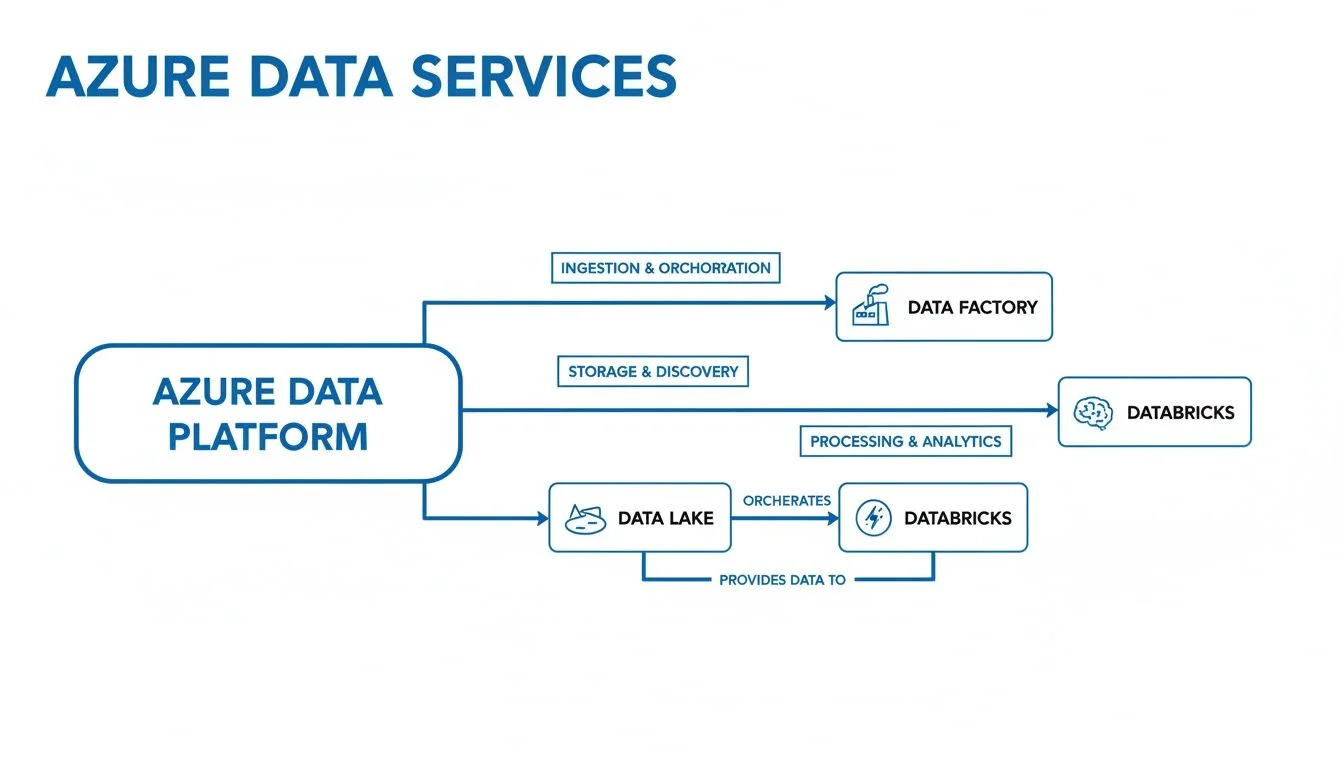
This process follows a logical path. Data is ingested and managed by Azure Data Factory, stored in a flexible Azure Data Lake Storage account, and then processed for analysis using compute engines like Azure Synapse Analytics or Azure Databricks.
The Modern Data Warehouse Pattern
The Modern Data Warehouse (MDW) is the most common blueprint for enterprise-scale analytics. For most organizations starting with cloud analytics, this is the standard choice. It provides a stable, high-performance base for business intelligence, standard reporting, and historical data analysis.
The data flow within an MDW pattern is well-defined:
- Ingestion (ETL/ELT): Azure Data Factory acts as the primary orchestrator. It connects to various source systems—such as CRMs, ERPs, transactional databases, and SaaS applications—to pull in raw data. It can handle both scheduled batches and triggered events.
- Raw Data Storage: All ingested data lands in Azure Data Lake Storage (ADLS) Gen2. This acts as a cost-effective, high-capacity reservoir for different data types in their original format. Using a "Medallion Architecture" here is common, where data moves from a raw "Bronze" zone to a filtered "Silver" zone.
- Data Preparation and Transformation: Once data is in the lake, tools like Data Factory pipelines, Synapse Spark pools, or Databricks notebooks clean and shape it. This step removes duplicates, fixes formatting, and enriches the data. The goal is to move data into a "Gold" zone where it is ready for consumption.
- Analytical Serving Layer: Refined data is loaded into dedicated SQL pools within Azure Synapse Analytics. This engine uses Massively Parallel Processing (MPP) to handle large analytical queries. It is optimized for complex joins and aggregations across millions or billions of rows, providing the speed users expect from a data warehouse.
- Visualization and Reporting: Analysts and business users connect tools like Power BI directly to Synapse. This allows them to build interactive reports and dashboards or perform ad-hoc analysis.
This architecture handles large volumes of structured and semi-structured data effectively. If you are preparing for the AZ-305: Designing Microsoft Azure Infrastructure Solutions exam, you must understand how these components fit together to create a resilient system. You can find detailed design principles in our AZ-305 study guide.
The Real-Time Lambda Architecture
If your business needs insights in real-time, yesterday’s data is not enough. For cases like fraud detection, live streaming analytics, or IoT sensor monitoring, data that is even an hour old may be useless. This is where the Lambda architecture provides a solution. It combines batch processing for historical accuracy with real-time stream processing for immediate results.
The Lambda architecture processes data through two parallel paths:
- The Batch Layer (Cold Path): This layer functions like the MDW pattern described above. It collects and processes data in large intervals to build a complete, historically accurate record. This serves as the organization's ultimate source of truth.
- The Speed Layer (Hot Path): This path processes data as soon as it is generated. It uses services like Azure Stream Analytics, Azure Event Hubs, or Azure Functions to analyze data streams instantly. This layer provides the fast results needed for live dashboards and operational alerts.
When a user runs a query, the system combines data from both the historical batch layer and the live speed layer. This approach provides a unified view that is both current and accurate. While this pattern increases complexity, it is necessary for organizations that cannot wait for a nightly batch window to finish.
The Decentralized Data Mesh
For very large, global companies, a single centralized data warehouse can become a bottleneck. If a central data team must handle every request from every department, innovation slows down. The Data Mesh architecture changes this by using a decentralized model where data is treated as a product. In this model, data is owned and managed by the business units that know it best.
In a data mesh, individual business domains—such as Marketing, Finance, or Supply Chain—own their own data products. They are responsible for the quality, documentation, and accessibility of their datasets. While they use a shared platform and follow global governance rules, they have the autonomy to manage their data lifecycle independently.
This model relies on four main pillars:
- Domain-oriented ownership: The people closest to the data own it.
- Data as a product: Data must be discoverable, reliable, and easy to use for others in the company.
- Self-serve data platform: A central team provides the tools (like Azure Synapse or Databricks) so that domain teams can build their own solutions.
- Federated computational governance: Shared rules for security and compliance are automated across all domains.
This shift moves an organization from a monolithic data warehouse to a network of interoperable data services. It helps large teams move faster because they no longer depend on a central bottleneck for every new report or data feed. Understanding this organizational shift is important for senior data professionals who design high-level strategies.
Reflection Prompt: If you were designing a data platform for a global e-commerce company, which architectural pattern—MDW, Lambda, or Data Mesh—would you initially lean towards, and why? What are the key considerations that would influence your final decision?
Optimizing Performance and Managing Costs
You have deployed your data warehouse on Azure. This is a major milestone. Now, the focus shifts to a more sophisticated challenge: balancing high-speed performance with tight budget control. A successful deployment is not just about making the system work. It is about making the system work efficiently. Any engineer can turn on cloud services, but a specialist knows how to adjust the settings to get the most speed out of every dollar spent.
This balance requires making daily, data-driven choices. You must evaluate the trade-offs between different service levels and use advanced methods to speed up queries. You also need a clear plan to monitor how much of the Azure budget you use each month. Operational success comes from being proactive rather than reactive.
Choosing Your Synapse SQL Pool Engine Wisely
A primary decision point within Azure Synapse Analytics involves picking the right SQL pool engine. You have two main paths: Dedicated or Serverless. You are choosing between a reserved set of resources for steady work and a flexible, on-demand service for occasional tasks.
-
Dedicated SQL Pools: These act as your reserved environment for data processing. You choose a specific amount of power measured in Data Warehouse Units (DWUs). These units represent a combination of CPU, memory, and IO resources. Because the resources are reserved for you, the performance is stable and predictable. This is the best choice for high-priority enterprise dashboards and reports that must be ready at a specific time every morning. It helps you meet strict service level agreements (SLAs) for production environments.
-
Serverless SQL Pools: These work on a pay-per-query model. You do not reserve any compute power in advance. Instead, Azure scales the resources automatically when you run a query and stops them when the query finishes. You are billed based on the amount of data processed, which is roughly $5.00 per terabyte (verify current pricing on the vendor site). This engine is excellent for exploring data in your data lake, performing ad-hoc analysis, or handling workloads that happen at irregular intervals.
You do not have to pick one and stay with it forever. Many teams use Serverless SQL pools during the early stages of a project to explore data and build prototypes. As the project matures and certain reports become part of a daily business routine, they move those specific tasks to a Dedicated SQL pool. This move ensures the reports run quickly and at a fixed cost. This flexibility allows you to adapt as your data needs grow.
Advanced Performance Tuning Techniques
Once the data starts flowing, you must look for ways to make it move faster. If a query takes too long, it slows down business decisions. You can fix most performance issues by applying a few specific tuning methods.
One of the most effective methods is using a materialized view. In a standard view, the system stores the query logic and runs it every time someone looks at the view. This can be slow if the query is complex. A materialized view is different. It pre-computes the query results and saves them in the database as a physical object. When a user runs a query, the system pulls the pre-calculated data instantly.
Materialized views change how you handle executive dashboards. These dashboards often require heavy calculations to show Key Performance Indicators (KPIs). If you pre-calculate these metrics into a materialized view, the dashboard loads in less than a second. The system also handles the updates automatically. When the data in the underlying tables changes, the materialized view stays synchronized without manual intervention from the engineering team.
Another important method is workload management. This feature helps you control how the system shares resources between different users. Without it, one large, experimental query from a data scientist might slow down a critical financial report for the CFO. Workload management allows you to set up different groups for different types of work. You can assign high importance to executive reports and lower importance to background tasks. This ensures that the most critical business functions always have the resources they need to finish on time.
Actionable Cost Management Strategies
Cloud costs can grow quickly if you do not watch them. You should manage your spending with the same care you use for your data architecture. Azure provides several tools to help you stay within your financial limits.
- Model Your Costs Pre-Deployment: Do not guess how much your setup will cost. Use the Azure Pricing Calculator to build a detailed estimate. Include your expected storage needs, the number of DWUs you plan to use, and any data transfer costs. This gives you a baseline for your monthly bills.
- Establish Budget Alerts: You should never be surprised by a bill at the end of the month. Go into the Azure portal and set up budgets for your resource groups. Configure automated alerts to send emails or text messages when your spending hits 50%, 75%, and 90% of your monthly limit. This gives you time to adjust your usage before you go over budget.
- Use Reservations for Consistent Workloads: If you know you will need a Dedicated SQL pool for the next year, you can save a significant amount of money with Azure Reservations. By committing to a one-year or three-year term, you can reduce your costs by up to 65% compared to standard hourly rates (verify current pricing on the vendor site). This is one of the best ways to lower the total cost of ownership for a stable data warehouse.
- Implement Smart Pausing and Scaling: This is the most direct way to save money. If no one uses your Dedicated SQL pool at night or on the weekends, you can pause it. When a pool is paused, you stop paying for the compute power immediately. You only pay for the storage where the data sits. You can also scale your resources. You might run at 1,000 DWUs during the busy morning hours and scale down to 100 DWUs in the afternoon. Scaling typically takes a few minutes (verify current timing on the vendor site) and ensures you only pay for the performance you actually need.
Reflection Prompt: If a daily sales report is taking two hours to finish and blocking morning meetings, but your budget is already at its limit, how would you use materialized views and pausing schedules to solve the speed problem without increasing your total monthly spend?
Implementing Essential Data Warehouse Security
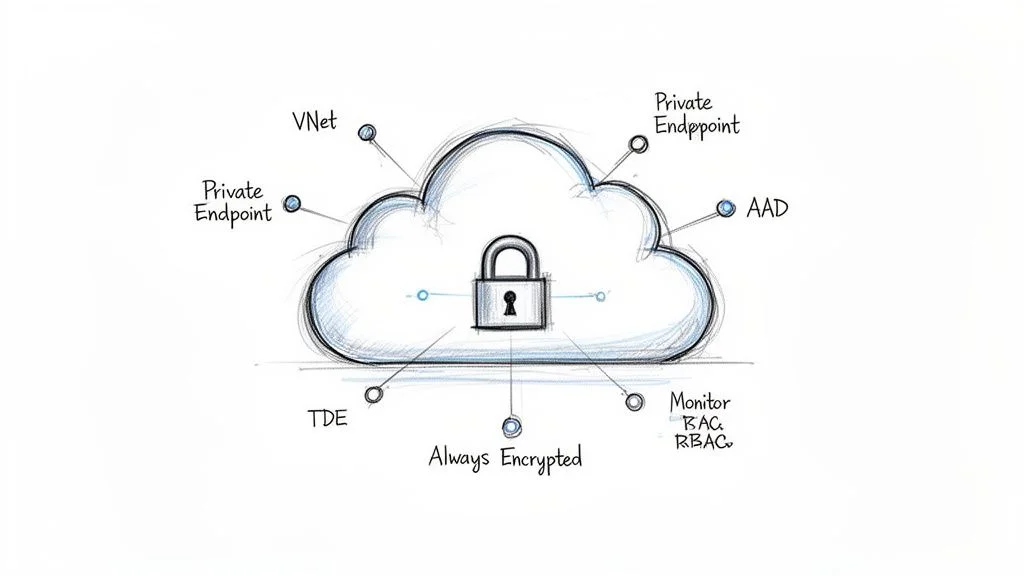
Security is the foundation of any cloud data project. While building a functional data warehouse on Azure is a significant technical achievement, keeping that system safe is a separate and vital responsibility. Without several layers of defense, a company faces more than just regulatory fines or a loss of reputation; it risks the total operational trust of its users. A strong security plan handles three main areas: network access, identity management, and data encryption. You must ensure that information remains safe whether it is stored on a disk or moving through a processing pipeline.
Security is never a task you finish and forget. It is a continuous effort to stay ahead of threats. To protect your assets, you must look at every entry point and every way data moves within your cloud environment. This starts at the edge of your network and goes all the way down to individual rows of data.
Isolating Your Network Perimeter
Your first line of defense is the network perimeter. The goal is to build a virtual wall around your data services to hide them from the public internet. Most external threats begin with an attempt to find an open door on the web. Azure provides specific tools to close these doors and ensure your data warehouse remains invisible to outsiders.
-
Azure Virtual Networks (VNet): A VNet is a private, isolated space in the Azure cloud. When you place your Azure Synapse workspace or Data Lake Storage inside a VNet, you effectively pull them off the public web. This creates a secure boundary where your resources can communicate with each other without being seen by anyone on the outside. (Check the AZ-700 study guide for more on network isolation).
-
Private Endpoints: These function as secure entries into your services. A Private Endpoint uses a private IP address from your own VNet for a specific service, such as your SQL pool or storage account. This ensures that all data traffic stays on the Microsoft private network. It never enters the public internet, which drastically reduces the surface area for a potential attack.
-
Network Security Groups (NSGs): These act as internal filters for your network traffic. You can use NSGs to create rules that allow or block traffic based on IP addresses, ports, or protocols. For example, you can set a rule that only allows traffic from your corporate office IP address to reach your data warehouse, blocking all other attempts.
By combining VNets, Private Endpoints, and NSGs, you create a tiered defense. This setup ensures that even if an attacker knew your service existed, they would have no path to reach it. Only authorized resources inside your controlled network can even try to connect.
Enforcing Identity and Access Control
Once the network is closed off, you must control who enters. The main rule here is the principle of least privilege. This means every person, service, or application should have only the minimum permissions they need to do their job. Access should never be broad or permanent if it can be specific and temporary.
Security is not a static setup. It is an active process of monitoring and adjusting. Your identity policies must change as your team grows or your data needs shift. Keeping access rights minimal is the best way to prevent accidental or intentional data leaks.
Microsoft Entra ID (formerly Azure Active Directory) is the single source of truth for all identities in your environment. You should avoid using old-style local SQL logins whenever possible. Instead, connect every part of your warehouse to Entra ID. This allows you to use Multi-Factor Authentication (MFA). MFA is a simple but powerful tool that stops most identity-based attacks by requiring more than just a password to log in.
To keep your assets safe, you should follow Data Security Best Practices. From that foundation, you can set specific permissions using Role-Based Access Control (RBAC). RBAC lets you define exactly what different people can do:
-
Data Analysts: You might give an analyst read-only access to specific tables or views within Synapse. This allows them to run reports without the risk of deleting data or changing the structure of the warehouse.
-
Data Engineers: An engineer might have the right to build and change pipelines in Azure Data Factory. They need more power to move and transform data, but they still do not need "Owner" rights over the entire subscription.
-
Managed Identities: These are used for communication between Azure services. For example, your Data Factory can connect to your Data Lake without you having to store passwords in your code. This removes the risk of credentials being exposed in scripts or configuration files.
Protecting Data at Rest and in Use
You should always act as if a security breach is a possibility. If an attacker manages to bypass your network and identity controls, encryption is your final shield. Encryption makes the raw data useless to anyone who does not have the specific keys to unlock it.
-
Transparent Data Encryption (TDE): TDE protects your data while it sits on a disk. It encrypts the physical files, including backups and transaction logs. In Azure Synapse, TDE is usually turned on by default. It requires no changes to your queries or applications, but it ensures that if a storage disk were physically stolen or accessed improperly, the data would appear as random noise.
-
Always Encrypted: This is used for your most sensitive information, such as social security numbers, credit card details, or medical records. Data is encrypted inside the client application before it ever reaches the database. It stays encrypted even while the database is processing a query. This means that even a database administrator with high-level access cannot see the actual values. It is one of the best ways to protect against internal threats.
-
Azure Key Vault: This is where you store and manage your encryption keys. Instead of keeping keys in your app settings, you keep them in the vault. You can set policies to rotate these keys regularly. This adds another layer of safety because even if a key is somehow compromised, it will soon be replaced by a new one.
This layered approach is a requirement for modern cloud platforms. For those studying for the DP-203: Data Engineering on Microsoft Azure exam, mastering these security controls is essential. The data warehouse sector on Azure is a massive part of the market. Experts project this segment will hold 42.30% of market revenue by 2025 (verify current market share statistics on official industry reports). As this market grows to an estimated $43.16 billion by 2035 (verify long-term projections with financial analysts), the ability to secure these platforms will be a defining skill for data professionals. You can find more about these trends and Azure's market share to see how the platform is expanding.
Reflection Prompt: Your company is getting ready for a major security audit. How would you use a mix of VNets, Private Endpoints, Entra ID with MFA, and Always Encrypted to prove that your Azure data warehouse is fully protected? Think about how these tools work together to cover the network, the user, and the data itself.
Your Path to Azure Data Certification and Beyond
Building an effective data warehouse on Azure requires a deep understanding of architecture and specific services. However, technical knowledge is only half the battle. Proving you have the practical ability to design, build, and maintain these systems is a separate challenge. Professional certifications serve this purpose by providing a standardized, industry-recognized validation of your technical skills for current and future employers.
For any professional intent on building a career in the Azure data field, the DP-203: Data Engineering on Microsoft Azure certification is the standard benchmark. The technical concepts discussed throughout this guide form the backbone of the DP-203 curriculum. These include the unified workspace of Azure Synapse Analytics, the data movement capabilities of Azure Data Factory, and the security protocols used to protect sensitive information. Mastery of these tools is necessary to pass the exam with confidence.
Tying What You've Learned to the DP-203 Exam
This guide serves as a practical manual for data engineering that aligns with the core objectives of the DP-203 exam. You should not expect the exam to focus on simple definitions or abstract theories. Microsoft designs these assessments to be scenario-based. You will be asked to solve problems that mirror the daily tasks of a data engineer working in a production environment.
- Choosing the Right Tools: You will often see a business problem and be asked to select the best service for the job. You must decide whether Azure Synapse Analytics, Azure Databricks, or Azure Data Lake Storage provides the most efficient way to store or transform a specific dataset.
- Designing the Solution: You must identify when to apply a Modern Data Warehouse pattern for standard business intelligence versus a Lambda architecture for processing high-velocity streaming data. The exam tests your ability to match architectural patterns to specific technical requirements.
- Balancing Performance and Cost: Several questions will assess your knowledge of SQL pools. You must know when to use a Serverless SQL pool for ad-hoc data exploration and when a Dedicated SQL pool is required to provide stable, high-performance results for production dashboards.
- Locking Down Data: Security is a major focus. You will need to demonstrate how to secure a data warehouse environment using Azure Virtual Networks, Private Endpoints, and detailed Role-Based Access Control (RBAC) to ensure only authorized users access specific data layers.
Mastering these areas does more than help you pass a test. You are building a mental framework for solving difficult data problems. This training helps you ask better questions and instinctively choose the right Azure service for a specific workload. These skills remain useful across almost every data-focused role in the industry.
A certification is more than a line on a resume. The process of preparing for it forces you to adopt a structured approach to technical problems. It trains you to analyze requirements and choose the best Azure services to build scalable, secure, and efficient data solutions that provide real value to an organization.
Sample DP-203 Exam Question
You can test your knowledge with this sample question, which reflects the difficulty and style of the actual DP-203 exam.
Scenario: A company needs a new analytics platform to process two types of data. First, they have historical sales records stored in an on-premises SQL Server database. Second, they have real-time clickstream data from a high-traffic website. The company wants a single environment where analysts can create historical reports and view live dashboards. They also need to keep costs low for data scientists who perform unpredictable, ad-hoc queries against the raw data.
Which combination of Azure services should you recommend?
- Azure SQL Database and Azure Stream Analytics
- Azure Synapse Analytics (Dedicated and Serverless SQL pools) and Azure Event Hubs
- Azure Databricks and Azure Data Lake Storage
- Azure Data Factory and Azure Blob Storage
Correct Answer and Explanation: The correct answer is 2. Azure Synapse Analytics is the best choice here because it provides a unified platform for both warehouse and big data workloads. Dedicated SQL pools provide the consistent performance needed for the historical sales reports. Serverless SQL pools allow data scientists to run ad-hoc queries against the data lake while only paying for the data scanned, which satisfies the cost-control requirement. Finally, Azure Event Hubs is the standard tool for ingesting high-volume, real-time streaming data like website clickstreams.
Option 1 is incorrect because Azure SQL Database does not scale as effectively for large-scale analytical workloads. Option 3 is a strong choice for processing but lacks the integrated T-SQL experience business analysts often require for reporting. Option 4 provides storage and movement but lacks the analytical engines required to serve the dashboards.
Looking Past the Exam to Your Career
Passing the DP-203 exam is a major achievement, but it is best viewed as a starting point. The validated skills you gain during this process are what global organizations look for when hiring. If you look at job descriptions for Data Engineers, Cloud Architects, or Analytics Engineers, you will see Azure data services listed as a core requirement.
By learning how to design and manage a data warehouse on Azure, you are doing more than just studying for a credential. You are making a strategic investment in technical skills that allow you to lead projects and deliver results. This expertise helps you build a stable and rewarding career in a field that continues to grow every year.
Frequently Asked Questions
When you examine the specific details of data warehousing on Azure, several logical questions typically surface. Addressing these common inquiries helps clarify technical distinctions so you can proceed with your project.
What Is the Main Difference Between a Data Warehouse and a Data Lake?
This question represents a fundamental distinction in cloud architecture. A data warehouse functions as a strictly organized, highly curated library. Every data point undergoes a process of selection, cleansing, and structuring before it is saved. The system places this information onto specific shelves according to a fixed, predefined schema. This environment is clean and highly optimized for business users who need immediate access to structured reports and standardized analyses. Because the data is already processed, queries run quickly and provide consistent results for financial reporting or operational metrics.
By contrast, a data lake operates as a vast and raw archive. It is built to accept all data types regardless of their initial state. This includes structured relational tables, semi-structured JSON logs, and unstructured content like audio recordings, video files, or raw sensor data from IoT devices. A data lake acts as a storage location for untapped information, keeping every bit of data in its native format for future use.
Within an Azure-based architecture, these two concepts are not competing options. They function as complementary parts of a larger system. Most organizations use Azure Data Lake Storage to provide a low-cost, high-capacity landing zone for raw and semi-processed information. They then use Azure Synapse Analytics to manage the dedicated SQL pools that serve as the polished library layer. This combination supports both high-performance analytical querying for business intelligence and long-term storage for raw data assets.
Should I Use Azure Synapse Analytics or Azure Databricks for My Project?
The choice between Synapse and Databricks is rarely about picking one over the other. These services are built to work together, with each serving a specific purpose within the data lifecycle. Choosing the right tool depends on the specific workload and the skill sets of your team.
- Consider Azure Synapse Analytics for enterprise-level data warehousing and integrated business analytics. This service is the primary choice for high-performance SQL tasks and for serving data to visualization tools like Power BI. It provides a unified environment where you can manage both structured and semi-structured data. Business analysts and report developers typically prefer Synapse because it offers a familiar SQL-based interface and simplifies the management of production-ready data marts.
- Consider Azure Databricks for data science, machine learning, and complex data engineering tasks that require a code-first approach. This environment is where data engineers and scientists use languages like Python, Scala, or R to perform heavy transformations. Databricks excels at processing large-scale data using Apache Spark. It provides a collaborative workspace for building predictive models, developing AI applications, and exploring massive datasets that are too large or too unorganized for a standard SQL engine.
A frequent architectural pattern involves using Databricks to clean raw data and perform feature engineering within the data lake. Once the data is refined and aggregated, the system loads it into the SQL pools in Synapse Analytics. This allows the data science team to use the flexibility of Spark while the rest of the business uses the speed and governance of Synapse for daily reporting and self-service BI.
Effective data architectures often combine multiple specialized services. Synapse provides the governance and performance needed for enterprise-wide reporting, while Databricks offers the specialized environment required for advanced data science and AI development.
How Can I Start Building a Data Warehouse on Azure with a Small Budget?
You do not need a large initial investment to start building a data warehouse on Azure. The platform uses a consumption-based pricing model and offers serverless technologies that allow you to build a functional solution with minimal costs. This approach allows you to prove the value of your data projects and increase your budget as the organization sees the results.
Follow these steps to build a cost-effective solution:
- Ingest Data Affordably: Use Azure Data Factory and take advantage of its pay-as-you-go model. You are charged only for the compute time used by your pipelines. If your data only needs to be updated once a day, you only pay for those few minutes of activity.
- Store Data Economically: Do not load all your data into high-performance databases immediately. Keep your raw and semi-processed files in the cool or archive tiers of Azure Data Lake Storage. These tiers offer some of the lowest storage costs available in the cloud and serve as a reliable primary landing zone for all incoming information.
- Analyze On-Demand (Serverless First): Use the Serverless SQL Pools in Azure Synapse for your analytical queries. Unlike dedicated pools, serverless pools do not require you to pay for compute resources that sit idle. You are only billed for the volume of data processed during a query. This model is ideal for ad-hoc analysis or workloads that do not run 24/7.
A serverless-first strategy allows you to build a scalable and functional data warehouse without a significant financial commitment. This method works well for startups, departmental projects, or proof-of-concept testing.
Ready to master these essential concepts and confirm your technical skills? MindMesh Academy offers study materials, study guides, and practice questions to help you prepare for Azure data certifications. Start your learning path today!

Written by
Alvin Varughese
Founder, MindMesh Academy
Alvin Varughese is the founder of MindMesh Academy and an enterprise architecture leader. An electrical engineer by training, he moved from factory automation in South Africa to cloud architecture at GE Appliances and Humana (Fortune 50), and holds 20 professional certifications including AWS Solutions Architect Professional, Azure DevOps Engineer Expert, and Microsoft Agentic AI Business Solutions Architect. He built MindMesh Academy after interviewing too many highly certified candidates who couldn't answer basic questions: the goal is prep that makes you better at the job, not just able to pass the exam.